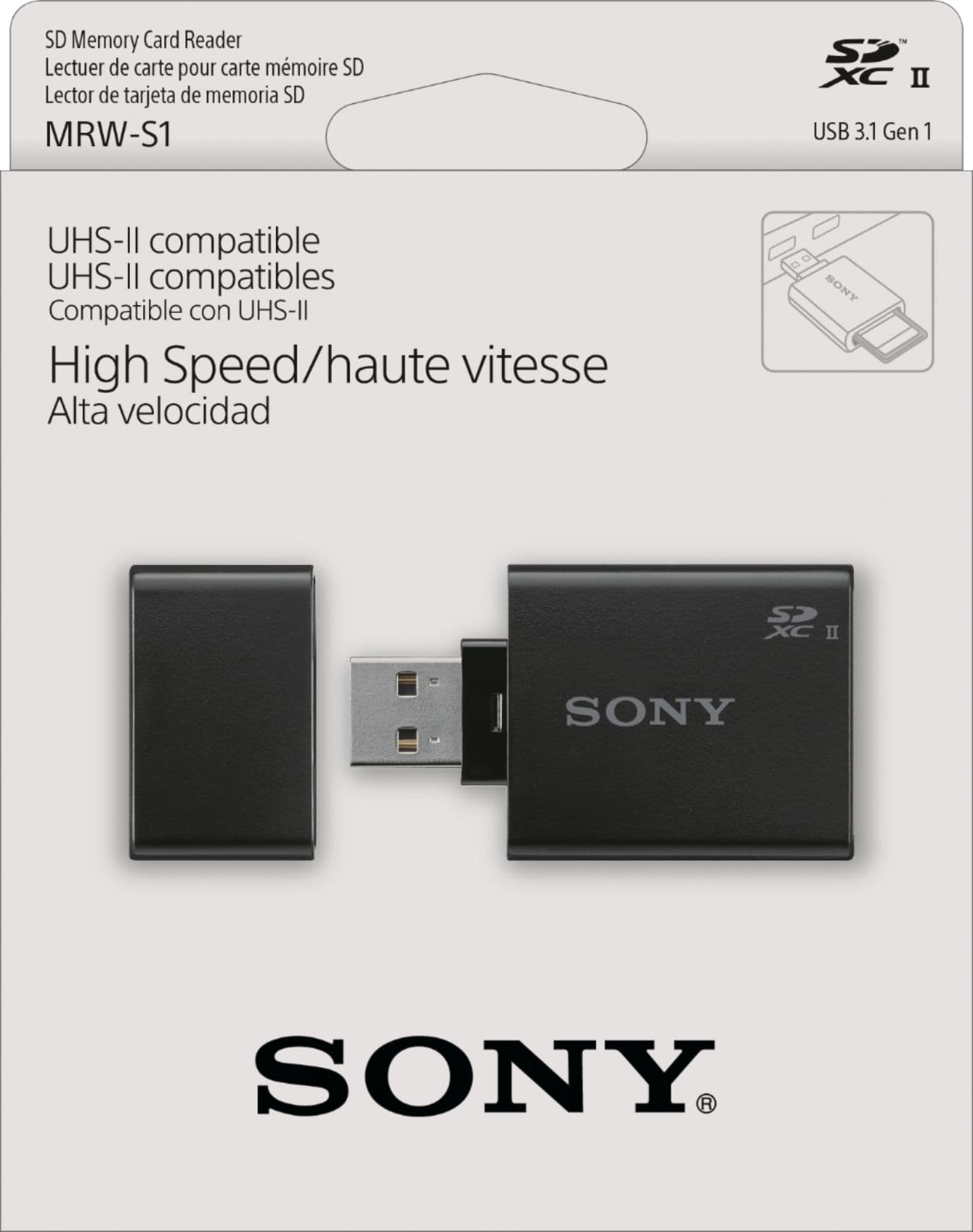
I’m looking for something in similar form factor - one with cap-protected SD slot so that it can carry SD card permanently and safely also for travel.
Obviously nobody cares to mention in description whether reader supports write lock or not.
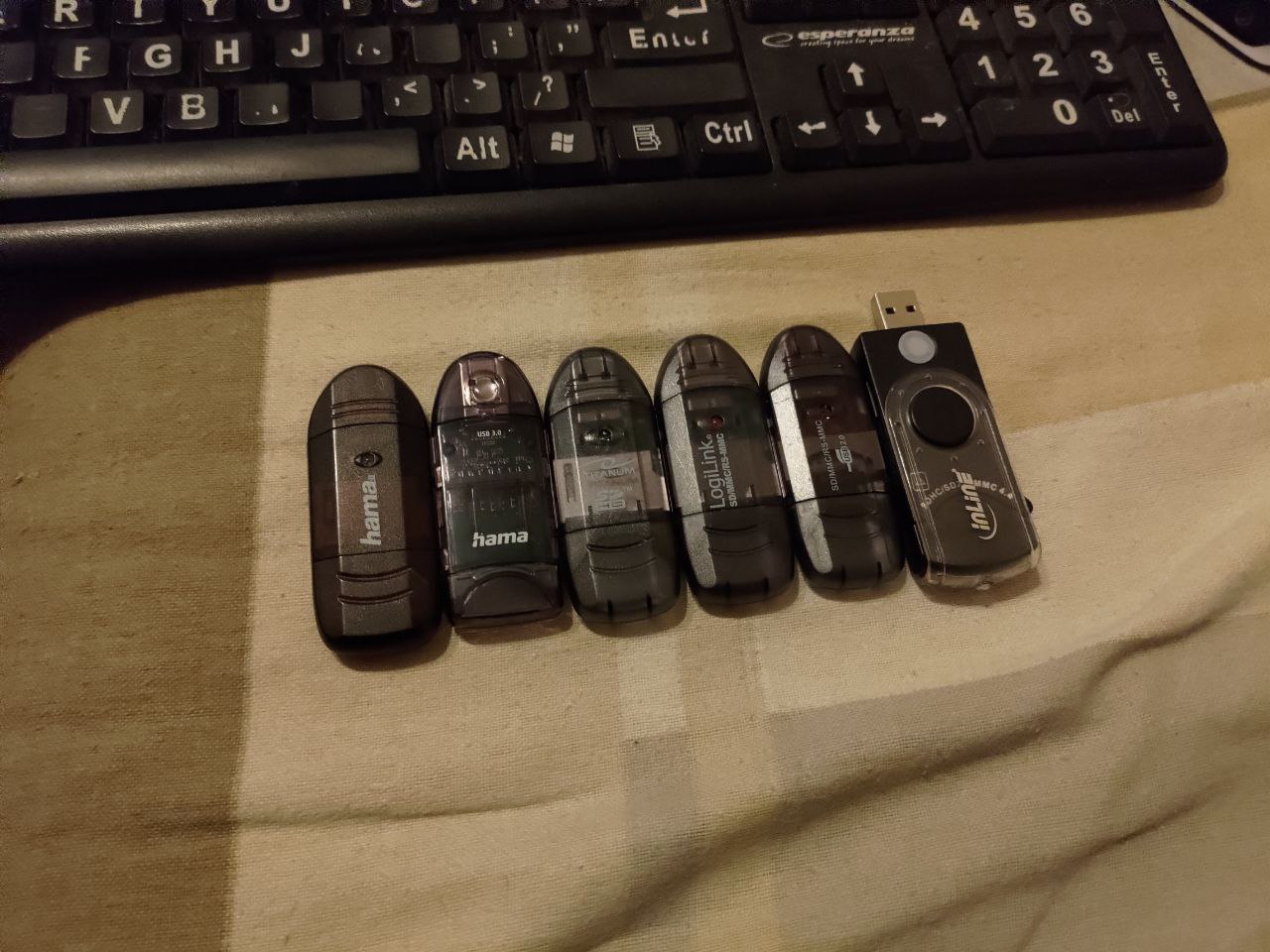
First one on the left (black hama) is my old trusty reader that I bought like 10 years ago and it does indeed support write lock. But unfortunately it seems it got a bit damaged over time and sometimes doesn’t start up after plugging it in. Also it trashed few of my SD cards recently so it seems it’s gone. I’m looking for replacement but everything out there is complete non compliant trash.
Tall order, pilgrim. MacBooks and some laptops have an SD card reader built-in so there’s no need for most of us to have a portable combination unit. With that said, I like these products.
Portable Card Reader:
Kingston DataTraveler Max Type-A 1TB:
Kingston DataTraveler Max USB-C 1TB:
If I happen to find something that is on par with what you’re searching for, I’ll let you know.
Apart from first one those are thumb drives. Not SD card readers. And first one is definitely not safe to keep it in backpack with SD inside xD also I’m 99% sure it doesn’t support write lock because it’s too short for that (write lock in SD is mechanical so reader has to support physical detection pin to sense position of switch - it can’t do that if SD card sticks out too much)
Finding new 14" or smaller laptop with full size SD card reader in 2024 sounds like mission impossible. My HP ZBook 14u G6 only had micro SD reader and my ThinkPad P14 Gen2 doesn’t have any sd card reader whatsoever.
I guess my best bet would be to 3d print cap for it which should be kinda doable (unlike in case of Sandisk reader which has fancy bs shape making it PITA to work with)
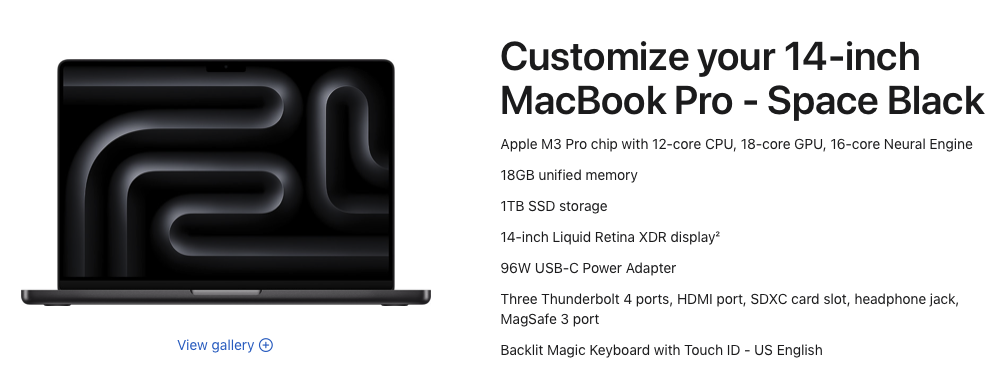
Finding a laptop with a card reader built in IS relatively easy in 2024. It’s standard in MacBooks since they tend to cater to creators and developers.
You’re honestly better off investing in a solid USB thumb drive because your read / write speeds on an SD or MicroSD card are going to be crap in comparison and, as the OP pointed out, there is always the risk of losing them. You’ll also have way more storage on a good thumb drive and it will be more resistant to wear and tear.
Now if the OP finds themselves in a niche situation where they don’t have the cash to spend on a new laptop and are forced to use an SD card for their particular use case, I say they are better off investing in the Pelican SD card case since losing the cards is a concern. Then pick up an SD card reader dongle. The Pelican case is water tight and built like a tank - photographers love them.
Loosing card is not all that much of a concern. I mean that’s not why I’m looking for this form factor of reader, I’m more worried about dust and dirt. I keep encryption keys on microsd card so that it can be easily destroyed in case I need to do that and I’m concerned about write lock so that they’re not accidentally damaged/wiped. If you want something that can be easily destroyed on demand and hard to destroy accidentally then microSD cards with write lock are hard to beat. Thumb drives for example are relatively difficult to destroy with bare hands in a way that data recovery with specialized equipment won’t be trivial. microSD cut in half may be safely considered trashed beyond any recovery. There’s very low chance that you’ll miss NAND area. There are indeed thumb drives that do support write lock so they fulfill requirement regarding safety against accidental damage but they don’t really look like something easy to destroy “in the field” (and destroying keys physically is the only thing that protects your data against guy with 5$ wrench)
The main reason why I’d like it to survive carrying in backpack is that I’m using those keys every single day (sometimes few times a day) in laptop, docking station, desktop workstation and servers, basically everything. That adds up additional mechanical wear and convenience requirements (putting card in and out adds additional step which may not be unbearable but if you gotta do it few times a day it probably will become a burden relatively quickly), hence I’m looking for that particular form factor, not just any random sd card reader.
I’m quite surprised that MBP has sd card reader ngl, didn’t expect that. That said it’s not very suitable for my other use cases unfortunately.
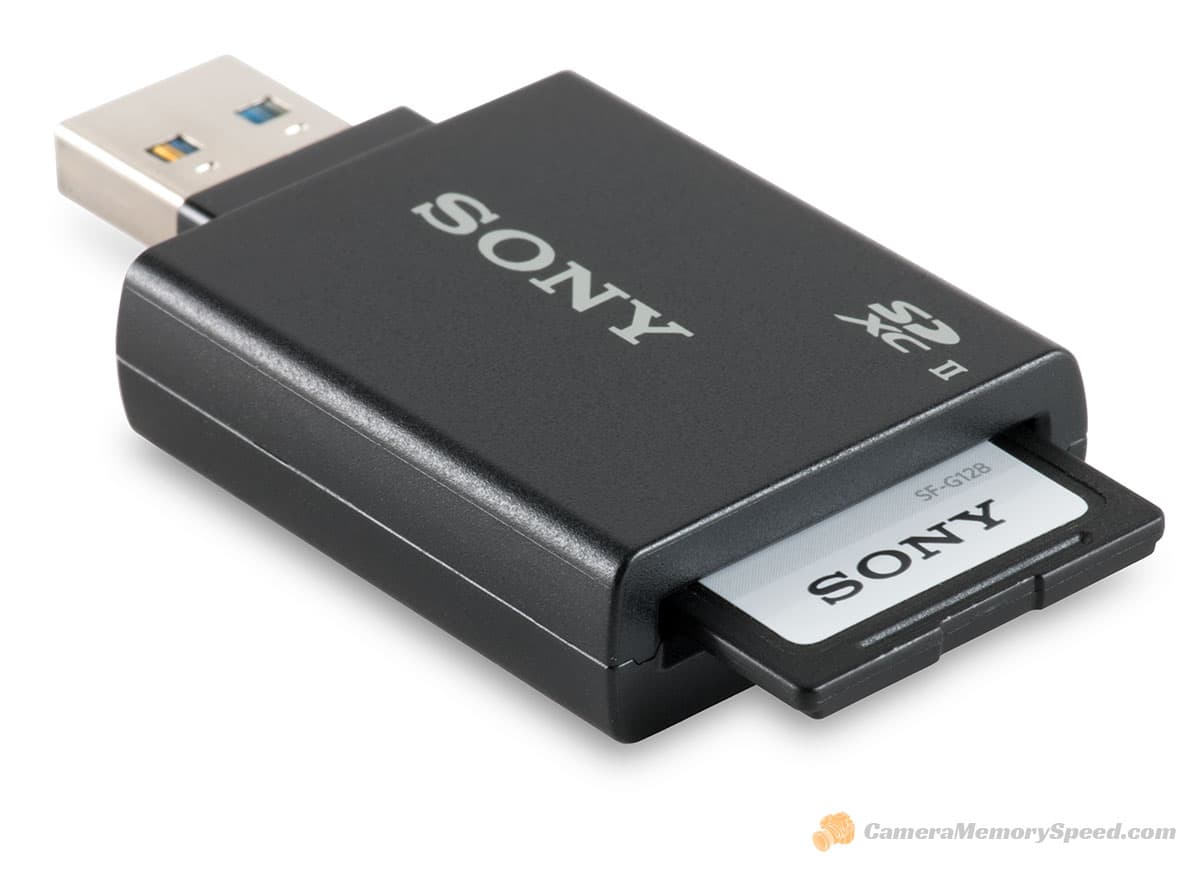
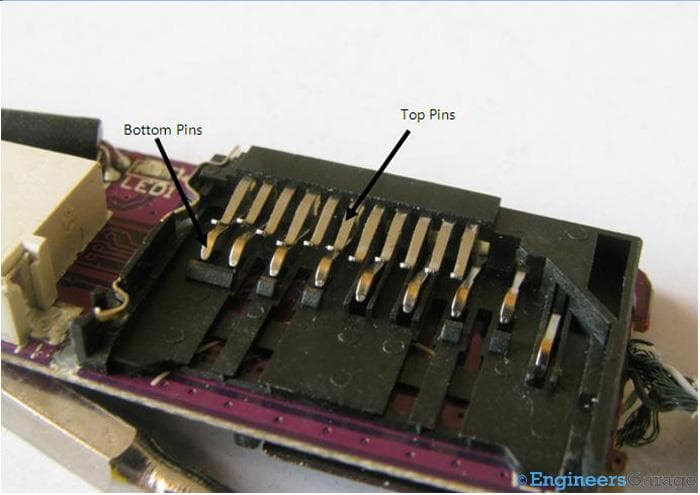
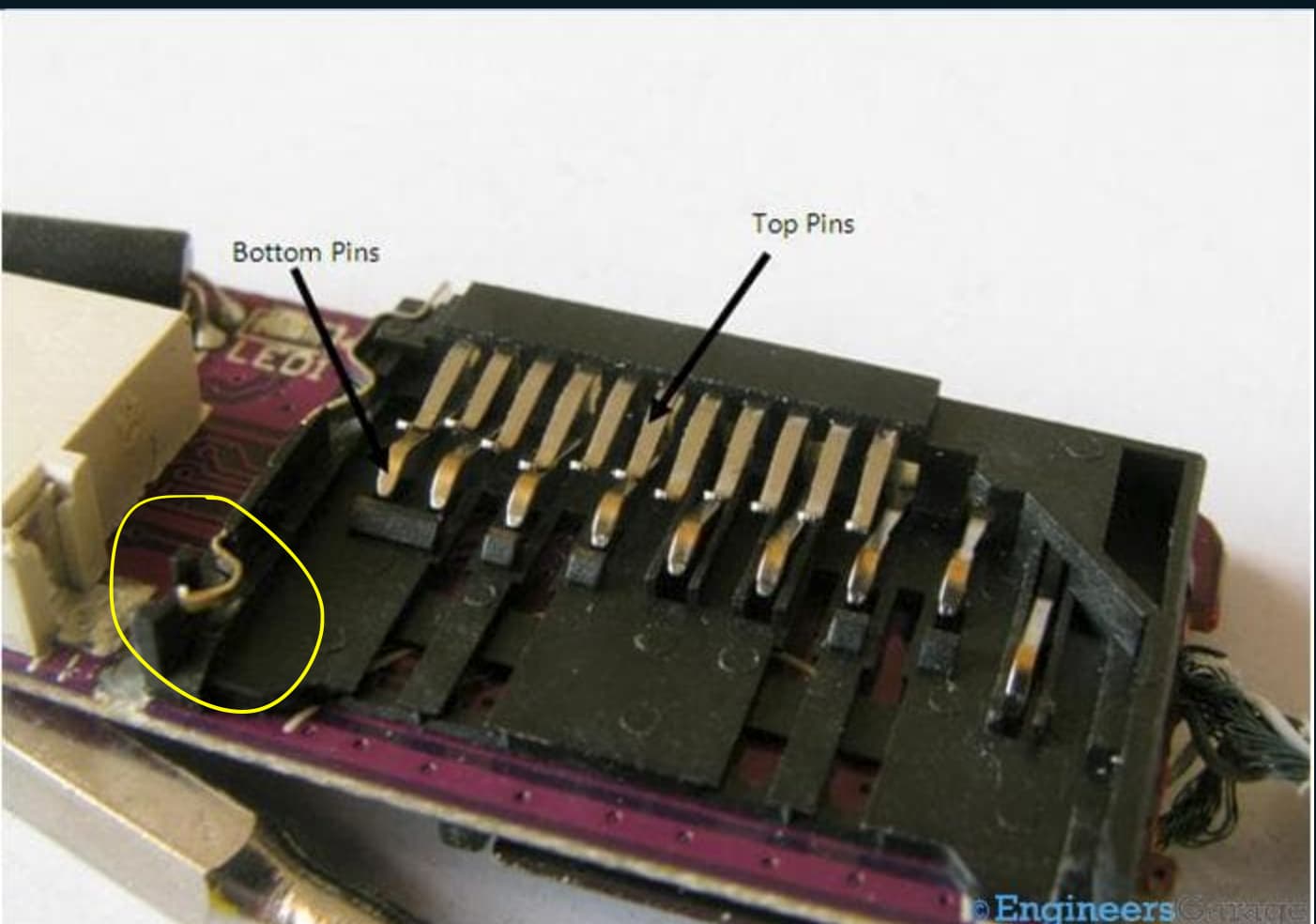
this is example of sd card reader that 100% doesn’t support write lock since slot itself is too short. This on the other hand is example of slot that could have write lock support if maufacturer actually cared:
There’s sensing pin on the left that detects physical position of lock switch on SD card. If reader is too shallow then SD card can’t physically fit up to point where this pin could be triggered in any way. Those side loaded SD card readers are almost always too compact to fit enough of SD card to reach lock switch.
Unfortunately sometimes proper slot is not enough and as you can see on photo in my first post - two of those readers do have slots with sensing pins but they’re still not properly programmed to recognize it because it would probably cost like additional 0.1$ in factory in China so nobody bothered…
I had similar needs in the past and the least headache is to use a linux program like this GitHub - BertoldVdb/sdtool: A small tool for managing the write protection flag of SD cards. and just set the sdcard itself in readonly mode. This is independent from the reader or mechanical switch. The SDcard is set read only until you send a command to go in rw mode again.
There should be also a “permanent” read only mode that is, as the name implies, permanent, but I never used.
Then you can just get whatever reader and it’s fine
I haven’t read much of this thread but a thought came to mind:
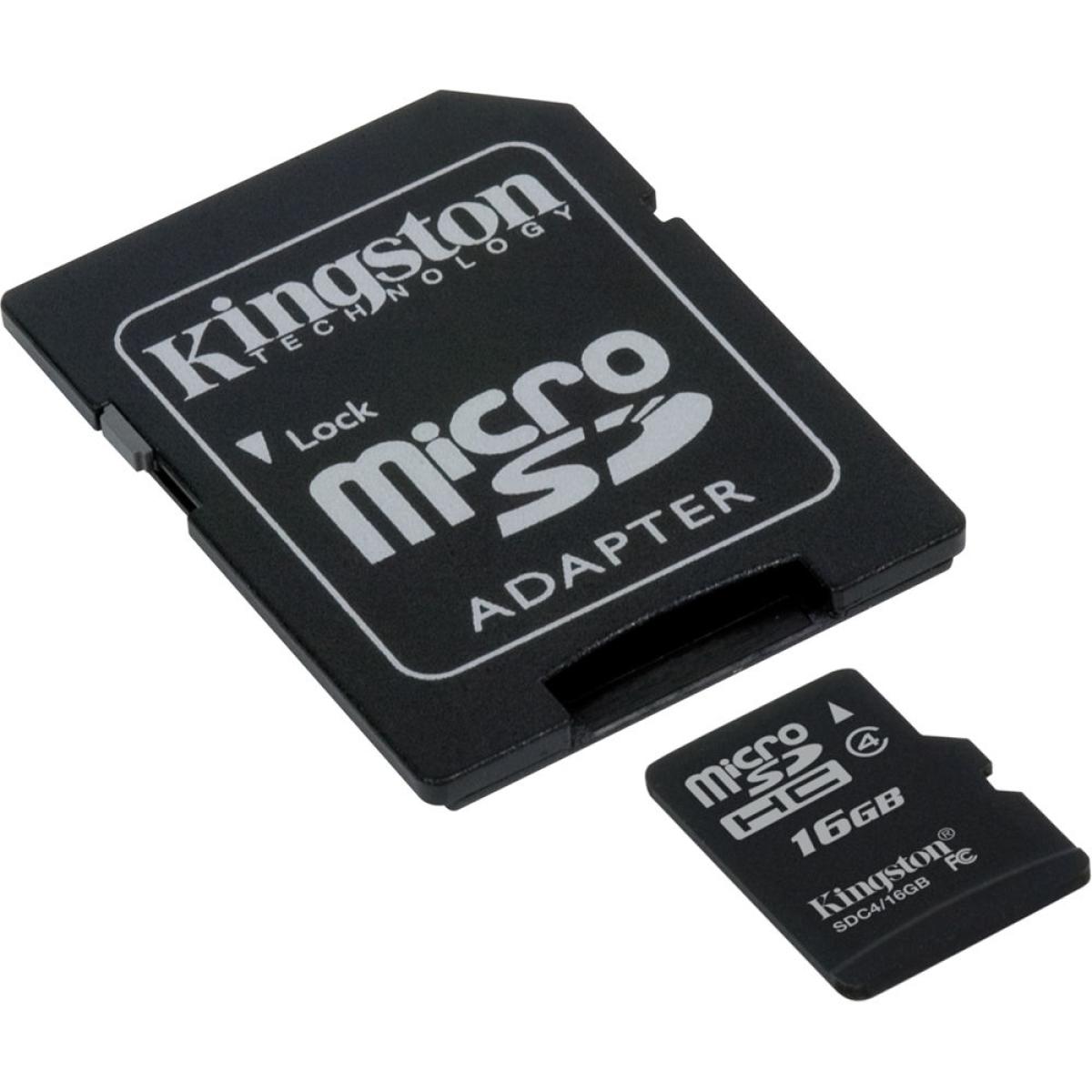
Why not use one of your normal SD card readers but use a MicroSD card with an “SD to MicroSD” adapter, many if not all have a physical switch which does the write lock.
This here for example has it:
frankly I find that insane as a design and even MORE insane that this was so little publicized by the manufacturers that I was today years old when I learned it.
I always thought it’s electric based and that’s why full SD has one more pin than microSD but I believe that one additional pin in full SD is used for microSD presence sensing (it seems to short to pin next to it when microSD is inserted into adapter, probably so that readers can know if microSD is actually present in card and return “no medium” error if it isn’t)
sounds great actually, I’ll try this one as additional protection layer because sometimes I’m inserting this card into laptop with plain microsd reader (so it obviously doesn’t support lock switch as there’s no such thing on microsd)