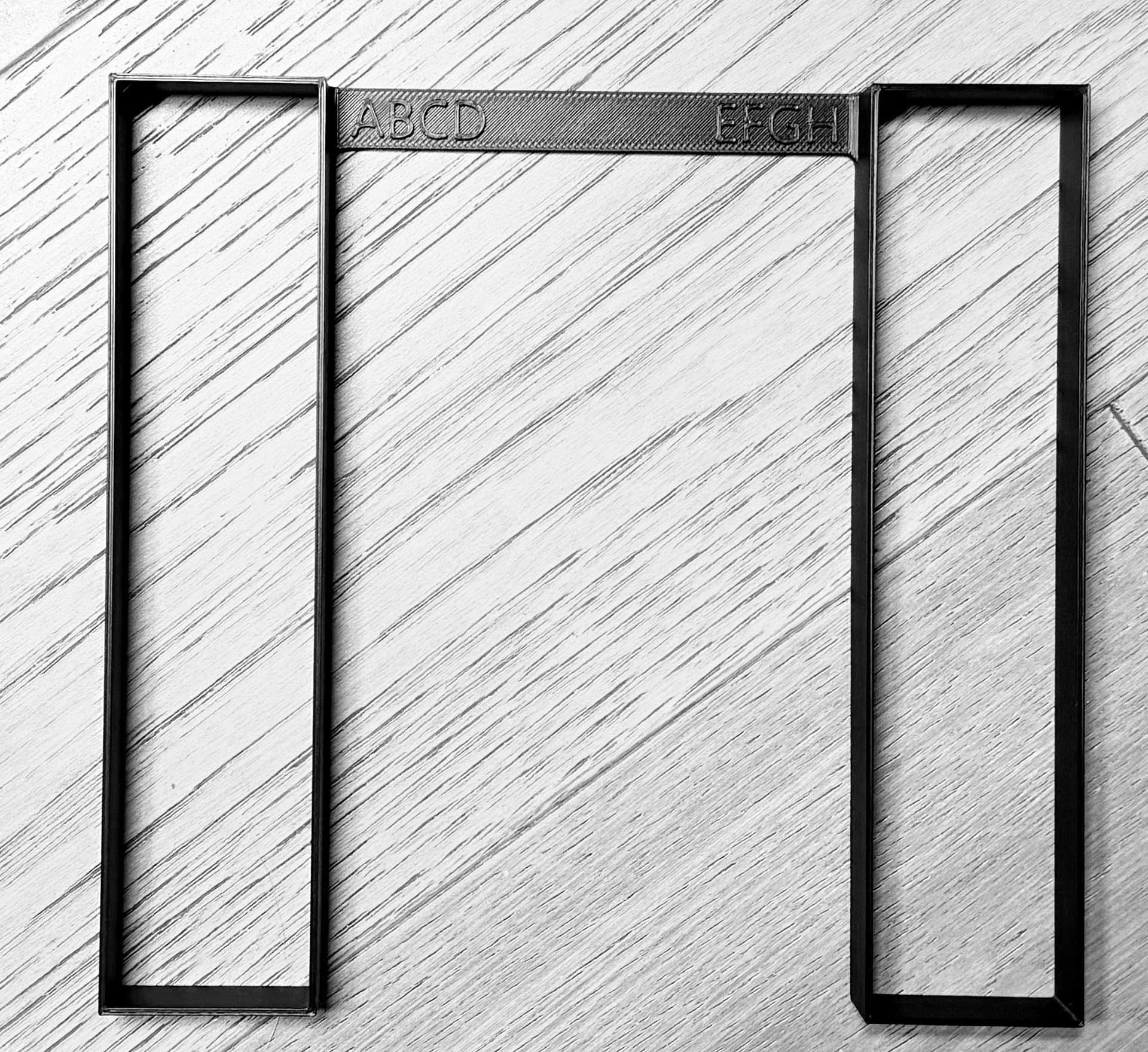
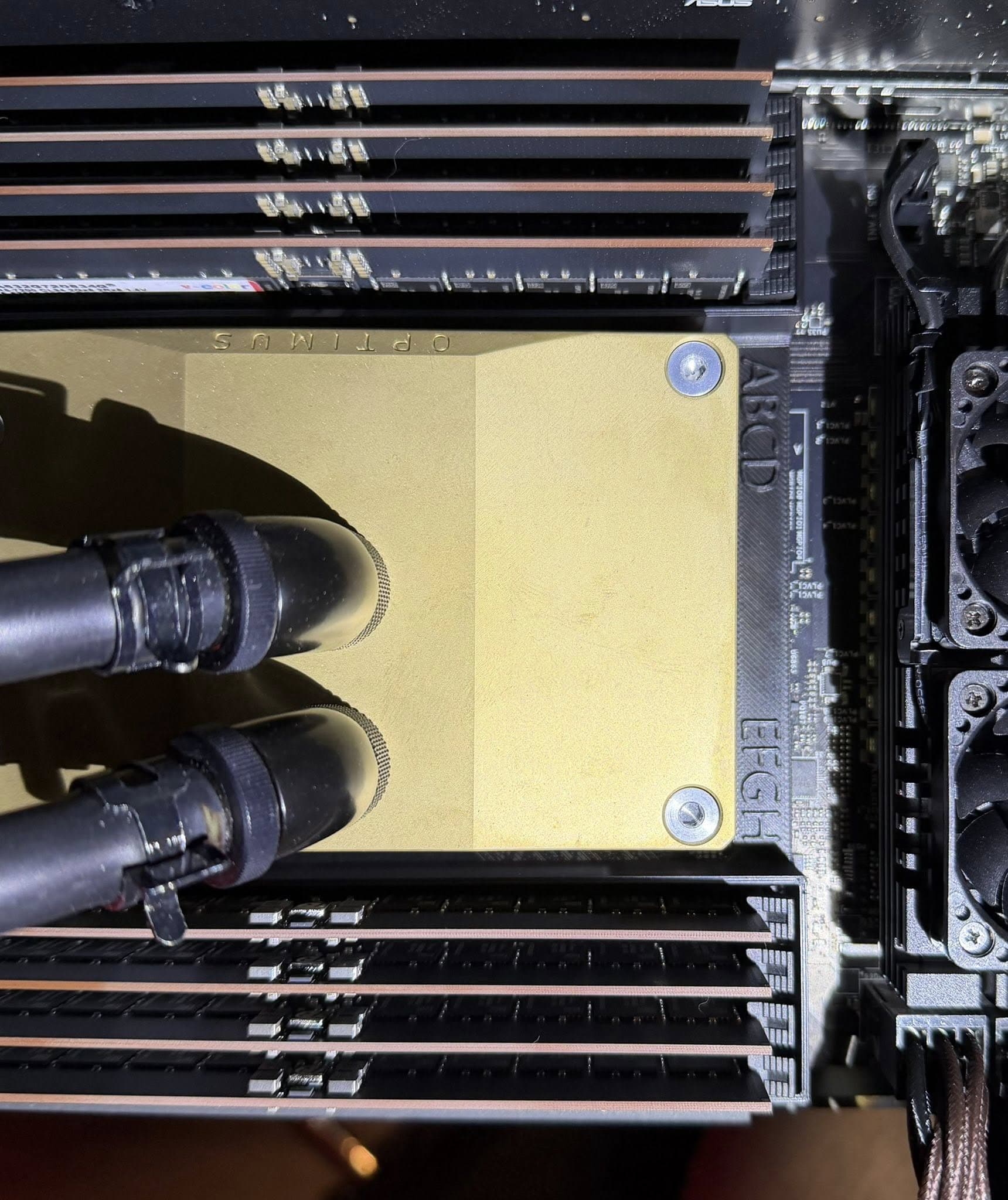
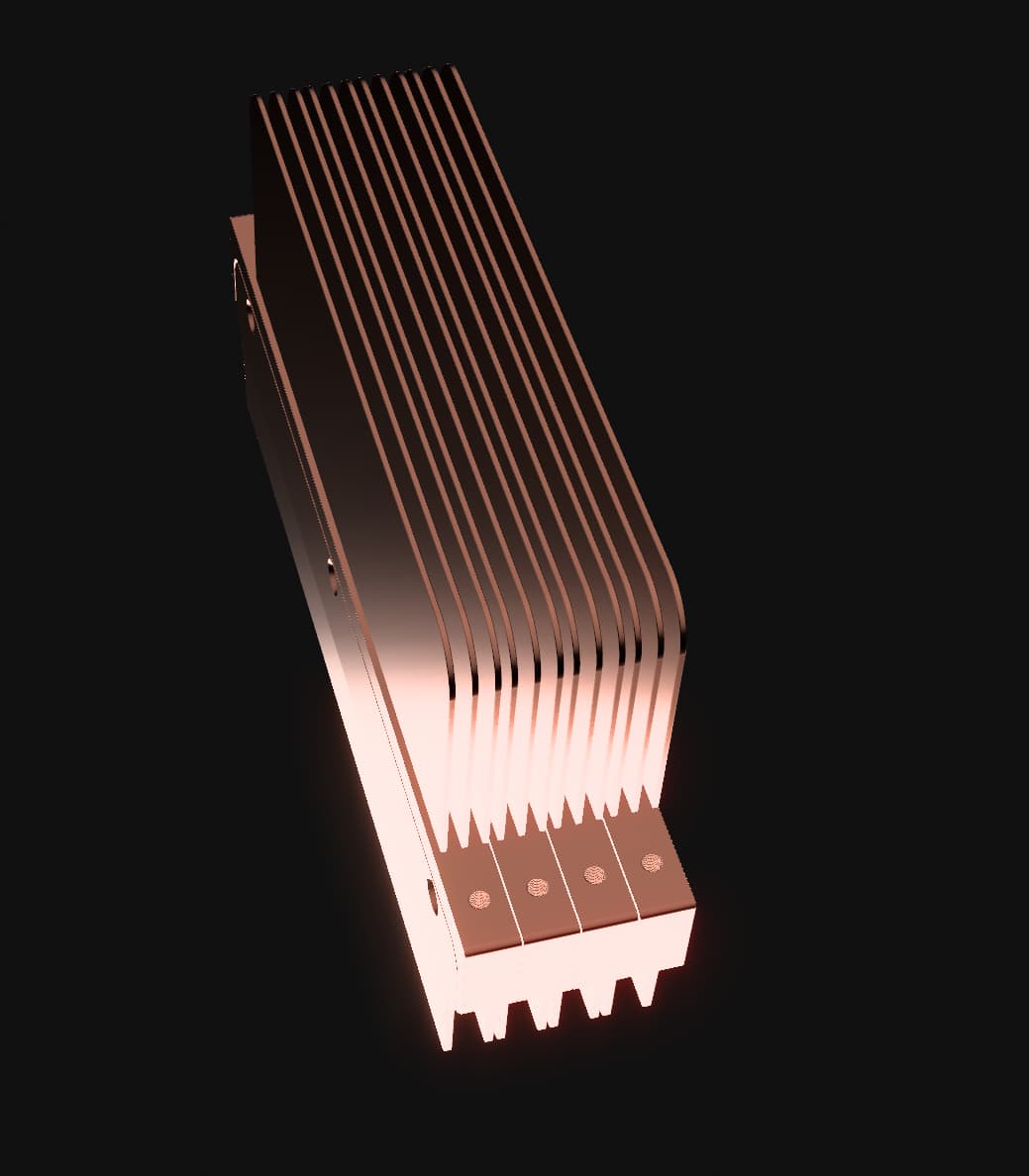
In any case, I had to make a small change - as it turns out at least on one of my boards the center-to-center distance of the RDIMM slots is 7.6mm. (ASRock BERGAMOD8-2L2T.) Your design is 8.3mm thicc. I cut it down to 7.4mm: 0.5mm from the inside, and 2x0.2mm from the thickness of the walls grabbing the DIMMs. While I was in CAD i decided to graft on some fins - better if heat can flow directly and I don’t need to mess with mounting a passive cooler on top. I did leave your mounting holes so a shroud or fan mount can easily be added later if needed.
As it turns out my intuition was right and they couldn’t actually make the heatsinks as per my original design. They tried to, but those stupid fins I grafted on bent every which way imaginable.
They were SUPER nice about it and refunded the whole thing.
I did revise the design and I am now a happy man with lots of cool RAM. (Also a lot poorer than before. Should have gone with aluminum for everything.)
I did take the liberty to put everything in a new repo since the scope is now so different from your original project, and I did end up changing virtually everything.
If anyone wants to pay insane money to a CNC house for some RDIMM cooling, here’s a thing you can do:
Hello everyone! As a result, what cooling is the most rational to put on Threadripper? (of ready solutions) From the discussion I realized that many SilverStone XE360 - after a while, are you satisfied?
What if more than 400W? Only assembly of your cooling system? I do not plan to expand my processor, but I believe that there should be a reserve for heat dissipation. Any advice?)
That would either entail building and implementing a custom loop cooling solution or going with one of the few ‘expandable’ AIO’s like the Alphacool AIO systems.
The problem with them is that the pump used is really only sufficient to push through a cpu block and one radiator. Adding another radiator to the loop really drops the flowrate and the cooling improvement you should get with an additional radiator.
You also have to have a case that can support another radiator location or an open-frame chassis.
To give you a real world example, I have a large case that allows two thick 360mm radiators in a custom loop cooling a overclocked, locked clock 9950X runing 95% of all cores doing math computing along with a 3080 Ti in the same loop. The gpu is also doing math compute full time. That loop is dissipating about 800W and I struggle to keep the cpu in the low 80’s.
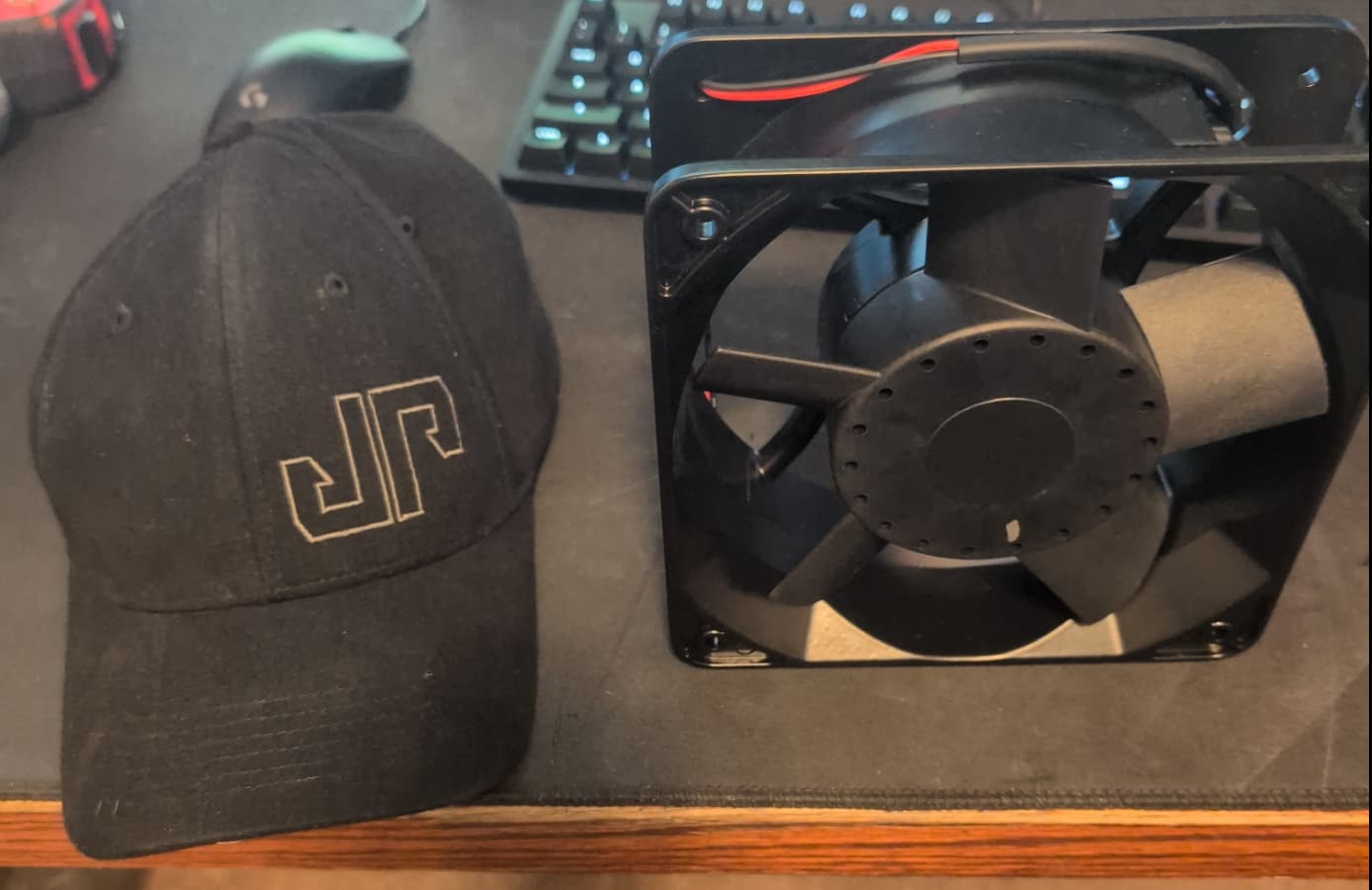
FYI: it won’t be a typical build. Preview, there will be 4 of these fans among others (hat for scale) that each move 450CFM and consume ~6A / 75W, 6 radiators and 4 VPP APEX pumps (d5 variant) in a dual chassis rack mount setup with one 5U chassis dedicated to cooling components (rads, fans, etc.) and the other the PC itself. I am going way overboard and think the final budget will be close to $20K I suspect with the amount of airflow I’ll have, I won’t have ram temp issues, but time will tell. FYI: The machine will be in my ‘server closet’ in a custom built ‘sound dampening’ rack, so noise is not a concern as I’m in a different room ~ 40ft away.
At 1 gpm it takes 250 watts of heat to raise the water in your loop 1C. DDC and D5 pumps can achieve 1 gpm of flow through most standard loops, such as a CPU, GPU and two radiators.
Which is exactly my configuration. One cpu, one gpu, two 360mm radiators and one D5 pump at 100% speed. I am achieving 1 gpm flowrate in the loop.
Yep, understand and getting off topic,but I thought you were looking for ways to reduce restrictions in your loop, in which case running the rads in parallel (which has other benefits - same delta T for both rads for ex.) and running your cpu/gpu in parallel would increase flow and have less resistance than a series setup.
same article:
A parallel GPU configuration alone, is helpful because the resistance in the loop dramatically decreases when the blocks are put in parallel instead of series. The reason behind this is because when you put resistive components into your loop in series, the resistance is additive, however when they are in parallel, the total resistance is less than the smallest amount of resistance in any one of the components.
lets say I’ve done my share of loops over the years from simple to… well, this ugly mess (worked well enough though):
If I had enough room in the case, I would have just plumbed up separate loops for the cpu and gpu.
That is what I do for the server cases. One 360 rad and D5 for the Epyc and one 360 rad and D5 for the two gpus. I never hit more than upper 40 C. temps on either loop.
But the Ryzen 9950X/3080 Ti host case just doesn’t have enough space for mounting another D5. That was a struggle at it was. I also have to fit a 240 rad for the 3080 AIO in the case. The case is not ideal at all for what ended up in it. It is just a Phanteks Enthoo Pro 2.
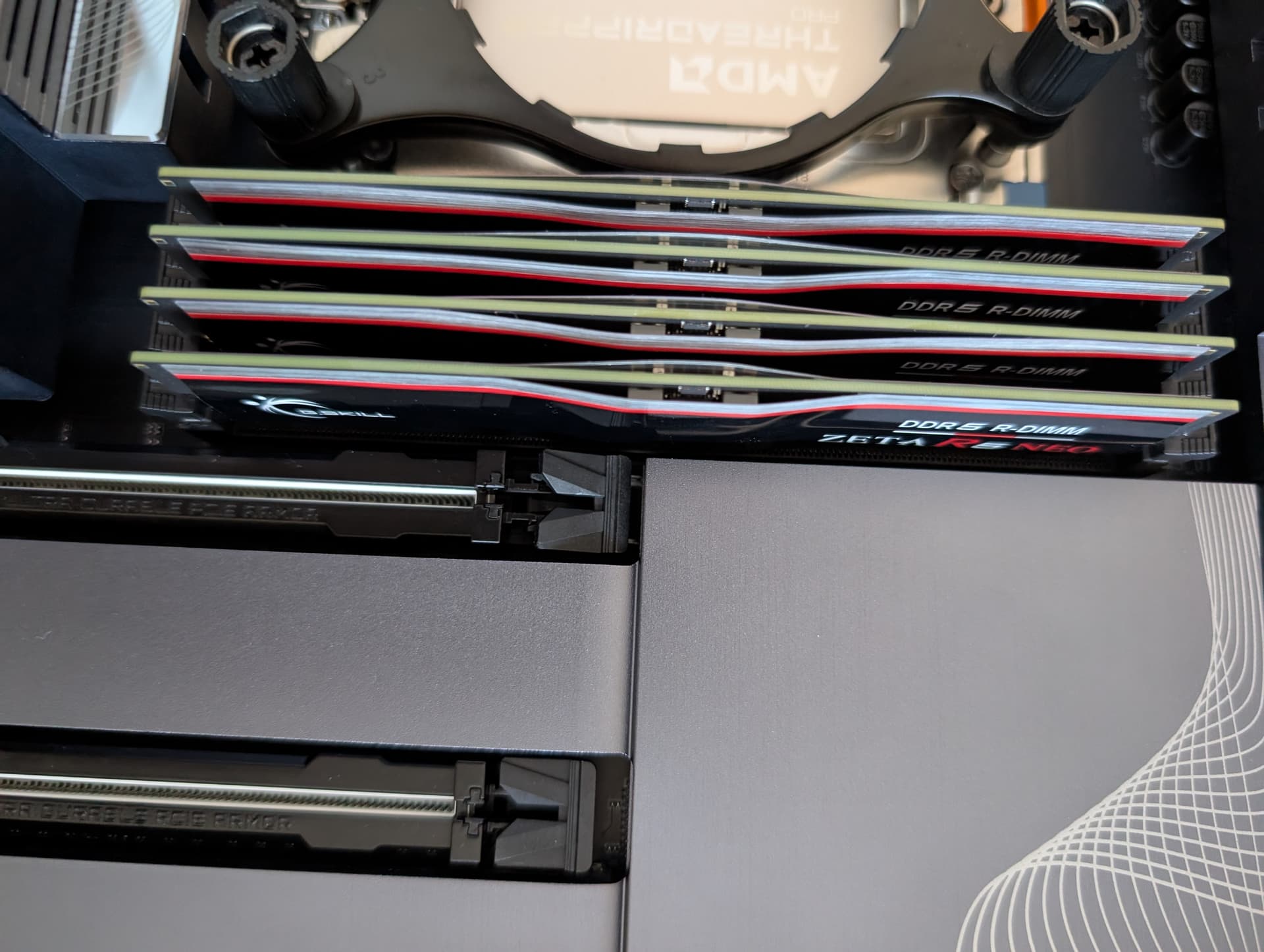
So back to the RDIMM cooling, I am also looking for a similar solution. I have a Gigabyte TRX50 AI TOP motherboard with a 9975WX threadripper pro. Going Alphacool Eisblock XPX Aurora PRO for the CPU and 2 Alphacool water blocks for the 5090s which I am still waiting for. I purchased 8x G.SKILL Zeta R5 NEO (AMD Expo) DDR5 6400 RDIMM but with the stuff on this memory and the minimal clearance between RAM modules, I am not sure if anything will really work? Possibly @martona 's design might but just looking at my board spacing and the 1st PCIE slot it seems like putting anything on top of the RAM, even if it fit, would make it that 1st PCIE space unusable? Not entirely a big deal as I only have 2 5090s to fit in but I am curious how others are dealing with the spacing and if anyone has put a water cooling solution on my motherboard or RAM yet and has any tips to share.
I haven’t tested any of the coolers myself, so I can’t give you a definitive “it fits” or “it doesn’t.”
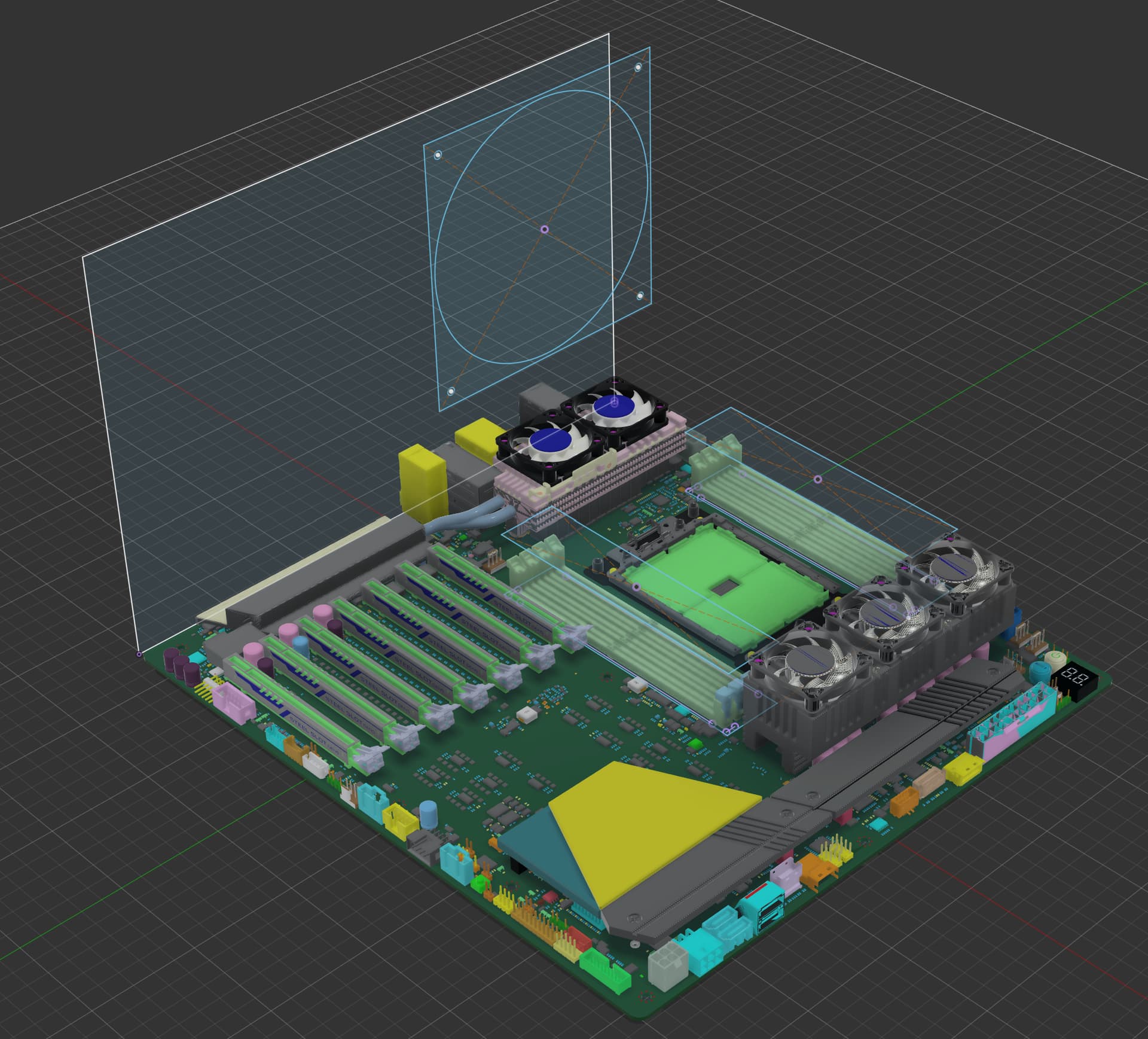
But I ran into a similar clearance question on another board (for my Epyc server), so I threw together a quick-and-dirty 3D model of the motherboard and did a digital test fit of all components / modifications I was considering.
Here’s the model if you want to take a look and see how I did it:
It’s obviously not a precision CAD file, but it was good enough to get a rough sense of spacing before committing to anything.
Those round Asetek AIO adapters are not the best thing to use for the TR/EPYC IHS. First they are overly large in fitment causing your obstruction you see in your photo. Second is that they don’t cover the entire IHS making for poor heat transfer.
Best thing to do would be to install a custom loop and proper TR sized cpu block which will not have any overhang and fit within the stock confines of the SP3/TR4 socket.
The best AIO for TR/EPYC is the Silverstone xe360_tr5 cooler and it too fits within the stock confines of the TR socket.
While I support putting radiators in parallel to achieve the same delta T profiles for heat dissipation, I typically highly discourage cooling blocks in parallel unless they are of the same type with generally the same length of tubing from the next up-stream device, as a mis-match in restriction will force an unbalanced flow of coolant through the blocks, i.e. the block with the lowest restriction will receive more (sometimes much more, depending on the degree of restriction divergence) flow than the more restrictive path. Two CPU blocks of the same type in parallel? Generally OK. A CPU and a GPU block in parallel? Proceed with caution.
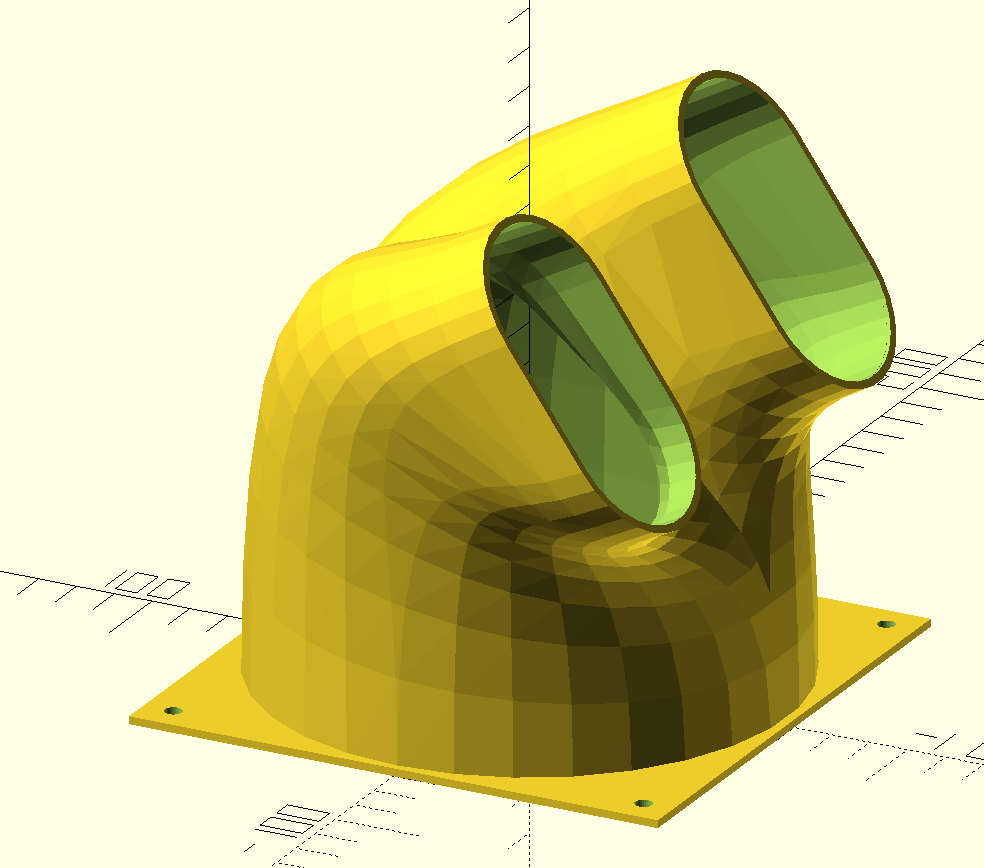
I created this OpenSCAD for a memory duct fan for my HAVN 420, ASUS TRX50 Sage memory cooling for 3d printing. There are variables that can be adjusted at the top that can help adjust for your case/MB. RAM_Duct.scad.zip (1.6 KB)
Current prototype 140mm fan duct, directing air over DIMMs, for Asrock WRX90 EVO mounted in CaseLabs Mercury S8. Duct outlet is 35mm above DIMM channels. First time using Autodesk Fusion.
It might be worth it to add some air guides/baffles into the duct to make the flow more “even” on the DIMMs, I’d imagine alot of the air is going to exit near the outer radius of the bend without them. Also the baffles could help make overhangs print more reliably depending on how their situated.
Planning on adding air guides. Also considering ditching the screw mounting for channel / groove or snap mount - something easier remove. Fusion apparently has CFD, might give that a go.
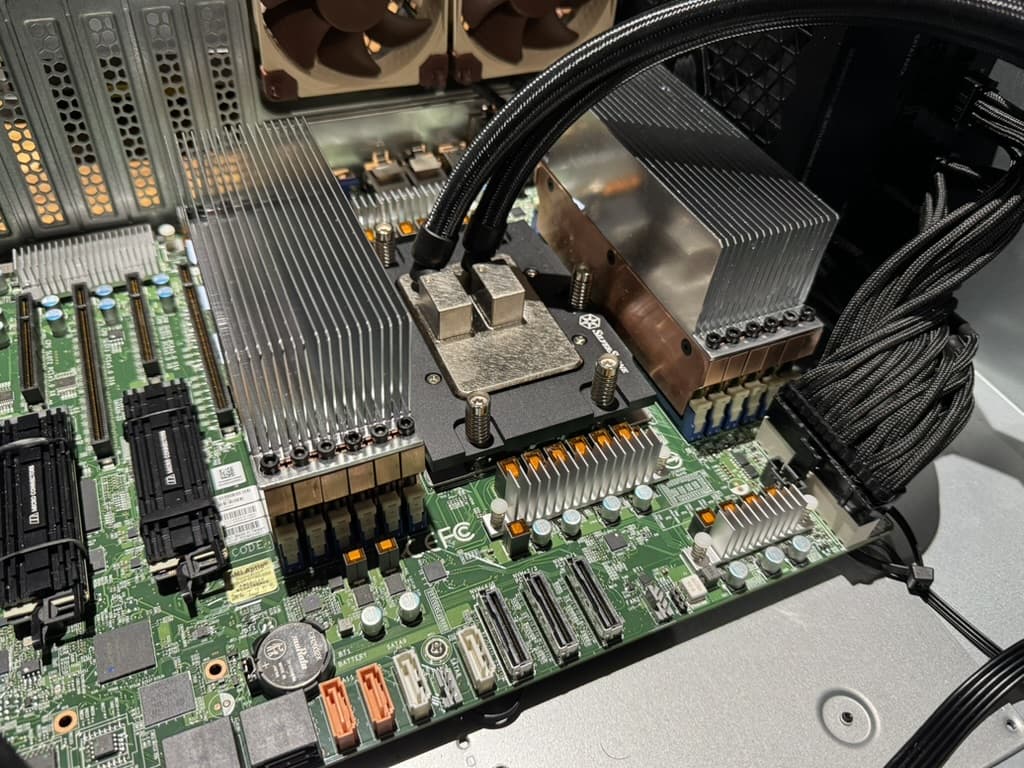
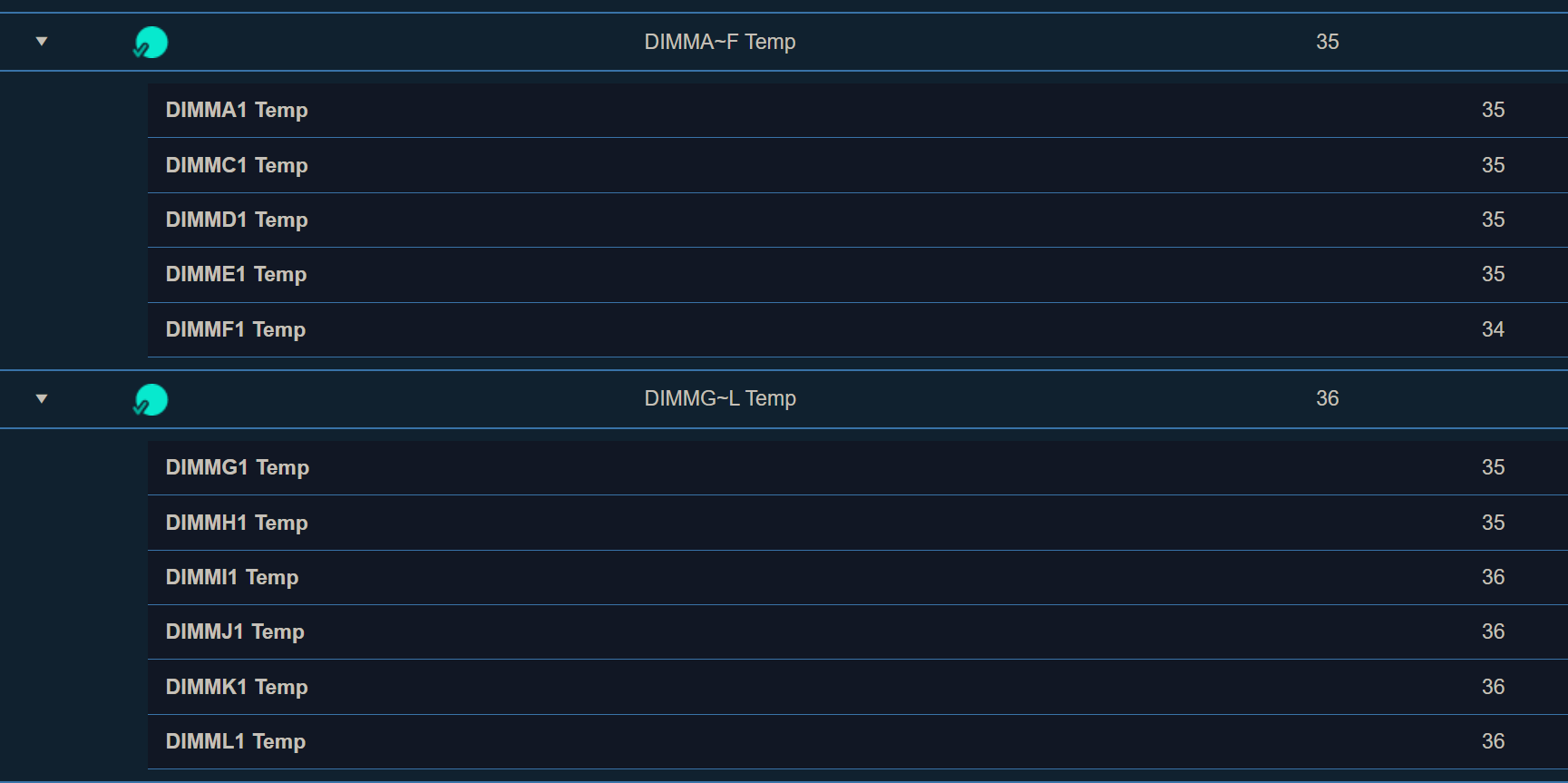
 I suspect with the amount of airflow I’ll have, I won’t have ram temp issues, but time will tell. FYI: The machine will be in my ‘server closet’ in a custom built ‘sound dampening’ rack, so noise is not a concern as I’m in a different room ~ 40ft away.