Any shots in the dark anyone wants to take at how long it will take to see thunderbolt appear for threadripper 7000?
I am kinda shocked that board manufactorers haven’t caught on to the fact that people obviously want features like thunderbolt when you have a platform with this many lanes and use cases.
Now we just need to see that on the pro varient of threadripper 7000! Thats awesome that the Aero D has it! I have been watching a lot of your videos but i’ve been pretty discombobulated as of late.
Hi there I’m a video/motion/sound person and looking to build a Threadripper system. I need thunderbolt for my workflow, It seems like the Aero D has thunderbolt built in , does one need an add in card or is this natively supported through the UBC4 ports?
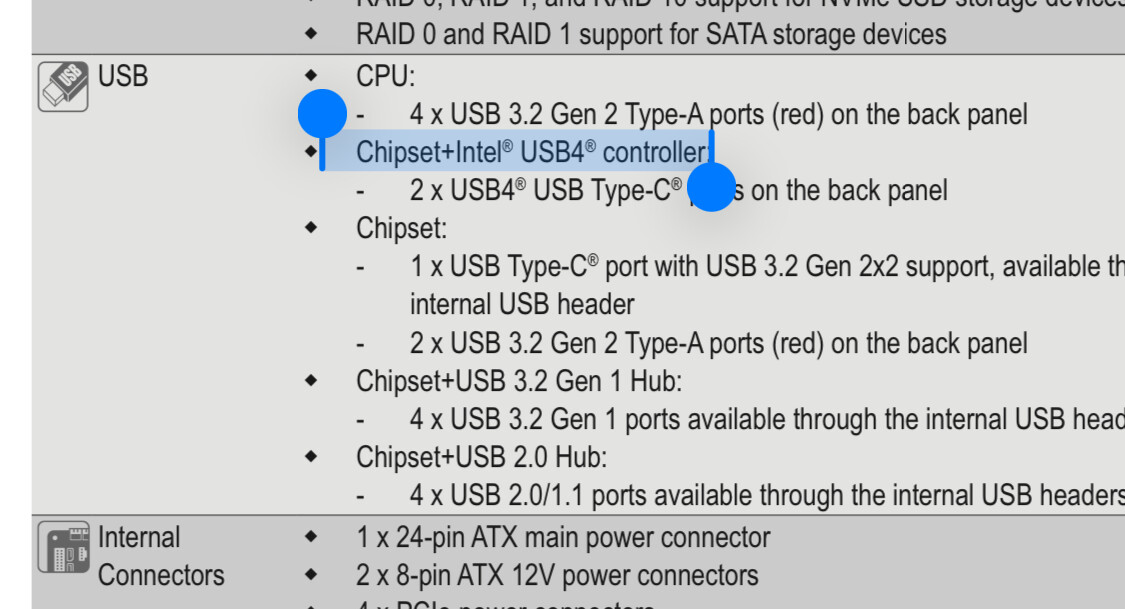
The more recent TRX50 AI TOP look like a great board with support for more ram, 4 gen 5m.2 slots , dual gpu. Does anyone know if this has Thunderbolt support, I’m not sure how reach Gigabyte to find out and the manual doesn’t seem to mention anything. although maybe I missed it.
Hi there, thanks for the info. Is this from the manual for the Aero D or the AI Top?
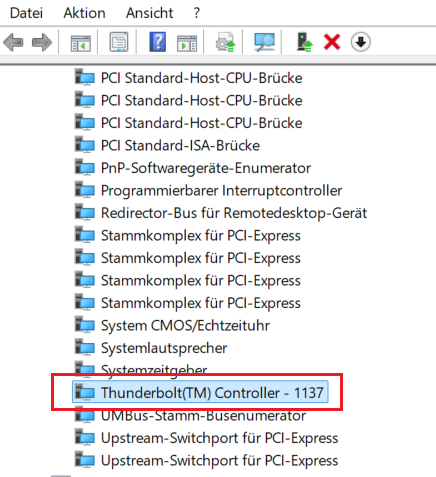
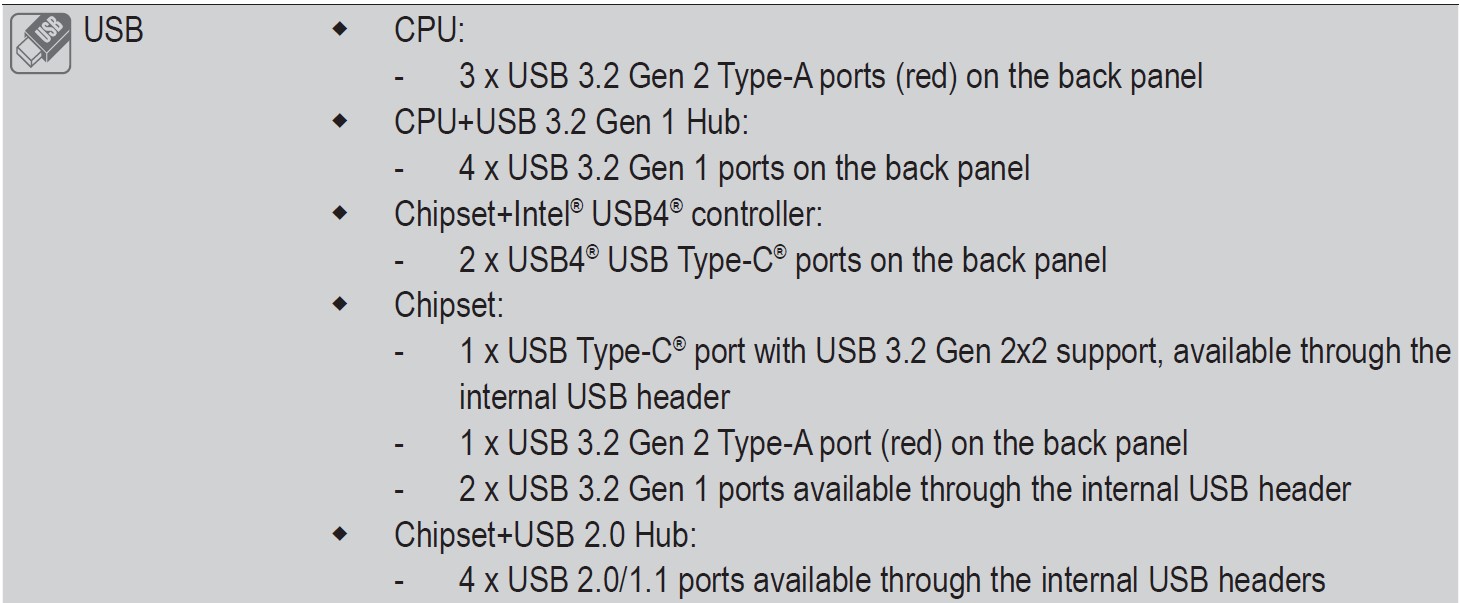
The reason I ask is that the Aero D manual also doesn’t show TB only USBC4 but as mentioned above in Wendell’s post it does have TB, I also received a screengrab from someone on another forum showing the TB controller in the system, weird that it isn’t mentioned in the manual, so that is why I am wondering if the AI top will also have TB even though it’s not mentioned in the manual, I’ll post screengrab showing TB on Aero D below. I’ll also show the manual screegrab form the Aero D.
The terminology is a bit confusing, but AFAIK usb4 = TB4 for most intents and purposes. My AM5 board has the same controller and in the bios/drivers the terminology is used interchangeably. Maybe there are some differences in backwards compatibility to TB2 and below, not sure…
But it is again a bit of an issue with the usb consortium muddying things…
Do you happen to know if anyone has reported this to be compatible with optical corning cables? I have optical tb cables running from my server room to each office room and was thinking upgrading from intel based tb4 to trx50 platform.
if you are wanting it to carry display you must have a display in situation on the thunderbolt setup as there is not an igpu in general on thread ripper
some tr boards have tb in. or via addin card some addin cards have dp in to repackage the dp signals over the tb interface
Yes, I’m thinking between Asrock with thundebolt card or Aero D which has DP in. Currently I’m using both approaches successfully on intel platforms with asrock and msi motherboards. But now with your latest looking glass video out I’m thinking combining those two work machines (linux and windows) into one threadripper machine with windows vm.
To iterate more. If I would get the Asrock mb with TB card and a GPU with at least 2 DP outputs, I would then have TB connectivity with display signals in both of my office rooms.
With looking glass I could have my windows VM also usable over the same wire and I then get rid of the TB4 KVM’s I’m currently using to switch between linux/win machines. (I have added shelly relays to control those kvm’s remotely :D)
Is it possible to do this kind of setup only with single GPU that is shared with host and guest and if so any recommendations? If not, could I get some cheap old server GPU with no output’s and pass that to windows VM?