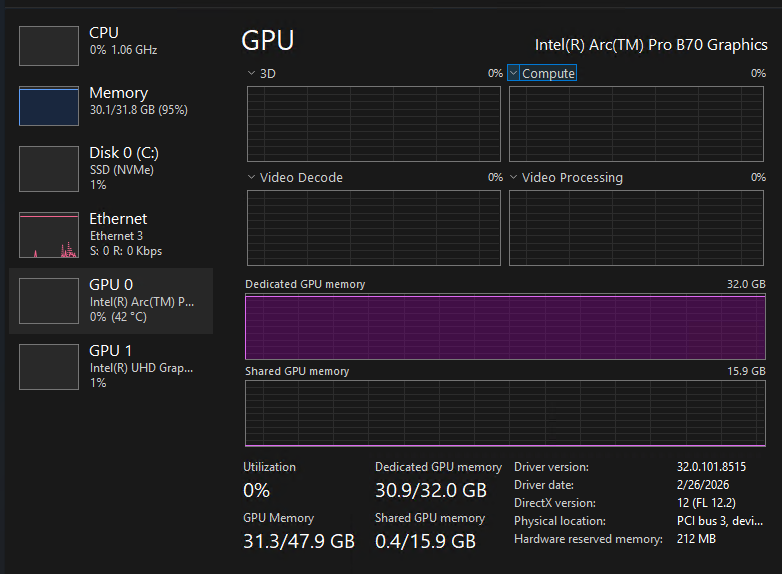
### Name and Version
- **llama.cpp:** Vulkan, b8871
- **OS:** Windows 10 (Arc …driver 32.0.101.8724)
- **GPU:** Intel(R) Arc(TM) Pro B70 Graphics (deviceID: 0xe223)
- **Vulkan:** Instance 1.4.341, device API 1.4.344, `DRIVER_ID_INTEL_PROPRIETARY_WINDOWS`, driverInfo: 101.8724
- **Build:** b8871-7fc1c4ef7 (Vulkan backend)
- **CoopMat env vars tested:**
- `GGML_VK_DISABLE_COOPMAT=0/1` + `GGML_VK_DISABLE_COOPMAT2=0/1` —
crash occurs in **both** configurations, so CoopMat is not the root cause.
### Operating systems
Windows
### Which llama.cpp modules do you know to be affected?
llama-server
### Command line
```shell
llama-server.exe \
-m D:\llamacpp\models\gemma-4-26B-A4B-it-UD-Q4_K_M.gguf \
--mmproj D:\llamacpp\models\gemma-4-26B-A4B-it-UD-Q4_K_M-mmproj-F16.gguf \
--host 0.0.0.0 --port 8080 \
--gpu-layers 99 \
--log-prefix \
-fa on \
-c 262144 \
--jinja \
--cache-type-k q8_0 \
--cache-type-v q8_0 \
--parallel 1 \
--ctx-checkpoints 32 \
-b 2048 -ub 512 \
--temp 1.0 --top-p 0.95 --top-k 64
```
### Problem description & steps to reproduce
### Model
`gemma-4-26B-A4B-it-UD-Q4_K_M.gguf` (Unsloth, Q4_K_M, 15.70 GiB)
+ mmproj `gemma-4-26B-A4B-it-UD-Q4_K_M-mmproj-F16.gguf`
Architecture: Gemma 4, MoE (128 experts, 8 used), hybrid SWA
(sliding window 1024, 25 SWA layers + 5 global attention layers)
### What happened?
`llama-server` crashes silently (no error message, no Vulkan device lost log,
no Windows crash dialog) during prompt cache serialization (`prompt_save`).
The crash is non-deterministic but correlates with total cached state size —
it does **not** occur when the cache is small, but reliably appears once
accumulated state grows large (observed at ~318 MiB in the log below).
The server never reaches the subsequent `load` or `update` log lines.
### Steps to reproduce
1. Run `llama-server` with the command specified against Gemma 4 26B MoE (Q4_K_M)
with `--mmproj` and a large context (`-c 262144`).
2. Send several multi-turn conversations such that the prompt cache accumulates
multiple saved states (observed crash around 4–5 accumulated prompts,
total cache ~300–800 MiB).
3. Server exits silently mid-save. No minidump, no Windows Event Log entry.
### First Bad Commit
_No response_
### Relevant log output
<details>
<summary>Logs</summary>
```console
3.28.035.873 W srv prompt_save: - saving prompt with length 1783, total state size = 177.914 MiB
...
4.53.212.827 W srv prompt_save: - saving prompt with length 7374, total state size = 235.990 MiB
...
[FINAL LINE — server exits here]
W srv prompt_save: - saving prompt with length 15359, total state size = 318.934 MiB
```
The system cannot find the path specified.
load_backend: loaded RPC backend from D:\llamacpp\bin\ggml-rpc.dll
load_backend: loaded Vulkan backend from D:\llamacpp\bin\ggml-vulkan.dll
load_backend: loaded CPU backend from D:\llamacpp\bin\ggml-cpu-haswell.dll
warn: LLAMA_LOG_PREFIX environment variable is set, but will be overwritten by command line argument --log-prefix
0.00.098.469 I build_info: b8871-7fc1c4ef7
0.00.098.552 I system_info: n_threads = 4 (n_threads_batch = 4) / 4 | CPU : SSE3 = 1 | SSSE3 = 1 | AVX = 1 | AVX2 = 1 | F16C = 1 | FMA = 1 | BMI2 = 1 | LLAMAFILE = 1 | OPENMP = 1 | REPACK = 1 |
0.00.098.558 I Running without SSL
0.00.098.594 I init: using 5 threads for HTTP server
0.00.098.779 I start: binding port with default address family
0.00.107.606 I main: loading model
0.00.107.622 I srv load_model: loading model 'D:\llamacpp\models\gemma-4-26B-A4B-it-UD-Q4_K_M.gguf'
0.00.107.719 I common_init_result: fitting params to device memory, for bugs during this step try to reproduce them with -fit off, or provide --verbose logs if the bug only occurs with -fit on
0.00.107.733 I common_params_fit_impl: getting device memory data for initial parameters:
0.00.430.277 I srv log_server_r: done request: POST /v1/chat/completions 192.168.31.6 503
0.01.577.943 I common_memory_breakdown_print: | memory breakdown [MiB] | total free self model context compute unaccounted |
0.01.577.953 I common_memory_breakdown_print: | - Vulkan0 (Intel(R) Arc(TM) Pro B70 Graphics) | 32630 = 31861 + (19765 = 16071 + 2879 + 814) + 17592186025418 |
0.01.577.954 I common_memory_breakdown_print: | - Host | 1275 = 748 + 0 + 527 |
0.01.710.602 I common_params_fit_impl: projected to use 19765 MiB of device memory vs. 31861 MiB of free device memory
0.01.710.622 I common_params_fit_impl: will leave 12095 >= 1024 MiB of free device memory, no changes needed
0.01.710.631 I common_fit_params: successfully fit params to free device memory
0.01.710.642 I common_fit_params: fitting params to free memory took 1.59 seconds
0.01.712.235 I llama_model_load_from_file_impl: using device Vulkan0 (Intel(R) Arc(TM) Pro B70 Graphics) (unknown id) - 31861 MiB free
0.01.926.601 I llama_model_loader: loaded meta data with 56 key-value pairs and 658 tensors from D:\llamacpp\models\gemma-4-26B-A4B-it-UD-Q4_K_M.gguf (version GGUF V3 (latest))
0.01.926.671 I llama_model_loader: Dumping metadata keys/values. Note: KV overrides do not apply in this output.
0.01.926.675 I llama_model_loader: - kv 0: general.architecture str = gemma4
0.01.926.677 I llama_model_loader: - kv 1: general.type str = model
0.01.926.679 I llama_model_loader: - kv 2: general.sampling.top_k i32 = 64
0.01.926.686 I llama_model_loader: - kv 3: general.sampling.top_p f32 = 0.950000
0.01.926.689 I llama_model_loader: - kv 4: general.sampling.temp f32 = 1.000000
0.01.926.692 I llama_model_loader: - kv 5: general.name str = Gemma-4-26B-A4B-It
0.01.926.694 I llama_model_loader: - kv 6: general.finetune str = it
0.01.926.697 I llama_model_loader: - kv 7: general.basename str = Gemma-4-26B-A4B-It
0.01.926.699 I llama_model_loader: - kv 8: general.quantized_by str = Unsloth
0.01.926.701 I llama_model_loader: - kv 9: general.size_label str = 26B-A4B
0.01.926.703 I llama_model_loader: - kv 10: general.license str = apache-2.0
0.01.926.710 I llama_model_loader: - kv 11: general.license.link str = https://ai.google.dev/gemma/docs/gemm...
0.01.926.713 I llama_model_loader: - kv 12: general.repo_url str = https://huggingface.co/unsloth
0.01.926.729 I llama_model_loader: - kv 13: general.tags arr[str,1] = ["image-text-to-text"]
0.01.926.731 I llama_model_loader: - kv 14: gemma4.block_count u32 = 30
0.01.926.733 I llama_model_loader: - kv 15: gemma4.context_length u32 = 262144
0.01.926.735 I llama_model_loader: - kv 16: gemma4.embedding_length u32 = 2816
0.01.926.736 I llama_model_loader: - kv 17: gemma4.feed_forward_length u32 = 2112
0.01.926.737 I llama_model_loader: - kv 18: gemma4.attention.head_count u32 = 16
0.01.926.749 I llama_model_loader: - kv 19: gemma4.attention.head_count_kv arr[i32,30] = [8, 8, 8, 8, 8, 2, 8, 8, 8, 8, 8, 2, ...
0.01.926.753 I llama_model_loader: - kv 20: gemma4.rope.freq_base f32 = 1000000.000000
0.01.926.755 I llama_model_loader: - kv 21: gemma4.rope.freq_base_swa f32 = 10000.000000
0.01.926.758 I llama_model_loader: - kv 22: gemma4.attention.layer_norm_rms_epsilon f32 = 0.000001
0.01.926.760 I llama_model_loader: - kv 23: gemma4.expert_count u32 = 128
0.01.926.761 I llama_model_loader: - kv 24: gemma4.expert_used_count u32 = 8
0.01.926.762 I llama_model_loader: - kv 25: gemma4.attention.key_length u32 = 512
0.01.926.763 I llama_model_loader: - kv 26: gemma4.attention.value_length u32 = 512
0.01.926.765 I llama_model_loader: - kv 27: gemma4.final_logit_softcapping f32 = 30.000000
0.01.926.766 I llama_model_loader: - kv 28: gemma4.attention.sliding_window u32 = 1024
0.01.926.767 I llama_model_loader: - kv 29: gemma4.attention.shared_kv_layers u32 = 0
0.01.926.768 I llama_model_loader: - kv 30: gemma4.embedding_length_per_layer_input u32 = 0
0.01.926.779 I llama_model_loader: - kv 31: gemma4.attention.sliding_window_pattern arr[bool,30] = [true, true, true, true, true, false,...
0.01.926.780 I llama_model_loader: - kv 32: gemma4.attention.key_length_swa u32 = 256
0.01.926.781 I llama_model_loader: - kv 33: gemma4.attention.value_length_swa u32 = 256
0.01.926.782 I llama_model_loader: - kv 34: gemma4.expert_feed_forward_length u32 = 704
0.01.926.783 I llama_model_loader: - kv 35: gemma4.rope.dimension_count u32 = 512
0.01.926.784 I llama_model_loader: - kv 36: gemma4.rope.dimension_count_swa u32 = 256
0.01.926.785 I llama_model_loader: - kv 37: tokenizer.ggml.model str = gemma4
0.02.027.187 I llama_model_loader: - kv 38: tokenizer.ggml.tokens arr[str,262144] = ["<pad>", "<eos>", "<bos>", "<unk>", ...
0.02.306.468 I llama_model_loader: - kv 39: tokenizer.ggml.scores arr[f32,262144] = [-1000.000000, -1000.000000, -1000.00...
0.02.340.135 I llama_model_loader: - kv 40: tokenizer.ggml.token_type arr[i32,262144] = [3, 1, 3, 3, 3, 1, 1, 1, 1, 1, 1, 1, ...
0.02.535.073 I llama_model_loader: - kv 41: tokenizer.ggml.merges arr[str,514906] = ["\n\n\n\n\n\n\n\n\n\n\n\n\n\n\n\n\n\n\n\n\n\n\n\n\n\n\n\n\n\n \n", ...
0.02.535.090 I llama_model_loader: - kv 42: tokenizer.ggml.bos_token_id u32 = 2
0.02.535.092 I llama_model_loader: - kv 43: tokenizer.ggml.eos_token_id u32 = 106
0.02.535.094 I llama_model_loader: - kv 44: tokenizer.ggml.unknown_token_id u32 = 3
0.02.535.096 I llama_model_loader: - kv 45: tokenizer.ggml.padding_token_id u32 = 0
0.02.535.098 I llama_model_loader: - kv 46: tokenizer.ggml.mask_token_id u32 = 4
0.02.535.113 I llama_model_loader: - kv 47: tokenizer.chat_template str = {%- macro format_parameters(propertie...
0.02.535.115 I llama_model_loader: - kv 48: tokenizer.ggml.add_space_prefix bool = false
0.02.535.117 I llama_model_loader: - kv 49: tokenizer.ggml.add_bos_token bool = false
0.02.535.119 I llama_model_loader: - kv 50: general.quantization_version u32 = 2
0.02.535.121 I llama_model_loader: - kv 51: general.file_type u32 = 15
0.02.535.125 I llama_model_loader: - kv 52: quantize.imatrix.file str = gemma-4-26B-A4B-it-GGUF/imatrix_unslo...
0.02.535.130 I llama_model_loader: - kv 53: quantize.imatrix.dataset str = unsloth_calibration_gemma-4-26B-A4B-i...
0.02.535.133 I llama_model_loader: - kv 54: quantize.imatrix.entries_count u32 = 295
0.02.535.135 I llama_model_loader: - kv 55: quantize.imatrix.chunks_count u32 = 142
0.02.535.137 I llama_model_loader: - type f32: 392 tensors
0.02.535.138 I llama_model_loader: - type q5_1: 30 tensors
0.02.535.140 I llama_model_loader: - type q8_0: 206 tensors
0.02.535.141 I llama_model_loader: - type q4_K: 30 tensors
0.02.535.145 I print_info: file format = GGUF V3 (latest)
0.02.535.147 I print_info: file type = Q4_K - Medium
0.02.535.154 I print_info: file size = 15.70 GiB (5.34 BPW)
0.02.937.896 W load: override 'tokenizer.ggml.add_bos_token' to 'true' for Gemma4
0.02.995.809 I load: 0 unused tokens
0.02.995.852 W load: control-looking token: 1 '<eos>' was not control-type; this is probably a bug in the model. its type will be overridden
0.02.996.409 W load: control-looking token: 50 '<|tool_response>' was not control-type; this is probably a bug in the model. its type will be overridden
0.02.997.308 W load: control-looking token: 212 '</s>' was not control-type; this is probably a bug in the model. its type will be overridden
0.03.080.315 I load: printing all EOG tokens:
0.03.080.331 I load: - 1 ('<eos>')
0.03.080.332 I load: - 50 ('<|tool_response>')
0.03.080.333 I load: - 106 ('<turn|>')
0.03.080.334 I load: - 212 ('</s>')
0.03.080.338 W load: special_eog_ids contains '<|tool_response>', removing '</s>' token from EOG list
0.03.081.282 I load: special tokens cache size = 24
0.03.124.202 I load: token to piece cache size = 1.9445 MB
0.03.124.230 I print_info: arch = gemma4
0.03.124.231 I print_info: vocab_only = 0
0.03.124.231 I print_info: no_alloc = 0
0.03.124.232 I print_info: n_ctx_train = 262144
0.03.124.233 I print_info: n_embd = 2816
0.03.124.234 I print_info: n_embd_inp = 2816
0.03.124.234 I print_info: n_layer = 30
0.03.124.254 I print_info: n_head = 16
0.03.124.274 I print_info: n_head_kv = [8, 8, 8, 8, 8, 2, 8, 8, 8, 8, 8, 2, 8, 8, 8, 8, 8, 2, 8, 8, 8, 8, 8, 2, 8, 8, 8, 8, 8, 2]
0.03.124.275 I print_info: n_rot = 512
0.03.124.276 I print_info: n_swa = 1024
0.03.124.277 I print_info: is_swa_any = 1
0.03.124.277 I print_info: n_embd_head_k = 512
0.03.124.278 I print_info: n_embd_head_v = 512
0.03.124.296 I print_info: n_gqa = [2, 2, 2, 2, 2, 8, 2, 2, 2, 2, 2, 8, 2, 2, 2, 2, 2, 8, 2, 2, 2, 2, 2, 8, 2, 2, 2, 2, 2, 8]
0.03.124.317 I print_info: n_embd_k_gqa = [2048, 2048, 2048, 2048, 2048, 1024, 2048, 2048, 2048, 2048, 2048, 1024, 2048, 2048, 2048, 2048, 2048, 1024, 2048, 2048, 2048, 2048, 2048, 1024, 2048, 2048, 2048, 2048, 2048, 1024]
0.03.124.337 I print_info: n_embd_v_gqa = [2048, 2048, 2048, 2048, 2048, 1024, 2048, 2048, 2048, 2048, 2048, 1024, 2048, 2048, 2048, 2048, 2048, 1024, 2048, 2048, 2048, 2048, 2048, 1024, 2048, 2048, 2048, 2048, 2048, 1024]
0.03.124.340 I print_info: f_norm_eps = 0.0e+00
0.03.124.341 I print_info: f_norm_rms_eps = 1.0e-06
0.03.124.342 I print_info: f_clamp_kqv = 0.0e+00
0.03.124.343 I print_info: f_max_alibi_bias = 0.0e+00
0.03.124.344 I print_info: f_logit_scale = 0.0e+00
0.03.124.345 I print_info: f_attn_scale = 1.0e+00
0.03.124.349 I print_info: n_ff = 2112
0.03.124.350 I print_info: n_expert = 128
0.03.124.350 I print_info: n_expert_used = 8
0.03.124.351 I print_info: n_expert_groups = 0
0.03.124.352 I print_info: n_group_used = 0
0.03.124.352 I print_info: causal attn = 1
0.03.124.353 I print_info: pooling type = -1
0.03.124.354 I print_info: rope type = 2
0.03.124.354 I print_info: rope scaling = linear
0.03.124.356 I print_info: freq_base_train = 1000000.0
0.03.124.357 I print_info: freq_scale_train = 1
0.03.124.358 I print_info: freq_base_swa = 10000.0
0.03.124.359 I print_info: freq_scale_swa = 1
0.03.124.360 I print_info: n_embd_head_k_swa = 256
0.03.124.360 I print_info: n_embd_head_v_swa = 256
0.03.124.361 I print_info: n_rot_swa = 256
0.03.124.361 I print_info: n_ctx_orig_yarn = 262144
0.03.124.362 I print_info: rope_yarn_log_mul = 0.0000
0.03.124.363 I print_info: rope_finetuned = unknown
0.03.124.364 I print_info: model type = 26B.A4B
0.03.124.365 I print_info: model params = 25.23 B
0.03.124.366 I print_info: general.name = Gemma-4-26B-A4B-It
0.03.124.368 I print_info: vocab type = BPE
0.03.124.368 I print_info: n_vocab = 262144
0.03.124.369 I print_info: n_merges = 514906
0.03.124.370 I print_info: BOS token = 2 '<bos>'
0.03.124.371 I print_info: EOS token = 106 '<turn|>'
0.03.124.372 I print_info: UNK token = 3 '<unk>'
0.03.124.373 I print_info: PAD token = 0 '<pad>'
0.03.124.374 I print_info: MASK token = 4 '<mask>'
0.03.124.374 I print_info: LF token = 107 '
'
0.03.124.375 I print_info: EOG token = 1 '<eos>'
0.03.124.376 I print_info: EOG token = 50 '<|tool_response>'
0.03.124.377 I print_info: EOG token = 106 '<turn|>'
0.03.124.378 I print_info: max token length = 93
0.03.124.380 I load_tensors: loading model tensors, this can take a while... (mmap = true, direct_io = false)
0.10.080.949 I load_tensors: offloading output layer to GPU
0.10.080.961 I load_tensors: offloading 29 repeating layers to GPU
0.10.080.962 I load_tensors: offloaded 31/31 layers to GPU
0.10.080.968 I load_tensors: CPU_Mapped model buffer size = 748.00 MiB
0.10.080.970 I load_tensors: Vulkan0 model buffer size = 16071.72 MiB
...........................................................................
0.19.702.059 I common_init_result: added <eos> logit bias = -inf
0.19.702.072 I common_init_result: added <|tool_response> logit bias = -inf
0.19.702.075 I common_init_result: added <turn|> logit bias = -inf
0.19.705.179 I llama_context: constructing llama_context
0.19.705.191 I llama_context: n_seq_max = 1
0.19.705.191 I llama_context: n_ctx = 262144
0.19.705.192 I llama_context: n_ctx_seq = 262144
0.19.705.193 I llama_context: n_batch = 2048
0.19.705.193 I llama_context: n_ubatch = 512
0.19.705.194 I llama_context: causal_attn = 1
0.19.705.195 I llama_context: flash_attn = enabled
0.19.705.196 I llama_context: kv_unified = false
0.19.705.205 I llama_context: freq_base = 1000000.0
0.19.705.207 I llama_context: freq_scale = 1
0.19.705.944 I llama_context: Vulkan_Host output buffer size = 1.00 MiB
0.19.705.955 I llama_kv_cache_iswa: creating non-SWA KV cache, size = 262144 cells
0.20.390.321 I llama_kv_cache: Vulkan0 KV buffer size = 2720.00 MiB
0.20.431.596 I llama_kv_cache: size = 2720.00 MiB (262144 cells, 5 layers, 1/1 seqs), K (q8_0): 1360.00 MiB, V (q8_0): 1360.00 MiB
0.20.431.614 I llama_kv_cache: attn_rot_k = 1, n_embd_head_k_all = 512
0.20.431.615 I llama_kv_cache: attn_rot_v = 1, n_embd_head_k_all = 512
0.20.432.171 I llama_kv_cache_iswa: creating SWA KV cache, size = 1536 cells
0.20.462.997 I llama_kv_cache: Vulkan0 KV buffer size = 159.38 MiB
0.20.466.338 I llama_kv_cache: size = 159.38 MiB ( 1536 cells, 25 layers, 1/1 seqs), K (q8_0): 79.69 MiB, V (q8_0): 79.69 MiB
0.20.466.356 I llama_kv_cache: attn_rot_k = 1, n_embd_head_k_all = 256
0.20.466.357 I llama_kv_cache: attn_rot_v = 1, n_embd_head_k_all = 256
0.20.466.486 I sched_reserve: reserving ...
0.20.467.827 I sched_reserve: resolving fused Gated Delta Net support:
0.20.473.508 I sched_reserve: fused Gated Delta Net (autoregressive) enabled
0.20.478.783 I sched_reserve: fused Gated Delta Net (chunked) enabled
0.20.738.599 I sched_reserve: Vulkan0 compute buffer size = 814.55 MiB
0.20.738.614 I sched_reserve: Vulkan_Host compute buffer size = 527.30 MiB
0.20.738.615 I sched_reserve: graph nodes = 3007
0.20.738.615 I sched_reserve: graph splits = 2
0.20.738.618 I sched_reserve: reserve took 272.12 ms, sched copies = 1
0.20.739.094 W common_init_from_params: warming up the model with an empty run - please wait ... (--no-warmup to disable)
0.40.392.642 I clip_model_loader: model name: Gemma-4-26B-A4B-It
0.40.392.652 I clip_model_loader: description:
0.40.392.653 I clip_model_loader: GGUF version: 3
0.40.392.654 I clip_model_loader: alignment: 32
0.40.392.655 I clip_model_loader: n_tensors: 356
0.40.392.656 I clip_model_loader: n_kv: 28
0.40.392.657 I
0.40.392.659 I clip_model_loader: has vision encoder
0.40.394.462 I clip_ctx: CLIP using Vulkan0 backend
0.40.394.636 I load_hparams: projector: gemma4v
0.40.394.644 I load_hparams: n_embd: 1152
0.40.394.645 I load_hparams: n_head: 16
0.40.394.647 I load_hparams: n_ff: 4304
0.40.394.648 I load_hparams: n_layer: 27
0.40.394.649 I load_hparams: ffn_op: gelu_quick
0.40.394.650 I load_hparams: projection_dim: 2816
0.40.394.651 I
--- vision hparams ---
0.40.394.652 I load_hparams: image_size: 224
0.40.394.654 I load_hparams: patch_size: 16
0.40.394.656 I load_hparams: has_llava_proj: 0
0.40.394.657 I load_hparams: minicpmv_version: 0
0.40.394.658 I load_hparams: n_merge: 3
0.40.394.659 I load_hparams: n_wa_pattern: 0
0.40.394.660 I load_hparams: image_min_pixels: 580608
0.40.394.662 I load_hparams: image_max_pixels: 645120
0.40.394.662 I
0.40.394.671 I load_hparams: model size: 1137.77 MiB
0.40.394.673 I load_hparams: metadata size: 0.12 MiB
0.41.803.919 I warmup: warmup with image size = 768 x 768
0.41.845.758 I alloc_compute_meta: Vulkan0 compute buffer size = 150.63 MiB
0.41.845.777 I alloc_compute_meta: CPU compute buffer size = 6.77 MiB
0.41.845.779 I alloc_compute_meta: graph splits = 1, nodes = 1569
0.41.846.067 I warmup: flash attention is enabled
0.41.846.124 I srv load_model: loaded multimodal model, 'D:\llamacpp\models\gemma-4-26B-A4B-it-UD-Q4_K_M-mmproj-F16.gguf'
0.41.846.137 I srv load_model: initializing slots, n_slots = 1
0.41.963.251 W no implementations specified for speculative decoding
0.41.963.263 I slot load_model: id 0 | task -1 | new slot, n_ctx = 262144
0.41.963.443 W srv load_model: prompt cache is enabled, size limit: 8192 MiB
0.41.963.449 W srv load_model: use `--cache-ram 0` to disable the prompt cache
0.41.963.452 W srv load_model: for more info see https://github.com/ggml-org/llama.cpp/pull/16391
0.41.963.512 W srv init: init: --cache-idle-slots requires --kv-unified, disabling
0.41.975.491 W common_chat_try_specialized_template: detected an outdated gemma4 chat template, applying compatibility workarounds. Consider updating to the official template.
0.41.977.124 I init: chat template, example_format: '<|turn>system
<|think|>You are a helpful assistant<turn|>
<|turn>user
Hello<turn|>
<|turn>model
Hi there<turn|>
<|turn>user
How are you?<turn|>
<|turn>model
'
0.41.978.034 W common_chat_try_specialized_template: detected an outdated gemma4 chat template, applying compatibility workarounds. Consider updating to the official template.
0.41.978.740 I srv init: init: chat template, thinking = 1
0.41.978.779 I main: model loaded
0.41.978.787 I main: server is listening on http://0.0.0.0:8080
0.41.978.788 I main: starting the main loop...
0.41.978.806 I srv update_slots: all slots are idle
5.08.158.417 W common_chat_try_specialized_template: detected an outdated gemma4 chat template, applying compatibility workarounds. Consider updating to the official template.
5.08.372.279 I srv params_from_: Chat format: peg-gemma4
5.08.374.474 I slot get_availabl: id 0 | task -1 | selected slot by LRU, t_last = -1
5.08.374.484 W srv get_availabl: updating prompt cache
5.08.374.493 W srv load: - looking for better prompt, base f_keep = -1.000, sim = 0.000
5.08.374.499 W srv update: - cache state: 0 prompts, 0.000 MiB (limits: 8192.000 MiB, 262144 tokens, 8589934592 est)
5.08.374.501 W srv get_availabl: prompt cache update took 0.01 ms
5.08.374.970 I slot launch_slot_: id 0 | task -1 | sampler chain: logits -> ?penalties -> ?dry -> ?top-n-sigma -> top-k -> ?typical -> top-p -> min-p -> ?xtc -> ?temp-ext -> dist
5.08.374.980 I slot launch_slot_: id 0 | task 0 | processing task, is_child = 0
5.08.374.992 I slot update_slots: id 0 | task 0 | new prompt, n_ctx_slot = 262144, n_keep = 0, task.n_tokens = 25888
5.08.374.999 I slot update_slots: id 0 | task 0 | n_tokens = 0, memory_seq_rm [0, end)
5.08.375.723 I slot update_slots: id 0 | task 0 | prompt processing progress, n_tokens = 2048, batch.n_tokens = 2048, progress = 0.079110
5.20.761.247 I slot update_slots: id 0 | task 0 | n_tokens = 2048, memory_seq_rm [2048, end)
5.20.764.398 I slot update_slots: id 0 | task 0 | prompt processing progress, n_tokens = 4096, batch.n_tokens = 2048, progress = 0.158220
5.23.331.357 I slot update_slots: id 0 | task 0 | n_tokens = 4096, memory_seq_rm [4096, end)
5.23.332.036 I slot update_slots: id 0 | task 0 | prompt processing progress, n_tokens = 6144, batch.n_tokens = 2048, progress = 0.237330
5.26.460.936 I slot update_slots: id 0 | task 0 | n_tokens = 6144, memory_seq_rm [6144, end)
5.26.461.666 I slot update_slots: id 0 | task 0 | prompt processing progress, n_tokens = 8192, batch.n_tokens = 2048, progress = 0.316440
5.30.503.440 I slot update_slots: id 0 | task 0 | n_tokens = 8192, memory_seq_rm [8192, end)
5.30.504.140 I slot update_slots: id 0 | task 0 | 8192 tokens since last checkpoint at 0, creating new checkpoint during processing at position 10240
5.30.504.150 I slot update_slots: id 0 | task 0 | prompt processing progress, n_tokens = 10240, batch.n_tokens = 2048, progress = 0.395550
5.31.577.773 W slot create_check: id 0 | task 0 | created context checkpoint 1 of 32 (pos_min = 6656, pos_max = 8191, n_tokens = 8192, size = 159.393 MiB)
5.35.054.261 I slot update_slots: id 0 | task 0 | n_tokens = 10240, memory_seq_rm [10240, end)
5.35.054.999 I slot update_slots: id 0 | task 0 | prompt processing progress, n_tokens = 12288, batch.n_tokens = 2048, progress = 0.474660
5.40.317.695 I slot update_slots: id 0 | task 0 | n_tokens = 12288, memory_seq_rm [12288, end)
5.40.318.430 I slot update_slots: id 0 | task 0 | prompt processing progress, n_tokens = 14336, batch.n_tokens = 2048, progress = 0.553770
5.46.658.439 I slot update_slots: id 0 | task 0 | n_tokens = 14336, memory_seq_rm [14336, end)
5.46.659.163 I slot update_slots: id 0 | task 0 | prompt processing progress, n_tokens = 16384, batch.n_tokens = 2048, progress = 0.632880
5.53.547.818 I slot update_slots: id 0 | task 0 | n_tokens = 16384, memory_seq_rm [16384, end)
5.53.548.571 I slot update_slots: id 0 | task 0 | 8192 tokens since last checkpoint at 8192, creating new checkpoint during processing at position 18432
5.53.548.581 I slot update_slots: id 0 | task 0 | prompt processing progress, n_tokens = 18432, batch.n_tokens = 2048, progress = 0.711990
5.55.464.994 W slot create_check: id 0 | task 0 | created context checkpoint 2 of 32 (pos_min = 14848, pos_max = 16383, n_tokens = 16384, size = 159.393 MiB)
6.01.380.883 I slot update_slots: id 0 | task 0 | n_tokens = 18432, memory_seq_rm [18432, end)
6.01.381.660 I slot update_slots: id 0 | task 0 | prompt processing progress, n_tokens = 20480, batch.n_tokens = 2048, progress = 0.791100
6.10.107.163 I slot update_slots: id 0 | task 0 | n_tokens = 20480, memory_seq_rm [20480, end)
6.10.107.856 I slot update_slots: id 0 | task 0 | prompt processing progress, n_tokens = 22528, batch.n_tokens = 2048, progress = 0.870210
6.19.577.270 I slot update_slots: id 0 | task 0 | n_tokens = 22528, memory_seq_rm [22528, end)
6.19.577.941 I slot update_slots: id 0 | task 0 | prompt processing progress, n_tokens = 24576, batch.n_tokens = 2048, progress = 0.949320
6.29.804.870 I slot update_slots: id 0 | task 0 | n_tokens = 24576, memory_seq_rm [24576, end)
6.29.805.391 I slot update_slots: id 0 | task 0 | 8192 tokens since last checkpoint at 16384, creating new checkpoint during processing at position 25372
6.29.805.400 I slot update_slots: id 0 | task 0 | prompt processing progress, n_tokens = 25372, batch.n_tokens = 796, progress = 0.980068
6.32.574.986 W slot create_check: id 0 | task 0 | created context checkpoint 3 of 32 (pos_min = 23040, pos_max = 24575, n_tokens = 24576, size = 159.393 MiB)
6.35.232.389 I slot update_slots: id 0 | task 0 | n_tokens = 25372, memory_seq_rm [25372, end)
6.35.232.904 I slot update_slots: id 0 | task 0 | prompt processing progress, n_tokens = 25884, batch.n_tokens = 512, progress = 0.999846
6.36.913.868 W slot create_check: id 0 | task 0 | created context checkpoint 4 of 32 (pos_min = 23836, pos_max = 25371, n_tokens = 25372, size = 159.393 MiB)
6.36.957.772 I slot update_slots: id 0 | task 0 | n_tokens = 25884, memory_seq_rm [25884, end)
6.36.964.442 I slot init_sampler: id 0 | task 0 | init sampler, took 6.18 ms, tokens: text = 25888, total = 25888
6.36.964.456 I slot update_slots: id 0 | task 0 | prompt processing done, n_tokens = 25888, batch.n_tokens = 4
6.40.180.470 W slot create_check: id 0 | task 0 | created context checkpoint 5 of 32 (pos_min = 24348, pos_max = 25883, n_tokens = 25884, size = 159.393 MiB)
6.43.424.966 I srv log_server_r: done request: POST /v1/chat/completions 192.168.31.6 200
6.43.941.382 I reasoning-budget: activated, budget=2147483647 tokens
6.44.004.457 I reasoning-budget: deactivated (natural end)
7.35.202.049 I slot print_timing: id 0 | task 0 |
prompt eval time = 95033.68 ms / 25888 tokens ( 3.67 ms per token, 272.41 tokens per second)
eval time = 51769.90 ms / 1605 tokens ( 32.26 ms per token, 31.00 tokens per second)
total time = 146803.58 ms / 27493 tokens
7.35.204.870 I slot release: id 0 | task 0 | stop processing: n_tokens = 27492, truncated = 0
7.35.204.908 I srv update_slots: all slots are idle
7.35.222.158 I srv log_server_r: done request: GET /api/v1/models 192.168.31.6 404
7.35.223.886 I srv log_server_r: done request: GET /api/tags 192.168.31.6 404
7.35.225.352 I srv log_server_r: done request: GET /v1/props 192.168.31.6 404
7.35.232.560 I srv log_server_r: done request: GET /v1/props 192.168.31.6 404
7.37.825.499 W common_chat_try_specialized_template: detected an outdated gemma4 chat template, applying compatibility workarounds. Consider updating to the official template.
7.38.073.249 I srv params_from_: Chat format: peg-gemma4
7.38.075.280 I slot get_availabl: id 0 | task -1 | selected slot by LCP similarity, sim_best = 0.901 (> 0.100 thold), f_keep = 0.942
7.38.076.053 I slot launch_slot_: id 0 | task -1 | sampler chain: logits -> ?penalties -> ?dry -> ?top-n-sigma -> top-k -> ?typical -> top-p -> min-p -> ?xtc -> ?temp-ext -> dist
7.38.076.066 I slot launch_slot_: id 0 | task 1620 | processing task, is_child = 0
7.38.076.078 I slot update_slots: id 0 | task 1620 | new prompt, n_ctx_slot = 262144, n_keep = 0, task.n_tokens = 28735
7.38.076.160 W slot update_slots: id 0 | task 1620 | n_past = 25888, slot.prompt.tokens.size() = 27492, seq_id = 0, pos_min = 25956, n_swa = 1024
7.38.076.166 I slot update_slots: id 0 | task 1620 | Checking checkpoint with [24348, 25883] against 24864...
7.38.097.288 W slot update_slots: id 0 | task 1620 | restored context checkpoint (pos_min = 24348, pos_max = 25883, n_tokens = 25884, n_past = 25883, size = 159.393 MiB)
7.38.097.306 I slot update_slots: id 0 | task 1620 | n_tokens = 25883, memory_seq_rm [25883, end)
7.38.098.899 I slot update_slots: id 0 | task 1620 | prompt processing progress, n_tokens = 27931, batch.n_tokens = 2048, progress = 0.972020
7.47.111.932 I slot update_slots: id 0 | task 1620 | n_tokens = 27931, memory_seq_rm [27931, end)
7.47.112.410 I slot update_slots: id 0 | task 1620 | prompt processing progress, n_tokens = 28219, batch.n_tokens = 288, progress = 0.982043
7.50.259.450 I slot update_slots: id 0 | task 1620 | n_tokens = 28219, memory_seq_rm [28219, end)
7.50.259.963 I slot update_slots: id 0 | task 1620 | prompt processing progress, n_tokens = 28731, batch.n_tokens = 512, progress = 0.999861
7.52.129.074 W slot create_check: id 0 | task 1620 | created context checkpoint 6 of 32 (pos_min = 26683, pos_max = 28218, n_tokens = 28219, size = 159.393 MiB)
7.52.164.880 I slot update_slots: id 0 | task 1620 | n_tokens = 28731, memory_seq_rm [28731, end)
7.52.172.240 I slot init_sampler: id 0 | task 1620 | init sampler, took 6.81 ms, tokens: text = 28735, total = 28735
7.52.172.256 I slot update_slots: id 0 | task 1620 | prompt processing done, n_tokens = 28735, batch.n_tokens = 4
7.55.404.849 W slot create_check: id 0 | task 1620 | created context checkpoint 7 of 32 (pos_min = 27195, pos_max = 28730, n_tokens = 28731, size = 159.393 MiB)
7.55.499.405 I srv log_server_r: done request: POST /v1/chat/completions 192.168.31.6 200
7.55.537.287 I reasoning-budget: activated, budget=2147483647 tokens
7.55.602.753 I reasoning-budget: deactivated (natural end)
9.47.031.398 I slot print_timing: id 0 | task 1620 |
prompt eval time = 17420.46 ms / 2852 tokens ( 6.11 ms per token, 163.72 tokens per second)
eval time = 111524.59 ms / 3298 tokens ( 33.82 ms per token, 29.57 tokens per second)
total time = 128945.05 ms / 6150 tokens
9.47.034.725 I slot release: id 0 | task 1620 | stop processing: n_tokens = 32032, truncated = 0
9.47.034.873 I srv update_slots: all slots are idle
9.48.091.298 W common_chat_try_specialized_template: detected an outdated gemma4 chat template, applying compatibility workarounds. Consider updating to the official template.
9.48.346.335 I srv params_from_: Chat format: peg-gemma4
9.48.348.432 I slot get_availabl: id 0 | task -1 | selected slot by LCP similarity, sim_best = 0.778 (> 0.100 thold), f_keep = 0.897
9.48.349.158 I slot launch_slot_: id 0 | task -1 | sampler chain: logits -> ?penalties -> ?dry -> ?top-n-sigma -> top-k -> ?typical -> top-p -> min-p -> ?xtc -> ?temp-ext -> dist
9.48.349.167 I slot launch_slot_: id 0 | task 4922 | processing task, is_child = 0
9.48.349.175 I slot update_slots: id 0 | task 4922 | new prompt, n_ctx_slot = 262144, n_keep = 0, task.n_tokens = 36954
9.48.349.271 W slot update_slots: id 0 | task 4922 | n_past = 28735, slot.prompt.tokens.size() = 32032, seq_id = 0, pos_min = 30496, n_swa = 1024
9.48.349.276 I slot update_slots: id 0 | task 4922 | Checking checkpoint with [27195, 28730] against 27711...
9.48.370.356 W slot update_slots: id 0 | task 4922 | restored context checkpoint (pos_min = 27195, pos_max = 28730, n_tokens = 28731, n_past = 28730, size = 159.393 MiB)
9.48.370.375 I slot update_slots: id 0 | task 4922 | n_tokens = 28730, memory_seq_rm [28730, end)
9.48.372.358 I slot update_slots: id 0 | task 4922 | prompt processing progress, n_tokens = 30778, batch.n_tokens = 2048, progress = 0.832873
9.58.525.625 I slot update_slots: id 0 | task 4922 | n_tokens = 30778, memory_seq_rm [30778, end)
9.58.526.310 I slot update_slots: id 0 | task 4922 | prompt processing progress, n_tokens = 32826, batch.n_tokens = 2048, progress = 0.888294
10.12.967.864 I slot update_slots: id 0 | task 4922 | n_tokens = 32826, memory_seq_rm [32826, end)
10.12.968.573 I slot update_slots: id 0 | task 4922 | prompt processing progress, n_tokens = 34874, batch.n_tokens = 2048, progress = 0.943714
10.28.034.706 I slot update_slots: id 0 | task 4922 | n_tokens = 34874, memory_seq_rm [34874, end)
10.28.035.334 I slot update_slots: id 0 | task 4922 | prompt processing progress, n_tokens = 36438, batch.n_tokens = 1564, progress = 0.986037
10.48.644.300 I slot update_slots: id 0 | task 4922 | n_tokens = 36438, memory_seq_rm [36438, end)
10.48.644.814 I slot update_slots: id 0 | task 4922 | prompt processing progress, n_tokens = 36950, batch.n_tokens = 512, progress = 0.999892
10.49.206.134 W slot create_check: id 0 | task 4922 | created context checkpoint 8 of 32 (pos_min = 34902, pos_max = 36437, n_tokens = 36438, size = 159.393 MiB)
10.49.245.387 I slot update_slots: id 0 | task 4922 | n_tokens = 36950, memory_seq_rm [36950, end)
10.49.254.601 I slot init_sampler: id 0 | task 4922 | init sampler, took 8.77 ms, tokens: text = 36954, total = 36954
10.49.254.614 I slot update_slots: id 0 | task 4922 | prompt processing done, n_tokens = 36954, batch.n_tokens = 4
10.53.465.722 W slot create_check: id 0 | task 4922 | created context checkpoint 9 of 32 (pos_min = 35414, pos_max = 36949, n_tokens = 36950, size = 159.393 MiB)
10.53.577.920 I srv log_server_r: done request: POST /v1/chat/completions 192.168.31.6 200
10.53.622.251 I reasoning-budget: activated, budget=2147483647 tokens
10.53.696.509 I reasoning-budget: deactivated (natural end)
12.15.364.027 I slot print_timing: id 0 | task 4922 |
prompt eval time = 65225.41 ms / 8224 tokens ( 7.93 ms per token, 126.09 tokens per second)
eval time = 81785.10 ms / 2140 tokens ( 38.22 ms per token, 26.17 tokens per second)
total time = 147010.52 ms / 10364 tokens
12.15.368.104 I slot release: id 0 | task 4922 | stop processing: n_tokens = 39093, truncated = 0
12.15.368.249 I srv update_slots: all slots are idle
12.16.708.013 W common_chat_try_specialized_template: detected an outdated gemma4 chat template, applying compatibility workarounds. Consider updating to the official template.
12.17.003.475 I srv params_from_: Chat format: peg-gemma4
12.17.007.182 I slot get_availabl: id 0 | task -1 | selected slot by LCP similarity, sim_best = 0.945 (> 0.100 thold), f_keep = 0.945
12.17.007.903 I slot launch_slot_: id 0 | task -1 | sampler chain: logits -> ?penalties -> ?dry -> ?top-n-sigma -> top-k -> ?typical -> top-p -> min-p -> ?xtc -> ?temp-ext -> dist
12.17.007.913 I slot launch_slot_: id 0 | task 7068 | processing task, is_child = 0
12.17.007.922 I slot update_slots: id 0 | task 7068 | new prompt, n_ctx_slot = 262144, n_keep = 0, task.n_tokens = 39115
12.17.008.024 W slot update_slots: id 0 | task 7068 | n_past = 36954, slot.prompt.tokens.size() = 39093, seq_id = 0, pos_min = 37557, n_swa = 1024
12.17.008.030 I slot update_slots: id 0 | task 7068 | Checking checkpoint with [35414, 36949] against 35930...
12.17.028.870 W slot update_slots: id 0 | task 7068 | restored context checkpoint (pos_min = 35414, pos_max = 36949, n_tokens = 36950, n_past = 36949, size = 159.393 MiB)
12.17.028.888 I slot update_slots: id 0 | task 7068 | n_tokens = 36949, memory_seq_rm [36949, end)
12.17.030.568 I slot update_slots: id 0 | task 7068 | prompt processing progress, n_tokens = 38599, batch.n_tokens = 1650, progress = 0.986808
12.29.948.371 I slot update_slots: id 0 | task 7068 | n_tokens = 38599, memory_seq_rm [38599, end)
12.29.948.975 I slot update_slots: id 0 | task 7068 | prompt processing progress, n_tokens = 39111, batch.n_tokens = 512, progress = 0.999898
12.30.765.861 W slot create_check: id 0 | task 7068 | created context checkpoint 10 of 32 (pos_min = 37063, pos_max = 38598, n_tokens = 38599, size = 159.393 MiB)
12.30.812.814 I slot update_slots: id 0 | task 7068 | n_tokens = 39111, memory_seq_rm [39111, end)
12.30.823.551 I slot init_sampler: id 0 | task 7068 | init sampler, took 9.84 ms, tokens: text = 39115, total = 39115
12.30.823.566 I slot update_slots: id 0 | task 7068 | prompt processing done, n_tokens = 39115, batch.n_tokens = 4
12.35.054.785 W slot create_check: id 0 | task 7068 | created context checkpoint 11 of 32 (pos_min = 37575, pos_max = 39110, n_tokens = 39111, size = 159.393 MiB)
12.35.170.500 I srv log_server_r: done request: POST /v1/chat/completions 192.168.31.6 200
12.35.213.771 I reasoning-budget: activated, budget=2147483647 tokens
12.35.290.236 I reasoning-budget: deactivated (natural end)
12.44.932.788 I slot print_timing: id 0 | task 7068 |
prompt eval time = 18161.44 ms / 2166 tokens ( 8.38 ms per token, 119.26 tokens per second)
eval time = 9762.95 ms / 254 tokens ( 38.44 ms per token, 26.02 tokens per second)
total time = 27924.39 ms / 2420 tokens
12.44.936.211 I slot release: id 0 | task 7068 | stop processing: n_tokens = 39368, truncated = 0
12.44.936.294 I srv update_slots: all slots are idle
12.44.953.557 I srv log_server_r: done request: GET /api/v1/models 192.168.31.6 404
12.44.955.483 I srv log_server_r: done request: GET /api/tags 192.168.31.6 404
12.44.957.153 I srv log_server_r: done request: GET /v1/props 192.168.31.6 404
12.44.965.608 I srv log_server_r: done request: GET /v1/props 192.168.31.6 404
12.49.689.830 I srv log_server_r: done request: GET /api/v1/models 192.168.31.6 404
12.49.691.391 I srv log_server_r: done request: GET /api/tags 192.168.31.6 404
12.49.692.693 I srv log_server_r: done request: GET /v1/props 192.168.31.6 404
12.49.752.652 I srv log_server_r: done request: GET /api/v1/models 192.168.31.6 404
12.49.754.350 I srv log_server_r: done request: GET /api/tags 192.168.31.6 404
12.49.755.877 I srv log_server_r: done request: GET /v1/props 192.168.31.6 404
12.49.763.393 I srv log_server_r: done request: GET /v1/props 192.168.31.6 404
12.50.020.640 W common_chat_try_specialized_template: detected an outdated gemma4 chat template, applying compatibility workarounds. Consider updating to the official template.
12.50.139.308 I srv params_from_: Chat format: peg-gemma4
12.50.141.373 I slot get_availabl: id 0 | task -1 | selected slot by LRU, t_last = 763186048
12.50.141.380 W srv get_availabl: updating prompt cache
12.50.146.854 W srv prompt_save: - saving prompt with length 39368, total state size = 568.325 MiB
</details>