The Blog of Cl0udb3rry87

I have decided to start a blog on here. Sometimes I do something and do not want to make a topic for it, so I will give this a go. My first entry will be about some TrueNAS Scale issues. Only one of them was from today, but while resolving it I went ahead and fixed a few other things.

I woke up today to an alert from my TruesNAS Scale Server. I had an issue with my App/VM nvme SSD pool. Upon logging into the server I find one of the two SSD’s in that pool is offline. I did a reboot and no change. I mark down what one is missing. I then shut the server down and check the device. It is in a ASUS Hyper Card with 3 other drives. I find nothing that looks off, so I re-seated it and powered the server back on, no change. I shut the server down and check both of the drives on another system. Both drives are fully operational. I also had 2 Optane drives on card that I use as a cache for my HDD pools. I never noticed there impact. I decided to move the drives around and powered it back up. Now one of the Optane drives was offline, so I have a bad slot on the card. I then checked the bios config for the slot and it is set to bifurcate at x4x4x4x4. I decided to remove the 2 Optane drives as they never really made a difference. I power the server back up and my App/VM pool is back in the green. I run a scrub and check some stuff and no further issues.

I decided at this point to fix some long standing issues with my NAS. First I removed the Intel A380 from it as I was using it for transcoding, but after a few years of using Jellyfin I found that the card was never being used and it can be used elsewhere, so I removed it. My server now uses 30 watts less of power. I was actually surprised it used that much.

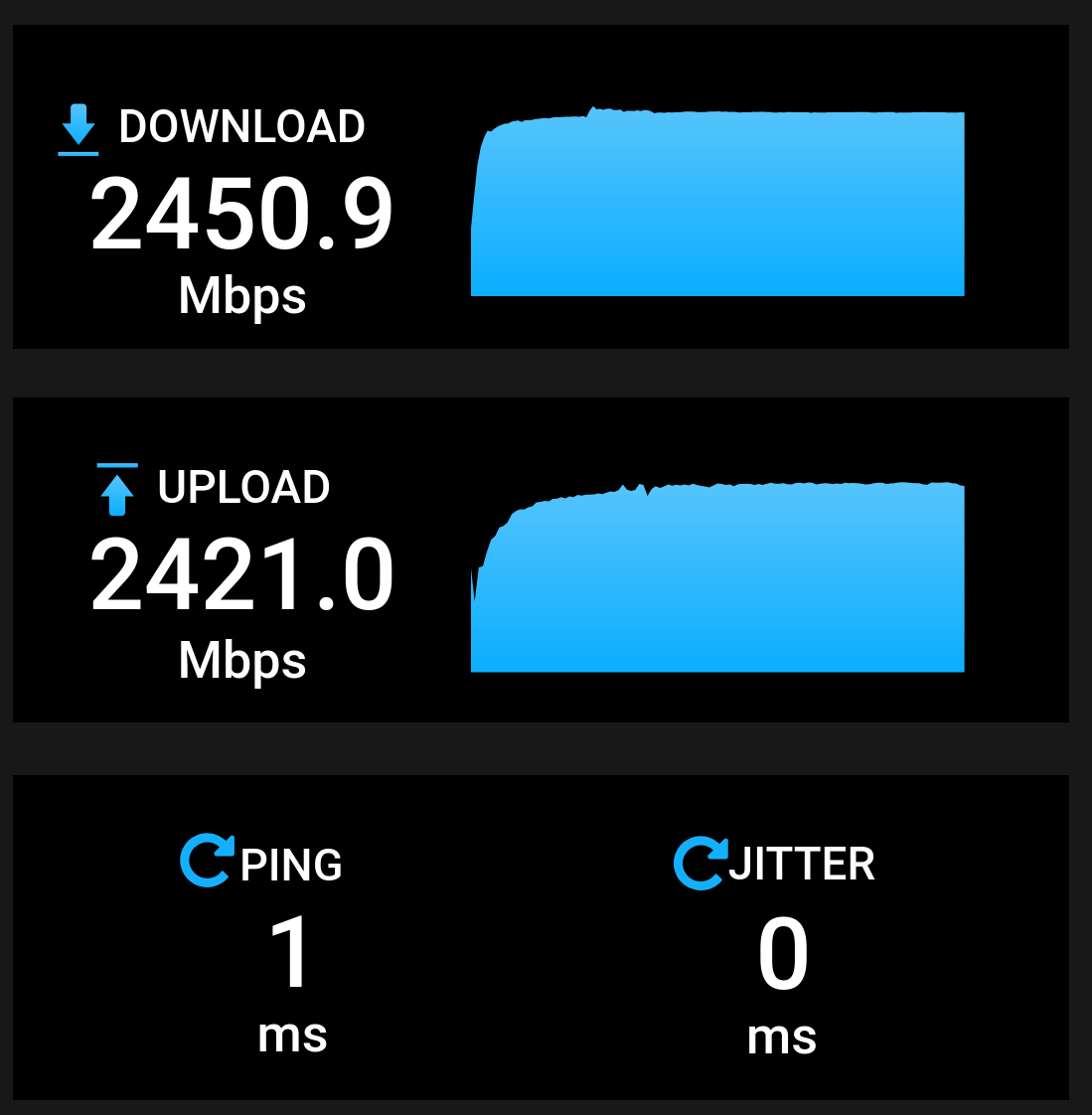
Second I swapped out my 2.5gbe nic. There was nothing really wrong with it, but it was a realtek and since it was installed I acquired an intel I-225V and I love my Intel nics. I also reconfigured the network config on my NAS as I was using a 2.5gbe and a 1gbe on it with a bridge. It worked, but I had the issue of only being able to get 1gb down and 2.5gb up. I want 2.5gb symmetrical. The new config only uses it. The second 1gb port is still connected, but it is only for the IPMI that is in the system.

I have also come to the conclusion that Networking in TrueNAS Scale is a bit odd. It works, but feels weird from other devices I have. All is well now. I need to order a new bifurcation card since the one I have has known issues.

Bonus Screenshot of my open speed test results:
5 Likes

Veronika can scratch her own back:

4 Likes

You could post as much as you want in my thread, that’s what it’s for, but you can also have your own corner. :slight_smile:

2 Likes

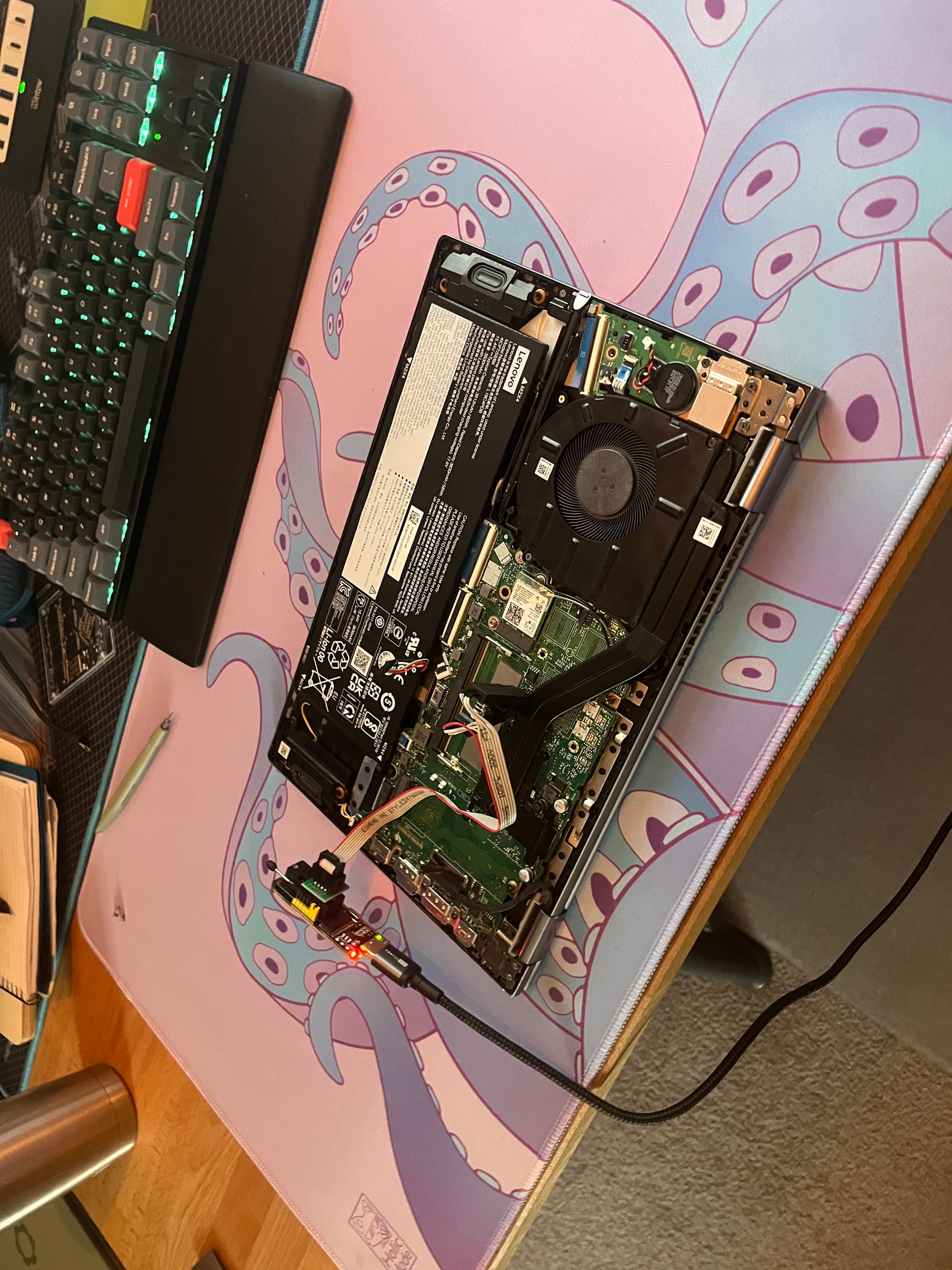
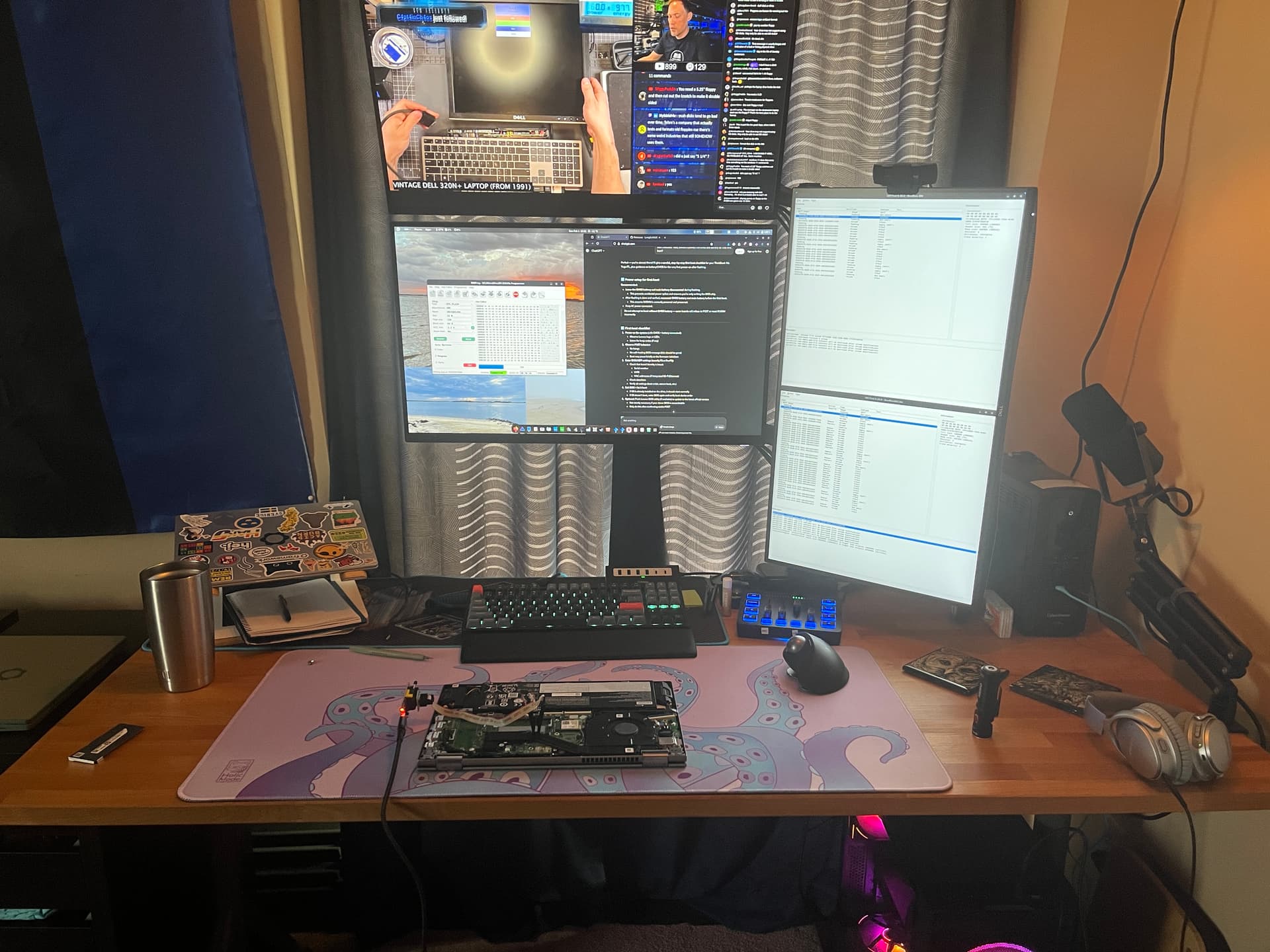
I picked up a CH341A programmer to have a go at fixing a Lenovo laptop, specifically Lenovo ThinkBook 14s Yoga ITL - Type 20WE, Motherboard ID: FLV34 LA-K051P Rev: 1B. I was able to locate the chips and attach the programmer. I used imsprog to detect, read, erase, and write to the bios chips in the device. This was also what I found that worked. I initially tried flashrom, but had no luck. I also learned that there are a total of 3 chips in the device used for bios. There is the main bios chips - XMC XM25QH128A ~16mb a bios EC chip - XMC XM25QH64A ~8mb, and an Intel Thunderbolt chip Windbond W25Q80BL ~1mb.

I do not think the thunderbolt chip is the issue as the device will still charge the battery, but it will not post. It powers on, but the only thing it does is slowly flash the power LED. The LED by the USB C ports does come on, shows white for charged and amber for charging, this is normal. I first backup up all of the chips twice and did a diff to compare the files, they were all the same. I then erased, verified the erase by reading the chip again, and then re-writing the backed up file. I then tested the device and had no change, so it appears I did not break anything further.

Next I tried to extract the .bin files needed from the Bios download on lenovo’s website as it is a .exe link below:

I tried using Innoextract, Peazip, and UniExtract to try to find the files. I was not directly successful, but I did manage to get a ~27.4mb .bin file which is likely a combined file. Lenovo does not make this easy and I hate them for it. I am stuck at this point as I do not know much about .bin and HEX editing. It will likely be a topic that I research at some point. If anyone has tips, resources, wants to help, etc. feel free.

Since I hit a wall I decided to search around and see if I can find the files elsewhere. Things got sketchy. I could find forums that showed the files, but all of them seemed to require a premium membership to get them and since I found several sites that had these: Badcaps.net, Vinafix.com, flashrom.org, and repairlap.com. I did not proceed as all the payments seemed to go to the Philippines and I did not recognize the currency. The whole thing felt weird and like a scam. I did find what I am assuming were the same files on Telegram and I was able to download them. The file sizes were the same and a diff showed that they were different. I did write the files for the Main Bios and EC Bios chips. I tested and did not see a difference. I then erased the chips and did a write with my backed up files. The files from Telegram could have been bad, but I have no way of knowing.

I have come to the conclusion that either I just need a set of good Bios files to try or the motherboard on this Lenovo is just toast. For now this is on hold as I need a break from it. I have attached my txt file of the information I have gotten for the device and the chips. I am open to things to try. This device has not worked in about 1.5 years and is destined for recycling or being sold for parts on ebay as everything else on it is still good.

BiosChips.txt (423 Bytes)

1 Like

This morning I gave getting a bios another go. I searched around for more, but did not find anything that I had not already. I did not know how to proceed with merging my bios with the donor I found on Telegram. I decided to try ChatGPT as I was out of options. I had some long detailed prompts and it provided some things to try. Some of them I had already done and some were new. The result was the same as I had encountered before. I asked ChatGPT about what to do with my recovered bios and the donor files I found on Telegram. It actually walked me through merging the two. No new tools were introduced to me by ChatGPT as I had already found them through other ways. Once merged I tried to flash the bios chip. The flash was a success, but the laptop was still doing the same thing. At this point I am thinking its hardware. I provided ChatGPT with more info on the issue and a short story about how the issue had occurred. It mentioned a possible EC/PMIC failure, but also suggested trying to flash all three bios chips in my laptop. I flashed all three, but same result.

I agree with ChatGPT that what likely happened to my Thinkbook is an EC/PMIC failure and not a corrupt bios. At some point I might probe around the board and try to figure out something more, but that is a challenge for another day. I did learn a lot going through all of this the last few days (SPI Flashing, Bios/Firmware, The AI’s can help sometimes) . I am estimating I spent about 10 hours doing everything and have confidence that I can do everything again including on other devices, its also a documented experience and have a folder that is full of all the files used and any notes that were created in the process. In order to probe around the board and attempt further repairs I need to invest in the equipment to be able to do that effectively. That is something for the future and something to look forward to. I don’t consider this one a failure as I learned something.

Edit: Adding some photos and I forgot to mention I did everything in Linux. Most of the tutorials I found on SPI flashing and Bios Extraction were using Windows. I did try those tools, but did not have any different of a result.


3 Likes

The current job market really sucks!

4 Likes

My energy levels are kinda low today and decided to take on a few back burned projects, both were a success.

Project 1: Install Fedora 43 on my MinisForum mini pc.

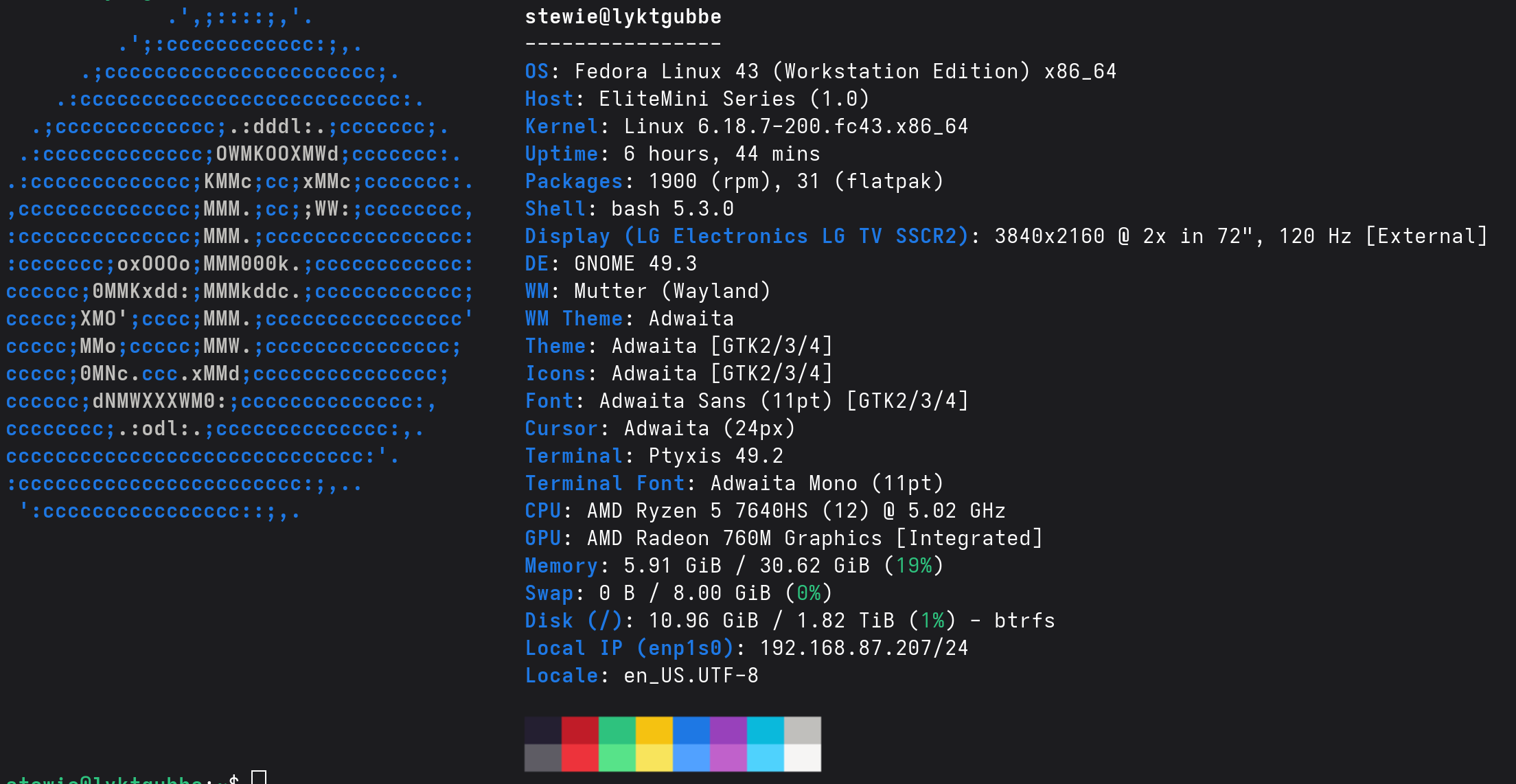
I installed and system setup went smoothly and I am trying it out on my LG OLED. I was kind of surprised by the results. I tried using HDR on Fedora 41 ~1.5 years ago and it was terrible. It is working great so far. I am also outputting 4K@120hz over HDMI. At some point I want to see if VRR will work, but the APU in the system will likely only allow something like Don’t Starve or Stardew Valley to work. I also want to try Skyrim.

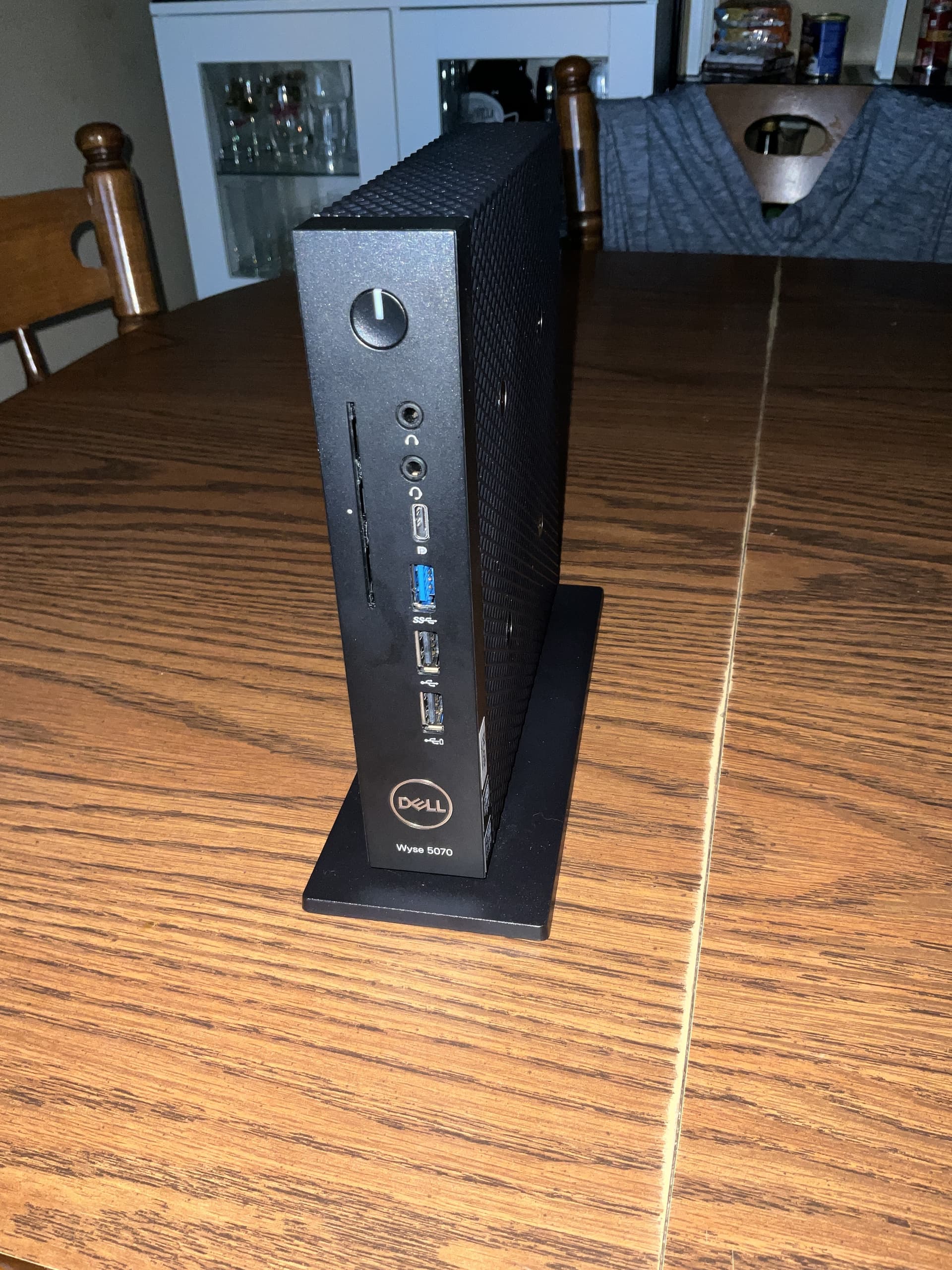
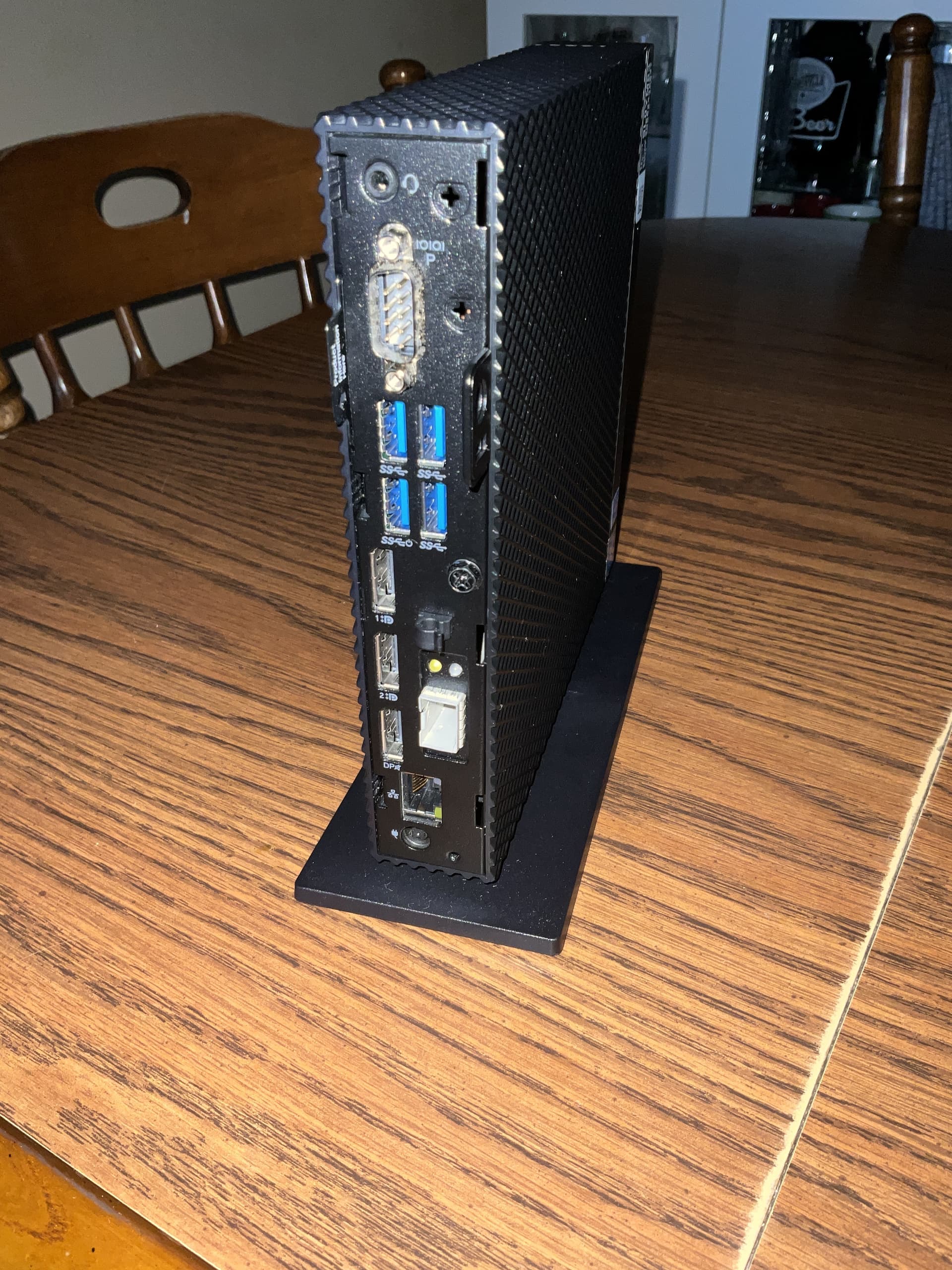
Project 2: Install Fedora 43 on my Dell Wyse 5070 Thin Client

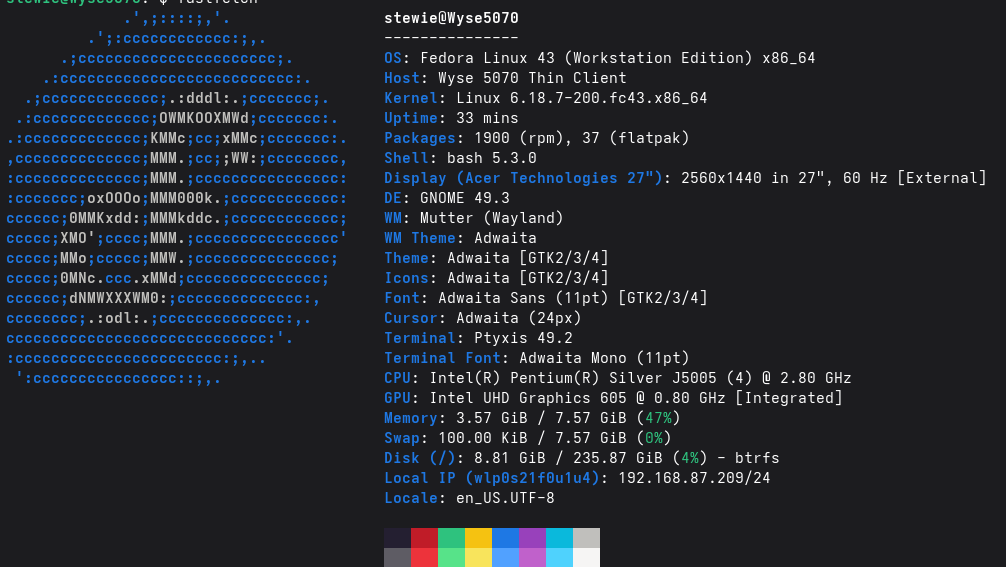
This went significantly better than expected. It did lag a bit during setup, but it made it. The 8GB of memory seems to be enough for the time being, it did not spill over into swap. Video playback and streaming work great. I am only using this on a TV in the bedroom that is 1080P@60hz, so it should be fine there. I did add a 256gb Samsung MSATA drive that I acquired to give a little more breathing room. The 16gb emmc storage is not great. The Samsung drive has 5x writes and 2x reads.

2 Likes

The pentium cilver J5005 is similar to the celeron J3455 I had. If you run a lighter DE, instead of GNOME Shell, you’d be fine. Sway was the best for performance (and eliminated screen tearing), but you could run LXQt with Openbox + Compton (or XFCE) and it should be similar (given you’re fine with less eye-candy and want a fast and functional system).

Some further thoughts on the current job market:

I have had 3 interviews so far this week, including one that was in-person. I was eliminated from that role, but find the whole thing odd. Maybe it was the in-person interview post pandemic or the fact that the location of this happens to be the location was next door to BAE systems, Raytheon, and Dr. Pepper. It was also at a former Naval Ordinance Facility. It was not advertised as being a govt role, but the building still had the logo of the Navy on it and it was in really good shape.

Also, why is Raytheon and BAE next door to Dr. Pepper?

In a more general sense I feel that places don’t want just anyone for a particular role, but want someone that can do the role with as little training as possible. It is not just IT roles, but like all of them. The job market just feels really weird anymore.

1 Like

It has been a few days and the Wyse is doing well. Most things are fine and snappy. Jellyfin playback has been flawless, but YouTube playback kinda sucks. It works, but 720, sometimes 1080 is all your getting, lots of dropped frames with 1080 60fps. The DE is holding up just fine, XFCE would be better, but I like my GNOME and all my extensions. I only have it as I had a moment of weakness on ebay. I could not resist: New, in box and it truly was. Everything was still factory sealed, even the Dell OEM keyboard and mouse. Also, the 3 Display ports + a USB C with Display port on the front, the weird SFP port that is wired into the Mini PCIE, the smart card reader, and the additional internal connectors (2nd com port, VGA, and MSATA.

1 Like

Try changing the codec, maybe… Newer ones are much heavier and may not have GPU support. I always experience this on older ARM systems and PCs: newer codecs cause stuttering, although we’ll probably have to forget about 60fps.

2 Likes

I got a job offer this morning and have accepted the position! I start on Tuesday. I will be fixing tech and providing customer service. The pay is less than I was hoping for, but given the market and my interest I am going to give it a go.

4 Likes

My two small projects earlier this week have been quite successful. I do need to troubleshoot a YouTube playback issue on the Wyse Thin Client but I have ended up with another thing just sitting. The last Windows device I have is just sitting unused. I have thought about selling it, but given the hardware market I want to keep it, those parts might be useful if something in my main Desktop were to go. I would rather it not sit and the only idea I have is trying bazzite on it. I am open to ideas. The specs are below:

AMD Ryzen 7 9700X in 105 Watt mode
Gigabyte B650 Gaming X AX V2
64gb of Ram 4x16gb DDR5 6000 CL36 - Very Stable - G.Skill Flare X5 F5-6000J3636F16GX2-FX5 X2
2TB Samsung 990 Pro
nvidia RTX 4070 Super 12gb - Gigabyte Windforce Triple Fan
Be Quite - 750 watt PSU Gold Rated
Cooler Master MasterLiquid 240L AIO

1 Like

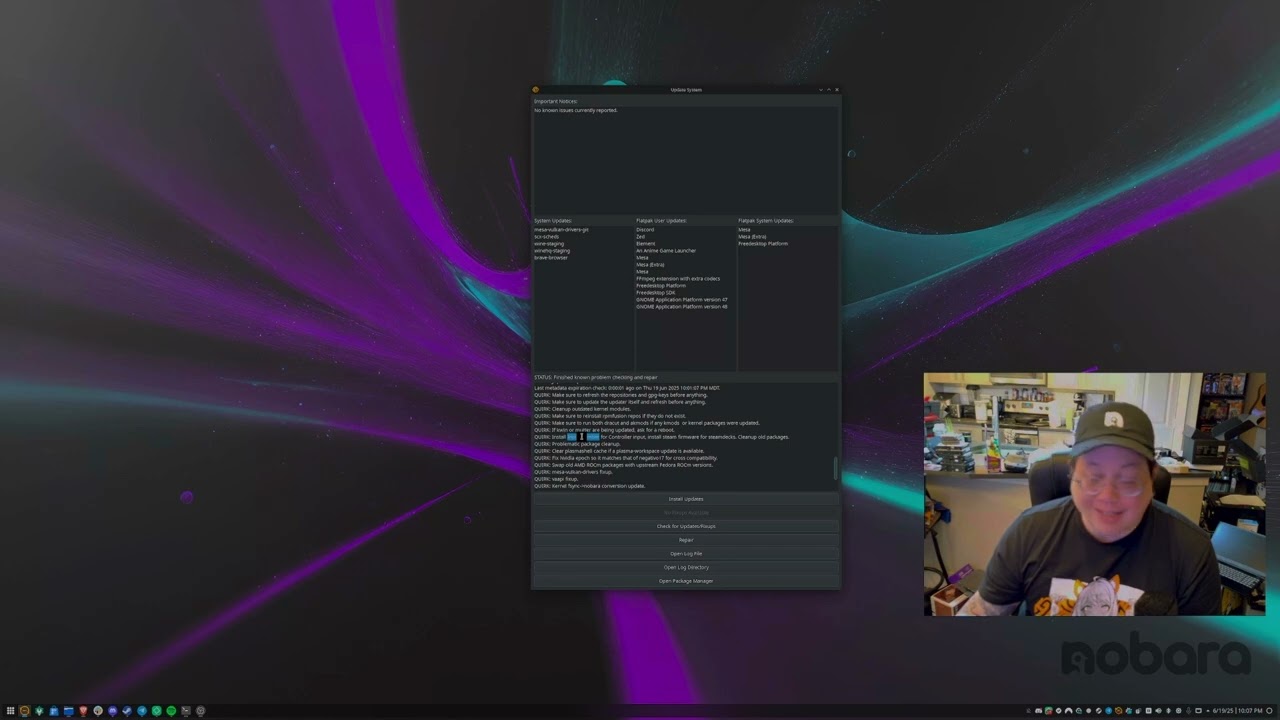
If you decide to turn your last Windows machine into a dedicated gaming rig, you might want to look at Nobara Linux. It comes preconfigured with Proton-GE out of the box, which can make getting Windows-only games running a lot easier.

It’s often less work than setting everything up manually on a standard distro.

Here’s a good overview for new users:

I ended up not moving forward with the job at the tech repair place. After an additional conversation regarding certifications I decided it was not worth moving forward with. The cost of the certifications would be a few thousand dollars out of my pocket and the pay was no great. I’m not to upset about it. I am glad that I learned about it sooner rather than later. The search continues.

Edit: I am booked for multiple interviews tomorrow and Thursday.

2 Likes

I have been busy and have not made a post recently, so some updates.

I have acquired employment! And I have already started that job. I am now repairing point of sale equipment. I have enjoyed it so far. The pay is decent, the people are friendly, and the place seems really laid back.

I don’t think I ever mentioned updating my music library that dated back to 2005. It was in need of modernizing. I have completed that, almost everything is now in flac ~7000 songs and uses 10x the storage, from ~35gb to ~175gb. I also added it to my jellyfin server and use Manet on my iPhone for offline playback & CarPlay compatibility. It works beautifully.

3 Likes

I am looking for a podcast app. It needs to work on iOS as well. I know it’s a bummer that I have an iPhone but the thing works and does what I need. I have used Apple’s podcasts and castmatic. They work but wonder if there is something better. If you have an app I will check it out. I appreciate any suggestions.

I don’t know about “better”, but I used to use Castbox, and it was fine.

I have started reading more frequently in recent months and wonder if there is a book club on here. If anyone knows, let me know. I am currently reading Stardust by Neil Gaiman. I am three chapters in and really liking it.

1 Like

I spent ~$1800 at the Apple Store today. Please don’t hate me! I would have preferred a phone with Fedora on it but that sadly does not exist :cry:.

1 Like