System suddenly unstable, 9950x w/ Asrock X870 Riptide WiFi

My previously perfectly stable am5 9950x system became suddenly unstable, and im not sure what to think of the information i found while debugging.
I am worried that this is a degrading cpu, potentially caused by the asrock board given all the other issues going on right now.

i built the system in march 2025, with the following specs

  • ASRock X870 Riptide WiFi motherboard
  • AMD Ryzen 9 9950x CPU
  • NZXT C1000 1000W power supply
  • Corsair Vengance DDR5-6000 Cl30 2x32GB kit
  • Noctua NH-D15 cooler
  • ASRock RX 9070XT Taichi

When i built the system i ran multiple stability tests and ensured the motherboard had the latest bios installed, everything was fine including memory tests

When i first heard about the asrock stability issues i updated to bios 3.26 (the latest at the time) and reset all bios settings, then re-enabled expo and pbo, and once again ran stability tests including a memory test for peace of mind, everything passed.

Everything was fine until a few days ago when several symptoms popped up at the same time, i attempted to start a vm and the vm kernel panicked on boot, i re-downloaded the os image and it was solved, then later that day i get a strange java crash, where the stacktrace only contained libc.so, and another where it crashed in the garbage collector

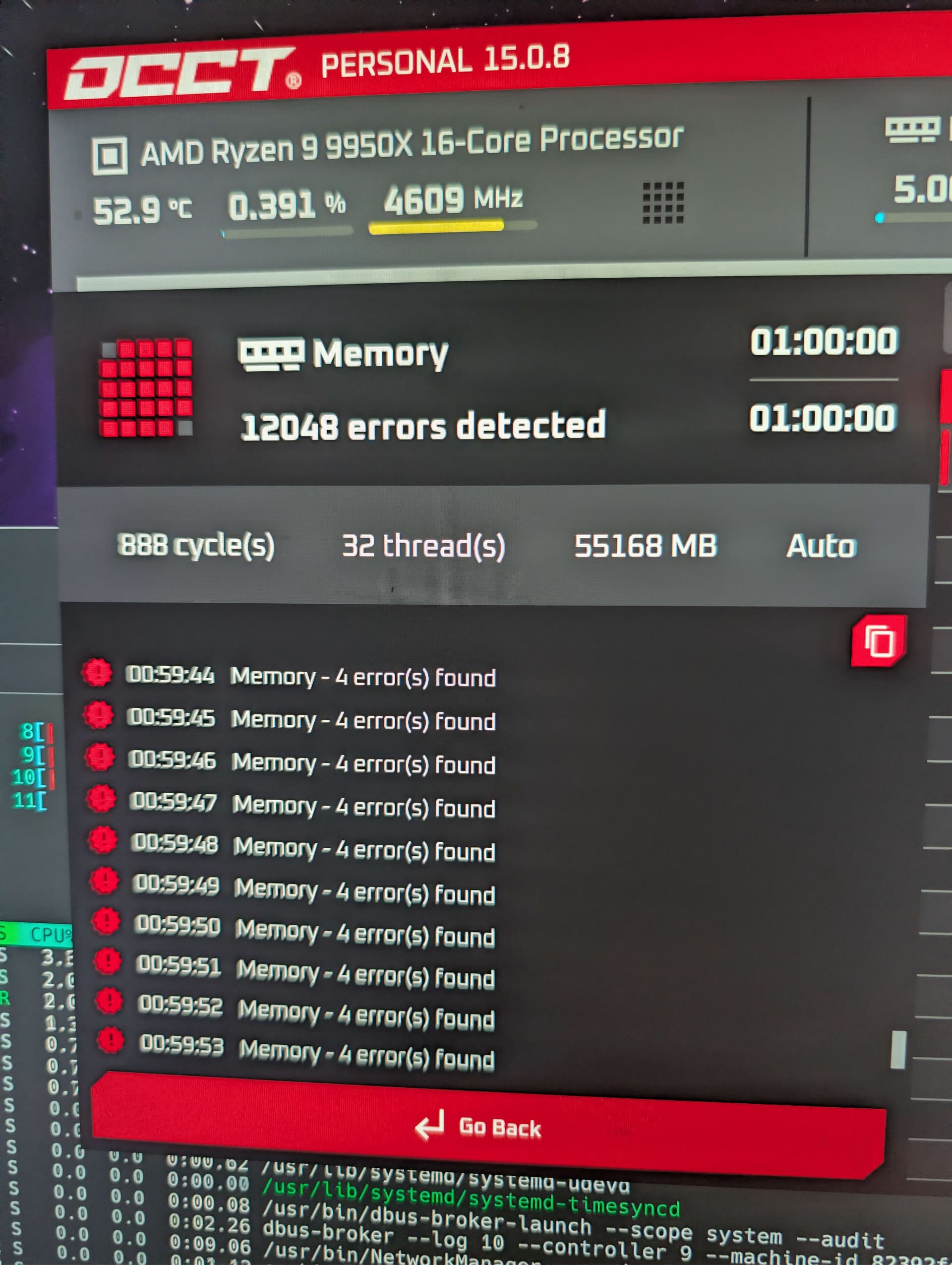
all these issues together made me run a memory test, open up OCCT and run a 1 hour test and it started throwing errors at the 10 min mark,
the next day i start to debug this and i run memtest86 from a usb as i assumed this was a ram issue and thats what corsair recommended the first time i run this it passes, and while i dont have a photo of this what is of note is it reported the memory bandwidth to be, ~55GB/s, i rebooted the system and ran it again and this time very quickly the test errors, it also reports a higher memory bandwidth then the first test

at this point i update the bios from 3.26 to 3.50 it updates and this happens
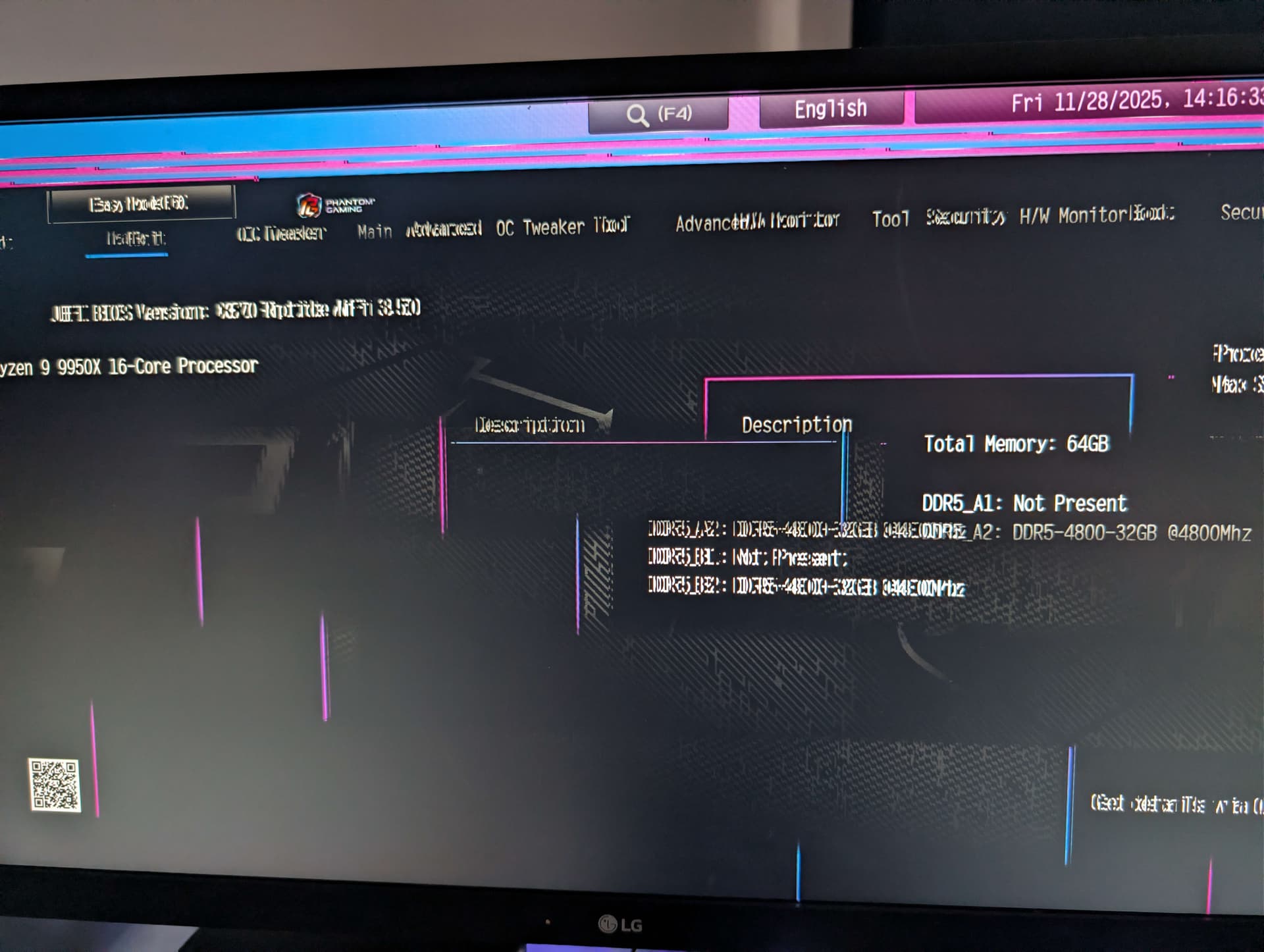
reboot the system once more and its fine, i decide to enable expo and pbo again, and this time i notice upon enabling expo the bios sets SOC Voltage to 1.2v

i run memtest86 again, this time it passes fully

i reboot and use the system normally and about 20 min in kernel panics, with the error attempt to kill /init im 99% sure that neither me or anything i was running was attempting to kill init so i once again try running stability tests, it passes all of them with no issues

at this point of of curiosity i set the SOC voltage to auto which it was before the bios update, and try a memory test within 20 seconds the test auto-aborts, reporting 10k memory errors

as i need my pc to work, i decide to set everything to default settings, no pbo no expo, i reboot back into os and get to work, and then later that day i decide to run a benchmark to see what the performance is like so i run the OCCT multicore avx benchmark, and it crashes occt, it just segfaults

i also then had a problem where the after the system went to sleep it was unable to wake up

I dont know what to test or even what to think of these results, what i take from this is that the memory is likely perfectly fine (although i have no way of testing this as nobody else i know has a ddr5 pc)

there are a few minor odd stability issues that have never happened before, that have popped up now, that i think this is a degrading cpu, could this be a pre-cursor to the “asrock motherboard of death” situation, what can i do to prevent it, or make this system more stable

the system never logs a MCE or any kind of hardware error other then failing the memory test which with the latest bios it now passes with flying colours at stock speeds or expo speeds, but the system is clearly still not stable

looking for any advice on how to debug this more, narrow down what is going wrong, or how to make it stable in general
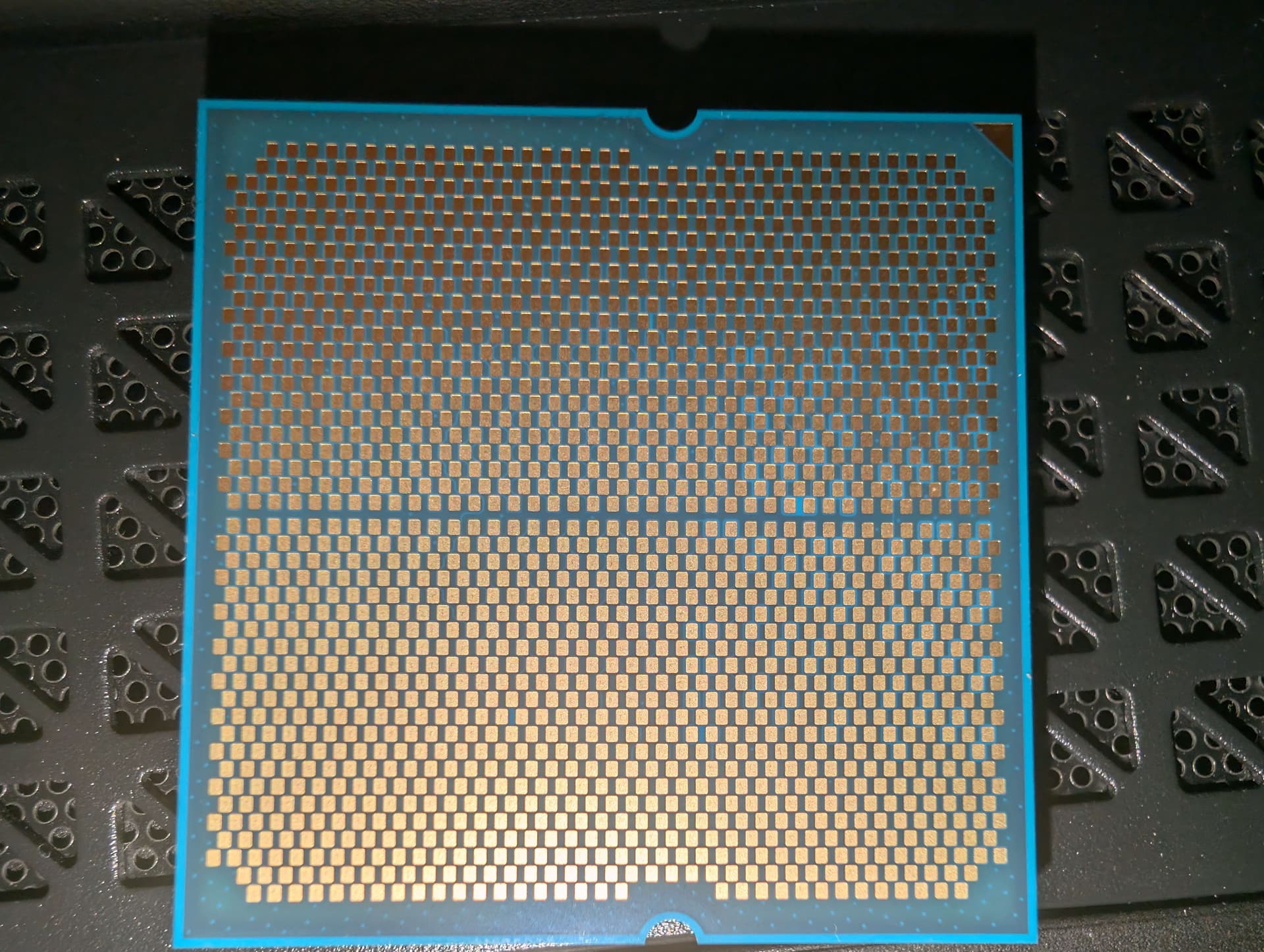
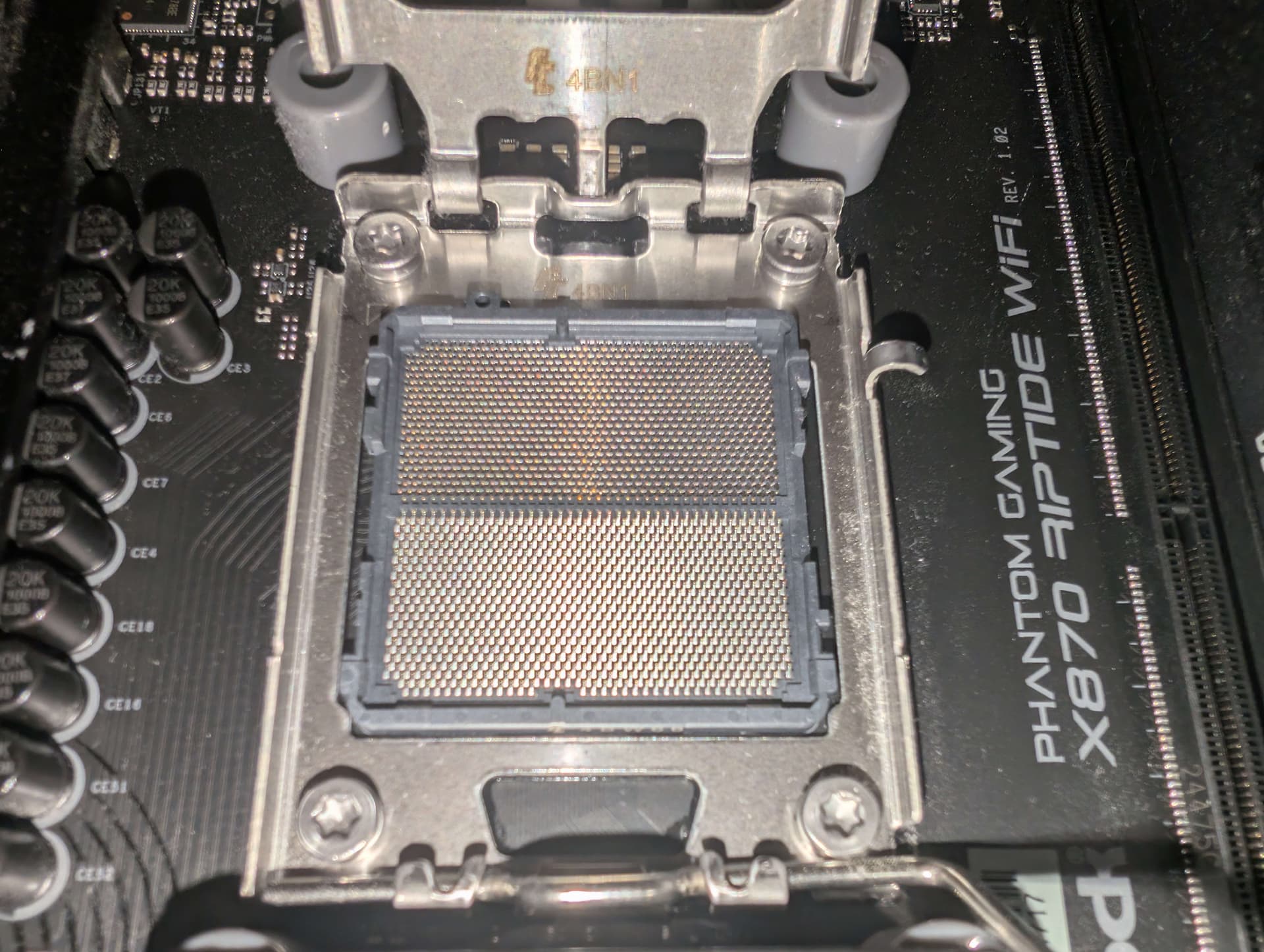
might be worth popping the cpu out of socket and look for discoloration on the bottom.

other thing to try is to point a fan at the memory and see if that helps. we (others on the forum) have found sometimes, over time, their memory kits become sensitive to temperature having errors as low as 55c.

Not to derail the thread but has anybody actually looked into whether this ASRock failure thing might be related to the standard recommendation of ddr5-6000 (while AMD lists ddr5-5600 as the max memory speed for AM5 processors)?

Iirc the memory controller was the weak point on am4, and I wonder if it’s not generally true of am5, with ASRock boards being on the wrong side of marginal…

Thanks for the ideas,

I did try taking off the side panels and blowing a fan into the system to cool down ram before the bios update but it still showed memory errors, but forgot to list in post, ive added a fan in the case now blowing air on the ram just incase the bios update + ram cooling does the trick for stability, but the system passes any test i throw at it after the bios update, so only time will tell on that front

ive done some more experimentation and found some things, with the latest bios i get memory errors in one situation

ddr5-6000 gear down disabled, vsoc < 1.3v, vsoc 1.3v solves them (ram temp does not seem to matter for this)

although this was a one run experiment

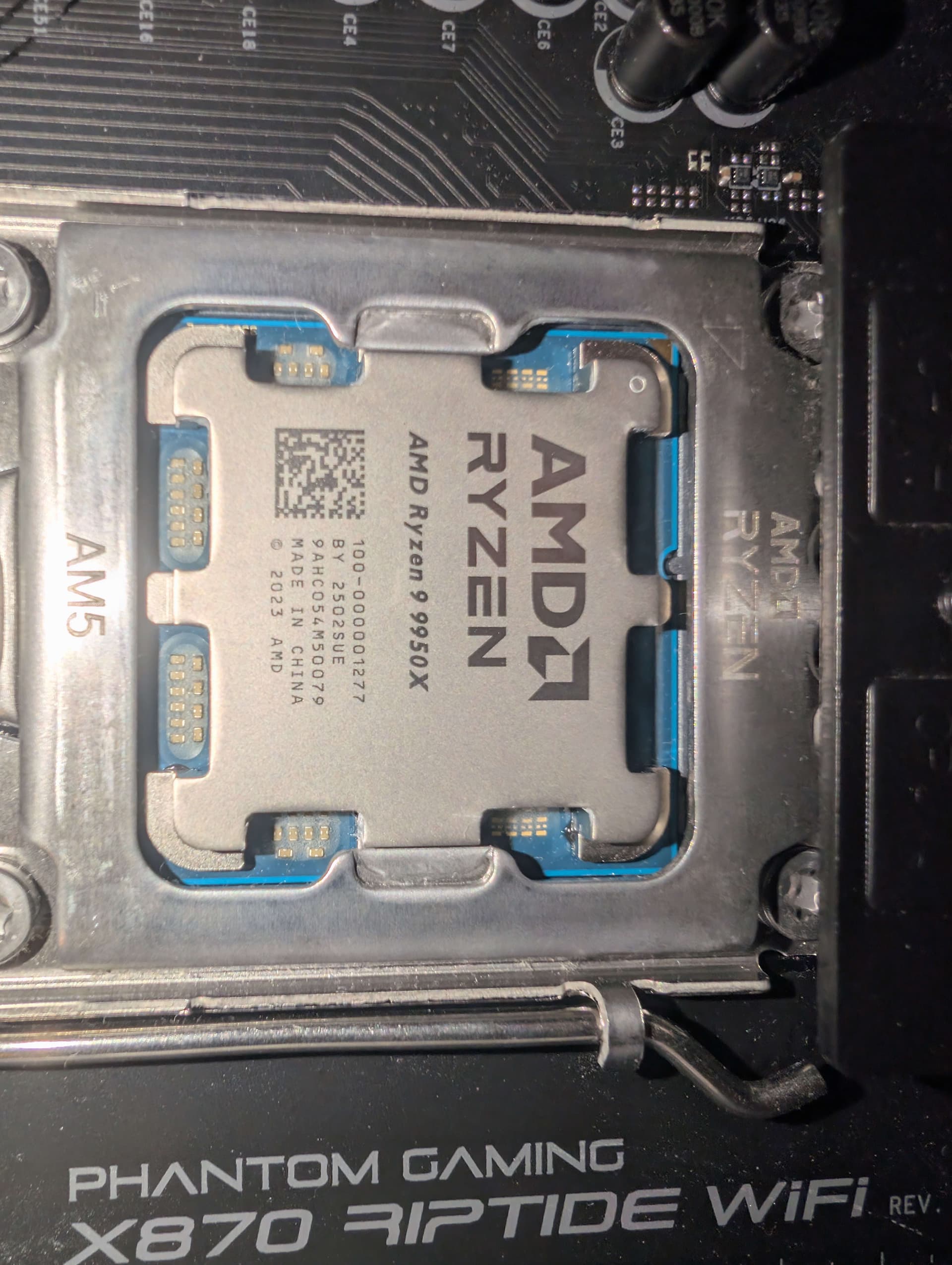
i took a look at the cpu, and i dont see any discoloration, which is good i guess although ive not looked at many cpus so ive added the photos incase i missed something i see lighter spots around some pads, although this looks like its supposed to be that way to me


I think your best bet is to RMA the CPU at this point. There’s a chance the issue is with the board or with the RAM, but that seems less likely to me AND dealing with RMA support will be less painful with AMD, so may as well start there.

Another thing you could test is running with 1 stick of memory at a time, to check if the failure is tied to one of the sticks or memory channels.

If you have another PSU handy I would try replacing it. I had a 9950x that became unstable after 1.5 years and the issue was the PSU. At first it looked like a degraded CPU. Then, a few months later, it came to a point where Excel was crashing/rebooting Windows while I was trying to do my taxes, like every hour. Eventually Linux became unstable as well. As the issue progressed symptoms related to USB began to show up with both Windows and Ubuntu respective windows manager losing track of the focus with a particular mouse (but not another), and in one instance a USB stick corrupting. The original PSU was an EVGA Nova 1000W.

So you think its most likely the cpu?, personally im not confident enough in the fault to blame anyone, im currently just waiting for the pc to crash or do anything odd, as after the first few crashes on the day of upgrade, its been stable

i re-enabled pbo/expo last night trying to provoke it hoping more crashes would give data, but it did not, naturally after posting its decided it wants to behave

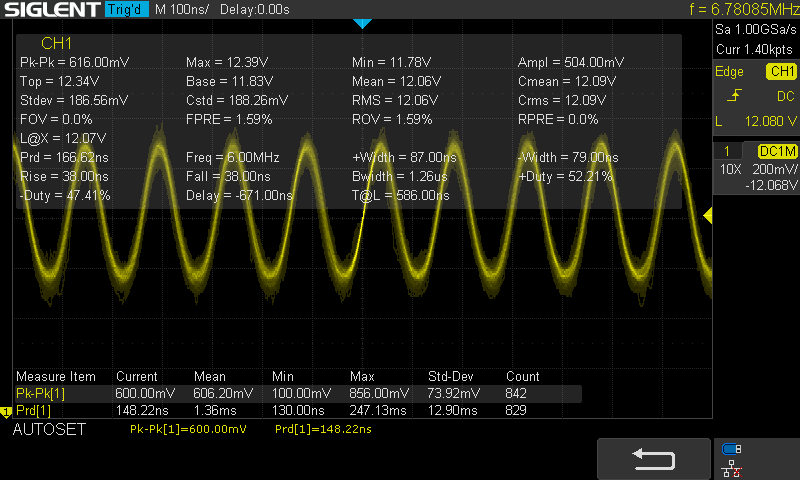
interesting idea, i dont have another power supply but i do have a scope and ill take any excuse to play with my toys


i can see the switching frequency of course but this looks fine to me, probed the 12v on the back of the eps 12v connector, i figure a failing psu would be extremely noisy, and im not seeing much noise or any voltage fluctuations, just a tiny bit of noise in the readins that could be induced by the less then optimal probe setup, and the switching frequency showing a nice 500mv, peak to peak, to me this looks like a perfectly good psu

And the plot thickens, left the computer playing some music, and while i wasnt in the room heard it stop, came back to the machine and it was training memory? (cpu debug led, with dram flashing), after around 40 min it was still training, tried a reboot didnt come back, cleared bios settings, and it booted right away

truely there are ghosts stuck in this pc

Not to beat up a dead horse, but that is the kind of issue I was having at the beginning. About once a month the memory would train on its own, boot windows and corrupt the installation. Sometimes memory training would take way too long or would never finish. Then I would disable all OC and restore windows from a backup, retrain memory and everything would be fine for a few weeks till it happened again. It happened a few times and eventually I disabled OC all together. Later that type of symptom went away and the memory stopped training on its own. Then I reenabled OC.

Ubuntu itself was much more stable and only started to crash towards the end. Though the windows manager would crap up and I would be able to do the alt-f2 alt-f6 (or some other key combo) to recover control. But occasionally that would not work either and there was nothing to do but to do a hard power off. On Windows the windows manager crapping up was more graceful and I would be able to regain control simply by bringing up task manager.

On the plus side I had daily backups, so when I had a crash I tended to restore to previous good backup… which wasted some time, but at least it had a better chance of not having things corrupted. Though managing versions of code and docs was a bit of a pain, even though I had backups from the previous day and intraday versions on the cloud

Interesting, im for sure keeping PSU issues in mind i don’t have enough info to know if what i saw on scope is good or not, i was just trying what i could for collecting info

I don’t have a spare PSU to test with, i could probably borrow one from another pc, but not powerful enough to run the entire system, could always do dual psu for testing i guess

on the concerning sign of things the system has now developed coil whine it never had before, and made a loud “cracking” sound while under load, no crashes after the memory training issues this morning

im not sure if it training itself is a problem, this system has always since ive had it done a partial or full memory train every boot, normally atleast 20-30s sometimes a few min, (the cpu light stays solid on, dram light flashes)

1 Like

The 9950x has not trained in a while now. When I first got it, it would retrain about once a month… I thought it was some sort of annoying “feature” of the AMD platform, since that was the first AMD machines I had. My new workstation, which is a 9980x has only trained once. My mobos are ASUS, both OCed. Not sure if it makes a difference, but training often may not be normal.

It was certainly very stressful. I feel your pain!

It’s hard to say with certainty, but yes. Combine that with the fact that it’s the easiest part to deal with RMA wise, it’s the best place to start.

RMA is a pain but IMO it is less of a pain than hopelessly trying to troubleshoot something that should work flawlessly out of the box, for months, like I’ve seen many doing…

I recently finished some work and had time to debug the computer, after many tests i discovered after 0-4 hours of ycruncher. I would crash consistantly with memory at 6000MT/expo speeds,

i decided to start with power supply after trying many differnet memory settings and it making no differnce, so i purchased a new power supply and what would you know, you called it, the system is now seemingly stable, ive had ycruncer running non stop for the last 16 hours, pc boot was faster after swapping the power supply, and usb devices are behaving better (previously my keyboard rgb would start rapidly flashing if any key was pressed while the system was off)

thanks for putting psu issues on the radar, it looks like in this case thats exactly what it was, from the limited teting ive done i still have issues if pbo is enabled so i dont think its the only issue, but im now stable without pbo so im happy with that

i still have one strange symptom after swapping psu and id love anyone here with ryzen 9000 and a radeon 9000 gpu to try it

if i start y-cruncher, and run bbp or sftv4 on linux only, then replug/disable-enable a display connected to the dgpu in my case a 9070xt, y-cruncher will fail, the same happens with occt cpu tests, i thaught was a symptom of power issue but as my other issues seem to be gone im wondering if this is just a software bug, this doesnt happen with my 6700xt, so if anyone can reproduce id love to hear about it

This topic was automatically closed 273 days after the last reply. New replies are no longer allowed.