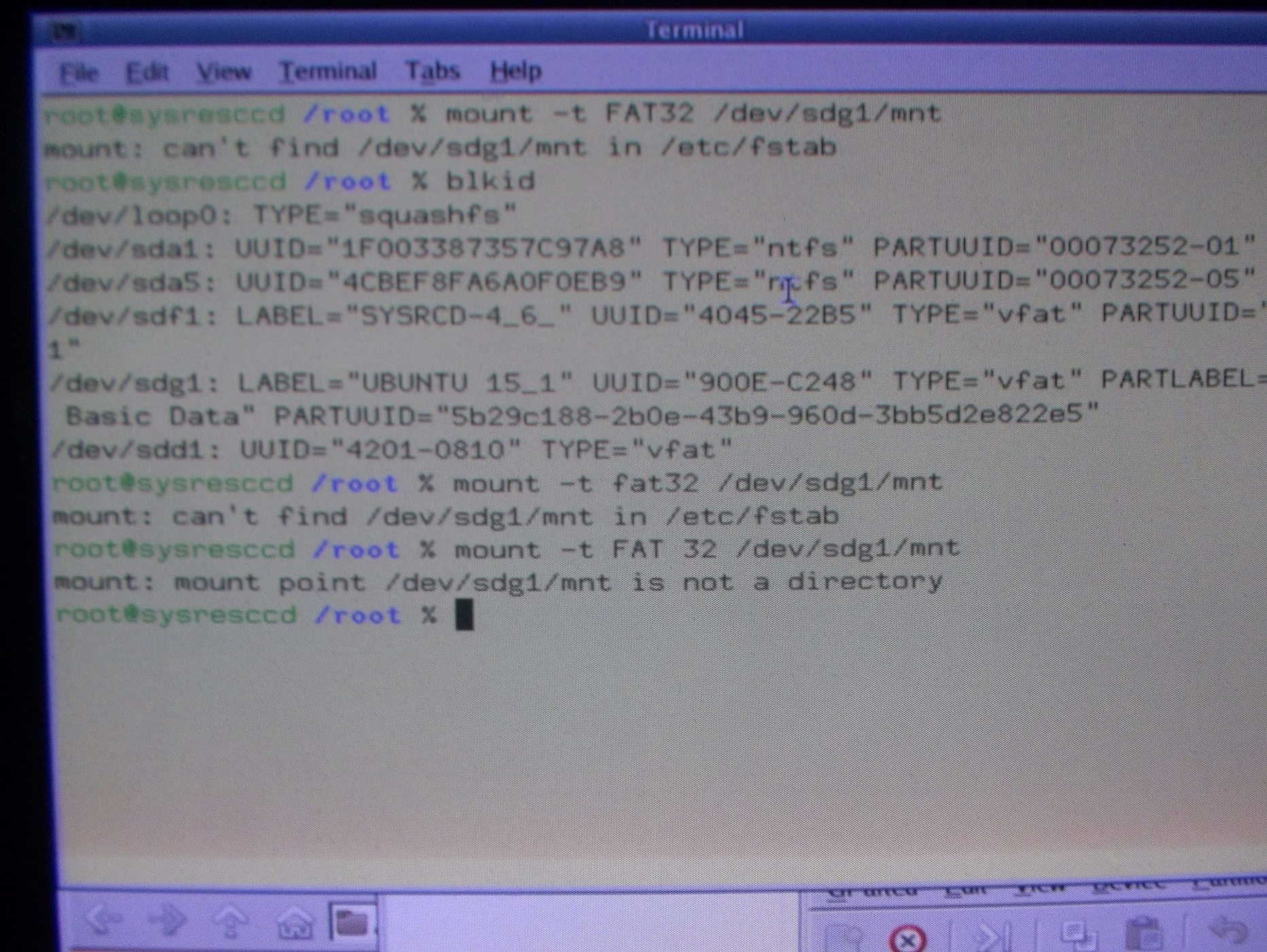
So I've got the data off the broken hard drive in question, and now it's just sitting in my RAM, on my machine, so how do I get it off, I'm using System Rescue CD, based on Gentoo I think, and I used testdisk to grab the data
It seems that I couldn't see the drive using testdisk under linux mint, but I can see it here and grab the data
however plugging in a flash drive doesn't seem to work as I can see it in Gparted, but can't find a way to move data to the drive
any ideas? I suppose I could try mint again and hope the drive shows up there, but I already have the data, so I'd rather not have to reset my PC and lose it
I could brute force it and just move files through self e-mailing as none of the cloud storage things like this web browser...not sure what command I'd need to get updated firefox up and running
I also know little about linux so...this is loads of fun.
-
-
One drive appears to be working for now, if only I could figure out how to compress the folder so I could just upload the whole thing
You will need to mount the disk somewhere. try mount -t type /dev/sdxx /mnt where type is the format of the disk (ntfs, fat32, ext4 etc.) and sdxx is the device and partition (sdb1 etc.) You can run blkid to see a list of available block devices to find what your device is called.
This will mount it to /mnt but you can mount it anywhere you like, just create a directory somewhere and use that as the mount point.
Well that's where I'm at, the drive UBUNTU 15_1 is there according to the Gparted window just off the screen
you need a space between /dev/sdg1 and /mnt. They are seperate arguments. Also I think FAT 32 should be vfat or fat32 or something with no spaces.
well doing
mount -t vfat /dev/sdg1 /mnt
just bumped it to the next line with no errors, though I still can't see the drive mounted anywhere in the file manager
and it worked, thanks, if only google told me this 3 hours ago
1 Like
if you need to mount another disk you can run umount /mnt to unmount the current one and then run the mount command again for the next disk. If you need them at the same time you'll need to make another mount point. You can just create a folder in the /root directory and mount it there.