Hello Level1Tech community,
I’d like to preface with these few words for my first post:
Despite being a total newbie, I really enjoy watching your channel on youtube.
Your insights and advice are super informative, although I get lost in translations sometimes.
Thank your for sharing your knowledge, it’s useful, informative and quite addictive to learn stuff.
You guys are nectar to my ears!
I have recently purchased the RT2600ac router after doing some research.
I really enjoy this router and think it’s doing a great job coupled with my 1 Gbp/s internet connection.
After viewing your pfsense tutorial, I’d like to push my router to the next level by protecting my data from my ISP. I do not want comcast to sell it to marketers.
I am leaning more toward subscribing to a VPN client, than pfsense.
The main reason is the size of a build router as well as poor knowledge from my end.
Hence I prefer a dedicated wireless router
I’ll need to test some VPN servers speed before i can make a decision.
Can the RT2600ac be a VPN router associated with a VPN client to manage
some devices ( apple tvs, tablets, smart tv…) ip adresses?
If yes is there a thread you’d recommend, I am truly a newbie in networking.
If no I fear I might have to sell it for an other router, which is a bummer since I also want to buy NAS DS218+.
Ultimately I might be interested in a new router with ddwrt capability and/or build a nas using freeNas.
Your recent media server video made me want to try it, but again i might want it to be more a consumer NAS small form factor than the pro server shown in your video.
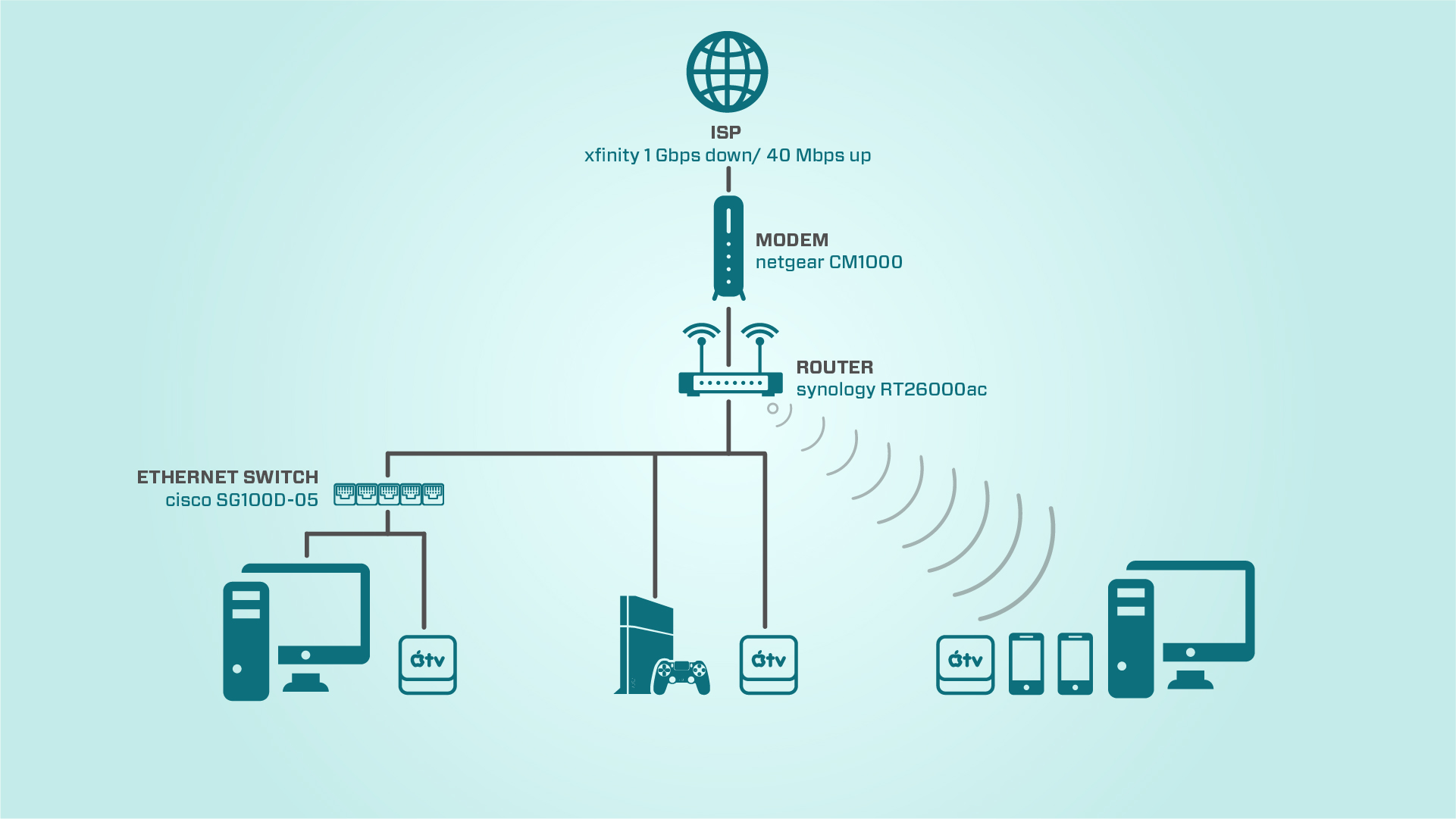
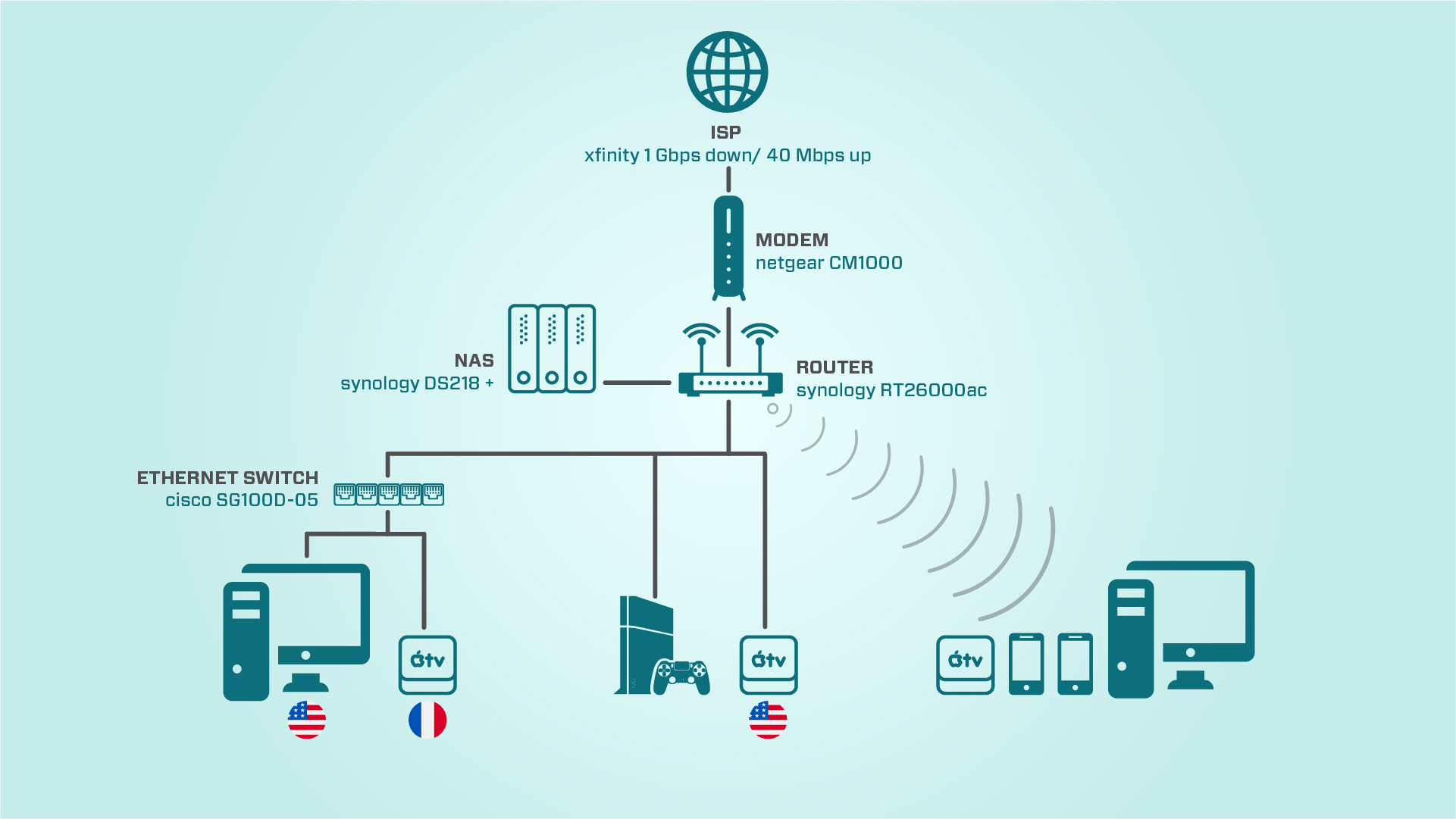
I have created a graphics to help you understand my current home setup.
thank you in advance