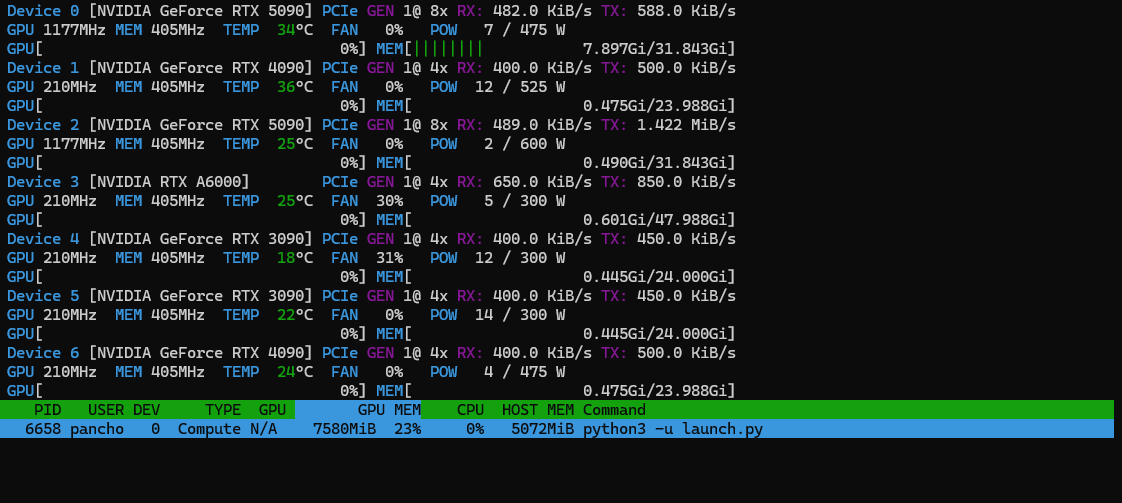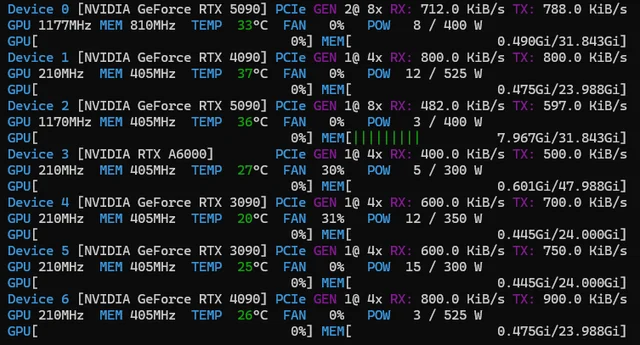
Just an small thread about some power consumption of those some GPUs if some people are interested.
As extra info, all the cards are both undervolted + power limited, but it shouldn’t affect idle power consumption.
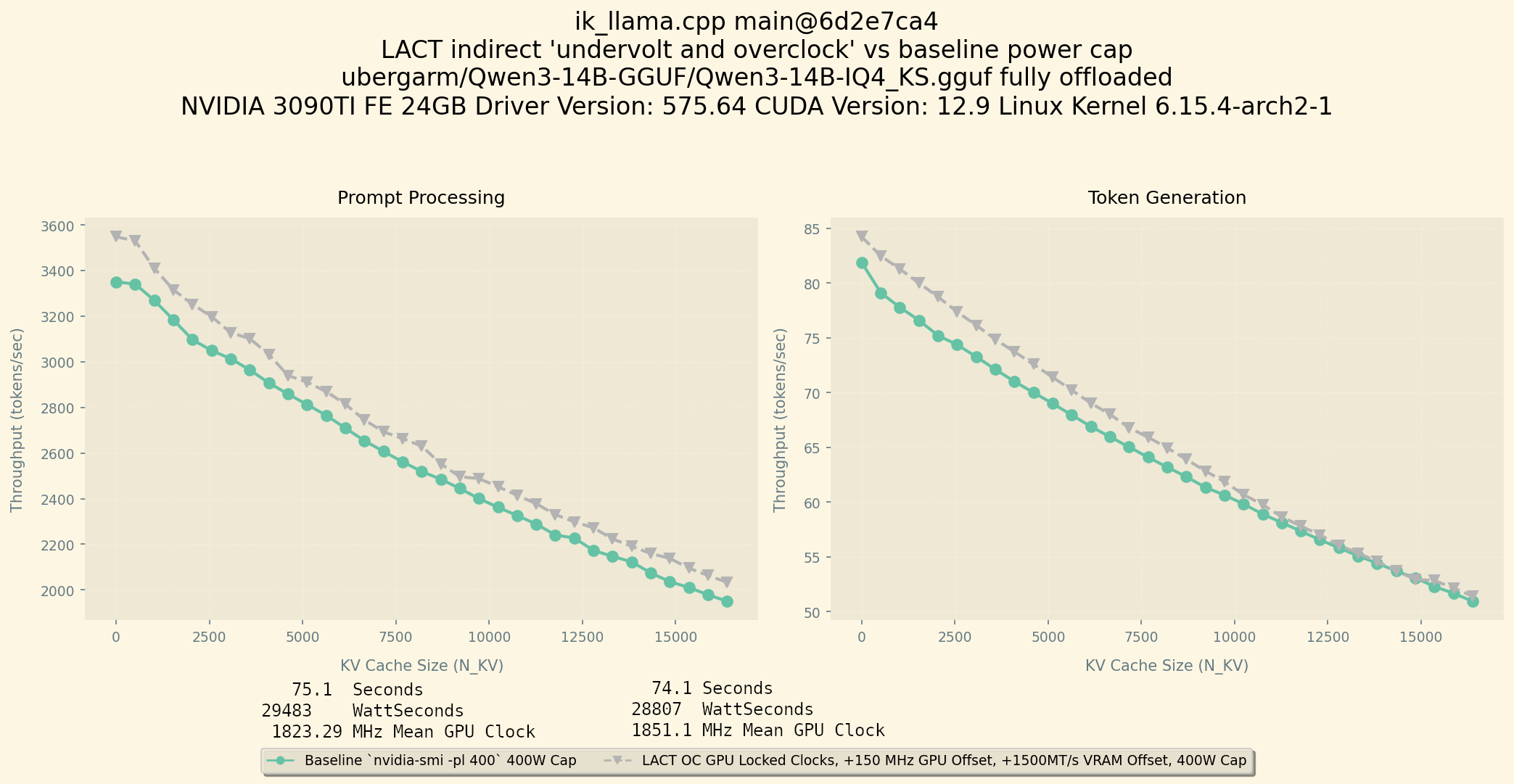
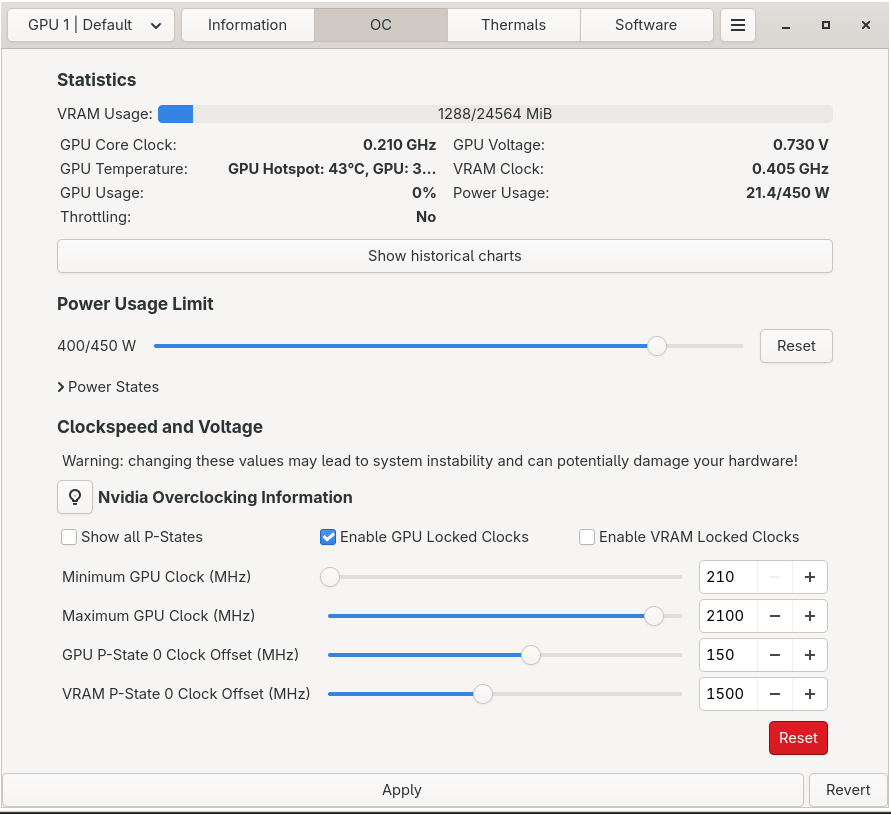
Undervolt was done with LACT, and they are:
3090s: 1875Mhz max core clock, +150Mhz core clock offset, +1700Mhz VRAM offset.

A6000: 1740Mhz max core clock, +150Mhz core clock offset, +2000 Mhz VRAM offset.

4090 (1): 2850Mhz max core clock, +150Mhz core clock offset, +2700Mhz VRAM.

4090 (2): 2805Mhz max core clock, +180Mhz core clock offset, +1700Mhz VRAM offset.

5090s: 3010Mhz max core clock, +1000Mhz core clock offset, +4400Mhz VRAM offset.
If someone wants to know how to use LACT just let me know, but I basically use SDDM (sudo systemctl start sddm), LACT for the GUI, set the values and then run
sudo a (it does nothing, but helps for the next command)
(echo suspend | sudo tee /proc/driver/nvidia/suspend ;echo resume | sudo tee /proc/driver/nvidia/suspend)&
Then run sudo systemctl stop sddm.
Also, if you have set LACT one time, it is auto applied on each reboot, so I have disabled SDDM and just run the suspend/resume command and it works the same way.
The suspend command is a must, else my 3090s idle at like 20-25W, and my 4090s at 15-20W.
This mostly puts the 3090s, A6000 and 4090 (2) at 0.9V. 4090 (1) is at 0.915V, and 5090s are at 0.895V.
Also this offset in VRAM is MT/s basically, so on Windows comparatively, it is half of that (+1700Mhz = +850Mhz on MSI Afterburner, +1800 = +900, +2700 = 1350, +4400 = +2200)
Also as info, maybe (not) surprisingly, the GPUs that idle at the lower power are the most efficient.
I.e. 5090 2 is more efficient than 5090 0, or 4090 6 is more efficient than 4090 1.