Hey everyone!
Did a fresh windows install to try and fix this issue but fresh out of ideas as to what could be causing my CPU to be smashed by the windows ‘system’ process.
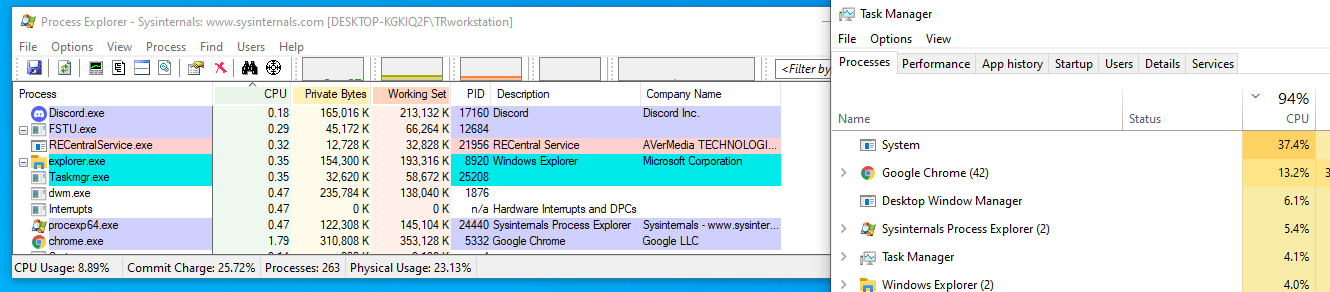
Every 5 mins or so the CPU is reported to be at full load by task manager and the system does begin to feel sluggish however process explorer states that its hardly being used.
Writing this with nothing else open but chrome its using 75% of my Threadripper 1950x
Things I’ve tried:
- Fresh install (fresh ISO)
- Windows corrupt file checker (sfc /scannow (did report some but did it again after and it came back all good))
- Update all drivers to latest
- Windows update
I understand that it is the windows kernel and a large number of processes that get wrapped up being called ‘system’ however a this has not been an issue for the last few years of having this system.
Run Hitman Pro by Sophos to check for anything nasty but it has come back with nothing but a few cookies
Any other ideas would be much appreciated 