Good day folks. I would really appreciate if someone who has done this could help me spot my error.
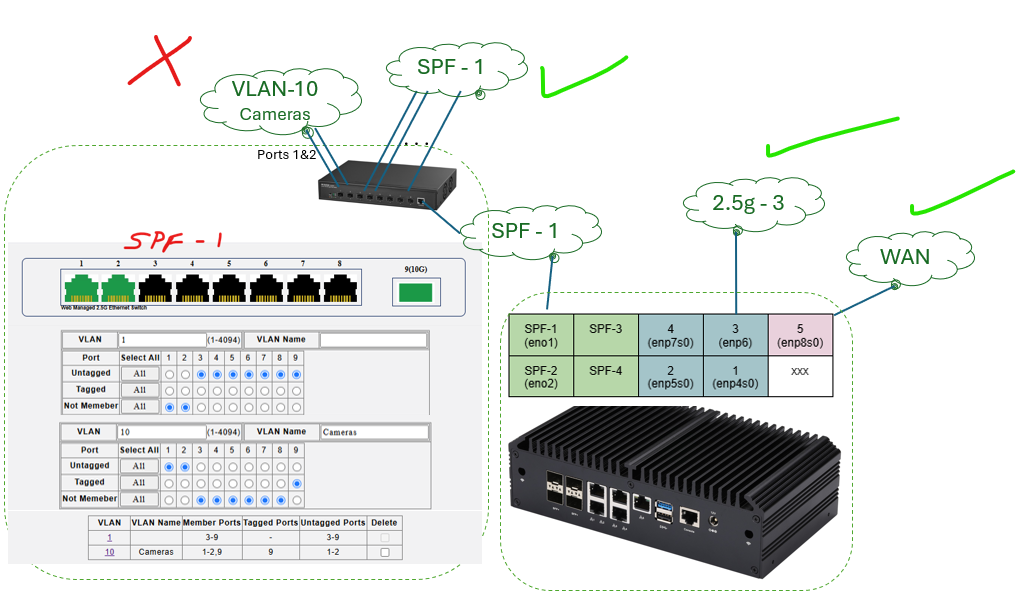
I have a Mokerlink switch connected to my OpnSense AliExpress Special router/firewall. The whole setup us working fine with each of the OpnSense NICs being their own subnet.
Now I am trying to define a VLAN to isolate my insecure cameras which I will put on Ports 1 & 2 of the Mokerlink.
I followed some tutorials but must have missed something because I cannot get ports 1 & 2 to receive DHCP assignments nor work on the internet. Step 2 will be isolating them after I get the VLAN working.
I should have done a better job assigning numbers…
192.168.10.x/24 = SPF-1 LAN with no protections. This is working fine.
192.168.50.x/24 = Camera VLAN-10 with protections to be set but open now. This is not working.
I am not sure if my error is in the assignment of the VLAN on the Mokerlink or in my definition of the VLAN on my OpnSense.
My hunch is that I am doing something wrong on my port-9 spf port settings on the Mokerlink.
Any thoughts on this before I go through all the OpnSense settings?
Solution - Grok3 told me where I went wrong. I defined the vlan on the Mokerlink and assigned port memberships in the vlans but I forgot (didn’t know) that I needed to set the PVID for the ports.
If I plug my computer into port-3 then I get a DHCP address assigned on the SPF-1 net just fine.
If I plug my computer into port-2 I do not get the expected address allocation on the vlan-10 network.
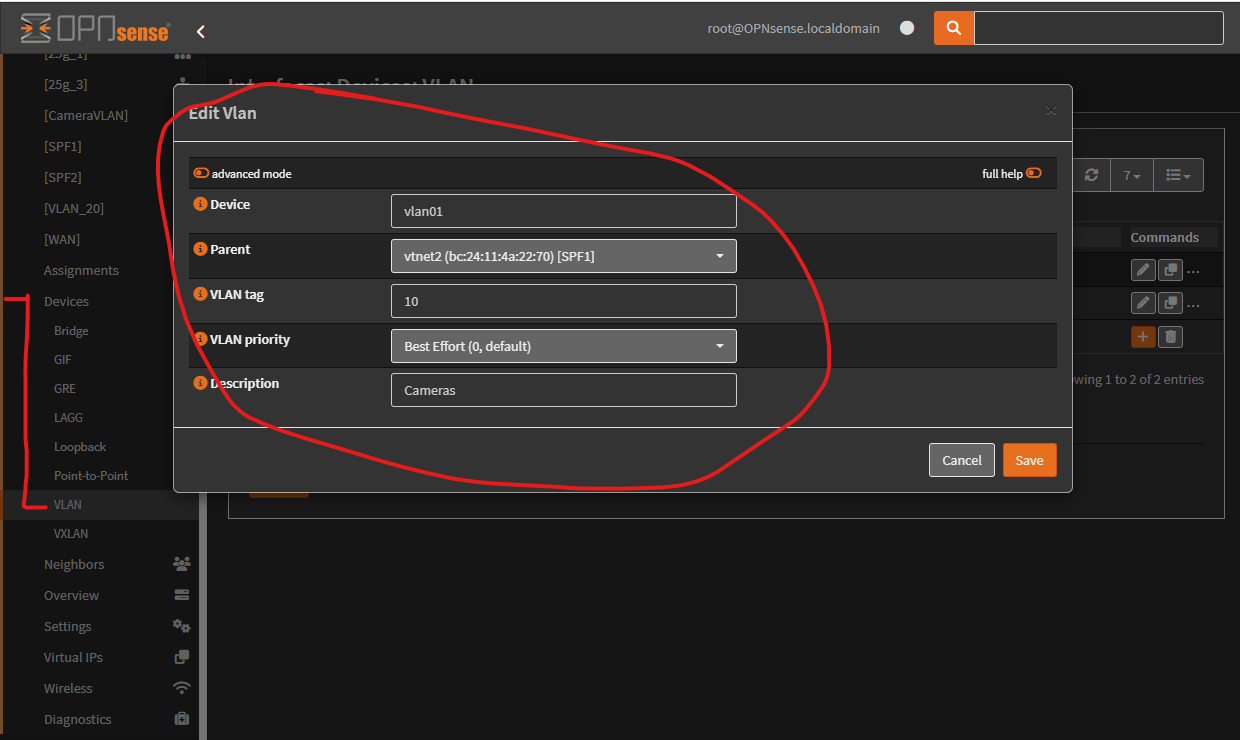
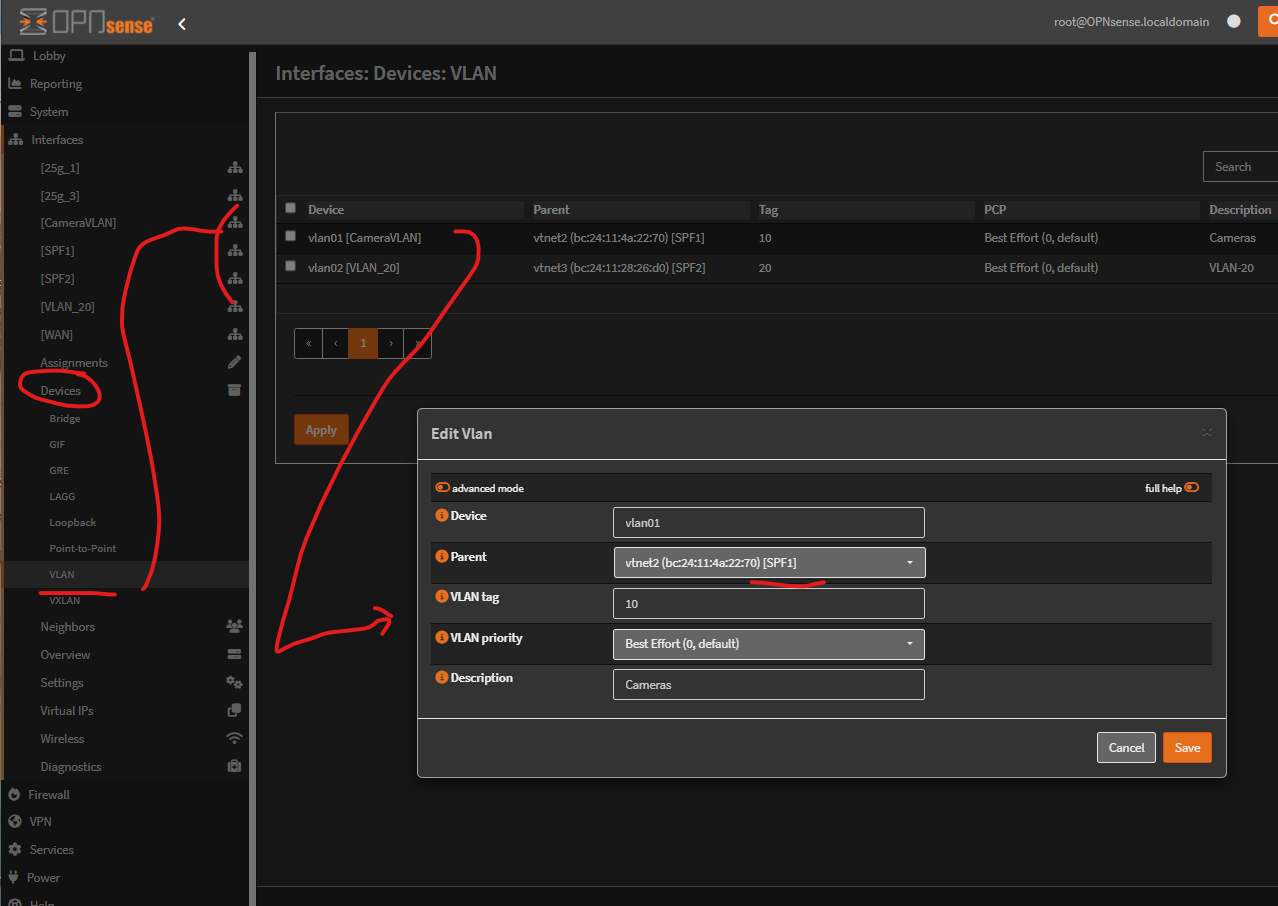
I followed OpnSense tutorials to create a vlan-10 on OpnSense with SPF-1 as its parent along with its DCP settings.
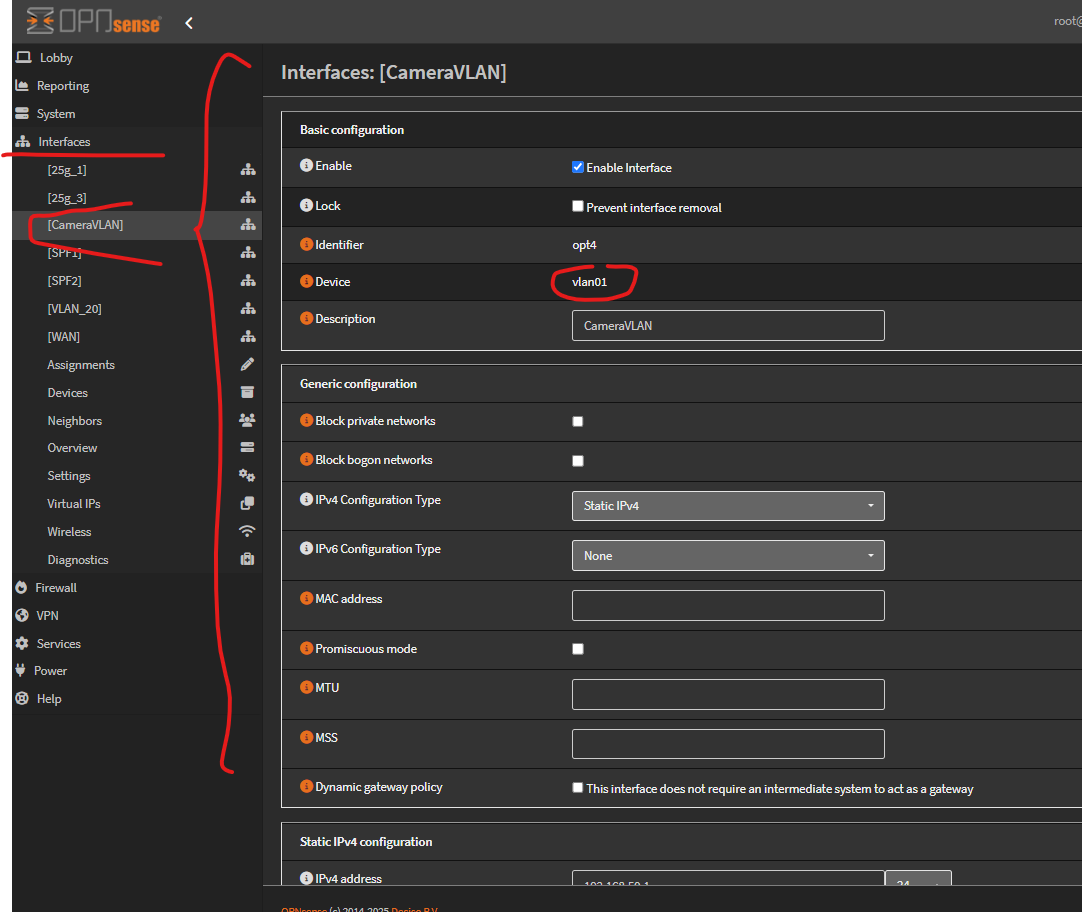
And here is the assignment of the VLAN
[An error occurred: Sorry, new users can only put 2 embedded media items in a post.]
Back in ProxMox the SPF-1/eno1 network is set to be vlan aware for vlans 2 through 100.
[An error occurred: Sorry, new users can only put 2 embedded media items in a post.]
I really think I am close but something stupid is messing me up.
I feel like I am failing HomeLab/Responsible Citizen 101 here.
You have ports 1 and 2 on your switch “associated” with vlan10, but no other port. The switch doesn’t provide services like dhcp or dns and there also is no connection other than on port 1 and 2 that will transport traffic into the internet. In your chart you need to transport both vlan1 and vlan10 traffic to your OPNsense router. This can be accomplished via tagged traffic on a single port, or you can add a second cable between your switch and your opnsense router and configure the ports on both devices accordingly.
To obtain an ip address a port needs to be connected to a subnet that is served by a DHCP server. Did you configure the dhcp server on OPNsense to offer ip addresses in vlan10?
Sorry, not shown. The spf port 9 is connected to the OpnSense router. Does that make sense?
So, how does that impact what settings I should have on the spf port-9?
Right now, port 9 is an untagged member of vlan-1 (the default setting) and I added tagged member of vlan-10 (my camera vlan) to port-9 the uplink connection.
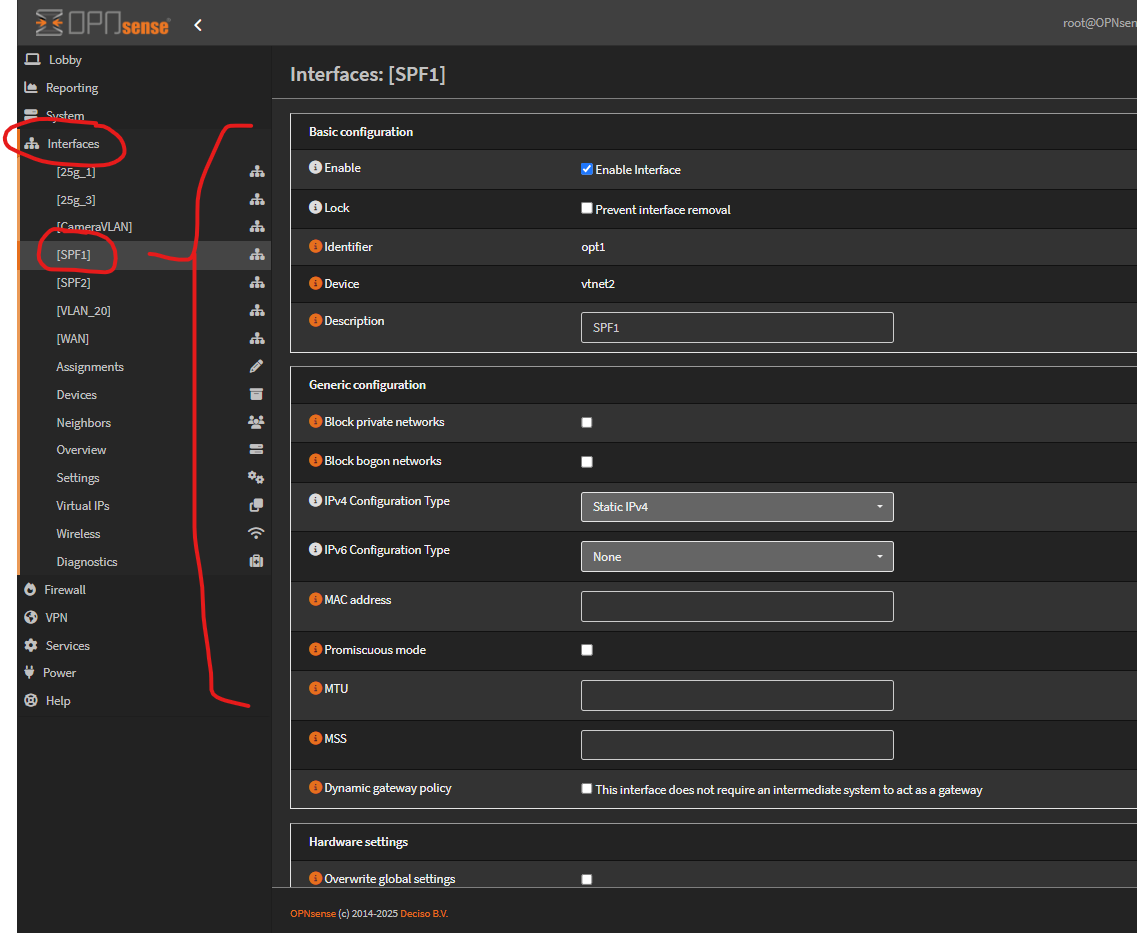
You can see that there are no vlan information settings on these two networks at all. But in the definition of the vlan01 device you can see a setting for the parent lan which is set to spf-1.
Does that achieve the desired result? Not sure how else to do it.