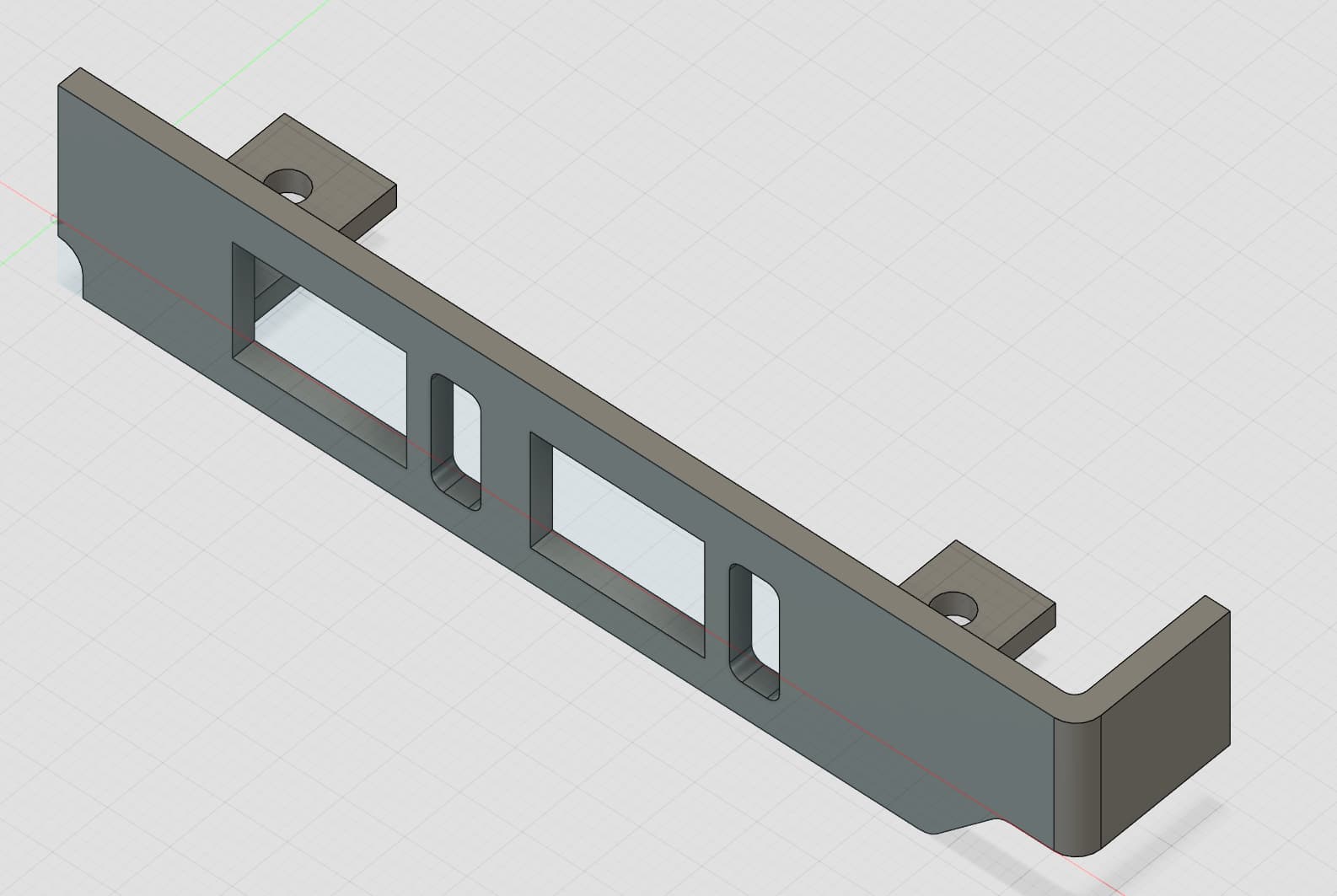
My forbidden router (or maybe not forbidden, time will tell) adventures has led me to need to modify a 3d printing model. I’ve been looking at this for a bit, and everyone has their own opinion on 3d modeling software - from Blender to SelfCAD. Any suggestions (preferrably open source) to edit STL files? (more like, Thingiverse models)
I’ve been looking at modifying models with Blender, but it seems that Importing STL models there has its own set of issues. What would you recommend that is a more reliable software solution to edit these models?
I think your only option if you wanted to use opensource CAD is FreeCAD; closed source CAD software is significantly more advanced and easy to use though; opensource is probably about where closed source CAD was 30-40 years ago in terms of functionality and easy of use.
Fusion360 seems to be many maker’s CAD of choice these days.
Cura doesn’t have any modelling capability beyond basic scaling/transforms of the model, its purpose is to take completed models and convert them to G-code for the printer to use.
As far as modifying models from thingiverse goes, you ideally want the source CAD files (.STEP is one of the most common and works across many programs) and edit them in a dedicated CAD program.
FreeCAD is one such software that might work for you, its free, open source, works in linux, and is actively developed. I haven’t used it much myself as I prefer to use fusion 360, but it should work for your needs.
If you can’t get CAD files for your particular model then blender may be one of your best options. Its not ideal though since you would be manipulating the polygons of the model directly and blender just isn’t made to be a precision modelling program. That said, there is a CAD add-on for blender (CAD Sketcher) which brings some parametric modelling capability to blender, so depending on how you are modifying the model, that may work.
I was trained to use PTC Creo CAD (Like SolidWorks) as an engineer.
OnShape is PTC’s web based CAD.
It’s free as long as you save your files open for all to use.
As far as I know you can’t really edit an STL file. An STL saves the surfaces as a wire mesh, but not the elements that make up an object. But I have imported an STL into a new CAD file and used it as a template to recreate the object.
It’s like the difference between a Word document and a PDF of that doc.
game-model focused modeling tools like Blender can do a bit better than CAD software, but for the most part, this is correct. If OP can get the source files, it’d be much better.
Solidworks will happily import .STL’s as solid bodies that can have any feature added/subtracted to them. There’s even a utility called FeatureWorks that will translate the .STL’s geometry to parametric features that can be tweaked without actually adding a separate sketch to manipulate the model (doesn’t always recognize all aspects of the geometry though and sometimes you’ll be left with portions of the geometry which will need more explicit edits (sketches) to change).
if the .STL is imported as a Graphics Body (default option) you will not be able to do much with it however.
What I’m trying to do is to design a bracket (or baffle) for an M90q Gen 3 for a M90q AOC-STGN-I2S v2 card. However, The only bracket I’ve found is one for the M90q Gen 1: Lenovo M90q AOC-STGN-I2S v2 Network Card Bracket by IconicLight - Thingiverse. I ordered a physical M90q Gen 1 to have a reference point for modeling, but it does seem that it’s completely incompatible (thought I would have some sort of compatibility in terms of dimensions, but it’s a completely different shape altogether.
I think at this point is for me to find the best way to model this bracket myself, as I have the physical parts with me - and personally speaking I don’t need to use an STL file directly, I could use the F3D or STEP model directly.
I would recommend using the Gen 1 bracket for inspiration, or see if there’s a blank bracket STL/F3D/STEP you can find to use as a starting point, then just DIY it.
Yeah - That was going to be my approach. I see now that there’s a Free for Personal Use Fusion 360 package in Autodesk’s site. I will be using that and try to model the Gen 3 bracket first - think people could benefit from a template to use moving forward.
I use to blender with tinycad and precision drawing tool add-ons I have ben able to produce parts for old no longer made firearms so it it definitely works.
Totally understood. I do want to take a first jab at this, as I am way overdue on learning 3d printing, and I’ll reach back if I have issues / give up on the whole exercise