Smart Downsizing for Family Needs, learning Turnstone

AI Disclosure:

Learning some new tooling with Turnstone-controlled mundane tasks such as switch port VLAN management, and ACLs matching other parts of the system such as my Tailscale and VLAN segmentations.


I’ve been limited with health issues since COVID so my time is finite for these goals below. Therefore, my plan is to achieve at least 3 before years end.

So this project is going to be basically rebuilding the Homelab, thinking differently for:

  • What does the family need now with teenagers in the house? (no more remote gaming server, custom music streaming from home, more freedom for them to build and deploy their own code, etc)
  • Minimize the overall LOE by downsizing to a barebones setup, while increasing security and data isolation.
  • Leverage tools where possible.
    • Maybe Ansible for all change controls in a git deployment for long-term maintainence.
    • Maybe something to publish for others to use as template, we’ll see.

Thanks to the L1 teams for finally giving me a push to focus on this.

  1. Finish the damn R9700 project for local Ai needs.
  2. New router VMs in failover with a low-powered 2.5G managed switch.
  3. New PiHole setup w/local DNS to sync with Tailscale and vice versa.
  4. Deprecate TrueNAS servers (data and apps are separat) and move encrypted pools to Proxmox - keeping the ZFS encryption.
  5. Centralize all podman/docker compose one-offs and previous TrueNAS apps into a single portable LXC
  6. Deploy an assistant from local Ai.

From there, I should be able to finally give the family what they want along with custom VMs for remote development for the kids.
1 Like

Good list. On your item 5, I’d centralize the compose stacks too: I had a container in a media LXC that needed to reach one in a management LXC, and getting that network to cooperate took way more effort than it should have, which is a big part of why I went back to plain Ubuntu Server with Docker. On item 3, I run AdGuard Home as DNS for my tailnet, and the thing that bit me was boot order. After a Docker update and reboot, Docker came up after Tailscale and reshuffled the firewall rules, so the containers couldn’t reach the tailnet while the internet still worked fine. If your DNS or apps end up in containers next to Tailscale, test one full reboot before calling it done.

2 Likes

Thanks for the review!

I previously split (trusted) mgmt containers from (untrusted) app containers across two different TrueNAS VMs on the same box, and used like 9 vmbr bridges to manage all the connections.

I attempted to convert it to Ansible a few times; but, like most things just ran out of time to automate it all.

I plan on following the same split across LXC containers now. So I’m right there with you. Already have the bridges from the VMs - so it’s just a matter of assigning them to the right LXCs.

Thank you! I’ll look into AdGuard Home.

Is tailscale local the Proxmox host? With the exception of multiple virtual bridges, there’s nothing but LXC and VMs on Proxmox. Not even user management (users are LDAP from a 3rd TrueNAS VM - keeping authorization separate).

I’ve been running Tailscale as a flat network, using machine assignments as needed as I don’t have any cross-device communications.

1 Like

Progress so far…

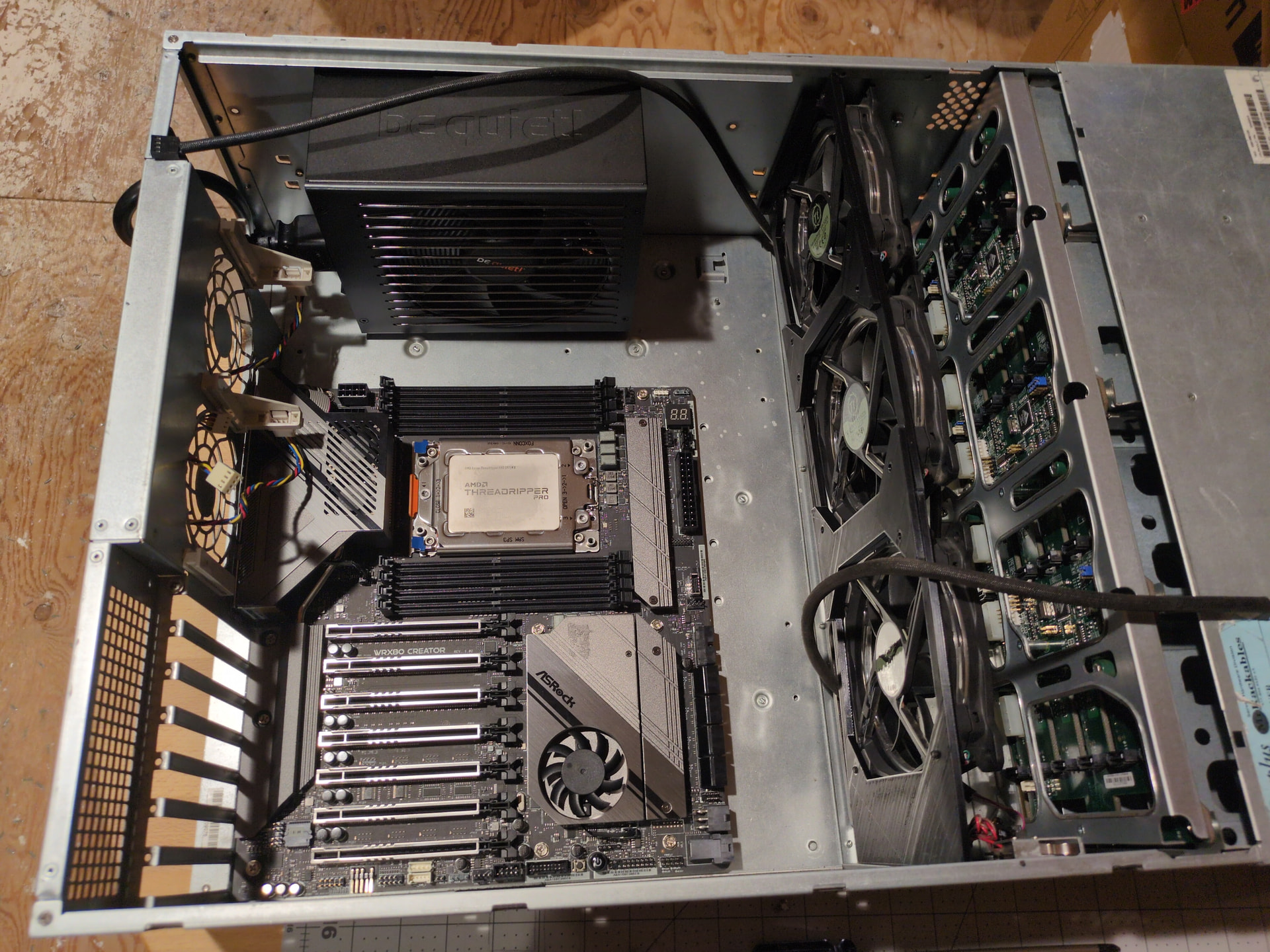
  • Stripped the SC846 chassis, installed the direct SATA backplane (it had the SAS1 backplane that only went to 2TB)
  • Temporarily installed a 3D printed shroud to slap some 120mm fans in
  • Got PSU mounted with double sided tape (it’s too long for any of the 3d printed ones - until I can modify)
  • Got the Mobo mounted (rearranged the stand offs)

I’ve always wanted to remove the entire rear panel of the SC846 and design/3D print a full 8-slot version that moved the Mobo over closer to the PSU. That space is usually for much wider server boards - which I’ve never used.

Oh wells, just another project to ignore to Get Stuff Done.

1 Like

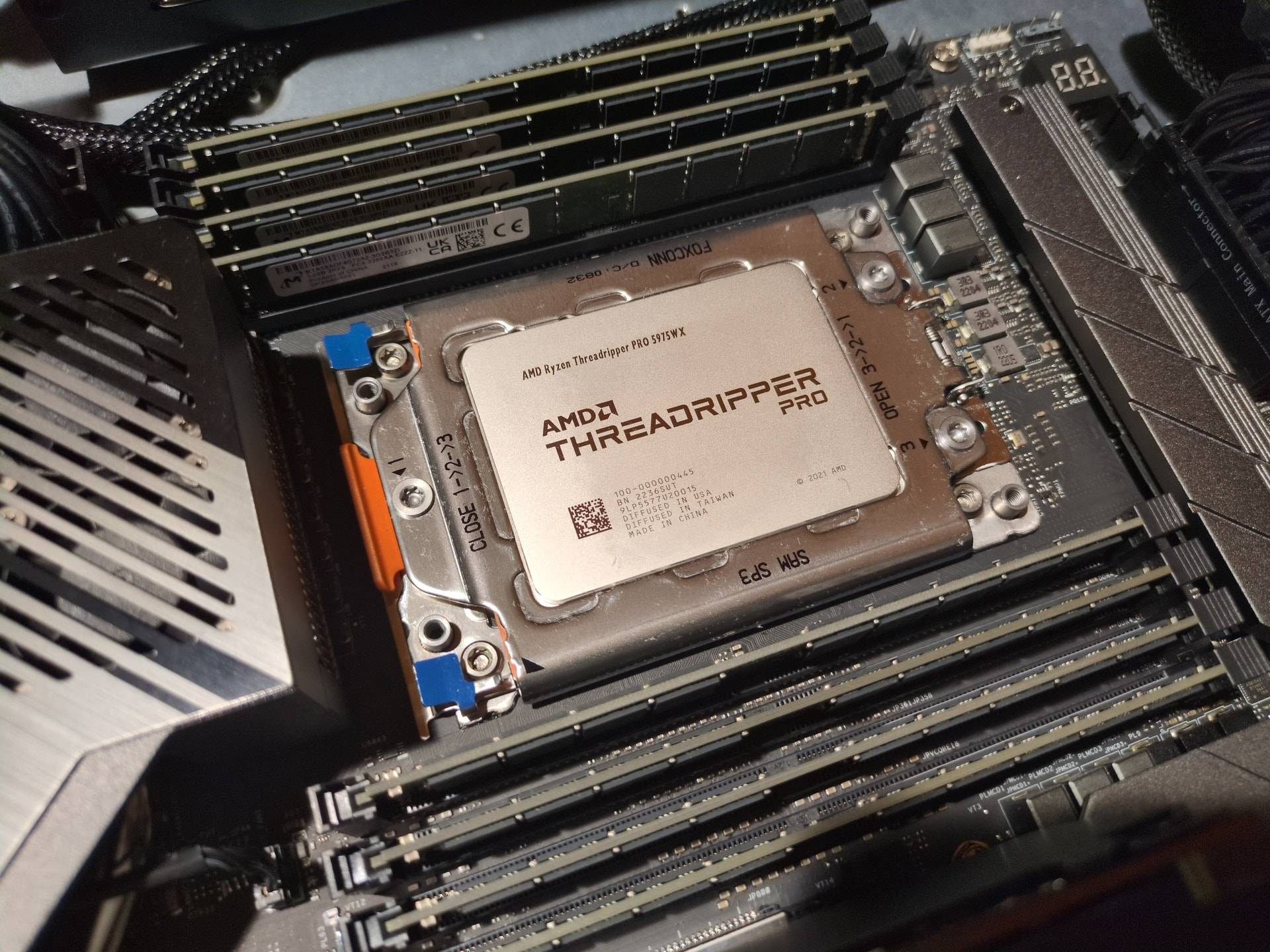
The most versatile chipset I’ve ever seen. RDIMM, LPRDIMM, UDIMM, ECC, non-ECC. It will take them all (as long as they match).

It’s been a long time since having “that feeling.” That feeling of when everything right goes together and just works out-of-the-box.

I’ve had these parts, excluding the R9700s, for several years. It’s the CPU was I expecting to drop like others. Whelp, not in this economy. Finally found a Chinese special dirt cheap price from a 0 sales and 0 feedback vendor, 3 weeks away, and…. It works perfectly?! All 8 mem channels, full stressed for hours, and mem bandwidth measured up. Finally built the system.

Got it booted last night with Proxmox. Stress tested CPU max temp (~290W power draw increase) for two hours using my old X399 Noctua 4U cooler (it was only rated for 180W). Temps crawled to 82C and held. Zen3 cores of the 5975WX are rated to 95C. :astonished_face: So we’re good.

Memory I ran memtest86 all night. Memory so far clocks in between 152 GB/s and 241 GB/s?! Running a benchmark of what I think is more typical of LLMs (1K blocks, write, non-seq), it showed 110 GB/s whereas 1MB blocks peaked at 152 GB/s. Concurrent numbers was not accurate, like 390 GB/s even with 1K block sizes. So I think that’s skewed by kernel caching.

I really have the next step to punder…

Do I take the time to whip up Ansible playbooks for the remaining of the setup? It’ll slow me down, but at the same time I missed this opportunity on my last rebuild. This is easily where TMI can send you down a rabbit hole.

Or do I move on with this “one-off” setup? It’s most likely going to be rebuild a few times and for upgrades, though Podman compose should limit that LOE.

  • Ansible for updating and future reference (need a git sometime soon).
  • Podman-n-LXC, assign R9700s, and get Radiance LLM engine via published Docker up. Test memory bandwidth of container.
  • Determine what judge, intellisense, and coder models to run. The next rabbit hole to avoid.

Family time…. May be back Monday.

This week’s progress inbetween the kiddo’s school activities and illnesses all-week-long…

  • (Re)Installed proxmox on the R9700 beast. I selected the wrong 8.x ISO, instead of 9.x and didn’t want to go through all the upgrading.
  • Finally sat down and wrote a base.yml ansible playbook for all my Proxmox nodes (had Ai scaffold, but i wrote / tweaked most of it)
  • (Feature creep warning!!!) Spent an afternoon defining all other Proxmox nodes within Ansible and updating them to latest. Yeah, I should have done this a long time ago.
  • Read up on the judge and think I’ll just use QFN for now for all models, including intellisense as it seems to be performing quite well. Just need to tweak Instruct and Temperature for intellisense and other small needs.

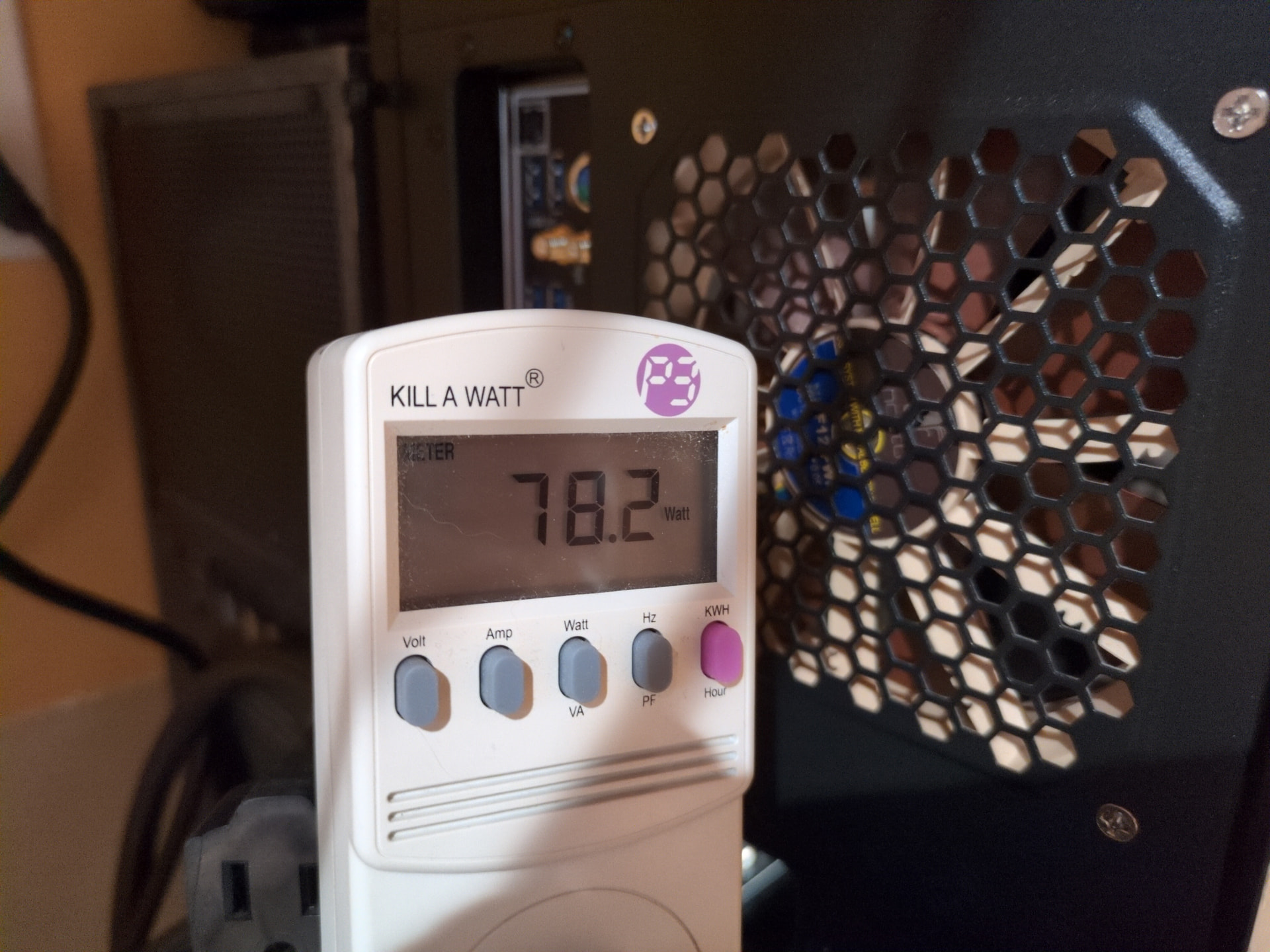
Pic of the week… AMD 5975WX 280W on AsRock Creator WRX80 w/8 memory channels + 2x R9700s + Samsung V-Nand x8 PCIe (runs hot!) + Samsung Gen3 M.2 uses 78 Watts at idle ?!?

That’s insane!

I had Proxmox 8.x loaded which came with Linux 6.8 kernel. Idle wattage was around 140 Watts. A bit high, but to be expected with dual GPU beasts and the WRX80 platform. I simply loaded Proxmox 9.x that has the 7.0.14 linux kernel and the idle watts dropped to 78 Watts! Nothing else loaded and nothing else changed in BIOS.

I think I recall some amdgpu idle power usage tweaks in the kernel a while back. This must be it.

Next steps:

  • Define virtual bridges and start setting up dynamic VM templates for each Turnstone worker (and unique IDs). It’s gotta be secure, or I ain’t running it. LXC for the Console and other tooling.
  • Finish the router hardware and get PiHole and others configured (with Turnstone?! that’s one idea.).
    • The base.yml ansible is helping a lot here for mutual upgrades across the fleet.
    • DNS needs to be resolved before moving onto anything else.
  • Tinker with JellyFin on a test setup, before migrating the encrypted ZFS pools from TrueNAS to Proxmox.

In my case Tailscale was on the host itself, a plain Ubuntu Server box with Docker installed right alongside it, so when Docker restarted it rewrote the firewall rules Tailscale had already set up. With your layout, where Tailscale lives inside the LXCs or VMs and the host only does bridges, I don’t think you’ll see the same problem. The place it could come back is a single LXC running both Tailscale and your Podman stack, since they’d share one network stack. It sounds like that’s where your DNS piece is headed, so that’s the one I’d reboot-test. Sorry for the slow reply, and the 140 to 78 watt drop from the kernel bump is wild.

1 Like