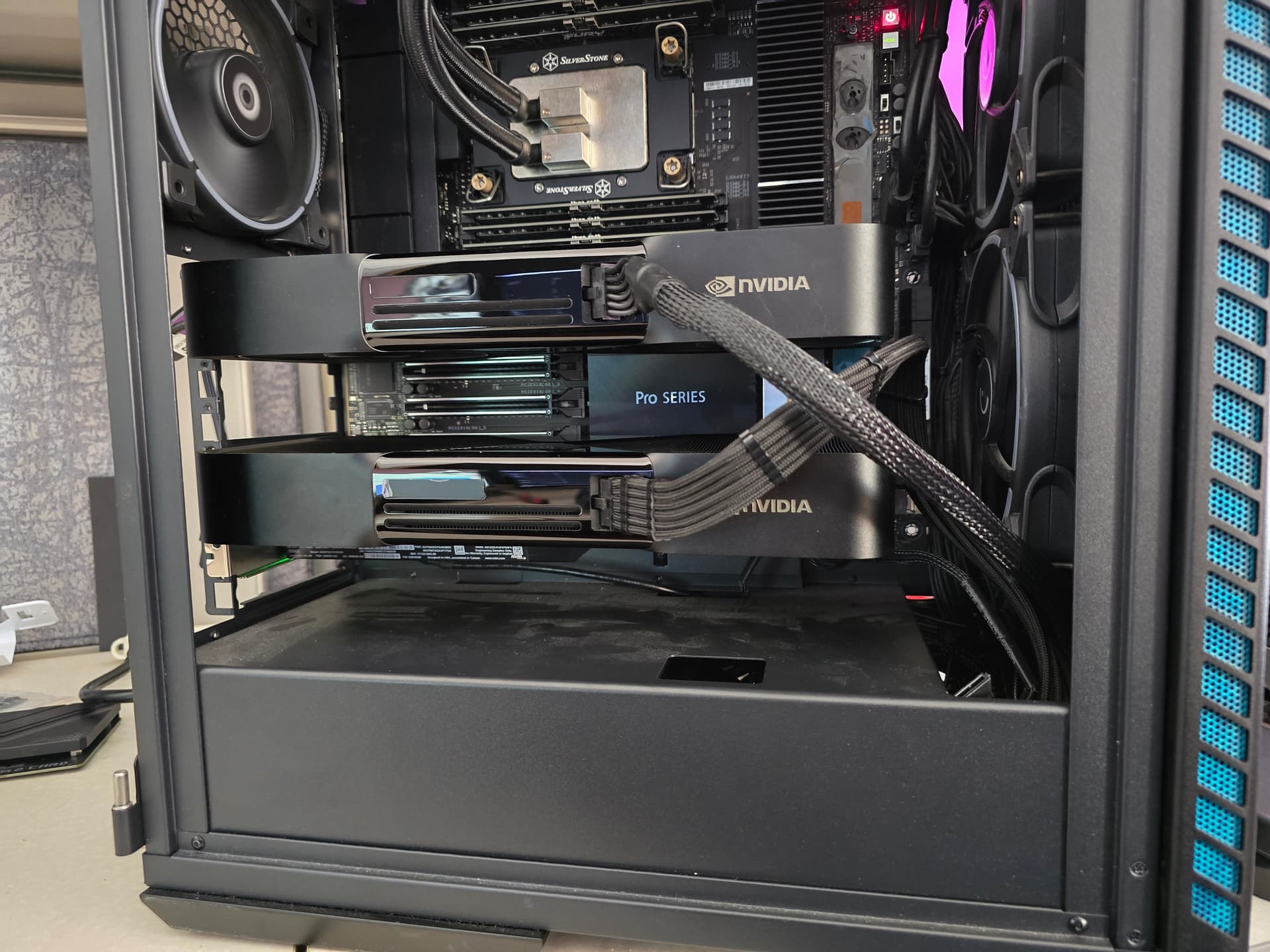
I’m currently working on purchasing a rack-mount LLM server to support at least 5 users running a custom langGraph agentic RAG workflow. I was planning to pick up this server to support the use case and wanted to know if anyone had any opinions on how to achieve comparable or better performance for a small enterprise use case.
I also already have approval to purchase the server below and will be doing so later today, so if anyone has an opinion, let it be known haha. I was also planning on using Proxmox to manage the server, but if anyone has any better ideas, let me know.
Overall it sounds like an impressive setup. The only “question” is does this setup support all 5 users running their workflows concurrently?
More specifically will everything fit into the GPUs or are you expecting to fall back on the CPU/system RAM for some workflows?
If everything is expected to fit into the GPUs then the CPU/RAM might be a bit overbuilt (acknowledging that I know nothing about the intended workloads/workflows)
If you do expect to run workloads on the CPU, you might consider a dual socketAmpere configuration. You could still run the 4 high end GPUs for models that fit while having 256 cores and an obscene amount of RAM.
Another COMPLETELY different possible approach might be providing each user with an M4 Max or M3 Ultra Mac Studio for their workloads.
An M4 Max (16 CPU cores, 16 Neural Engine cores and 40 GPU cores) with 2TB storage and 128GB of Unified memory would cost $4100 USD.
If a user needed more compute & RAM - an M3 Ultra (32 CPU cores, 32 Neural Engine cores and 80 GPU cores) with 2TB storage and 256GB of Unified memory still only costs $7500 USD.
This would put the cost range between $20,500 - $37,500 USD
If keeping costs down is an objective this could be a viable way to do it. It’s also feasible to think that a single Studio could be shared by more than 1 user depending on the workloads and Studio config.
If centralized management of all workloads is key, then the server/datacenter route probably makes more sense than chucking a bunch of Studios on rack shelves.
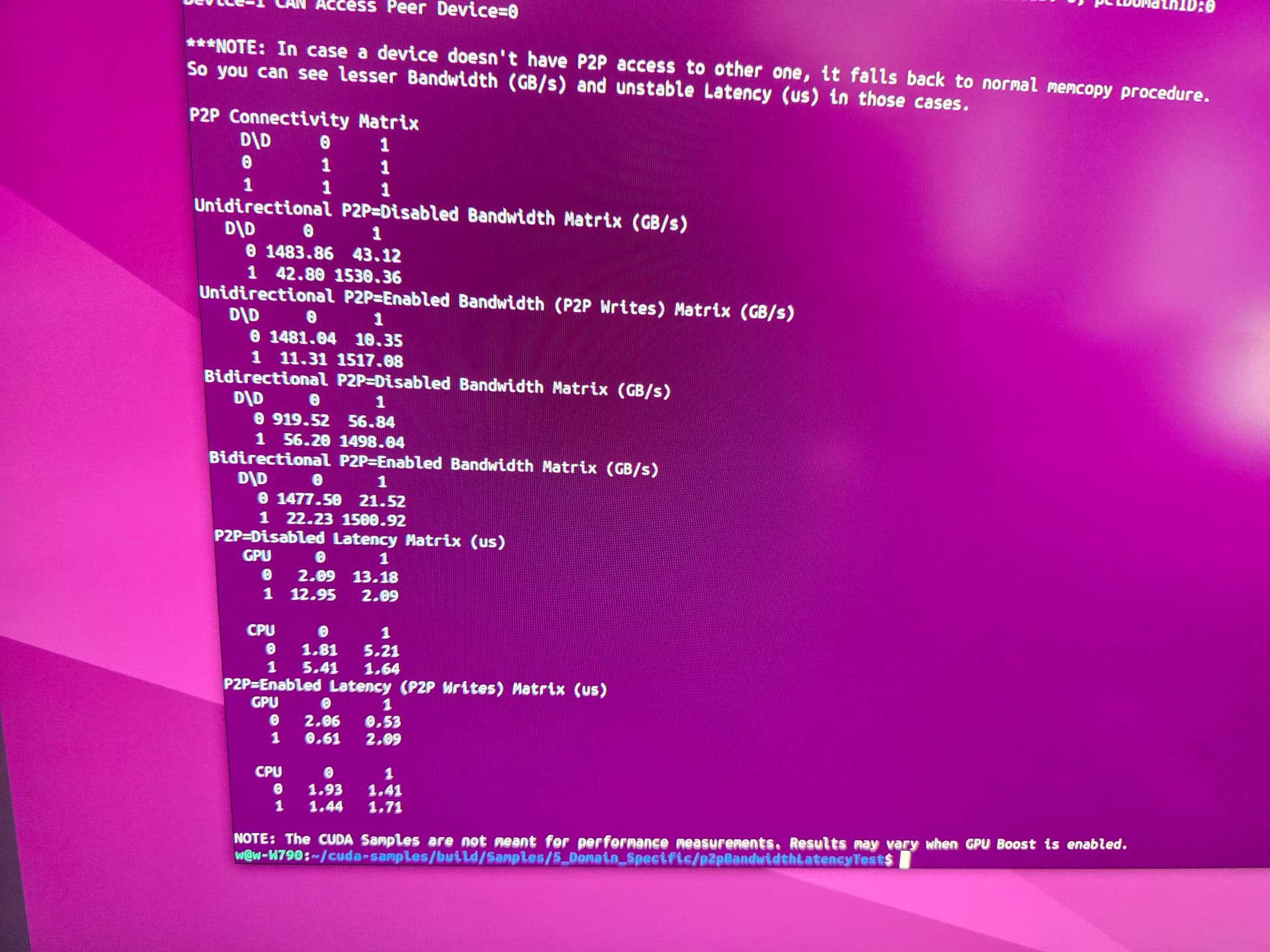
ask puget to benchmark the peer to peer gen5 bandwidth using nvidias utilities for that, on that xeon system before buying. it may be bugged to gen4 speeds.
Yeah, I was giving the Mac Studio route some serious consideration, but budget isn’t as much of an issue in this case since the business owner gave me full control over it and said he’d prefer new enterprise hardware. I was mainly hoping to serve multiple users with a singularly managed server or cluster, which I could theoretically chain together with another server for scalability. I’m currently developing the workflows as well, and they mostly encompass uploading a large knowledge base, such as tax documents and others, and making several custom agent workflows in order to correctly utilize the knowledge base for current or future tax advice. We also have some other use cases in the works, but this would be the initial use case for at least 3 - 4 users for the first couple of months, along with some other similar workflows I can’t get into, but would also require a similar large knowledge base.
yeah, gen5 is supported BUT I’m coming up with half bandwidth when I test it on that same board. P2P is weirdly slow for me on dual blackwell. Half the speed of threadripper (7980X 4 memory channel TRX50 is even faster than the W790 SAGE – nearly double).
nvidia-smi says its x16 @ gen 5 BUT p2p bandwidth test is only half b/w. Hence why I said maybe test it to see? possibly firmware issue? Or maybe xeon limitation? I’m honestly not sure.
My super amazing xeon contact at intel I could get instant answers from is not there anymore.
Oh wow, that sucks, is that result testing with the same 60-core Xenon? I was also looking into this server but for whatever reason it doesn’t let me configure the system with 4 x 96gb Blackwells. I’d also have to get 240v wired into the server room in order to support it as well.
Yeesh, what’s the actual performance impact from that bandwidth for a large model, which would need to utilize both cards compared to the EPYC system? Or if there’s a video you made and I haven’t watched it yet, please let me know haha
I got a response from the Puget team: “I talked to the Labs team about this, and they confirmed some oddness with the Xeon CPU, as well. They’re suggesting we move to the Threadripper with three Max-Q CPUs, so I created a second quote. It looks like there are some issues with the combination of four Max-Qs and Xeon, and they’re still diving into this.”
But they also said they were getting hotter readings off the back of the max-q blackwell and bandwidth issues for quad blackwells so they only allow for 3 to be configured in their systems at the moment
I also got approval to grab this as well as the dev rig so i don’t slow down the staff workloads with my dev work. I wanted to know if you think there are going to be any issues since pcpartpicker has decided they don’t want to do their jobs for compatibility checking hardware anymore lol. Part List - 3 x GeForce RTX 5090 - PCPartPicker
You’re going to have to use nvidia smi to set those 5090s to run at 300w or 280w to fit within your overall power budget. Even then it’ll be tough to keep it all cool based on the cooler design.
and exotic redriver gen5 riser cables can lead to problems, too.