So I bought a SiPeed NanoCluster. I bought the M4N version for the added NPU (Why the hell not)
Now what do I do with it?
Context:
40yr old tech-child wanted a new toy.
Last year I enrolled in University to gain my degree in Computer Science. I have passed the foundation year, and I am gearing up to start year 1 of the actual degree.
Long time Linux user, currently running Manjaro (Gaming rig), and Fedora (Laptop). I have also been running UnRaid for quite some time.
Persistent Skyrim modder, and fiddly tweaker.
Recently got my home network semi-sorted with pfSense, and a few managed switches. (Its probably all wrong but I am learning by doing.)
I bought this thing after seeing Mr Geerlings video, decided it would be a brilliant toy to learn, play, and have fun with. Long term, I am thinking this would be a great device to run Home assistant on. But that will be a long way off!
Right now, I am looking for help, advice, and recommendations for fun projects I can try with my new NanoCluster. I would like to try all of it, but I’m unsure what ‘IT’ is.
Edge AI cluster? Dip my toes into the world of GlusterFS? Distributed computing? I’m looking for projects that will be fun to play with, but mostly be engaging. I’m not really looking for set and forget stuff. I want to break things, i want to fix them, i want to play with AI, I want to get angry when it doesn’t work and get happy when i fix it.
Any links, suggestions, assistance would be very much appreciated.
Getting the cluster to network-boot itself is a nice challenge for starters, then Home Assistant would be a good follow-up on that. I don’t think it has enough computing power for AI, but if you can proof me wrong
Anyway, I’m in the same boat wanting one to tinker with, but cannot justify the expense, really. Keep us updated, you may even influence my priorities here
I know its not powerful enough for real AI work, but the advertised 72TOPS is comparable to my 7900 XT. Which has been working well enough for IDE assistance. (I’ve been playing with Deepseek 7B fine enough) Im not really interested in major AI work, I pretty much use it as a gimmicky helper… instead of stack overflow
Yes the NanoCluster is expensive, but I figured as an investment in myself…its worth it. Aslong as i use it for some decent learning.
I was deciding which to get, and i figured if i didn’t get the M4N i would regret it. Long term i can see it running home assistant, sitting on a shelf and just doing its thing. But that means i gotta start looking into light switches, heating automation, moisture sensors for the bathroom extractor fan, etc.
I’m hoping i can find some interesting projects to help me learn more data center style computing, distributed compute basics etc. But i will try and share my journey.
Step 1. Network booting. I have enough storage on the unraid box to fill with images
If Cluster is used for redundancy, PXE server can be a weak link. I’m unsure on that for myself. But having no local boot drive is very very nice indeed. And as you said, super awesome tinkering stuff to learn and be proud on your achievement once everything is running
But I’d gladly trade eMMC for virtually anything if I’m given a choice.
Welcome to L1T, grab a beer, we’re all guilty of too expensive toys, but we also deserve them
It’s nice to see things translating into practice. And also to see things that may be of more interest to you in the coming semesters.
Ceph, GlusterFS, or BeeGFS. All distributed storage/filesystems. Longhorn may be interesting too, if you are digging into Kubernetes at some point. Some may need some compiling and extensive tinkering, because ARM and not x86, but that translates also well into learning, even if it can be tedious and frustrating.
I know Jeff and 45 Drives had/have made Ceph work on Pis and Ceph has an ARM version (totally no clue how good or mature it is).
I picked up the term “Level-2 fun”. It’s the kind of fun that is often painful while you do it, but the reward at the end is worth it all and more. And getting code and stuff to work is sometimes like beating a Dark Souls Boss or physically exercising .
Always good to burn CPU cycles for science. I’m pretty sure you’ll find a nice project to keep your CPUs busy. Not sure on the GPU/AI side of things in your setup. I participated at Einstein@home for several years, not sure on their ARM application binaries in 2025.
My learning approach too…you don’t learn anything if stuff just works out of the box. Problem-solving originates from having problems in the first place.
Yes, when used as standard single server. But when you put that on a High Availability cluster…
Tip: Linus got himself a NetApp rack some years ago. Part 1 was about obtaining it and moderately entertaining, part 2 was about discovering NetApp (actually not, as NetApp didn’t play ball here) and replacing the NetApp server with their own build, pretty informative and essentially the reason I build me some EPYC servers and bought some cheap-ish NetApp disk-shelves to try and replicate his setup in HA capacity. Then the energy crisis spiked and I shut the whole thing down before I even got started
That could work…assuming you have a second cluster running, because otherwise you are booting from a cluster depending on itself to boot…you better have an UPS running in that case
But backup cluster for e.g. Ceph is a thing (yet another deep rabbithole for the interested, multi-site and mirroring). And a good excuse to buy more stuff too
Tell me about it…I had the luxury to do this 1-2 years later and was able to compromises and tune the heck out of my plans to make this still work with “bearable” power draw for a given performance target.
Jeff Geerling has an earlier video on clustering standard RPI’s, 3 would suffice in this use case and as they’re only used when you’d need to boot the “big” cluster, keeping the required data on an SD card is acceptable IMO.
I finally found the switch IP, and got it set static in pfSense. Got a 60mm Noctua and and adapter cable ordered (The fan with it is SSSOOOOOO whiny!!!)
I’m going to do some searching today, and figure out the basics. Going to start with Mr Geerlings videos, and GitHub dumps. I am literally starting from nothing. At this point i don’t even know the basics, like how do I connect? And how do i install stuff? How does one access and manage a cluster?
I think I’m going to install k3s initially. The Sipeed wiki has a guide for this. But it very helpfully starts with…“First, ensure that the network of the cluster is working correctly…”
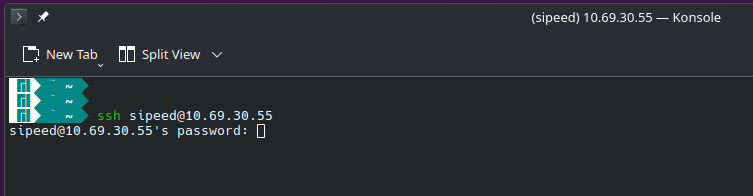
Great. Cool., Thanks for that…but how? I have the IP of the first node, i think. SSH is available, but i cant find any information about the default password. So i think i need to pull my desk apart so i can connect the HDMI and keyboard directly, to get things started.
If i understand things correctly, right now this device is a switch, connected to my network. This switch gives access for the 1st node to the network, and i need to connect to the 1st node in order to install a new OS/system/k3s. Once i can get ssh access to the 1st node, then i can follow the k3s procedure from here. Then begin some playing around?
But according to that wiki, i should be able to connect to each node, but from looking at my DHCP leases in pfSense, only the 1st node has an IP currently. Is that just because of the default setup everything comes with? Because i believe each M4N node is preinstalled with a desktop OS, so I’m going to have to connect to it directly, then allow ssh access so i can begin the k3s install?
Sorry if i sound like a moron, I’m just trying to get the flowchart in my head right.
Every proper cluster needs some rage about noisy stock high RPM fans, with total airflow overkill for 50yrs 24/7, but loud as a vacuum cleaner. Makes you appreciate premium fans even more (video is max RPM (9k).can’t wait for my 40mm Noctuas PWM to get delivered )
Which just means that everything was built by you from the ground up
We don’t really know where you’re at. Device specific Pi stuff? Linux network config?
That’s digging through website and documentation/manual. If there is an sshd running (or Telnet) and accepting password connection, that’s all you need. The door to the castle so to say
I can only find some sites with korean/chinese font for Sipeed M4N, so can’t help there
I’d probably start getting familiar with one node and doing stuff, then start talking to peers and maybe setup some basic services like SMB or NFS file transfer to see if network is working. But going straight to k3s and e.g. Longhorn and stuff works too.
And a tip from me regarding management of multiple servers…generate (root) SSH keypairs for all nodes, it will save you from a lot of password-typing and is way faster to do stuff. Cluster stuff usually needs SSH root access to peers anyway, so you might as well care for yourself too.
From here, i don’t know. I cant find any information about the default password. But I believe the OS installed is for THIS.. Which according to the wiki here,…has SSH disabled, and needs to be hooked up to a monitor and keyboard.
Every proper cluster needs some rage about noisy stock high RPM fans,
It doesn’t seem so bad in this vid, but sat here next it…its a bit high pitched, and irritating. But there’s no case yet, and once i get the Noctua in there, it will be a lot more manageable.
Which just means that everything was built by you from the ground up
Just the way i like it. I have no problem killing everything and starting fresh either. Go fast and break stuff
Right now, I just need to understand the process of installing a new OS/system etc. And wiping if/when needed.
I think I’m going to spend some time, watching Geerlings vids again, and reading up on some stuff I have found. Got a few pages bookmarked.
I know from Geerlings vid that node 1 will be the ‘Master’ node, but I am lacking knowledge with clusters. Like, why is only 1 node showing up with an IP? Is that normal, or is that because of this device? Or possibly just because all 4 M4N modules have the same OS on them?
I am no stranger to tinkering (took my 3 complete wipes to get pfSense right, even with a guide). I am, however a complete stranger to Clusters. Just trying to understand the platform before i do things completely wrong.
I know most of my questions will be answered once i start doing things. At this moment in time, I’m just trying to understand HOW i install something.
It appears, everything can be done from SSH. Currently, I cant get SSH access without the password, so i need to hook up a monitor and keyboard. Then go from there.
Sorry, I just realized a better way of explaining…
I know what to do with a ‘normal’ PC. Worst case, flash an ISO to a USB, boot into bios, select USB. Profit.
But when it come to this platform…how does one complete the same procedure?
This is my current conundrum. In the case of k3s i have to gain SSH access before i do anything else. But is that SSH intot he main board? or into a module?
Ok, hands up. I am in over my head a little. Mostly just because im not sure where to start.
So i got the cluster hooked up, with a monitor. If i am understanding correctly…I am using the HDMI to connect to the 1st module, NOT the cluster device. It serves just as a backplane and switch?
Meaning each node is its own seperate computer, that i need to access individually.
K3S, is a program that i will install on each node, and they will discover each other, creating the cluster.
Am i getting that right?
Next my problem is only the 1 node (im assuming the 1st) has an IP address. So that means i need to setup a VLAN with the built in switch?
And a tip from me regarding management of multiple servers…generate (root) SSH keypairs for all nodes,
This bit…Help I know i can just google for some guides on howto. That’s fine, just the concept of it. Create SSH keys on each device, then i need to copy them to my own server? Would that be the PC i connect FROM?
Im sorry for all the rambling craziness. I have jumped in the deep end, and i think im drowning a bit before i swim
I think im done for the day…or week. I’m going round in circles trying to figure this out.
So, i have booted each individual M4N module. Setup timedatectl, updated the system, changed the default passwd, and allowed root login through SSH. (I’ll go back later and remove this once i have the keys figured out)
So I know each module works, connects and is up to date.
Now, i have all 4 installed, but i still only have 1 IP address. The wiki just says “First, ensure that the network of the cluster is working correctly and that it can access the internet. You can SSH into each machine…” How do i do that?
Is it something to do with my setup? I have the NanoCluster connected via eth to a managed switch. The port on my switch is set for 1 VLAN, not truncated. I can see the switch and the 1 node in my pfSense DHCP leases, and assigned them both static IPs.
I have an IP for the NanoCluster switch - 10.69.30.50
And an IP for the 1 M4N node - 10.69.30.55
But i can’t figure out how to get IPs for the remaining 3 nodes. Do i need to configure the NC, or is my VLAN setup with pfSense causing the issue?
FML. So pfSense wont pick up anything but 1 device. So now i need to figure out how to either change the mac address, or set an IP manually on each M4N?
Tired BOOT button on the Cluster, on the first node. with only 1 node installed, with all 4 installed. every combination. but i cant get into UBoot mode
You might want to give Terraform/OpenTofu, Ansible or whatever else there is for automations a try. This helps create a one-button-setup and simultaneously document said setup.
I apologize if you mentioned any of these already.
I mention this, because I am working on setting up my Kubernetes cluster (albeit a single node Talos Kubernetes VM on a Proxmox host) with all its contents using OpenTofu and e.g. FluxCD.


 I have the IP of the first node, i think. SSH is available, but i cant find any information about the default password. So i think i need to pull my desk apart so i can connect the HDMI and keyboard directly, to get things started.