I’m working on setting up a PXE server with Ubuntu Server VM and iVentoy.
Here’s what I got working so far:
PXE server itself (and tried DHCP reserved and static IP)
dnsmasq works and VM appears to be able to detect the server and load NBP iventoy_loader_160000_uefi
However, it just doesn’t seem to see to load.
Here’s my dnsmasq file I created on my PiHoles:
dhcp-boot=iventoy_loader_16000_uefi,pxe,192.168.100.15
Any ideas on what I could be missing?
dawe
April 28, 2024, 12:19am
2
Try
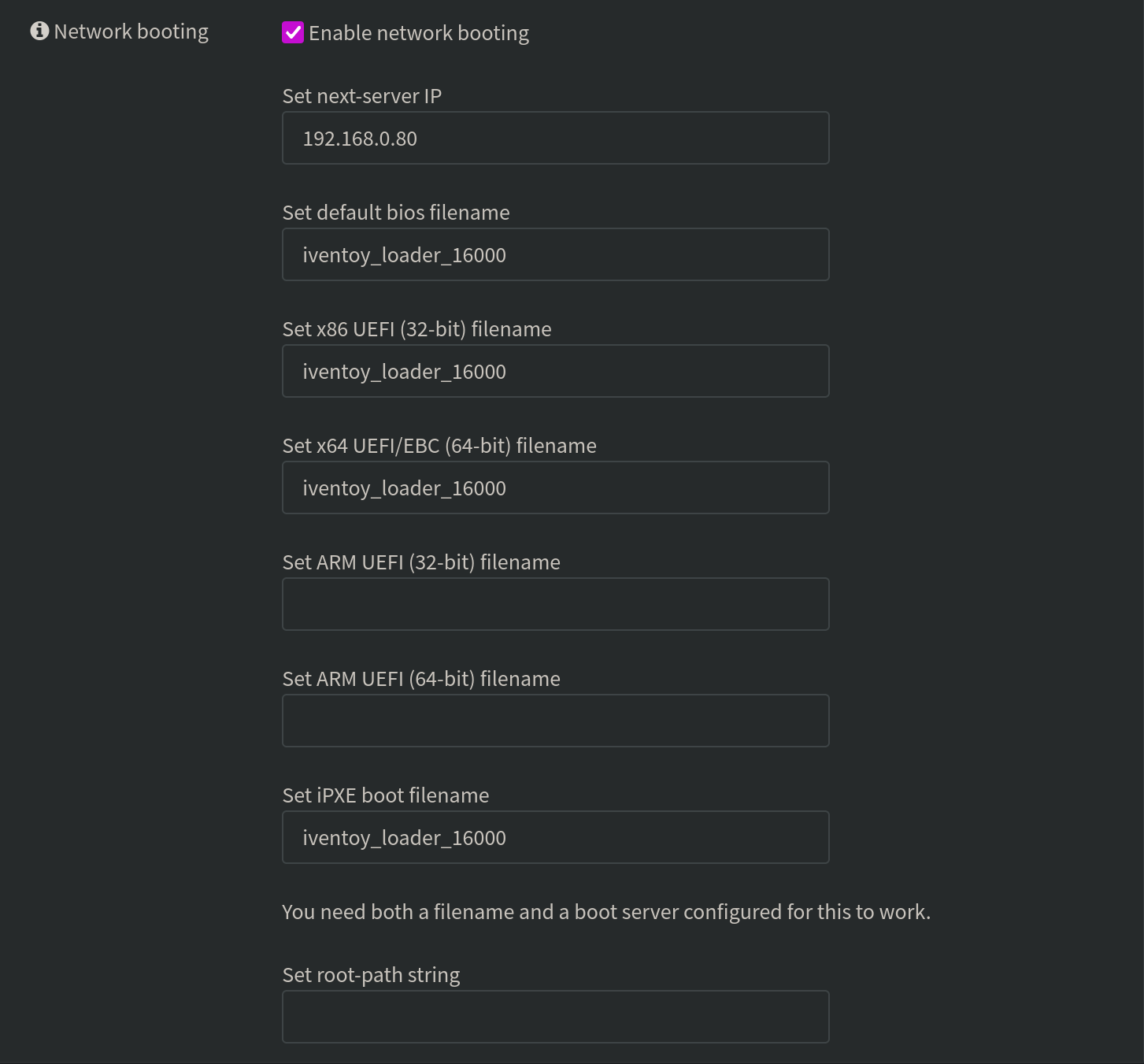
dhcp-boot=iventoy_loader_16000,pxe,192.168.100.15
my config is probably a little different since I’m using OPNSense for DHCP, but that filename is what eventually worked for me.
hahah, if this doesn’t work, I’ll probably just wait till I setup my OPNSense VM
Edit: no dice
dawe
April 28, 2024, 4:53am
4
Sorry to hear that. I had trouble with it too, I searched all over the place and got a lot of conflicting instructions. I just tried everything until it worked but, most folks don’t have time for that.
Here’s my OPNSense DHCPv4 boot config that works, in case it helps:
I’m setting up OPNSense soon, so I’m not gonna worry too much about this
dawe
April 29, 2024, 2:25pm
6
Right on, have fun.
Lots of good how-tos and a 3rd-party repo for some popular packages here:https://www.routerperformance.net/opnsense/