AI Disclosure:
Lots of Clanker supports was used, though I wouldn’t call it vibe-coded.
For this Devember 2026 I am reviving my Server Control Panel in the look of Windows XP: SCPxp, and extending it beyond reason, using a Clanker, into a networking/VM playground running inside the browser.
It was once a simple front-end for common shell tools in the browser, with a simple CGI backend to run any command(e.g. the file manager uses tree, cp, etc., the terminal emulator is tmux).
With the help of a Clanker I’ve re-written it to make it more functional and pretty:
- It now hosts multiple VMs in the browser, using v86.
- Complex networking setups, with a complete network stack implemented in the browser(audio modem, virtual switches, full TCP/IP using lwIP, an HTTPS server and a Firefox port for WASM).
- networking can integrate with external “real” networks via tailscale(DERP), websocket relays(host yourself) or WISP servers(public ones available)
- It can also connect to other SCPxp networking instances via WebRTC(peerJS for signaling).
This is my second Clanker-coded hobby project(*). It’s meant as a learning exercise, not a serious production project!
(*) my first Claner experiences
My first clanker-enabled project is a toolchain for my Minecraft CPU including an LLVM port. It spawned off this one on completion because when the toolchain was working I wanted to make a video about it, and a compiler doesn't show well on video, so I wanted a simple IDE, and revived SCPxp. I guess you could say this is a side-project of my first clanker-enabled project :stuck_out_tongue:I’d of course used a chat bot before then, but I was more skeptical. Technically I first was made to use the Clanker at work, and the quickly decided to pay the 20$/month myself for my own experiments after noticing how capable it was at work.
But the LLVM port is the first project I have actual control over and was using an LLM for, and it’s the first time I could test it’s true capabilities: the LLVM port was intended as a benchmark, or to test it’s limits. I was skeptical.
I thought, sure it can slop out some issues at work at incredible speeds, but it surely lacks the knowledge to port an actual compiler to my very constrained Minecraft redstone CPU architecture. That can’t have been in it’s training data, and I wanted to do that port for a long time anyways, I’ve even tried it before, so I had some notes and prior notes, research and links collected when I decided to try again with an LLM.)
Color me surprised when I actually ended up with a working LLVM port, with it’s generated code running on a Minecraft CPU!
I added a bunch of extra tools, for example I extended the MCHPRS Minecraft Server to supports Lua scripting and added a few more tweaks, so now I can use it as part of a testbench for my Minecraft CPU, drive it’s IO, emulate memory, etc.
Oh, and as part of that I later also revived my Verilog port for that Minecraft CPU architecture and integrated that into the toolchain for cross-verification.
I think my Minecraft CPU has better tooling than some uC’s out there now!
It’s amazing what these Clankers can do now.
I just wanted to see what is possible using the Clankers, and learn something about network etc. while doing it.
Getting this released to github and onto my website in a useable form is the actual devember project. The re-write is as of now unpublished.
It’s still missing:
- a public release. Currently this all lives in a local git branch and a bunch of folder in my home directory(forks of dependencies etc.).
- check if some of it should make it upstream, fork the rest(v86, tailscale bindings, etc.)
- a lot of polish, a lot of the UI text definitely reads as LLM-generated and is way to verbose. I have all of it in translation files, but it’s a lot of effort to review it properly, and that hasn’t been my priority.
- a Linux image that ships the backend CGI server and panel(so everyone can try the full SCPxp without requiring an installation, just by visiting a website)
- some apps should be put into separate repos(e.g. the Minecraft CPU related stuff or games), not part of the default SCPxp build, but can be loaded by adding an app repo in SCPxp at runtime.
- Some kind of CI, with publication to the Github pages feature. For the separated-out apps as well.
- I also need to review the git tree, I think some PII might have leaked into commits(e.g. the screenshots in the docs contained some files in my home folder, etc)
That’s the main things I’ll be doing and documenting for devember.
Next post will be a tour of some of the existing functionality. Here’s a small teaser:
“server control panel”
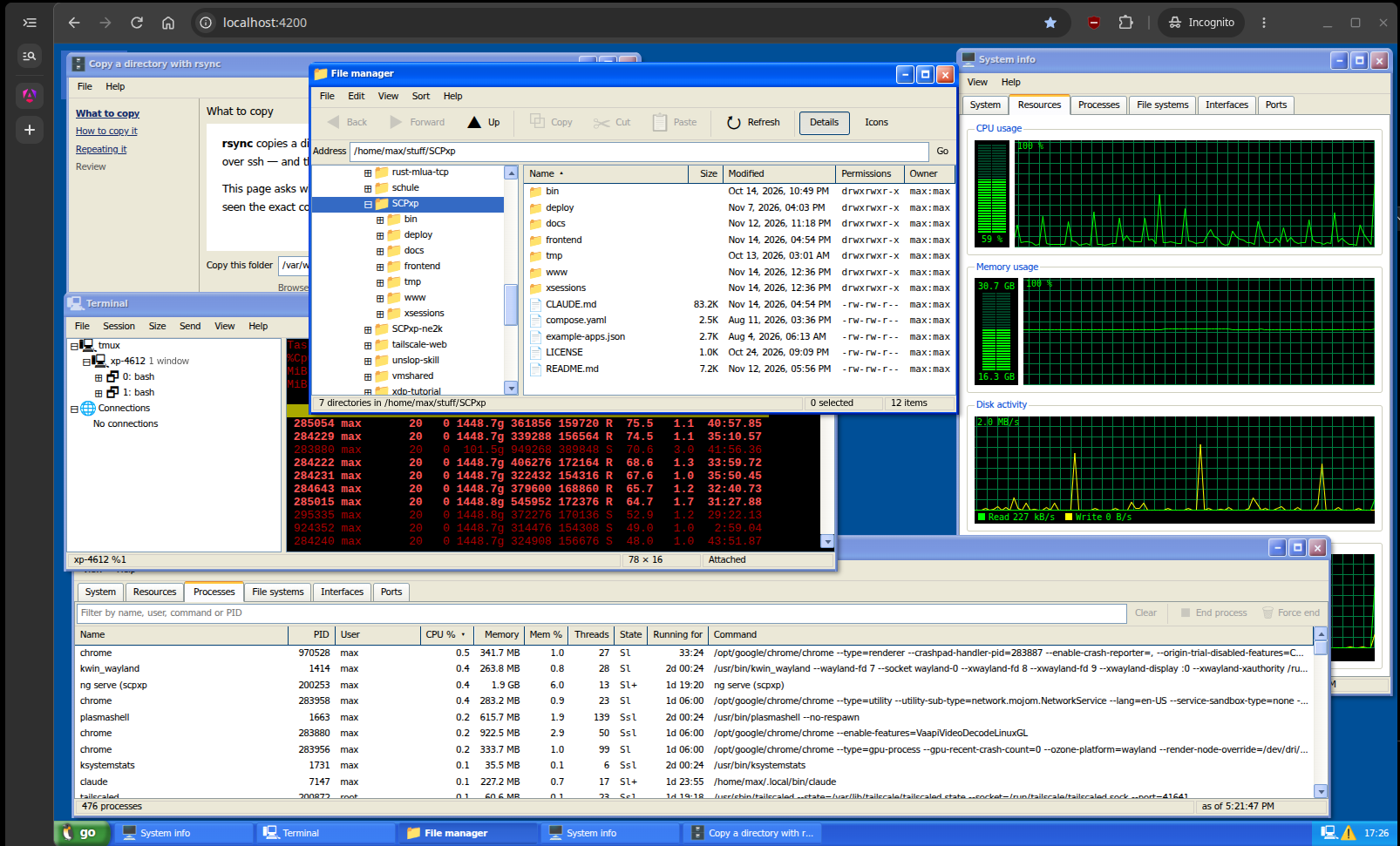
Top-left: rsync “wizard”(just a shell script with a GUI), Center: File manager(supports a bunch of extra features: file preview for images, md, html, JSON, CSV/TSV), Right/bottom: System info showing load on right, process list on bottom.
Networking demo:
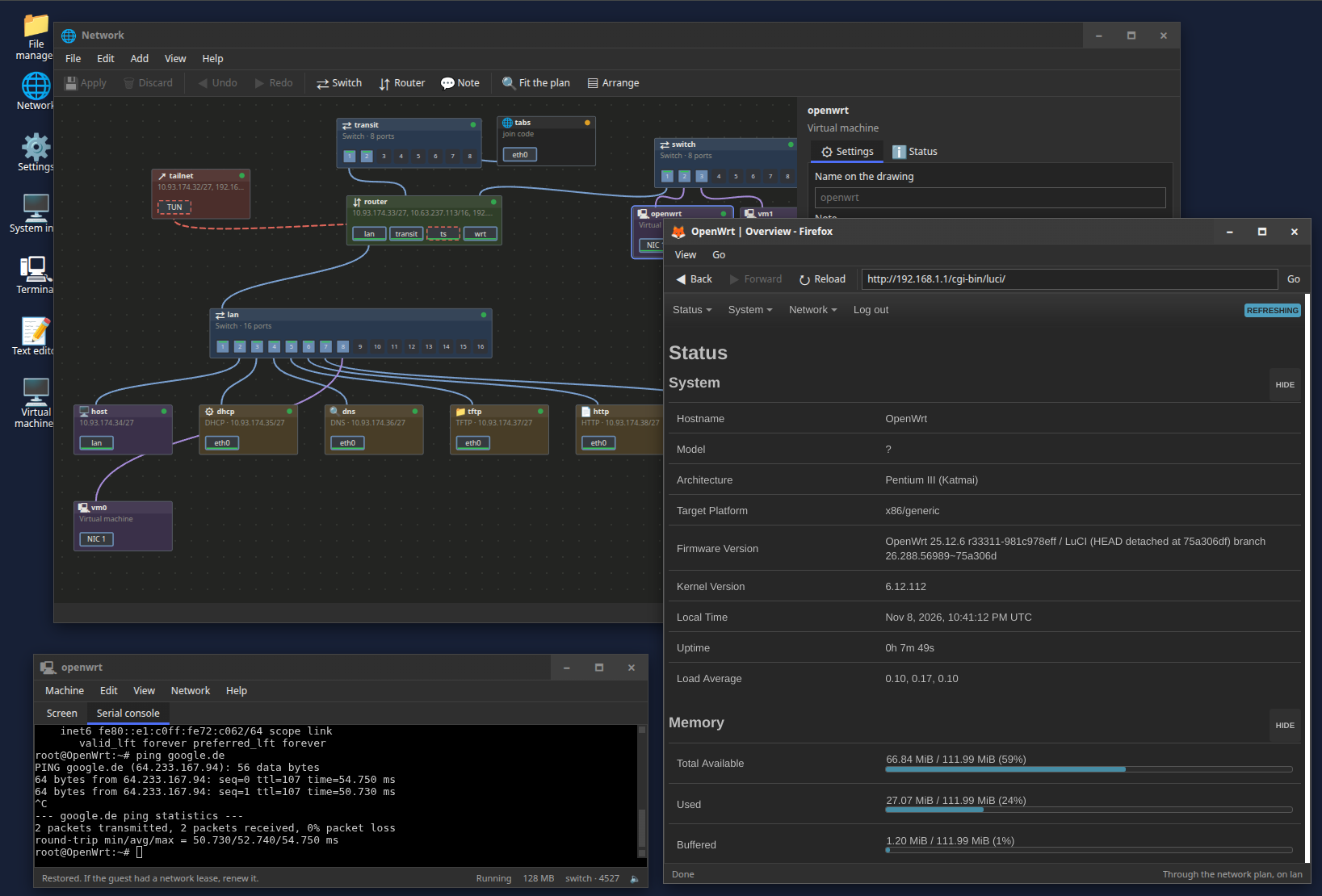
Emulated in-browser OpenWRT, with its web UI accessed using the Firefox WASM port(I could also just reach it via my normal browser, thanks to tailscale, which you can see is part of the network plan in the background. That plan is live BTW, and is where you configure the virtual networking setup)
And here are a bunch more “toy” features:
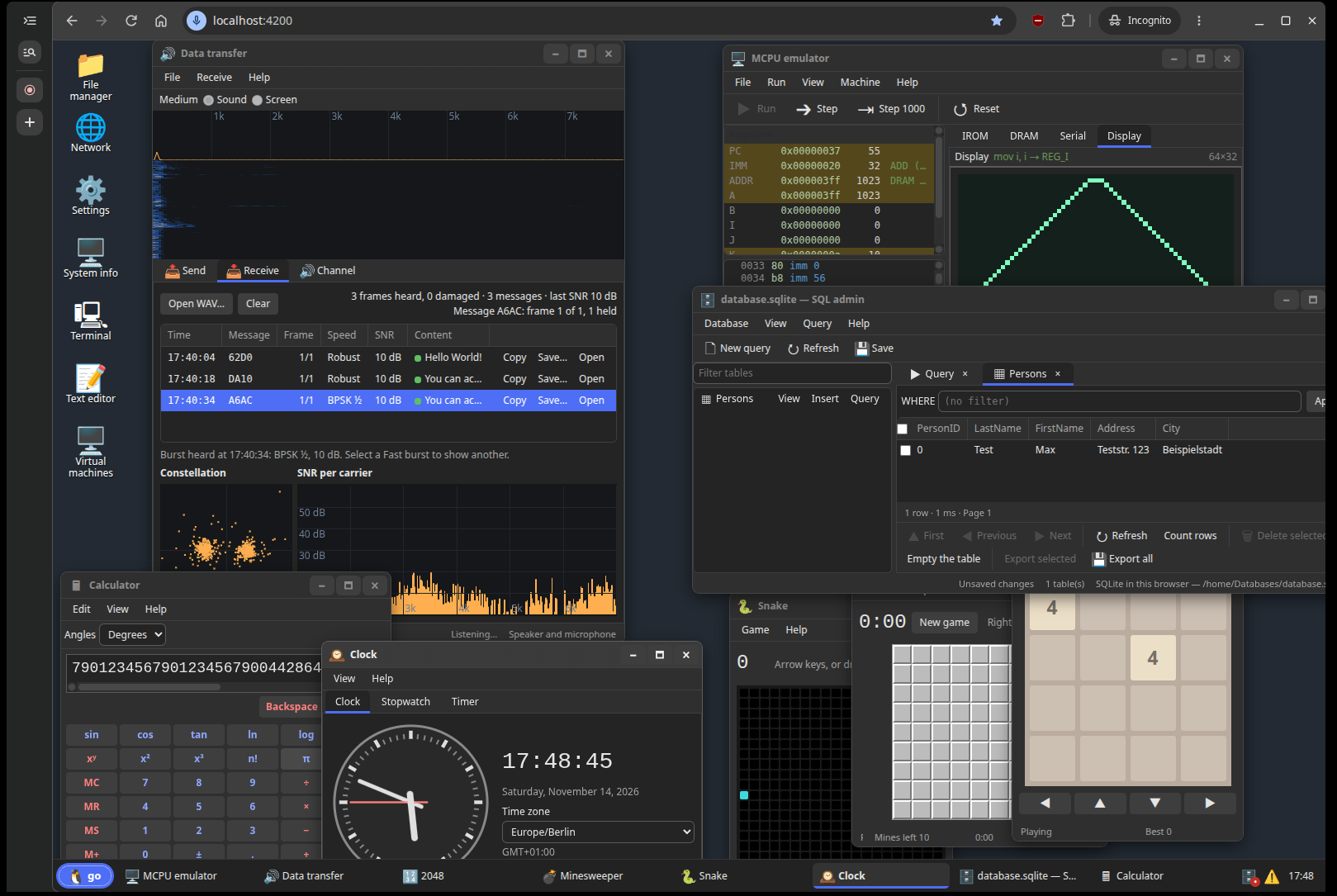
(Data transfer is an audio modem, the calculator supports arbitrary-precision maths, on the right is the MCPU emulator and an SQL admin-thingy, besides a few games ported from my website and a clock).
There is a lot not covered here yet.