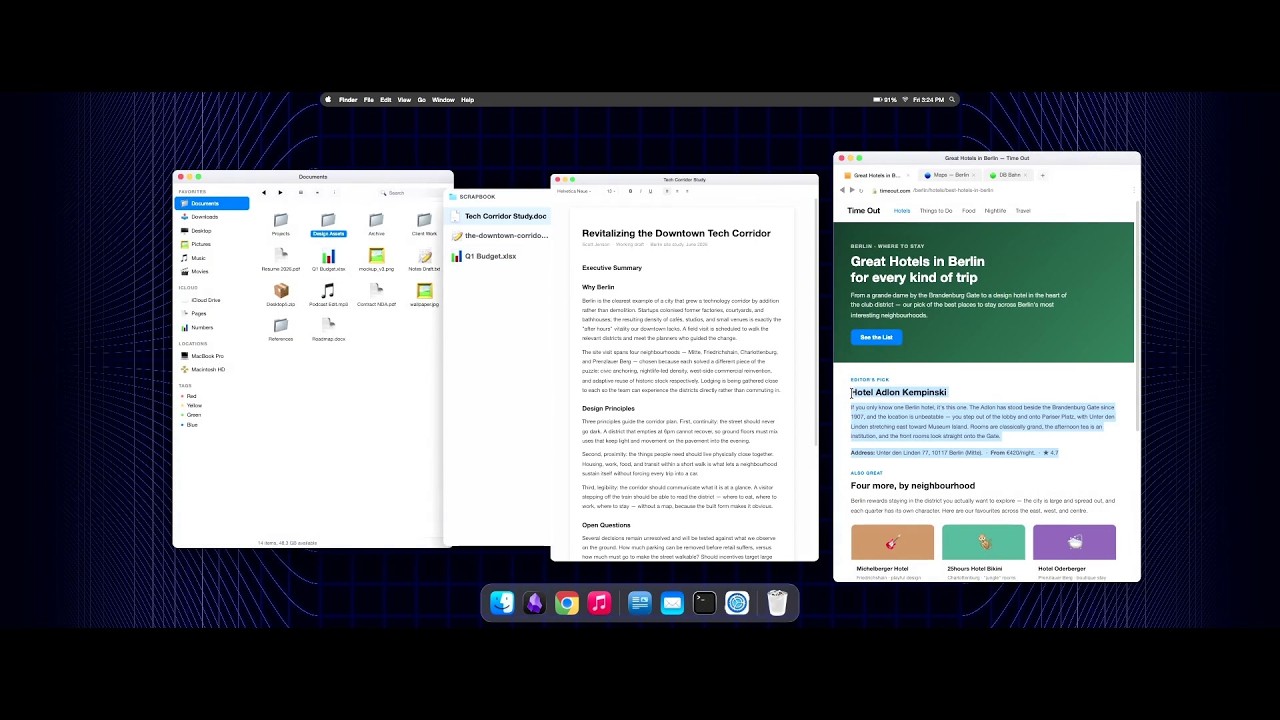
Scott Jenson: Are we really going to use the same Desktop UX forever?

I thought this was an interesting talk. Liked the spatial desktop idea prototype for ultrawide screens.

Definitely feeling like we need more innovation in the desktop UX space.

Also pretty interesting to see almost 40k views in 1 day on a topic like this. Shows the level of interest there is in improving UX in Linux desktop.

5 Likes

I watched this yesterday. Scott seems like a brilliant mind. I think I could have listened to a few more hours of his ideas on the Linux desktop.

1 Like

Considering that we are still using keyboard layouts from the typewriter era that have made no sense for a century at this point, and that windows gui changes have caused huge uproar in the past and they had to roll it back…

Experimenting is fine, but we are imho at a point where the “good enough” UX for desktop is settled and anything better than that would need to be really, very, impressively better to justify breaking the inertia of the “good enough” status quo.

The same applies to mobile for that matter, UX there is mature too and any change is well into the diminishing returns

2 Likes

I would like to see some changes to ux but I know it won’t last cause people don’t like change and companies don’t take risks no more.

At least with stuff that isn’t our data , they will take risks with that all the time.

2 Likes

Work with files? The younger generations that grew up with smartphones and Chromebooks will scratch their heads and ask “What’s a file?”

5 Likes

I disagree on this. Every new concept that has come out that wants to change the whole flow of how we use a computer and be some new modern way of doing things has been terrible IMO.

I don’t mind when people change the little things about the experience like a dock or not, where that dock is located, main system bar at top or bottom. Those are all just preference and fine to change around, but the basic structure, the user experience, is the same. It is when you get rid of that structure and introduce a whole new paradigm that it all goes wrong.

Each new attempt looses too much in standard functionality just to be “cool” and “edgy”.

2 Likes

Honestly?

I absolutely do want to use the Gnome2 / Win95 style desktop forever.

I have o desire to ever try anything else.

I want a mouse and keyboard, and an optimize gnome2-inspired desktop from now until the day I die, hopefully 40+ years from now.

I don’t want to touch my screen. I don’t want to talk to my computer. I don’t want to use a head mounted display. I don’t want an AI/Agentic desktop. I don’t want any of that bullshit.

The Win95 / Gnome2 layout was the peak UI. It was improved slightly with Win7 when start menu search could be triggered by the Windows Key. (Gnome2, and later Mate and Cinnamon did the same for Linux). Snapping windows to sides and corners was also a welcome improvement. But that’s about it. These were the last UI improvements. Everything since then has just been increasingly annoying and a burdensome downgrade.

We had perfection and they just can’t help but mess with it.

Windows 8, Ubuntu’s Unity, and anything and everything since then was a huge downgrade.

Touch interfaces like those on iOS or Android are an OK compromise if you absolutely need to be mobile, but for any real computer use we already have the peak UI that will never be surpassed.

If anything, my number one desire is that developers stop messing with and rearranging user interfaces to make them “fresh” all the time. I don’t want my UI to be “fresh”. I just want it to work the way it always has. And please for the love of all that is holy without those stupid large dead-space buttons and UI’s designed for mobile/touch screen use.

Everyone wants to waste my screen real estate these days, instead of producing a nice information dense layout.

I suppose OSX/MacOS is also OK if you are used to it, but I find it annoying as hell every time I have to use it.

I guess I am OK with new UI’s if someone wants to develop them as long as they are optional. By all means, try new things and see what sticks as an option.* When they try to force their user-base onto a new interface it will always backfire.

Nothing fills me with more of a murderous rage than coming back to my computer or phone and finding that the last update changed the UI.

The last time I switched my main Linux distribution I did it solely because Ubuntu was trying to force their Unity interface on me, and I wouldn’t have it. I will unceremoniously drop any OS that tries to force a new UI on me.

And yes. I still use the three navigation “buttons” on the bottom of my Android phone, and absolutely no-one can ever make me switch to gestures.

1 Like

This. Radically changing user interface just to be trendy needs to stop.

Im still irrationally angry at MsOffice for the whole Ribbons nonsense they pulled years ago.

1 Like

You and me both.

They replaced clear and precise drop-down menus in a straight line, easy for the eyeball to follow and read, with a mess of ambiguous icons that aren’t even aligned in columns and rows…

They made their product infinitely less user friendly, for what? To make it a little prettier and avoid translation costs?

Totally aggravating.

I’m in favour of experimentation, just not in the main stream of what I use. (á la Gnome 3). I also tend to main on the risc os/ 95/gnome 2/kde3/5/6 model - but I recognise that’s a lot due to shared familiarity. Haiku with a hotkey to bring up an application search is nicely usable as well.

Tilers aren’t for me. but they are for some people. that’s great.

What i’d like to have seen, at least on a tablet is someone trying seriously to do lcars.

1 Like

huh? the ribbon on MS Office (and other software, like CAD) was a great improvement. For MS, I still learned the old way, and moving to the ribbon was easy.

Some techno-phobes at my work acted like they have to get sent to a training because they acted like learning to use the ribbon is impossible. They are engineers, mind you. You would think engineers could adapt to a ribbon.

At work, people act like learning a new software is impossible. But the very same people at home, are able to figure out Netflix on a smart TV without the employer sending them to a paid training. I guess motivation is the key :slight_smile:

For desktop, I think some better workspaces and auto tiling might be good. For example, at Work on W11 i wish they would allow switching single monitors workspaces (like KDE can)

But please no keyboard shortcuts like Hyprland! Keyboard shortcuts are just horrible, plus every PC will use different shortcuts and/or rely on three-key shortcuts. Plus different languages will use different keyboards. If you have to look up how to use an UI, and learn and remember things, it has failed. UI should be obvious and intuitive.

1 Like

I feel like you’re just describing big corporations habits, cause that’s what usually they do. They just changed shit randomly and then good luck everybody figuring
IMG_1322
.

Just like Apple last year with iOS 26, messed up their entire operating system and a stability just for a aesthetic change and lost the whole year of possible new features and improvements because of their last update.

And Windows 11 back in 2021 when I when it first launched so fucking bad and it still is but now it’s bad for a different reason

There’s a line between a concept and execution. I guesstimate the majority of decent concepts sucks at the latter, because their authors are to blind to accept the existing habits or the implementers do so mechanically, without giving it proper thought “how to embed this new thing seamlessly”.

Have you seen a tag-based meta layer for files on hierarchical filesystems? If not, that’s because they all suck in their integration/execution. Nothing exists worth considering. IMHO.

It’s not impossible, it’s aggravating. You invested the time to learn and optimize your workflow around the user interface, and now you need to do it all again. You are not given more time to re-learn the thing and any mistakes you do while re-learning are on you. It’s like you go to start up the car, the turning wheel is reversed, the pedals are switched and the manual gear lever positions are different. Can you re-learn it? yes certainly but nobody asked for that, I just needed the car to work as it always did to go places.

It does not help that in most cases the UI changes aren’t actually driven by research into user patterns or anything to optimize existing workflows, but just change to follow trends to “look new” so if you are lucky it’s a side grade if you are not lucky it’s a downgrade with large buttons and weird categorization of functions that you have to memorize again.

This is relatively easy for people in “tune with the machine” like me that can just vibe around to find things in the UI independently, but a lot of office users lack this sixth sense (are probably afraid of breaking something, which is not necessarily a bad thing) and have just memorized a sequence of actions and will call support staff constantly for a week to ask how they can do any little thing because their pre-programmed actions don’t work on the new UI.

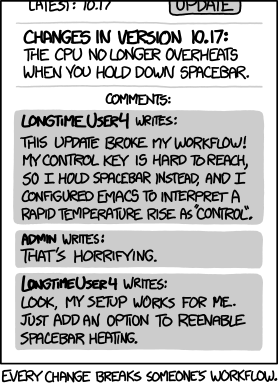
Btw, obligatory link to the relevan xkcd comic panel about this situation, making fun of the changes breaking an existing workflow

That’s an interface optimized for lowest-common-denominator users. High friction is very bad for a streaming service, they want you to find something to look at and pump those view numbers asap.
Still, the elderly often have issues with that too.

I think to an extent macOS has implemented similar ideas, but not as cleanly, or as intuitively as Scott has outlined.

Stage Manager sort of does what is being proposed for ultrawide monitors. In fact this video has caused me to rethink using Stage Manager along with virtual desktops. In any given day I have 2-8 VS Code windows open. Usually two windows per project, one with Claude code sandboxed, one with the same project opened without Claude code.

I have been splitting two windows, side by side on a desktop. I decided to try enabling Stage Manager and instead let VS Code take up the majority of my ultrawide while seeing what else is open on the left side of the screen in my periphery. I still only keep one project open on each virtual desktop, as this helps me keep my space decluttered and each project clear in my mind. This new organization really does allow me to better utilize my monitors real estate.

I also think his ideas regarding clipboard management seem extremely useful. I’m not convinced I care about his ideas around telemetry use, but I agree his approach seems leagues better than Recall, etc.

I couldn’t disagree more.

It was a huge leap backwards in usability. Instead of having precise and clear text organized in categories of menus, in straight lines, that are easy for the eyes to follow, we wound up with ambiguous hieroglyphs you have to interpret, in a mish-mash orientation across a “ribbon”.

It’s like comparing a well written technical manual to a toddlers picture book.

I think tabs are better. Remember when browsers didn’t have tabs? Or the file explorer (in W11, or KDE) brought tabs. I know this is a bit different because here the tab replaced nothing that was there before and you don’t have to use them. I started to use Autodesk Revit around the time they added the ribbon. Again, I find it much nicer than the old layout (similar to what MS had). I don’t think they went through the effort without researching. Maybe 90% of users (especially new or prospective users) liked it, 10% didn’t like it.

And the people at my work that complained were the least computer-literate ones. Like the ones that print every email.

Look at some creative tab ideas. Like the CachyOS wiki implemented tabs within their pages so you only read what applies to you.

You have to hook up an Ethernet cable (and connect the other end to a switch), or enter the WiFi password (which is terrible with a TV remote). And those people have to lift up the router to find the password (yes, they use the default password!). Same for the streaming passwords. And you have to learn a whole new workflow (from switching between stations, to searching types of shows etc.). Rocket science? No. But people still need to be motivated to learn. And at home, they are motivated.

Compared to that at work, IT department literally takes care of everything. All the user does is still click a very similar looking icon. And IT probably provided some guided slides, or light overview. Most what they need is under the home tab.

I know this is a bit what one is used to. But if you started with zero knowledge, would you choose the ribbon, or the old layout? Well, you could use LibreOffice. that seems to offer both.

so pulling a cable and copying a string of characters a few times, and then it’s mostly arrows up/down or lateral movement to switch between things.

Totally the same thing as trying to do a specific and good looking page layout in a word document with tables and images, or do function wizardry in excel.

Slight preference for old layout because of space requirements, very important on a laptop screen. But apart from that, either has its benefits and weaknesses and I’d have to memorize locations and options for either to be efficient anyway. The issue in this case is mostly changing 20-ish year habits where all software using the menus because Microshit decided it was the time to do so.
Full context: it’s their office software, something everybody (at the time and in large part still today) was effectively forced to use anyway at work. Changing UI couldn’t physically increase sales because everybody was already using MSOffice for years and OpenOffice (the ancestor of LibreOffice) was shit and incompatible, it was just a crazy decision like putting Win8 tablet interface on a desktop or on a server with Winserver2012.

1 Like

I think everyone here is in agreement. W8 was an attempt to use the same UI for mobile touchscreen devices (did they even exist back then?) and desktops and servers. Like Canonical with Unity. Needless to say, W8 made no one happy. And even with modern technology, I doubt it will ever be possible to sue the same UI efficiently on a desktop, and touch-mobile device.

The advantage of the ribbon is, you don’t have to memorize much. The active ribbon shows you all functions all the time. This is unlike the old menu where you saw the options only for the second you had it open. You just have to know or guess under what ribbon the functions are. and it is somewhat logical, like layout things in the layout ribbon-tab.

Ultimately a lot is preference, and what one is used to. Some people swear by Hyprland and shortcuts. Maybe I’m too much in my old ways, but I couldn’t imagine a desktop without KDE or W11 layout. Maybe I’m just missing the genius in this. And if i had grown up with Hyprland, I would like it.

I also don’t like the iPad where you don’t have a universal back button (or swipe action). If the app developer didn’t add a back-function, you are left wondering how to get back. Or how to switch between apps. Android (Pixel) is totally logical to me. And I bet there are people who say the exact opposite. When I came from Samsung (back button) i initially didn’t like the gesture (swipe to go back) and even enabled the back button (Pixel lets you do that). But after a day, I went full to gestures and now I wouldn’t want a Samsung with back button only anymore. Sometimes you have to just force yourself to have an open mind and learn the new way. Like if you try Linux the first time, it will be hard at first, but if you try it for a week and overcome the initial challenge, you may like it.

I just switched my podcast app today. Overall better, even if I had to re-learn and discover some things. At work I use MS Office, at home Google docs, or OnlyOffice. And I bet that won’t be the last time I change software, phone, tablet, TV and all kind of other devices with new UI.

The only constant is change