Ryzen vs Intel platform latency! (Encouraging members to participate!)

Hello everyone, I would like to start a thread on recent findings that surfaced that I couldn’t go past anymore and the lack of mainstream coverage on this topic makes me willing to push the conversation forward and hopefully more people see this!

Alright so what is this all about?

Recently I built a new 9800x3d ryzen system, and upon testing various configurations and settings I came to a conclusion that ryzen platform as a whole has an inherent input inconsistency problem that’s hard to measure with just click to photon.

From the systems that I build I mainly expect baseline performance in various domains.

  • FPS
  • I/O
  • Overall Responsiveness

So far I’ve done various builds and had various sytems that I used for productivity/3d & gaming, including laptops.

Some of them include:

  • intel i7 4790k - gtx 980 (also tried r9 290x but it was horrendous)
  • ryzen 5800x - rtx 3090
  • laptop intel i9 13980hx - rtx 4070 mobile
  • intel i9 13700k - rtx 5070 ti
  • ryzen 9800x3d (2x) - rtx 5070 ti

So interestingly if I was to outline experience with all of the above, the most annoying mouse input and lag feeling problems I only had with 5800x & 9800x3d.

With 5800x it felt bad but bearable.

With 9800x3d it felt so bad I switched to desktop i9 13700k for a while but then returned it because the mobo I had couldn’t have gaming stable 7200mhz.

Don’t get me wrong 9800x3d in category of ccd performance (fps in games), network bandwidth, power efficiency on desktop is unreal.

Now, I returned the first 9800x3d and then bought a second one 9800x3d and the results were the same.

Okay, then I delved deeper into trying to find a solution to a problem. And I landed on finding a potential solution which was getting a standalone usb vl805 pci card that I would plug in directly into pci cpu lanes. Guess what, that did improve click latency but overall didn’t fix the experience although it did make it better. Why I mention this now is I want to rule out the fact that this is a motherboard issue. The motherboard that I have is ASUS b850-g. I know, some on here might instanly jump to a conclusion that the issue is not using the x chipset but I want to hold you right there. Let me list what I tried so far:

  • Tuning all possible cpu power settings in bios
  • Locking cores
  • barebones win10, barebones win11
  • with chipset driver, without chipset driver
  • with tuning power plan with powersettingsexplorer, msi util…
  • all kinds of settings in nvidia control panel like latency, power setting (balance/performance), gsync on, gsync off
  • different peripherals
  • different monitors (asus pg248q 144hz, benq xl2566+ 400hz, benq xl2546 240hz)
  • pci usb (as I mentioned before) on cpu lanes over riser off of m.2 cpu lane slot
  • various settings in win10 too, like hyper-v on/off, game modes, xbox bars blah blah…
  • different versions of nvidia driver
  • multiple ram kits, 5600mhz, 6000mhz (FCLK auto, FCLK 1:1…)
  • fixed vsoc, auto vsoc…

All these settings inherently did not fix the issue but I have to say over hours of tuning I did to a place where I could get used to it… until… Until I cooked my mobo by experimenting too much and I switched to my intel i9 13980hx + 4070 mobile. And oh-my-god. It’s indescribable. The way the keyboard and mouse feels on windows in both window manager & games on intel + nvidia system is just unreal. I struggle to find words, but its pacing is so tight so precise that it’s hard having to go back to a literal desktop over laptop. And granted, say in valorant, laptop is pushing out 400 frames average (4ms engine render latency). On ryzen system 800-1000 (1ms engine render latency). And I would take the overall experience of the intel laptop.

So this is definetely not:

  • click to photon, in fact I think the laptop feels like it has overall higher roundtrip latency
  • the amount of average frames per second, I would even daresay it’s not even about %1 lows

Just to come back real quick. After experiencing all of this I subtly had a recollection how my ryzen 5800x system had similar characteristics but not as bad as 9800x3d. And it really now is making me conclude that either AMD processors or AMD + Nvidia is a disasterous combo for anything esports related. Which is ironic because AMD processors are marketed as gaming processors.

Anyways, there is a lot more that I could post here, links, various nuggets of information I found on the internet but first I want to see whether or not other people have found similar issues because I don’t know what the best way to approach it at the moment.
Without a metric I’m afraid the problem doesn’t amount to much more than a subjective opinion that seems to contradict objective measurement. It’s basically impossible to beat click to photon for a measure of latency/responsiveness though because it encompasses the system as a whole making it a pretty definitive test.

I’m tempted to suggest putting intel inside stickers on your AMD systems to see if that helps but I’m pretty sure I’d just be being an ass. More constructively though live frametime graphs (MSI afterburner) sometimes expose variations that impact the feel or sense of smoothness. Tuning for consistency even at the expense of peak FPS and lowest possible latency often results in a better feel vs running everything at the ragged edge of performance which from my experience is often not ideal. Depending on the game, frame caps can be great for getting that rock solid feel.

You’ve covered power saving “features” which is common culprit so that’s good. I’m concerned though that if you “cooked” a motherboard experimenting then you may be pushing things to the point where one or more of your tweaks may benchmark well but the added peak performance might be detrimental to consistent in game performance.

Some mice can also generate a lot more jitter at at high poling rates so if you’re running at the max rate that your mouse supports something you could try is setting lower poling/report rates and then testing for feel.

3 Likes

+1 for metrics.

Also check you’re not blighted by MediaTek WiFi on the Ryzen MB. AMD has a deal to pair up with them, but JayZ2Cents (video here) found that a disconnect-reconnect pairing in the driver was messing up reliable timings, causing jitter and lag. I’ve taken out wireless chips (because I want the PCIe lanes and because all my stuff is on wired networks) and would suggest you check this yourself.

K3n.

Yeah so I bought a new mobo and the behavior is the same. I doubt it’s a motherboard issue to be honest.

Ryzen cpus are generally quite unwieldy it seems in terms of making them competitive gaming stable if it’s possible at all.

Oh yeah, I played with these things too. Using wifi, using lan. Tweaking lan. Toggling those devices too…

You’ve covered power saving “features” which is common culprit so that’s good. I’m concerned though that if you “cooked” a motherboard experimenting then you may be pushing things to the point where one or more of your tweaks may benchmark well but the added peak performance might be detrimental to consistent in game performance.

I cooked it mainly by trying to use multiple different nvme to pci risers rather than anything else. I would even say the motherboard itself it quite robust. I genuinely believe that there is an inherent weakness in ryzen to do consistent I/O processing.

Some mice can also generate a lot more jitter at at high poling rates so if you’re running at the max rate that your mouse supports something you could try is setting lower poling/report rates and then testing for feel.

I tried different mice, different polling rates. The behavior tracks across all these variables

It would definitely be interesting to figure out a good way to measure this. Kind of like how average FPS in games doesn’t really represent user experience completely. It took a while for reviewers to figure out that measuring 1% and 0.1% lows can be helpful. And that animation frame-time error is a better representation of that. Maybe something similar is needed here.

Just curious if you’ve tried to disable fTPM as a test. It was causing people latency spikes in the past. So maybe they fixed it but not completely and you’re feeling the effects of that?

That term is meaningless…

I’d abandon randomly trying to find a solution to a nebulous “behavior” without a metric because a solution will naturally follow finding a metric. Instead of trying to make it better maybe see if you can make it worse. It may be easier to see what’s out of whack that way.

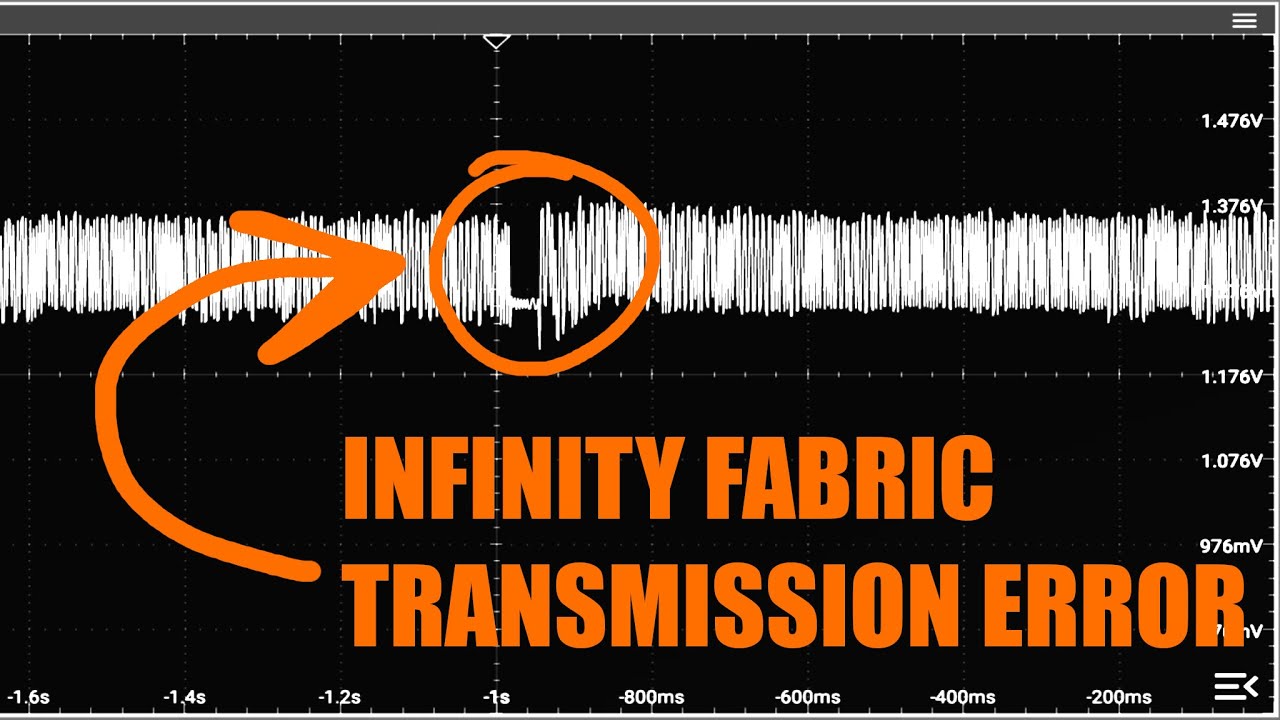
Something else you may find interesting is this video on infinity fabric overclocking. 9000 and 7000 share the same IO die so this will hold for both platforms. Note that inconsistency precedes failure.

It would be far better if there was an actual metric to find. Maybe even just recording a screen capture with you doing both the same things so you can point out where it happens.
Then we can all test that and find out what the patterns are.

I have been thinking about this and I feel slightly similar? I’m going to test when i have time again.
I’ve noticed a lag especially opening applications in windows 11 on my brand new fresh 9950x3d computer, while that is not the case on my laptop that has a 14900hx and a 1 year old windows installation that has tons of stuff running.

Sounds like OP has USB controller problems, chips don’t generally cause or suffer latency in this way, but motherboard vendors doing fun stuff with pcie splitting do, especially if the pcie lanes used for the USB, are also doing the storage, and / or networking

But hey, at least one person likes Intel, and windows, so it is good for variety

Edit: I have seen system lag from CPU’s, especially memory things like the gen1 TR numa memory control: I have a gen1 TR, and sometimes it becomes noticeable

1 Like

Don’t underestimate your storage bottleneck, I was just commenting to myself on how responsive my i7-8700 office PC is on the desktop because it uses a 120gb P1600X Optane for a boot drive. If you can figure out a universal Windows benchmark I would be more than happy to compare.

Metrics are very difficult on this one, TechYesCity did some testing that might fall into this category, but he can also be a bit out there in general on his stuff.

There have been things like this also: Intermittent System Stutter Experienced with fTPM Enabled on Windows® 10 and 11
Somtimes it’s something that you could have never guessed was the issue. Who could have thought that fTPM could cause things like this?

This topic was automatically closed 273 days after the last reply. New replies are no longer allowed.