Recently I noticed that my Ryzen 1700x cpu tends to be not even hitting the base clock in normal tasks then when I load up a stress test like Cinabench it will go down to around 2.2Ghz and my score will only be around 12000. After changing the windows power management settings to performance before the score was only around 700. My guess is that there might be something wrong with my motherboard since my CPU is staying below 70C, but I dont have another AM4 Motherboard to test that theory on. If you guys have any suggestions I would very much appreciate it.
Cfg.
CPU - 1700x
GPU - 1060
MOBO - X370 GAMING PRO CARBON
RAM - G Skillz trident Z RGB ram 3000mhz 16GB,
Team T-Force Vulcan 3000 mhz16GB
PSU - 750W Corsair
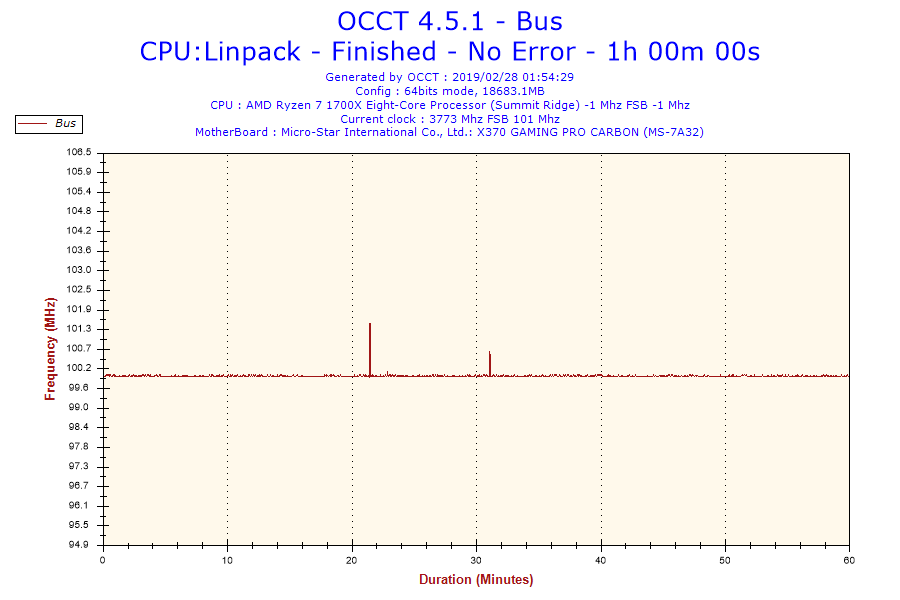
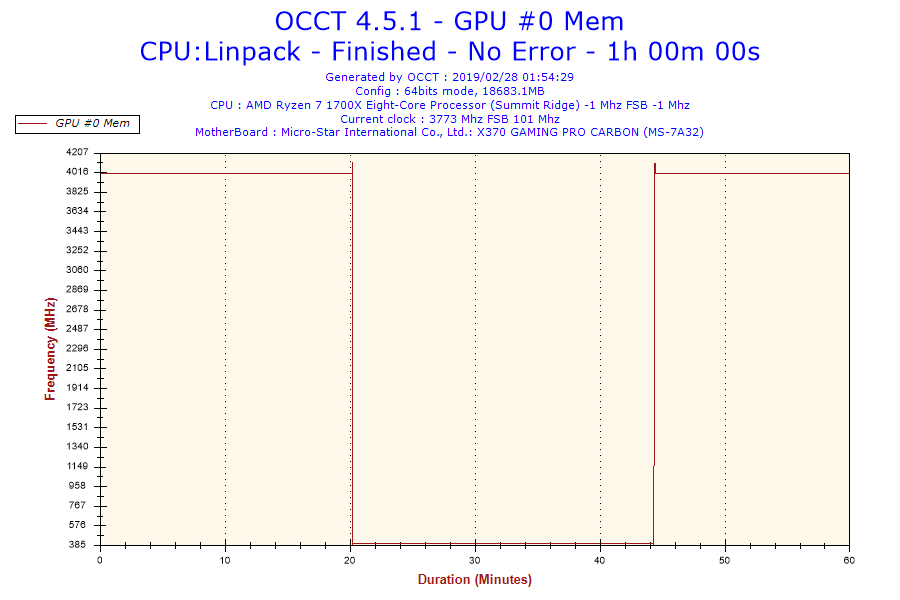
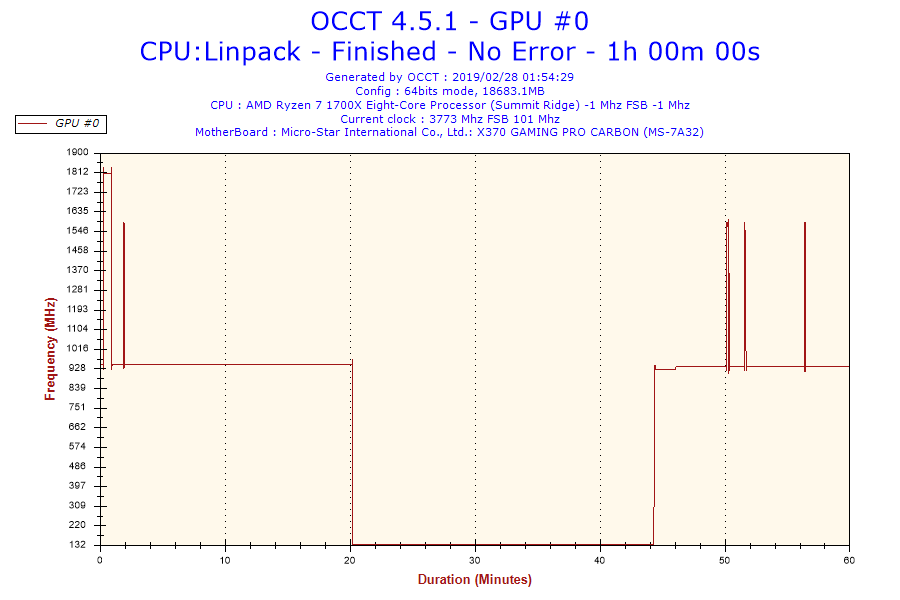
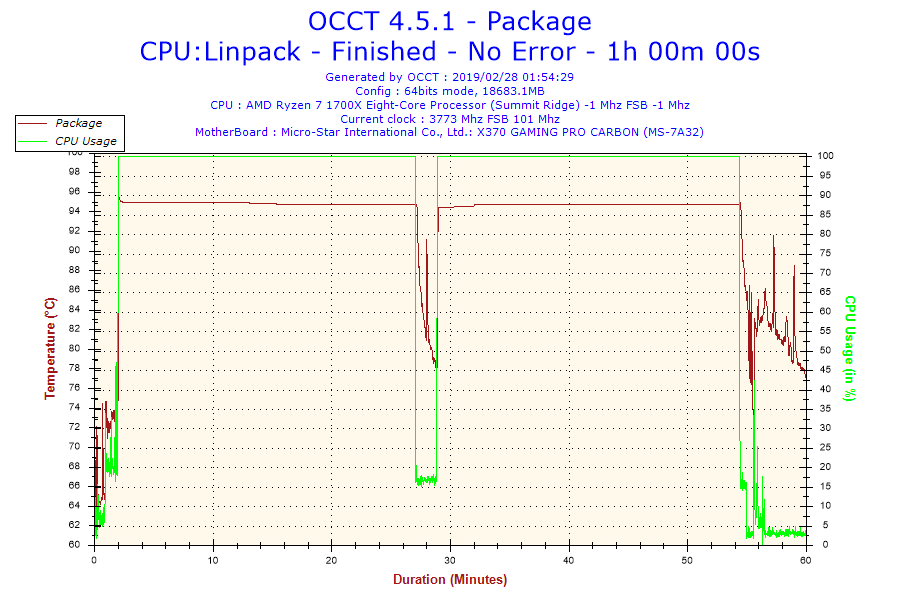
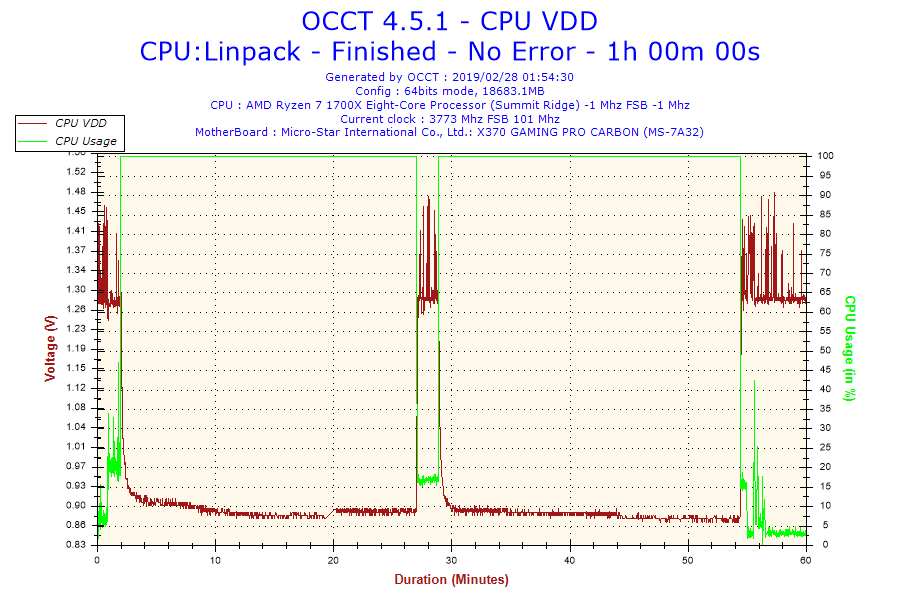
If you could download and run a program called OCCT And run it till it throttles for at least 15 minutes (I would suggest just running it for an hour) in Linpack mode with AVX enabled and post the log files I should be able to help you narrow down what’s going on.
I didnt see an actual log file however i did find these charts which I am guessing is what you were refering to. Also I think my pc went to sleep at around half way thorough, hopfully this information will be helpful.
I replaced the thermal paste and the cooler to the be quiet dark rock 4. My idol is cooler but when I run that stress test my temps shoot up again. Also I think that my cpu isnt hitting 95 I think its actually hitting 75 because amd did a software tweek to make the temps seem higher so the fans would cool faster.
I know I shouldn’t be having cooling issues but for some reason I am I tried updating the bios as a last ditch effort but still getting the same issues. Although it isn’t nearly as bad as before. It seems like the temps don’t change gradually could it be that there is some sort of defect in my chip?
Also what software are you using to look at temps?
It looks like the V core doesnt go aboce 1.072, which from my understanding is pretty low. I was trying to add a csv file of all the data I got from HWinfo but i guess I cant upload CSV files here
Yea I was using a AIO before, but I thought maybe something went wrong with the pump. So I got a tower cooler instead. Could it be possible that the solder somehow isnt making proper contact with the IHS, that develops over time?