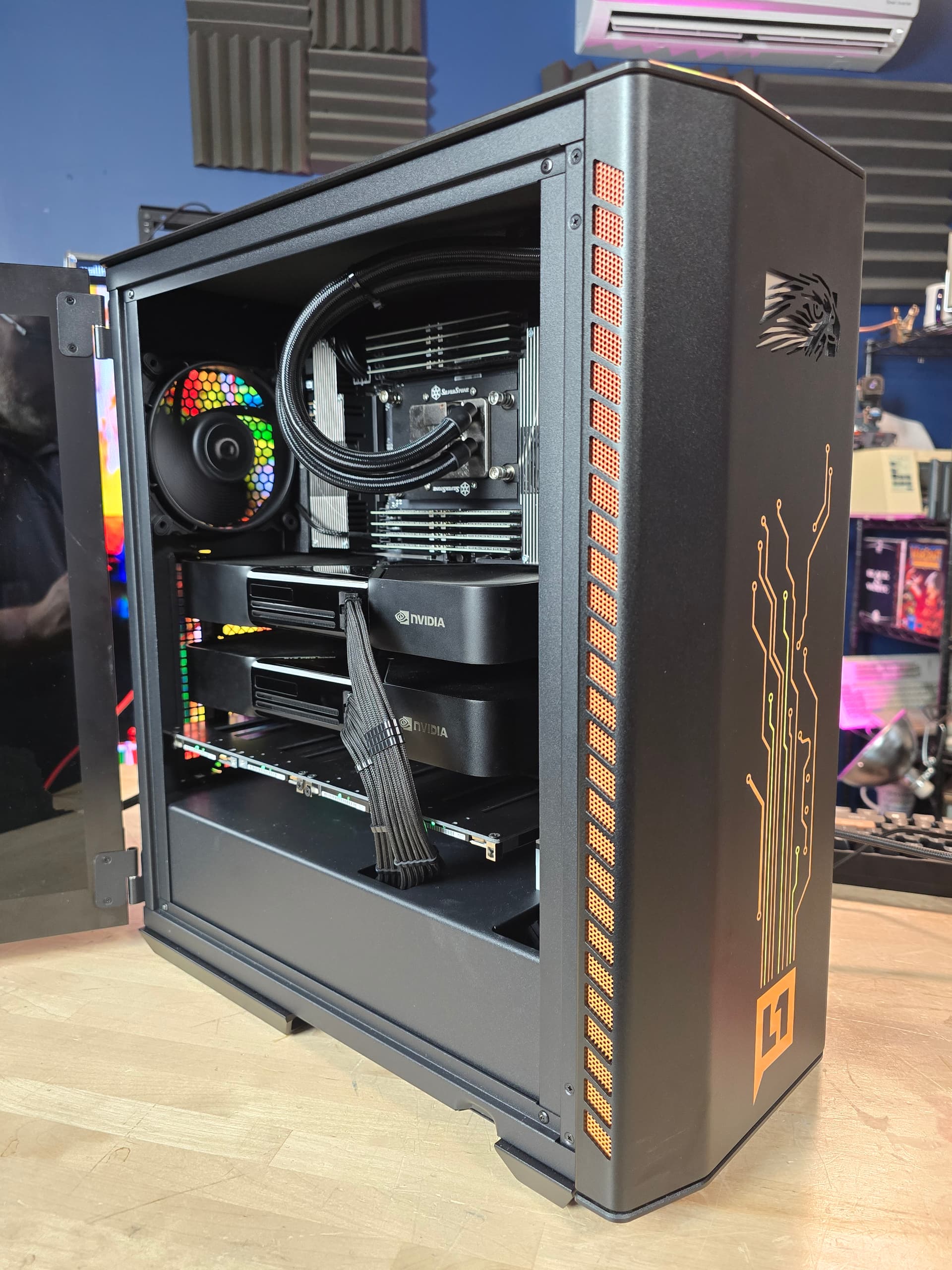
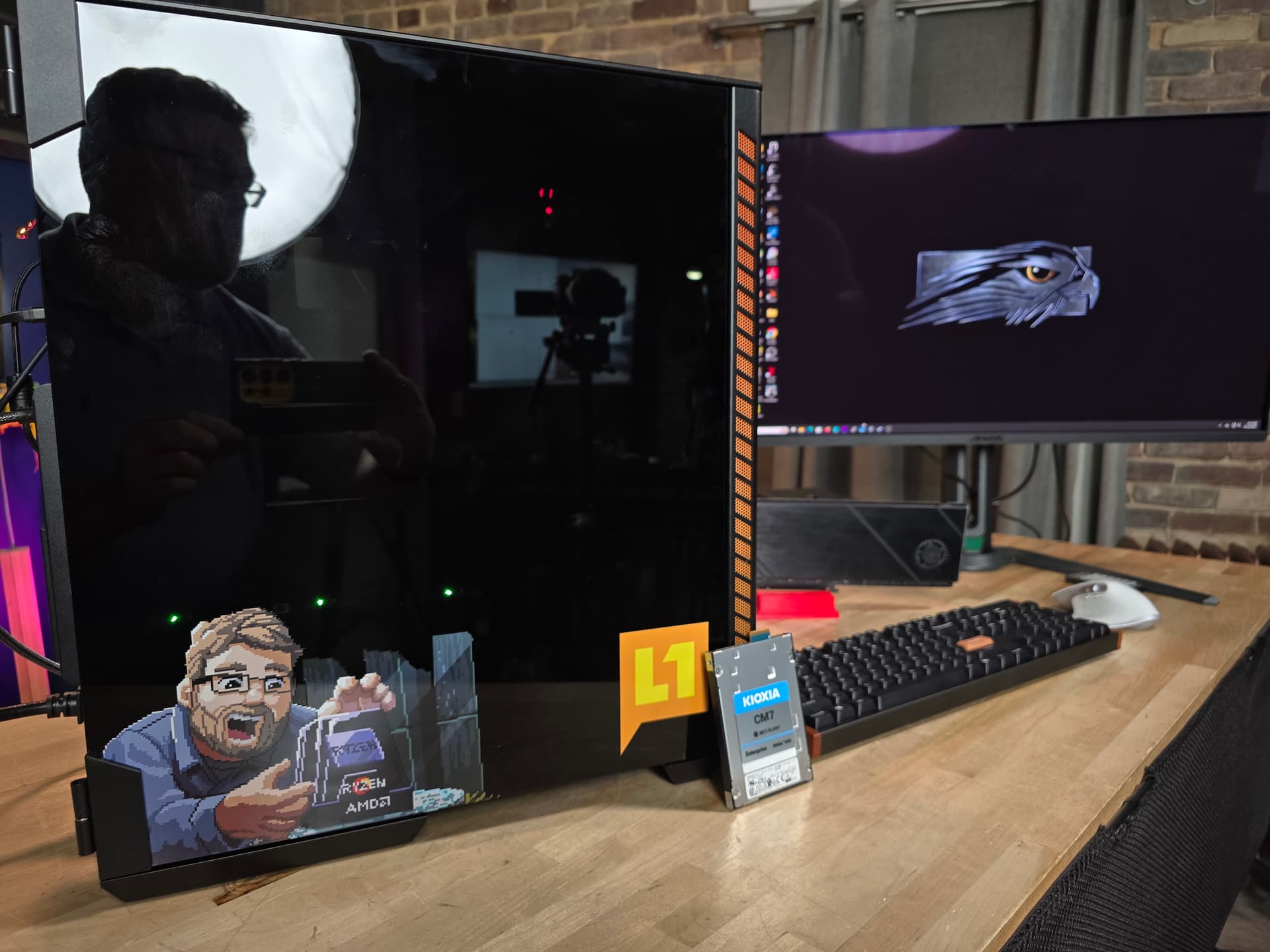
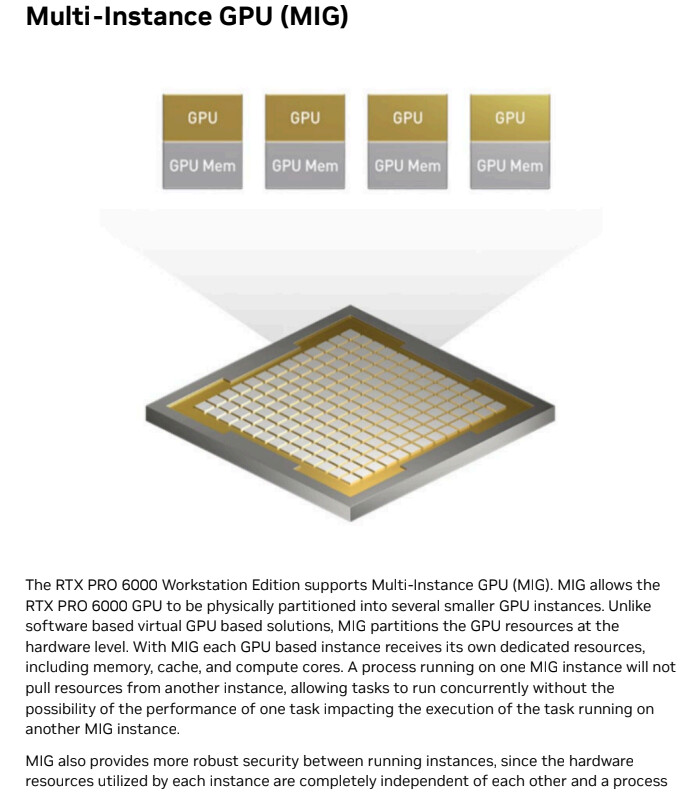
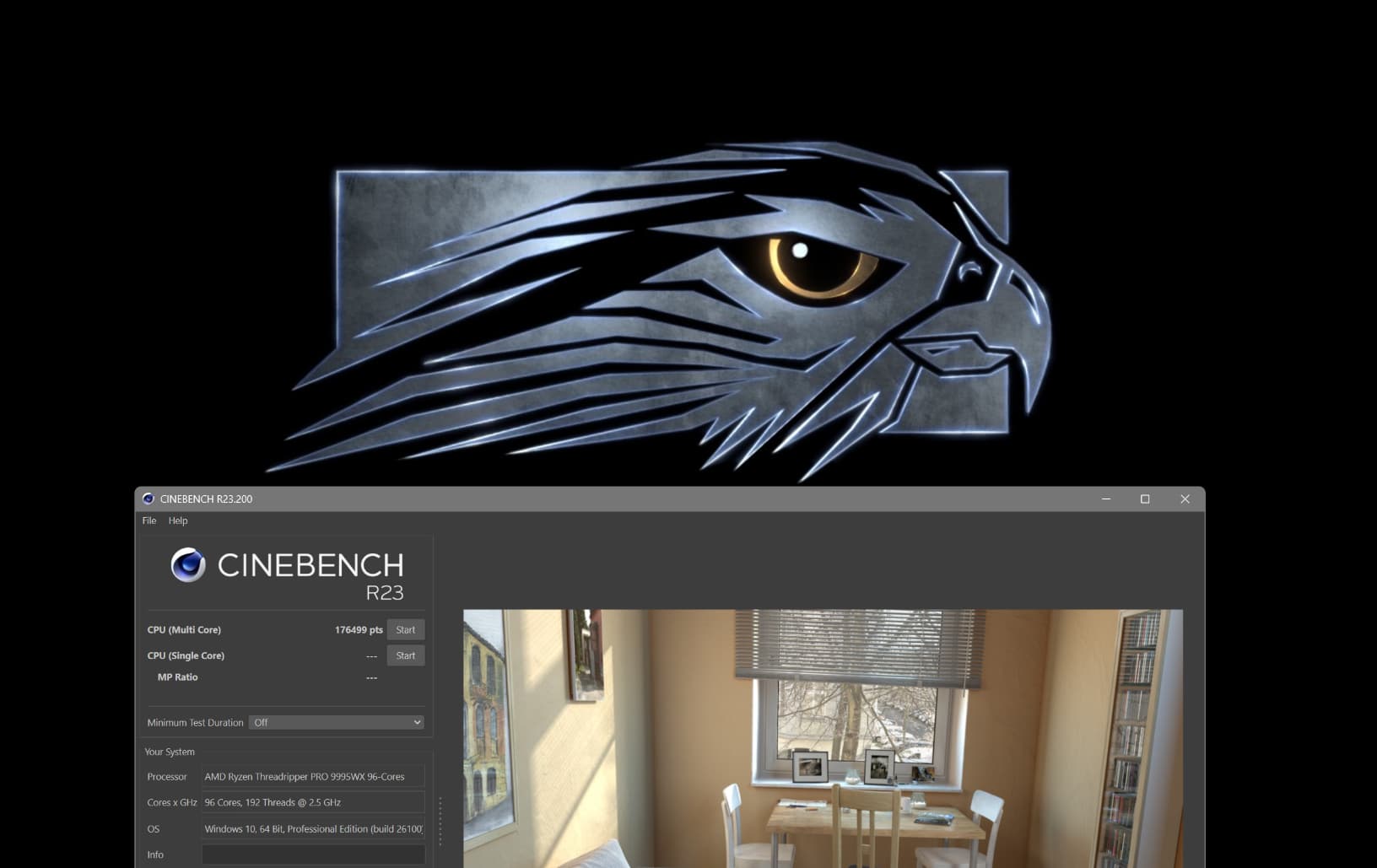
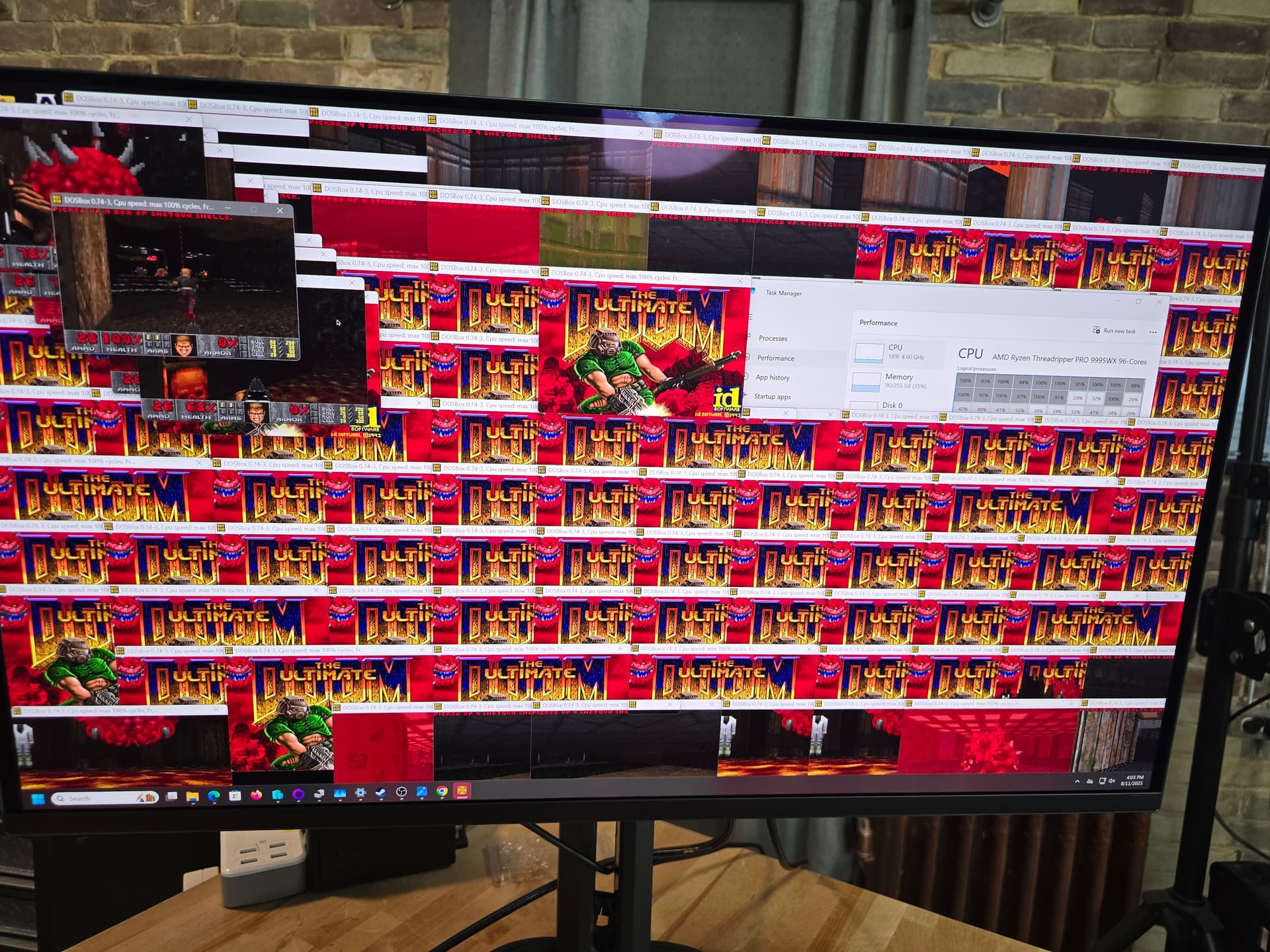
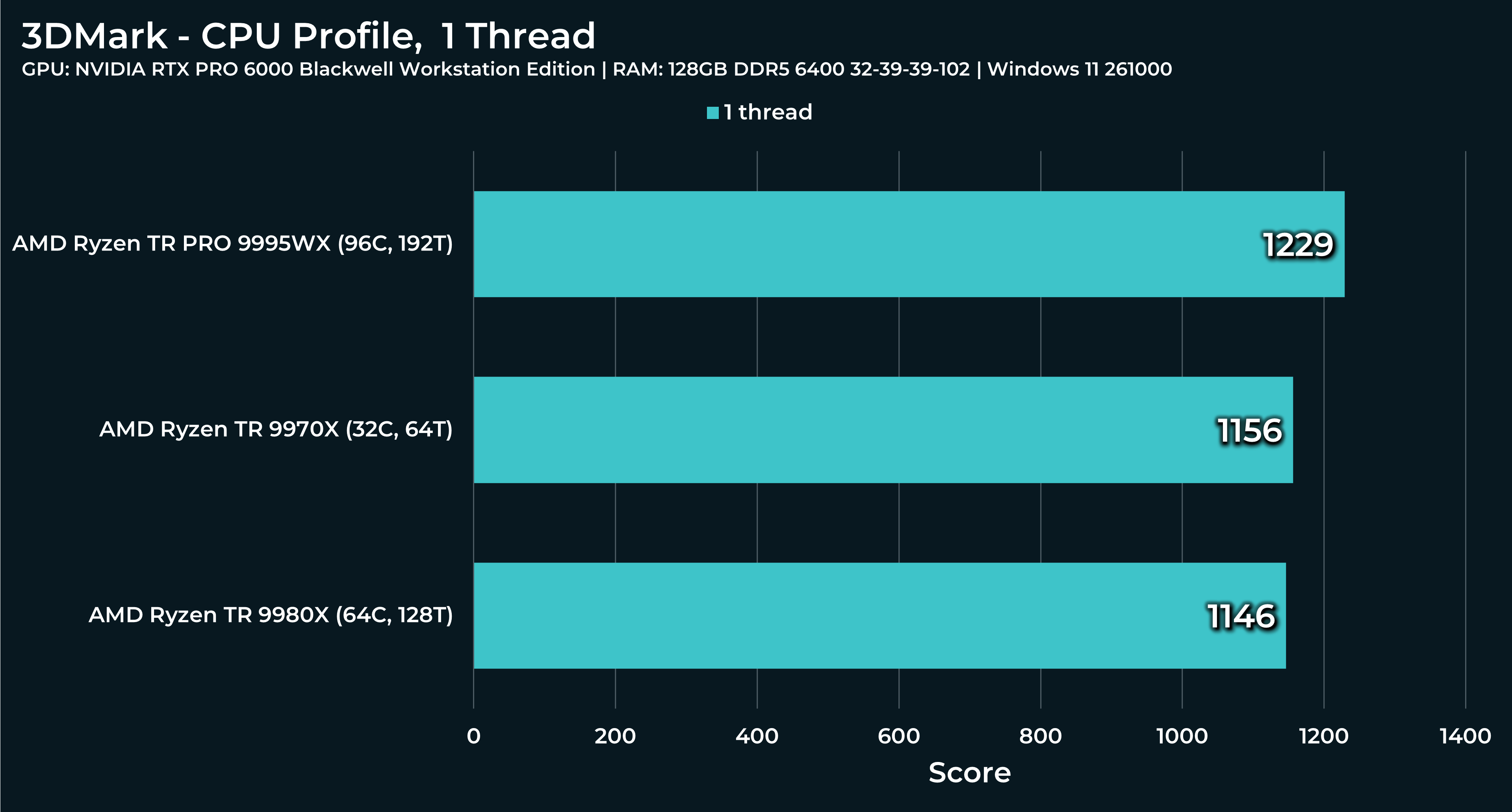
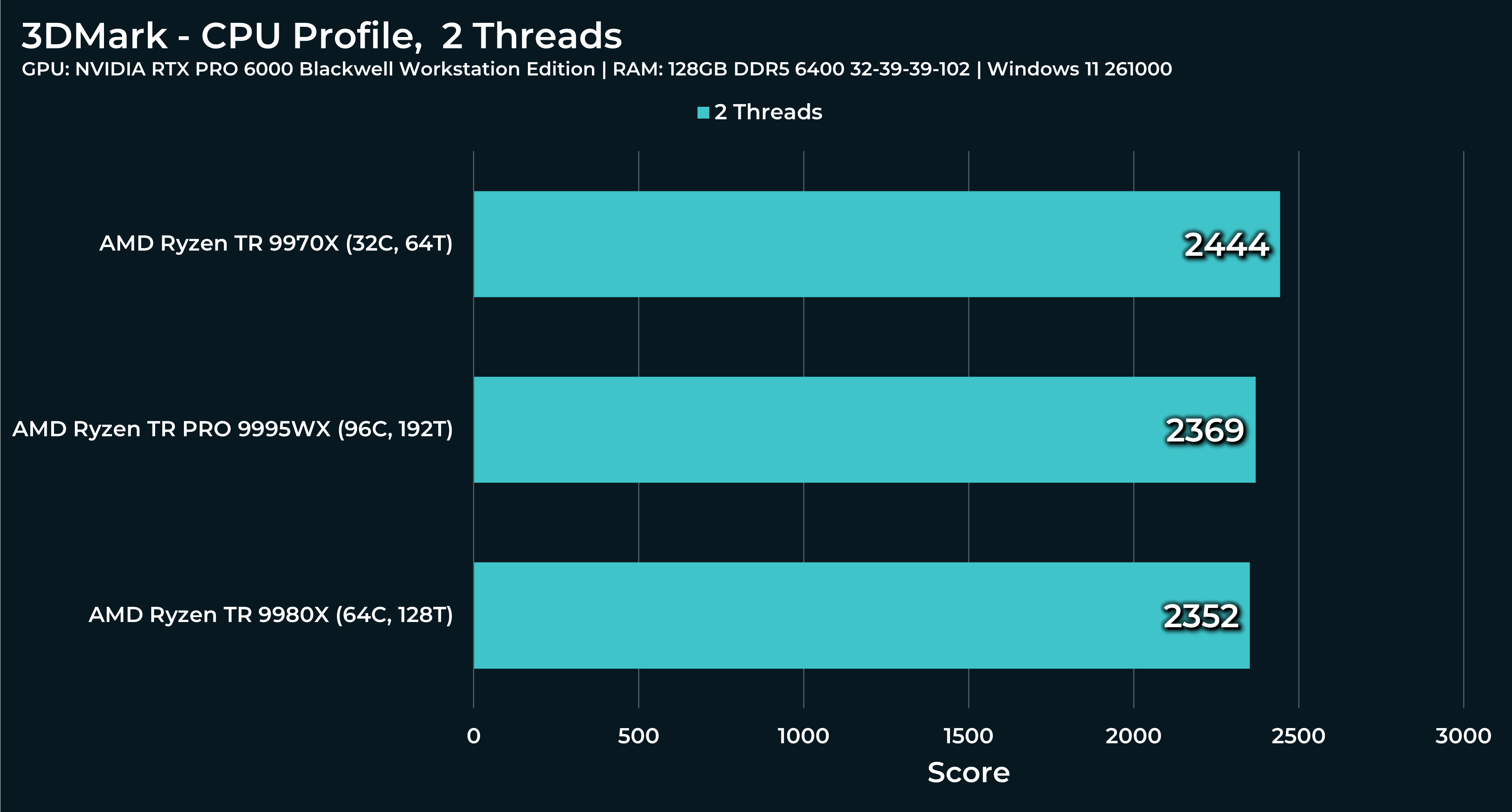
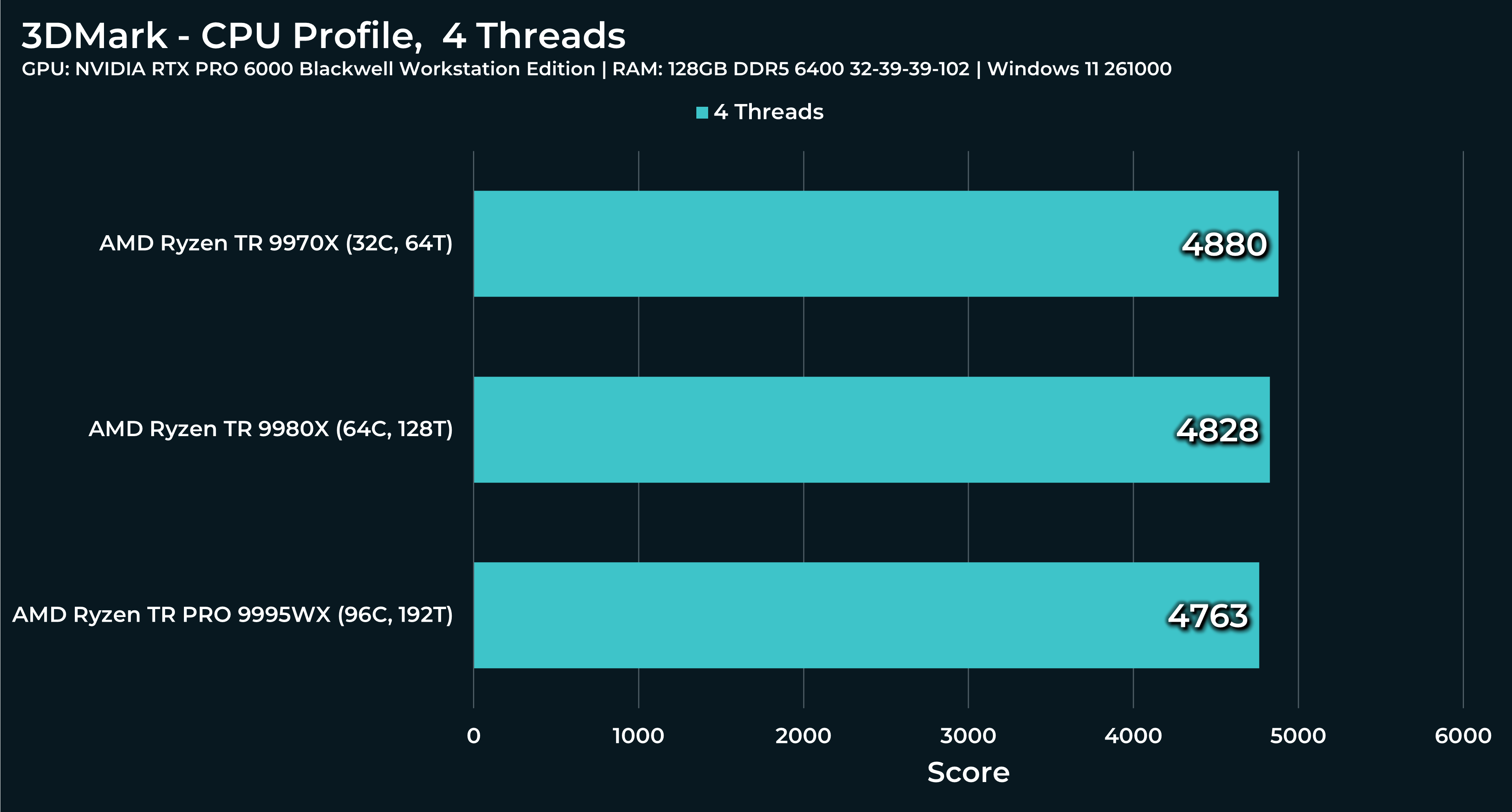
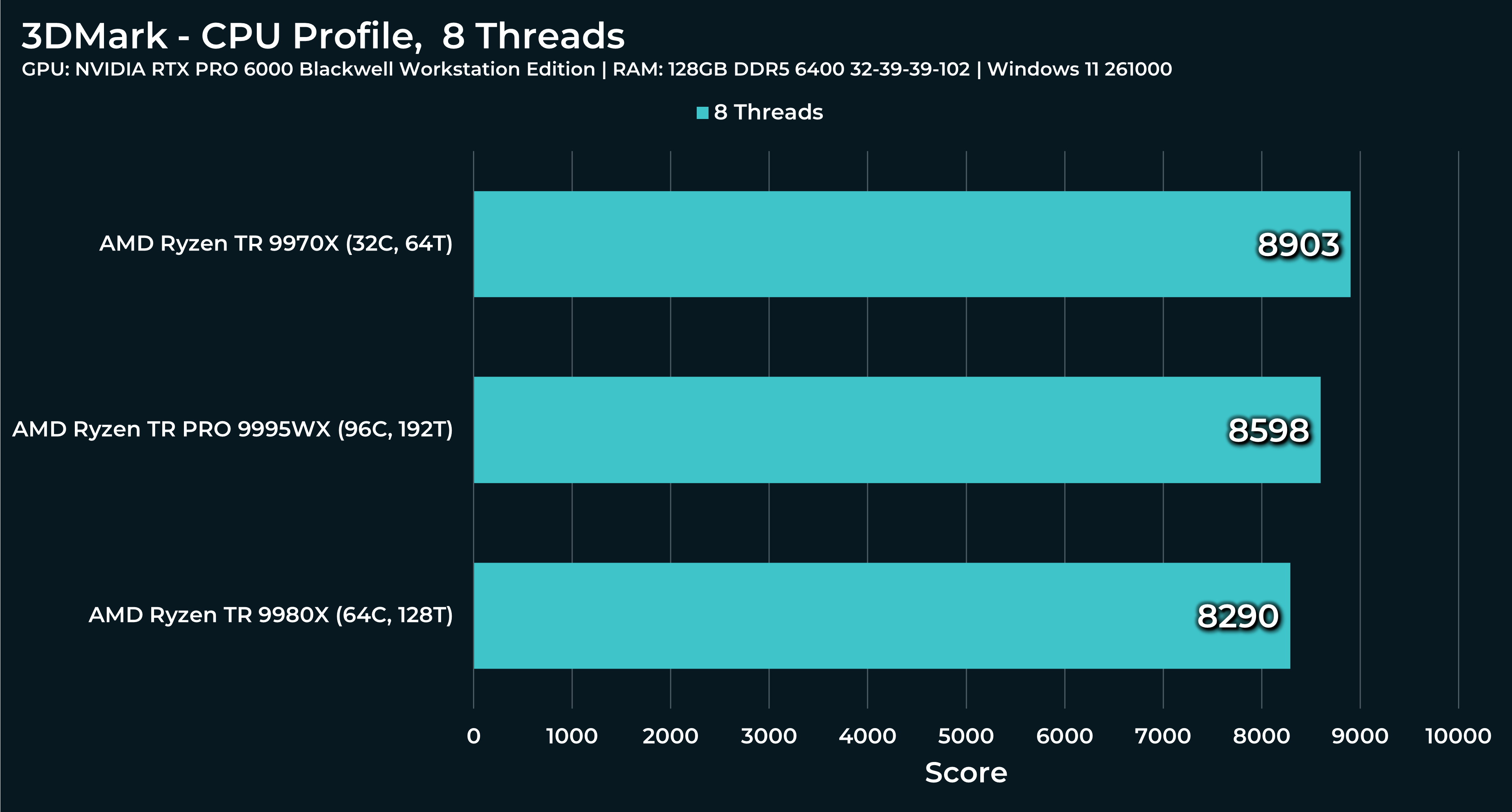
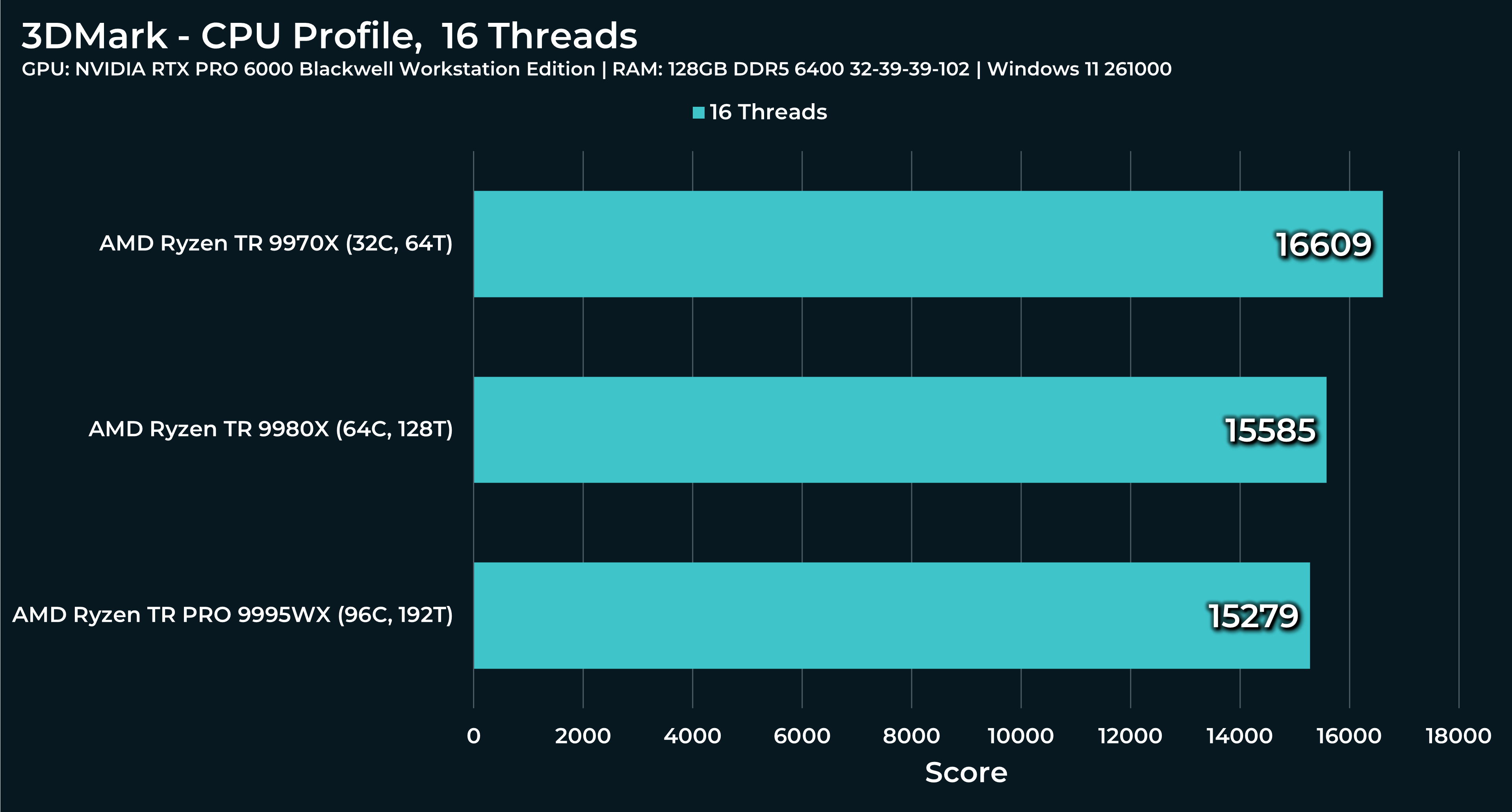
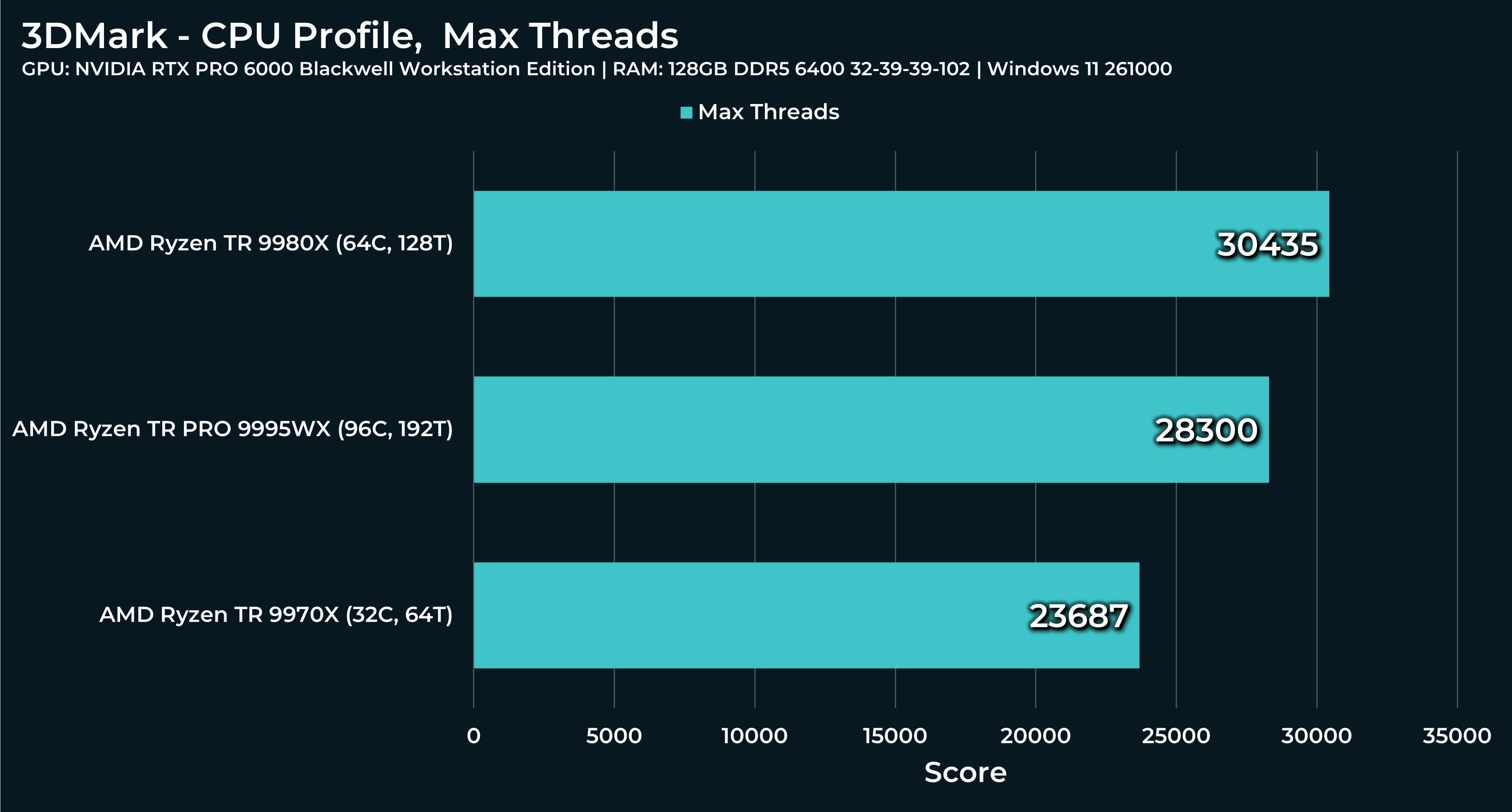
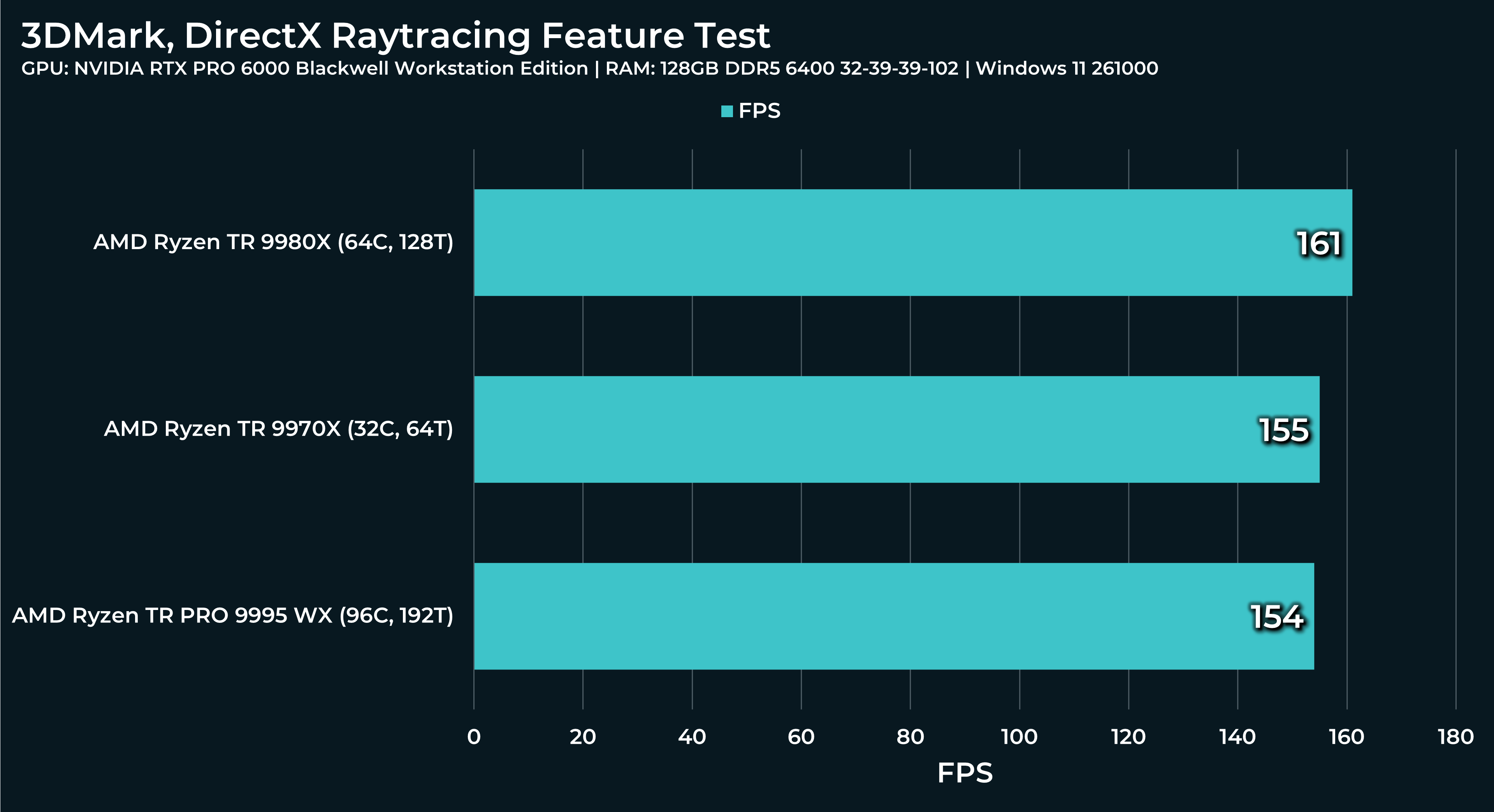
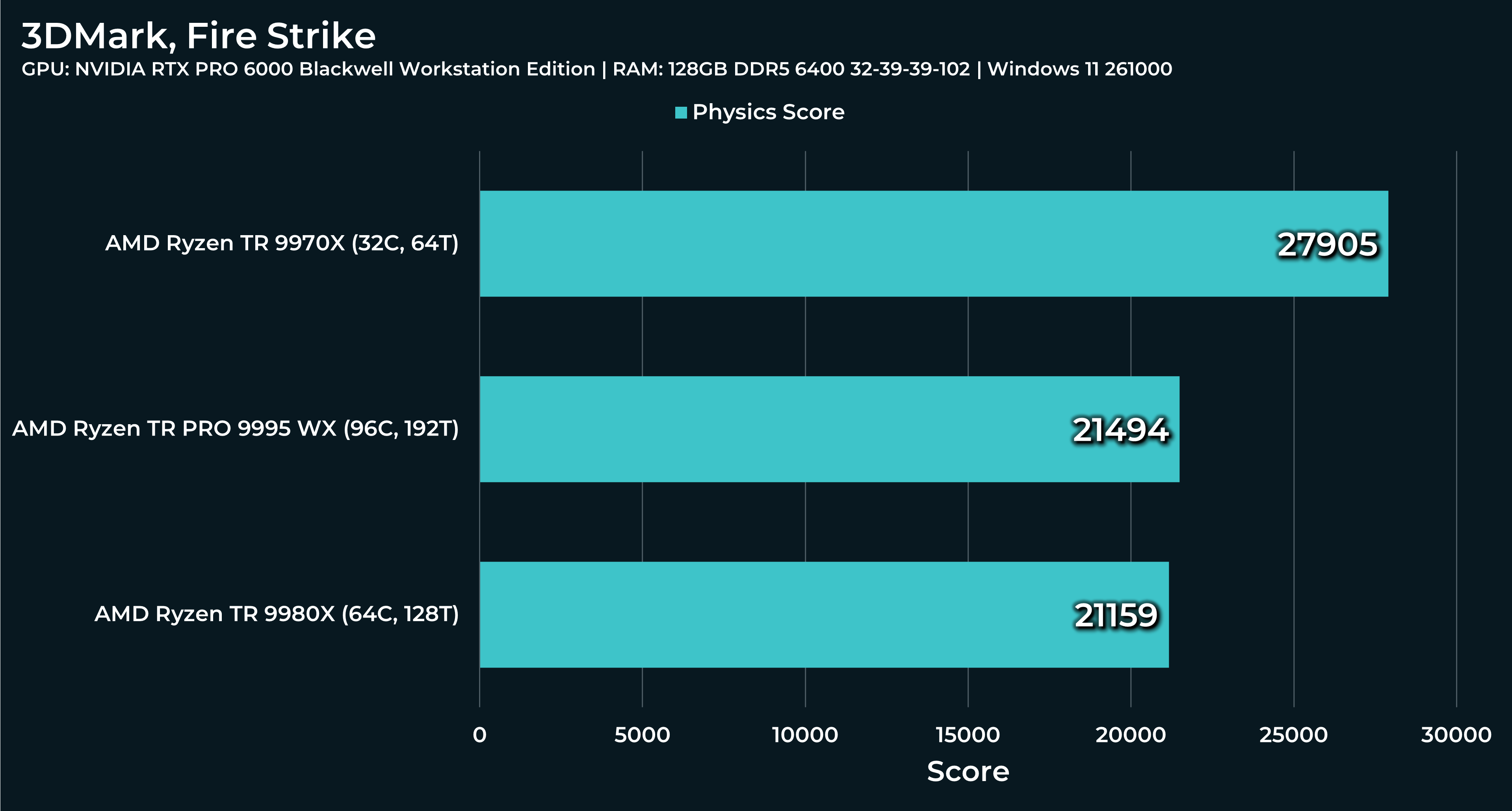
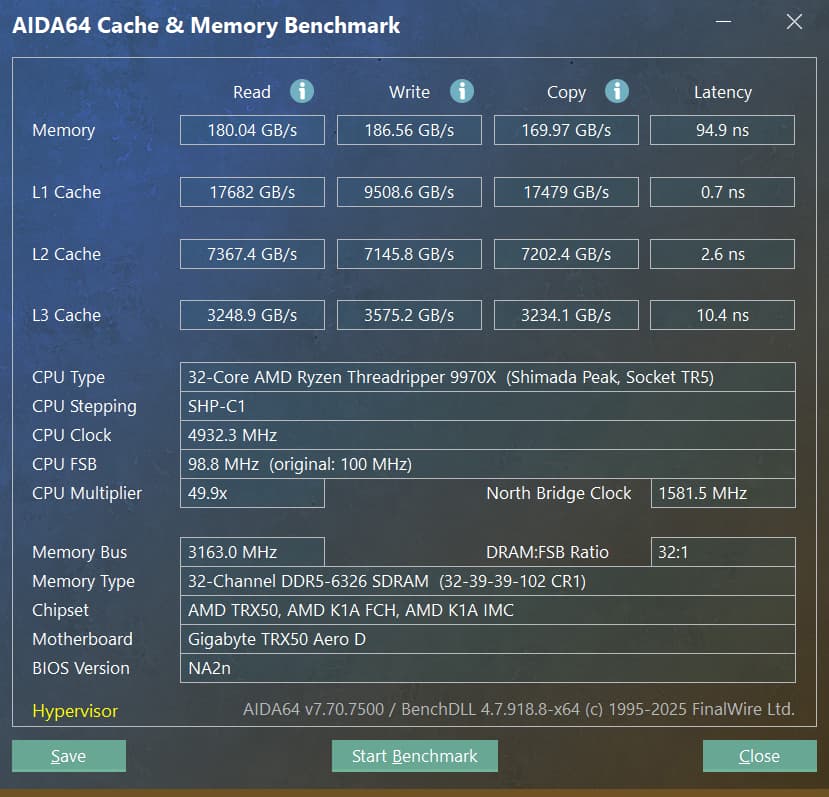
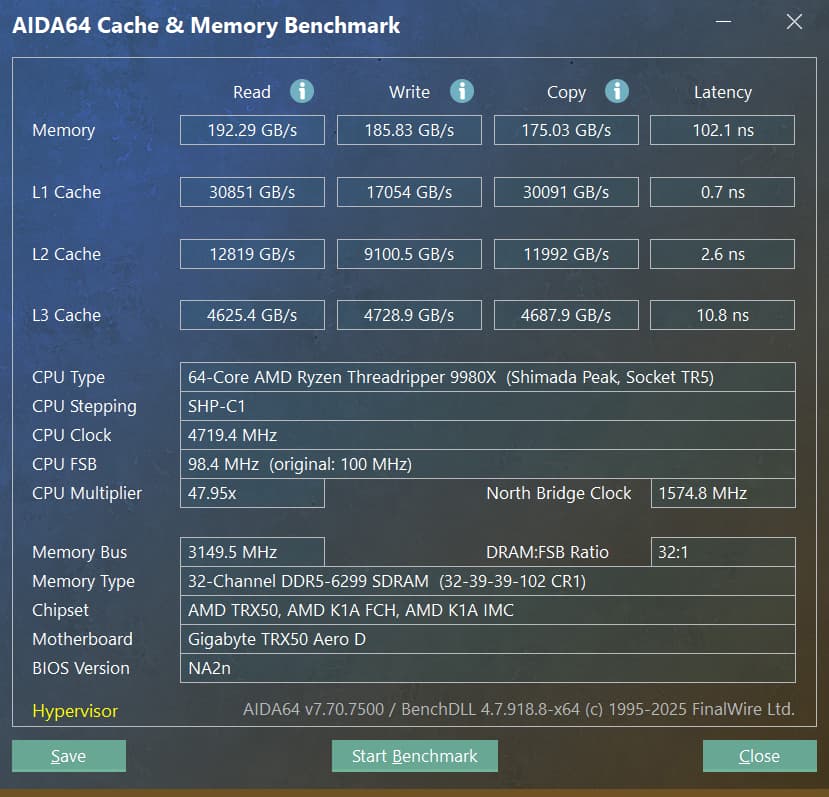
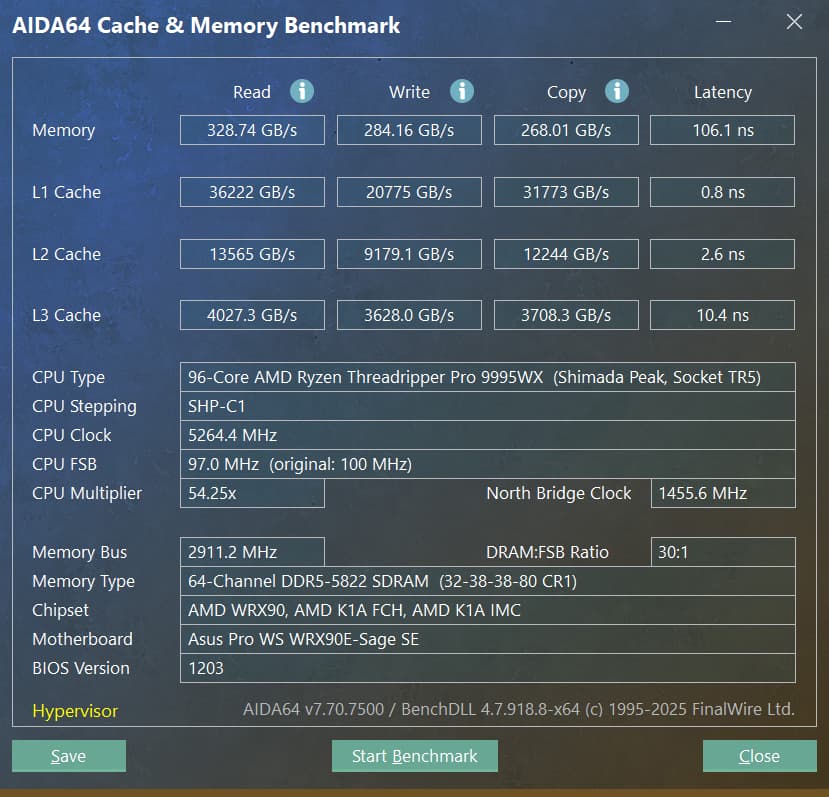
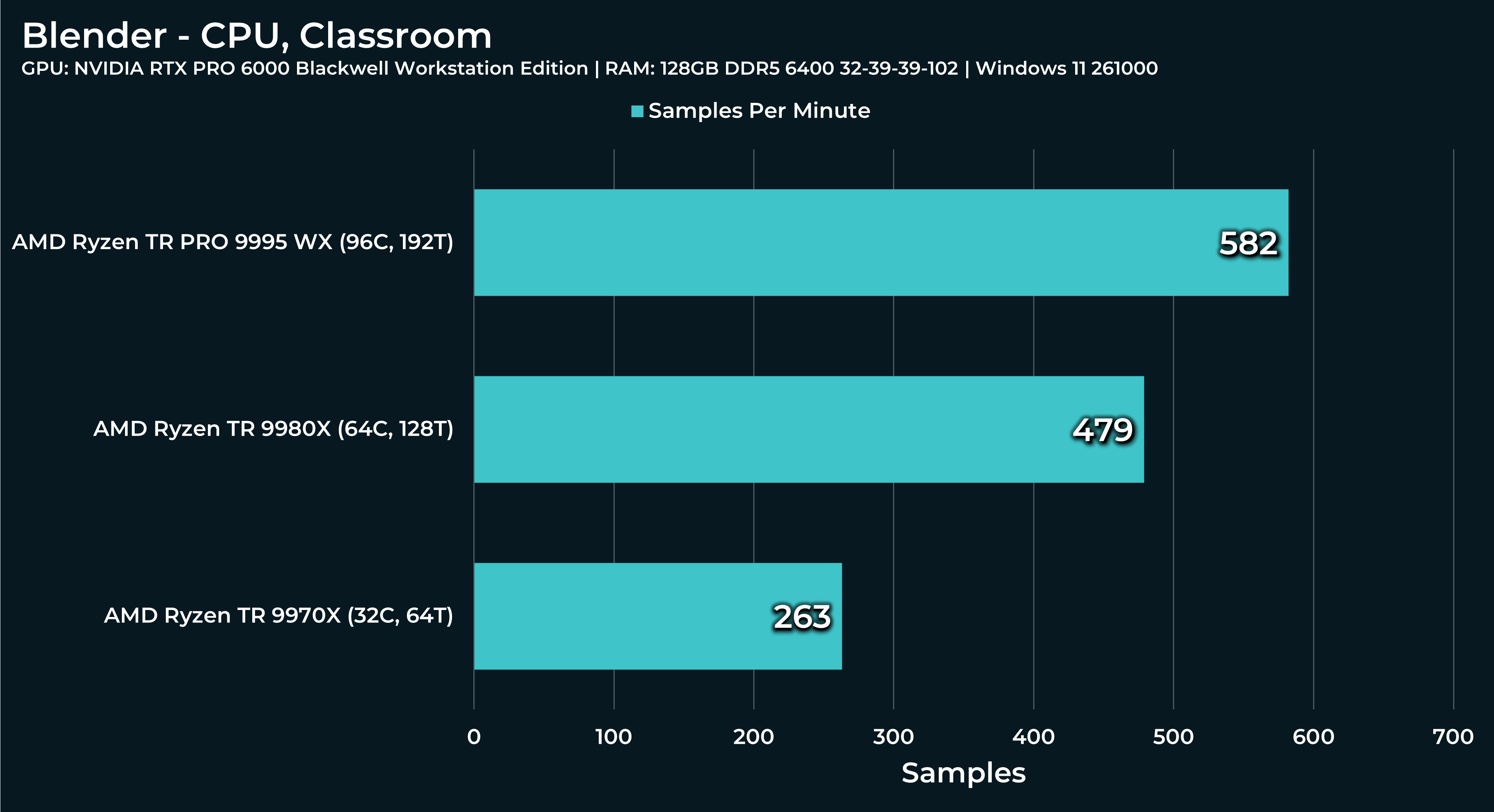
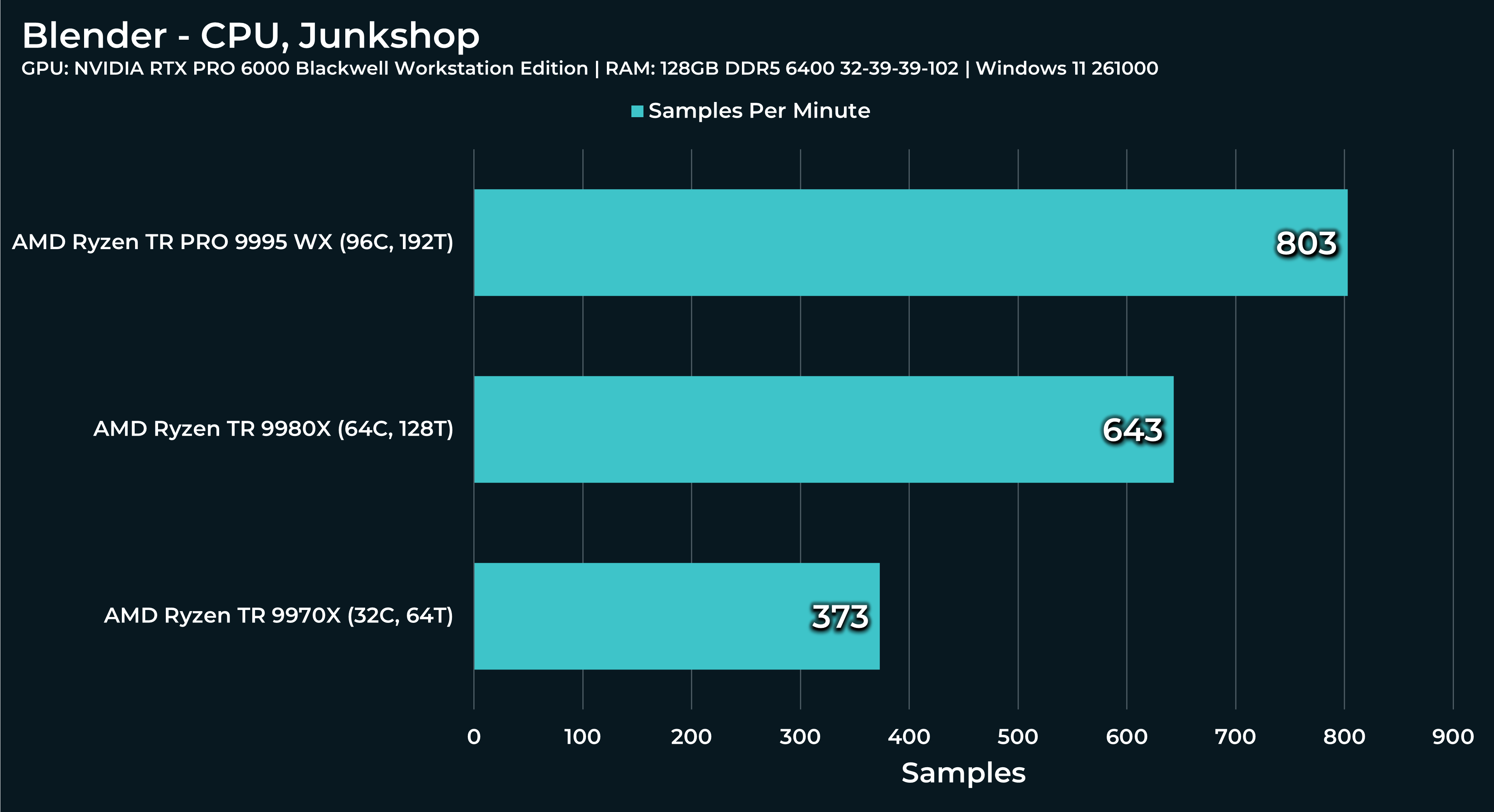
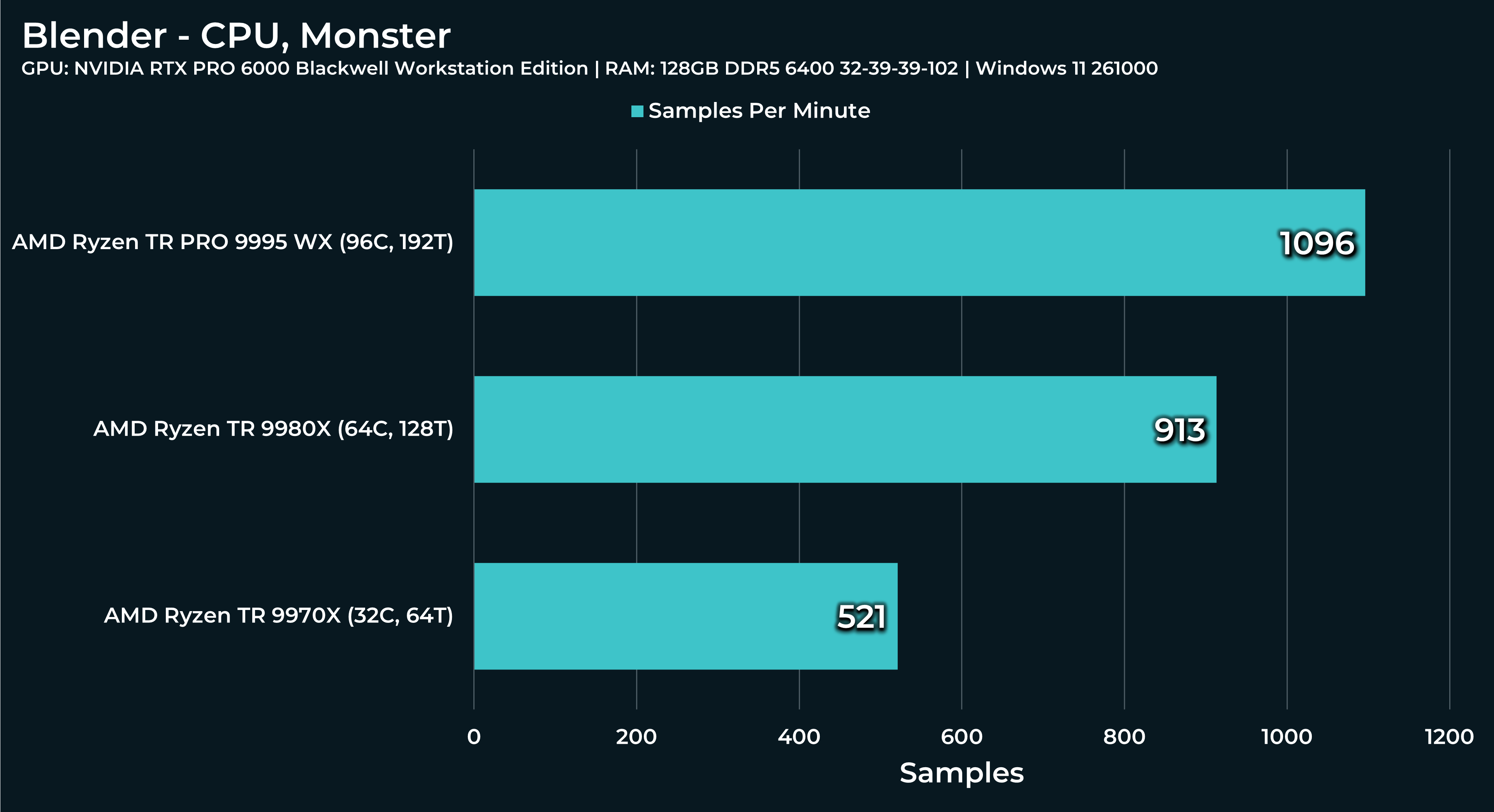
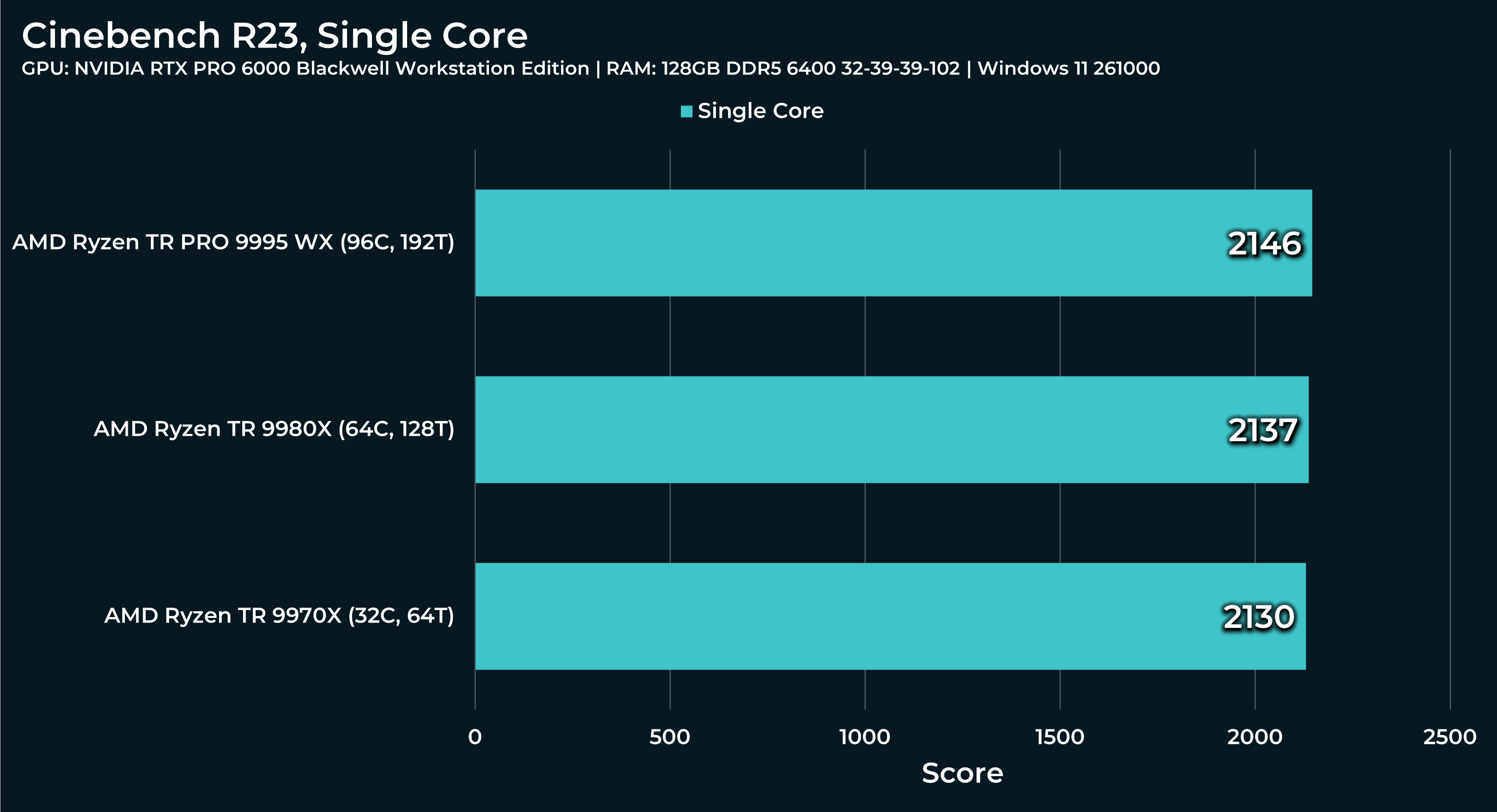
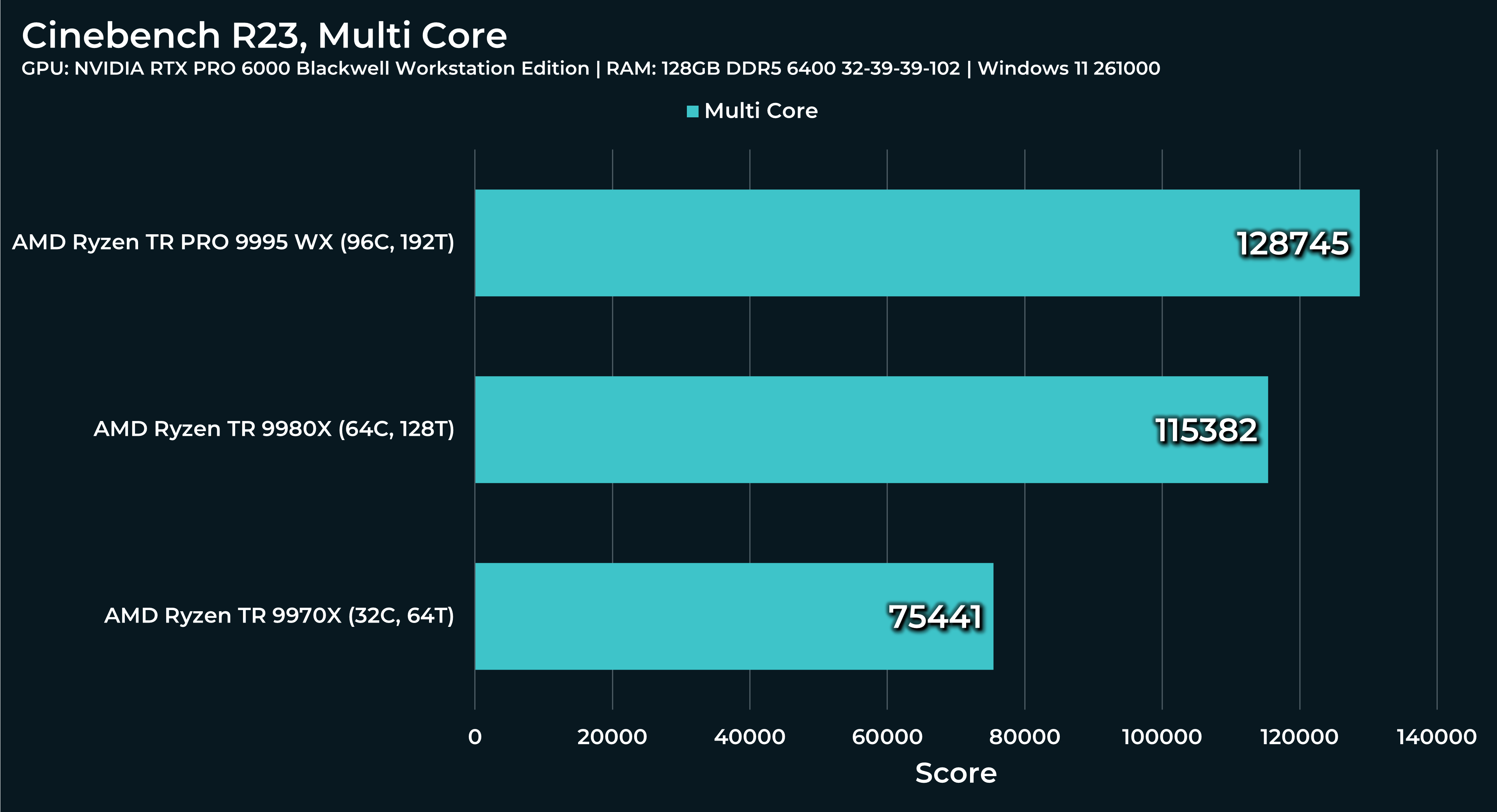
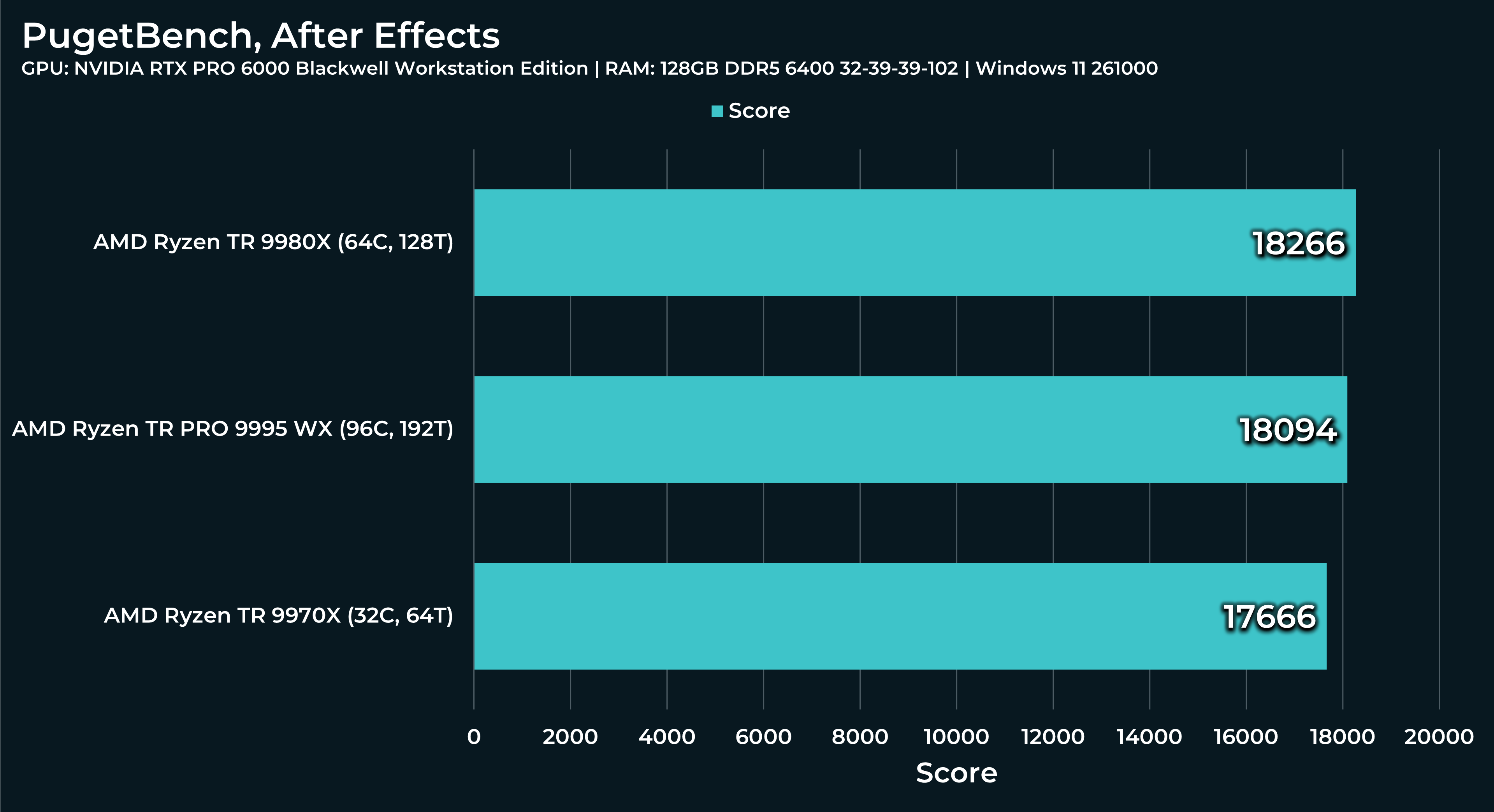
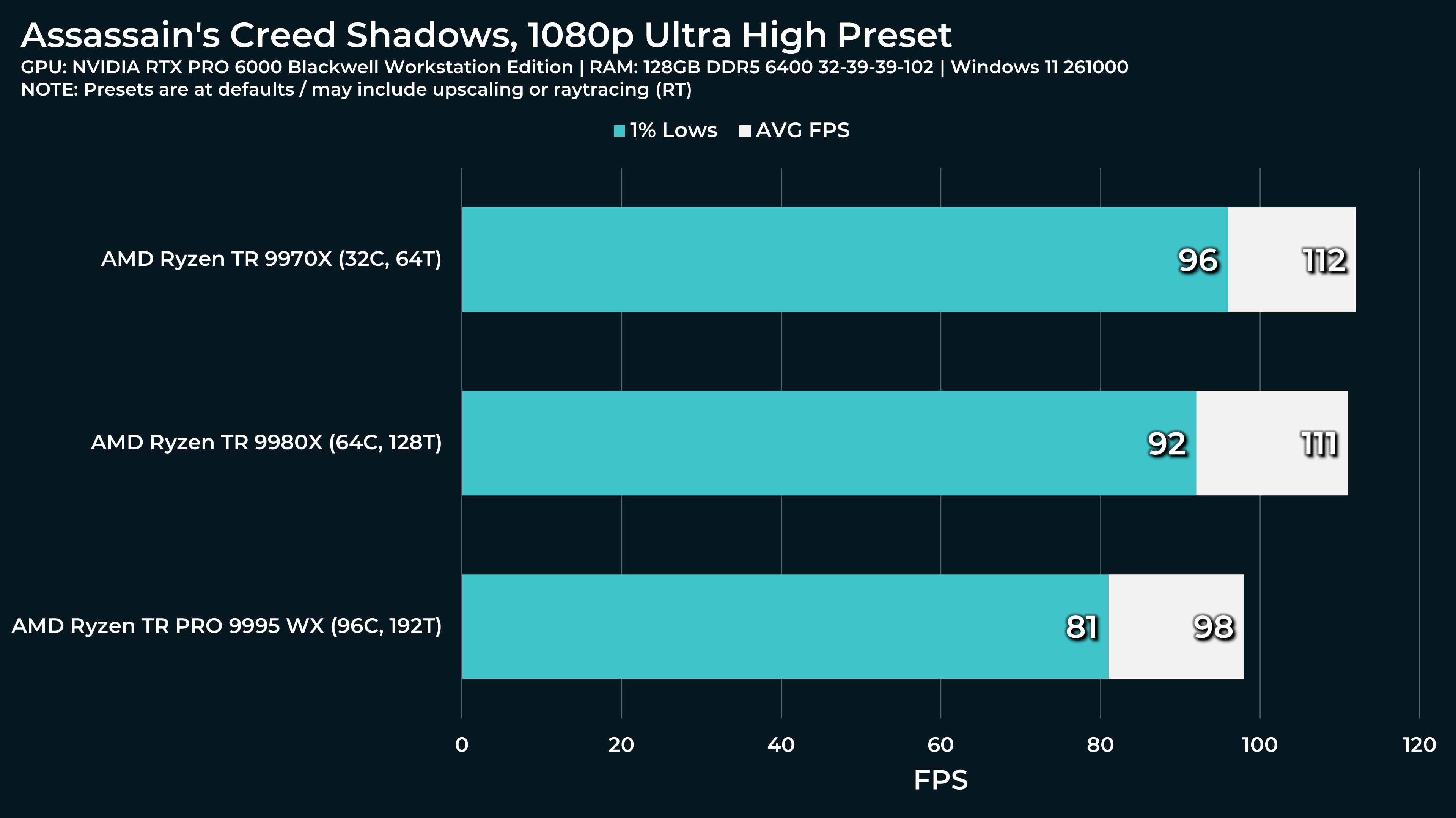
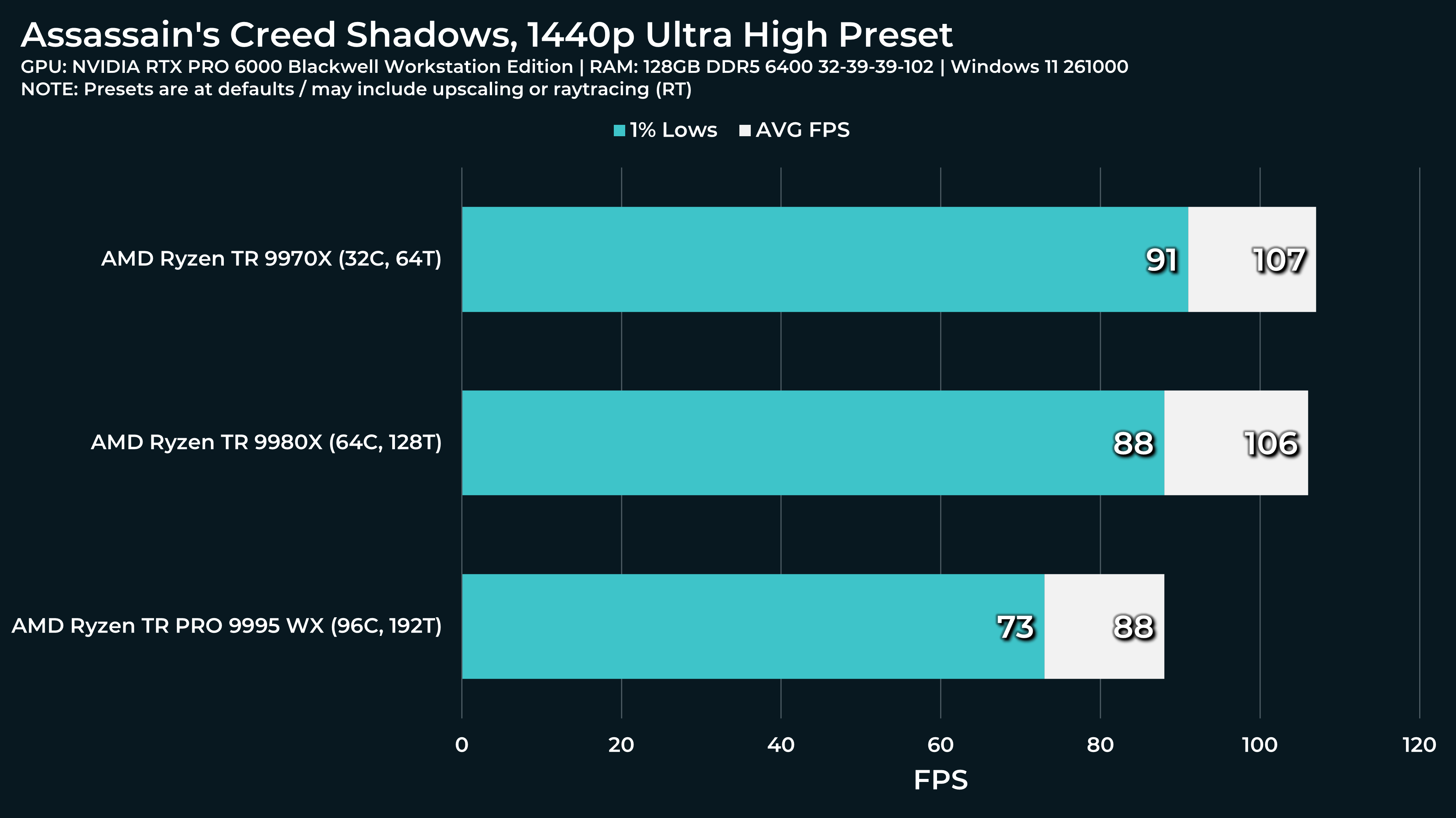
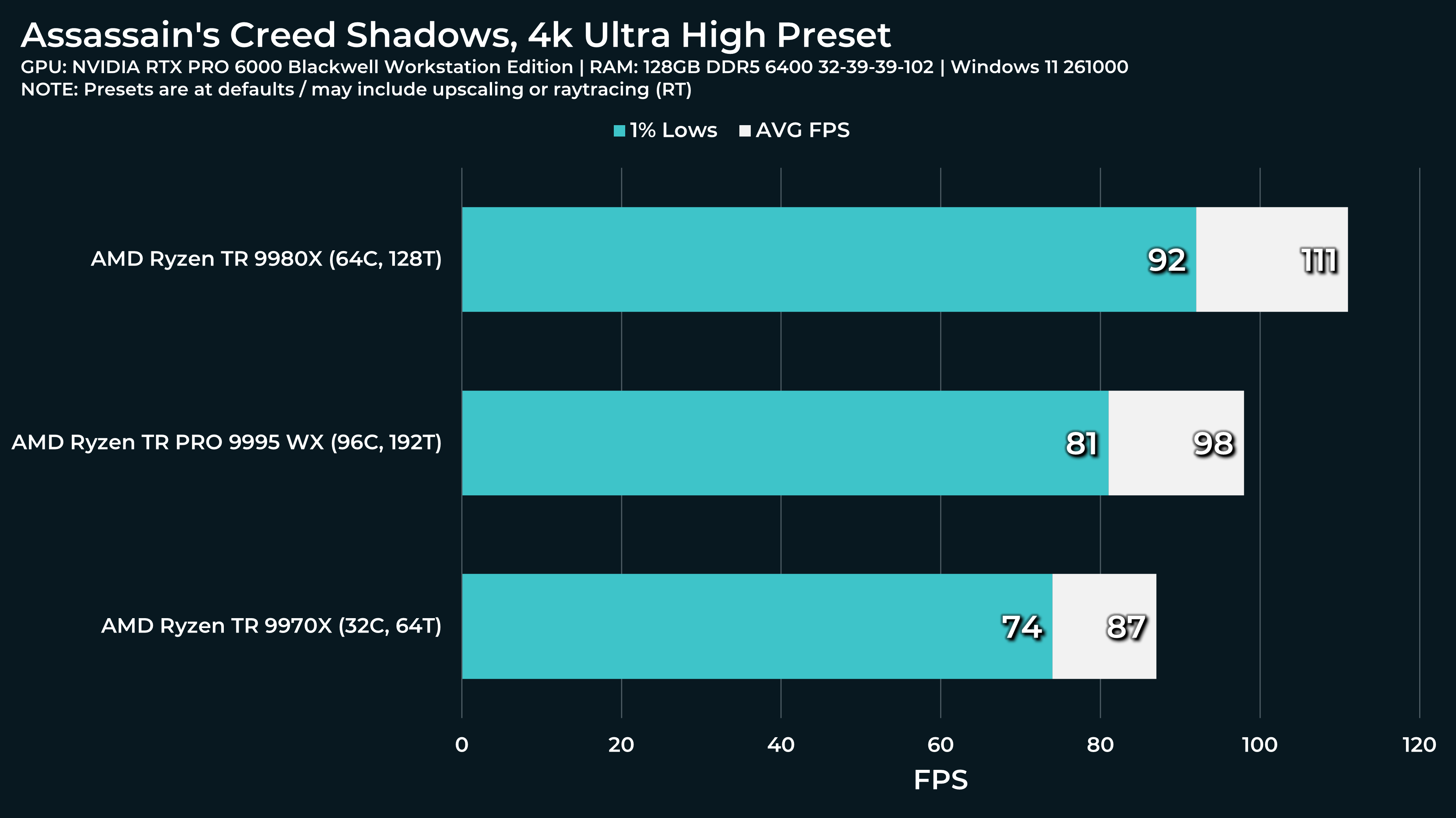
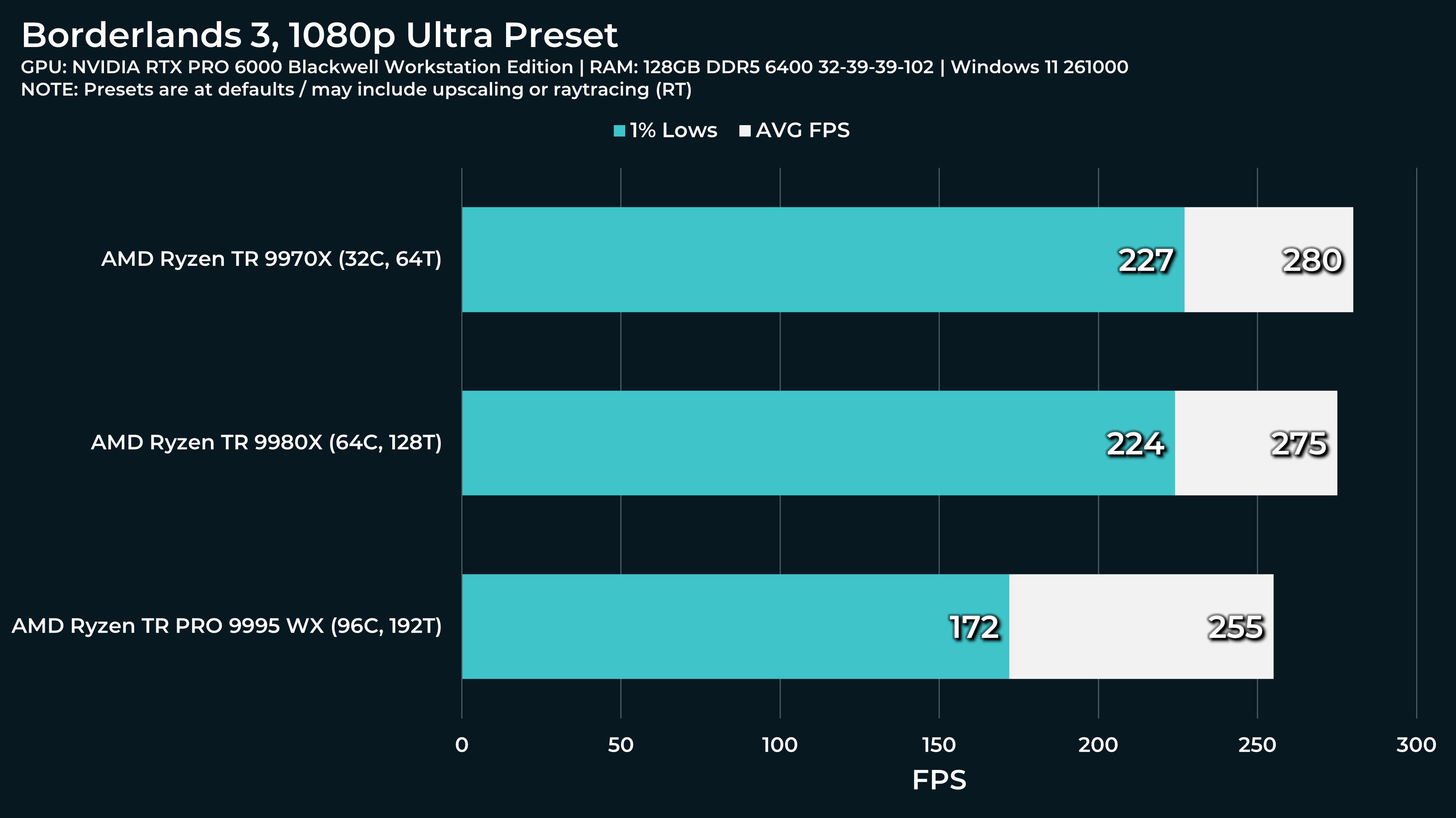
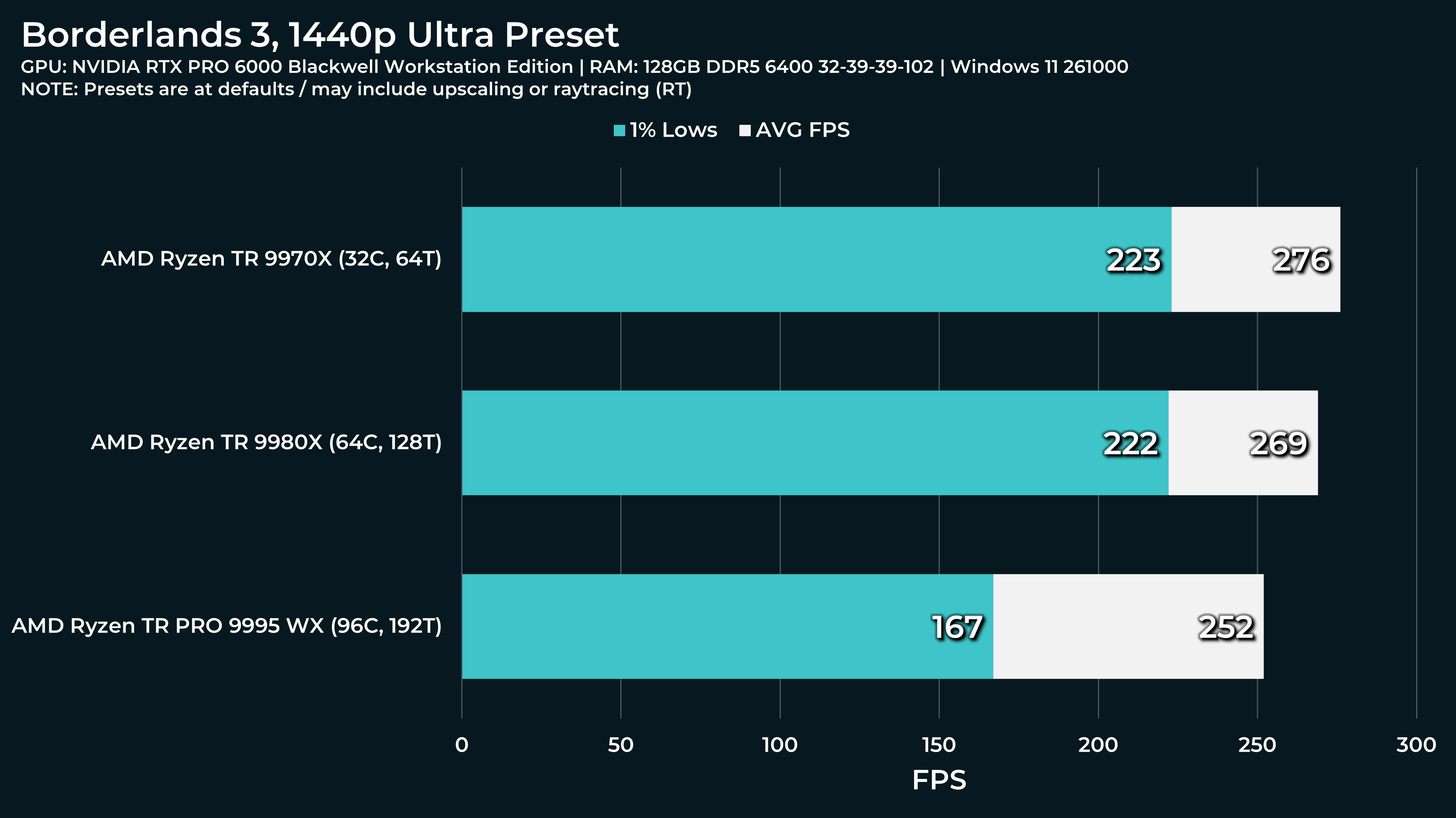
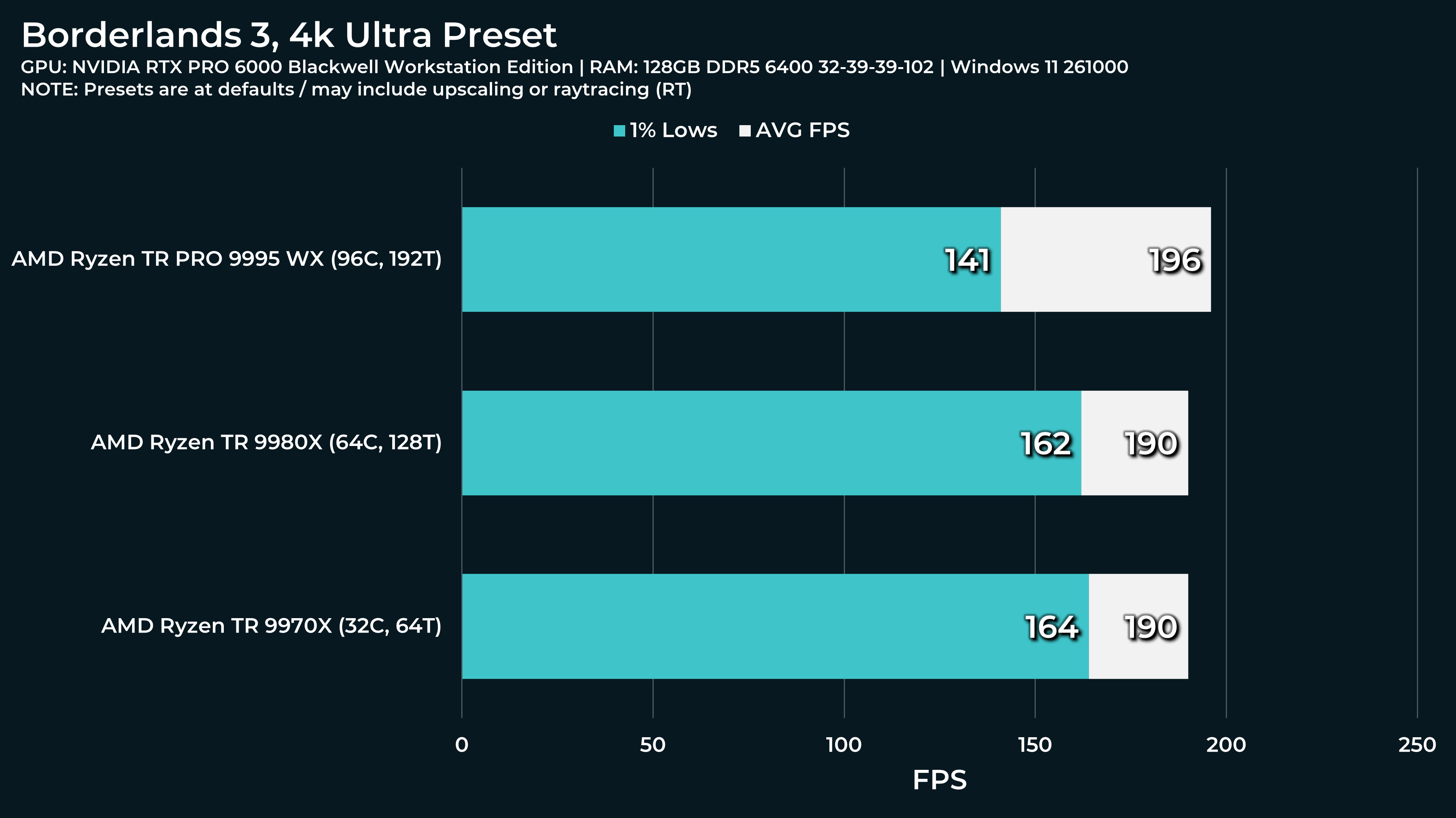
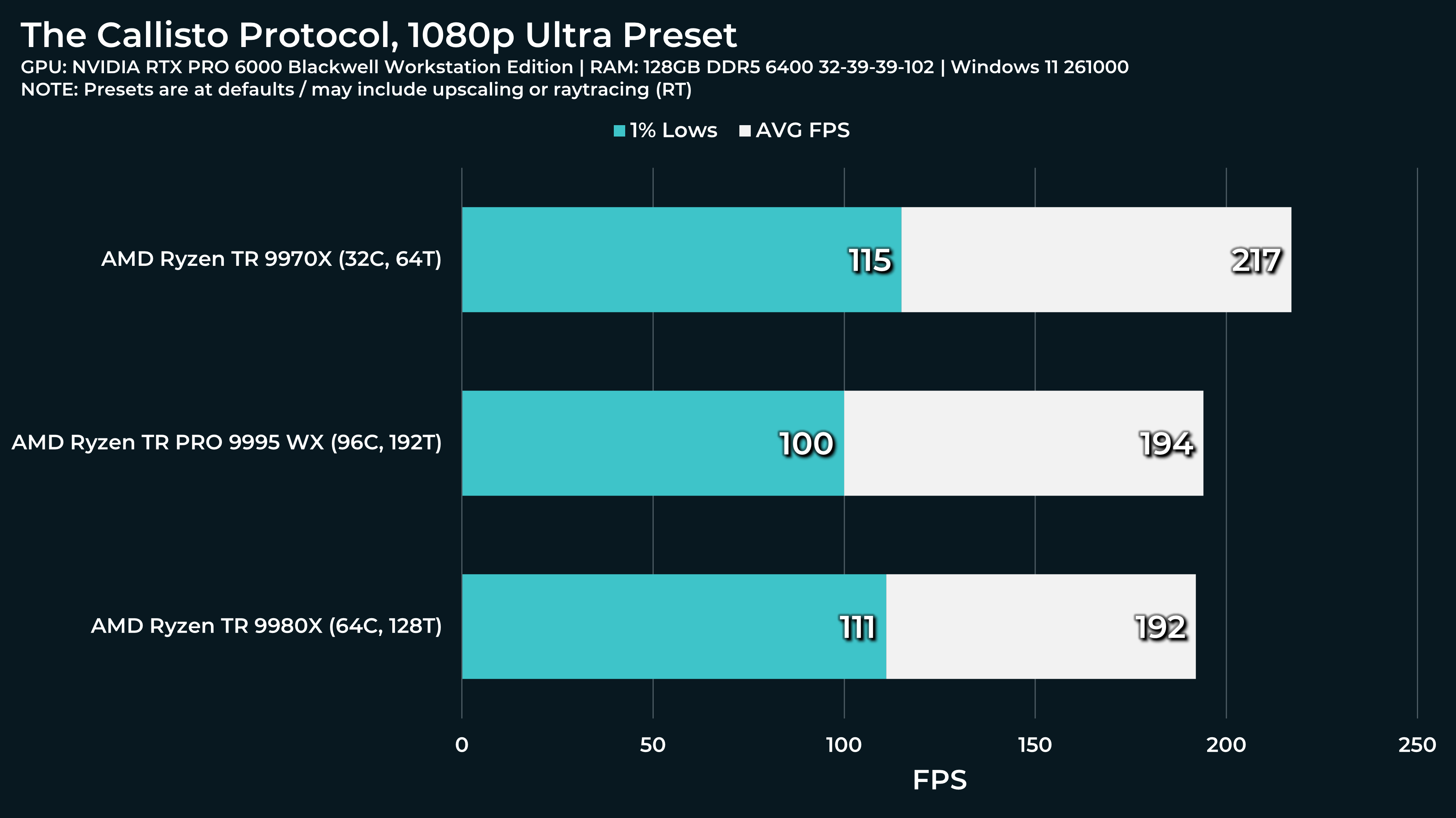
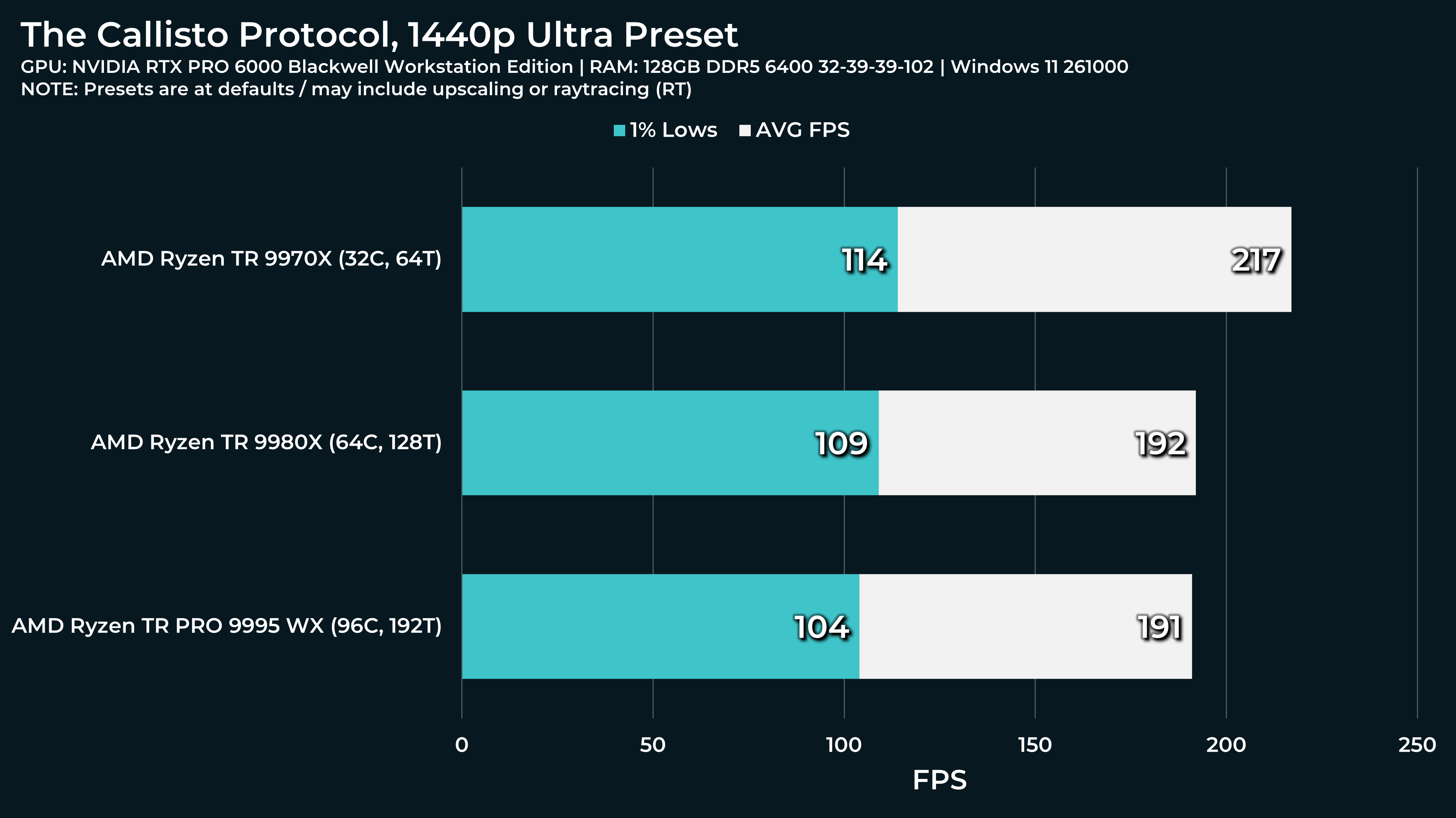
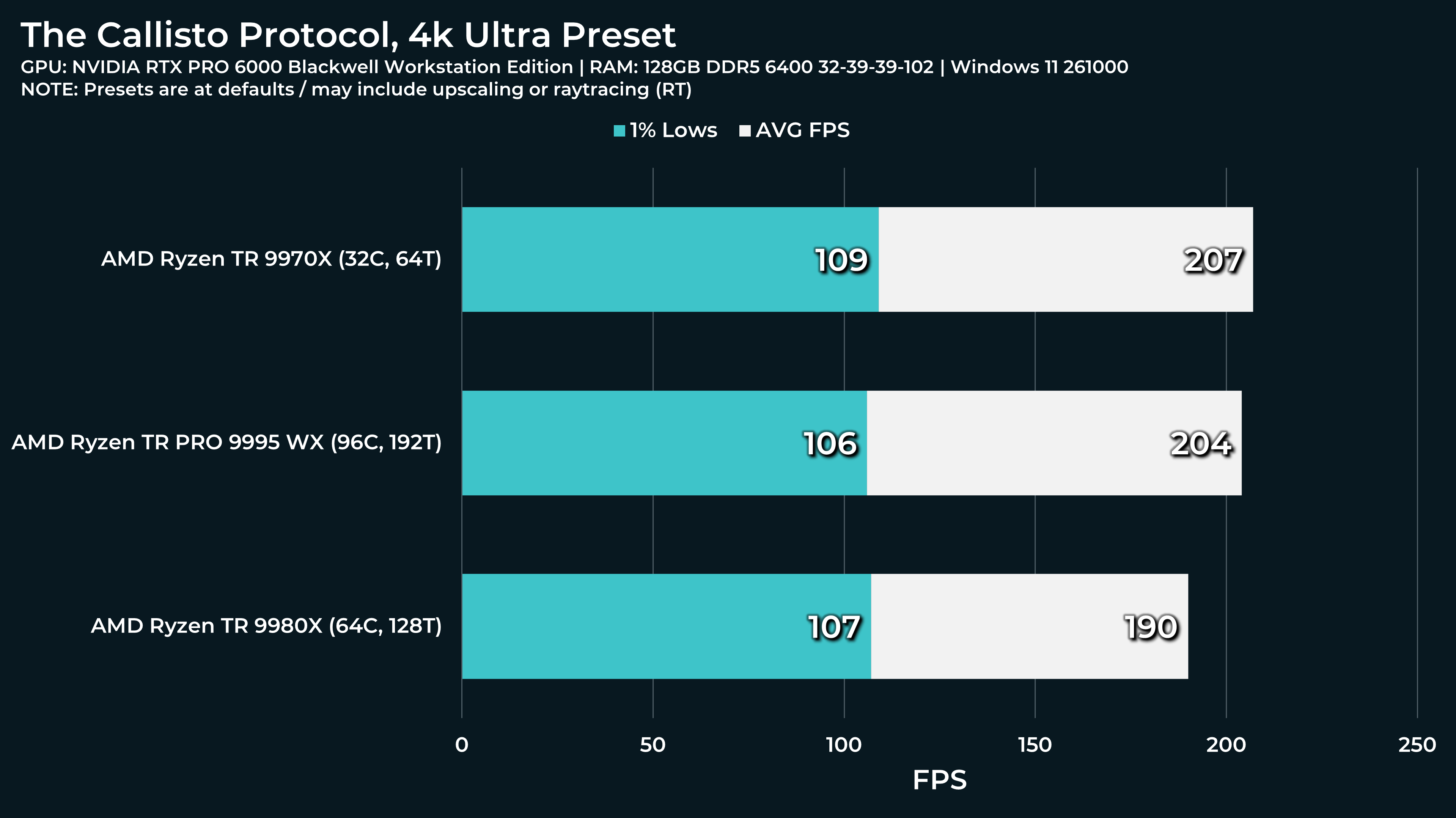
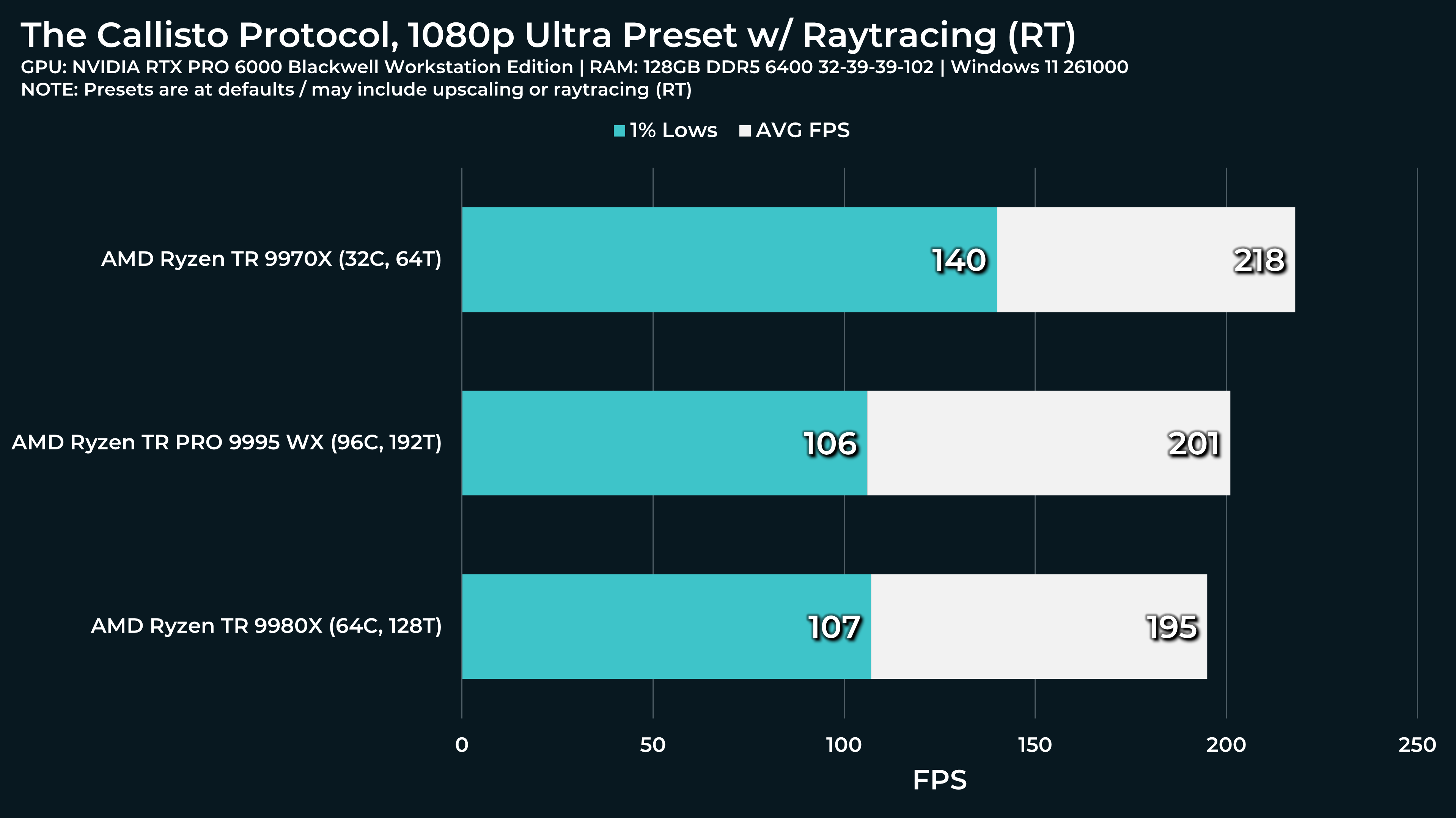
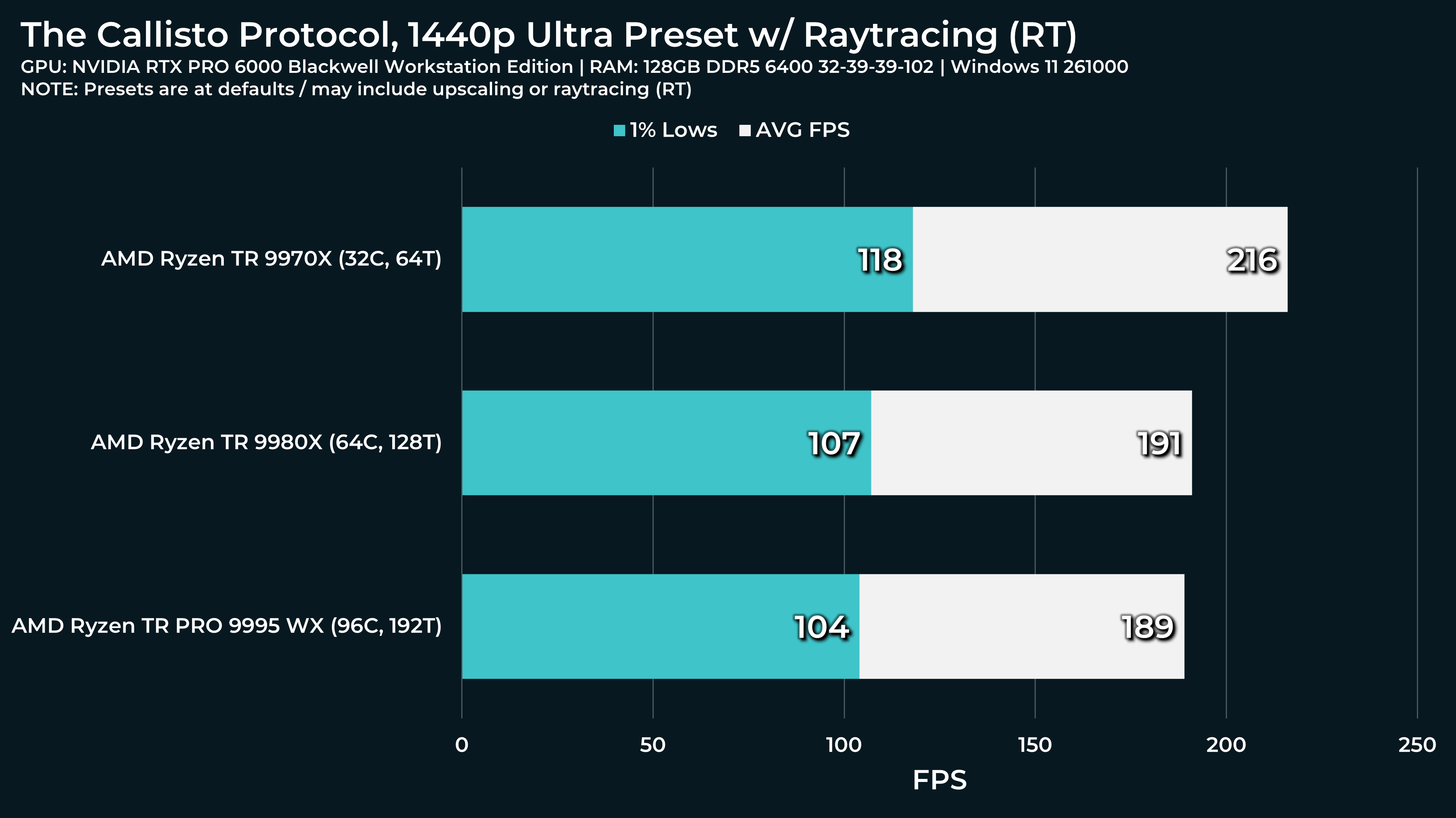
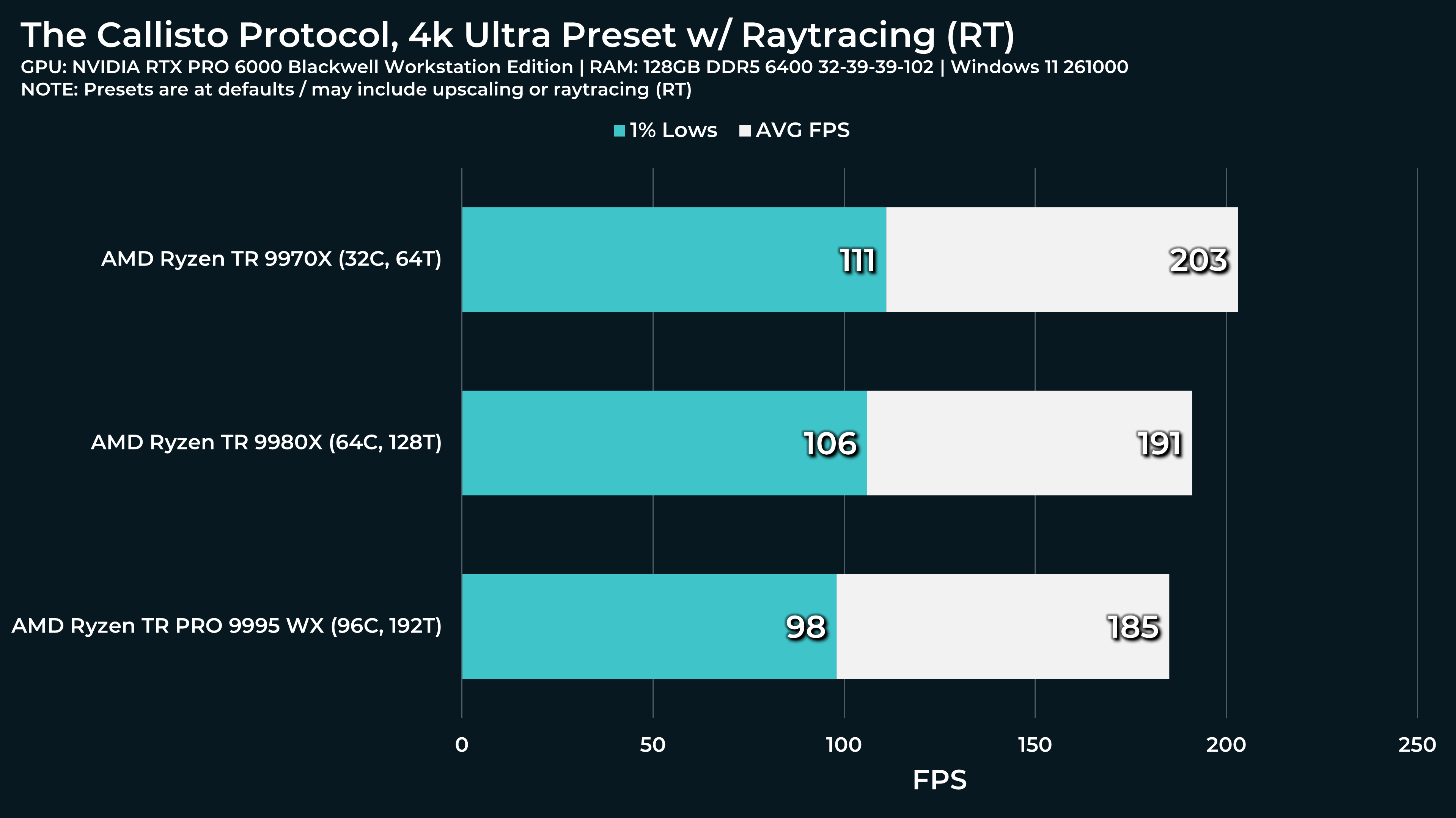
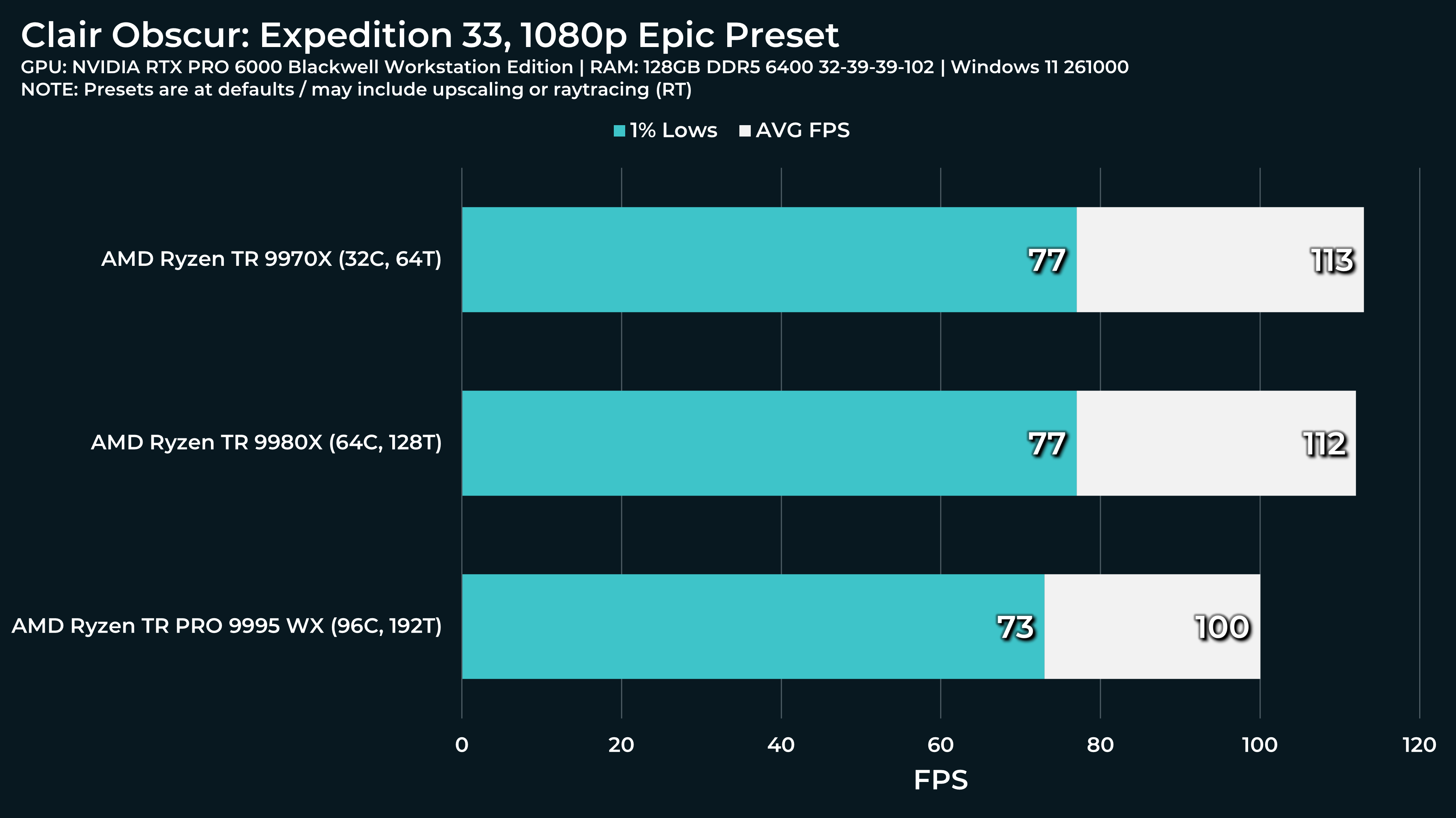
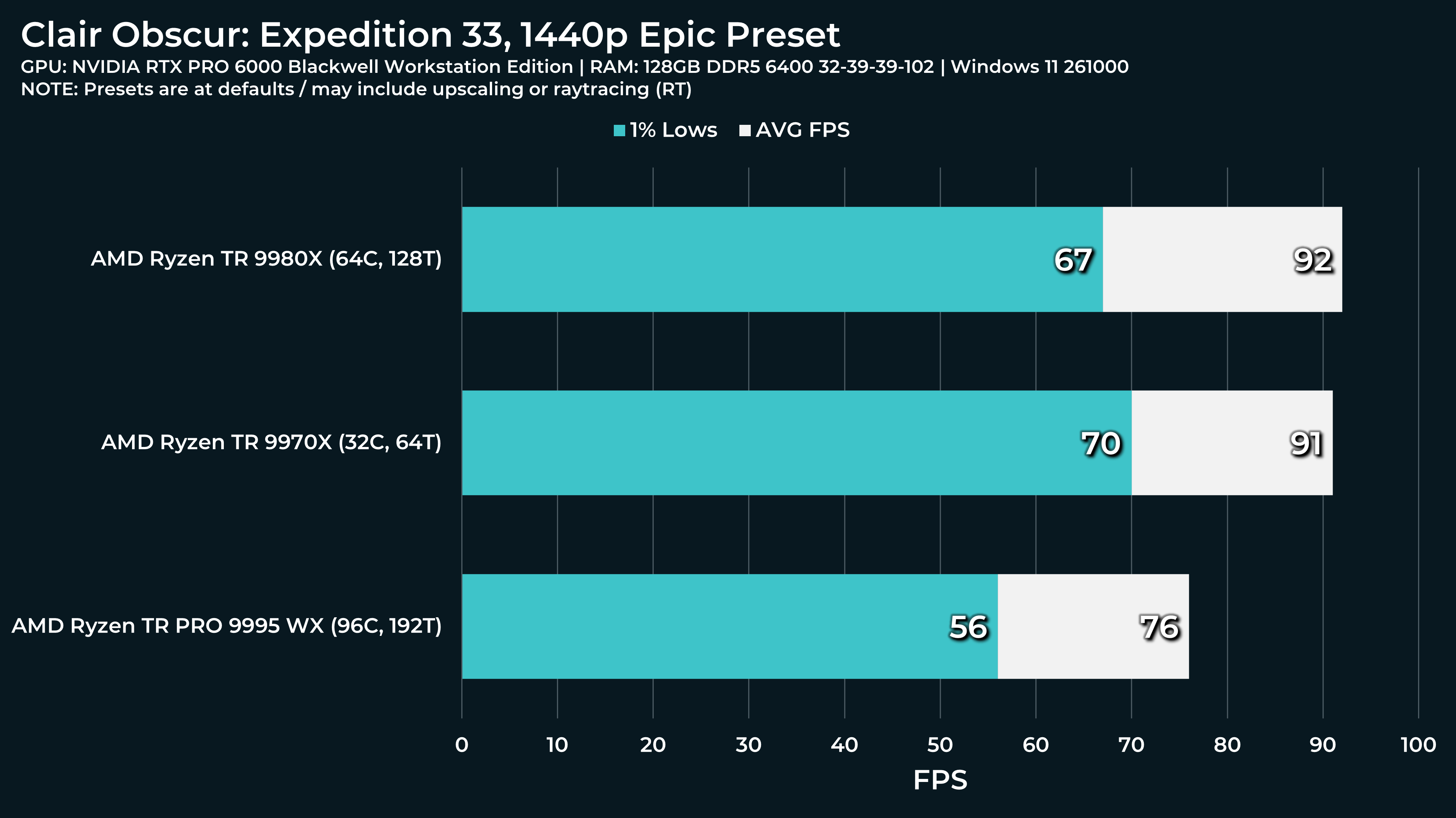
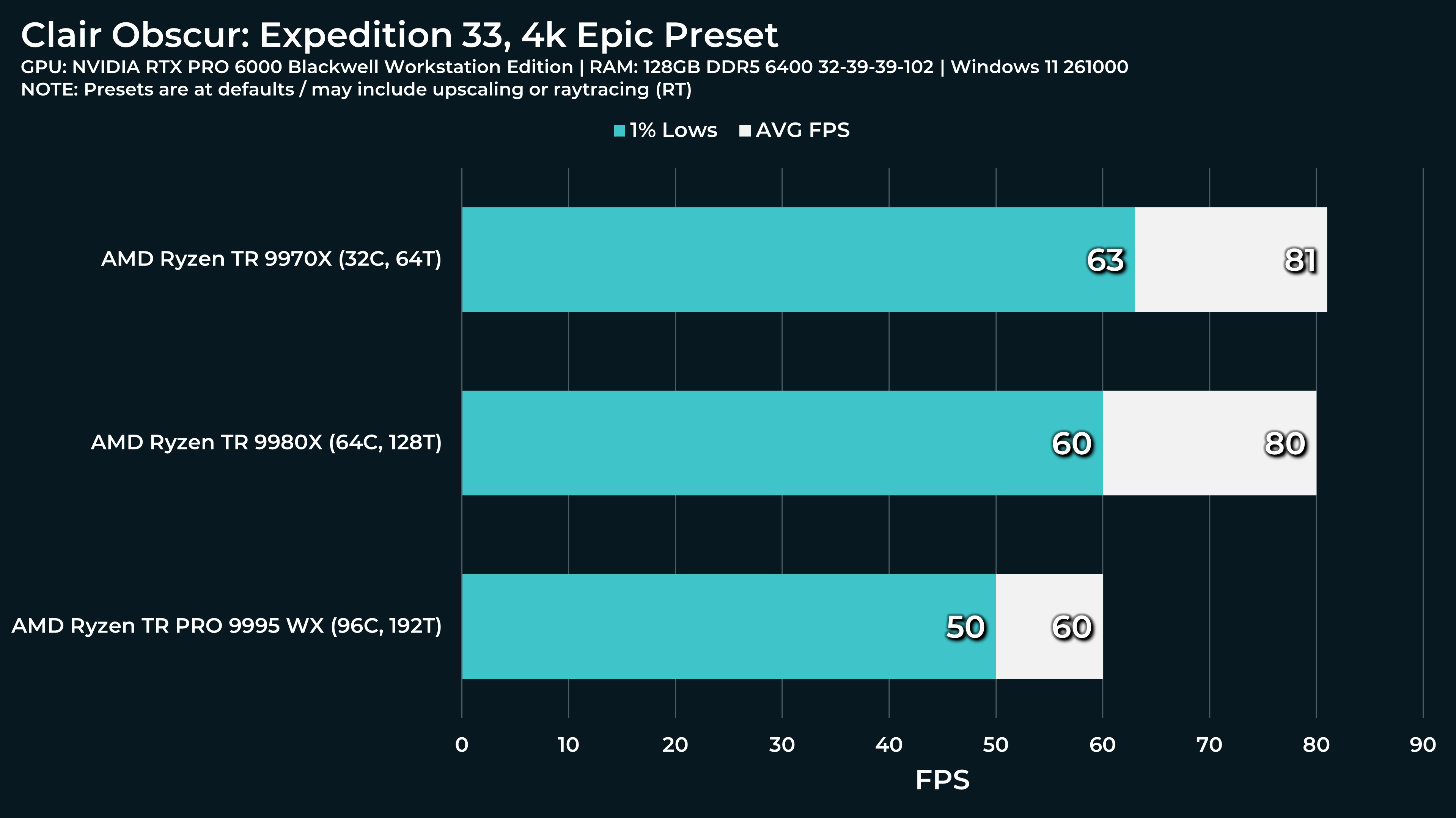
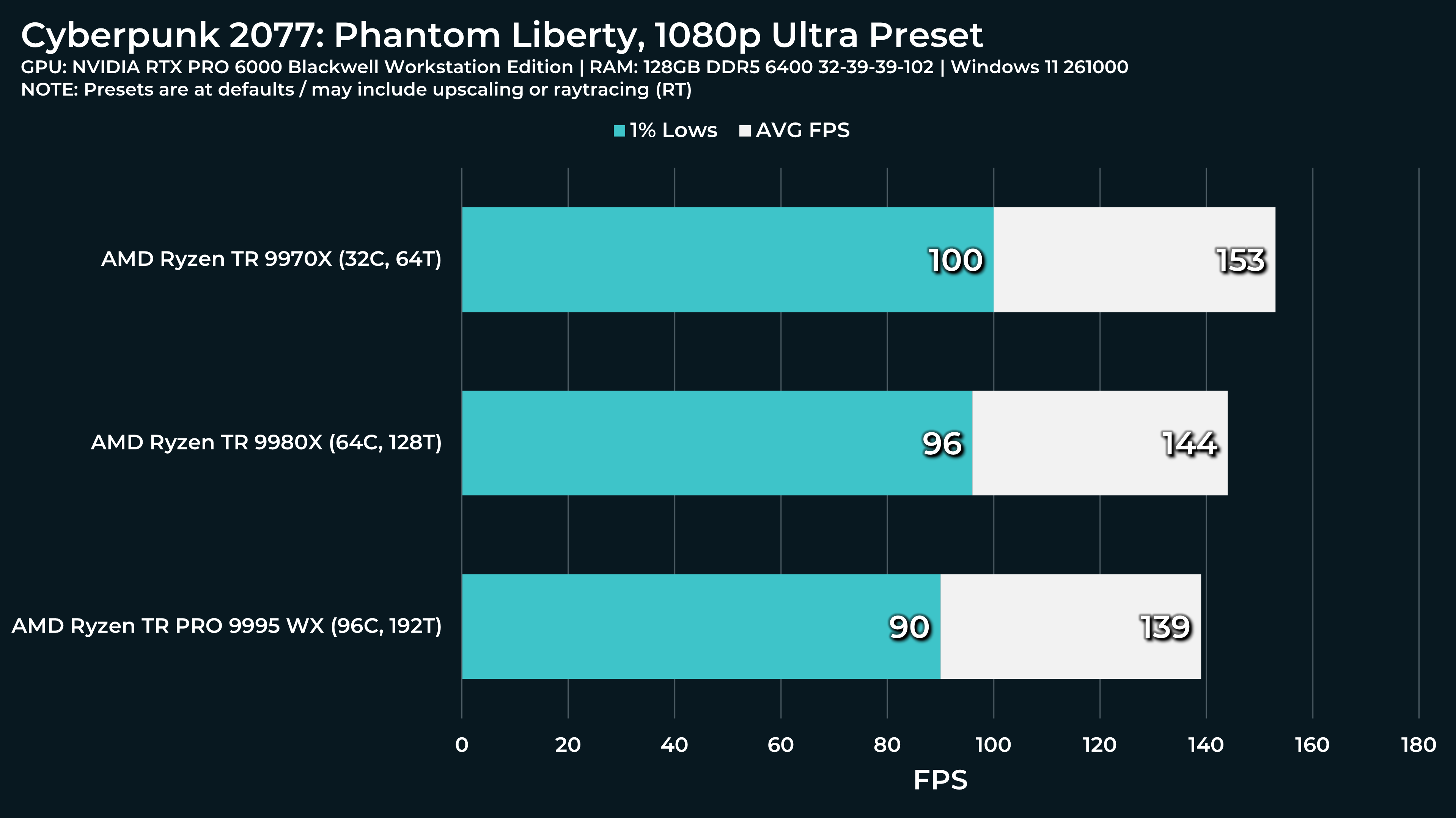
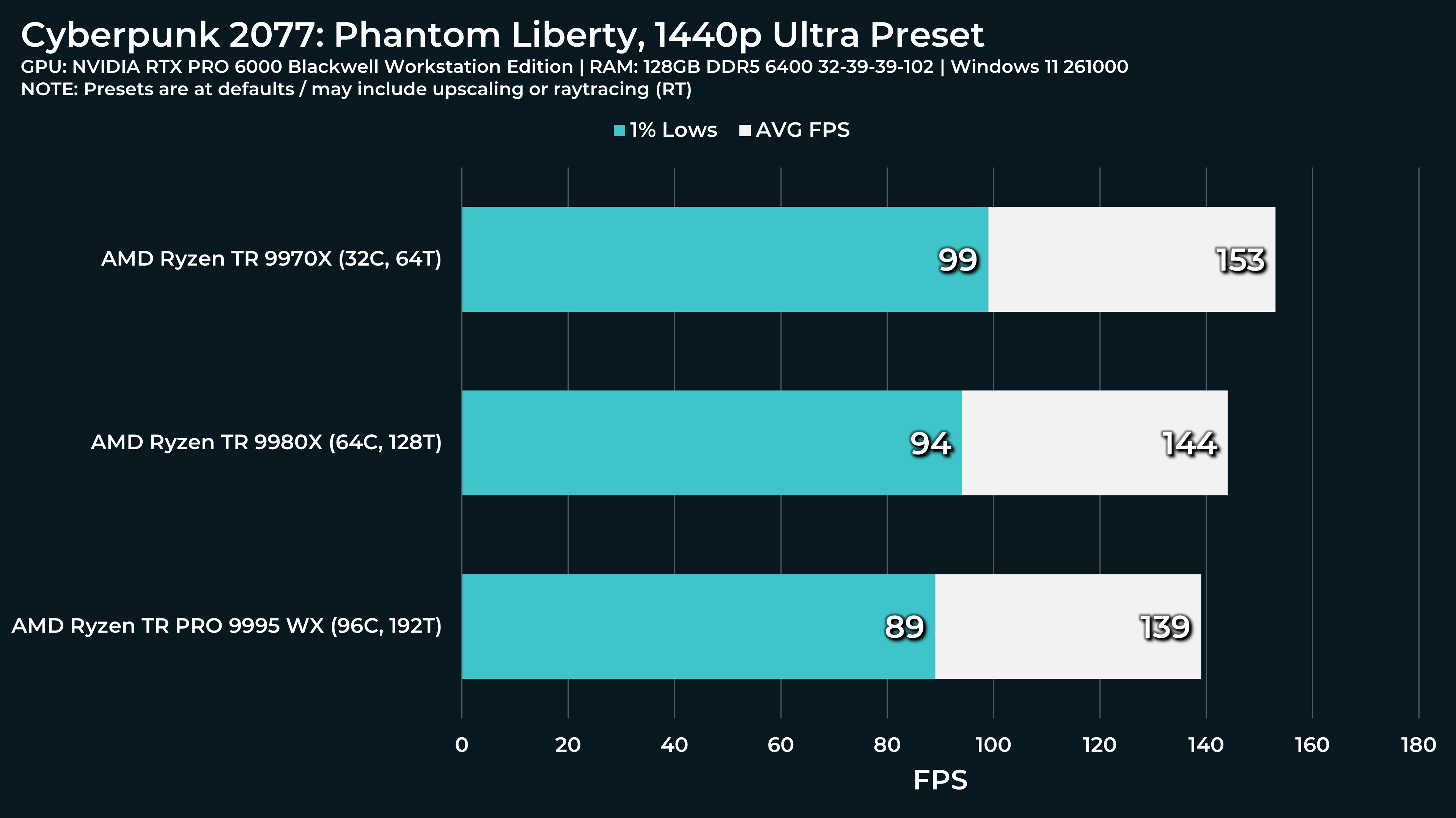
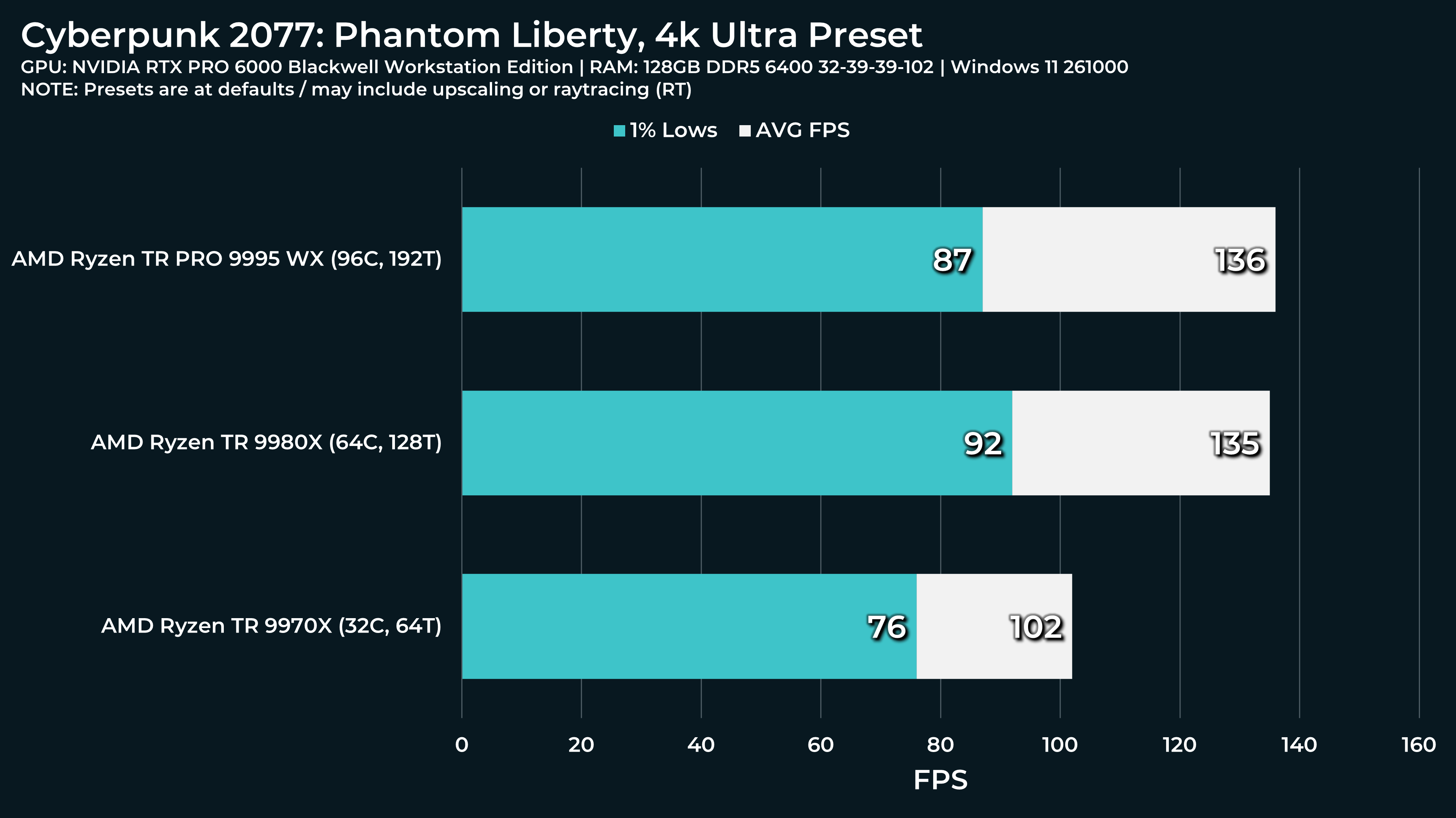
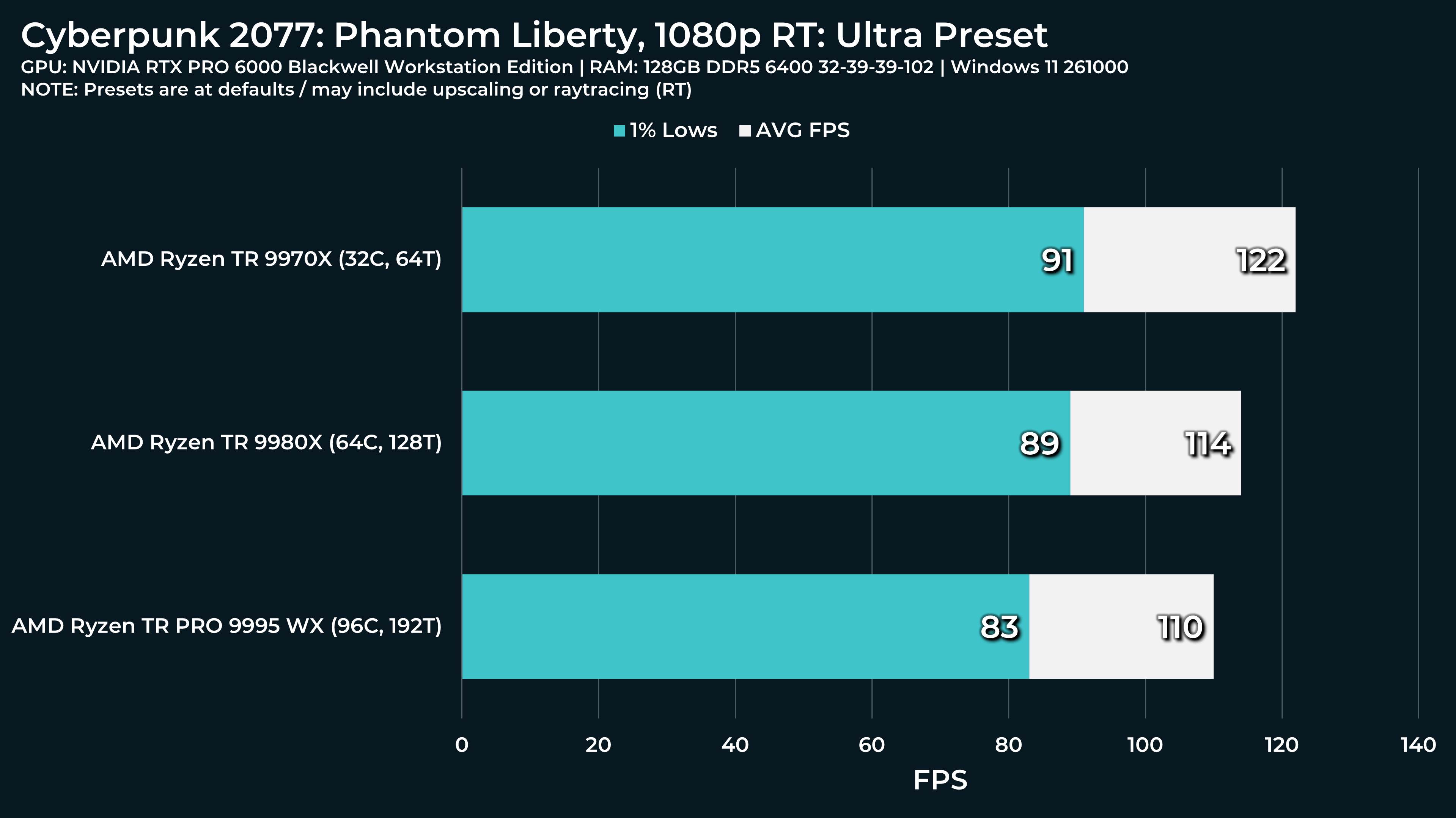
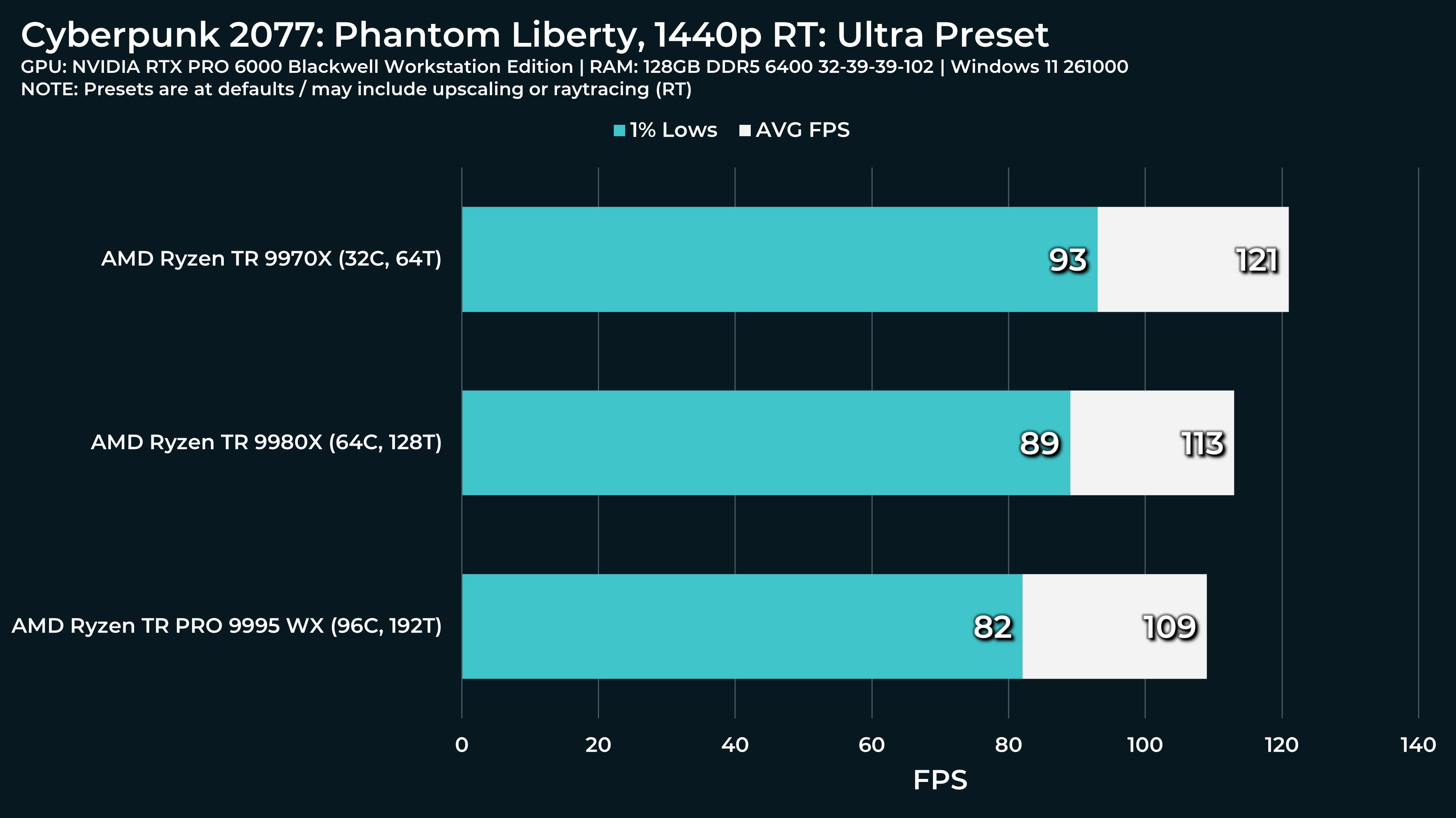
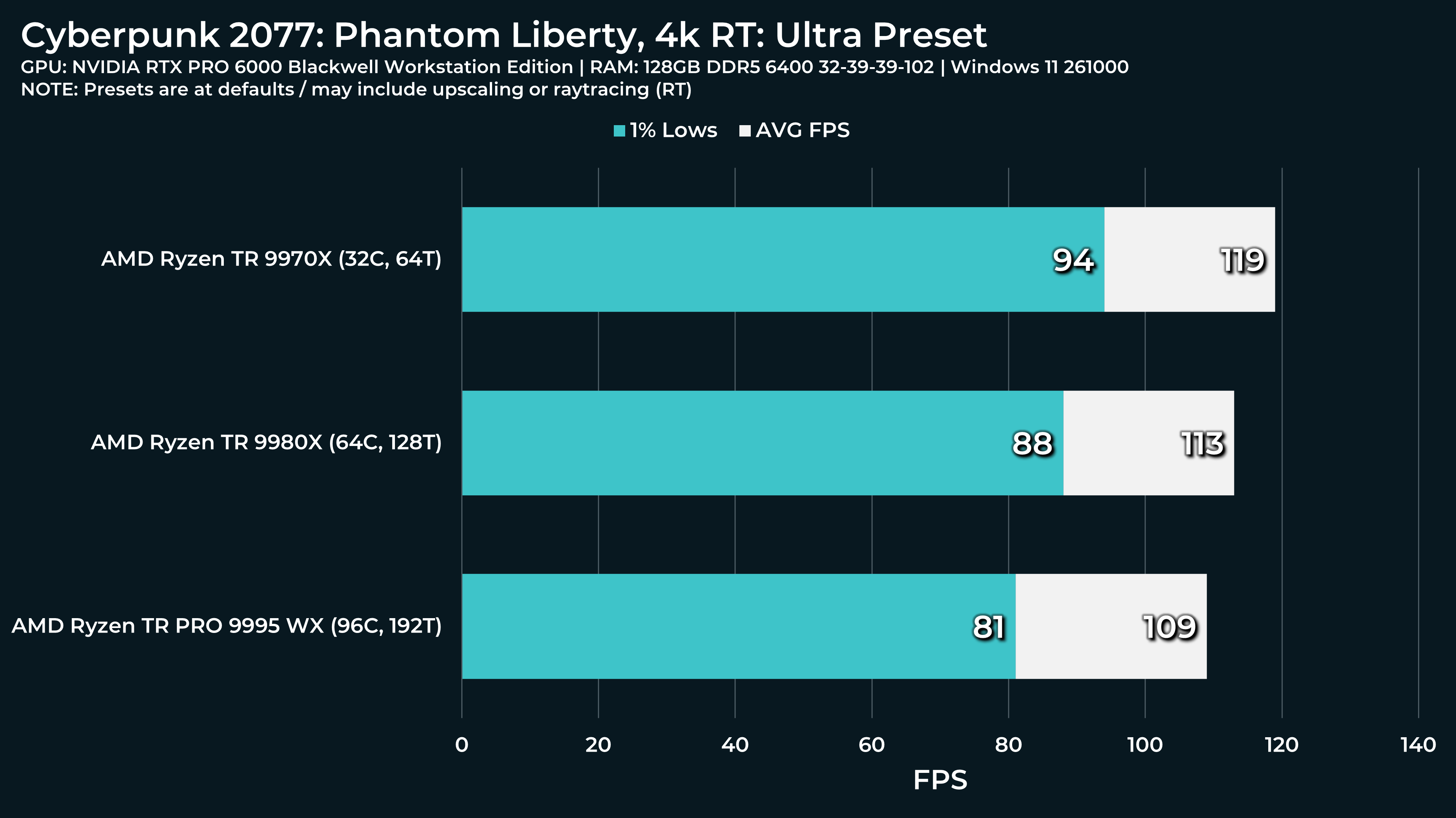
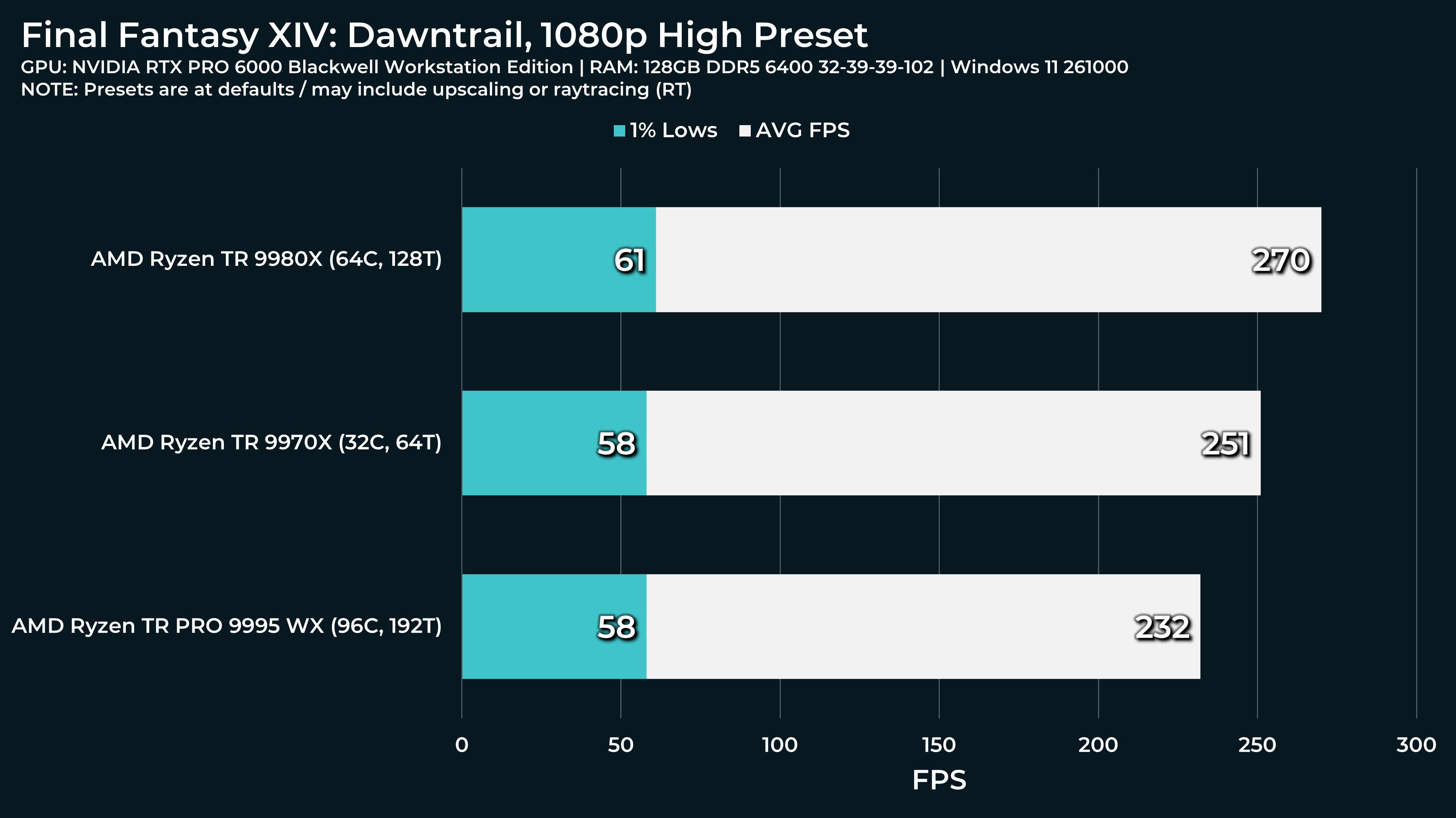
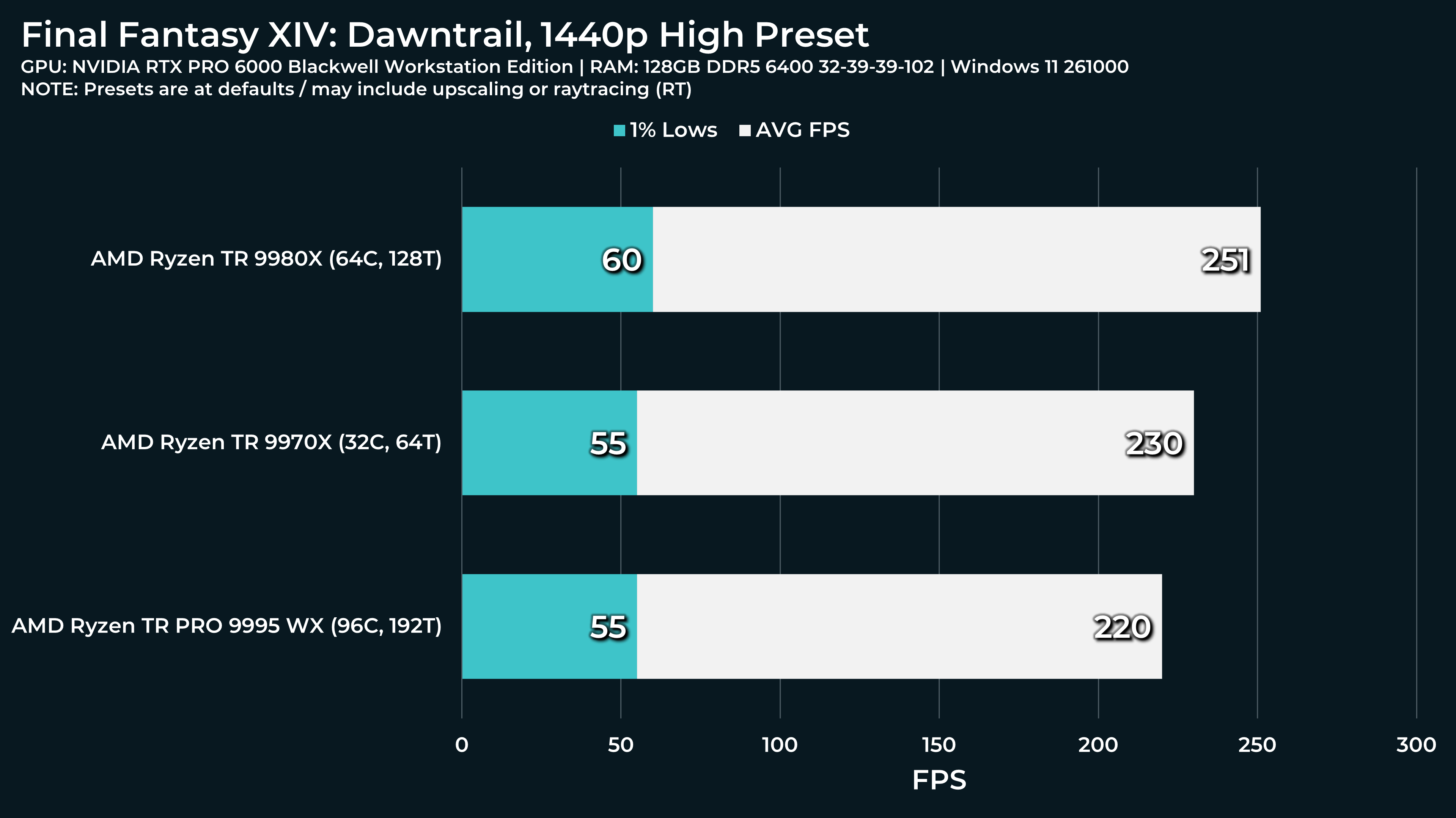
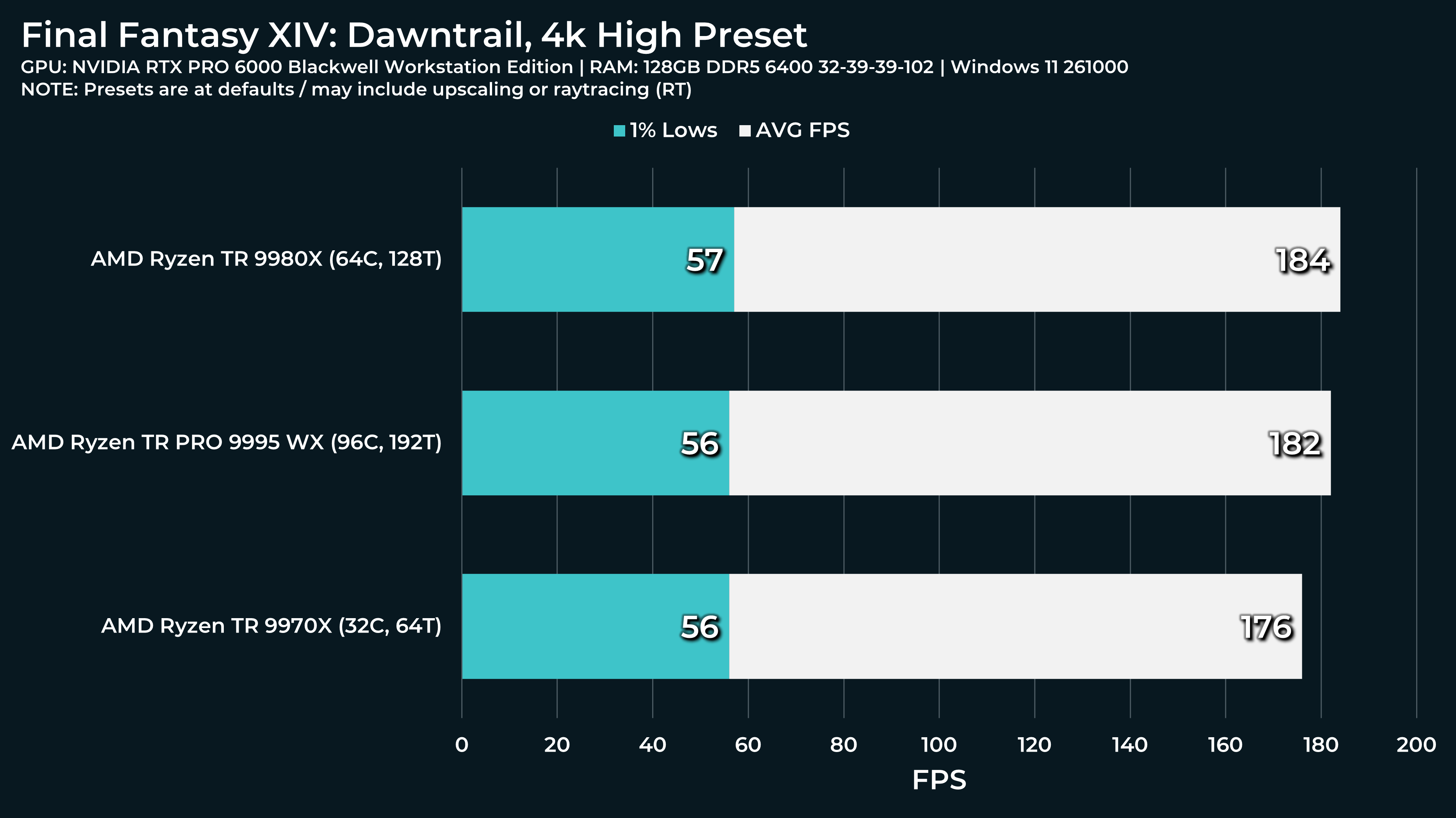
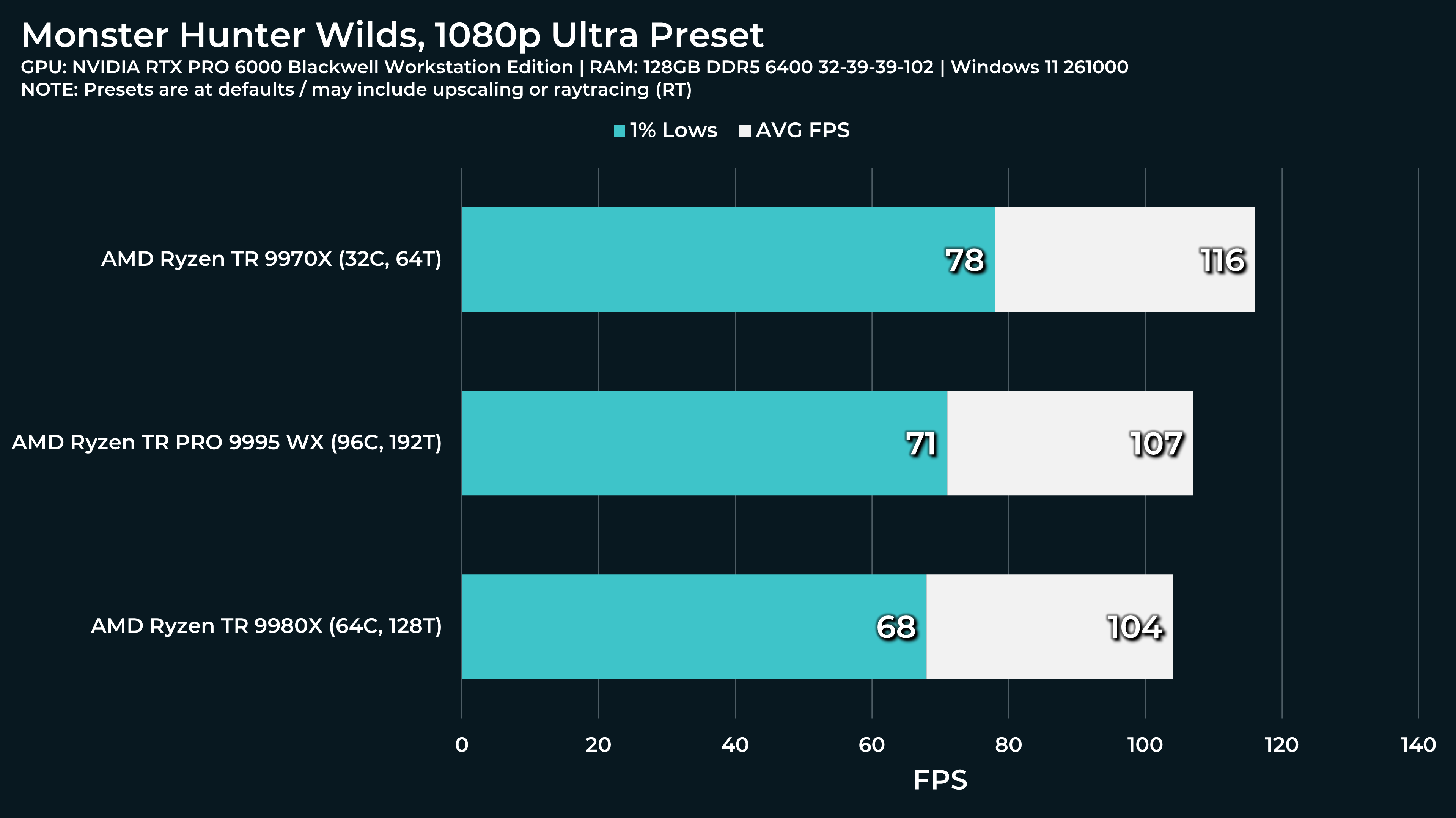
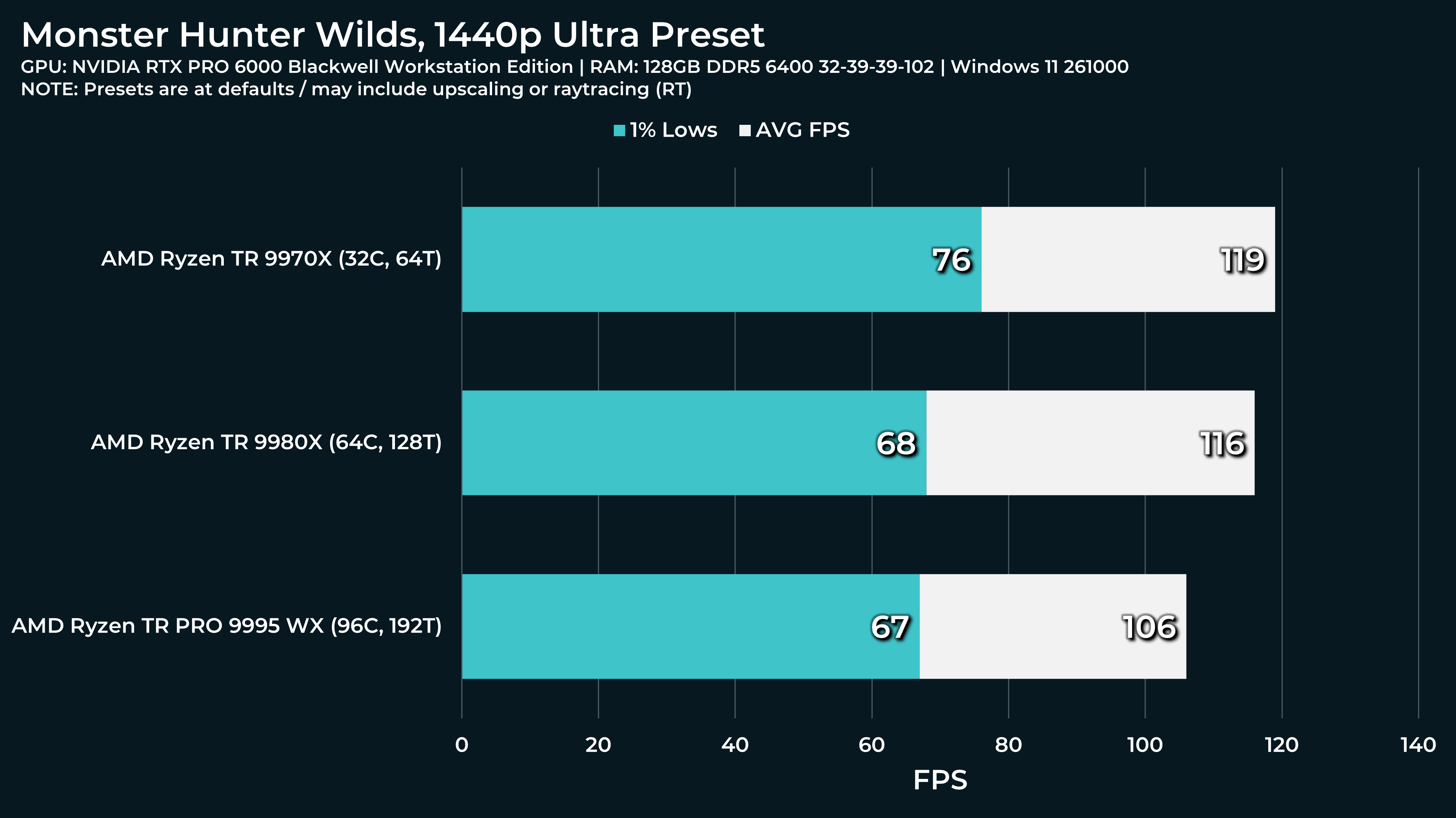
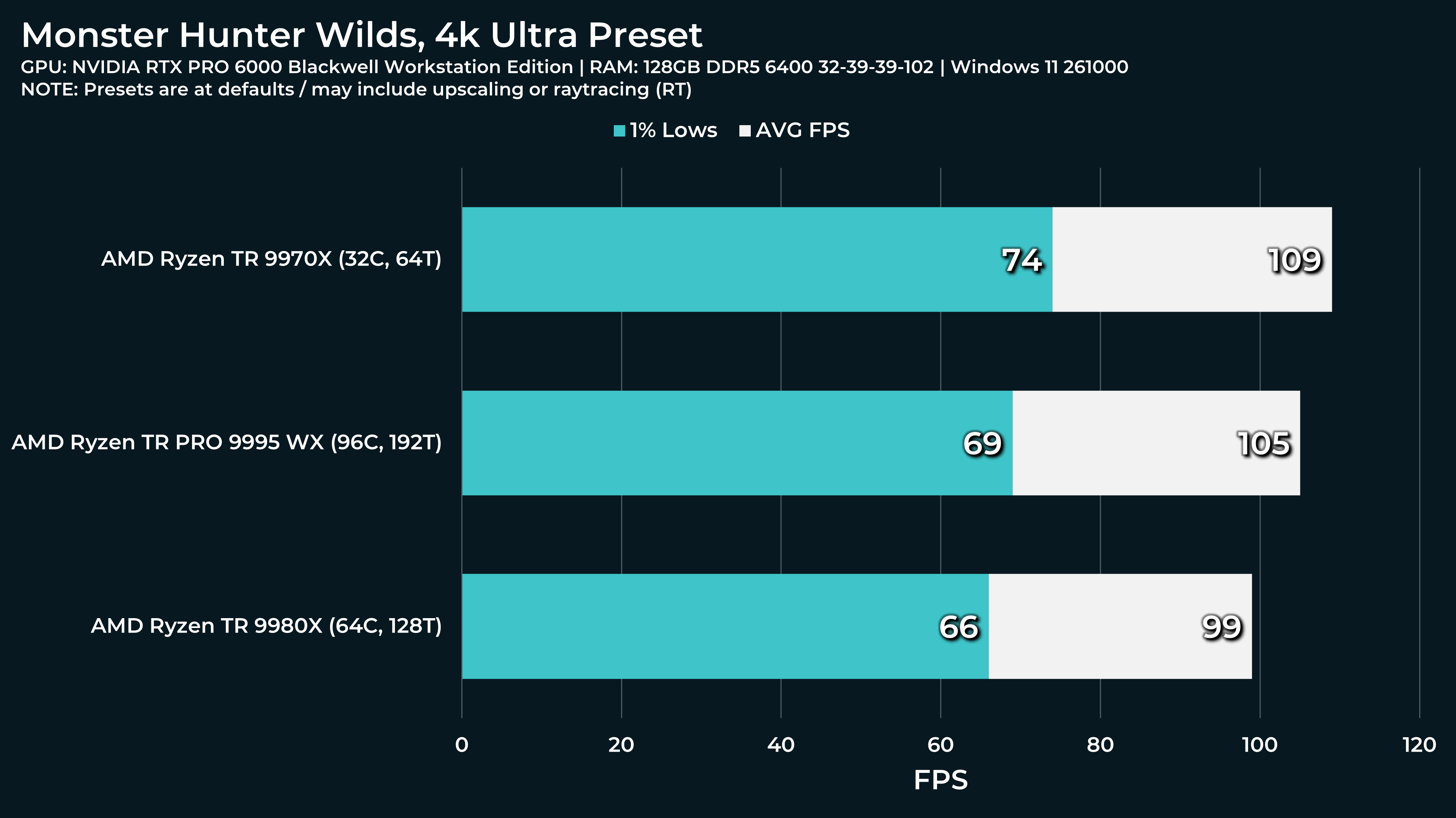
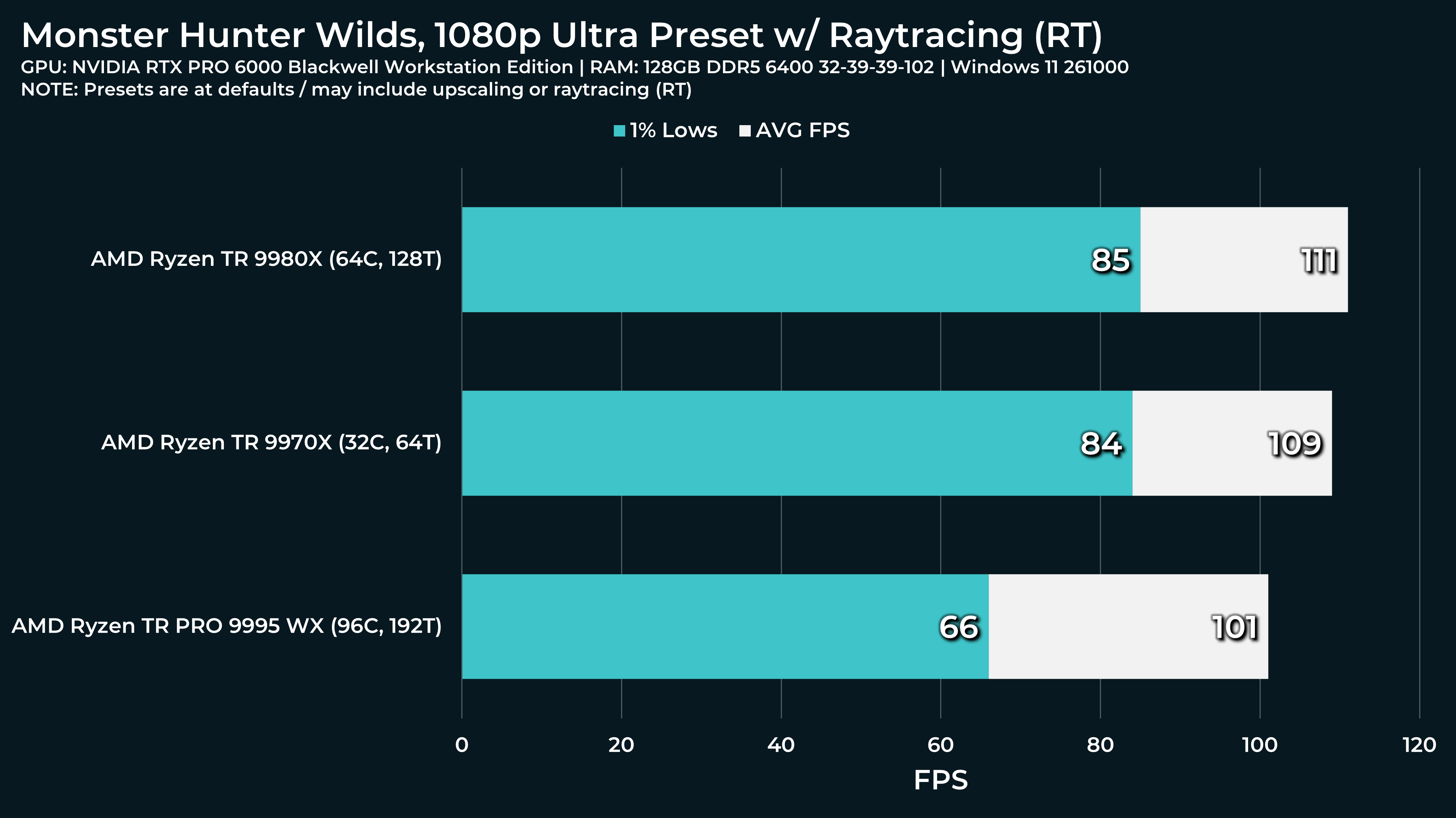
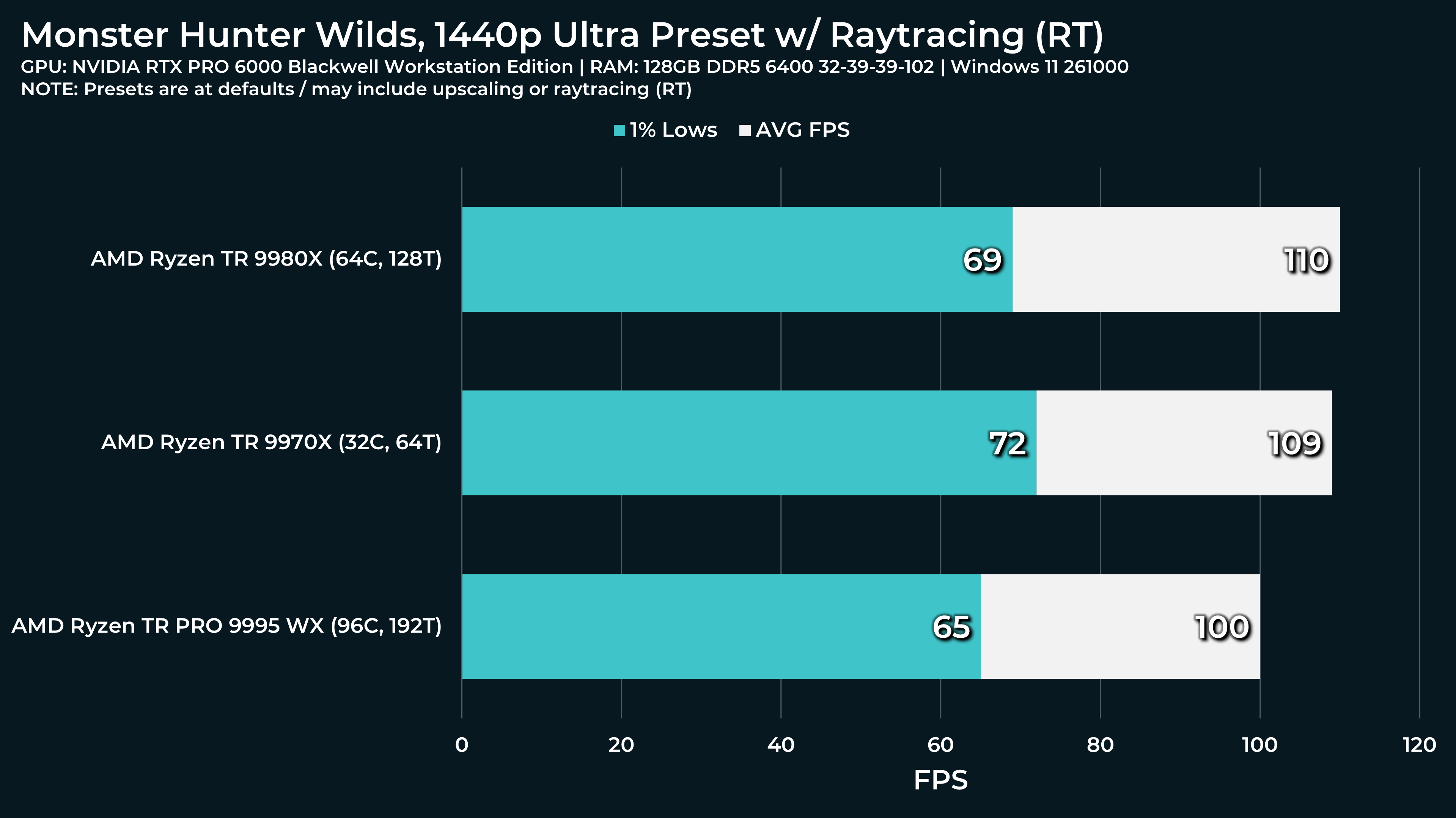
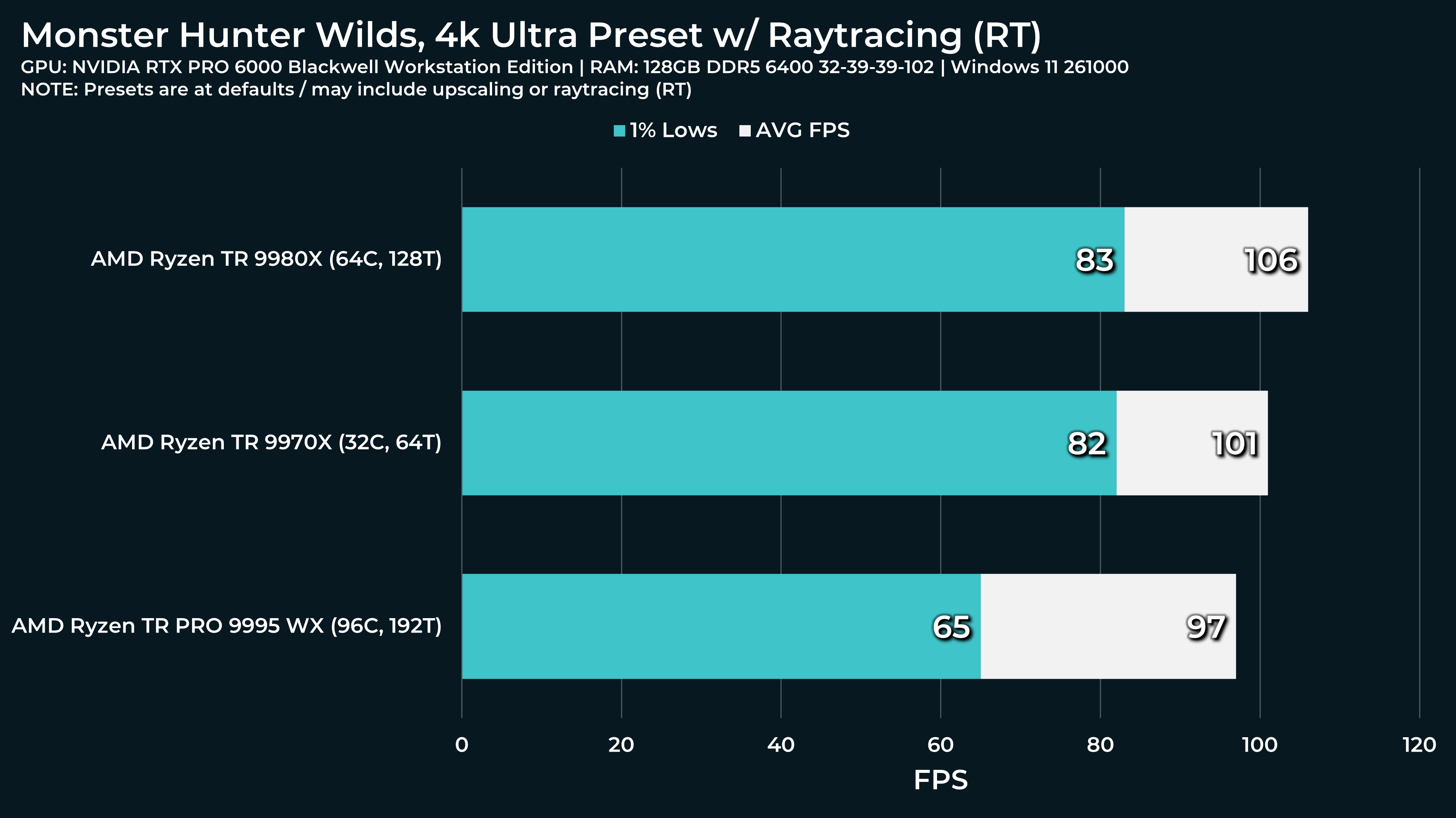
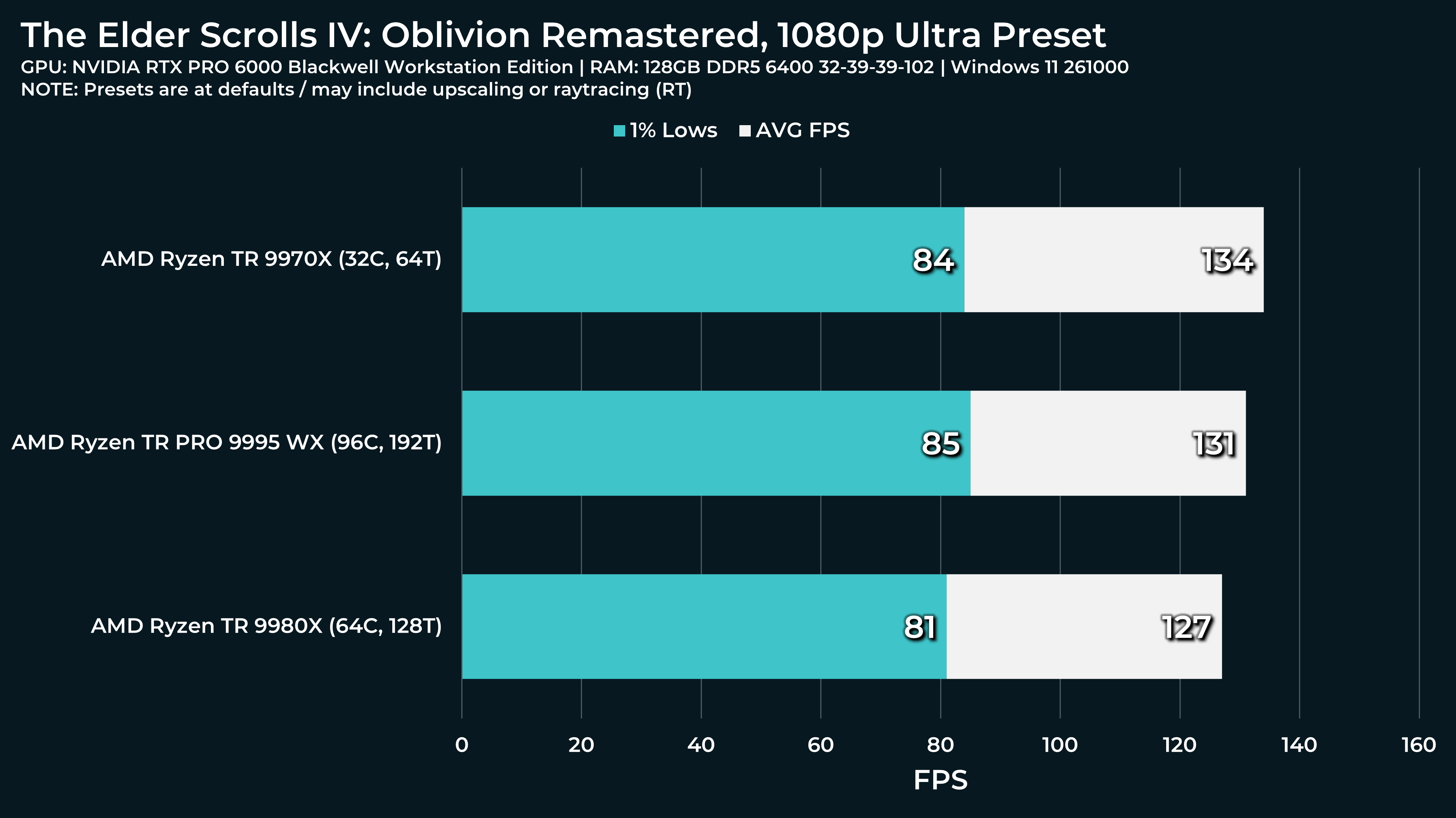
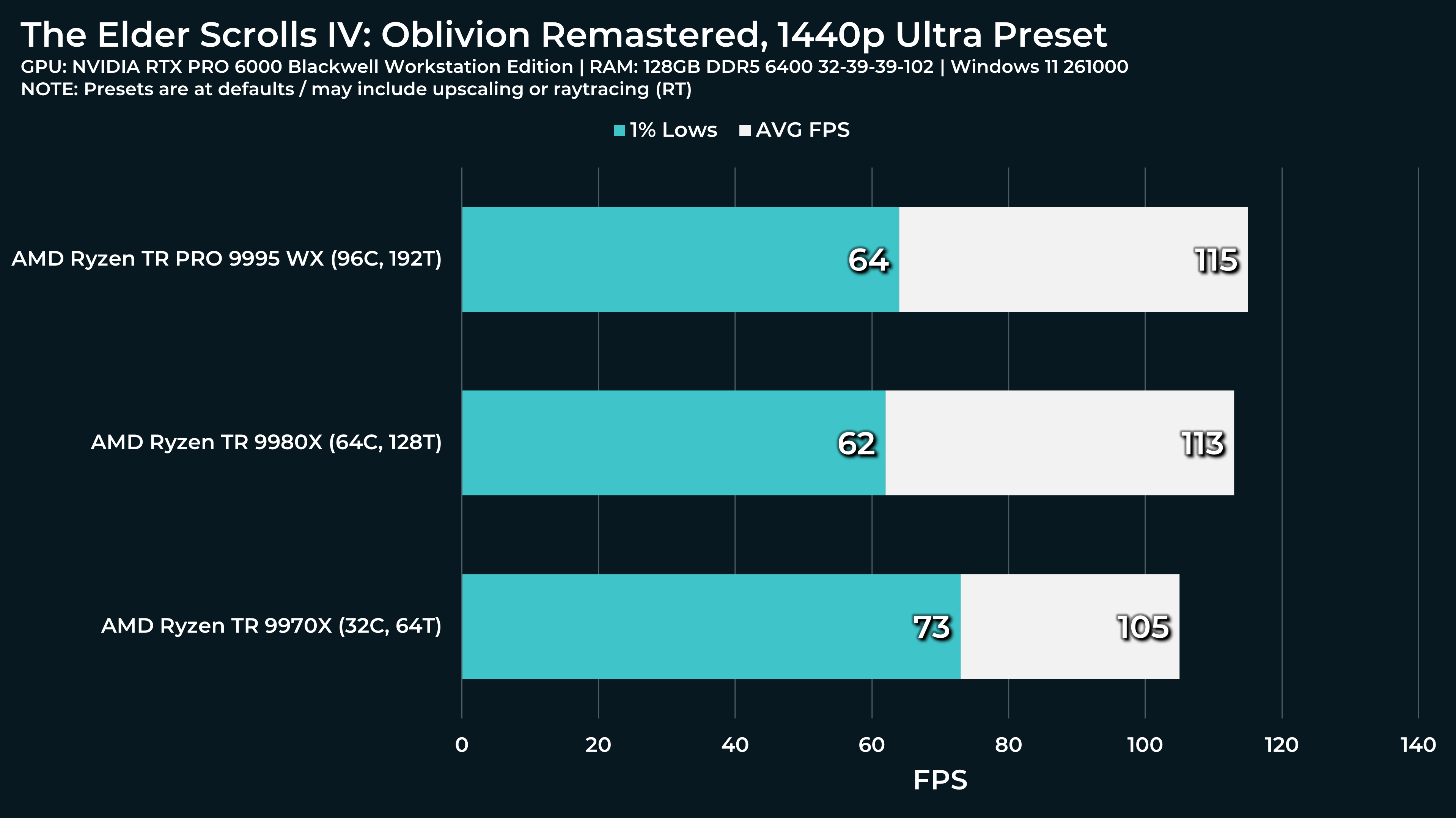
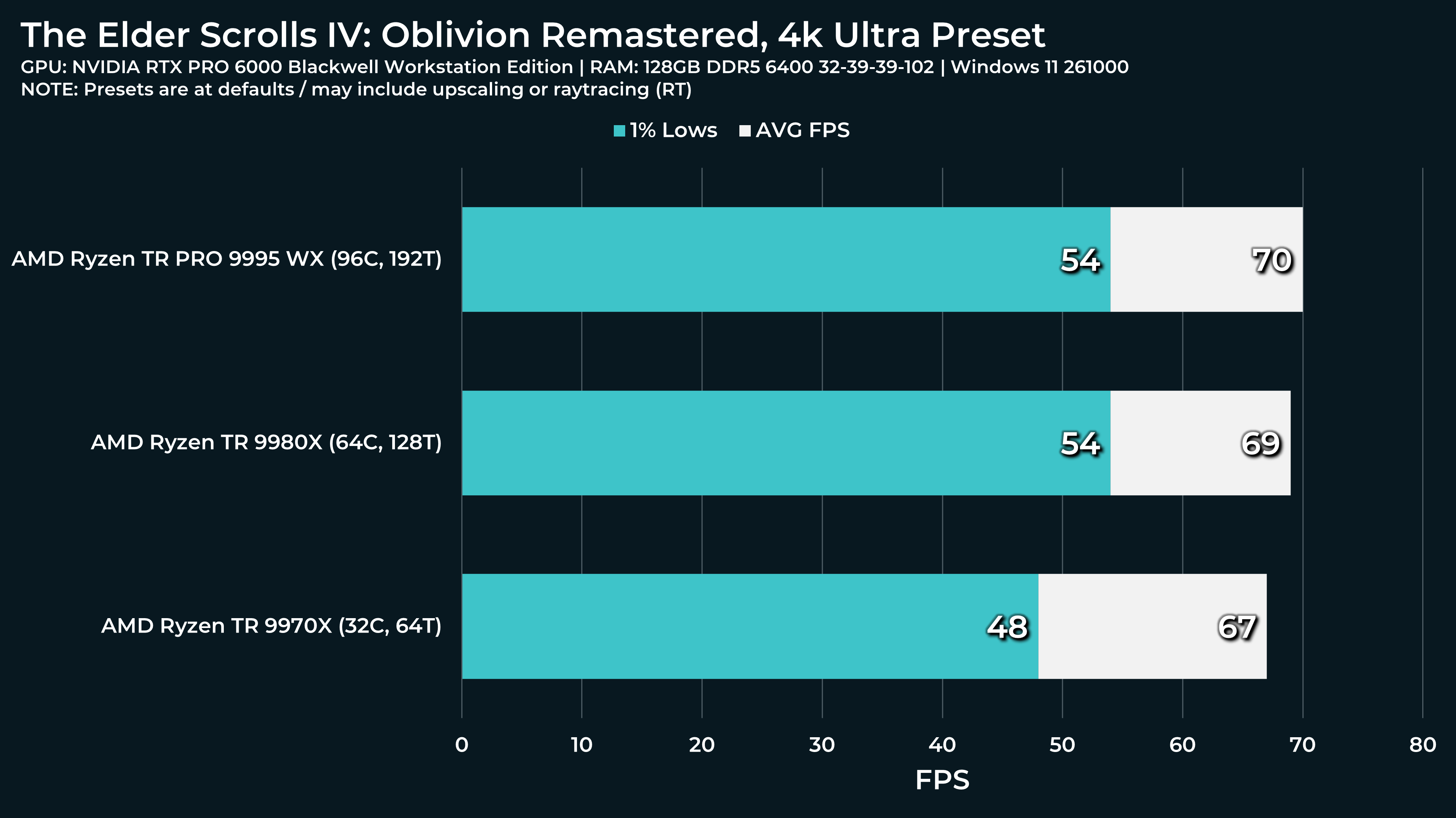
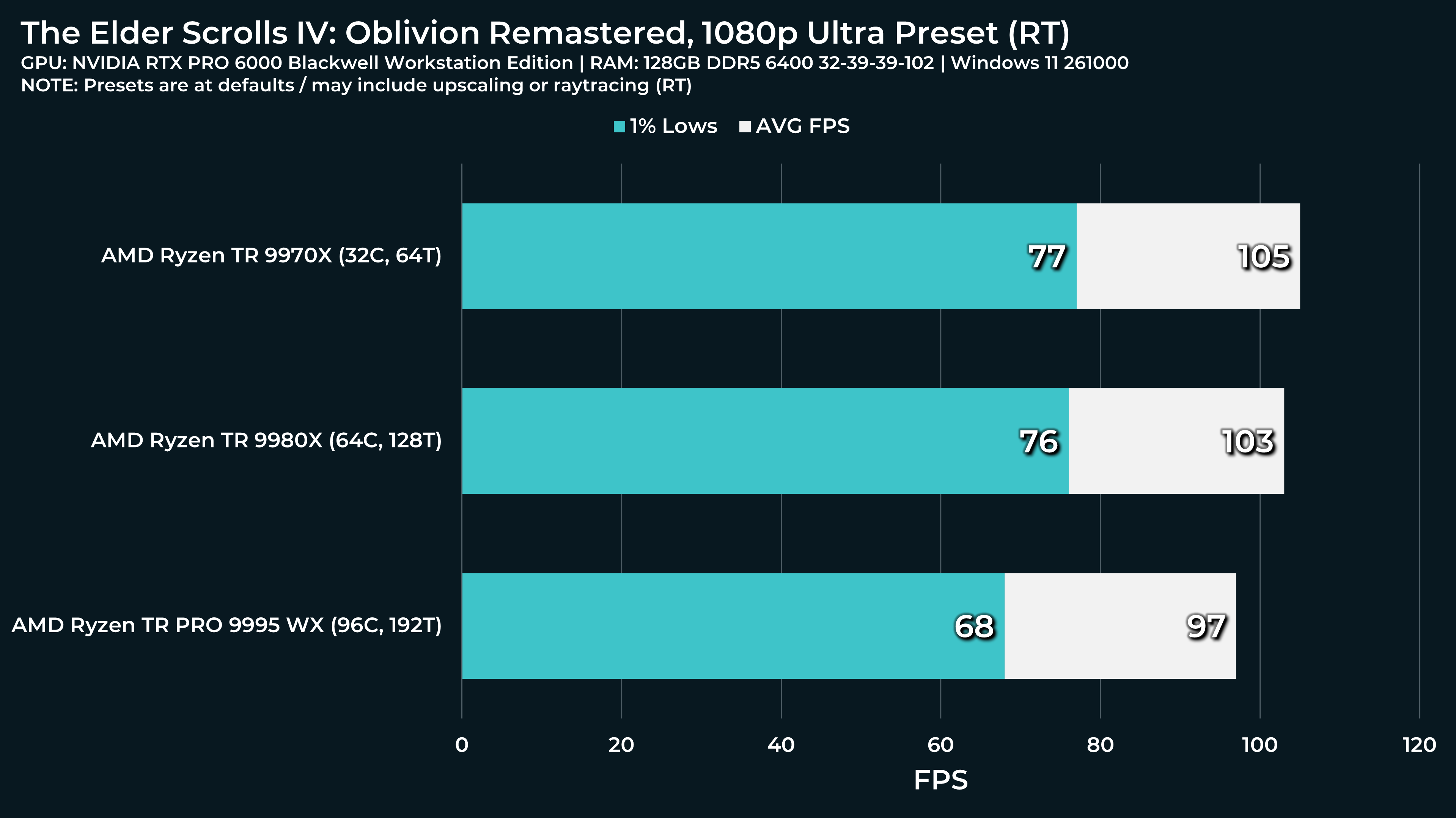
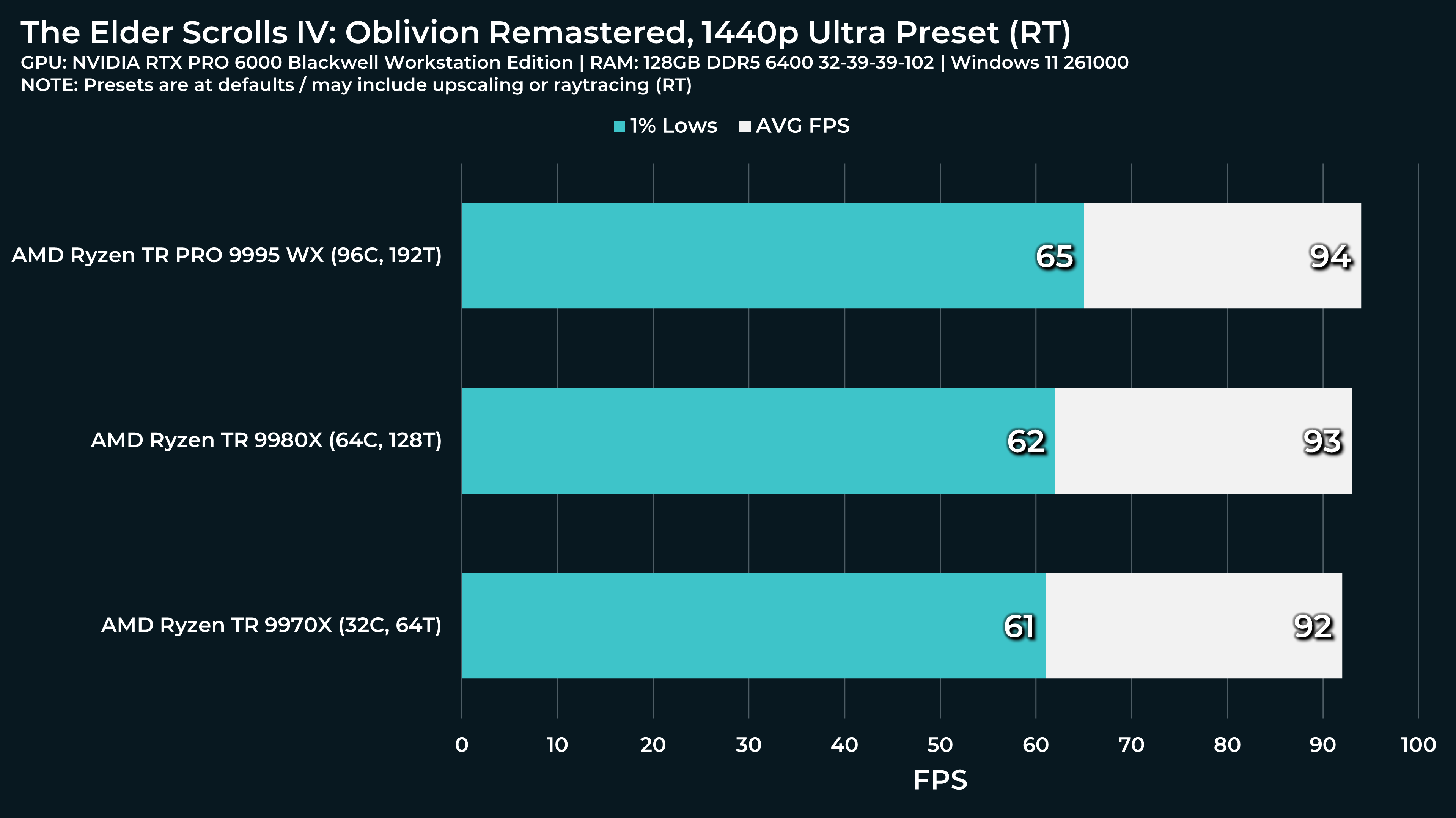
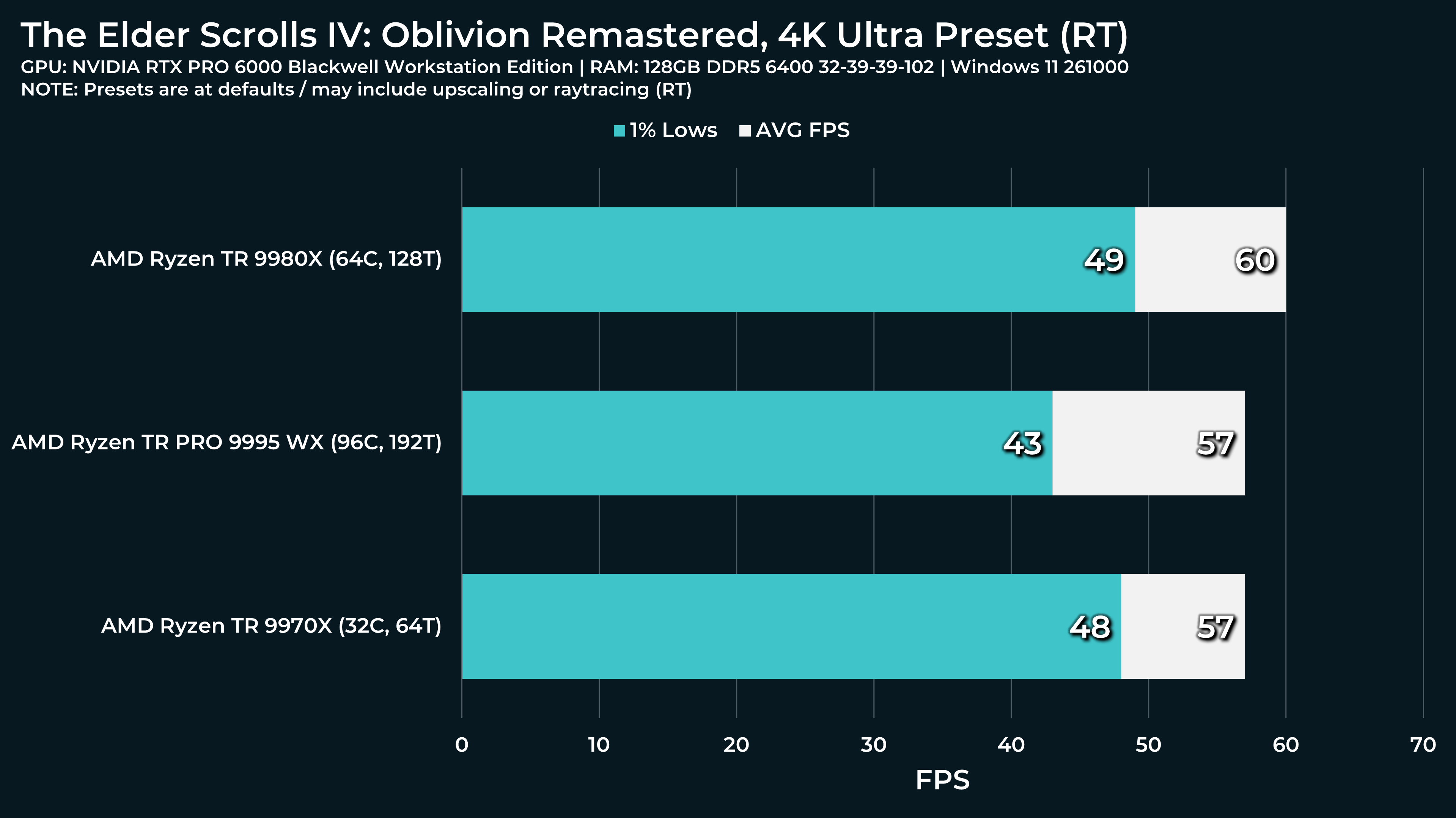
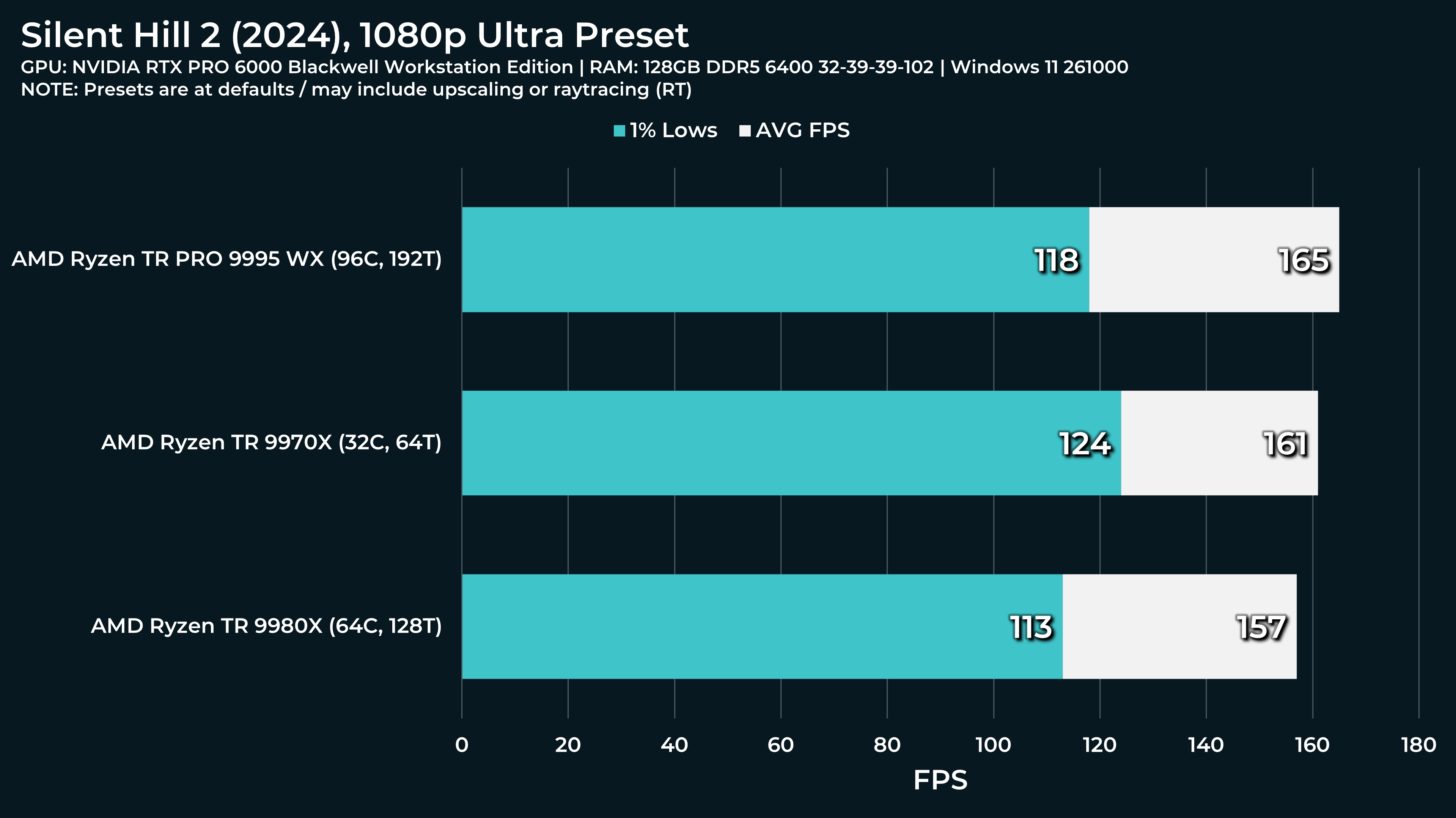
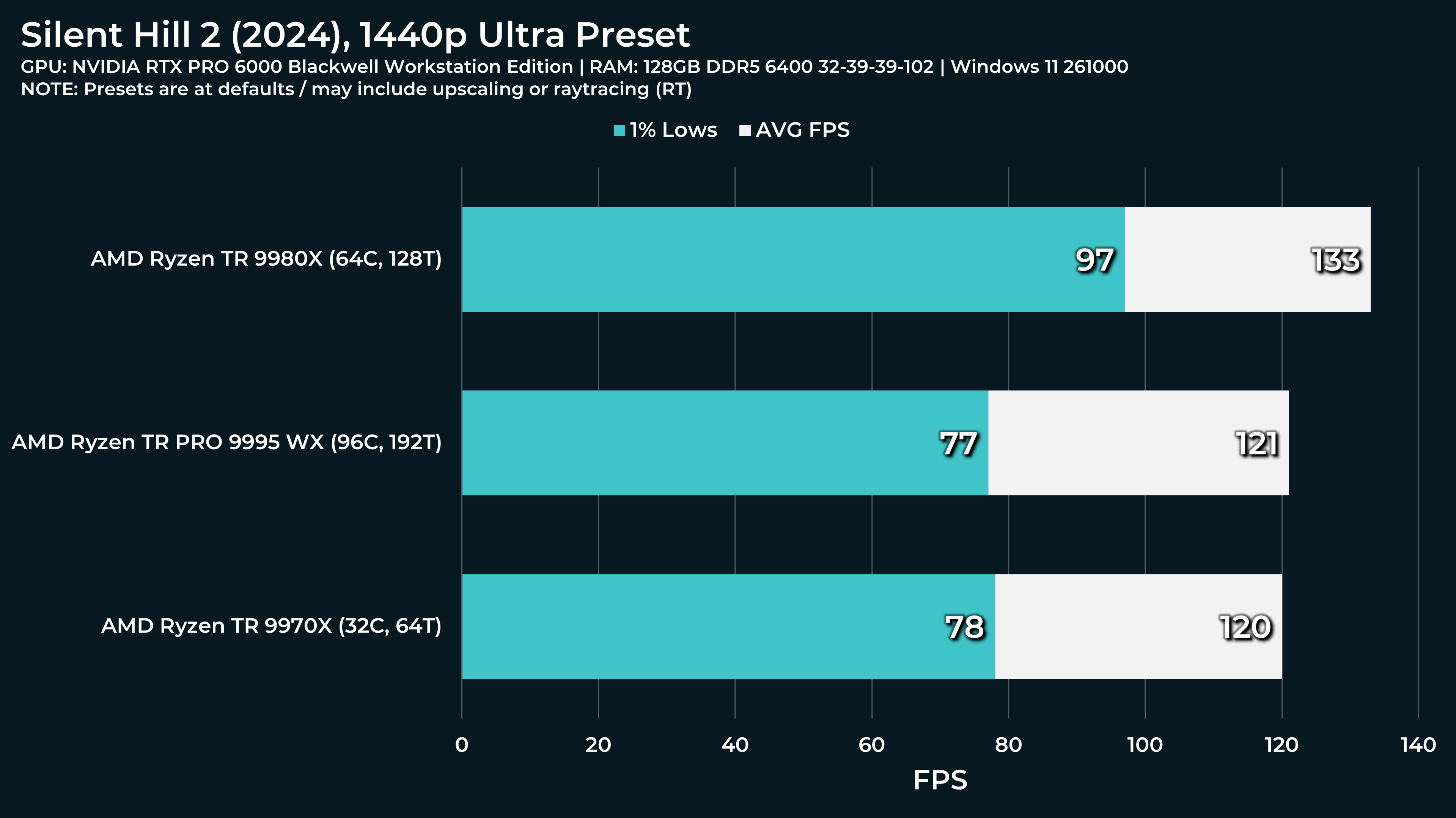
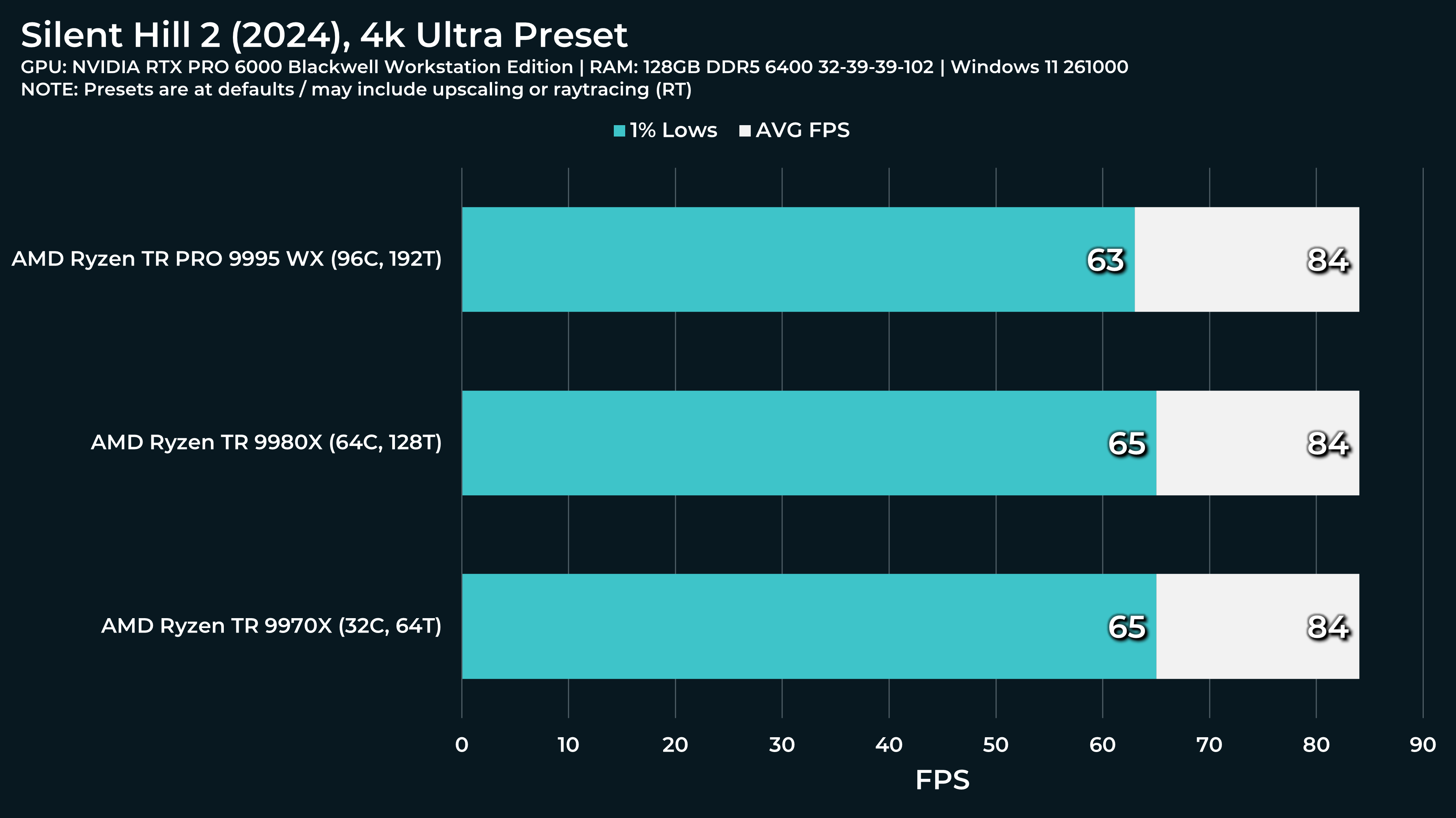
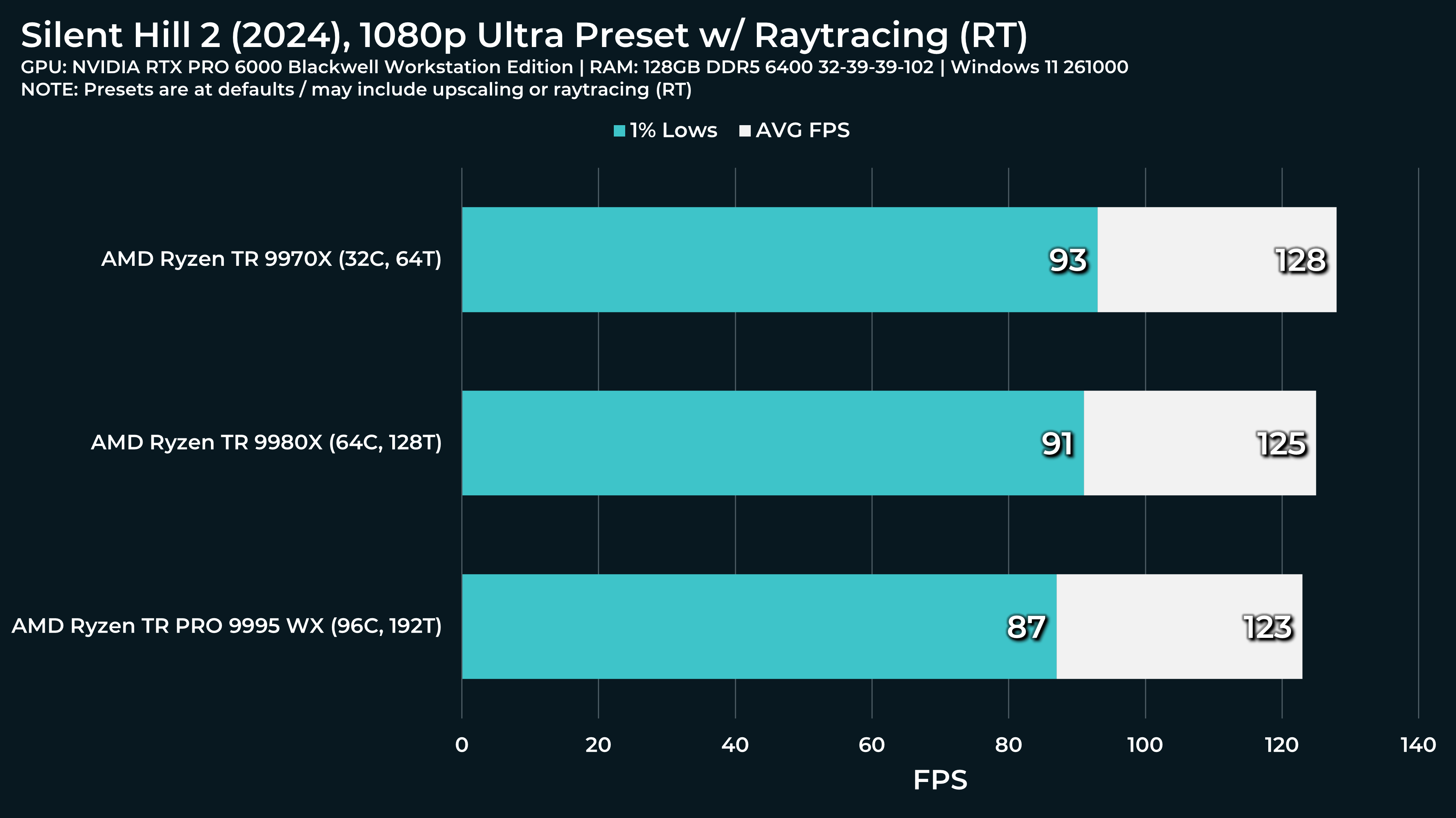
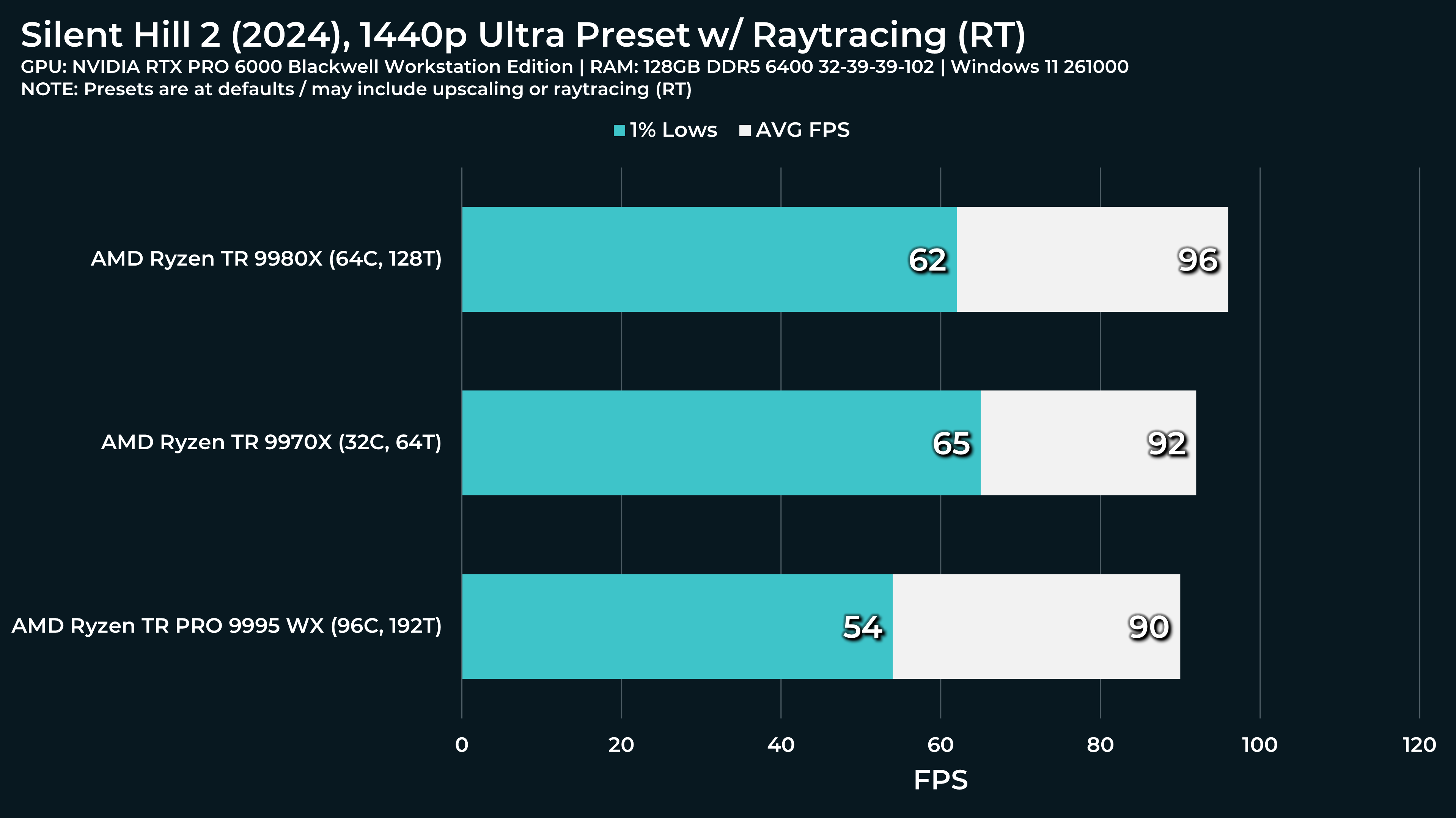
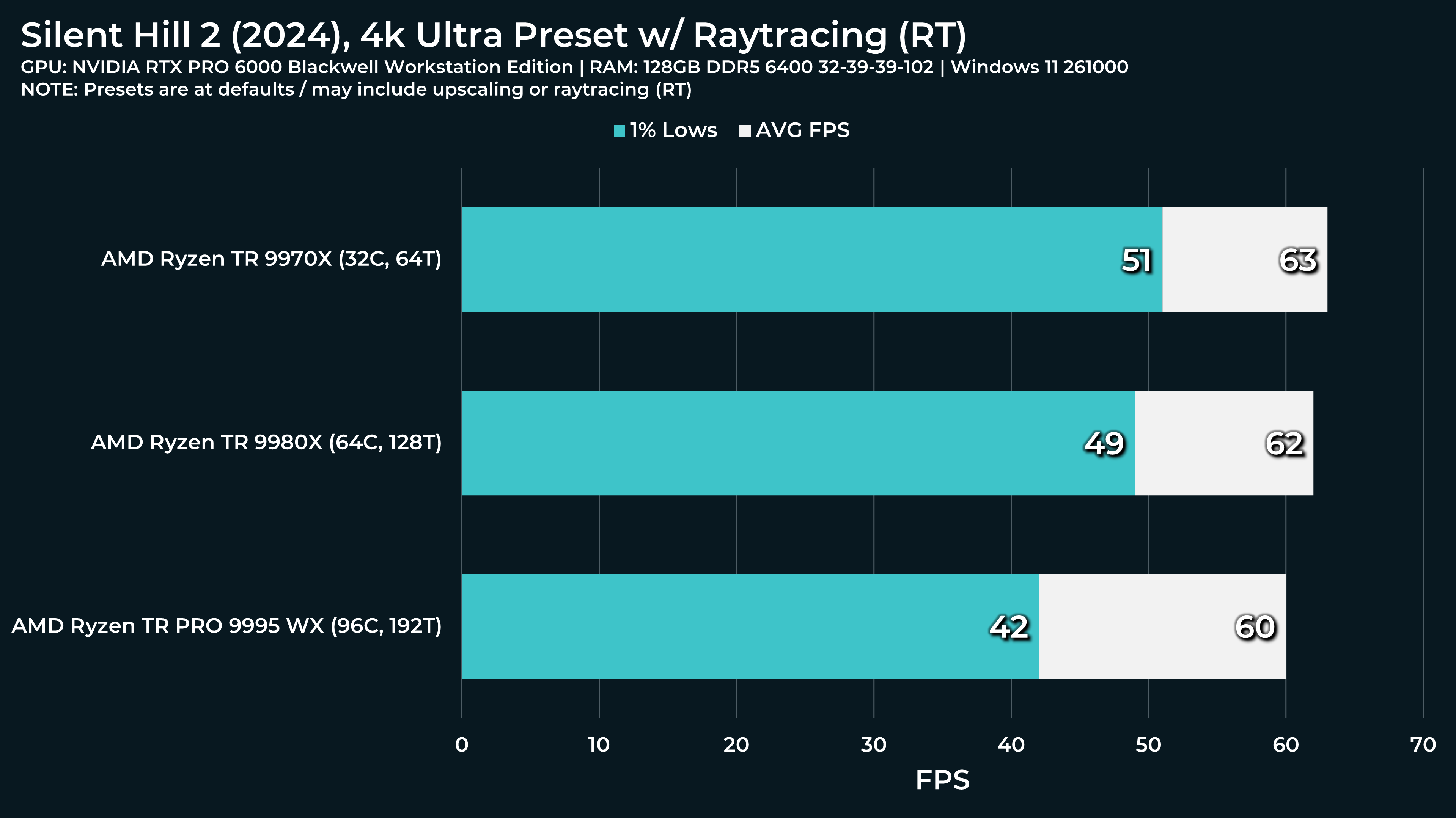
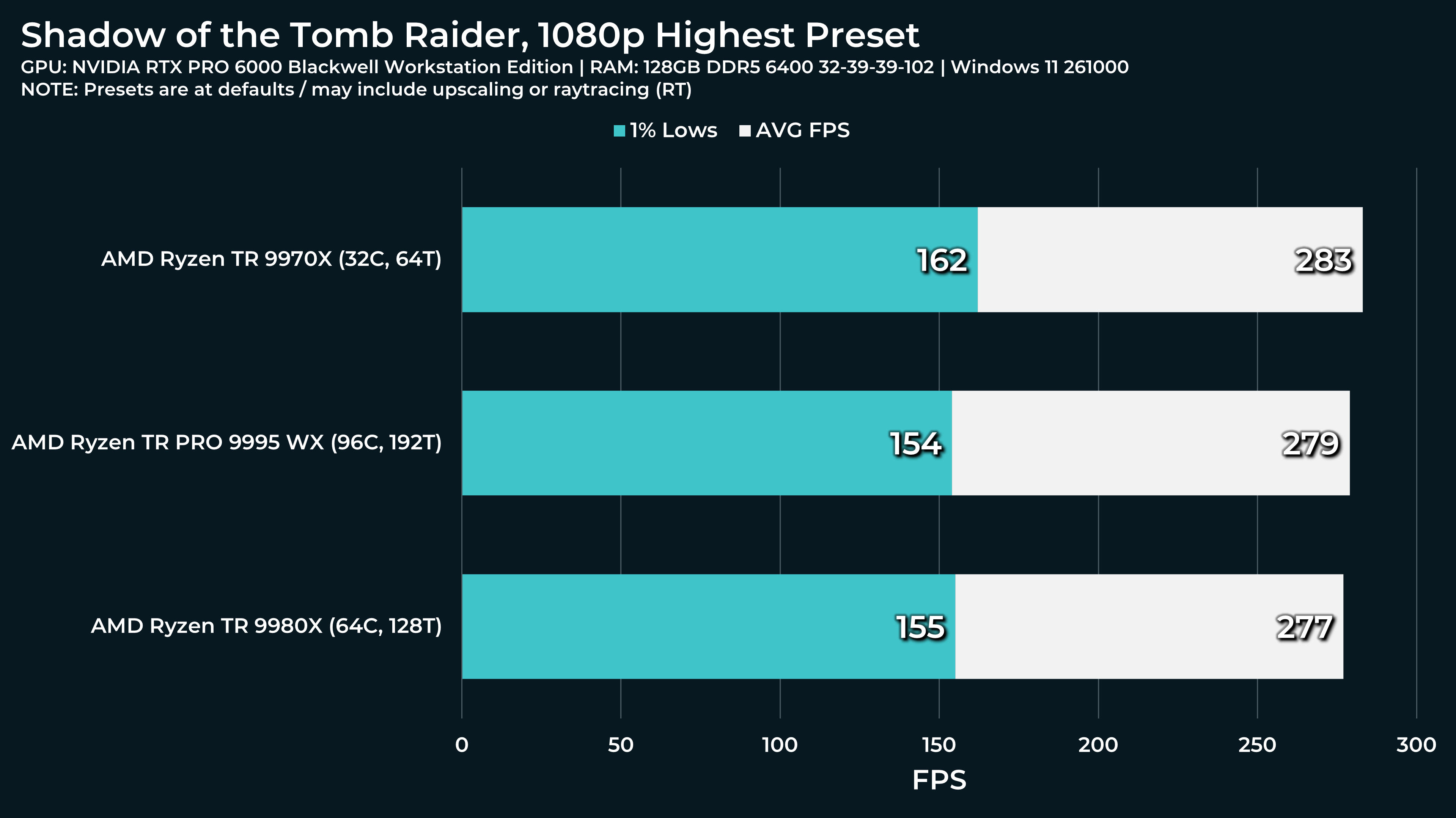
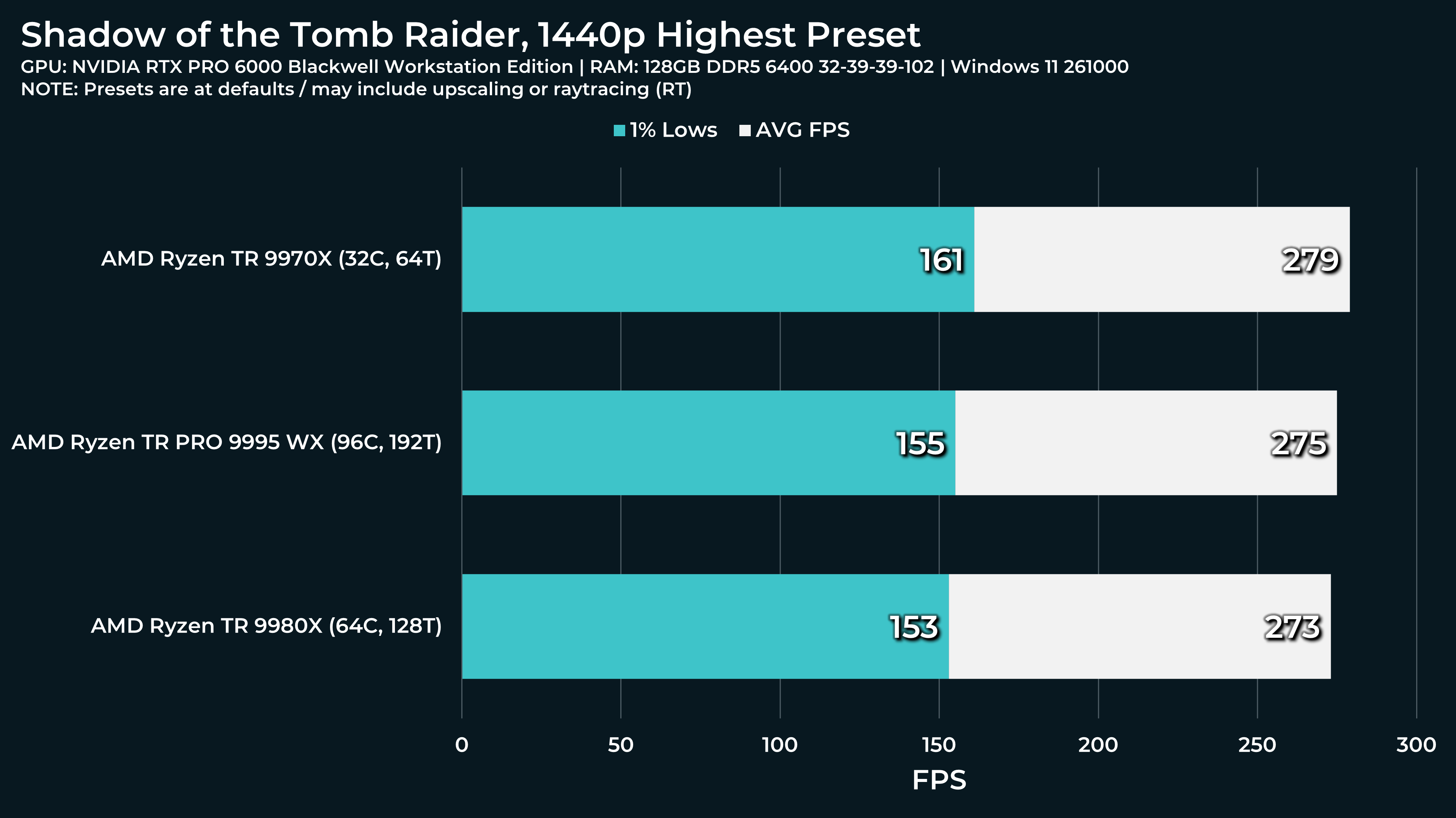
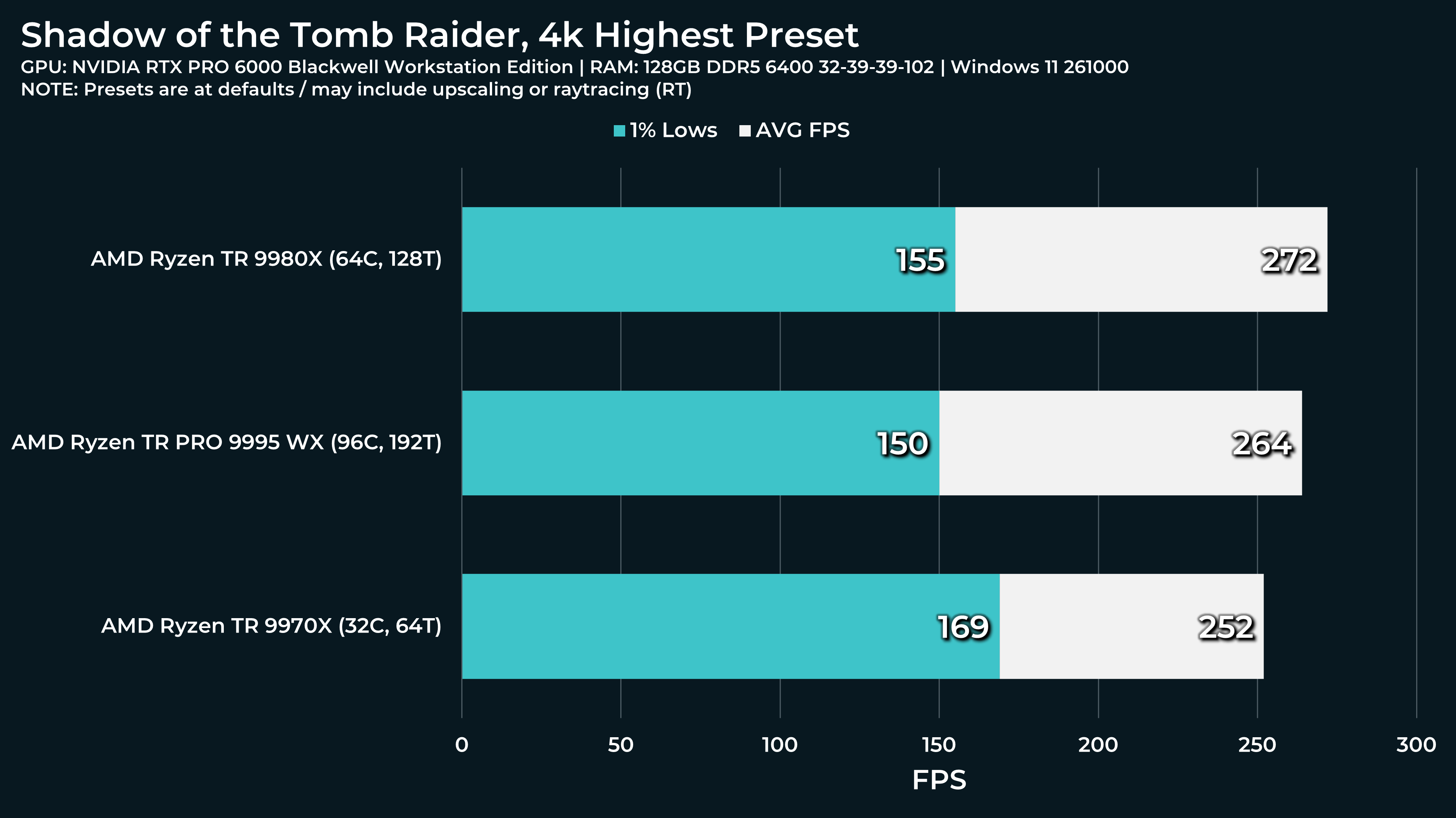
What a beast this thing is. Gaming benchmarks are one thing, but I think a lot of why people are interested in these rigs nowadays is for compiling and for language models.
Benchmarking for compilers is pretty straightforward on Linux: GitHub - nordlow/compiler-benchmark: Benchmarks compilation speeds of different combinations of languages and compilers.
Benchmarking for LLMs is more difficult, since there are multiple inference engines that you’d want to test. I think for a mixed CPU/GPU inference setup, starting with llamacpp would a good representation of the system’s capabilities. llama-bench is a binary within the default build target of llamacpp. Here’s an example invocation for
- 10, 15, and 20 GPU layers offloaded
- 4096, 8192, and 16384 token prompt processing
- 1024 and 2048 token generation
- 5 repetitions of each test
Some variables are multiplicative, e.g. prompt processing & token generation is repeated for each number of GPU layers.
./llama-bench \
--model ~/models/unsloth/DeepSeek-V3-0324-GGUF/DeepSeek-V3-0324-Q4_K_M-00001-of-00009.gguf \
--mmap 1 \
--n-gpu-layers 10,15,20 \
--n-prompt 4096,8192,16384 \
--n-gen 1024,2048 \
--repetitions 5
more details
usage: llama-bench [options]

options:
  -h, --help
  --numa <distribute|isolate|numactl>       numa mode (default: disabled)
  -r, --repetitions <n>                     number of times to repeat each test (default: 5)
  --prio <-1|0|1|2|3>                          process/thread priority (default: 0)
  --delay <0...N> (seconds)                 delay between each test (default: 0)
  -o, --output <csv|json|jsonl|md|sql>      output format printed to stdout (default: md)
  -oe, --output-err <csv|json|jsonl|md|sql> output format printed to stderr (default: none)
  -v, --verbose                             verbose output
  --progress                                print test progress indicators
  --no-warmup                               skip warmup runs before benchmarking

test parameters:
  -m, --model <filename>                    (default: models/7B/ggml-model-q4_0.gguf)
  -p, --n-prompt <n>                        (default: 512)
  -n, --n-gen <n>                           (default: 128)
  -pg <pp,tg>                               (default: )
  -d, --n-depth <n>                         (default: 0)
  -b, --batch-size <n>                      (default: 2048)
  -ub, --ubatch-size <n>                    (default: 512)
  -ctk, --cache-type-k <t>                  (default: f16)
  -ctv, --cache-type-v <t>                  (default: f16)
  -dt, --defrag-thold <f>                   (default: -1)
  -t, --threads <n>                         (default: 24)
  -C, --cpu-mask <hex,hex>                  (default: 0x0)
  --cpu-strict <0|1>                        (default: 0)
  --poll <0...100>                          (default: 50)
  -ngl, --n-gpu-layers <n>                  (default: 99)
  -sm, --split-mode <none|layer|row>        (default: layer)
  -mg, --main-gpu <i>                       (default: 0)
  -nkvo, --no-kv-offload <0|1>              (default: 0)
  -fa, --flash-attn <0|1>                   (default: 0)
  -mmp, --mmap <0|1>                        (default: 1)
  -embd, --embeddings <0|1>                 (default: 0)
  -ts, --tensor-split <ts0/ts1/..>          (default: 0)
  -ot --override-tensor <tensor name pattern>=<buffer type>;...
                                            (default: disabled)
  -nopo, --no-op-offload <0|1>              (default: 0)

Multiple values can be given for each parameter by separating them with ','
or by specifying the parameter multiple times. Ranges can be given as
'first-last' or 'first-last+step' or 'first-last*mult'.
If you want to make me really happy, I’d appreciate if you could try a smaller or more quantized model and compare 4 channel and 8 channel results. I’d be more than willing to collaborate on developing a testing procedure for LLMs.