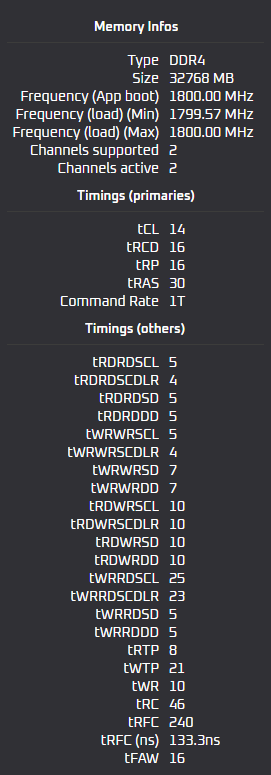
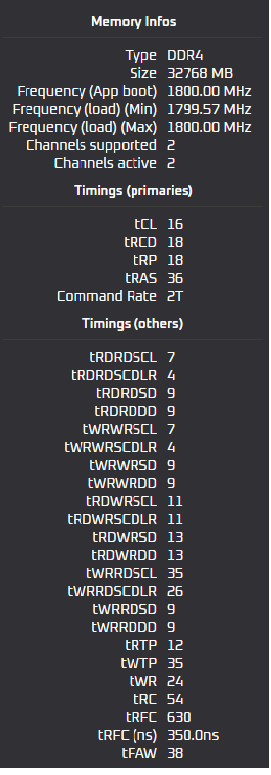
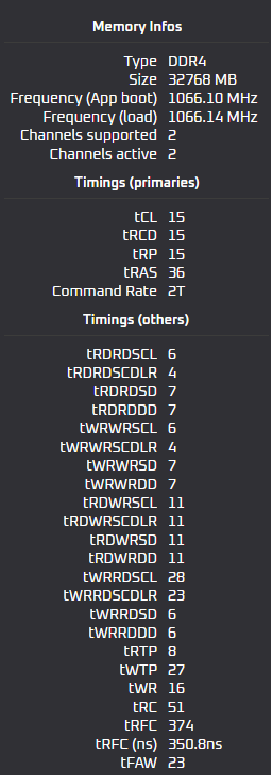
dialing all the timings is easy,
at bios default, take a screen shot of the timings in all categories
apply XMP then observe the new numbers in the same spots.
tRFCns is a derivative of the Frequency and tRFC so, start with higher tRFC with Higher Freq…don’t let the ns go too low or the system wont boot
this can give you a guide in the range the timing can go or even lower than stock… it removes the guessing on some of this stuff
to minimize blue screen fafo. use OCCT and bios memtes
1-4 passes of BIOS memtest86 and ~30 minutes OCCT memtest /memtest and stability (do each seperately)
and occt mem + cpu for ultimate stability if you have an overclocked CPU too
if you get errors, add voltage to dram,
if the error occurs after a longer test, try a fan on the ram
if you get error on cpu and mem test, add voltage to the cpu VF frequency
after you set timing and freq, repeat test with lower dram - mem controller voltage- this makes cpu oc easier too / temps
99% ram by way of “tuning”
can you beat my score?
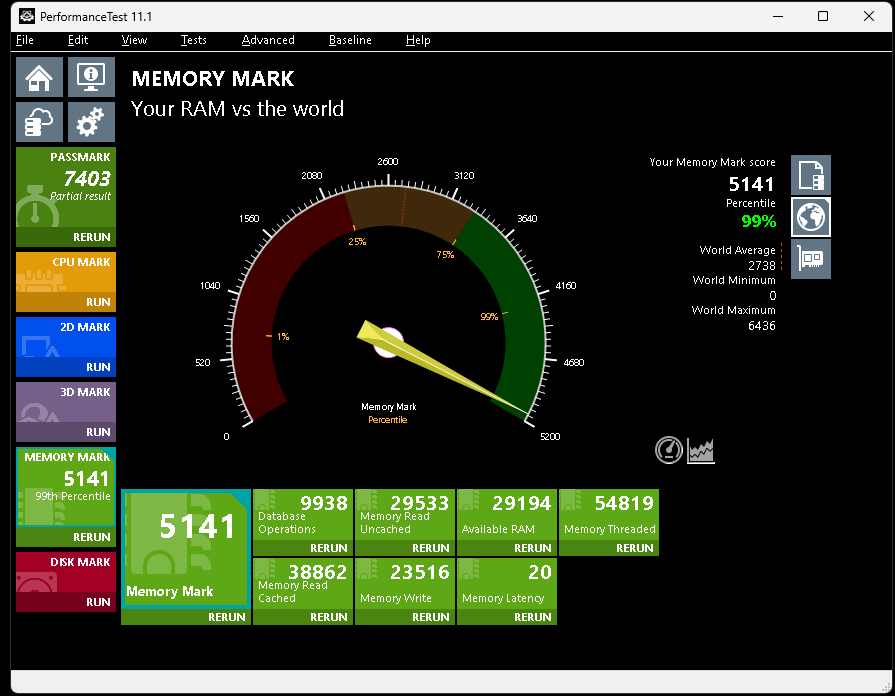
gaming is super smooth