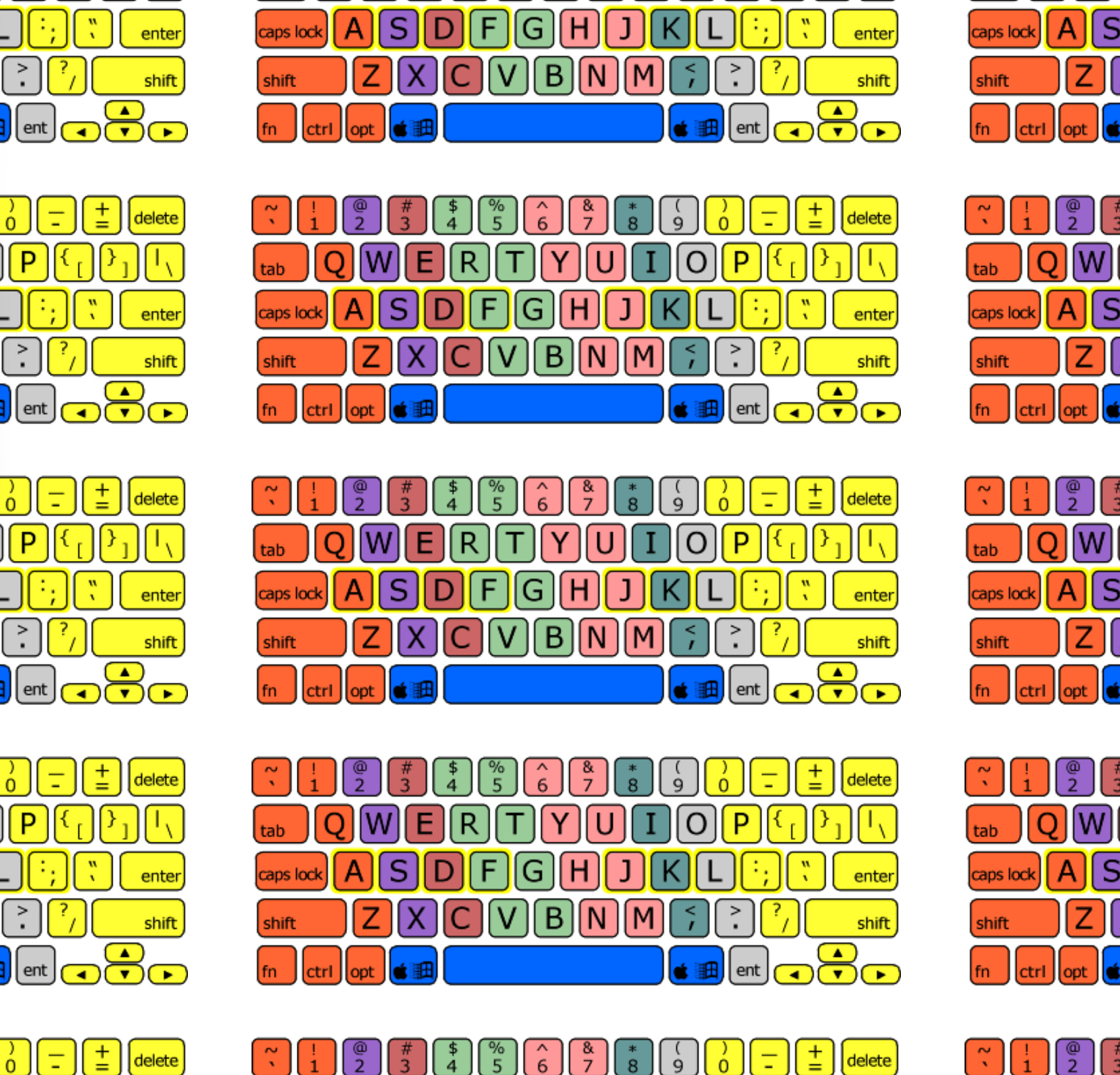
QWERTY training keyboard

I know how to type, but i now really want to do it properly by the book and use the correct finger for each key. i did some typing on typing.com etc.

I also put up this page to show me again what finger to use for what key. But now I have the idea, to get a keyboard with the colored keys. I only found this Logickeyboard so far for $125.

Is there something better or cheaper for a regular USB keyboard? I realize the market probably is small. I’m in the US and prefer to buy from US sources (tariff etc.).

I don’t know if stickers could be an option. I’m open to ideas.

(and yes, I’m aware i should just make mor effort learning on a regular keyboard…)

1 Like

I wonder if using paint pens might work? Clean the keys with alcohol first. Test in a hidden spot first. A place that supplies artists should have many colors of pens. Or the net…

1 Like

I’m afraid, painting around the letters will be too hard to make look good. I may try the above stickers.

FWIW, I’m using a cheap Amazon Basic keyboard. So, I’m not sacrificing a lot.

I was thinking paint around the outer perimeter. But stickers should do the same job and be easier to clean off after.

1 Like

It still will look like I did it myself :wink: And buying 8 colors will cost more. My only concern with stickers is, they may partially come off at some point. The keys are not totally flat, and even cleaning with alcohol may not remove all grease. But paint can have the same problem.

But by the time the stickers fail, I hope to either be able to type properly, or i know if it is worth ordering the darn expensive keyboard.

1 Like

It is just suggestion, but focusing on coloring and keyboard might be a little trap. The goal is to never look at the keyboard. And since you already type, it could prolong, or bring back your eye focus from monitor back to keyboard.

Practically, you just need to know where is F and J, and those always have physical line on them just to feel them (even on laptops). And having a colored map on monitor or near by might be a better idea (eyes on monitor). Then, retrain your brain with something fun:

I tested a demo, and decided to bought this: Glyphica: Typing Survival on Steam

And then not used it in last month at all :slight_smile: - because I do not feel pressure that I need to improve my typing. But I will get to it soon. Sometimes I catch my self looking briefly on keyboard.

1 Like

I got the stickers and put them on. Some even are straight :slight_smile:

One problem is, my home desk is kind of dark and the black letters on color are harder to see than the original white on black. I took them to work, but wasn’t brave enough and apply them there.

But I got a better idea. I screen-shotted the coloring from a website and applied the image in tiling on my 43” scree. That way I can see them somewhere when I have Outlook or Word open.

That seems to be a better cheat sheet and free, Now I will remove the stickers.

1 Like

I’ve been running through this typing program.

I’m still struggling with ergonomics despite all seat and desk adjustments. I was looking at some better keyboard, and obviously there is a lot of “ fad of the day” stuff.

But one idea that make sense are split keyboards. the part that makes sense is, my arms would be straight, and it literally forces me to at least use the correct hand. They also offer angled setup.

This is an example

I do have a home Pc, and two days a week I’m at work. So, initially would just try this at home before buying one for work (or at work i just suck it up)

Does anyone have experience or recommendations?

My current keyboard is wired, which is fine. But for a split one, if it is wireless, shouldn’t each half also be wireless? the one I linked is warless, but the halves still tethered.

BTW, I also looked into Colemak, Dvorak etc. But they only sell stickers. And i think if i learn that, it will be had wherever else i ever use a keyboard. I do like the idea of a more efficient layout. QWERTY is designed to slow you down due to the mechanical keyboards having issues when typing too fast.

Edit: something like this may beg ood as well.

I decided to get one of the split keyboards. For some reason I started with this Periboard 330 B.

I was a bit concerned with lag or issues with wireless. I do kike the concept and think I can use this type. BUT I don’t like the key feel. Maybe the angle my finger is weird, but some keys seem a bit sticky. They work fine when I hit them from above (like when you don’t blind-type). I’ll try this some more days, but consider getting a better one if that doesn’t break in. Edit: activation force is the term of what my fingers need too much.

It only has rear lifters to change the angle, but then it wobbles due to the front being curved. It doesn’t have front lifters / legs. I don’t know if I would need them. The scroll wheel also is stupid since I still need the mouse to click first. I also don’t care about the num and lock LED being in the center and not on the actual key. I also don’t like the volume buttons require using the Fn key. My cheap Amazon keyboard has separate volume buttons.

I then thought wireless is nice and maybe try a narrower one to see if that works better for the mouse. I do more 3D design work and don’t enter numbers like an accountant. I ordered this cheapo one and will receive it this weekend.

One reason for wireless is, we have cats that chew through cables and i need to put a sleeve around all small cables. i already have a wireless Logitech MX mouse. But at my work place wired is fine.

But I saw the Logitech Ergo K860 for $130. I get mixed reviews saying they lost quality in recent years. I kind of see that since for my mouse I had to RMA the USB receiver. Fortunately, that mouse also works with USB cable as wired mouse. And I kind of got the runaround initially and they only have 1 year warranty. Does anyone have experience with them?

I don’t like their stupid software and hope to get by without it. I also don’t like some keys have double lettering:

Since they don’t have a manual, i don’t know if volume buttons work simply without extra keys. I’m also concerned about longevity of the soft wrist cloth/foam thing. Looks like it could get dirty or greasy. For the money, that keyboard better types extremely well. This may sound like nit-picking, but consider the price!

And one thing no wireless keyboard seems to offer is the ability to also operate as wired keyboard via USB-C (like my mouse can).

Does anyone have more suggestions or advice on the above? I’m happy to pay money, but then it better be really good.

i went down the rabbit hole and saw every video about every space-ship looking keyboard. I realized this is as much an ergonomic issue as it is a touch-typing issue. Some ergo-channels convinced me my setup is bad to begin with . i have two 43” monitors and had them centered with the split in font of me. That made me turn to the right one for typing. i changed that and put the right screen more to the center and i move a bit to the right (my desk is only 5’ wide). I also did some better chair and table height adjustments.

I realized my Amazon flat keyboard types better than the Periboard. the shape isn’t so bad, but the keys just aren’t feeling good to me. This will go back to amazon.

I reflected a bit and found these truisms:

  • My work is mouse-centric and I hate keyboard shortcuts. I don’t really need F-keys etc.
  • I’m an engineer and only enter few numbers. I also don’t use the arrow keys a lot. A less than 104 key board may be better to bring the mouse closer.
  • the standard QWERTY rules aren’t really great since my (short and weak) pinky gets a lot of keys that are far away. I’m kind of open to a different use of fingers.
  • Column layout might be a thing to try since the staggered layout isn’t great. but i don’t know if that really is feasible
  • the general idea of the split keyboard is solid since my wrists suffer a bit on a regular keyboard. there also is something ot the tenting, but the keys need to be really nice and not some of them more sticky (like the Periboard)
  • For home, I probably want wireless to not deal with cables (or to not have my cats deal with the cables….). For work, cables are fine.
  • Having fewer (to me) useless keys may help finding my way.
  • I tried my living room * Logitech K400. while that has nice keys, the keys are too close. So, too compact won’t work. i don’t know if a touchpad in addition to a mouse would be good or bad.
  • I’m not ready yet for extreme keyboards like actually split ones and or inverted types etc. And they are too pricy to try out.

I guess the Logitech K860 is a bit wide (and pricy). There is the Wave that is a bit angled, but not split.

I’ve used the Omoton keyboard the last few days and actually like it. Definitely much better typing than the Periboard. I also converted both my desks (home and work) to have the right 43” monitor right in front of me and the keyboard and the left one be a secondary non-typing screen. I also lowered the desk a bit for better posture. i took the keyboard to work the two days this week.

the good:

  • I do like the narrowness and the mouse (I’m right-handed) closer to my center
  • I can switch the F-key function (it has volume etc. vs. regular function) with the keys (Fn+Esc) and don’t need to install a software
  • It has useful keys like lock-PC, calculator, “this PC”, “Google”
  • It doesn’t add Mac naming to the keys (like Logitech, see above)
  • The USB dongle has a magnetic pocket on the back
  • Radio reception seems much less finicky than on my Logitech MX mouse (that one seems to need almost line of sight)
  • has stand-up legs in front and back

Really, if you want to try out the tenting stuff, for $18 you can’t go wrong. Some simplicity Like not needing to install a software of the windows-only key labels even seem better than pricy ones)

Negatives:

  • I miss the num-pad sometimes and need to get used to not having it. Obviously this is known beforehand and the price to pay to have the mouse closer. So, this isn’t really a negative
  • wrist rest is sloping down and maybe a bit narrow?

I definitely will keep this for home use. but i want to find one for works. I found out, my works actually lets our admins order keyboards from Staples ( I only used the cheap Dell keyboard that comes with our PCs). They do have the Logitech Wave and the K860.

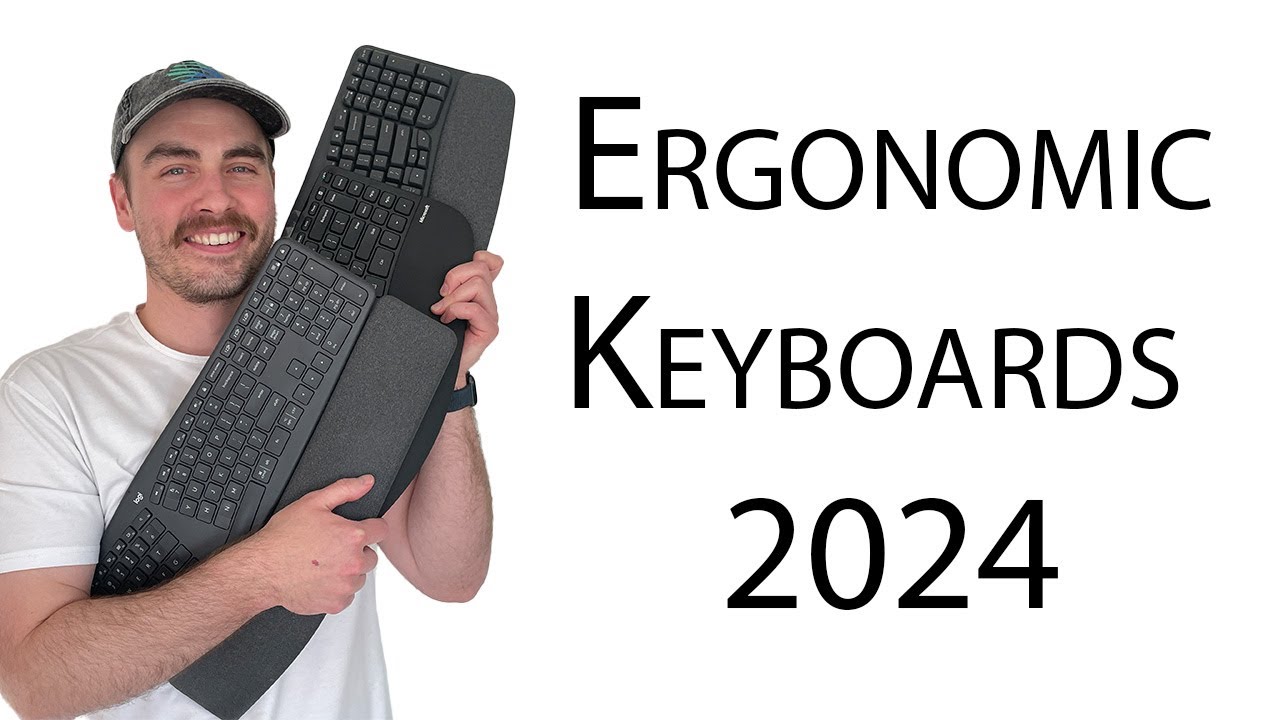
Here is a nice evaluation of both regarding ergonomics and he also points out the width of the K860 being an issue with the mouse.

I’m kind of tempted to get the Wave for work since that keeps is narrower and also exposes me to a different style (I’m only at work 2 days a week). I also don’t know if asking my work for the K860 is a bit excessive if i haven’t tried it.

I also tried a Logitech K350 that one of our admins uses. That seems to be the predecessor to the Wave, but seems to be laid out quite differently. So, that doesn’t help me a lot. I can’t even say i liked the keys a lot.

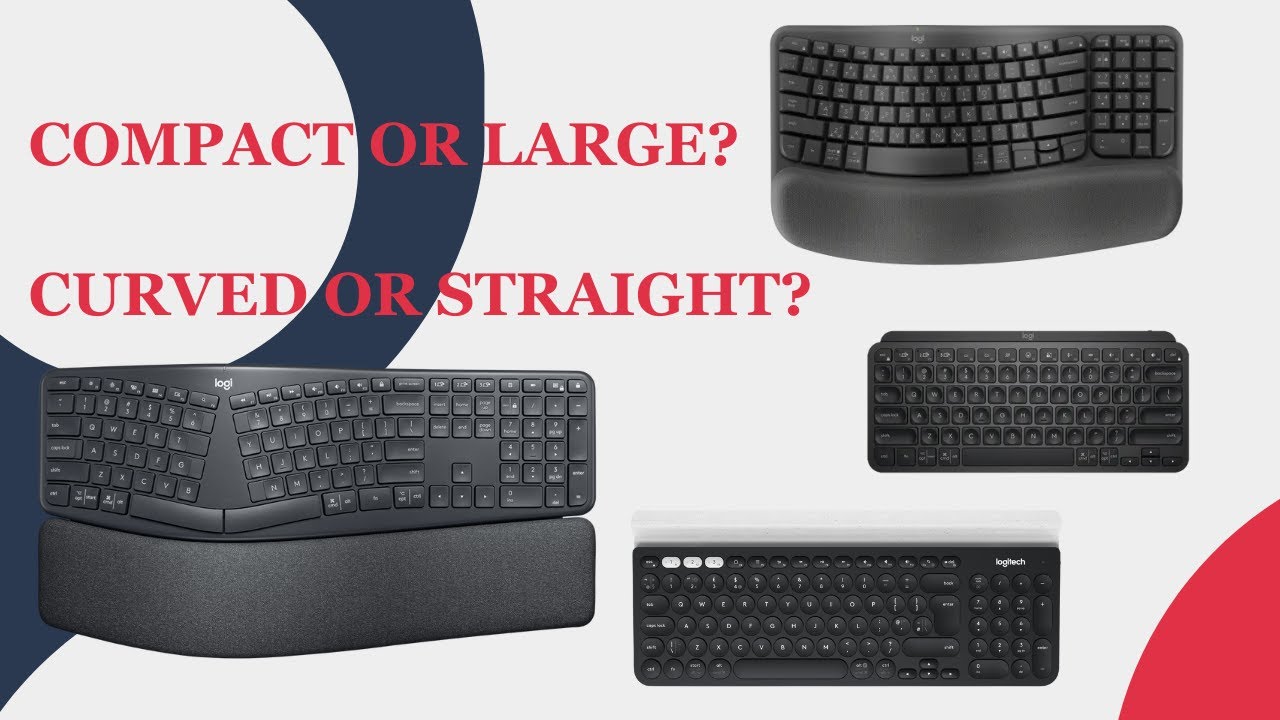
i found this comparison:

Does anyone have any advice or opinions between the two?

Edit: I didn’t like the noise the K350 made. I don’t know yet if I like the longer key travel it has. All keyboards I know seem quieter and have shorter key travel. Based on YT reviews I saw, the K860 also seems quite and seems to have short key travel. the Wave seems to be similar to the K350 (clicking noise and seemingly longer key travel)

I decided to get the K860 at work and it is great. The only negative I can tell is, they could have made a bit less wide by squeezing the num-pad and arrow keys a bit. That way the mouse would be closer to my center.

The wrist support is more horizontal and wider. Keys are superb and for me much easier to type. Maybe it is just a coincidentally good fit for my hand, or superior design after all.

The Omoton has a less deep wrist support, that also angles down. That makes my palm be at the edge. Smaller hands probably would care less. I still have to play with the adjustment of the feet.

I’ll wait another week to see if i order a K860 for home as well. I would feel bad returning the Omoton since it is really nice for the right person.

Regarding software, theK860 default keying is fine oob. I only re-programmed the F2 key from “brightness up” to the actual F2 (edit file name). You also can switch the F-keys with Fn+Esc (same with Omoton), but then you have all F-keys and lose the volume control etc. I read the K860 has memory to keep the program even if I de-install the Logitech software.

Maybe it is just in my mind, but I make fewer typing mistakes and my wrists feel better with the K860.

Is it overpriced? Sure. But a good bed, chair or mouse can be worth its weight in gold.
JFC, it is $145 now… I better wait…