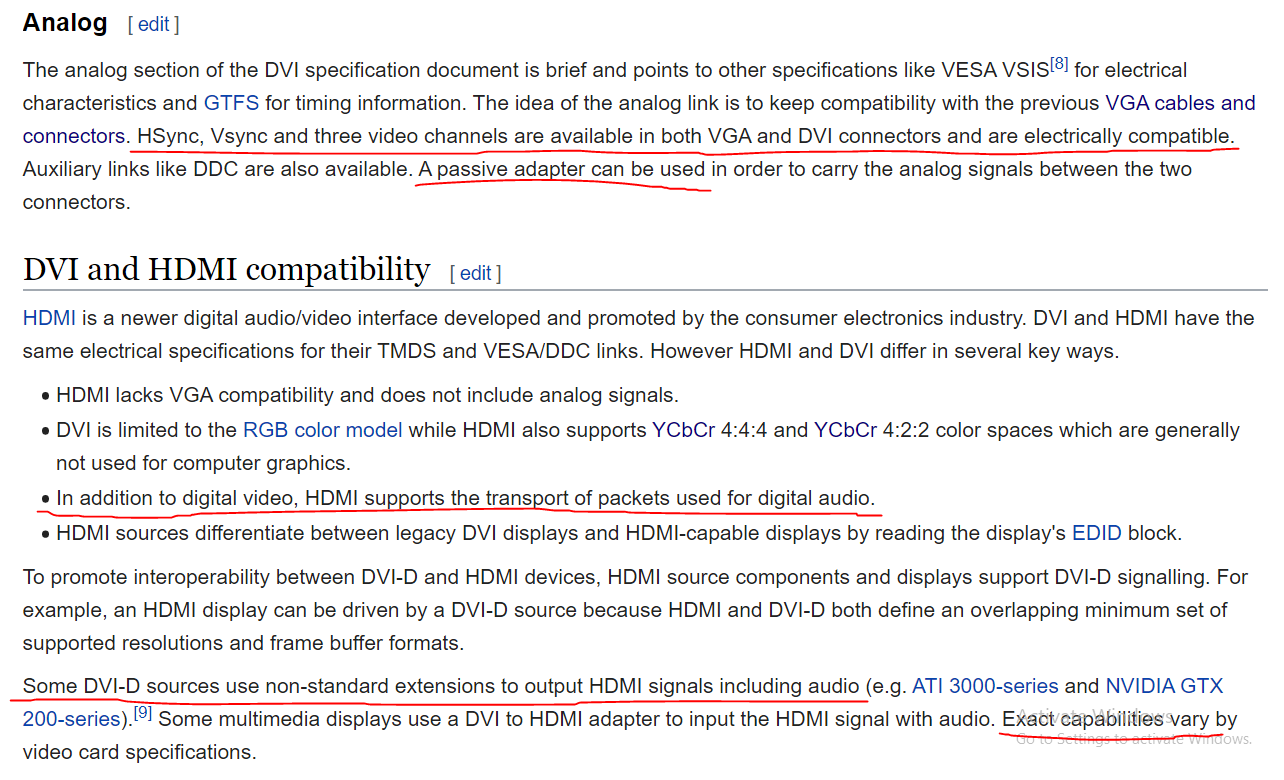
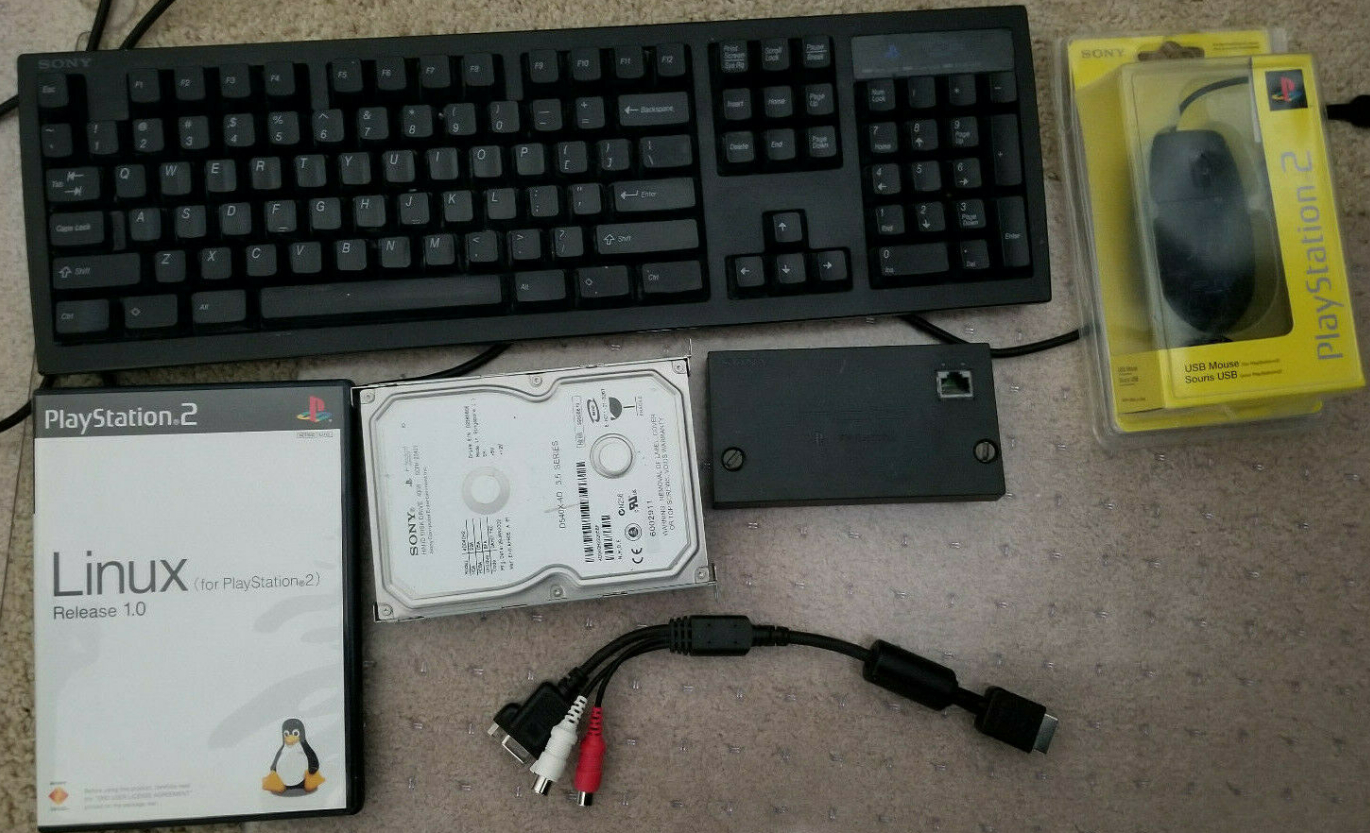
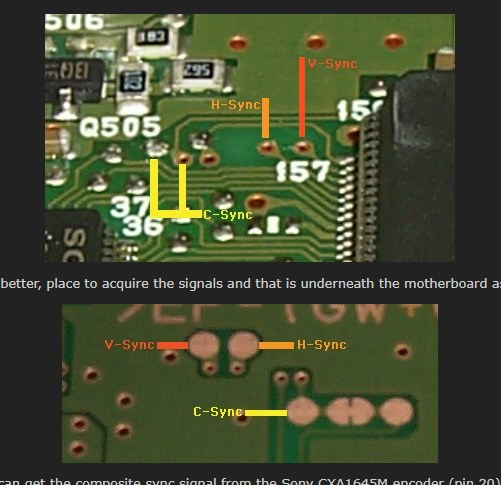
It looks like all the signals exist inside the PS1. Hoping someone can advice me on what may need added to solder pads before connecting directly to the VGA D-sub connector. Kind of like how LEDs should have but don’t need a resisitor. Just trying to avoid future problems. Also, from my understanding, composite sync involves filtering and merging H-sync and V-sync. Should I be removing those components. I think I’ll be removing the original multi-out connector anyway.
I would check if there isn’t any weird voltages over the individual signals and check if there is some China mods or parts that would make ur life easier in this process (you aren’t the only one to think of this) practice will help
I was planning to do this on my ps1 I had but was dead af so it’s a case now. I know there is a led /resistor board for this to diy I saw it in AliExpress 3 ish years ago
https://en.wikipedia.org/wiki/Color_Graphics_Adapter
CGA (same as PS1 apparently) has the same voltage levels on RGB lines and H sync and Vsync as VGA. VGA doesn’t support lower resolution. PS1 games do 240p and 480i; 2x scaling for 240p and line doubling (AKA de-interlacing) for 480i give perfect upscaling with no interpelation blurring. 480p is the minimum resolution for the VGA standard. Sync clock frequency is 15Khz on CGA/PS1; 31Khz on VGA. To get a crude but compatible upscale, the RGB lines could be left unaltered and the H sync and V sync lines converted to higher res (higher frequency) VGA compatible format. For a crisp upscaling, a “sample>hold>send twice” … mod/filter/modulation (whatever you want to call it) would have to be added to each RGB signal to send the analog equivalent of 2 digital pixels from one pixel, then that would be line doubled (basically the same as de-interlacing).
30,720 total register bits separated in 2 halves on a 24 bit wide bus, read write enable pins tied together in groups of 3. There are bus isolating “a sync” ICs for alternating which register bank bus is being written to and read from. That’s the thought process. Will need IC that integrate a lot of this.
I don’t know if this clears up the goal and function of the PS1 mod, but…
Always doubling vertical pixels drawn on screen, only doubling horizontal pixel count of 240p IN.
The lines labeled as “blank” aren’t sent as blank; they just don’t exist in the interlaced format.
Each line represent all RGB info in each line. Lines are just shaped to show how they’re scaled and which lines of input are different because they just vary before any scaling.
Scaling 240p 15kHz signals for use with VGA monitors has long been a pain, going back to the 90’s My experience with this has been more on the Commodore Amiga, which is kind of easier in so far as it natively outputs analogue RGB with sync on a 23 pin port which an adapter with a 15pin D-sub connector can be hooked up to.
That doesn’t solve the 15 ~ 31kHz problem, but with monitors like the BenQ BL702A that is technically a multi-sync and supports 15kHz it isn’t a problem.
An alternative that I could also use with other retro machines would be an Open Source Scan Converter: https://www.retrorgb.com/ossc.html This gets great reviews as it’s almost lag free unlike some other converters/up-scalers.
One thing to watch out for when comparing CGA equipment is to remember it was usually RGBi which was a digital signal and different from the analogue RGB which is what you’ll usually get out of a game console that supports SCART or similar.
Anyhow, if you have not seen them take a look through videos on YT by the 8-bit guy and My Life in Gaming. Both channels often cover video standards and up-scalers. Retro Man Cave also has some videos on this.
I had a 1366x768 (or something like that) 30something inch LCD that had VGA and a set of RGBHV B&C inputs. That was a few years ago, before I knew about all this. It probably would have worked. Even if I can’t get done what I want, it’s at least a learning experience I could carry into other cool things.
Agreed, it looks like you’ve already learned loads. There is so much material out there now that I’m sure you’ll figure out a way of achieving what you want, albeit with a few compromises, the PS1 looks like an easier system to mod (or just use with an external scan doubled) than the N64 judging by what you’ve posted.
One item I am now on the look out for is a good Sony PVM. On eBay they can be several hundred £££ but every now and then an auction starts at .99p and it’s collection only
The cost and scarcity of that stuff is part of why I want to do this. Should be way easier to find decent quality VGA CRTs for cheaper than going for a BVM/PVM. And yeah, I strained my brain for a few days searching and absorbing all I could.
Taking it easy on the more tedious stuff to sort out some finer user experience details. HDMI compatibility would be a big plus. One DVI-I single link port for both.
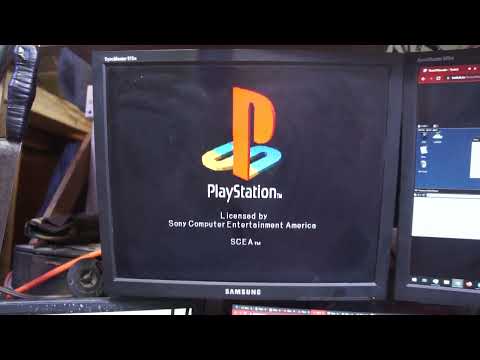
Anybody know what the PS1 boot screen resolution is? I have a monitor that displays it, but doesn’t display games I’ve tried… unless I use composite sync instead of separate H/S sync; unless that coincidence, I seem to be having disk read errors too.

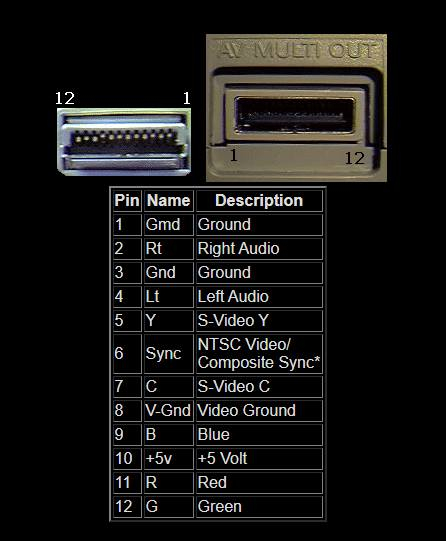
 My experience with this has been more on the Commodore Amiga, which is kind of easier in so far as it natively outputs analogue RGB with sync on a 23 pin port which an adapter with a 15pin D-sub connector can be hooked up to.