Hello! Long time listener first time caller.
I was finally able to successfully pass my GPU through to my Windows 10 VM today! However, I now have no audio when using Parsel to connect to the VM. I do get audio through Remote Desktop, but I’d really like to use Parsel for the lower latency and increased framerate.
I can’t seem to figure out how to get audio to show up in Windows. I don’t have any PCI Device or Audio Devices in Device Manager either.
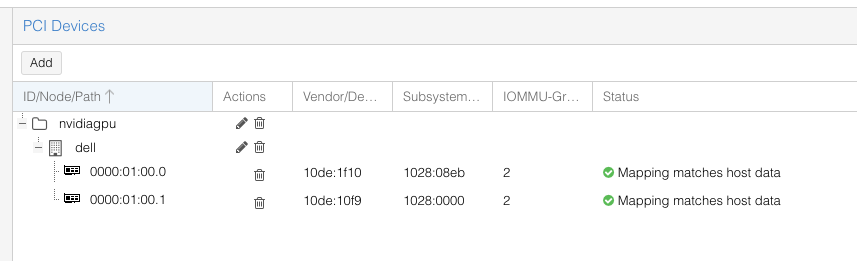
I mapped the GPU and Audio controller in Proxmox

root@dell:~# lspci -ks 01:00
01:00.0 VGA compatible controller: NVIDIA Corporation TU106M [GeForce RTX 2070 Mobile] (rev a1)
        Subsystem: Dell TU106M [GeForce RTX 2070 Mobile]
        Kernel driver in use: vfio-pci
        Kernel modules: nvidiafb, nouveau
01:00.1 Audio device: NVIDIA Corporation TU106 High Definition Audio Controller (rev a1)
        Subsystem: Dell TU106 High Definition Audio Controller
        Kernel driver in use: vfio-pci
        Kernel modules: snd_hda_intel
01:00.2 USB controller: NVIDIA Corporation TU106 USB 3.1 Host Controller (rev a1)
        Subsystem: Dell TU106 USB 3.1 Host Controller
        Kernel driver in use: vfio-pci
        Kernel modules: xhci_pci
01:00.3 Serial bus controller: NVIDIA Corporation TU106 USB Type-C UCSI Controller (rev a1)
        Subsystem: Dell TU106 USB Type-C UCSI Controller
        Kernel driver in use: vfio-pci
        Kernel modules: i2c_nvidia_gpu
Let me know what other system info I can get for you!
Thanks!