Yet another driver version… 32.0.101.8805
Unfortunately, no
Is there any consensus about cross-flashing Gunnir B50 to Intel B50 or vice versa? Intel ones seem very hard to find right now or they sell at grossly inflated prices.
Reading Gunnir B50 allow 4 VFs left me baffled as it does not align with former or latter number of VFs in Intel Firmware. TBH I find this inconsistency very strange and I doubt that Intel would leave number of allowed VFs at vendor’s discretion.
If I would for any reason want to have 12VFs, is there any risk if I attempt to flash config-data only? Can I roll back if this flashing does not work out? What risks are there if I attempt to flash entire FW, not just config-data? Do I risk losing only fan control, or is there a risk of irrecoverable bricking of the card?
@mal7hael Probably you can advise as you seem to be most familiar with those things, you mentioned some signature checks in firmware, can you elaborate please?
Although I haven’t tried it myself, I still wouldn’t recommend doing this because their subsystem IDs are different, so there’s a high chance the flashing process won’t even start.
Even if you do manage to flash it successfully, the configuration may not be readable afterward, and there’s even a risk of bricking the device.
1 Like
Quick question: Is the B50 Pro still limited to 2 VF Instances ?
Yes if you use Intel standard firmware,
No if you tweak it the way below…
1 Like
So as we sit right now, what’s the most up-to-date firmware version that works with the 6979 downgrade for >2 SR-IOV instances and doesn’t give error 43 within Windows VMs? Latest driver version from Intel is 8805… last working combo I’ve seen is 8517 firmware on the B50 with 6979 config flashed over and running 8515 or lower driver versions within Windows?
1 Like
The Code 43 error reported by the driver is caused by the driver incorrectly identifying its environment as a “Hyper-V bare-metal/Root environment” and therefore initializing the GPU as if it were a physical GPU. You can refer to this issue.
This issue is not caused by the firmware, so it will occur regardless of whether you use the stock firmware or “hybrid firmware.”
If you need to use nested virtualization or VM masquerading (kvm=off), you can try driver version 8314.
If you want to use the latest driver, you will need to disable both of the above features.
In addition, I noticed that newer firmware introduces a 60°C temperature limit.
When the temperature reaches 60°C, the GPU immediately throttles down.
After running sensors -u, an additional entry appears:pkg: temp2_max: 60.000
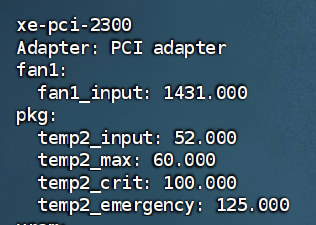
This is not caused by the “hybrid firmware”. Flashing the latest firmware still results in the same 60°C temperature limit. Downgrading back to firmware version 6979 removes this limitation.
I have seen someone mention a similar issue on the Intel forum, but I’m not sure whether anyone here has encountered it.
2 Likes
I’m currently running the combo in my last post - 8517 Firmware with downgraded 6979 config section, and driver 8515. VM config is Windows 11 with nested virtualization, and no error 43 on the Intel GPU.
I do see a temp2 max of 60 as you mention, but seems mine is at 85C?
xe-pci-0a00
Adapter: PCI adapter
fan1:
fan1_input: 1534.000
pkg:
temp2_input: 85.000
temp2_max: 60.000
temp2_crit: 100.000
temp2_emergency: 125.000
temp2_input should represent the current GPU temperature—in this case, 85°C.
However, your fan speed is only 1534 RPM, which is quite strange.
Based on my experience and cases in the Intel community, the GPU immediately throttles as soon as it hits 60°C.
I need some help, I’ve ran through so many guides i’m thoroughly confused.
-
I’ve got a b50 in my ms-a2, I have a windows vm running within proxmox with the latest arc drivers installed.
- the card reports that its working fine in the intel software.
-
I cloned the vm and tried to setup linux, as soon as i start the vm, proxmox crashes.
- kernel: AMD-Vi: IOMMU 0000:00:00.2: Completion-Wait loop timed out
- iommu ivhd0: AMD-Vi: Event logged [IOTLB_INV_TIMEOUT device=0000:0b:00.0 address=0x100637de0]
- according to AI, there’s a PCIe reset signal sent and the iommu times out or something and thats whats causing the crash.
-
interestingly, the windows vm will report the same timeout errors but not crash proxmox
-
i’ve been spinning wheels using chatgpt to troubleshoot and figured i’d just post here, maybe someone has a clue whats wrong here.
-
also maybe relevant, it seems there’s 2 pcie bridges between the GPU and CPU? the pcie bridge the card is connected to is set to 1x pcie while the other is 8x all the way up to the cpu, dunno what thats about, i haven’t dug through the bios to see if there’s some kind of config to mess with.
oops, forgot to mention the windows vm is setup with pci passthrough
Hi, I saw your posts about the PEX89144 PCIe 5.0 backplane. Did you get it working successfully? If so, did you run into any issues or discover anything you’d recommend knowing before I try something similar?
make sure you are using the igpu for host display, and host is set to primary graphics? you dont want to use the b50 as a main display. is the firmware updated?
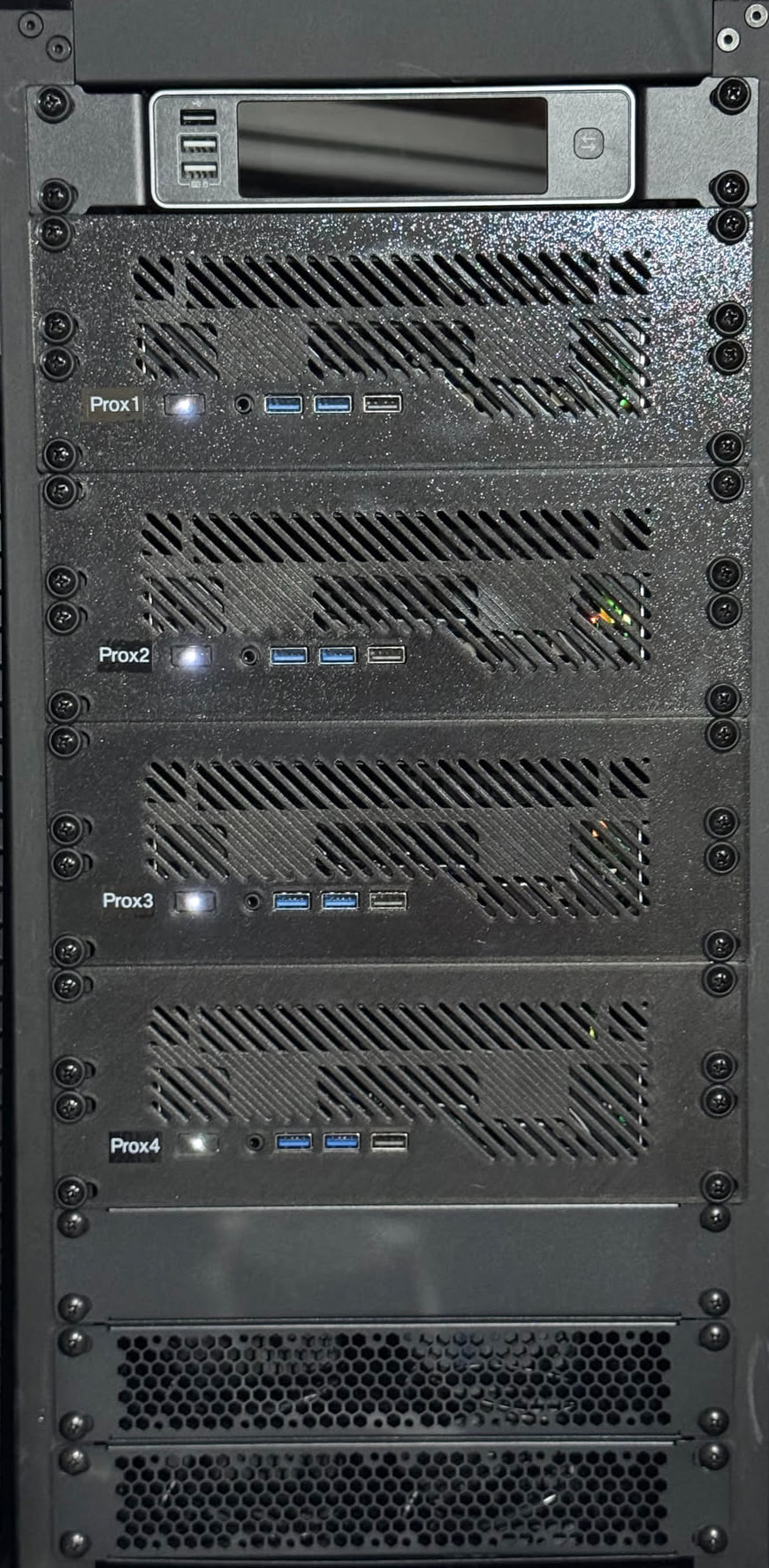
I had crashing issues as well on my latest MS-A2 in the cluster - it was down to Secure Boot being enabled on the host, and the VM side with a “host” CPU type passthrough, and it crashed Proxmox. Disabled secure boot, and all working again.
Edit to clarify: The other 3 hosts were on an older BIOS version, 1.02 IIRC. The latest host was on 1.03 and had the issue. All of the hosts had Secure Boot enabled, but something in BIOS 1.03 had issues. I had gone so far as to run a memtest overnight on the host to determine if it was a hardware issue (acted like a bad stick of RAM), and to do so required disabling safe boot. I forgot to turn it back on at the next boot, and no longer had the issue.
1 Like
I had a similar crash situation which was fixed by adding pci=noats to the Proxmox kernel commandline. Note that this does reduce (PCIe) security.
Had to the same recently with my B70 which was in passthrough to a Win11 VM. Host (AMD EPYC) just crashed hard when the VM started. VM seems to start, the circular icon of Win11 stutters, hangs and eventually the Proxmox host just crashed and rebooted. noats parameter fixed it. Secure boot was off already.