yes mine ildes very hot.
Not sure if I’m the only one that uses TightVNC as their go-to remote desktop server for test Windows VMs, but for some reason it does not currently work with the recommended guest drivers here when the VM is configured with only the B50 VF for graphics. It will work during setup with VGA+VF, but as soon as emulated graphics is removed to get full performance the client only gets a black screen. Use RDP.
You might need to add a virtual display for VNC:
Hey, that worked. Thank you!
1 Like
I was able to get SR-IOV VFs to show up, but I see this error in dmesg:
[ 1707.848128] xe 0000:b1:00.1: [drm] *ERROR* GT0: H2G request 0x550e failed: error 0x60 hint 0x0
[ 1707.848450] xe 0000:b1:00.1: [drm] *ERROR* GT0: failed to enable GuC opt-in features: -EIO
[ 1707.848791] xe 0000:b1:00.1: probe with driver xe failed with error -5
Any ideas what’s causing that?
I’ve also been trying to get it to work in my Jellyfin VM but have been getting the same Bus error as in Proxmox 9.0 + Intel B50 SR-IOV -- finally its almost here! Early Adopter's Guide - #219 by mowo94 when I pass through the entire GPU, and when I run the command on proxmox itself. But given that the solution has to do with BAR size, and that the machine I’m using doesn’t support Resizable BAR, I think that might be what’s causing the issue?
Has anyone been able to get the B50 working on proxmox without ReBAR?
Hey
Trying to set up my Supermicro X10dri board with it…
But can any1 2x check my math.
- I need UEFI
- I need 4G Decoding
- I need to enable Rebar? Which is not in this board bios, which means I have to > hack the bios using this ? GitHub - xCuri0/ReBarUEFI: Resizable BAR for (almost) any UEFI system
- I will come back when I hack the bios and motherboard don’t die lol

04:00.0 VGA compatible controller: Intel Corporation Battlemage G21 [Intel Graphics] (prog-if 00 [VGA controller])
        Subsystem: Intel Corporation Device 1114
        Control: I/O- Mem+ BusMaster+ SpecCycle- MemWINV- VGASnoop- ParErr+ Stepping- SERR+ FastB2B- DisINTx-
        Status: Cap+ 66MHz- UDF- FastB2B- ParErr- DEVSEL=fast >TAbort- <TAbort- <MAbort- >SERR- <PERR- INTx-
        Latency: 0, Cache Line Size: 32 bytes
        Interrupt: pin ? routed to IRQ 227
        NUMA node: 0
        IOMMU group: 107
        Region 0: Memory at c4000000 (64-bit, non-prefetchable) [size=16M]
        Region 2: Memory at 2ffe0000000 (64-bit, prefetchable) [size=256M]
        Expansion ROM at c5000000 [disabled] [size=2M]
        Capabilities: [40] Vendor Specific Information: Len=0c <?>
        Capabilities: [70] Express (v2) Endpoint, IntMsgNum 0
                DevCap: MaxPayload 256 bytes, PhantFunc 0, Latency L0s unlimited, L1 unlimited
                        ExtTag+ AttnBtn- AttnInd- PwrInd- RBE+ FLReset+ SlotPowerLimit 0W TEE-IO-
                DevCtl: CorrErr- NonFatalErr- FatalErr- UnsupReq-
                        RlxdOrd- ExtTag+ PhantFunc- AuxPwr- NoSnoop+ FLReset-
                        MaxPayload 256 bytes, MaxReadReq 512 bytes
                DevSta: CorrErr- NonFatalErr- FatalErr- UnsupReq- AuxPwr- TransPend-
                LnkCap: Port #0, Speed 2.5GT/s, Width x1, ASPM L0s L1, Exit Latency L0s <64ns, L1 <1us
                        ClockPM- Surprise- LLActRep- BwNot- ASPMOptComp+
                LnkCtl: ASPM L1 Enabled; RCB 64 bytes, LnkDisable- CommClk-
                        ExtSynch- ClockPM- AutWidDis- BWInt- AutBWInt-
                LnkSta: Speed 2.5GT/s, Width x1
                        TrErr- Train- SlotClk- DLActive- BWMgmt- ABWMgmt-
                DevCap2: Completion Timeout: Range B, TimeoutDis+ NROPrPrP- LTR+
                         10BitTagComp+ 10BitTagReq+ OBFF Not Supported, ExtFmt+ EETLPPrefix-
                         EmergencyPowerReduction Not Supported, EmergencyPowerReductionInit-
                         FRS- TPHComp- ExtTPHComp-
                         AtomicOpsCap: 32bit- 64bit- 128bitCAS-
                DevCtl2: Completion Timeout: 50us to 50ms, TimeoutDis-
                         AtomicOpsCtl: ReqEn-
                         IDOReq- IDOCompl- LTR- EmergencyPowerReductionReq-
                         10BitTagReq- OBFF Disabled, EETLPPrefixBlk-
                LnkCap2: Supported Link Speeds: 2.5GT/s, Crosslink- Retimer- 2Retimers- DRS-
                LnkCtl2: Target Link Speed: 2.5GT/s, EnterCompliance- SpeedDis-
                         Transmit Margin: Normal Operating Range, EnterModifiedCompliance- ComplianceSOS-
                         Compliance Preset/De-emphasis: -6dB de-emphasis, 0dB preshoot
                LnkSta2: Current De-emphasis Level: -6dB, EqualizationComplete- EqualizationPhase1-
                         EqualizationPhase2- EqualizationPhase3- LinkEqualizationRequest-
                         Retimer- 2Retimers- CrosslinkRes: unsupported
        Capabilities: [ac] MSI: Enable+ Count=1/1 Maskable+ 64bit+
                Address: 00000000fee01898  Data: 0000
                Masking: 00000000  Pending: 00000000
        Capabilities: [d0] Power Management version 3
                Flags: PMEClk- DSI- D1- D2- AuxCurrent=0mA PME(D0+,D1-,D2-,D3hot+,D3cold-)
                Status: D0 NoSoftRst+ PME-Enable- DSel=0 DScale=0 PME-
        Capabilities: [100 v1] Alternative Routing-ID Interpretation (ARI)
                ARICap: MFVC- ACS-, Next Function: 0
                ARICtl: MFVC- ACS-, Function Group: 0
        Capabilities: [110 v1] Null
        Capabilities: [200 v1] Address Translation Service (ATS)
                ATSCap: Invalidate Queue Depth: 00
                ATSCtl: Enable+, Smallest Translation Unit: 00
        Capabilities: [420 v1] Physical Resizable BAR
                BAR 2: current size: 256MB, supported: 256MB 512MB 1GB 2GB 4GB 8GB 16GB
        Capabilities: [400 v1] Latency Tolerance Reporting
                Max snoop latency: 0ns
                Max no snoop latency: 0ns
        Kernel driver in use: vfio-pci
        Kernel modules: xe
I did not update my kernel yet… need to learn how to sigh.
I have the same board, and just letting you know the BIOS mod works fine.
My modded BIOS enables booting from NVME, and Above 4G Decoding. Once the above 4G is enabled from the BIOS menu, you can run the ReBarUEFI tool, reboot, and you have full ReBar support.
Disclaimer: haven’t tried it on B50 yet, it’s in the mail. On the lowly A310 though i got full ReBar (4GB), while before the BIOS mod I was getting 256MB.
1 Like
I love you, thank you for reply!!!
So you followed the guide from that Github?
And then this video?
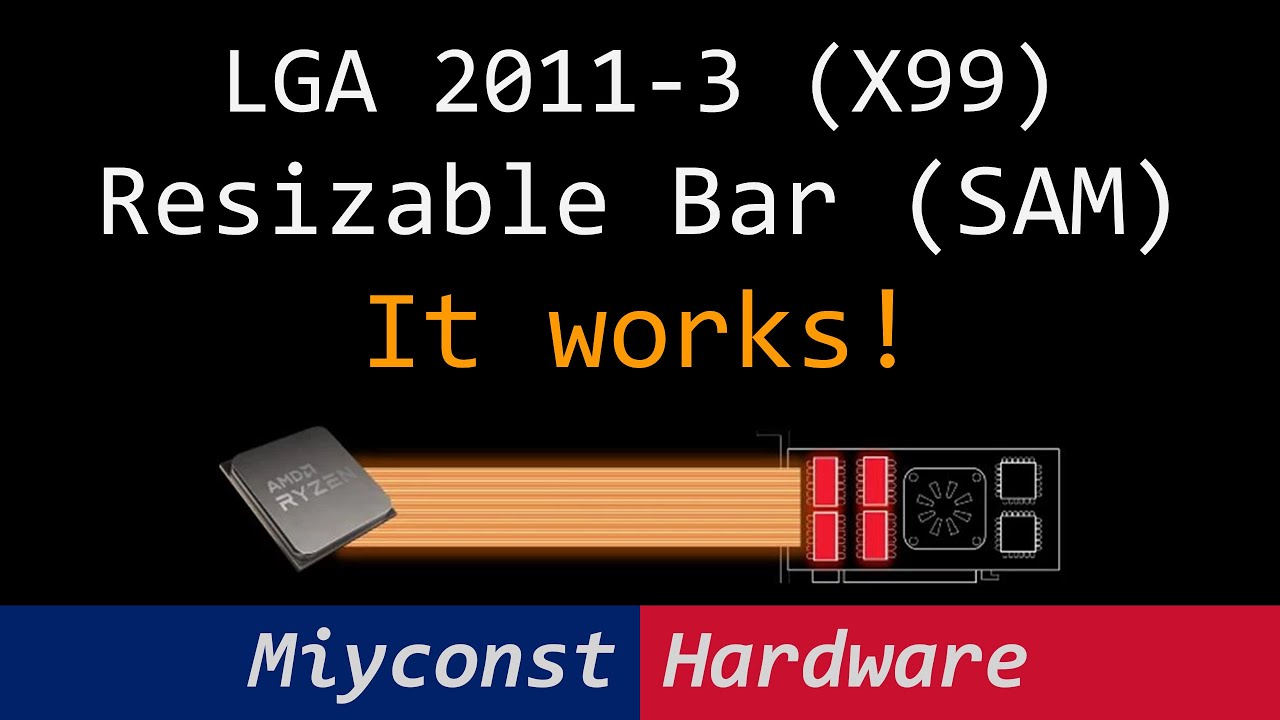
I’m currently on bios 3.2a, and i have downloaded 3.4a and was about to use IPMI web to update it.
But I also enabled bifurcation for top most slot PCIE to 4x4x4x4 (SLOT/cpu2) and it WORKS, at least it works for 2 of my nvmes. Even tho supermicro states that it does NOT work on that board. Its so confusing.
How did u update your bios at the end, did u use the IPMI to flash it or the app he suggested?
I’m reading all docs so I don’t yet have full picture of what I need to do sigh.
Edit, I have X10DRI-T just to be… most accurate I can…
Which bios ver do you have? can u check if u have bifurcation settings?
https://www.supermicro.com/support/faqs/faq.cfm?faq=24242&utm_source=chatgpt.com
Update.
I tried updating bios 3.2a to 3.4a, via IPMI, seem to succed/ restart/ no info/no screen, wait, then restart, no screen, shut down remove battery, start up, no scren.
I’m crying.
Fixed!
Downgraded to 3.0a from archive
Upgraded BMC
Upgraded to 3.4a - works.
Working on rebar now sigh.
Apparently we don’t need it…
What am I looking at to tell if the firmware is updated?
In the video Wendell shows Unigine Heaven running through the Proxmox Web Interface (noVNC). Does it actually work without the mouse being offset by about one screen? Will it have two virtual displays or just one?
Back when messing with NVIDIA vGPU you had to disable the Proxmox virtual display and completely access the system using RDP/Parsec (which are indeed better), but I’d like to keep the noVNC option there as well. Think Hyper-V GPU-PV where you gain acceleration but you still have just 1 “display” and can use the normal way of accessing it just fine.
Mostly thinking if I want to give my friends some VMs to play with, I’d like for them to be able to manage their install (or even BitLocker unlock) using the noVNC viewer, without me having to set up Parsec for them.
Someone do a script that does all the hard work for us a.k.a intel-proxmox-installer.sh ^^, hehe
Discovered the igsc fw version command that could read back the current f/w version. My attempt to update the firmware from a Windows VM failed silently. Using Solaris17’s igsc firmware update utility in Linux did the trick for me. Had trouble finding the firmware (ie not in a driver .exe install file) but a thread on TechPowerUp helped.
Hey
Just wanted to show summary of my adventure to make it work <YAY
2x CPU E5-2698 v4, 512gb ram.
Supermicro X10DRi-T
- Despite “not supporting - by Supermicro”, I could split pcie 16x in to 4x4x4x4x
- Update Legacy Bios to UEFI bios
- Update Proxmox 8.4 to 9.X latest
- Update Proxmox 9.X to 6.17 Kernel - proxmox has forum on how to do it, they have early release.
- Installed Bios 3.4a from 3.2a - PLEASE INSTALL BMC latest ver 1st They need to be in sync! (this was a nightmare experience as I tried to install 3.4a on old BMC and that bricked the board, thank god for IPMI, I reverted back to 3.0a, installed BMC update, then back to 3.4a and all works, yay)
- Used the bios file from website to mod in resisable bar mod.
- Activated the rebar via windows - no vm to be sure.
- Installed Intel B50 in standalone pc - install drivers - update firmware/etc - YAY
- B50 show up with rebar support hardware/software + SR-IOV functions - YAY
- Spin up existing VM and added gpu to it, all seem to work, my Blueiris is a lot faster now streaming/etc - yayayayay!!!
PROBLEM. I set my gpu to be 8 chunks, but for some reason it resets to 0 every few seconds.
I must have mest up some config, but doing this echo 4 > sriov_numvfs doe not seem to work somehow… or at least file resets to 0… no idea,
hints?
Thanks!
FIXED the issue with loosing my sr-iov devices, I need to assign them from .1 index not .0 index, .0 is full gpu, .1 is chunk. All works like dream!
1 Like
Apologies for the late reply.
I followed some written guides, didn’t follow that video specifically.
Pretty much the hard work of modding the BIOS (padding, etc.) was done by someone else, I just downloaded a pre-modded BIOS file I found on some fora (that had people vouching for it so I thought to give it a try), flashed through IPMI and everything worked. If you want it I could provide the file for you.
IPMI shows the current (modded) BIOS as 3.4a.
In the BIOS I can see full bifurcation options for all slots.
Hey
ooo thats neat, but hold on u have entry in bios for it? Where did u find it?
I had to enable it via windows, though it was windows only patch.
How did u enable persistent srvio ? mine keeps reseting to 1 gpu sigh.
Should this work with consumer grade AM4 motherboards? I picked up a B50 from Microcenter but I have not been able to get lscpi to show SR-IOV capabiliity.
I’ve tried this on 2 different MSI B550 motherboards with SR-IOV and Resizable BAR enabled in the bios. I also verified the B50 firmware versions using igsc and even plugged the card into a windows machine and installed the drivers to make sure the firmware was up to date.
root@proxmox:~# ./igsc fw version
Device: FW Version: BMG__21.1162
root@proxmox:~# ./igsc oprom-data version
OPROM DATA Version: 17 00 25 04 00 00 00 00
root@proxmox:~# ./igsc oprom-code version
OPROM CODE Version: 17 00 25 04 00 00 00 00
root@proxmox:~# ./igsc fw-data version
Device: Fw Data Version: Major Version: 203, OEM Manufacturing Data Version: 31, Major VCN: 0
root@proxmox:~# uname -a
Linux proxmox 6.17.2-1-pve #1 SMP PREEMPT_DYNAMIC PMX 6.17.2-1 (2025-10-21T11:55Z) x86_64 GNU/Linux
2d:00.0 VGA compatible controller: Intel Corporation Battlemage G21 [Intel Graphics] (prog-if 00 [VGA controller])
        Subsystem: Intel Corporation Device 1114
        Control: I/O- Mem+ BusMaster+ SpecCycle- MemWINV- VGASnoop- ParErr- Stepping- SERR- FastB2B- DisINTx-
        Status: Cap+ 66MHz- UDF- FastB2B- ParErr- DEVSEL=fast >TAbort- <TAbort- <MAbort- >SERR- <PERR- INTx-
        Latency: 0, Cache Line Size: 64 bytes
        Interrupt: pin ? routed to IRQ 115
        IOMMU group: 19
        Region 0: Memory at fb000000 (64-bit, non-prefetchable) [size=16M]
        Region 2: Memory at 7800000000 (64-bit, prefetchable) [size=16G]
        Expansion ROM at fc000000 [disabled] [size=2M]
        Capabilities: [40] Vendor Specific Information: Len=0c <?>
        Capabilities: [70] Express (v2) Endpoint, IntMsgNum 0
                DevCap: MaxPayload 256 bytes, PhantFunc 0, Latency L0s unlimited, L1 unlimited
                        ExtTag+ AttnBtn- AttnInd- PwrInd- RBE+ FLReset+ SlotPowerLimit 0W TEE-IO-
                DevCtl: CorrErr- NonFatalErr- FatalErr- UnsupReq-
                        RlxdOrd+ ExtTag+ PhantFunc- AuxPwr- NoSnoop+ FLReset-
                        MaxPayload 256 bytes, MaxReadReq 512 bytes
                DevSta: CorrErr- NonFatalErr- FatalErr- UnsupReq- AuxPwr- TransPend-
                LnkCap: Port #0, Speed 2.5GT/s, Width x1, ASPM L0s L1, Exit Latency L0s <64ns, L1 <1us
                        ClockPM- Surprise- LLActRep- BwNot- ASPMOptComp+
                LnkCtl: ASPM Disabled; RCB 64 bytes, LnkDisable- CommClk-
                        ExtSynch- ClockPM- AutWidDis- BWInt- AutBWInt-
                LnkSta: Speed 2.5GT/s, Width x1
                        TrErr- Train- SlotClk- DLActive- BWMgmt- ABWMgmt-
                DevCap2: Completion Timeout: Range B, TimeoutDis+ NROPrPrP- LTR+
                         10BitTagComp+ 10BitTagReq+ OBFF Not Supported, ExtFmt+ EETLPPrefix-
                         EmergencyPowerReduction Not Supported, EmergencyPowerReductionInit-
                         FRS- TPHComp- ExtTPHComp-
                         AtomicOpsCap: 32bit- 64bit- 128bitCAS-
                DevCtl2: Completion Timeout: 50us to 50ms, TimeoutDis-
                         AtomicOpsCtl: ReqEn-
                         IDOReq- IDOCompl- LTR+ EmergencyPowerReductionReq-
                         10BitTagReq- OBFF Disabled, EETLPPrefixBlk-
                LnkCap2: Supported Link Speeds: 2.5GT/s, Crosslink- Retimer- 2Retimers- DRS-
                LnkCtl2: Target Link Speed: 2.5GT/s, EnterCompliance- SpeedDis-
                         Transmit Margin: Normal Operating Range, EnterModifiedCompliance- ComplianceSOS-
                         Compliance Preset/De-emphasis: -6dB de-emphasis, 0dB preshoot
                LnkSta2: Current De-emphasis Level: -6dB, EqualizationComplete- EqualizationPhase1-
                         EqualizationPhase2- EqualizationPhase3- LinkEqualizationRequest-
                         Retimer- 2Retimers- CrosslinkRes: unsupported
        Capabilities: [ac] MSI: Enable+ Count=1/1 Maskable+ 64bit+
                Address: 00000000fee00000  Data: 0000
                Masking: 00000000  Pending: 00000000
        Capabilities: [d0] Power Management version 3
                Flags: PMEClk- DSI- D1- D2- AuxCurrent=0mA PME(D0+,D1-,D2-,D3hot+,D3cold-)
                Status: D0 NoSoftRst+ PME-Enable- DSel=0 DScale=0 PME-
        Capabilities: [100 v1] Alternative Routing-ID Interpretation (ARI)
                ARICap: MFVC- ACS-, Next Function: 0
                ARICtl: MFVC- ACS-, Function Group: 0
        Capabilities: [110 v1] Null
        Capabilities: [200 v1] Address Translation Service (ATS)
                ATSCap: Invalidate Queue Depth: 00
                ATSCtl: Enable+, Smallest Translation Unit: 00
        Capabilities: [420 v1] Physical Resizable BAR
                BAR 2: current size: 16GB, supported: 256MB 512MB 1GB 2GB 4GB 8GB 16GB
        Capabilities: [400 v1] Latency Tolerance Reporting
                Max snoop latency: 1048576ns
                Max no snoop latency: 1048576ns
        Kernel driver in use: xe
        Kernel modules: xe
You may have to reinstall the drivers, I believe the first time I did it mine silently failed updating the firmware on Windows. Once I re-ran it, the firmware successfully updated and then I seen SR-IOV option in lspci.
So I eventually managed to get this working, but it was not by running the intel driver installer. I ended up unzipping the installer package using 7zip, finding the firmware and then using GitHub - Solaris17/ARC-Firmware-Tool: Intel ARC GPU flash tool for Windows to overwrite the fwdata/fwconfig with an older version and then back to the newer version. I wasn’t able to do this with the linux igsc utility as it would error out saying the firmware file was not compatible.
It seems the newer B50 cards are shipping with the updated firmware code but there is something different about the fw config/data.
SR-IOV work on my MSI B550 motherboard, FWIW
Install it normally on windows, it will update drivers&firmware. I had the same issue, after windows boot all worked well.