Background
A few people have taken interest in the system I’ve been building up to teach myself about LLMs, RAGs, MCP services, and other harness related projects.
A recent comment has inspired me to make this dedicated thread where we are going to focus mostly on the hardware and driver stack of my build. I’ll still make dedicated threads when it makes sense so people searching for that topic don’t have to dig through possible pages of late night ramblings.
> Disclaimer: I am not an expert, this is not a tutorial
While I do have ~18 years of tech experience that ranges from Helpdesk, Field engineer, Release/Change Manager, Automation SME, and Hypervisors, my career has been largely finding the smartest person in the room and asking them how they would handle a problem.
This thread will be me documenting my journey and hopefully collecting more knowledge from anyone that wishes to share it.
The Evolution of Deep Thoughts
Genesys
Deep started as some spare hardware thrown into a old Antec P100 after I got inspired from playing with Ollama on my main Windows system that had a 9070 XT. At first It was a MSI B550m Mortar with a 5800G, RX6600, and 32GB of RAM. However, I quickly found myself needing wanting more overhead to run more models.
Modern Problems
I was able to track down two 7900 XTs on FBM for under $500. But while the cards could fit in my Antec C8, the P100 needed some “adjustments” to fit the cards. I ended up drilling out the rivets for the HD cage to make room for the cards. From there I started experimenting with running larger local models but eventually switched to a Single R9700 for faster inference on a single card.

Rip and Tear
Fast forward a couple months and I started to get tired of renting RunPods for large 40GB RAG ingests and decided it was time to upgrade to a larger CPU. At first I tried a 5950x, and while it was a nice boost, it still left me needing a bit more. So I looked around and found a TRX40 AsRock Creator board on FBM for $300 and a used 3960X for $500. Coupled that with 128GB of DDR4 3600 (4x32GB) and a 2nd R9700 card, and suddenly I was able to handle most heavy CPU tasks on my own system where I didn’t have to worry about leaving a Pod running and burning a hole in my CC.

Switching it Up (or why I have trust issues with AMD)
While I solved the CPU issues with the TR, training models was still a challenge if I needed more than 32GB of RAM, or wanted to try and leverage both cards. I ran into the classic P2P bug with consumer grade cards and so I had to leverage RunPods still.
Then @wendell made a video on PCIe switches, and I realized that it could be possible to take the CPU out of the loop and solve the P2P bug by having the two cards talk to each other directly.
Spoiler: I was right!
In my thread on that topic, I documented the journey of going from POC to full production pipeline. It didn’t just work, it worked so well that I personally wonder if AMD is sandbagging the driver stack for their consumer cards to prevent it eating into their Instinct line.
I’ll let Steve dig into that topic though.
Thermals on the Switch
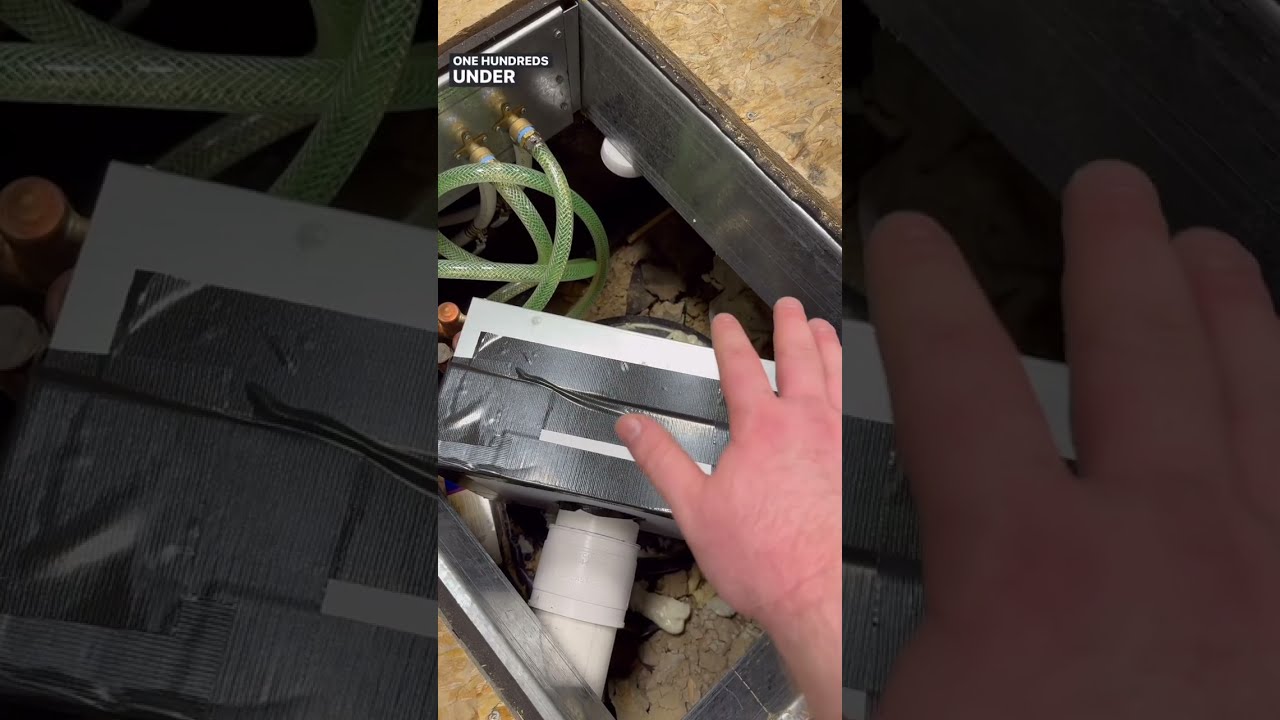
While the Switch comes with a fan, it’s largely meant for a rack system where you have airflow over the whole card. The card functioned, but was painfully warm to the touch and needed a better solution. A larger heatsink with a 60MM fan would have done it but…


Again, This is not a tutorial.
I pressure tested the snot out of the loop at 0.7 bar and was happy to see that the card ran at room temps even after a long training run.
The Tools of my Enemy
While the PCIe switch solved a technical issue, it created a logistical one. I now had two GPUs worth ~$1,400 each on my office floor…

Since another hobby I have is 3D printing (shocking, I know), my first thought was building a custom Aluminum Extrusion frame. However, I decided someone must have already solved this problem.
And it turned out to be an old nemesis: Bitcoin Miners.
While there are a lot of options, this one spoke the most to me for not only the price, but the ability bolt on anything else I needed. Also, it was cheap.


This is the current state of the system as it sits behind me. There are 3x GTX 1660s connected to a 2nd PCIe switch to test out mixing hardware on one system and moving all my services to containers so I don’t have to worry about drivers fighting each other or scheduled jobs leaking onto the wrong card(s).
I’ve also connected two pumps in series to help with flow, but mostly make the cooling system redundant and prep for the next phase of Deep.
Beyond the Blackwall
You’d think that I’m done, but with the state of cloud hosted AIs moving towards IPO (locking users in, jacking up prices, then selling their data), the impending bubble burst, Nvidia’s infinite money glitch, and the desire to push past what consumer grade hardware can offer, I’m already planning my next moves.
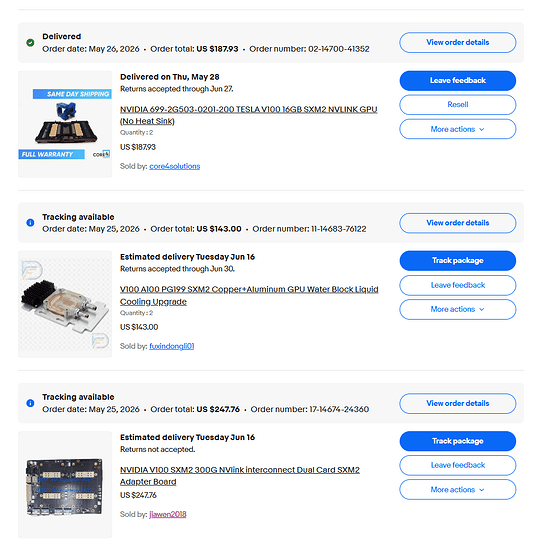
16GB V100s can be had for under $100 if you make a reasonable offer, but the 32GB versions are really where the goal is. At under $600 each, it’s hard not to look at that and be tempted to pivot over to that. If anything, that’s one more GPU that Jenson can’t rent back to me.
The 2x SXM2 board is the POC to see if the NVlink works. After that, I’ll by two more 16GB units and put all four onto a 4x board and see if there is a benefit to having 4x units on one board and talking back via (what I assume is) two 16x lanes. May be four 8X lanes though… Need to ask the seller how they work.
I also have a AsRock Rack WRX80D8-2T board and 3975WX chip that I picked up from eBay that will be replacing the current setup. More Memory channels, more cores, mopowa’ Baby! I’ve already got the system loaded up with 8x32GB of 3600 (non-ecc. We’ll see if I can hit 3600, or if I need to back it off. If the best I can get is 3200 [or less] then I may sell the 3600 for some ECC).
I’m also keeping an eye on Mi250X GPUs. Right now, you can only use them in SuperMicro servers, but with the rate they are piling up and the price falling, it’s only a matter of time before someone adapts them to a board.
Welcome to the money pit.