Pop!_OS CPU Temps High After Upgrade (Ryzen 7 5700X + AMD Stock Cooler)

Hi all,

I’m looking for some guidance regarding CPU temperatures after a recent upgrade and whether what I’m seeing is expected or not.

A few months ago, I upgraded my system from an older first-generation AMD setup to the following:

  • CPU: Ryzen 7 1700X (8-core, 16-thread) → Ryzen 7 5700X (8-core, 16-thread)

  • Motherboard: MSI MPG B550 GAMING PLUS (MS-7C56, revision 4.0)

  • RAM: Mixed kits (all running at 3200 MT/s):

    • 2 × 8GB G.Skill F4-2400C15-8GTZR

    • 2 × 16GB G.Skill F4-3200C16-16GTZR

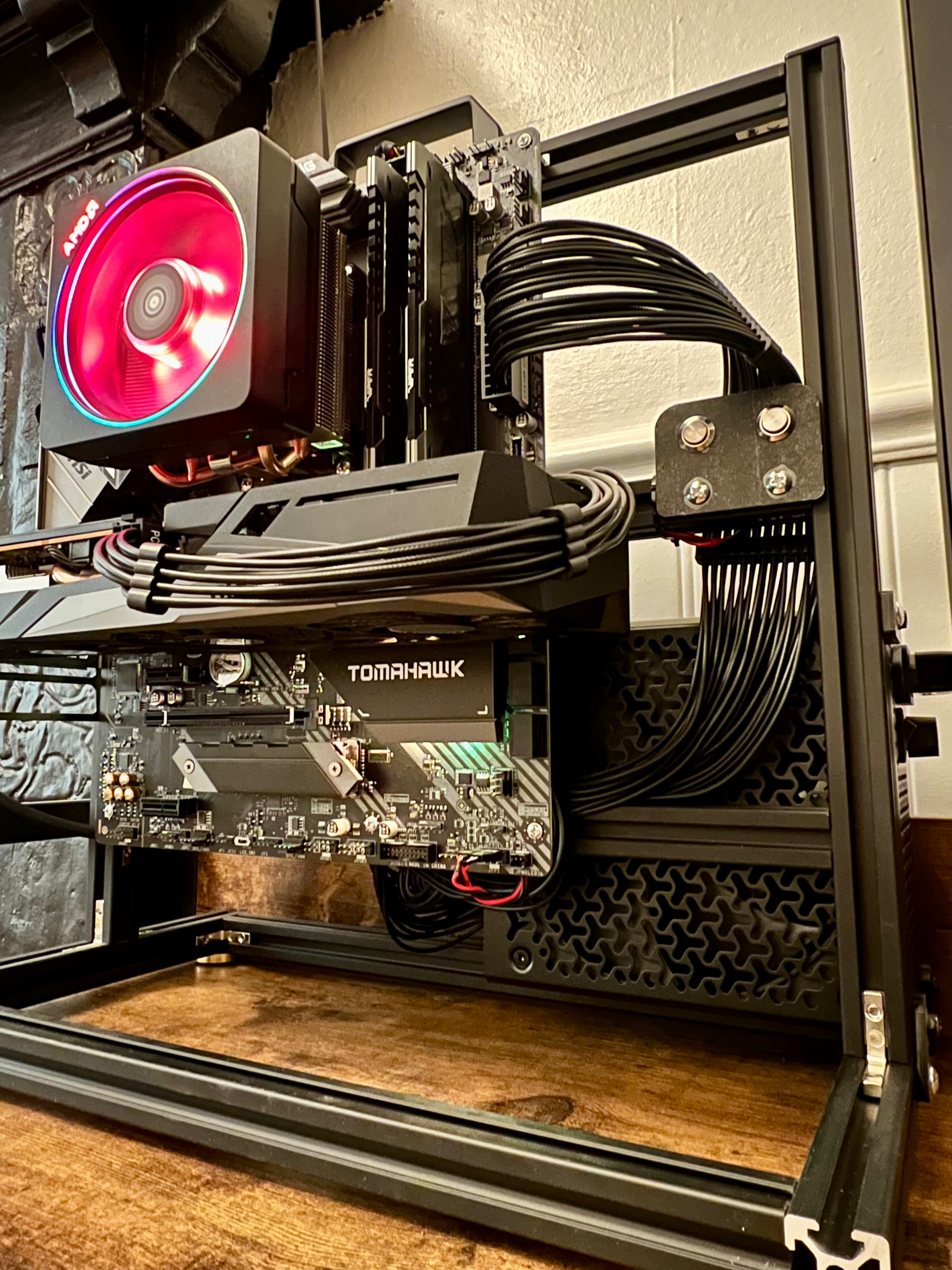
When I made the upgrade, I kept using my older AMD stock cooler from the previous build instead of replacing it. My assumption was that since the newer CPU has a relatively efficient TDP, the cooler would still be sufficient, but I’m starting to question that.

The Issue

Since the upgrade, I’ve noticed that my CPU temperatures seem higher than expected. I’m trying to understand whether:

  • These temperatures are normal for a Ryzen 7 5700X

  • The older stock cooler is no longer sufficient

  • Or if the readings I’m seeing are not accurate

Monitoring Tool

I’m currently using:

  • Psensor on Pop!_OS 22.04 LTS

  • Sensores

So I’d like to ask:

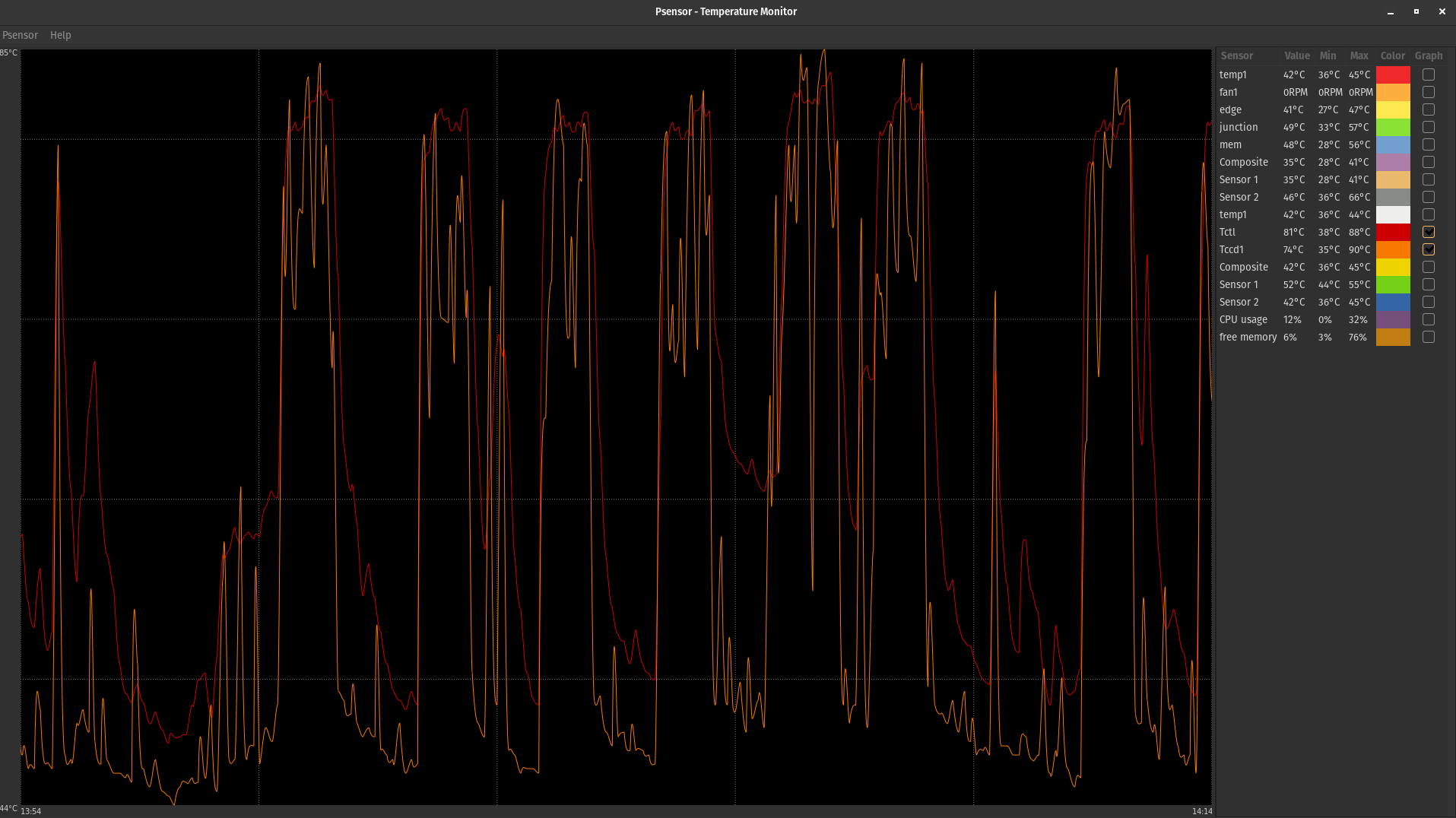
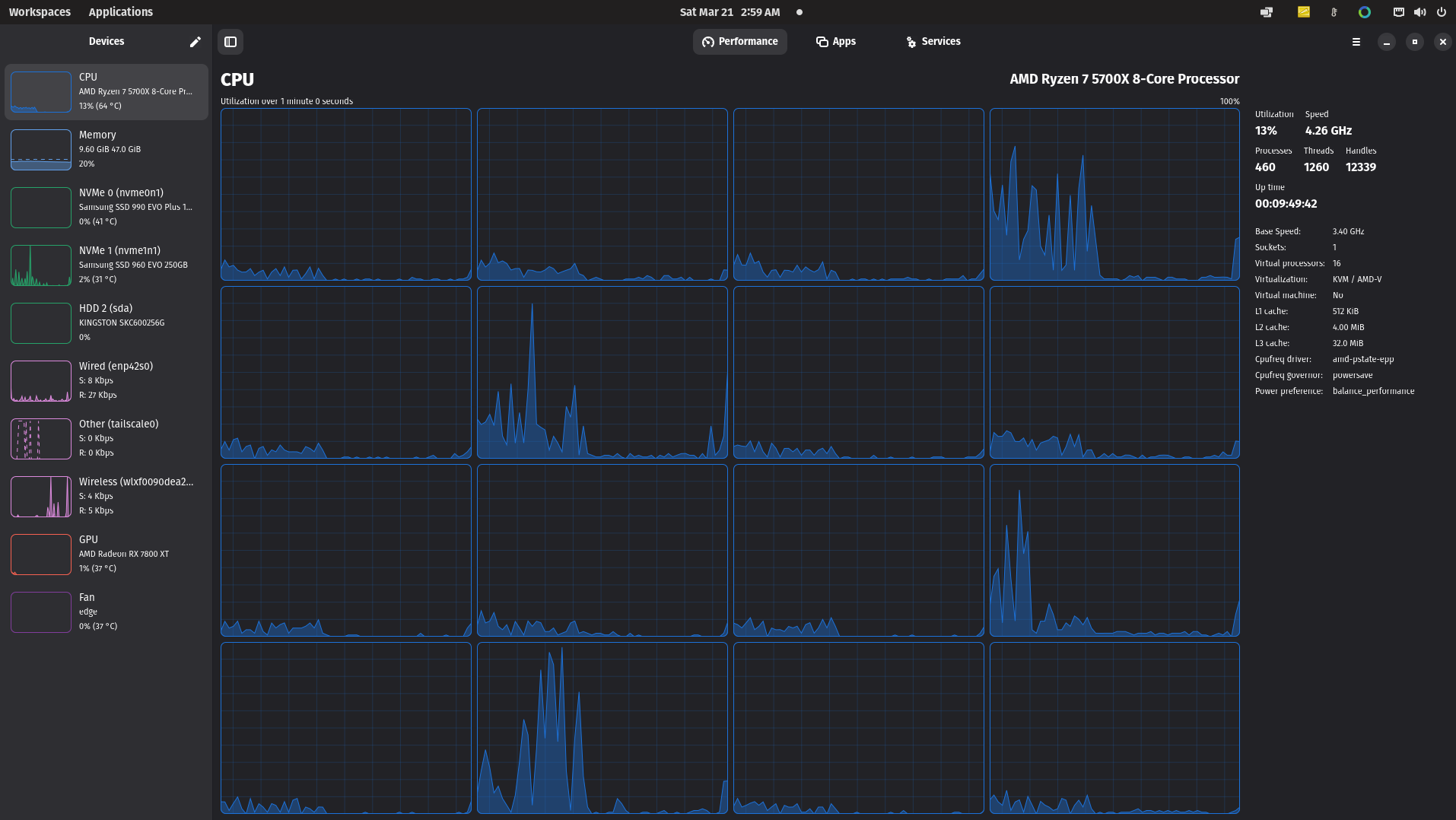
As you can see from the graph in Psensor, the CPU temperature is constantly fluctuating. It tends to hover around 45°C, then rises and drops repeatedly in a continuous cycle. At the same time, I can clearly hear the system reacting, where the fans spin up to cool it down, then slow down once the temperature drops, and then ramp up again shortly after. This pattern keeps repeating even during light usage, so it feels like a constant loop of heating and cooling. I’m trying to understand what exactly is causing this behavior, whether it is normal boost or thermal management for this CPU, a limitation of the older stock cooler, or possibly something related to sensor reporting or the OS itself.

BIOS Situation

Another factor is that I’ve never updated the motherboard BIOS and it’s still running the factory version.

I’m a bit reluctant to update it because I previously had a bad experience where a BIOS update bricked an older system.

So I’d appreciate some insight on:

  • Could an outdated BIOS affect CPU temperature behavior or power/voltage management?

  • Would updating the BIOS improve how the motherboard handles the CPU (boosting, thermals, stability)?

  • Or is this unlikely to make a noticeable difference compared to upgrading the cooling solution?

I can provide exact idle and load temperatures if needed.

Thanks in advance for any advice.

I have no idea what I’m looking at, but 65,261.8°C seems a bit high. Are you doing nuclear fusion or something? :slight_smile:

If under FULL load, CPU will speed up to 95°C. The better your cooler, the higher it can clock at 95°C.

Keep in mind, most applications don’t require full load and should run cooler.

Stock coolers aren’t great. Especially not if you use PBO. But your case ventilation also matters.

Stock coolers are designed to maintain legally binding promised clock speed and assume the user is OK wearing ear plugs.

Thermalright Assassin 120 is the best value, IMHO.

1 Like

As a proud owner of a 5700X with an AG400 from Deepcool… Yeah, the temps are generally in that range, even with a significantly better cooler than stock and even with it idling most of the time.

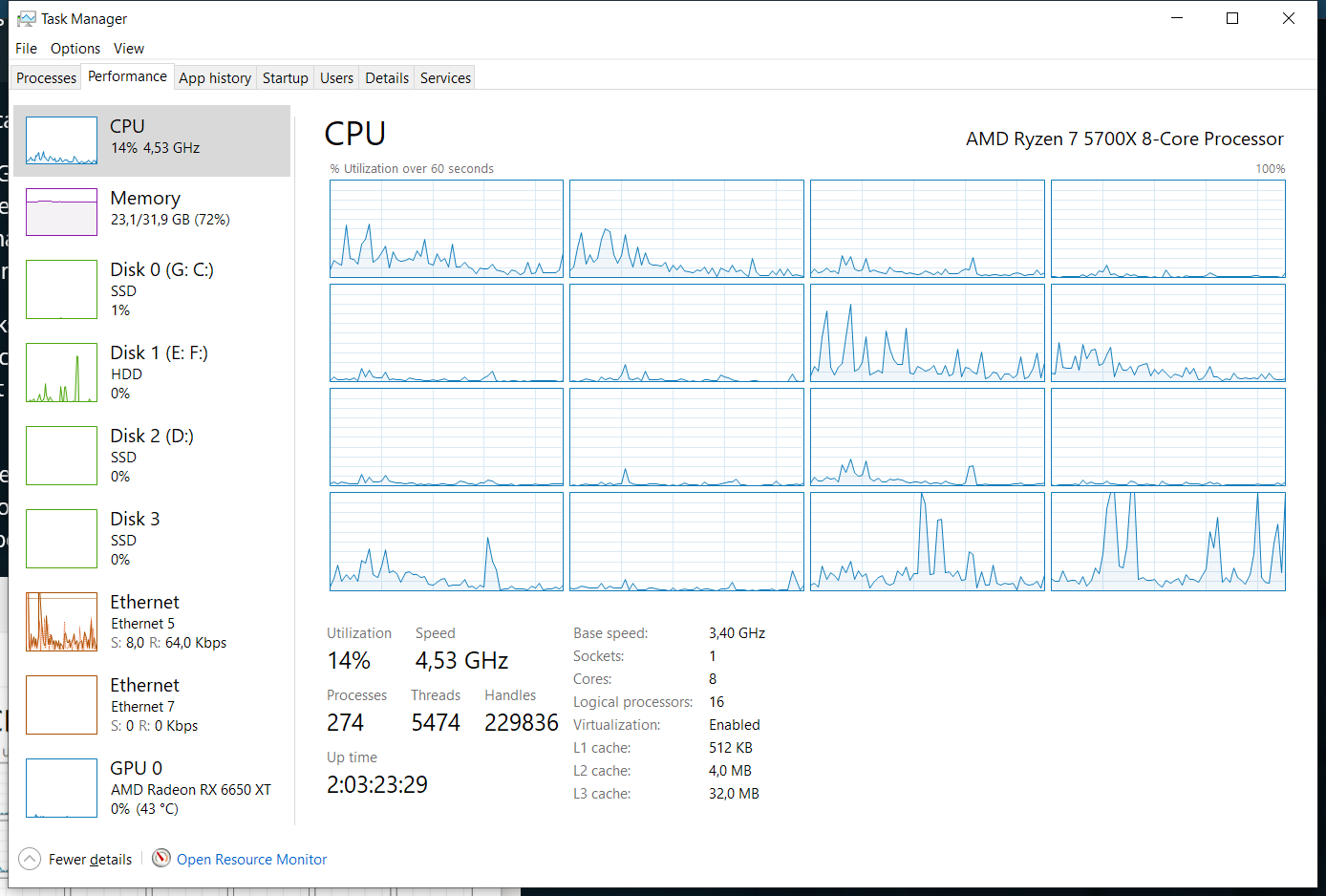
It boosts the single core speed to deal with background tasks a surprising amount. On windows (yeah, yeah, it sucks, linux would be better but it doesn’t support the applications I need for work) it idles at around 3-15% and basically never drops it’s frequency below 4,10 GHz and it reports temperatures in the fifties.

I don’t know what exactly is ramping up your CPU on Pop!_OS but I wouldn’t worry too much. I’m not exactly on an aggressive fan curve, but I get Lows in the high 30s and highs in the … let me check. Well damn highs in the low 70s, I need to clean my PC, maybe change the paste.

By the way, what were temps like with the 1700?

I wish I was doing nuclear fusion. At least then I could hook it into the power grid and save on electricity costs. :rofl:

In reality, the PC is idle most of the time and not running anything heavy. I first noticed the issue after a restart, when I received temperature warnings before boot.

Since then, I’ve been monitoring the CPU behavior, and what I’m seeing feels unusual. The temperatures appear to fluctuate constantly, and the system ramps the fans up and down in cycles.

What’s confusing to me is that I’ve never encountered thermal issues like this before, even on older machines. That’s why I’m trying to understand whether this is expected behavior with this setup, or if something might be misconfigured or faulty.

That’s great feedback, thank you. I will also check the cooling setup and see if an upgrade is needed before diving into BIOS settings. I’ll do a bit more research on this as well.

Thanks again for the reply.

That’s actually very helpful, thank you for sharing your setup and real-world numbers.

From what you’re describing, it sounds like this behavior might be more “normal” than I initially thought, especially with how aggressively these CPUs boost even for small background tasks.

To answer your question, with my 1700X I was typically seeing idle temperatures around mid 30s to mid 40s, and under heavy load it would reach the 80s. Most of the time it sat comfortably around 40–45°C without much fluctuation.

What’s throwing me off with the 5700X is the variability. I’m seeing it jump from mid 30s all the way up to 80–90°C at times, even when the system is effectively idle. At the same time, I’ve noticed it boosting quite aggressively, hitting around 4.5–4.7 GHz and sometimes holding that frequency longer than I would expect, even in BIOS.

Based on your feedback, I’m starting to think this might be a mix of normal boost behavior combined with either cooling limitations or fan curve tuning on my side. I’ll definitely look into cleaning, thermal paste, and possibly upgrading the cooler before going too deep into BIOS tuning.

Also, I might test another distro just to rule out any OS-level quirks, even though Pop!_OS has been solid for me so far.

Appreciate the insight, it helps put things into perspective.

1 Like

Well, since OP is about Linux, we can conclude Linux is wasteful with background tasks? :slight_smile:

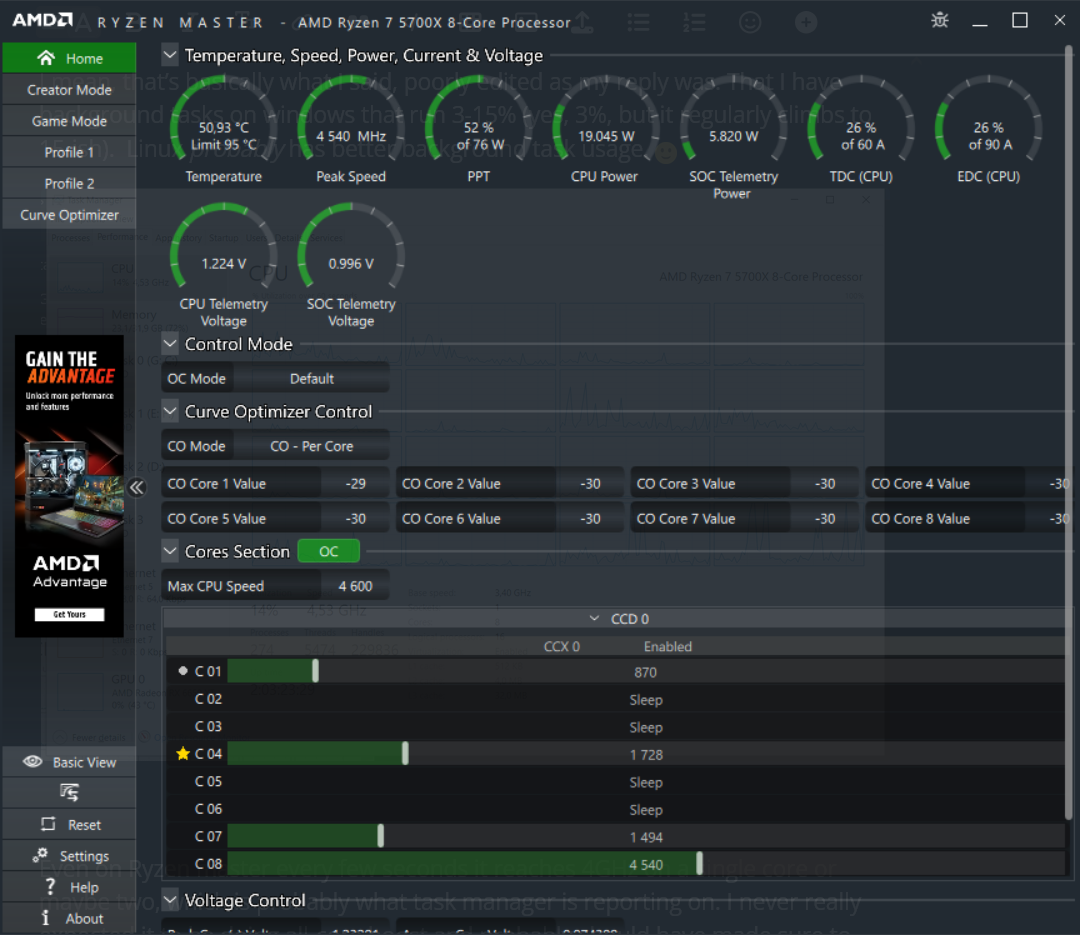
How are you determining the 4.1 GHz? If task manger, that is wrong. When I had my AM5 CPU, i got nervous since task manager never showed it reducing frequency a lot. I then installed Ryzenmaster and saw while taskmanager showed me over 4GHz, in reality most cores were sleeping and a few at 400MHz. None was higher.

Obviously reduce background tasks like with auto-start, or check task scheduler etc. A lot of software you install will use task scheduler to start their software automatically. That doesn’t show up in Autostart. W11 doesn’t use as little as Linux, but it isn’t much more and not significant on modern systems.

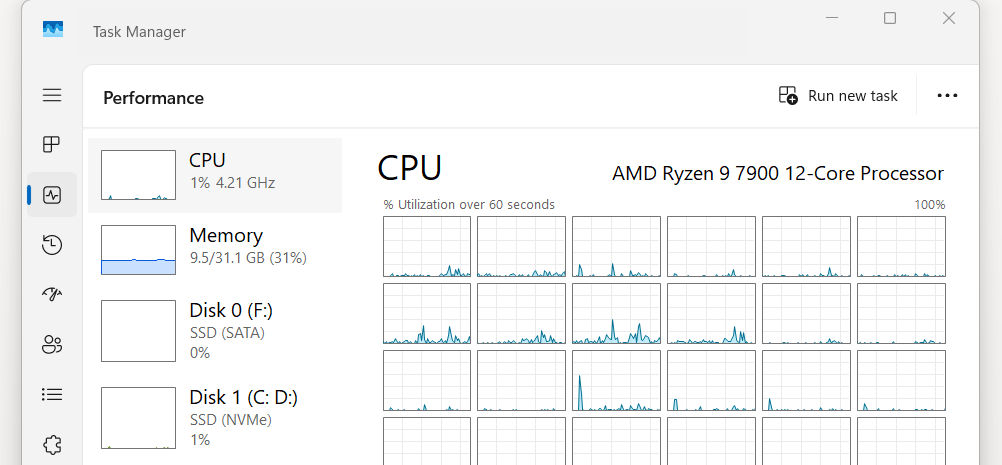
Per task manager my CPU (admittedly, 12 core 7900) is between 0 and 1% all day while i listen to mp3, browse, or remote into work. On my 6-core 7600 it isn’t much higher. I would assume yours should idle at 3% if we can believe task manager.

I mean, that’s basically what I said, poorly edited as my reply was. That I have background tasks on windows that run 3-15% (yes, 3%, but it regularly climbs to 15-ish). Linux probably has better background task usage. :slightly_smiling_face:

Even on Ryzen master every few seconds it reaches 4GHz on a single core or maybe two, which is probably what task manager is reporting on. I never really expected it to be doing all-core boost and probably should have made sure to say that, but I thought it was heavily implied since… it’s idling.

Then again, I DO have a lot more things running (mostly browser tabs) than you when I say “idling”. It’s still mostly asleep though.

1 Like

Unless the website is shitty (like the Bazzite website, that uses 4% of my 12-core for a solid color website), browser for me only uses CPU if it renders the page. Obviously many websites nowadays run Kindergarten animations all day.

Well, I don’t want to go too much off OP’s topic. You have to look what uses CPU and see if you can prevent it from starting. Sometimes AV runs, or the update, but this is rare.

I’m cheating abit here since use W11 IOT :slight_smile: and I try to keep my OS as clean as possible. If you use a standard W11 and leave it as MS intended (or worse, as an OEM intended with even more crapware), then 10% “idle” is normal. Just wanted t make sure yo are aware of Ryzenmaster, which you were.

My machine shows similar behavior, with spikes into the 4 GHz range for several seconds. That is most likely due to the fact that I’m running several web services along with Tailscale, where I’m sharing a few resources across systems.

I don’t believe this is an issue with Linux itself. I’ve been a Windows user most of my life, but over the past year I’ve moved all my machines to Linux, especially with everything going on around Microsoft.

I’ve been on and off with Linux in the past, but due to work requirements I always had to move back to Windows. Lately though, with the direction things are going in the Windows and Microsoft ecosystem, I’ve been avoiding it as much as possible.

I’ve adapted my workflow and tools to fit that transition. I’m now working with alternative software, building some of my own tools with a bit of help from Claude Code, and covering my needs with simpler solutions like lightweight PDF readers and editors. That said, I still rely on Outlook and OneDrive for work. If I had the option, I would move away from those as well.

Even GitHub, for me, is starting to feel less appealing as it becomes more tightly integrated into the Microsoft ecosystem. It feels like many things that used to be simpler and more open are gradually changing direction.

Even though this thermal behavior is new to me, my overall experience with Linux has been very smooth so far. I’ve used Linux professionally before, but this is the first time I’m running it as my main personal system.

That’s why I’m trying to understand whether what I’m seeing is expected behavior with newer CPUs, rather than something caused by the OS.

You are both grate and appropriate the engagement.:folded_hands: :slightly_smiling_face:

Just like HWinfo and similar tools are on Windows.

Sounds about right to me.
If you have a browser open and are just generally doing stuff, you get background tasks that deal with file system, network interactions, checking for updates, etc.

My watercooled 7960x sits at 45 to 48°C with “normal use” like browsing and handling files, writing text, etc. If something demands high single core speeds, I see 75 to 80°C for a few seconds. Fans don’t respond since I have them tied to water temp.

Could be a fan curve issue where you are sitting right on the point between two fan speeds. Check your BIOS whats set up.

You already have your answer you didn’t replace the stock cooler or update the bios. Take TDP numbers with a grain of salt. The 1700x base TDP was higher but it’s boosting behavior and top power draw is totally different. Your 1700x idles higher, but your 5000 series is designed to boost within its thermal limits. It boosts more often and much more aggressively. My 5800X3D “fine” with a 3900X stock cooler at idle, but with a 120MM AIO it boosts much further, and doesn’t thermal throttle. I’ve even put an $11 AliExpress cooler on it as a temp fix waiting for my AIO to arrive (previous cooler fan died). It never overheated because the CPU would throttle once it apprached 90c but the clock speeds were much lower.

Also bios updates can be a big deal on AM4 especially with boosting behavior.

Myin rig stated as a 2600x, then 3700, now a 5800X3D. (I don’t buy upgrades that often, trade-ins come into the shop all the time, so I take the upgrades and pass my old stuff down to my kids rigs).

You have all the answers in your main post. you’re running the stock cooler and you never updated the BIOS. Agesia code effects how it boosts. Which is why you are seeing the fluctuation

Temps are caused by the stock cooler not being adaquit for its aggressive boosting, and the erratic boosting is caused by outdated bios/agesia code. Other than the BIOs update the cooler is a personal preference. Once boosting is controlled you will see more steady temps. The cooler will still hold it back though. It cause it to thermal throttle, or not reach a full boost under heavy load. You won’t see dangerous temps, but it will have a higher idle temp and much lower boost speed then if you upgraded it.

MazeFrame

Just like HWinfo and similar tools are on Windows.

Hi JordosTechShack and MazeFrame,

Thank you both for your replies and your feedback on this matter.

To be honest, the stock cooler stayed mostly out of nostalgia. It came with my first Ryzen CPU, and I really liked the LED AMD logo. I thought to myself, if the 1700X was running fine with it, then the 5700X would probably be fine as well. Apparently, I was completely wrong on that.

From what I can see now, I will need to update both the BIOS and the cooling system. I’m considering something like the ASUS ROG Ryujin II 240 or the NZXT Kraken Elite 360 (black). I believe NZXT also offers display customization, which is a nice feature.

That said, I’ll start by checking the motherboard manufacturer’s BIOS updates and take it from there. Hopefully everything goes smoothly, as I’ve had a bad experience in the past where a BIOS flash ended up bricking the motherboard.

One thing I already tried was resetting the CMOS, and it did help slightly. It’s not behaving exactly like before, but the fan ramping has reduced. Now it tends to sit around the 50s, and every minute or so it spikes to the 70s for a couple of seconds before dropping again.

I’ll take your suggestions on board and proceed with the upgrade and updates.

As for the stock cooler, I think it has earned its retirement. I’ll keep it as a small trophy piece.

Thank you both again for taking the time to help, I really appreciate it.

Yeah, the stock cooler (Wraith Stealth/Spire) is basicly just a nice drink coaster. Don’t expect it to actually cool things.

Get Thermal Grizzly (or LTT) PTM + a Noctua NH-U12S redux + NA-FK1 redux instead, will outlast any AIO by about a decade or two for cheaper and perform the same.

Or if that’s too big, Scythe makes some nice performant SFF CPU coolers.

Do pay attention to keep the backplate in place on AM4, some mobos don’t have it glued. When securing the heatsink and/or mounting, apply even pressure in a cross pattern (meaning 1 turn, diagonal facing screw 1 turn, next screw 1 turn, etc.) while keeping everything level.

Mentioning that because without proper contact it won’t give meaningful improvements in temps, and when not level it’ll bend things and motherboards don’t like that.

PTM so you never have to worry about pump-out.

Don’t enable PBO, that only shoots too much voltage into the CPU for little gain and increases temps.

If temps are still too high after cooler upgrade, you probably need more airflow in the case and/or setup better fan curves with e.g. FanControl/CoolerControl

Hello. Peterowsky.

Did you resolve your concerns?

I have a ‘similar’ setup, initial observations. (Pop!, 5800XT, ‘PRISM)

Like they said: flash BIOS, defaults, then bios fan curves (default cooling, when (fan control) software not running), then Fclk:Mclk 1:1, observe behaviour and temps/fans under (variety of) loads….

Try conservative undervolt — Curve Optimizer all core neg. ~10 & explore this one :index_pointing_up:t3:

In a closed case? evaluate your airflow (fan selection & placement, positive pressure in, slightly LESS exhaust, GPU fans non-zero, undervolT GPU as well if applicable).

… I’m around 78 to 84 deg. C under full-load heat-soak (4.8 GHz++ all-core stress) with the ‘PRISM humming it’s tune….

Seeking either a Noctua top-flow (open-rig frame), or maybe BeQuiet!TF2, or MOD the PRISM with 120mm or 140mm Noctua Redux fan…., or, utilize a double-tower with one or more Redux’s.

Previously, had great results mounting dual 140mm @ front bottom & middle (of case)… this quietly fed HUGE air into GPU area & pressurized the case (evidenced by better temps & clock-residency). (Utilized GPU exhaust-stream into tower-cooler intake —> rear case exhaust). (requires keep case sides ON)

Especially lowered GPU temps & vastly improved headroom & residency.

AIO? still have heat-creep within your case…. (RAM, VRM’s, GPU back-plate (!!), NVMe, PCI, etc).

Replace all fans with (Noctua or similar) long-life & improved flow characteristics (better, quieter, zero failure). NO CHEAPIES.

RM850e PSU & lil’ 6500XT 4GB.

Patriot Viper 4400@ Fclk:Mclk 1:1 1900 (seems, max, for my XT)

Other rig mentioned: 5600x (ATX case)

(diagnosed APU 5600G IMC failure :persevering_face: )

I’m just running a basic curve optimizer under-volt on a micro-ATX (as is shown in my ryzen master screenshot) case with two intake 120mm and one exhaust

I don’t much care that my temperatures are somewhat high when compared to the to the average user because my ambient temp is hovering around 30-34ºC… so my delta still under 40 degrees and I’m far enough from tjmax at a synthetic load.

I failed to mention this because it slipped my mind at the time :face_with_peeking_eye: . I should always keep in mind how ambient temperature affects final temperature, especially when I’m on average 10ºC higher than most english results.

I also find the advice of spending significantly more money on slightly better fans (than my corsair af120) to be the slightest bit problematic for my location in a country with high ambient temperatures and higher taxes on anything computery.
A single noctua fan goes for triple it’s price in the US (in dollars) and my paycheck is very much NOT in dollars.

Sorry if this comes off as abrasive.That is not my intent.

I would say that’s totally normal. You should be able to tune the fan curves in the bios so it won’t constantly ramp up so much (make it run at higher rpm at lower temps, so it doesn’t reach high temps so fast), you can also adjust the reaction times to be a bit more lenient than the defaults, which are probably set to 0.1 sec or something.

You can use OCCT to test for stability if you are concerned, and monitor the temps as well. It uses the same sensor data so those are reliable numbers, I would say. OCCT or BTOP will give you per core temps as well.

TJ max of that chip is 95C, so if you are getting the max boost and not hitting that, it should be totally fine.