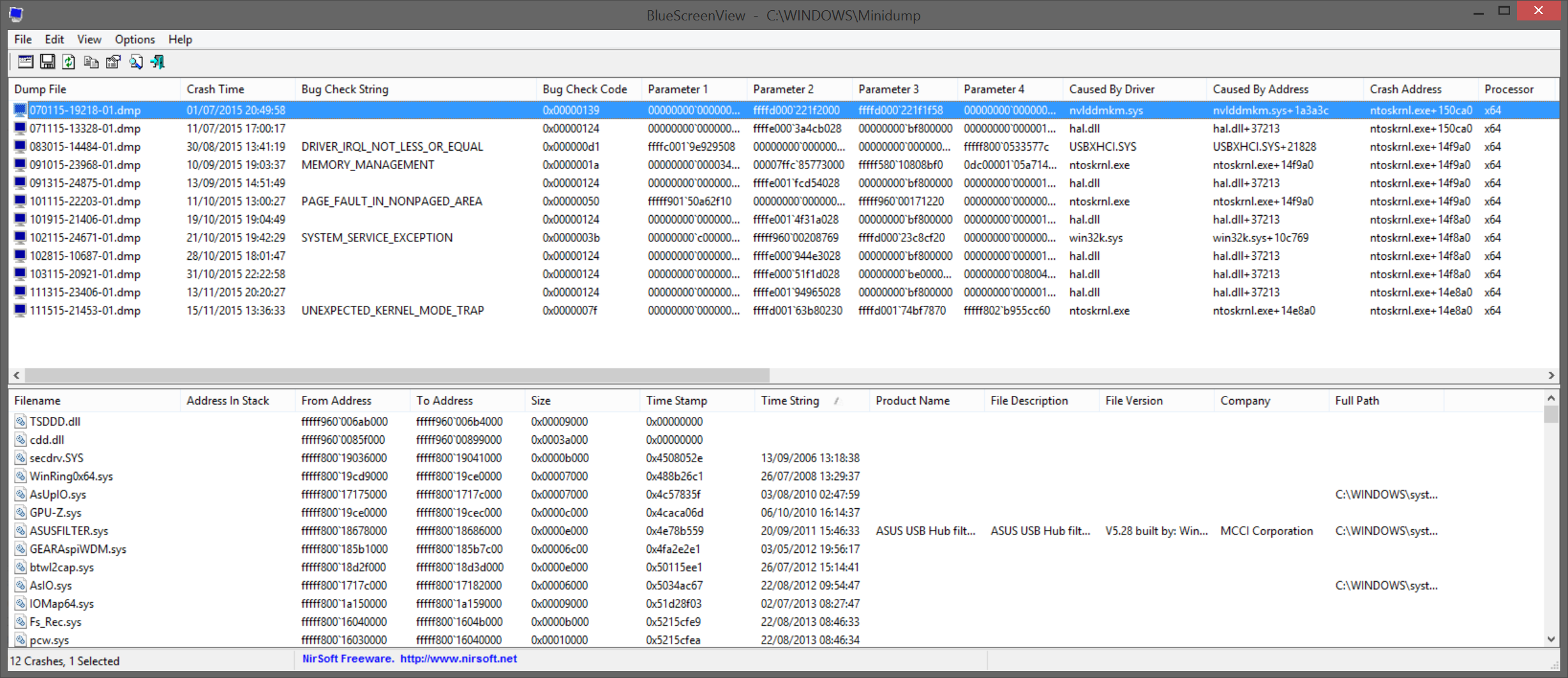
I've been suffering Blue screen for some time and my own (rather limited) troubleshooting skills have been unable to get to the bottom of what's going on. So I was wondering if anyone might be able to give me some pointers on what the report from BlueScreenView is telling me?
I've run memtest several times while at work during the day, but interestingly it won't find the flash drive with only 1 stick of RAM in place so on each occasion I've had to run it with all 16GB fitted. On each occasion the RAM has checked out at fine.
Yeah, after trying to troubleshoot each of the individual listed issues on my previous BlueScreenView log I reinstalled Windows 8.1 back in June and refreshed all my drivers, but still the issues persist.
I've just contacted Kingston over a warranty claim, so we'll see if they have anything add.