I recently upgraded my audio interface to an RME Fireface UCX and have been having constant crackles/pops for sample rates > 44.1kh... So I've decided to ditch my current mobo and upgrade to an intel board/cpu.
But I wanted to get feedback if there's a better combo. Mostly looking for something stable and probably won't be overclocking. Wanting to stay around the $700 price range unless there's a good reason to change.
Which windows are you using? dpc latency can indeed be a pain in the ass. I have dpc latency issues with my AMD setup aswell. Allthough it looks like to be less present wenn i use Windows8.1. But on Windows7 i suffer from it frequently. The only thing is that i dont suffer from crackling audio what so ever. I just suffer from lagging audio wenn i play certain online games.
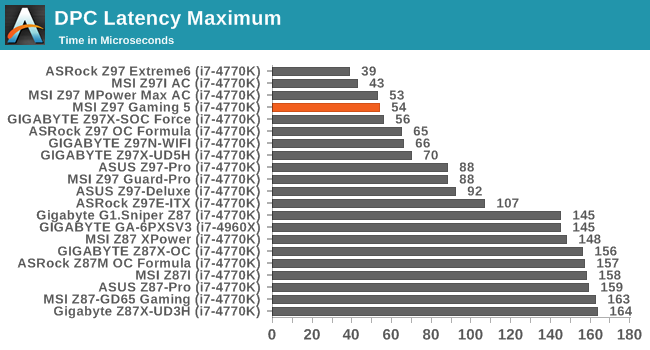
4790K with something like the Msi Z97 Gaming5 should be a fine combo. I suppose that you prefer to re-use as much as possible from your current parts. But if you dont mind to upgrade your ram aswell, then maybe jumping the new Skylake Z170 platform might be interesting aswell.
I'm currently on windows 10. With the Gigabyte/AMD setup, though, I've been having the latency issues since windows 7 all the way up to 10. It's been manageable when I just had my focusrite scarlett 2i4, but the RME hasn't been happy with it.
And yes, reuse would be preferable. The skylake platform does look interesting, but I think I'll wait a bit more before jumping onto that.
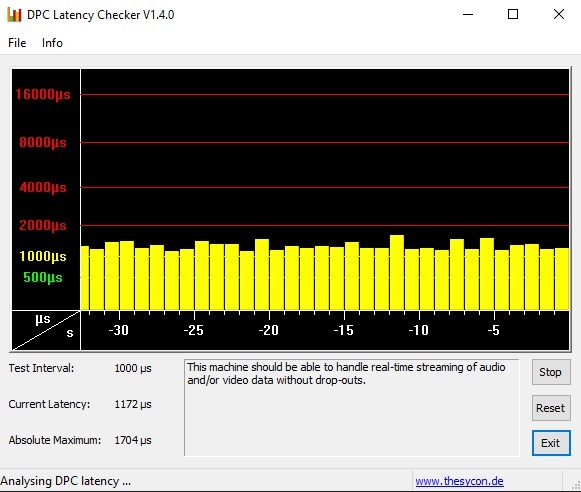
Good to know about DPCLat. I have also tried latencymon, and it does show a bit better results, though spikes do end up coming through (with usbport.sys being the worse offender). The DPCLat image was actually one of the better runs and didn't have any of the spikes.
Got in the new board/cpu and got everything back up and running. Incredibly happy so far. No pops/crackles at all at high audio rates and super low latencies.
And knowing that dplat adds 1k latency, looks like i'm getting practically none ^_^