Hi all!
I’ve been trying for many hours to get the IPMI working on an old Gigabyte motherboard I’m using in a Proxmox VE host.
It was working a few months ago, but stopped sending responses to pings or HTTP/HTTPS connections for no clear reason. It is able to send ARP messages and can even attempt to receive an address from a DHCP server, but does not respond to any packets sent its way. Additionally, commands using ipmitool complete normally, and all self-tests are successful.
I’ve been troubleshooting for a while now, but I’ve hit a wall and I’m not sure what to try anymore. I’d appreciate any tips, tricks, or recommendations anyone has on dealing with non-responsive IPMIs!
Config info:
- Dedicated IPMI port is specified in BIOS
- Serial console redirection is enabled in BIOS
- Static IP addressing info set in BIOS
Troubleshooting steps tried:
- Different Ethernet cable/different port on switch
- BMC firmware update - oldest and newest versions tested with no success
- Tired letting the IPMI get an address from DHCP (ipmitool)
- Enabled, disabled, and reset IPMI firewall (ipmitool)
- Warm reset and cold reset (ipmitool), and pulled power on server
- Reset to factory defaults (BMC firmware update, don’t preserve settings)
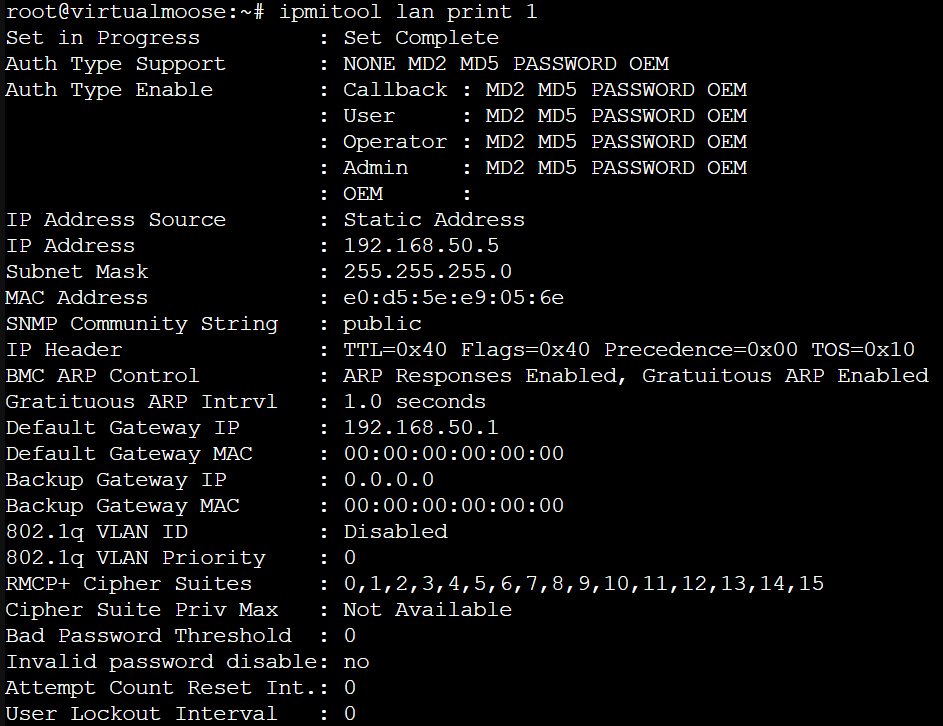
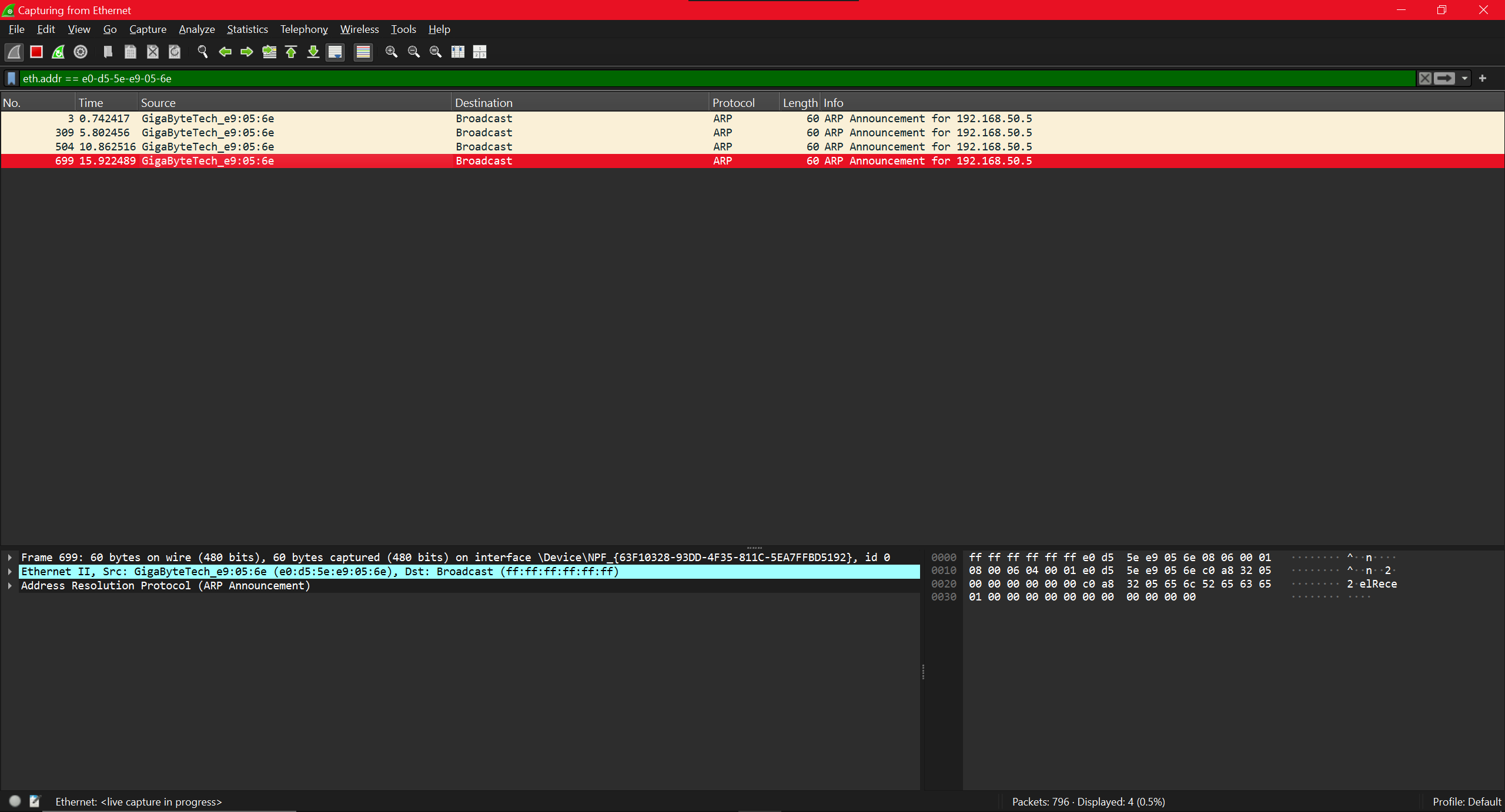
Links:
- Motherboard - https://www.gigabyte.com/us/Enterprise/Server-Motherboard/MU70-SU0-rev-10
- Management Console User Guide - https://download.gigabyte.com/FileList/Manual/server_manual_mgt_console_userguide_v1.x.pdf
- Motherboard User Manual - https://download.gigabyte.com/FileList/Manual/server_manual_mu70-su0_en_1002.pdf
