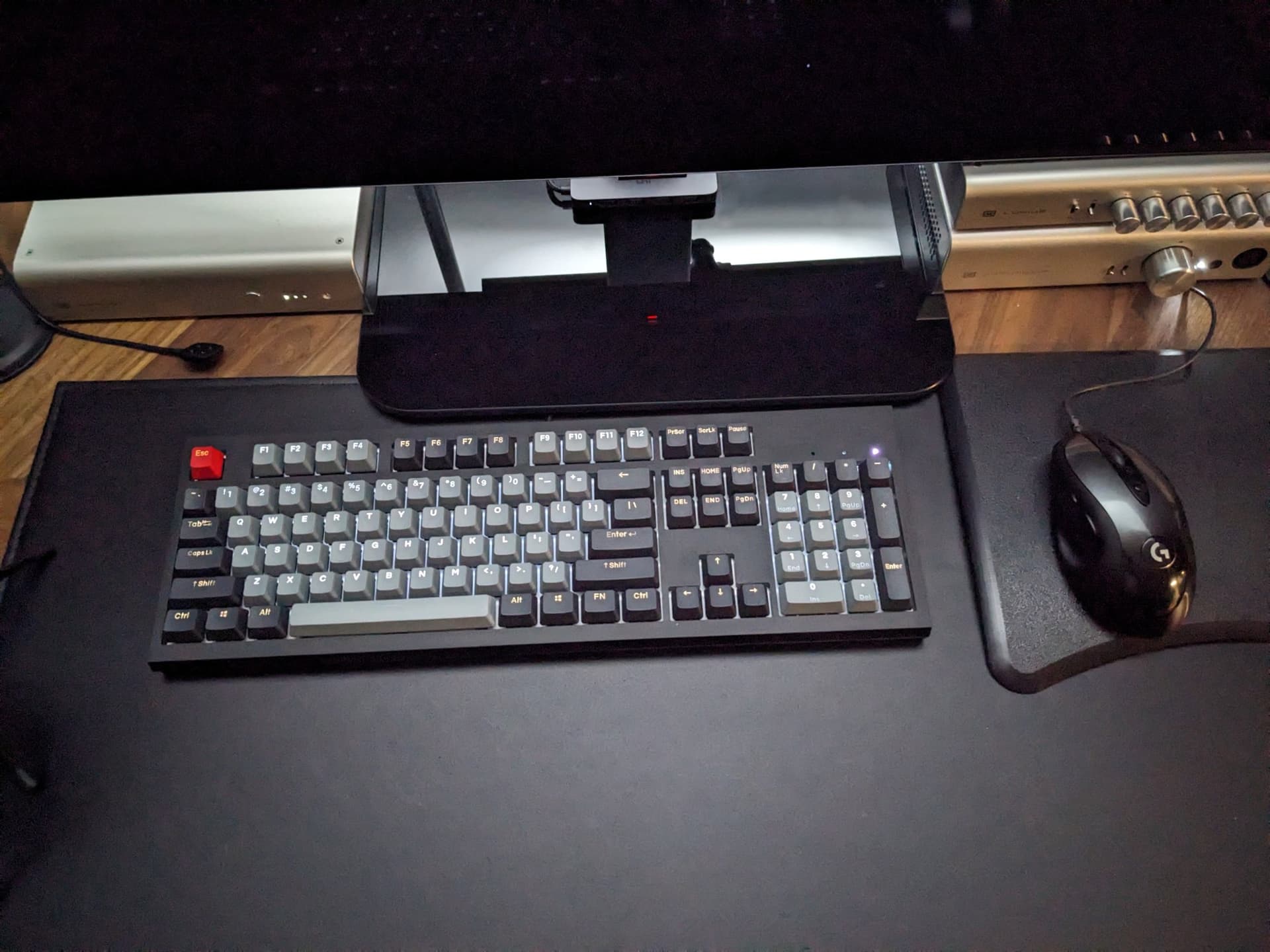
Ok, my keyboard is done. Need a new one

Alright, I managed to get it to type again. Coffee with sugar, a full mug. Keyboard is done for. Wasn’t a good one to begin with and not worth the trouble as far as I’m concerned.

Need suggestions for the 100€ +/- 20€ bracket

  • no RGB
  • proper keys, not some keys that fall off after a year or two
  • DE or UK layout (not sure yet, I kept DE for my desktop and I use UK for most other stuff incl. laptop). UK over US cause they have the better € combo.
  • Plugged into Linux machines exclusively (no Windows key necessary, Tux Key is fine :wink: )
  • standard 105 keys is plenty. Don’t need custom special keys.
  • full size
  • can endure a beating
  • cord with USB-A is fine. I’m a keyboard conservative.
  • color is secondary, haptics aren’t.

I was quickly browsing some retailers today (I’m usually not really interested in input devices until the day before I order a new one), but nothing really got me. Lots of “RGB” and “Gaming” :confused:
“Keycron” brand looked the most appealing so far. No sure.

I don’t want to use crap for the next 5 years, but I don’t want to spend 250€ for the more exquisite boutique keyboards either.

Recommendations?

Oh right: In Germany. So availability within Eurozone preferred.

1 Like

8bitdo has decent looking mech keyboards for cheap-ish:

You can always look at Keychron too.

3 Likes

I love the retro style, looks really good, especially the volume control and retro caps/scroll lock LED+panel.
Certainly is an option and a ++ to me. But I don’t like fancy software and stuff and everything only available on Win+Mac.

I already have two devices which I passthrough to a Windows VM for configuration but I prefer to not make a habit out of it. It’s usually a one time effort, so not that critical…but if the volume control only works with running windows bloatware driver, that’s a problem :frowning:

I doubt the software is pervasive / permanent. You can define macros without the software even, but I’d recommend a YouTube search to make sure what the software is capable of / needs of you.

With all of this being said, I have an HHKB - Type S JIS Layout (I can’t live without arrow keys) and a Keychron numpad for when I need the numbers on Excel. Something you should also be thinking about is how often you buy a keyboard vs how long you want it to last.

1 Like

My vote goes to the OG tank of keyboards, the Dell SK-8115. I’ve been using them in numerous environments and they are absolute tanks. I actually recently purchased two more for general use at home, one getting a perma home in my rack.

1 Like

I was about to make some recommendations, but it turns out I have close to zero knowledge when it comes to what is available in the Eurozone (and with German ISO layouts)

I too like more professional looking keyboards, and traditional full sizes, with a little bit of tactile feedback.

I used to use Model M’s (and Unicomps modern releases of them) exclusively, but over the last decade have shifted towards more modern switches.

I was very happy with Ducky’s OG “Ducky One” when it came out, but those are no longer in production, and their newer keyboards are generally a bit flashier than I like.

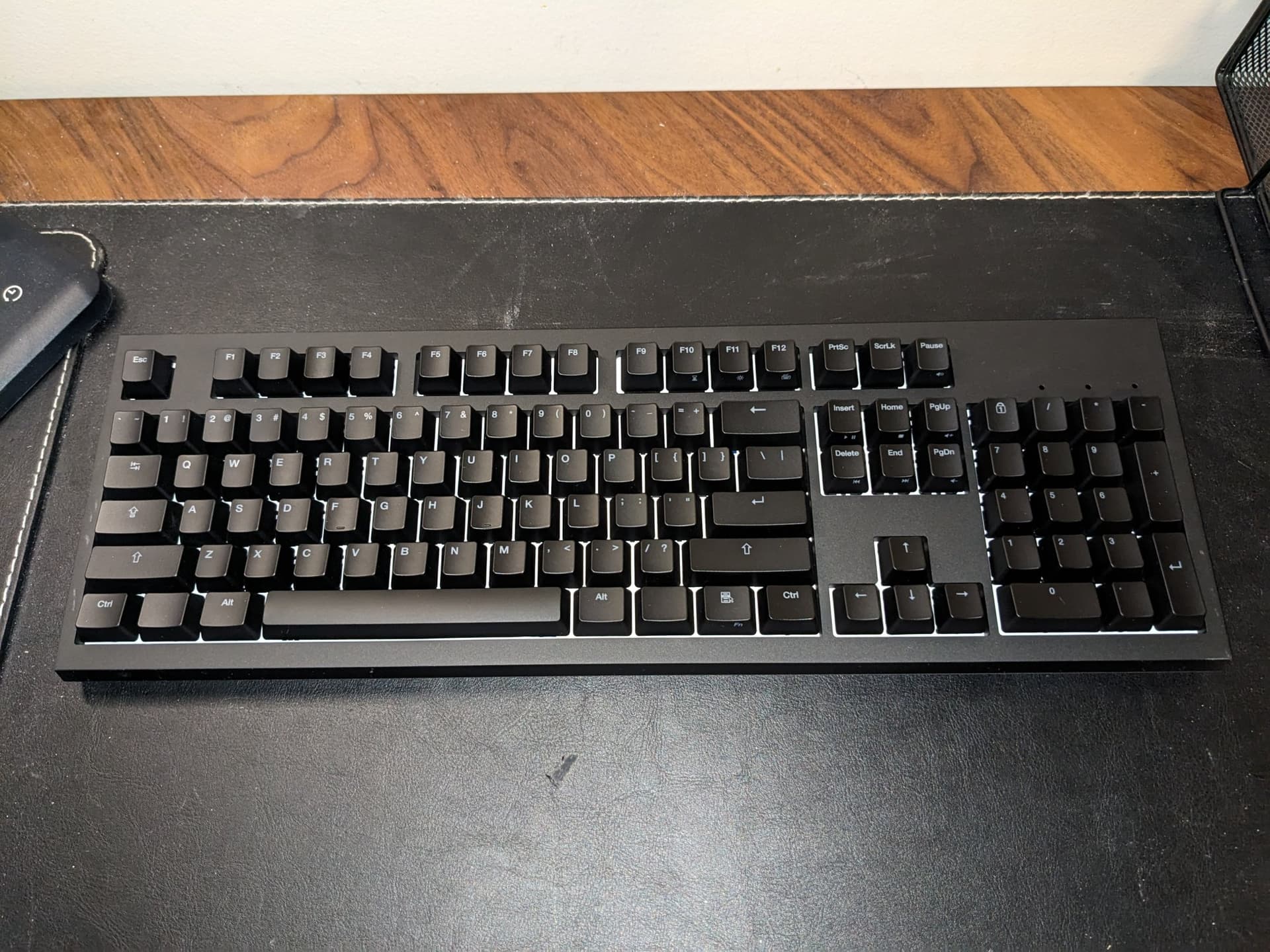
I use a WASD Keyboards Code v3 (but set to V2 mode, because I don’t need the advanced macro features), and I am very happy with it.

I wound up splurging for the anodized black milled aluminum case, which would kill your budget, but you don’t have to do that. The base models are more affordable.

I wound up doing this because every keyboard I’ve ever owned in the modern era with plastic cases wind up being worn shiny over time, and I hate that, so I wanted something that would last. I was worried the anodized black aluminum would scratch, but it has been two years now, and it still looks like new.

While I got the aluminum case because I wanted to avoid plastic wear, there have been two side effects that were also positive. This thing is heavy and rigid, and I love it. There is no springiness or rattling to it at all when I type which feels very premium. I don’t know how apparent it is from pictures, but the fit and finish/tolerancing is also much tighter than with a plastic case, which just makes it look premium.

The Code versions are essentially the standard WASD keyboard but with a subtle, professional looking shine-through backlights to aid when typing in the dark. (I am mostly a touch typist, but occasionally my brain gets confused, and I need to take a peek :sweat_smile: )

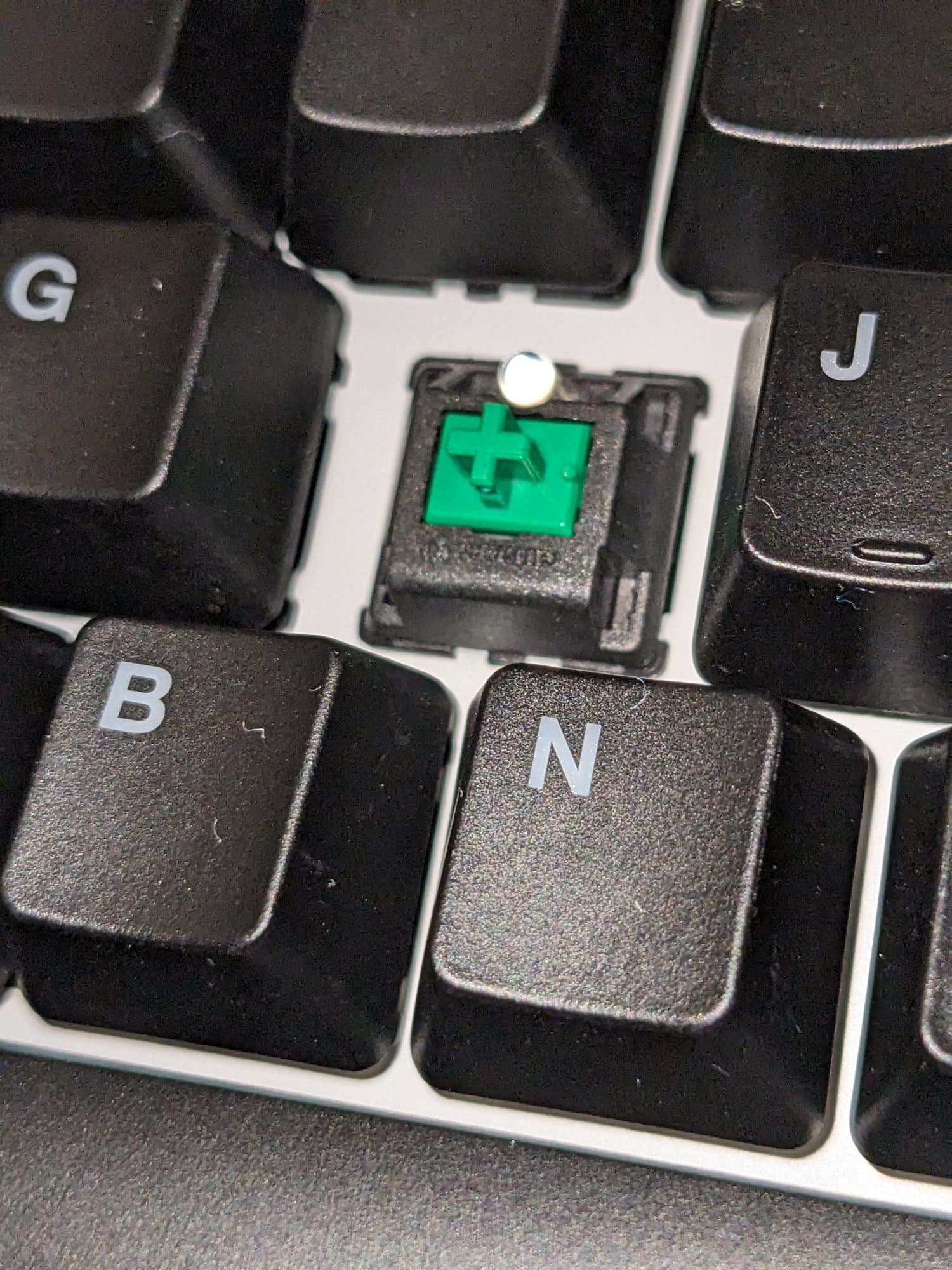
The keyboard itself is very high quality. I got mine with Cherry MX Green switches (the heaviest clicky switch) because coming from Model M’s, I like very heavy switches,that make noise. (I’d get something else if I were typing in a shared office environment, as it would probably bother colleagues*)

With the addition of the anodized black milled aluminum case, the thing is a veritable monolith :sweat_smile:

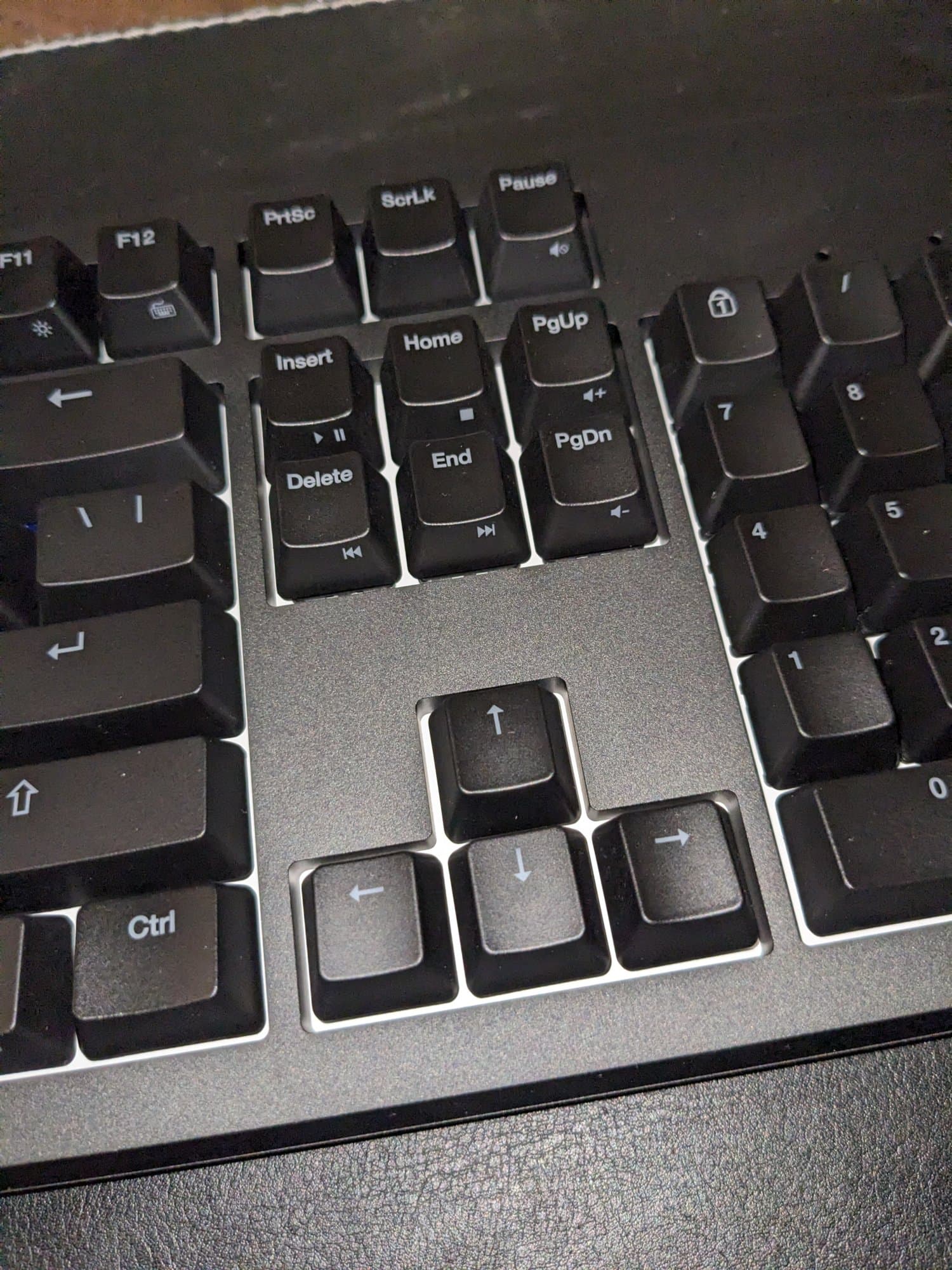
The only thing I didn’t much care for were the stock keycaps. For whatever reeason, on an otherwise premium product, WASD Keyboards still use ABS keycaps, and they can wear fast, at least if you are a heavy typer like I am.

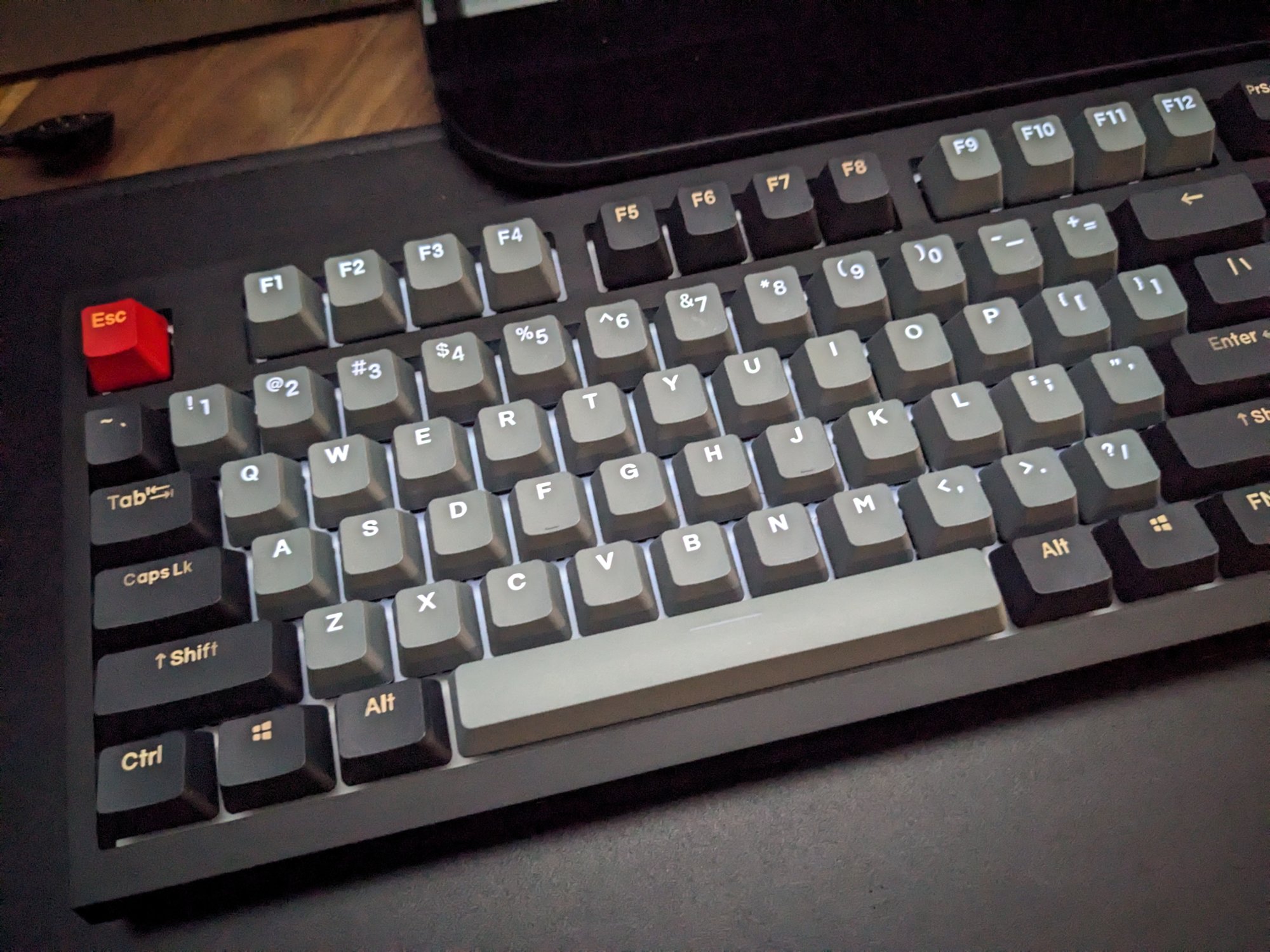
I picked up a set of PBT keycaps in a traditional Dolch color scheme on Amazon from some Chinese manufacturer named YMDK, and with these keycaps I like the keyboard even more. They have been in use for almost two years now and still no shiny wear.

At first I thought the lettering on these keycaps was comically large, but over time I’ve gotten used to it:

The final touch, for shits and giggles as an impulse buy I added a wood spacebar to it (dark walnut colored to match my walnut desk) , which I thought mellowed out and made the color scheme nicer and warmer. to it (but unfortunately I don’t have a picture)

This is the product, also from YMDK:
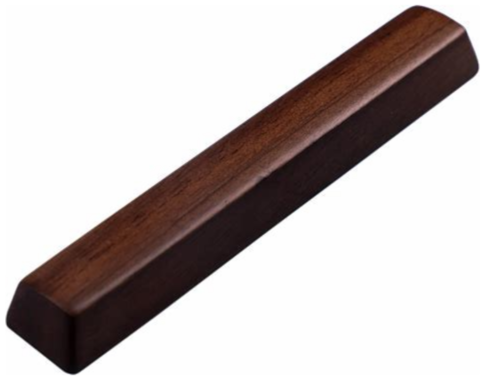
walnut space

I was ordering extra keycaps from their website in case these which I have come to like wear out) and I just needed a couple of extra bucks to qualify for free shipping, so I threw this one in on a whim. I thought it was funny, and didn’t actually expect I’d use it, but I have actually come to like it. It matches the slightly warm Dolch color scheme very nicely.

I should take new pictures of my desk and working area, but I am in the middle of a huge project and there are boxes and crap everywhere. It will have to wait until I ma done, and I can straighten up a bit :sweat_smile:

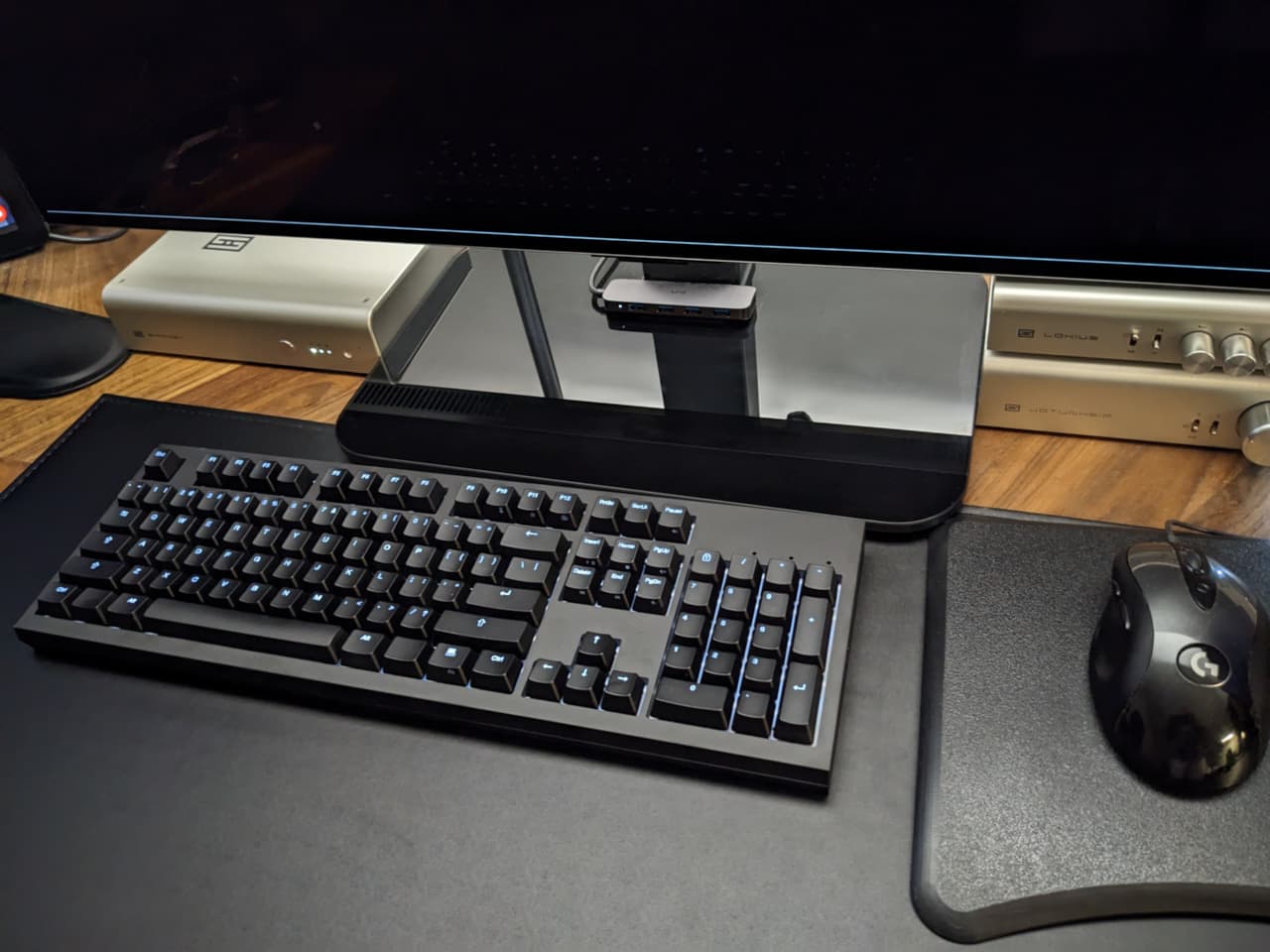
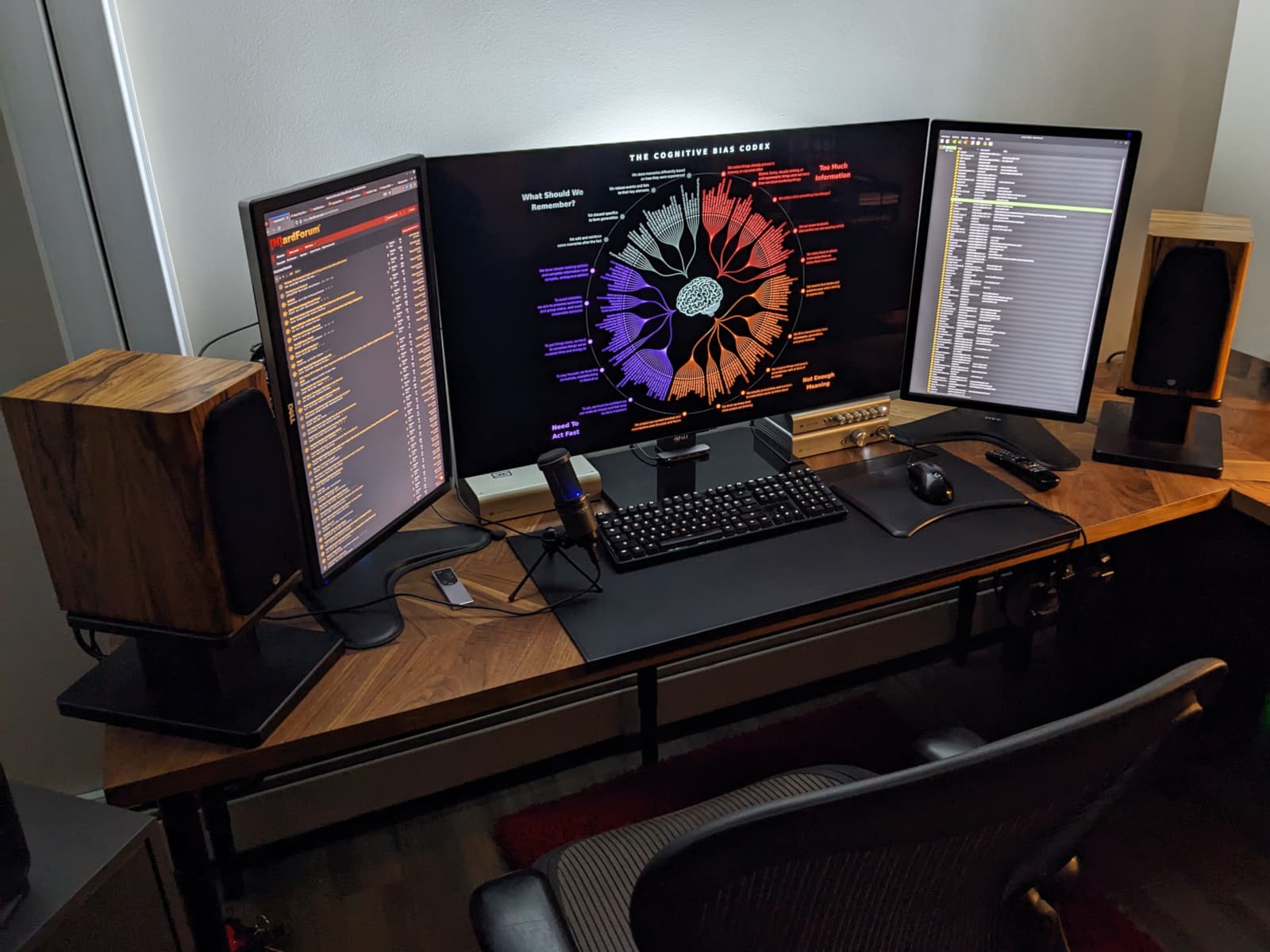
But here is what my work area in my home office looked like before I replaced the keyboard with the WASD unit:

Lots has kind of changed since I took these. New amp, new rug, new keyboard, and of course the aforementioned massive project mess that needs to be cleaned up)

Anyway, my budget for this keyboard went a little overboard (as many of my efforts tend to do) and while it felt a little ridiculous when I first did it, I’m actually starting to feel like it might have been the right choice.

With previous keyboards I have used (even high quality ones) keycap wear, case wear etc. making the keyboard look dirty and oily even when newly cleaned would drive me up a wall. That was the main reason behind my last keyboard replacement, The keyboard was still fully functional, it had just started to look gross. This was definitely the case after six years of using the Ducky One.

Maybe this is just post-purchase rationalization, but the way the anodized aluminum is holding up, I’ll never need another keyboard. If something ever happens to the electronics inside the keyboard, I can just replace the circuit-board itself. The key-caps are also replaceable.

I might actually save money long term by simply not needing to buy new keyboards.

Time will tell.

*At work in a shared office environment I still use an old Ducky One, but with Cherry MX Clear switches. Still heavy, but only a tactile bump (no click) and I installed O-rings on all of the keys to silence the bottoming out (I am a heavy typer who mashes the keys into submission with every keystroke)

3 Likes

I’ve become a pretty big fan of the keychron QMK stuff. They arent the only ones doing what they’re doing but they’re pretty good at it.

You can program macros and the like via the browser on linux with https://usevia.app

Even if you didnt use keychron, I would still recommend something with QMK firmware for use with via as it supports any OS with a browser, but there is good linux support for offline programming.

1 Like

From Keychron, you can check up the Lemokey P1. QMK enabled and no nonsense!

I don’t assume it is. But Windows-only or non-open-source software is usually a bad sign. And is often asking for trouble for other users and also troublesome if the new Windows version isn’t compatible anymore. Driver support and some commitment from the manufacturer is certainly beneficial.

I almost fell in love with the keyboard you linked…but it seems to have clicky keys and that’s sadly a no-go. Although they are retro and I just love the Caps/Scroll lock panel + LEDs. I may reserve that one for a future keyboard for my server rack.

Reminds me too much of my previous work in IT. Couldn’t get the money for more expensive stuff because the OEM keyboards just were too sturdy to die. HP- or Dell-branded stuff is just off the table for private consumption. But they great and cost-effective in the workplace.

Outside of local startups and small production runs, stuff is generally available internationally. Can’t really go without EU market if the company has ambitions beyond their national borders.
Keyboards are a bit special because of varying layouts. Hard to get a keyboard layout other than your countries standard one. But programming and computing in general is shaped by anglophone countries.
German layout sucks for coding stuff.
<>,.:{}/ these things are very convenient to use on US/UK layout. But getting my trusty German Umlaute, like ä,ö and ü are a pain in the ass (alt+132 and the likes).
Macros and programmable keys help.

Basic, simple, elegant. Good taste. I have no need for flashy features either.

I dug a bit into it and this seems like a good approach to be platform-agnostic. I’m not necessarily a fan in moving everything into a browser tab, but everything that doesn’t require me to spin up a VM to configure my input devices, is a win :slight_smile:

I’m a man without a clue. Just seen this on Keychron website. And Keychron has quite the portfolio on different layouts, colors, switches and caps. Didn’t know this existed (as I don’t know much about keyboards really).

Always good when you just need the device and/or a browser to get all the stuff

So many stuff to choose from…atm I’m busy making sense to the model naming…I checked K10 and K8 earlier. Can’t live without arrow keys…terminal without arrow keys feels wrong

1 Like

I wasnt either at first but it works without needing to ‘install’ anything which ended up being nice for my work computer.

Here are the installable versions

It’s a hot-swappable keyboard, so you can put your own switches if you like later on.

Kinesis mWave would be my default here unless full size precludes embedded TKL. Going more ergo gets past 250€ pretty quick.

I thought conservatives use PS/2 :rofl:

I want to help you but I am not aware of DE or UK layout keyboards off the bat. I think Keychron has those layouts but I am unsure. A lot of their keyboards have RGB but thankfully it can be turned off.

Keychron are pretty much the go to for decent value mech keyboards in non-US ISO layouts. I’ve got a K8, K1 Pro and a Q3 Max and they’ve all been fine for their price bracket at the time of purchase. I’ve swapped switches and keycaps but that’s been more about want than need.

Just a caveat that if you order direct from them then you’re likely getting it shipped from China and would have to deal with that if a return or anything came up. The safest bet is to use Amazon or other reputable local retailer and eat the 10 Euro difference for the convenience of a relatively easy return/refund process.

1 Like

Oh! and if you want to be patient and score a great deal, you can get a NovelKeys NK65! I got my SO an NK65 for about $100 USD back in the day all in all, and boy it’s a great keyboard to use!

However, they have ran out of them for the time being - you just gotta wait when they’re back on:

I had my experiences with hotplugging non-hot pluggable connectors in the past. I embraced USB when I came out and I didn’t trash a board ever since :wink:

I’m torn between Keychron K8 Max (QMK variant and not too small form factor) that’s available in my research aand with DE layout.

Kinesis mWave…US-layout only, very bad. Especially without Keypad and quick access to alt combos. Big downside. But I’m still considering it. Browser app config (“Clique” software or so), so it’s Linux-friendly . Although if I want black, I have to take the Windows key.
Lightweight-ergonomic form that is not too extreme. I think I can get used to it and I intended to shift to those keyboards eventually…but not required. Certainly a very interesting option.

Both are ~140€ incl. tax here…above the budget but +15% is ok I guess.
I salvaged my old SteelSeries brick of a board for the time being. Will decide on weekend. There is no perfect decision to be made…in the end… it’s just a keyboard we’re talking about.

So for QMK stuff, you could get any layout you want and swap keycaps if it makes sense for you or if there is a cheaper variant in another layout.

You can build a ‘layer’ for DE and remap specific useful coding characters with the function key or a macro. You could also have a normal ISO layout with UK map and put the umlauts on a different layer on the same keys they are normally on with DE layout.

It’s maybe a little bit confusing at first but it’s not really that hard once you start playing with it.

Once the changes are saved to the keyboard they are persistent without software.

1 Like

This is a better look at how it actually works.

1 Like

Yeah that’s probably what I will be doing. Although different layouts aren’t just different paint on the caps. I very much prefer the big enter key. Because commiting a command or sending a message and you really mean it…it’s just a more satisfying experience with a large cap :slight_smile:

Thanks for the link! That looks great…I’ve also seen a GitHub link on Keychrons website. Which is always a feature that speaks of greatness in a product and the company doing things for the customer.

edit: L1T Forums laggy? feels like 1200 Baud connection here, rest of the Interwebs are fine and so is my Router

Keychron in particular wasn’t always great, and they still have some flaws (the mice), but I have 2 of their keyboards at this point and they are insane value for their capabilities.

If I didn’t have a keychron I would still buy something with QMK firmware just because I value peripherals that can be programmed locally to the device. I was an early adopter of the RGB gaming shenanigans and while it was good then, it has gone downhill badly IMO.

Having open source firmware is neat even if I don’t plan on ever flashing it myself.

Also yeah I suspect some updates or database shenanigans are happening. It’s dragging for me as well.

1 Like