The bug check code is 0x7f, which corresponds to UNEXPECTED_KERNEL_MODE_TRAP. This bug check indicates that the Intel CPU generated a trap and the kernel failed to catch this trap.
The faulting process is “NVDisplay.Cont”, which is a process associated with NVIDIA graphics drivers. This suggests that the issue may be related to the NVIDIA display drivers.
The stack trace shows that the exception occurred in the Windows kernel (nt) and was ultimately caused by a page fault (nt!KiPageFault+0x442).
TLDR;
Crashing, BSOD and reboots… strange BSOD and restarts during/after gaming. Seems Nvidia may be the culprit, not Intel with all the issues being seen. Computer is rock solid for productivity only starts behaving strange while/after gaming. Fortnite crashes often, Overwatch causes BSOD and random restarts occur while idling in-game resulting in above .dmp
Reaching out here incase anyone has experienced such issues with Intel/Nvidia combo. Any such recommendations on resolving this altogether. GPU driver updates seem to lead nowhere.
I think it’s the GPU, same issue with Intel i9-9900k build. The GPU causes the system to crash, BSOD and reboot.
I removed the GPU from the i9-14900KS build and am not having the crashing/BSOD… I played a game of OW and was fine… however starting fortnite the PC instantly BSOD.
No crashes when sticking to productivity with the GPU removed
Is the psu new or used? If it’s used I’d suggest trying a new psu with a 900 watt rating. Granted your only up around 700 watt draw on that psu but having a little extra head room is not bad.
Hello @thetazman, to your point I reached to chatGPT for guidance and my findings on my power draw under a typical load are below. When considering gaming I think I maybe clipping the PSU especially at 7680 x 2160.
Would you be able to offer any suggestions to actively monitor the power draw via the OS? I have a Watt meter I can plug in between the PSU at the wall socket but am looking for a more granular approach where I can monitor each component to identify the culprit.
Intel i9-14900KS Average power consumption of around 330W, with spikes reaching 410W is the result for power draw I got for this chip
Gigabyte Aorus Master RTX 3080 TI 290w to 450w with 330-340W being the normal running wattage is the result for power draw I got for this card
What this getting at is what is listed on the box for power consumption is at idle and what you need to look at is what max power draw is. Also keep in mind is that the 3000 and 4000 series of gpu’s had power connector / delivery issues 12 - 24 months ago and maybe an issue with that card considering it’s a rev 1.0 board.
The watt meter will tell you the full wattage the system is pulling from the wall and might get you closet to the total wattage the pc is using and not what chat gpt tell you.
I’ve always try to add a 200w head room to my builds so as not to be constrained by the power delivery system.
@thetazman This is very good feedback and at this point I am going to first replace the Corsair AX850 PSU with a Corsair HX1000i
Whether this will resolve the issue is unknown however with the GPU removed the PC is much more stable
Second, if the higher wattage PSU does not clear up the instability issues I am planning to Warranty RMA the GPU as with two unique systems I am have similar instability issues pointing at the GPU
without the GPU installed and strictly renaining within normal loads for productivity purposes the watt meter is showing 84 watts…
I will reinstall the GPU which will hopefully remain stable enough to test the wattage at idle, during normal productivity and during high fidelity gaming.
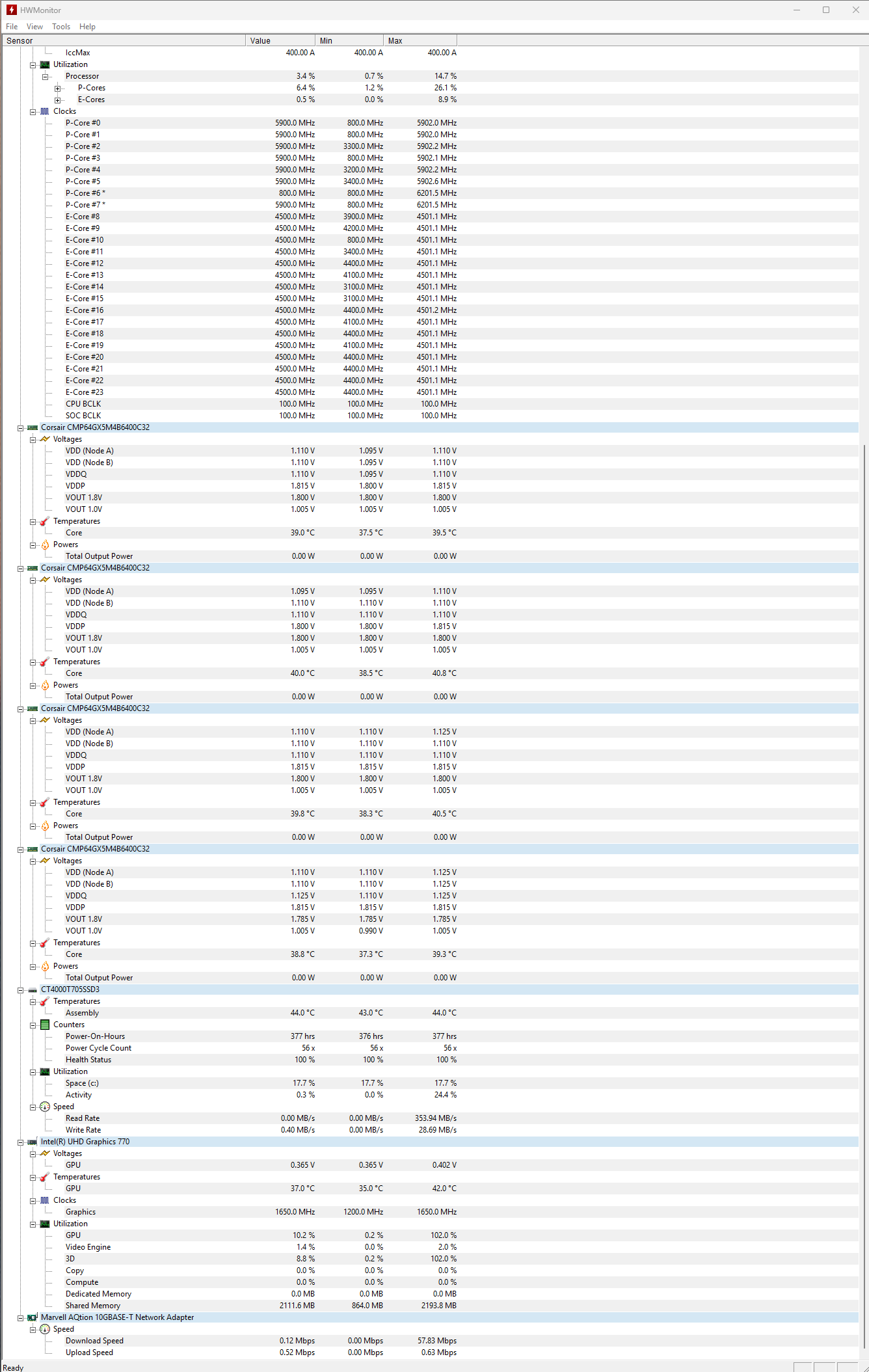
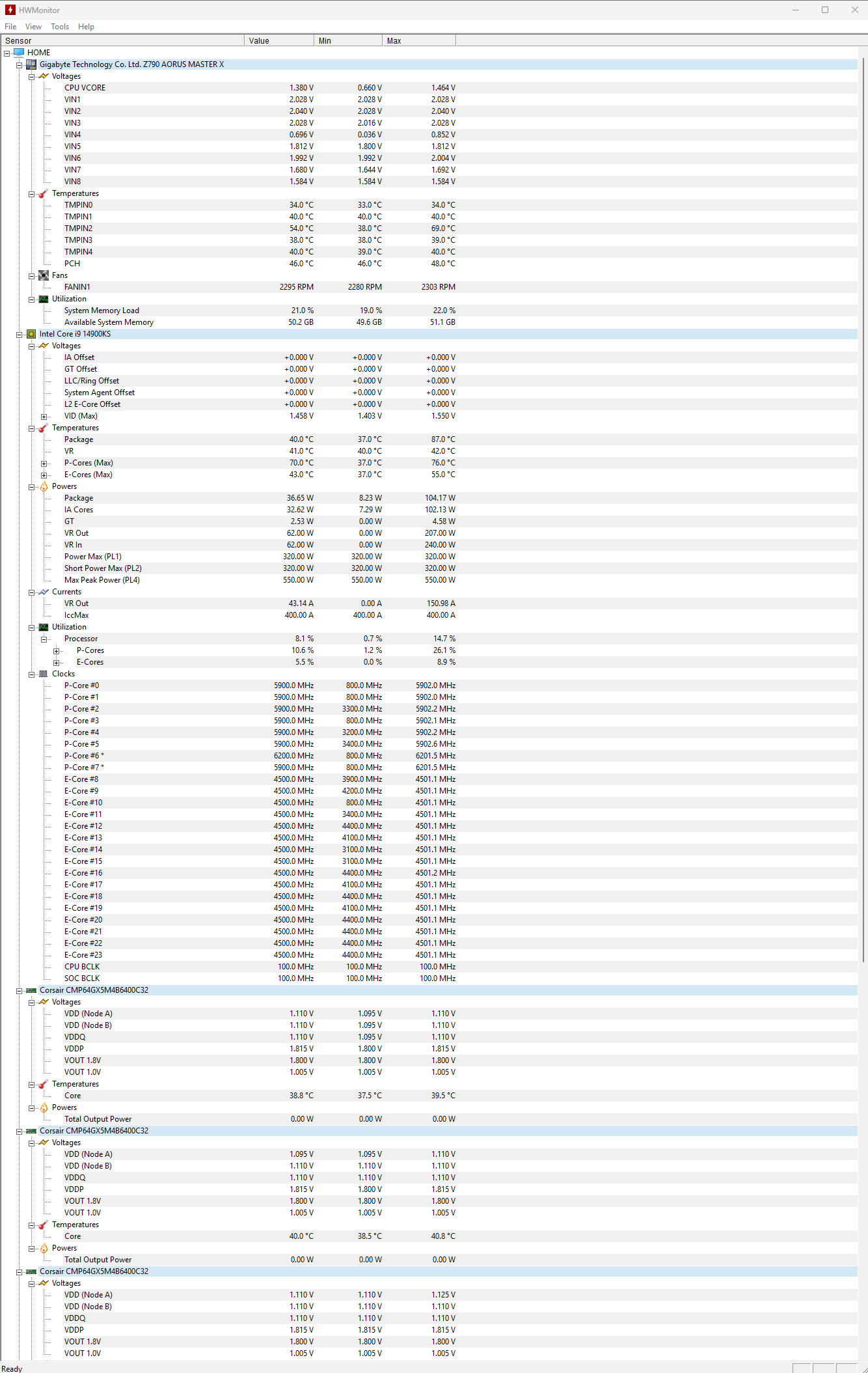
I will repeat these tests with the new PSU, as long as all else works as expected… I’m also attaching some screenshots from the HWMonitor tools for the i9-14900KS system (no GPU)
Yes just a few years older, here’s the specs of the other system which randomly turns off/reboots while gaming, but surprisingly does not BSOD, using the exact same graphics card in the i9-14900ks system:
Corsair Commander Pro: 0.96W
Corsair LL120 fans (6): 21.6W
Corsair LED light strips (4): 8W
Corsair VENGEANCE RGB PRO DDR4 memory (32GB): 10/15W
Aorus RTX 3080 Ti Master 12GB: 350W
Intel Core i9-9900K: 200W
Gigabyte Z390 Aorus Master motherboard: 50/60W
Corsair H115i AIO cooler (pump): 5.52W
Samsung 990 Pro NVMe 2TB SSD: 6W
What I did notice today while using the power meter after placing the GPU back into the i9-14900ks system was gaming in OW:
60 hz @ 7860 x 2160 = ~250-275 W draw @ power meter
240 hz @ 5120 x 1440 = ~650-675 W draw @ power meter
I suspect I am cutting it close or crossing 850 W for more demanding AAA titles.
What’s more interesting I am still having crashing in Fortnite even when just loading the splash screen/menu, logs say oodle errors… I will open a new topic just for the fortnite issue…