New build: Have I just found the perfect Threadripper case?

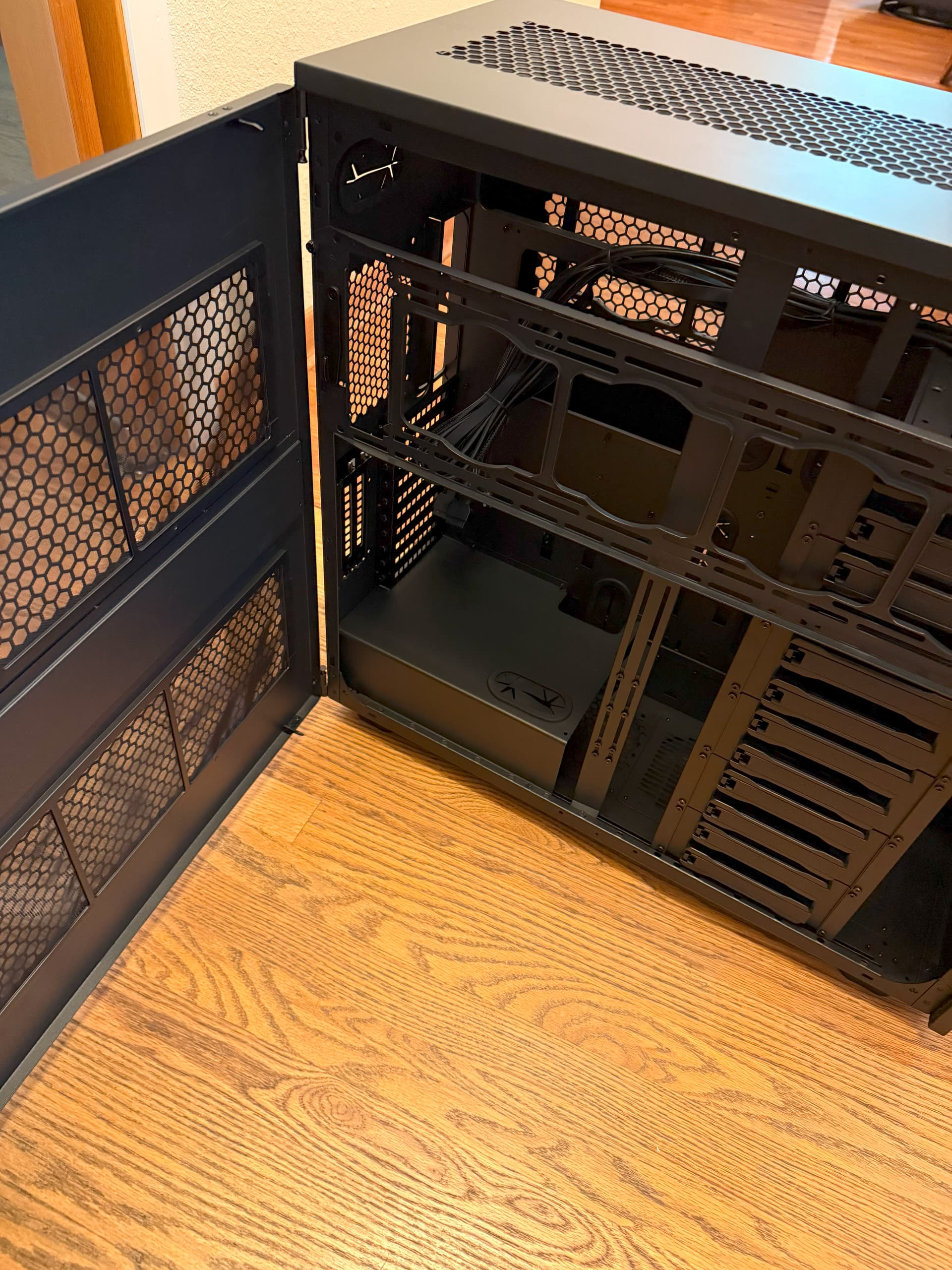
Contrary to what the manual says, the side fan holders on the Thermaltake AX700 can be mounted on the left panel, which also includes 2 dust filters:

This will put the fans right in front of… the RAM and CPU (the drive cage and GPU holder can be removed).
The bracket supports 4x120mm, 4x140mm or 3x200mm fans.
This should pretty much solve any RAM overheating issue.

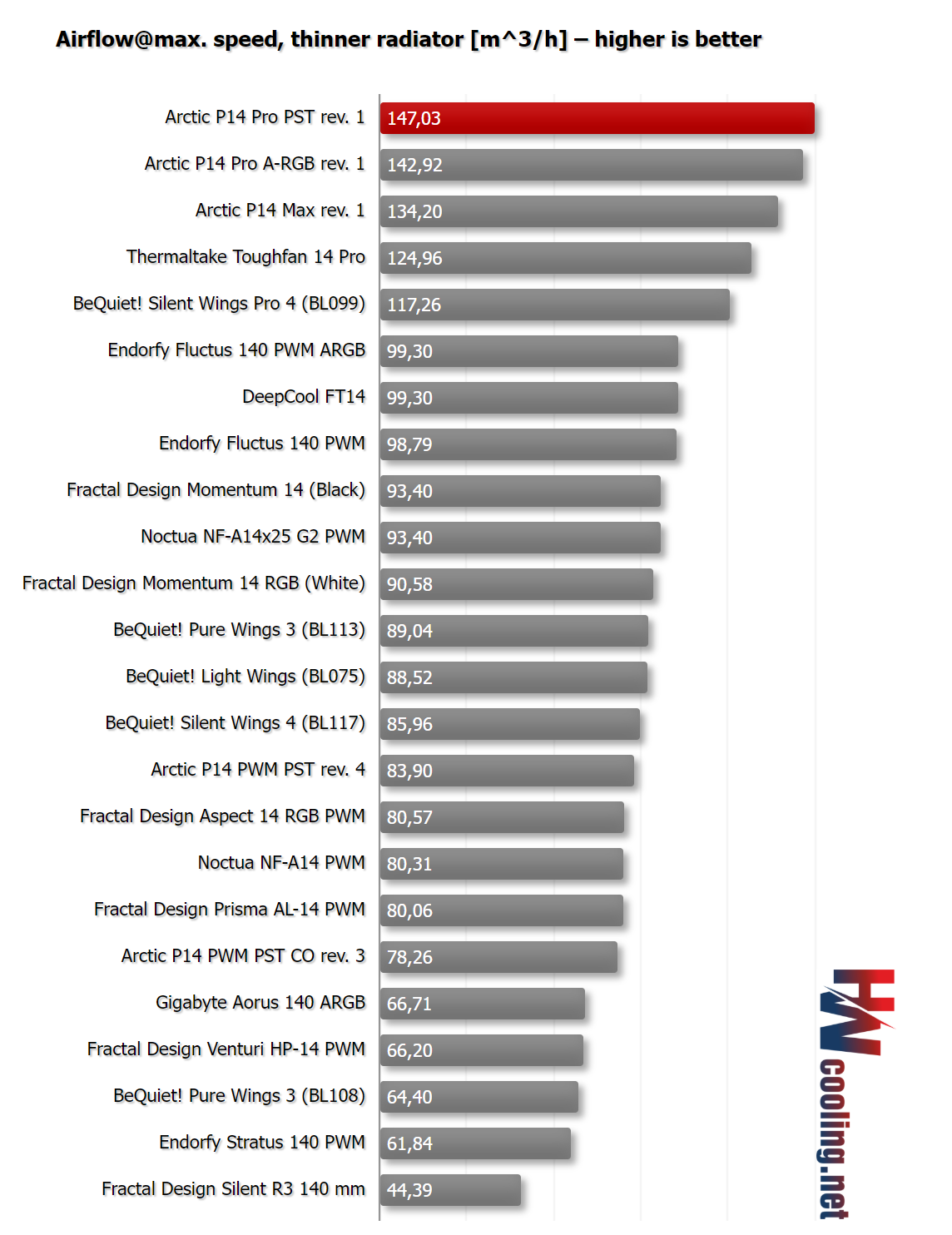
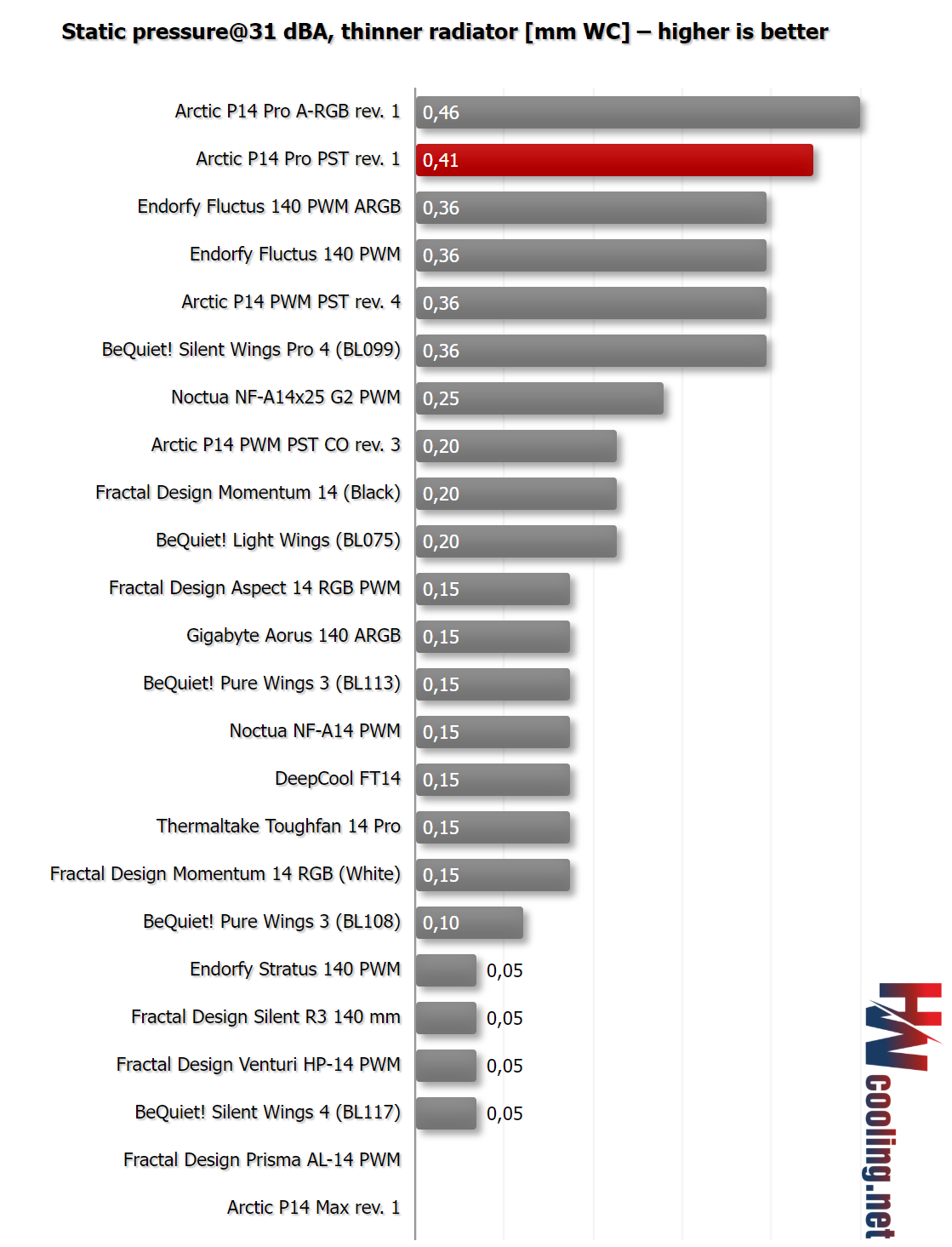
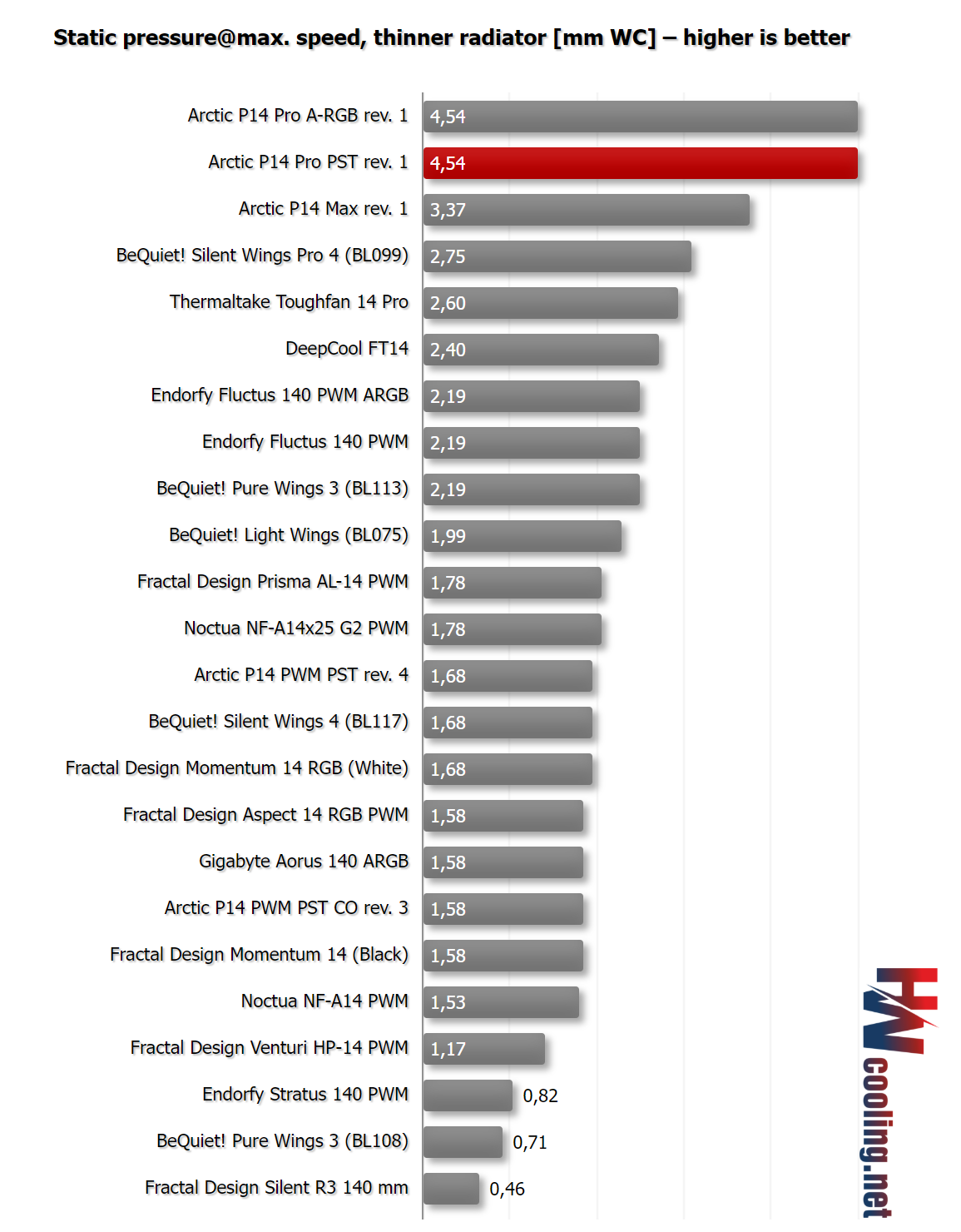
According to today’s HWCooling review, the new Arctic fans are so good that I might replace the already excellent Thermaltake Toughfan 14 Pro on the radiator with them, they have a much higher measured static pressure, both at low and max speeds.

I am planning on using a total of 17 fans (good thing the new Arctic P14 Pro PST fans are only $32/5 pack!), 9 on intake and 8 on exhaust:

  • Intake: 3x front
  • Intake: 2x bottom
  • Intake: 4x left side (unless I switch to 3x200mm fans)
  • Exhaust: 3x top 6x top (420mm radiator in push-pull configuration)
  • Exhaust: 1x rear
  • Exhaust: 4x right side

The full build:

  • Case: Thermaltake AX700
  • Case Fans: 14x Arctic P14 Pro PST
  • CPU AIO: Thermaltake AW420 (625W TDP)
  • Motherboard: ASUS Pro WS WRX90E-SAGE SE
  • CPU: AMD Threadripper 9985WX
  • RAM: V-Color RDIMM 8200 MT/s 8x24GB (announced for Q3) TEAMGROUP T-Create Master Overclocking DDR5 R-DIMM 192GB Kit (8 x 24GB) 6400MHz (PC5-51200) CL32 Hynix M-DIE
  • PSU: Silverstone Zeus 1650R Titanium
  • GPU: PNY NVIDIA GeForce RTX 5090 32GB Overclocked Triple Fan ASUS ROG Astral GeForce RTX™ 5090 OC Edition
  • Storage: 4x WD_BLACK 4TB SN8100 NVMe SSD
5 Likes

FYI Newegg missed their ETA date for 9985WX preorders, no new ETA given.

According to new ETAs, I should have all the remaining parts (except RAM, but I have a leftover temporary kit) to start the build in a week.

I guess I just made this post a build log.

1 Like

I had to switch the 5090 from PNY to Astral. Oh, the horror.

The PNY is really ugly/cheap looking from the side with or without makeup, but I might have to install the Armory Crate crapware just to turn off the RGB strip on the ASUS Astral.
I really doubt the WRX90 motherboard has the “Aurora” settings or whatever in the BIOS.

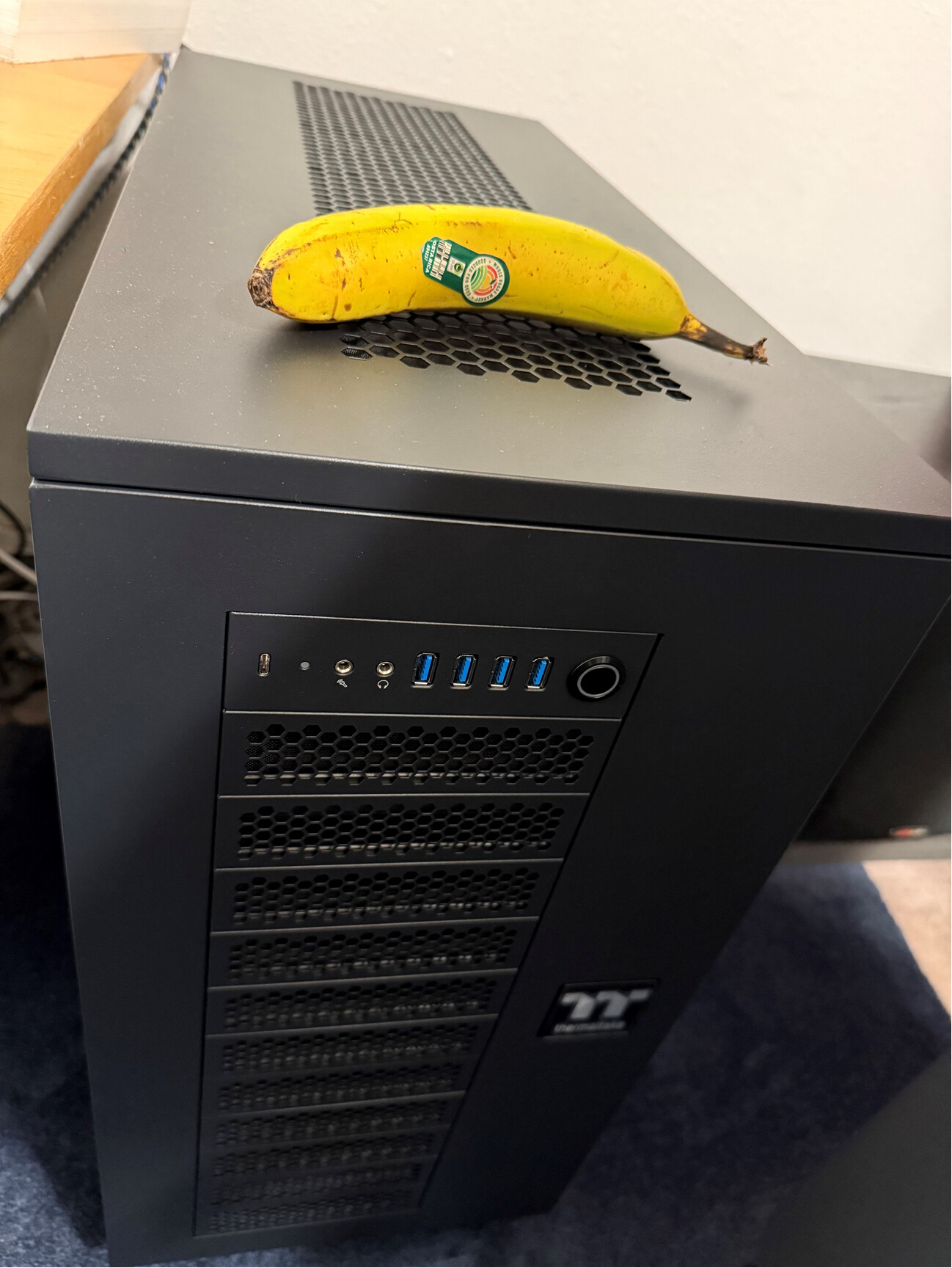
Banana for scale of how big this case is (140mm strip in the middle).
This banana is about the same width as my Torrent.

2 Likes

This video shows that there’s plenty of space in the AX700 above the SAGE for push-pull fans on the radiator (it’s the 360mm version here though): Forget Rockets, Launch THIS - If NASA Paid Me $50,000 to Build a PC

And I just happen to have 3 extra fans left from my 5-packs, so push-pull it is (I got a noticeable gain with this in my current config).
That will bring the total number of 140mm fans to… 20. Plus 4 fans from the GPU, 3 from the motherboard and 1 from the PSU, total 28 :slight_smile:

This other video shows an almost 4 degrees C gain from push-pull on a 420 AIO where the fans are the weak spot (on 320W workloads), and a big noise-to-performance ratio gain: Arctic Made A HUGE Mistake - Arctic Liquid Freezer III 420 in Push-Pull

Look how tiny the WRX90 SAGE looks inside the AX700 (note that the bottom case is the optional AX100 bottom chamber, that I don’t have):

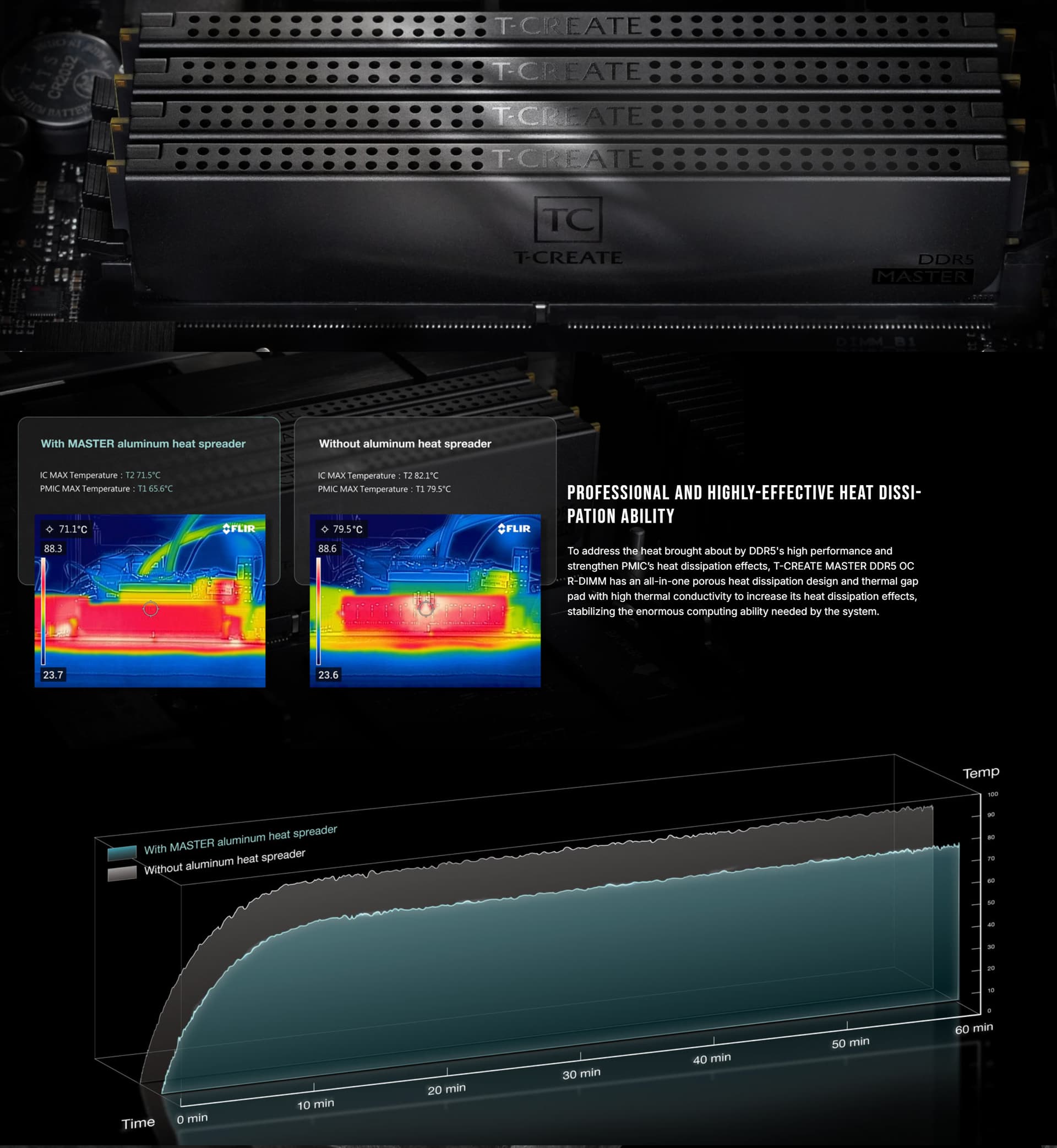
Ironically, I settled on RAM that has heatsinks, because it’s available now and cheap (24GB single rank Hynix M-die at 6400 32-39-39-84, should overclock very well).
Looks like I bought the last 8x24 kit available in the world, but 4x24 kits cost exactly half the price:
MASTER DDR5 WORKSTATION MEMORY BLACK 192GB(8x24GB) 6400MHz CL32 - TEAMGROUP

Those numbers are still way too hot even with the heatsinks, especially since I plan to overclock those sticks as high as I can.

2 Likes

I’m still amazed that these fans only cost $6 each, nothing comes close to them as radiator fans, except the RGB version.
Arctic P14 Pro PST: The Best “Price-to-Performance” Ratio - HWCooling.net


1 Like

I think I’m going to have to pick up a pack of these.

That’s really interesting that the ARGB version of the fan is outperforming the normal version at lower noise in the thick radiator tests.

The real-world results clearly point to top-tier airflow (and cooling performance) on radiators. Both on thinner and on thicker ones. Sometimes the A-RGB variant leads slightly, other times it’s the “base” P14 Pro/PST. This mostly comes down to the fact that each model has slightly different resonant frequencies, as the impeller on the P14 Pro (PST) is made from a different material than the one used on the illuminated variants. This results in slightly different obstacle interaction characteristics, especially acoustically.

With 20 fans the RGB version would cost me $100 more, not sure I have the budget, lol :slight_smile:

The last remaining pieces have been shipped and are arriving next week, so I guess this build is really happening.

AMD really sucks at launching new generations. I originally considered a R9700, and gave up on that given that it just pretended to be launched (also the fact that it’s less powerful than my 2-year old 7900 XTX really bums me out).

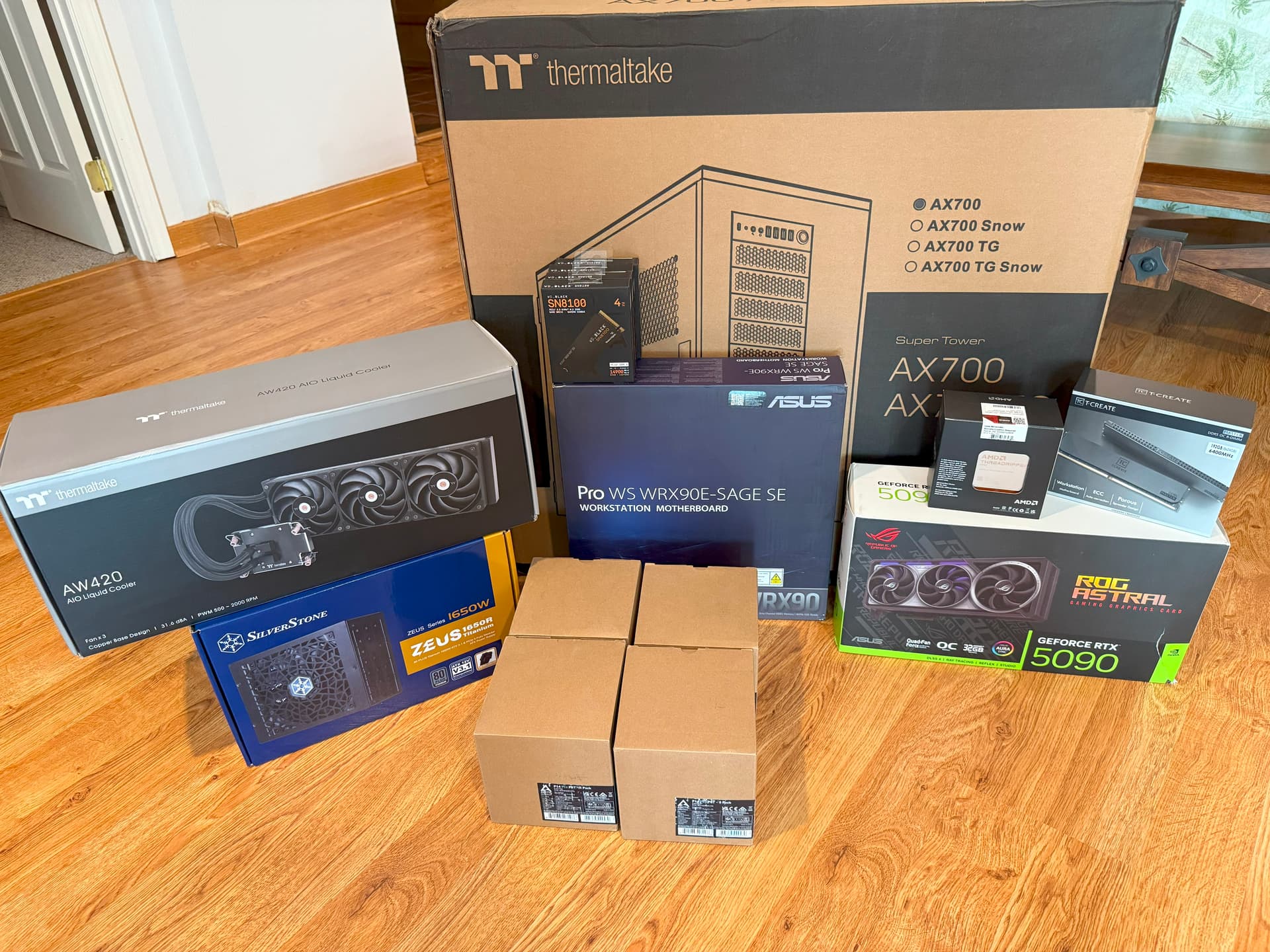
Finally, everything is here.

2 Likes

That 420 AIO is interesting. I haven’t seen any reviews of it yet.

Yeah, it has the pump in the radiator, exactly like the Silverstone one.
I’ll run it with non-stock fans in push-pull mode, so different from any review.

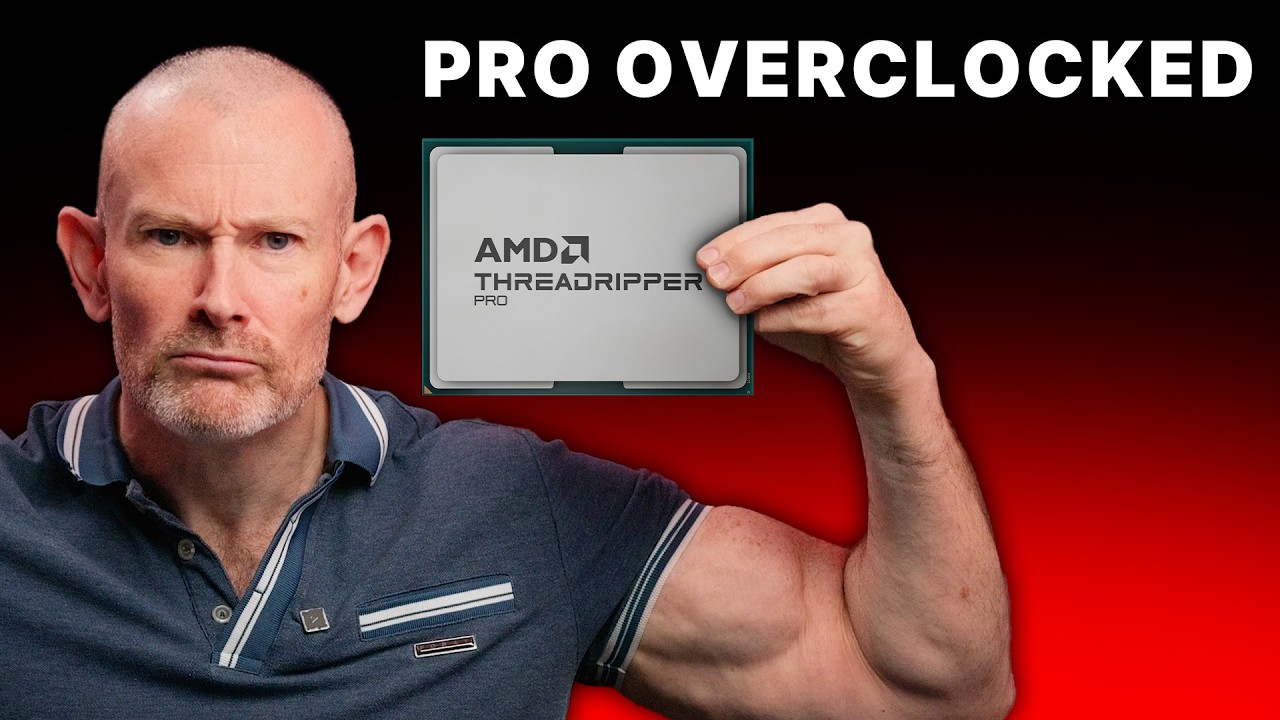
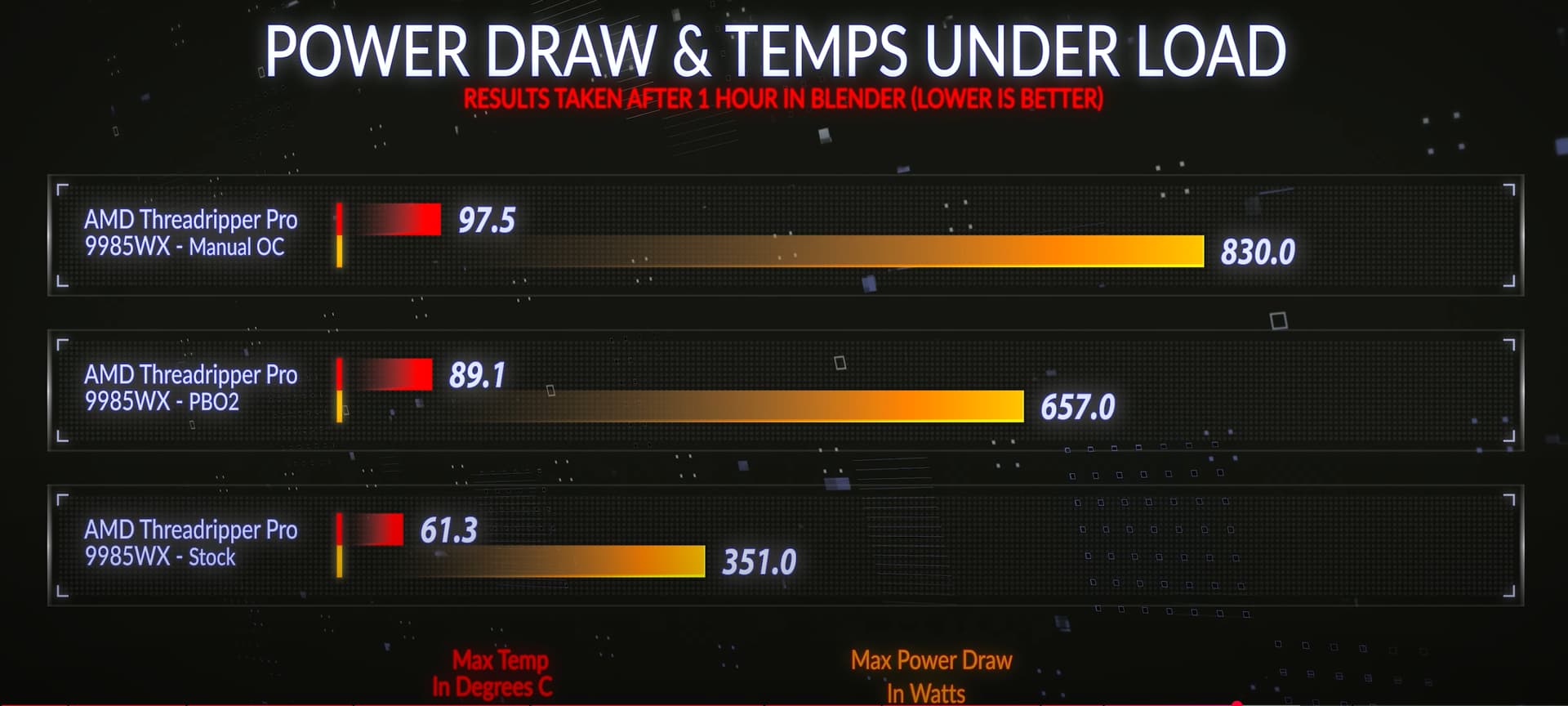
This video shows the 9985WX eating 830W in OC mode, and I am planning on going beyond that (he’s not using +200Mhz Boost Override, etc), using ASUS Dynamic Overclocking with the AI Tweaker as base data. That’s how I’m running my 7970X at roughly 54x/53x/52x/52x for all cores workloads.
I think I’ll reach close to 1000W based on other reviews, so if the CPU did that at the same time as 600W from the 5090, I’d be in trouble.

1 Like

When I say 1000W I am talking about PPT+SOC, not just Package Power.
SOC can suck 80W on my 7970X, max I’ve seen is 650W for both.

BTW, I’ll be using Threadripper-sized Kryosheet, anybody used it on a Threadripper before?

Most of what I’m using is largely untested, not a great sign for a $17K workstation :slight_smile:

Like, I found exactly zero reviews of the 4TB SN8100 vs 2TB, yet I bought four of them.
(My existing 2TB SSDs are all >60% full, and I don’t like that.)