1.4 Display Port KVM Switch - Dual Monitor - Four Computer
USB Interface (5-gigabit or 10-gigbit):
10
Problem:
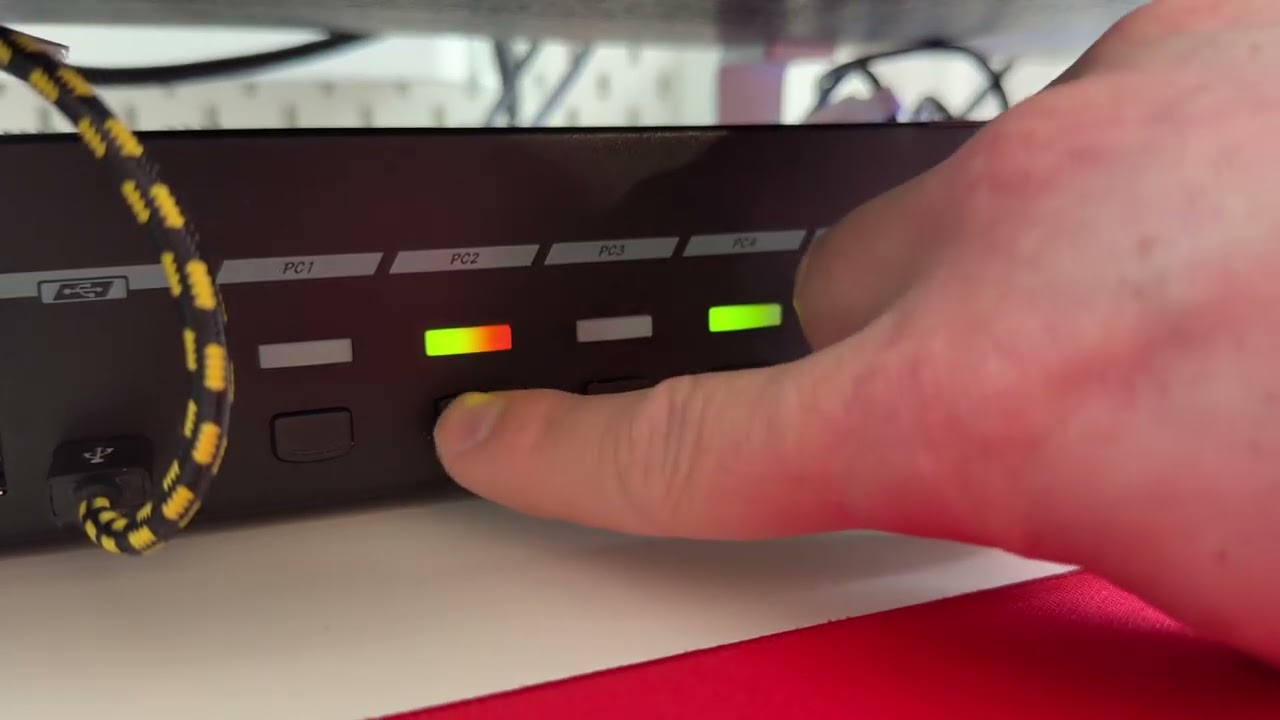
KVM is not switching when pressing the front IO buttons. Power cycling makes it work again. The unit is new and everything worked flawless until now. The button I press briefly lights up red on the right side (as intended) but then it doesn`t make the switch, and the red active indicator LED returns back to the current active PC. Please let me know what more info is helpful to resolve this, setup etc. …
Can you get a video of this? You said a power cycle helps, but please power cycle the KVM by unplugging everything for quite a long time 5-10 minutes, or overnight. The KVM has an efuse that takes longer to fully reset.
The keyboard probably has to be plugged into one of the blue USB ports, and potentially needs N-key rollover disabled.
Yes, I will do so once it happens again. Anything I can check in the meantime?
Can heat be a problem? The unit is not very hot to the touch, room temps are 22C, but it sits under a monitor stand.
Hmm I don’t get the impression it’s a heat issue. You can try to move it away from anything that could be causing interference. Any amps, audio dacs, CRTs, speakers, battery backups/power supplies, etc.
Thanks, it sits next to another dock (OWC Thunderbolt 4) and a DAC (Topping DXS II). First I`ll record the video if it happens again and then try also moving it to a different position. Appreciate your quick response Thank you!
hey, it happened again and I recorded a video, but I cannot post links or upload files as a new member. Can you provide me the rights to post links to youtube please? I hosted the videos there. Thanks
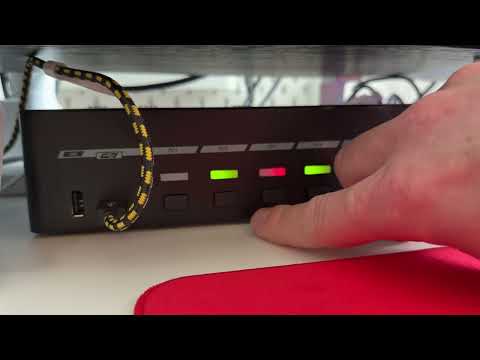
And here it is, working again after a powercycle and having it turned off for a few minutes:
Switching works, and It does the “beep” again, too.
I also noticed that before the power cycle, some HID devices would randomly stop working or not get recognized, no matter which USB port on the KVM I used. There wasn’t any clear pattern. Sometimes one device worked while another didn’t, even when switching ports.
This happened both with just a few devices (keyboard in the back, mic in the front, mouse front or back) and also when I had a powered dock connected with four extra devices. And this also seems to happen in general on all days before, not only right now immediately before the switching stopped working.
Is there any recommendation on how many USB devices this KVM can handle reliably? And what can I do regarding the “no-switching-issue” as shown in the videos?
what are the hid devices? Sometimes a misbehaving hid device will crash the hid stack on the kvm. Can you reboot the kvm and move the devices on the hid side to a usb3 hub instead? so we can isolate if its a rogue-hid-device type issue?
Do you suggest that the HID devices should still be connected to the KVM, but through a USB hub instead of the dedicated HID ports? If so, yes I can do that.
the USB devices are:
1x Wooting HE80 keyboard (I just noticed that while it is getting recognized by wootility – the web based driver software – it immediately loses the connection)
1x Logitech MX Master 4 (through Bolt dongle)
1x Shure MV7+ mic
RSHTECH 10 Port USB C Hub with 3.2 and 3.0 ports (powered through 12V/5A)
^ that`s the min setup. Additionally I had on the 10 Port USB hub the following devices in mixed configs. I removed them because of the issues, but that did not help.
WL Mouse Beast (dongle)
G-Wolves Fenrir mouse (dongle)
Insta360 link webcam (1. gen)
Streamdeck (MK.2)
Topping DX5II amp dac
DSD TECH SH-AU02A dac
Not sure if noteworthy:
I run my Macbook Pro through a OWC Thunderbolt hub. It connects through 2 Maxonar USB C DisplayPort1.4 cables and 1 USB 4 cable for data.
The Mac Mini is connected through 2 Maxonar USB C DisplayPort1.4 and 1 USB 4 cable, too – but directly to the KVM.
I unplugged all USB devices from the KVM and now just use it for the displays. Is that what you want me to test?
Also, is there any rough guideline on how many or what types of USB/HID devices work reliably through the KVM? And can using a USB hub cause issues as well?
Quick update: since I unplugged all USB devices yesterday, the issue hasn’t come back. I’ll watch it for another day or two to be sure.
There’s a new issue though. The main display sometimes flickers/tears (see video). It’s random and not super frequent, but enough to make the setup feel unstable and unusable if it happens. Not sure if it’s related, just wanted to flag it.
Update: After 3 days, the issue has not reappeared, except the monitor flicker - that one is still happening.
How should I proceed with testing?
I have not used the device switching much since all USB/HID devices are currently connected directly to my MacBook. Moving them back and forth manually is a bit of a pain. Should I first spend more time actively using the KVM, or start reconnecting USB/HID devices to it now?
If I should reconnect them, is there a recommended order and device/port match? My assumption is to add them one by one to isolate the problematic device(s).
Correct, this sounds like you have a problematic USB that is crashing the HID stack. Try 1 at a time to see if issues crop up. The one that causes issues should go into the USB3 port.
The flickering is almost always bandwidth related. You might try a ferite clamp to reduce noise in the signal:
OK, ferrite cmaps are on. Feeling a bit tinfoil hat-ish, but if it helps…
I already found a suspicious device. A wooting HE80. I just re-connected it and noticed that when connected to a HID port on the KVM, the device works, but the connection is not stable enough for the driver software. It constantly disconnects and reconnects. Pluging it into a USB 3 port resolves this. I will keep it in HID on the backside now, and see if it leads to a crash.
The initial crashing issue did not come back. See caveats below.
Display flickr is still there - despite ferrite clamps and high quality cables.
I only found time to test a few of my HID. Two devices show stability issues when connected to HID ports but do not crash the KVM. A Wooting HE80 and a MX Master 4 dongle. On USB 3 they work fine. However, I did not test all different devices I have and decided to just not use the HID ports at all. Everything is connected now through the USB ports. So far no issues since 2 days.
Could you please explain what exactly do you mean by “misbehaving” hid devices? What are the underlying root causes - e.g. unusual high or volatile polling rates?
It’s a mixed bag to be honest and I am not sure what to do next. Certainly not the experience I would like to have from a KVM at this price point, especially since I wanted everything to finally just work - after many many attempts with cheaper solutions.
I do realize though that there might be issues that cannot be blamed on the KVM and appreciate your help. Thanks!
 Thank you!