KVM Model:
PAAG-E3124A (my serial number is 00001, so maybe I have one of the first ones?)
USB Interface (5-gigabit or 10-gigbit):
LOL OLDER than that. (I do think it’s USB3 tho)
Problem:
So in typical fashion, I create a support ticket, cause I searched the forums and I didn’t find anything, and it’s not even on the website any more, cause I bought it in 2020, but then I do more thinking, and I haven’t received the emails from resetting my password on the store, nor the support ticket emails, and that makes me nervous that something broke 
So I’m creating a forum post with the same details, and I should’ve done that first and tied the support ticket to it, or just did this instead of doing the support ticket, since it is a 6 year old KVM.
Here’s what we look like when the display tries to connect after being asleep or when switching computers.
ANYWAY: The TL;DR: I bought new hardware, and a new display and my KVM is super not working. All my cables are new Club3d DisplayPort 2.1 certified cables, so they should be fine doing 1.4 things, or even 1.2 things.
I have a Dell G3223Q 4k at 60hz, and a new Dell S2725SDM 2k at 60 hz (or it can do up to 140hz), but I cannot get those guys to work together on my KVM. I had been using an old Dell 1920x1200 display that was working, but it started showing up as a 640x480 Unknown display, and so I thought it had died. That’s when I bought the S2725SDM. That started this whole fiasco. I hooked up the S2725SDM, and it came up very poorly, or didn’t come up at all. EDID made it through to the computer (both macbook and linux) showing it’s capabilities and name properly. I ended up buying all new Club3D cables to make sure it wasn’t an older cable that was causing the problem. Sadly, that changed nothing. If I go through the KVM, I cannot get both displays working reliably at all. If I boot from cold, I get both displays, but if they go to sleep, it’s all over. Sometimes they’ll both come back, but the 2k display is all messed up, or, neither of them come back at all. Switching devices also wrecks things, I make it over to OSX, and there’s no second display, but the 4k display works. So, I’m sad now.
If I take the KVM out of the equation, everything works perfectly, but then, of course, I end up losing my KVM, and since I work from home, it’d be super nice to get all this working, but I wonder if I’m just on an older version of hardware now that means it doesn’t work.
I’m pretty sure I got bit by this:
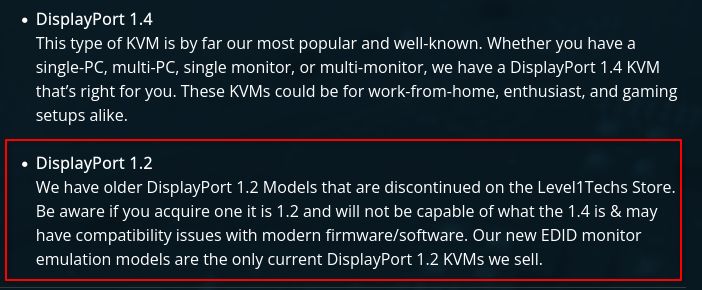
The displays and video card want to speak 1.4 or newer, and this old boi KVM doesn’t cooperate.
Is there anything I can do, some way of convincing it to just use 1.2 things, and it’ll still work with 4k at 60 and 2k at 60? I’d be fine with that, I’m not trying to get super turbo gaming hertz or anything, just want to use my displays for work and for home use.
Thanks,
David Kowis
PS: If I ever get ticket emails, I’ll link this in the ticket…
