Minisforum UM790 Pro + 2x 4k120 on Linux?

Brief summary: Got a Minisforum UM790 Pro (7940HS), can’t get 4k120 outputs from front panel USB4 ports under Linux, looking for advice and confirmation.

Some background: I’ve got a work setup with an LG CX and Gigabyte M28U, I want to use both at 4k120, and because I use the terminal etc. a lot I need the colors to be right and not compressed all the way to 4:2:0. I’ve been using them on a desktop PC for a long time but the insane idle power draw on the desktop started to annoy me, I couldn’t figure out how to get it under control, and I wanted to try something less power hungry.

I tried my 12700H -based laptop, but it couldn’t keep stable output from the USB-C ports and the HDMI port was just 2.0b and couldn’t do 4k120. I tried several cables and adapters of various kinds and while I could get both displays set to 4k120, there were vairous issues with both iGPU driver performance and connection overall being very unreliable. Youtube playback started to turn into ~3 FPS slideshow, and at least one of the screens regularly flashed to black for a second or two due to clear signal integrity failure. One of them also regularly reverted to 4k60 after setting 4k120.

Then I decided to get the UM790 Pro as it should be more than capable enough according to specs, all 4 display outputs should be able to do 4k120+, and the iGPU and the drivers should be better. Well it’s AMD based so the HDMI ports cannot run at HDMI 2.1 for 4k120 in Linux, but the 2x DisplayPort over USB4 outputs should still work.

Got the machine, and none of my multiple USB-C to HDMI/DP adapters and cables work with either of the screens so KDE would allow me to increase the refresh rate to 120Hz. Both work at 4k60 perfectly stable, but I’m so used to 120Hz desktop that it feels quite terrible to even use the desktop at 60Hz now so I really want to see this issue solved.

My next option is to test this on Windows and see if it can support 4k120 with Windows adrenalin drivers, but since Windows is Windows I can’t easily just test a Live USB so I haven’t yet. I could also consider plugging in an egpu but … that would heavily eat into the power efficiency of this entire setup, and I’m not really sure what GPU I should use with it to get reasonable results … and egpus have also been unreliable in my experience.

Can anyone confirm, can they get 4k120 output under Windows or Linux from the USB4 ports on one of these?

Alternatively does anyone have good ideas on what I can do to get the outputs working properly? They’re supposed to be able to do 8k60, or 4k144, the cables all say they can do 4k120-240, all have good reviews, none are excessively long - I think longest was 3 meters.

In case it’s relevant I’m on X11 because I like a desktop that works and no matter how much people want to pretend, Wayland still does not work for all desktop software that I need.

Arch + KDE + LTS kernel 6.6.30
Just in case I also tested zen kernel 6.8.9, seems to be limited to the same, so not kernel.

Had a random idea to test, the M28U has USB-C video input, so used a USB-C to USB-C cable and … got 4k120 working, on both of the front ports. Now I know the ports at least work under Linux and the remaining question is how do I get 4k120 USB-C to HDMI 2.1 to the LG CX TV?

Worth mentioning at this point that I have

None of them work with the TV from this machine, while at least the dongle worked perfectly with the laptop, and I think at least one of the cables worked at least occasionally.

I was looking for new USB-C to HDMI adapters in case there is something wrong with these and found some reviews mentioning firmware updates being necessary for full function. Looked up if any of these specific ones mentioned them and, the reviews for Cable Matters ones did. Apparently Cable Matters didn’t however bother making this experimental alternative firmware easily available yet, as it apparently has possible downsides for Windows users.

Testing told me that on Windows 4k120 worked fine before firmware update, 4k120 works from the outputs well with another cable, the HDMI to HDMI cable I was trying to use with the adapter worked fine with 4k120 on another system.

The alternate firmware was apparently made to support macs, but when I told them the cables were essentially junk to me as-is and I wanted to try it, they gave it to me and I was able to update them and confirm it does in fact fix the issue with Linux as well.

So, how this works with the Cable Matters cables and adapters is that you find the Cable Matters support email from their website and email them with the information of which cables or adapters you have and the issue you are facing. They send you back a PDF with a link to a .zip file with the ROM (Spyder_fw_USBC_CM_7.02.112forMac.fullrom) and some VmmDPTool64.exe

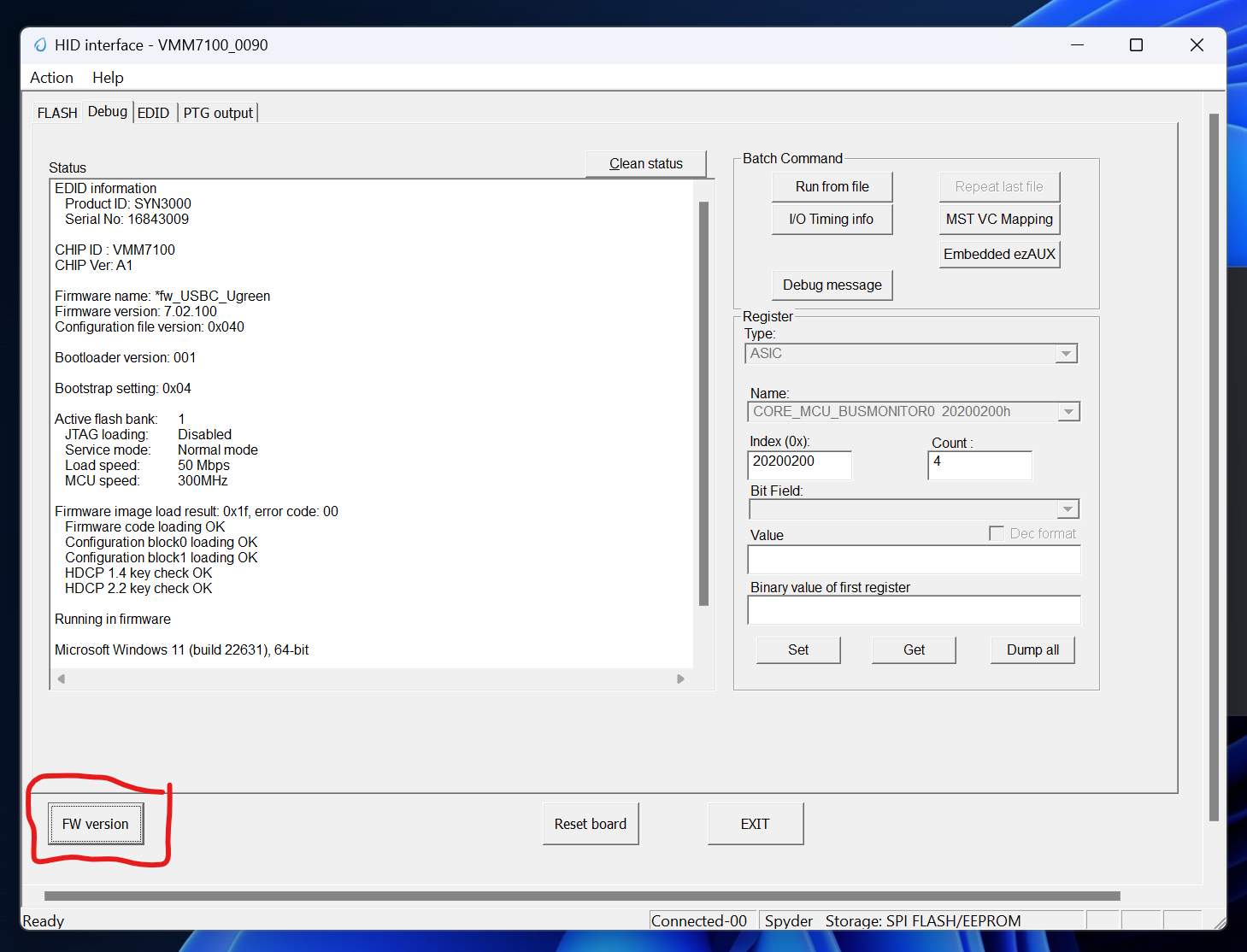
The VmmDPTool64.exe just gave me an error about not finding a compatible IC, but the PDF mentions another tool, VmmHIDTool which is available from the Microsoft Store. Installing it leads to better success, it detects the cables, can read the firmware information, and allowed me to load the ROM file and flash it on both the cable and adapter. Afterwards, plugging them in to the UM790 Pro made 4k 120Hz option pop up and it seems to be fully stable at least with one of the two - just needed one to work so I’m now using one, but I tested briefly both.

This all means that

  • You will need Windows
  • They seem to indicate you need USB-C with DP alt mode support on the port you plug in
  • You need to ask Cable Matters for a custom firmware
  • They will send you a PDF with a link to a ZIP in WeTransfer which then has the ROM
  • You need to install VmmHIDTool from Microsoft Store - this probably means a fairly up-to-date Windows
  • The cable is expected to have reduced compatibility with Windows afterwards: “After performing the update, the adapter may be limited to 1080p with some Windows computers”

I confirmed to Cable Matters that this solved my issues and asked them to publish the firmware with the appropriate warnings so people don’t have to wait a day or two for their support to answer. They said they were still gathering feedback before they will, so decent chance that at least a few other people will need this information.

The UGREEN cable reviews however mentioned nothing about firmware, and their downloads page only contains some conformity documents. I still tested VmmHIDTool with it, and … it seems to be the same chip. If you open the VmmHIDTool and read the firmware information you will see it is:

  • EDID Product ID: SYN3000
  • CHIP ID: VMM7100
  • CHIP Ver: A1

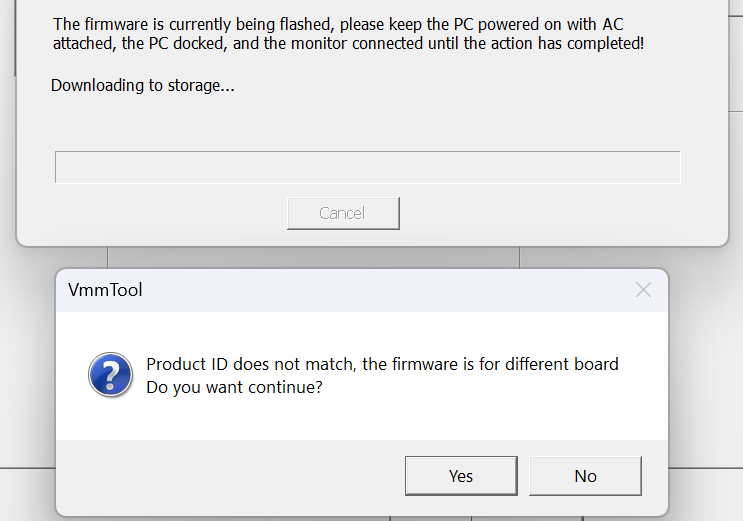
These were the same as with both the Cable Matters -options, so my personal guess was that if these are true, then the same firmware will likely work for you, but you get a warning trying to flash it.

I chose not to do it.

I had success with both the Cablematters hub and the simple adapter.

Running this on the USB4 of my x670e proart on 4k120 full RGB on linux as we speak. Monitor is an LG C2 42". Did not need to flash.

Both work on an alder lake dell laptop too, from the TB4 ports (albeit a bit janky, 4k120 only works when booting with the adapter attached, not when attaching while running).

I had before a Club3D one that did not work at all (possibly defective, RMA’d) and a sabrent one that would work but overheat and cut out after 10-15 minutes.

This topic was automatically closed 273 days after the last reply. New replies are no longer allowed.