Hmm need to tech and see how mi50 performs against titan Xp in gaming
Hmm ben hmarks have it struggling against an OC 1080ti so maybe I’ll skip the mi50
Hmm need to tech and see how mi50 performs against titan Xp in gaming
Hmm ben hmarks have it struggling against an OC 1080ti so maybe I’ll skip the mi50
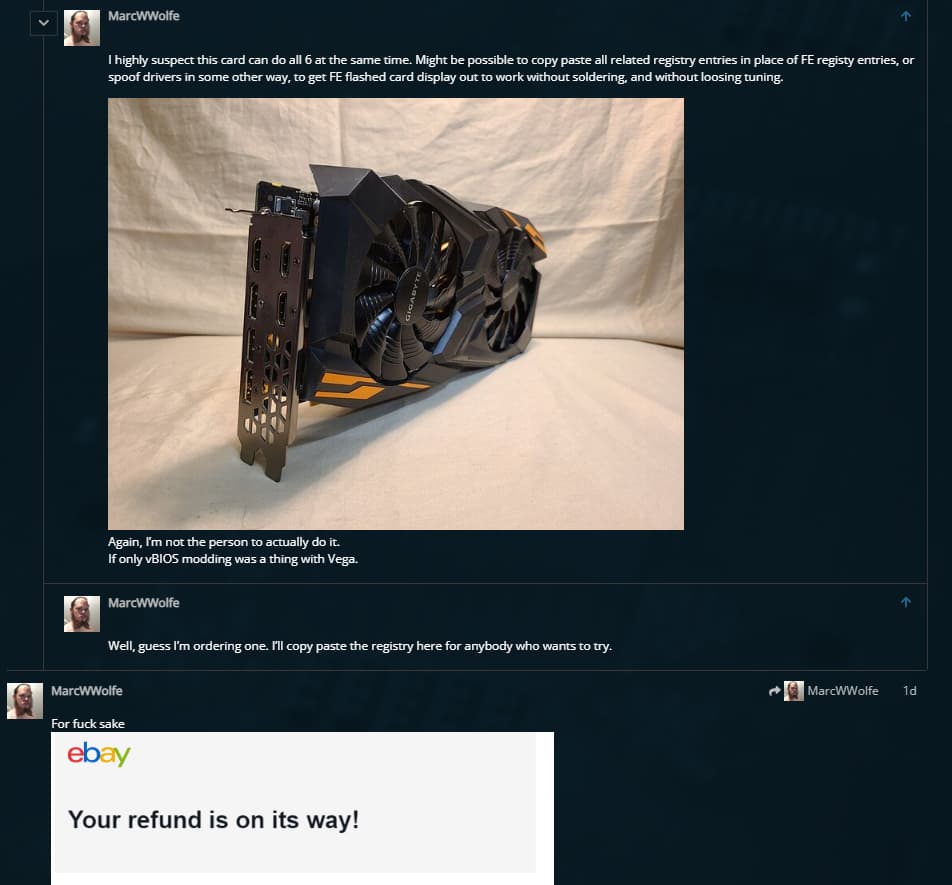
I highly suspect this card can do all 6 at the same time. Might be possible to copy paste all related registry entries in place of FE registy entries, or spoof drivers in some other way, to get FE flashed card display out to work without soldering, and without loosing tuning.
The main advantage to the MI50 is it’s great FP64 compute performance of 6.5TFLOPS.
I’ve observed a huge performance boost and better memory usage by replacing --precision full --no-half with --upcast-sampling. Aparently this does proper fp16. I wonder if this works on older generations.
Doesn’t seem to do anything on vega 10, not too surprising,
apparently gfx900 lacks certain fp16 instructions that gfx906(radeon vii) and newer have, in particular some dot product instructions, so when using fp16 with stablediffusion, i’m guessing rocm uses some kind of fall back on gfx900 which is much slower. fp16 performance issues · Issue #256 · ROCmSoftwarePlatform/tensorflow-upstream · GitHub mentions enablement, but no optimization.
Performance probably could be improved, since gfx9 does actually support double rate fp16, but it would require specific optimization for that ISA, which was never done. 
I forgot it to mention I’m on RDNA2 and not the mi25. The docs on the repo seems to suggest GCN Vega should also be compatible though.
I mean it runs so it is compatible, but the performance is not any different than not using upcast-sampling, likely due to the issue mentioned above.
(my mi25 with 170w , gets ~2it/s with --upcast-sampling, vs 2.72it/s with --opt-sub-quad-attention --no-half, memory usage is lower, but only by about 1gb with a 10image batch.)
the radeon VII/mi50 might benefit from it since it has those instructions, but someone will have to test it.
This card I think is Vega56 and it does run 6 screens at once on Fedora Linux. 3x DPI monitors and 3xHDMI monitors. What about using it with its 8GB RAM for AI ? Any suggestions ?
Anything I could say about that, I skimmed from this thread.
Heads up to anybody thinking of re-pasting , the mi25 I have from 2019 appears to use the same Hitachi TC-HM03 thermal pad as the radeon VII, which you probably don’t want to replace, since it performs well and should last basically forever, unlike normal thermal paste.
pics
Well, guess I’m ordering one. I’ll copy paste the registry here for anybody who wants to try.
Hey Guys!
Thanks for the awesome tutorial! I made it work too! =D
GigaBusterEXE.
I’ve ended up bricking 3 gpus with the “AMD RX Vega 64 VBIOS”… maybe it doesnt work for everybody?! Havent tried to flash the “AMD RX Vega FE VBIOS” though… But the WX9100 worked as a charm! Thanks a million!
Also, I’ve ended up installing linux first and then flashing with the linux version from this repo:
github . com / stylesuxx / amdvbflash
MarcWWolfe.
Thanks a million for the video on how to flash the bios and to mod the CH341 to 3.3v, that helped me to bring back the 3 bricked GPUs… LOL
Also can you guys please update the links for the pytorch rocm 5.2?
I’ve had some issues where the gpus were not being found due to that…
Then i’ve looked for older versions on pytorch site:
https : / / pytorch . org / get-started / previous-versions / #linux-and-windows-7
For those having the error:
RuntimeError: Torch is not able to use GPU; add --skip-torch-cuda-test to COMMANDLINE_ARGS variable to disable this check
DO NOT run with the --skip-torch-cuda-test as it might or will force pytorch to use CPU threads as happened to me.
Instead, reinstall pytorch with this command:
(COPY TO TEXT EDITOR AND REMOVE SPACES)

pip install torch==1.13.0+rocm5.2 torchvision==0.14.0+rocm5.2 torchaudio==0.13.0 --extra-index-url https : / / download . pytorch . org / whl / rocm5.2
after that, check with this python import to see if the GPUs show up on torch:
monster@rig-02:~/stable-diffusion-webui$ python3
Python 3.10.13 (main, Aug 25 2023, 13:20:03) [GCC 9.4.0] on linux
Type "help", "copyright", "credits" or "license" for more information.
>>> import torch
>>>
>>> torch.cuda.is_available()
True
>>> torch.cuda.device_count()
4
>>> torch.cuda.device(0)
<torch.cuda.device object at 0x7ff2f5c6eef0>
>>>
>>> torch.cuda.get_device_name(0)
'Radeon Pro WX 9100'
then invoke stable-diff-ui normally as mentioned by GigaBusterEXE:
python3 launch.py --listen
(Use the --listen parameter to have it listening in all ips)
Once again, thanks a million GigaBusterEXE and MarcWWolfe!
Yeah, as far as I can tell, as long as the VRAM amount matches (and you don’t mod the vBIOS), they won’t ‘brick’. Even the iMAC vBIOS. Thought I was making progress with using that as a base to mod vBIOS, but no. Only got as far as it not keeping system from booting; couldn’t get anything to run on it with the iMAC vBIOS though, modded or not.
humm… in my case it ended up preventing the system from booting and start a panic in my head… LOL
For fuck sake

can you ship them from the UK? there is a seller with tons of them…
https : / / www . ebay . co . uk/itm/275975146180 (£35 each)
I have the 6 display gaming vega card. I “exported” the part of the registry that seems to matter. How the fuck can i share it here?

@GigaBusterEXE You care to try it? Let me know how I can get it to you.
Google drive?