Memory training issues on the PRO WS TRX50-SAGE WIFI

Hello, I just started building my new TRX50 workstation yesterday but I’m facing memory training issues I’m unable to solve, and as a result I can’t post with all my memory.

First I tried booting with my 4 sticks and ran into a ‘0d’ error after a few minutes of training. I then started to remove all the sticks and try them one by one to determine whether one of the sticks was bad.

It turns out I can boot successfully without any training error with up to 96 GB as long as I leave a very specific slot empty. It doesn’t matter what stick I place into that slot, if it’s occupied then the system won’t post due to memory training issues. I can boot with 1, 2, or 3 sticks as long as this slot is left empty.

I’m assuming that this kind of issue suggests that there is an issue with the motherboard. I therefore tried to update to the latest available BIOS since I was behind a few updates but this didn’t change anything. I tried resetting the CMOS many times, too.

I resat my GPU multiple times as well, but this doesn’t seem to be a big deal as the issue arises even without any GPU connected.

I also made sure the cooler is not too tightened.

I will try to resit the CPU and cooler this afternoon but I honestly don’t believe it to be the problem, especially given how easy the TR installation is.

It’s my first TR build and I’m a little bit worried by the situation as I’m running out of things to try. I will probably RMA the mobo if I can’t find a solution to this as I want to be able to boot with my 4 channels enabled, otherwise why even bother with TR right?

For reference, here are my full specs:

CPU: 7970x

RAM: Kingston Fury Renegade Pro Expo 128GB 6400MT/s DDR5 ECC Reg CL32 DIMM

MOBO: PRO WS TRX50-SAGE WIFI (BIOS 0701)

Cooler: Noctua NH-U14S TR5-SP6

PSU: Seasonic Prime-TX-1300 1300W ATX30 PRIME-TX-1300-ATX30

2 Likes

If memory serves me correctly this was an known issue in the early TRX50 chipsets. I would check to see what version of the bios you are running as I believe it has been corrected since. And can conrfirm my ASRock TRX50 MB boots fine with 128GB (4x32 configuration) on the most recent 9.03 bios.

Sorry I missed the part about you flashing the bios. That being the case it is time to reach out to Asus and get their opinion.

1 Like

I will have a wonderful time with Asus undoubtedly :smile:

3 Likes

Asus certainly is having issues at the moment but all the major manufacturers have in the past couple years. And it is shame as Asus is one of the brands I always appreciated.

3 Likes

Yeah, I’m fortunate enough to not have to talk to Asus directly for that one as the retailer is taking care of it themselves. I resat everything again but no luck, I started an RMA process and will be getting the Asrock instead, I’ve been reading a lot of good things about this one (especially with configurations using the same memory than me). Thank you for your help!

1 Like

Glad you are getting things sorted out. I have had really good luck with ASRock and at present both my AM5 and sTX5/SP6 MB are ASRocks they have been solid. But MB selection (especially with the 7000 series Threadrippers) is a very user/use case based decision. For my purposes I didn’t need all onboard NVMe support so the ASRock’s 2 slots works just fine and if I need more I can add an expansion card. But there are those that want/need more onboard NVMe support, thus Gigabyte and Asus tend to work better.

Also with that MB and memory configuration you will be running a nearly identical configuration to mine (your memory is faster as mine is the 5600 CL36 kit). And my system has been rock solid and largely headache free, at least from the hardware end.

1 Like

Well more NVMEs is always great but as you said it can always be extended if really necessary. My main concern is having something stable as this is going to be my daily driver not some kind of server. I went for the ASUS one originally because it was presented as the “reference” board for the TRX50 lineup… I guess I fell for the marketing ahah

1 Like

Its worh popping the cpu out and making shre the screws for rhe socket are also torqued down

Then reinstall the cpu and cooler

Look carefully at your cooler also. Not all sp3 coolers are truly tr7000 compatible

2 Likes

I redid all of that, the screws clicked as they are expected to, and well the cooler is the noctua one, which I believe is widely used with tr7000 so…

not just cpu socket screws, but also the 4 screws holding the socket to the mobo?

1 Like

Oh no sorry I didn’t try that. I disassembled everything already yesterday but I might give it a quick try before sending it back, thank you very much for the suggestion.

I’m happy to report I was able to boot my system without any issue using the AsRock card! The system has been rock solid running all day every day since Wednesday.

I didn’t bother messing with EXPO for now as I mostly value stability on this rig.

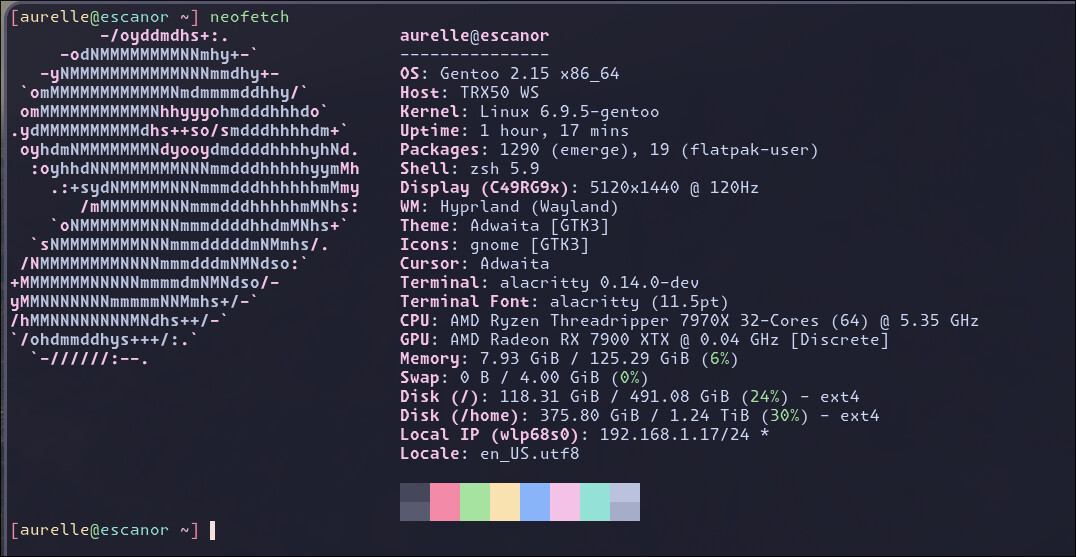
Can’t help but to flex my neofetch here

4 Likes

Congratulations on getting the new system into operation. I sucks when these things give us headaches but is awesome when we work the problems out.

1 Like

it surely helps out right said

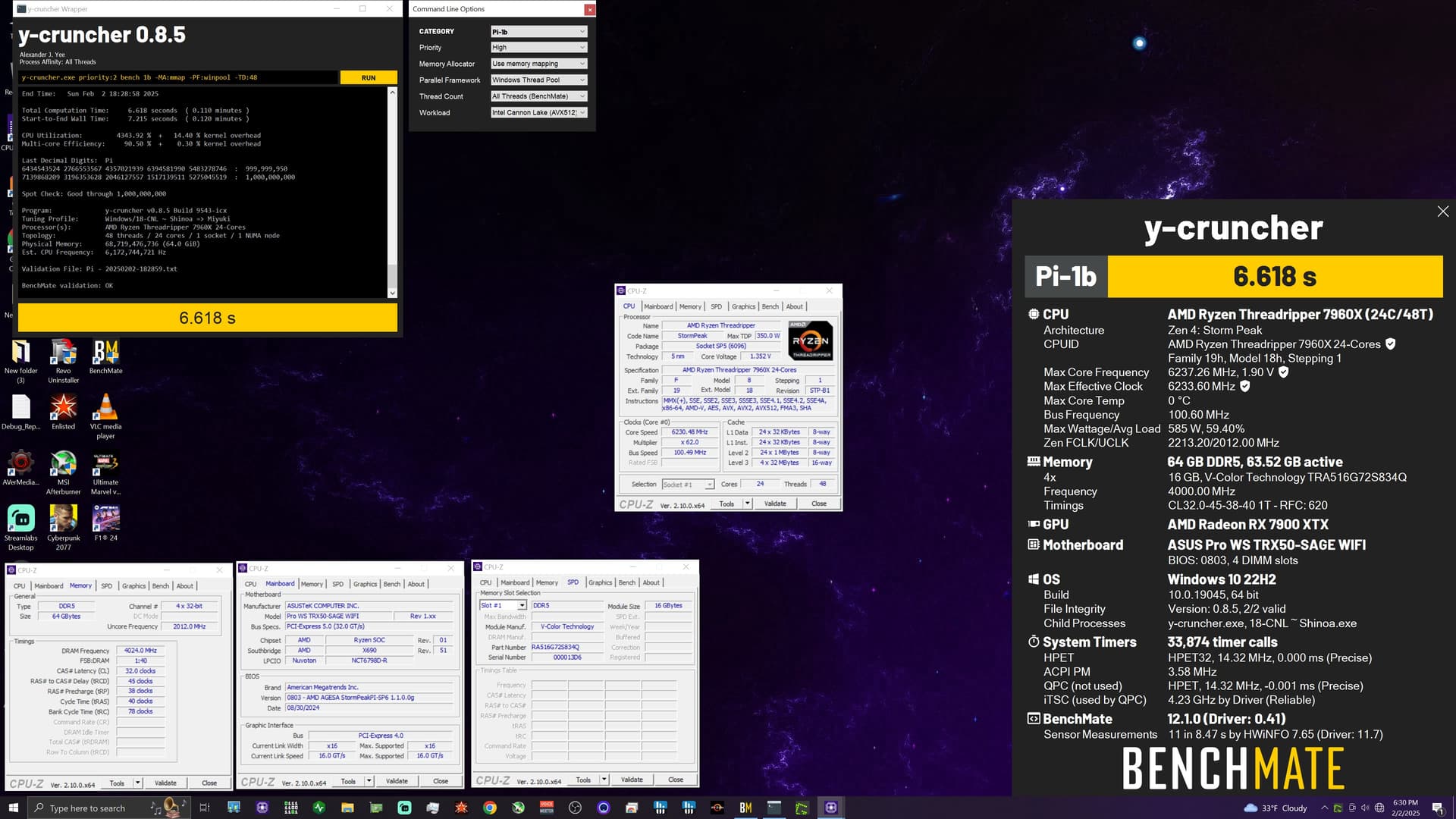
I actually have the same combo of Asus Pro WS TRX50-SAGE MB with the Kingston Furry memory (KF564R32RBE2K4-128). These memory sticks are part of the memory compatibility table provided by Asus. And should be even able to run at 6400Mhz.

Yes, I got my computer running now (barely hehe). But no way I can get EXPO working. I tried both EXPO profiles, both it’s unable to POST.

I might need to manually overclock the memory slightly or try to play around with it. Or even maybe try with 2 sticks first.
Another problem with 128GB of RAM, is the fact that memory training is taking looo0000oooong. Meaning overclocking and getting a stable system is also tedious work.

And yes, I run the latest BIOS version for this Asus motherboard.

If users on this forum have any other ideas, best practices or hints for improving the memory speed on this configuration, please share.

1 Like

the board is capable

This topic was automatically closed 273 days after the last reply. New replies are no longer allowed.