Have you ever used Spinrite? Could it be physical issues with the drives?
Not too familiar with Spinrite but it sounds like it’s designed for older filesystems. ZFS doesn’t suffer from data going stale as long as regular scrubs are completed as it goes through and checks the data integrity to ensure everything is still readable.
And in terms of failing sectors or other disk issues, ZFS and SMART should detect that as well as any other tool would

Starting to get an error on one of the vdev’s again. Any thoughts on more troubleshooting I could do?
1 Like
Are those disks all on the same HBA or spread across multiple? It definitely seems it’s something that does disks share that’s causing the issue. If they are all on one and it’s the one you just replaced, I’d start looking at the PCIe slot on the motherboard.
Are your drives connected through a back-plane or directly attached to the cables? That’s another component worth checking
2 Likes
Hi, they are connected directly to the HBA with the cables. I have continued to monitor the problem and earlier this week the total number of disks with errors jumped from 4 disks to 8. Interestingly enough, the Lower RAIDz1 has the same number of errors per disk. Hasn’t changed at all. The first listed RAIDz1 has started showing 80+ errors per disk, though
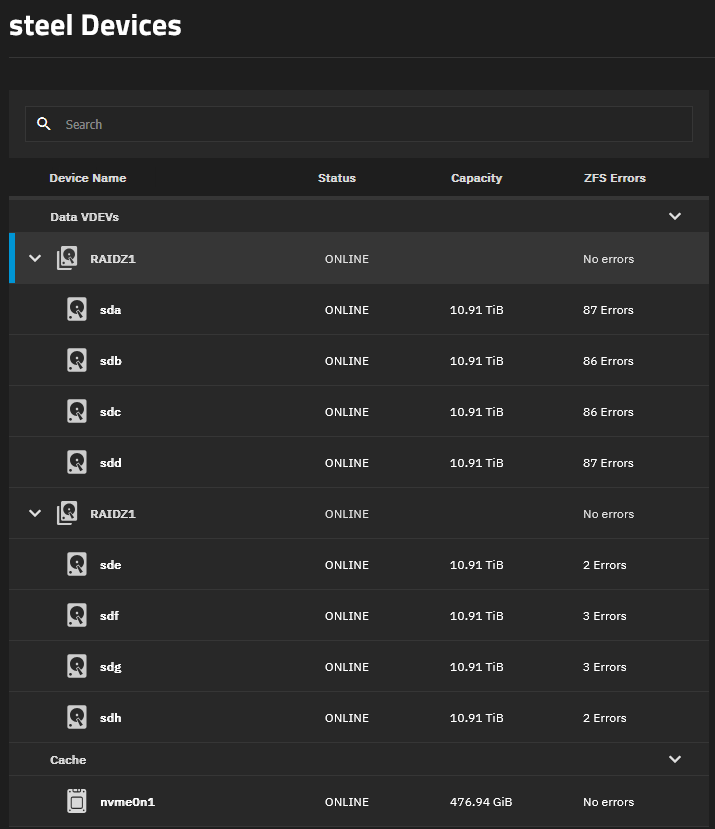
Good troubleshooting suggestions from previous posters.
Primary candidates here are:
- Cabling
- backplane (if you have one)
- HBA
- RAM
And if your power supply is marginal you could also be having issues because of that.
I would start by disconnecting and reseating every single connection, both power and data for all of those disks, on both sides (HBA side and drive side)
Some of the tougheat issues to troubleshoot with these for me have been marginal SAS cables, and once a bad backplane.
I’d also check the temperature on the HBA. Not sure if that generation has a temperature sensor that can be ready via software like newer ones do, but a finger test on the heataink can tell you a lot. (Be careful you COULD burn yourself if it is very hot)
These HBA’s are designed for servers with lots of airflow. If you put them in a desktop case they often run hot. You could try ghetto-mounting a small fan directly to the card using zipties. It won’t take much direct airflow to significantly help temps.
I would also reboot the machine and boot it from a memtest USB stick and thoroughly test the RAM just in case you have a RAM failure.
For anything using ZFS I would always use ECC for this reason.
2 Likes
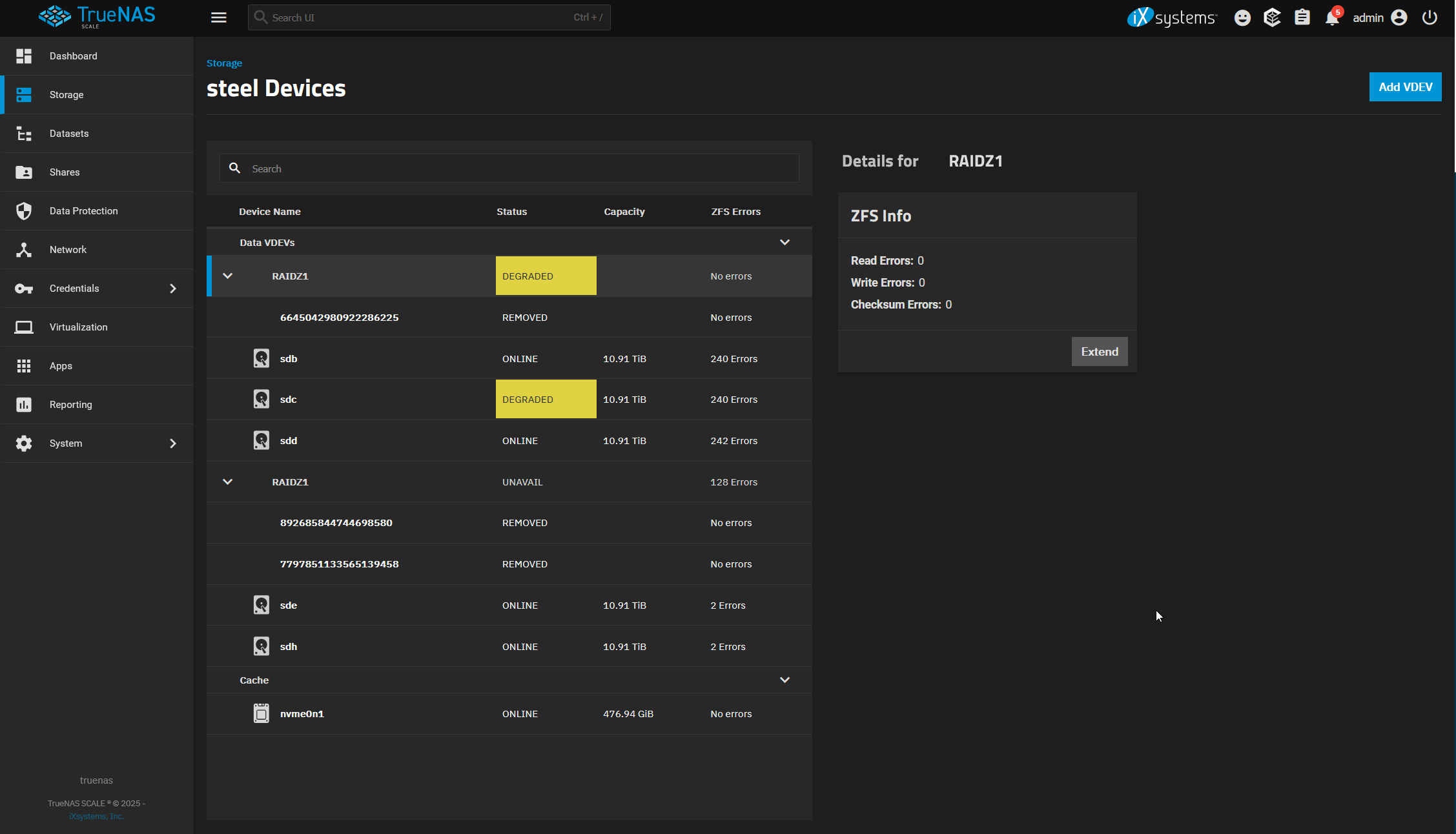
Hi all, bit of an issue here. For a long time no more errors were occurring. Everything stayed the same for weeks. I woke up this morning to this on my TrueNAS Dashboard. I’m worried about what this all means, but something very weird is happening here. I can still access all the data on my NAS. Nothing actually appears to be lost despite the fact that multiple disks in each VDEV are degraded/removed. Does anyone have any idea what’s going on here?
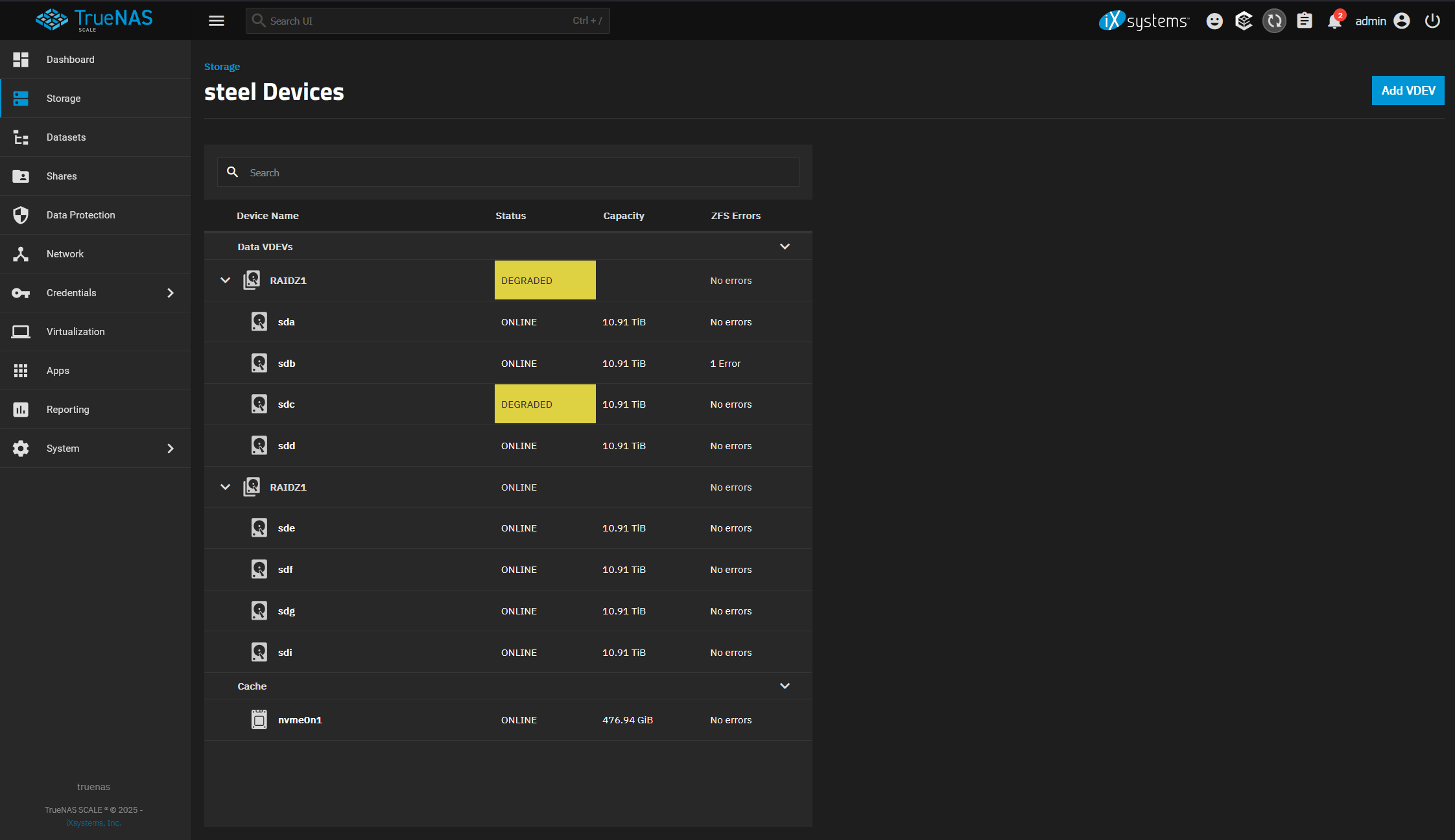
I replaced the PSU and restarted the machine and things look better. It’s currently resilvering. Any idea which disk is resilvering?
Resilvering stopped and the pool said it was degraded. I checked the zpool status and it only had one disk with an error + the degraded disk. I cleared the error and things seem to be healthy. I reseated everything (again), I have a fan blowing on the HBA, and I replaced the PSU and re-cabled everything. I’m running long S.M.A.R.T tests on every drive and have new ones coming. Really hoping this is something to do with the PSU and HBA overheating and it doesn’t crop up again…