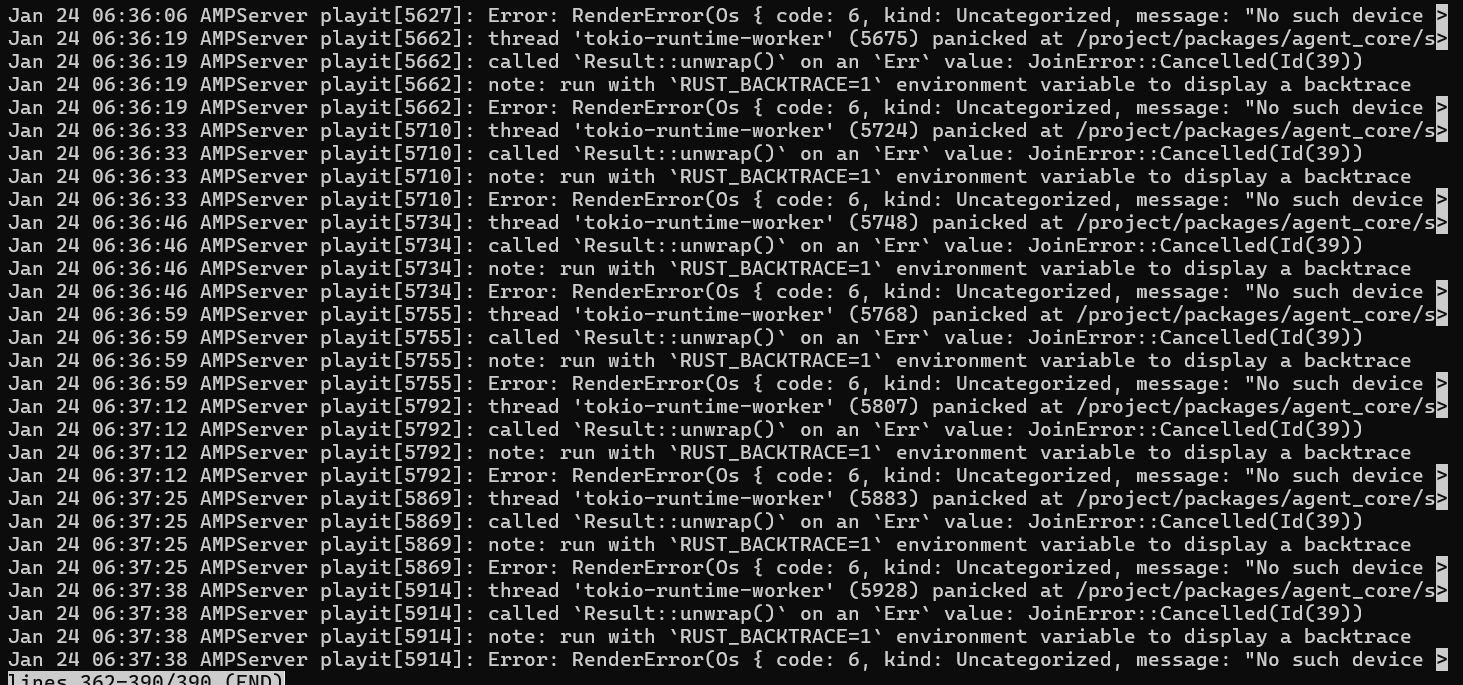
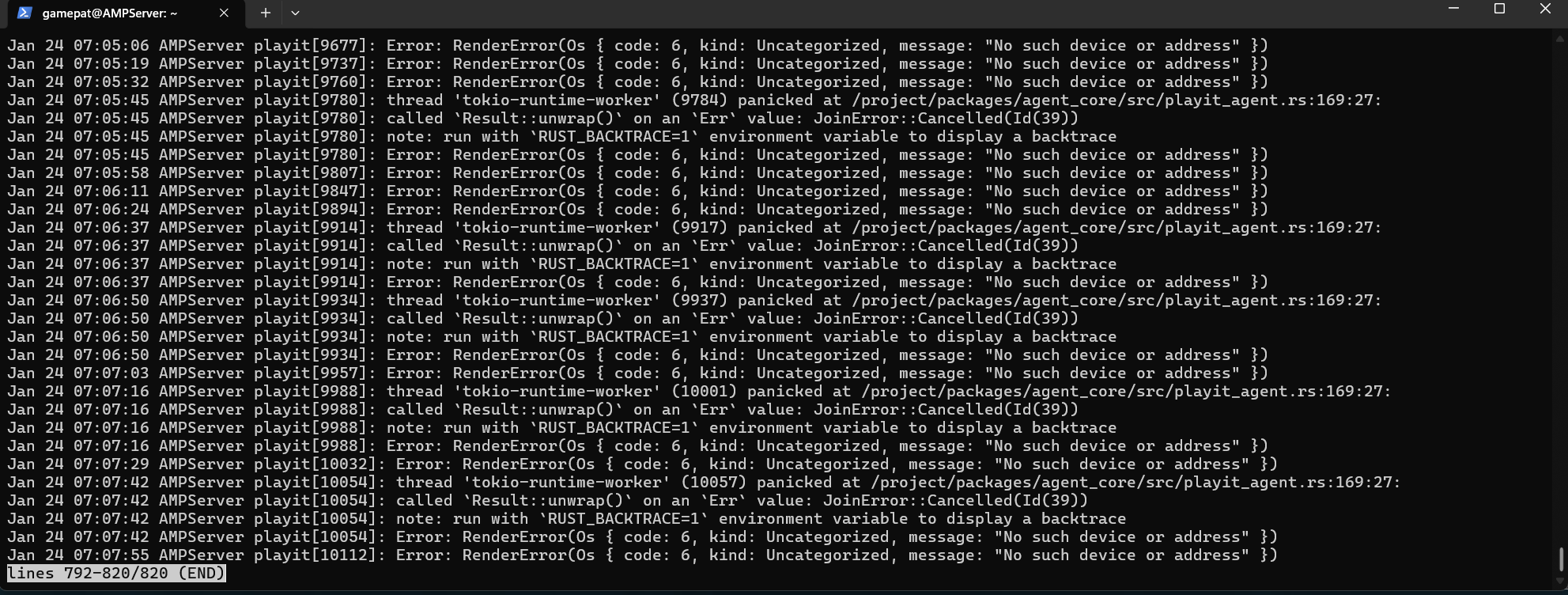
Hi, i’ve made a debian ssh Server on which i’ve installed AMP and use playit.gg to get friends to connect. I worked great for about 2 days, though playit would always stop after a while of no use.
The Tutorial said to creat a service file to let it connect again by itself. So today i did just that, like it was shown, but i probably destroyed something in the background because friends cant connec tnaymore even though all is set up and online.
This is the tutorial: What i tried start as 27:42
After playing around with it for a few hours this is all i could find as a possible problem.
from your screenshot systemd (the service manager) is failing to start the playit binary which is outputting a generic error code (1). To begin troubleshooting this issue, you should run the following command to find all logs associated with this systemd unit
journalctl -eu playit.service
the -e flag tells journalctl to return entries from the end of the log, u is used to specify the unit file (you can also just use playit and omit .service)
You will get an interactive pager in the terminal showing you the last 20 or so lines of the log associated with this service. Post them here in a code block or screen shot. Press q to exit the pager. You can use this pager any time to view log files (usually found in /var/log) with the command less (or more lol) followed by the path to the file
You can see from the first line of the log that playit is having trouble contacting some kind of device. But the text is cut off by the pager. You might get some clues by typing that line into google. You should be able to scroll to the right with arrow keys, to get more information.
Sadly, I am not familiar with playit.gg
Seems like it is misconfigured somehow, if it was working earlier maybe you are having networking issues? Dynamic IP perhaps? I gather this is some kind of software to facilitate sharing a local game server with a friend
But i wonder if it would help to just uninstall everything related to playit.gg from the server, and do a fresh install. It isnt hard to do, so no problem. Only need to find out how to wipe it of the ssd in a clean fashion.
It worked before i did the command lines in the video at 27:44 to make it restart automaticly if the connection gets lost of something like that, so i dont have to always look at it myself. So yeah mist be that something went wrong there.
Dynamic IP shouldnt be a problem, as i got into my router to attach the current one as a permanent one. But i’ll look again later when i got time just to be sure.
So i think i know what the problem is, i made the same mistake as the guy in the video. In that i installed palyit as a normal user, but then when i got the problem i also did it while being logged in as root… Which, from what he said in the video, does install playit.gg again as a second instance.
Then i wrote < find playit > and < rm rf- /usr/local/bin/playit > to delete it, as both normal user and root and now it cant find anything related to playit or playit.service as far as i know.
I hope that was the correct way, im thinking of installing it now again and see if it works again
I hope that means i deleted all the files that i had installed on the ssd
So i thought i make an update if everything worked out for people that find this post and have simular problems.
After installing playit again everything worked fine, and we played for a few hours.
So that was the best way to fix this specific problem.
But sadly that was’nt the only problem, as i still lose connection after some time, probably because of the firewall in my router. Because the AMP Server instances stops working even though the web interface says it’s still running… I havent found a solution to this yet, as SSH is a real bitch to learn when you’re not into this space what so ever.
I’m thinking about setting the server up from scratch, as i did’nt do much yet, and use rustdesk. Because that has at least some kind of graphical interface, so more familiar to someone like me.
I do have some ideas that might help @GamePat96. I don’t have any experience with AMP or Playit.gg, or a game server for that matter. Your idea, your firewall on your router, causing the issue, doesn’t make sense to me. The way most router firewalls work is that once the firewall is correctly configured to allow traffic to go through, it doesn’t all of a sudden decide not allow the traffic to go through. The real issue seems to be that your ISP is decieding to not allow the traffic to go through. This could be the problem if you don’t have an busness account with your ISP. ISPs have been known to block self-hosted traffic sometimes; they will allow self-hosted traffic and then block it. If you don’t want to upgrade to an Internet business account, I would either create a Windows guest machine and see if you have better luck. I don’t think you will or find a cloud service provider to host your game server and any apps needed. If you already have a cloud provider hosting your game server than I would consider configuring a VPN provider to work with your router and run all your internet traffic through that provider.