It seems impossible to create a macOS bootable USB for old macOS version like High Sierra. I know Apple provides a built-in command line tool for making bootable USB installer. However, you have to download the macOS installer app first before running this utility.
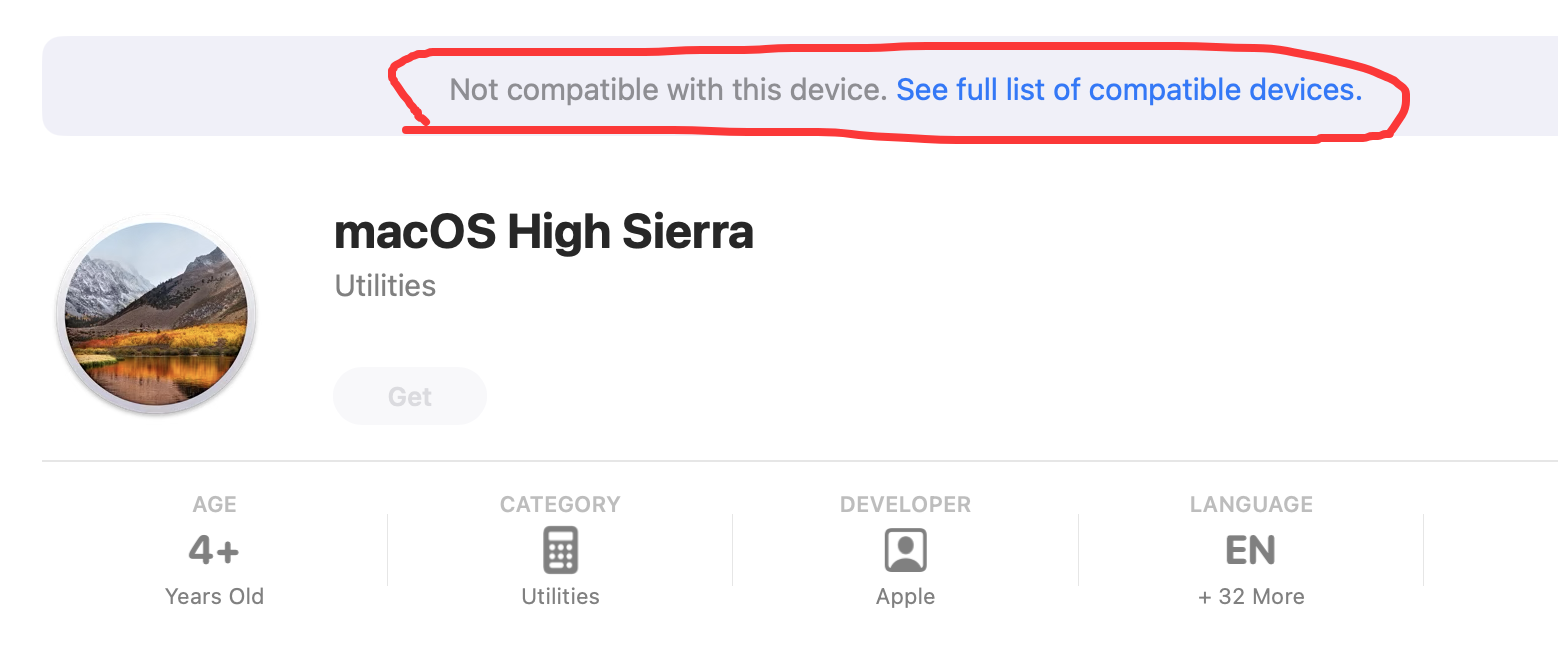
I tried to download macOS High Sierra installer from Mac App Store but it tells me this Mac is not compatible to do that.
I need to make a high sierra bootable usb to repair an old Mac MINI. I heard it is possible to do that with a dmg file. Where to download maOS high sierra dmg file?
You can either find a High Sierra compatible Mac or use a dedicated app for downloading macOS bootable dmg file. Don’t try to download the dmg from cloud storage as it is risky.
How to get macOS High Sierra download? If you are already running an older version of macOS on a compatible Mac, you can also get High Sierra through the built-in Software Update mechanism.
Steps of macOS High Sierra download:
1.Click the Apple menu in the top-left corner of your screen
2.Select System Preferences (or System Settings on newer macOS versions)
3.Click Software Update
4.If macOS High Sierra is available, it will appear as an available update
5.Click Update to begin the download
This method only works if you are currently running a macOS version that qualifies for the High Sierra upgrade path.
If you already have a mac, you could use the program Mist to download the installer package/app or create a bootable usb-stick without going through the appstore and excecuting commands inside the app package.
These aren’t necessarily steps you missed, but as you make no mention of them, perhaps they could save you some time.
You need to first boot into recovery and enable the reduced security so as to be able to load such an image.
Otherwise, as you just found, i) you’ll get a “not compatible” message downing it and ii) later on, even if you use other ways to make that bootable, come recovery to switch boot time, the system won’t even show the new volume to you. Even though the USB will be plugged in.
Never done this (DFU from an SIP off system), so before you waste more time, google and see if that’s possible; it should be, but, nu-Apple isn’t old Apple.
I checked the download link and they are the same as Apple provides in their support page. When I clicked the high sierra link, it asks me open it from mac app store and display the same error message as I screenshoted.
I downloaded the latest version MIST 0.30 and it is unable to download high sierra macos so does to other old mac operating system versions such as el capitan, catalina, big sur.
It says:
macOS Installer not compatible!
This macOS installer download cannot be used to restore macOS on this Apple Silicon Mac.
I totally feel your pain. I ran into the exact same wall when trying to revive an old Mac Mini — the App Store just refuses to play nice if your current Mac isn’t compatible with the older OS. It’s super frustrating when all you want is a simple bootable USB.
First, forget about hunting for a random DMG file — that path gets messy fast and you never know what you’re downloading. Instead, the macOS High Sierra download can be done through a few free and legitimate methods that bypass Apple’s compatibility check.
Don’t fall for sketchy DMG downloads from random sites. The actual macOS High Sierra download is an .app file, not a DMG, and you need that full application to create a bootable USB with the createinstallmedia command. Also, make sure your Mac Mini is Mid 2010 or newer — older models won’t work with High Sierra at all.