USB-C KVM Switch v3 (with USB Power Delivery / 135watts)
USB Interface (5-gigabit or 10-gigbit):
USB2 mode - 2-lane for maximum bandwidth
Problem:
I’ve got 2 Macbooks connected to the KVM, both with thunderbolt cables, both running Sonoma
M1 2020 Macbook Air (personal)
M1 2021 Macbook Pro (Work)
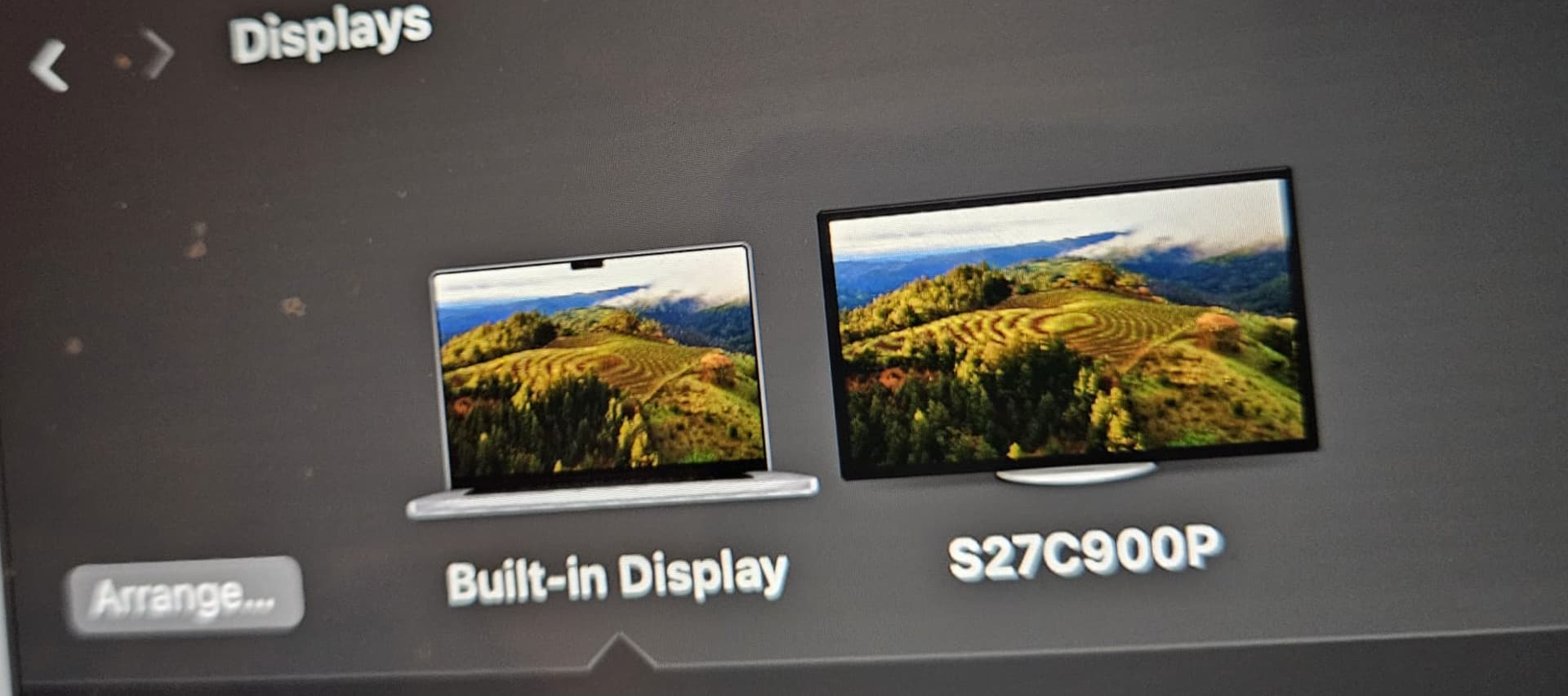
On the other end, I’ve got a Samsung Viewfinity C9 27", connected to via a DP → Mini DP cable
None of these are terrible long (a few feet at best).
I’m having a number of issues:
When I come to my computer with the monitor off, I can engage with the clamshelled computer, and the monitor will power on, but the computer won’t actually display on the monitor.
Then, if I unplug the USBC from the macbook port and replug it, the display recognizes the connection, and the extension / mirroring occurs.
Once the display is on and working, if I then press the button to switch displays, we get to start the whole thing over again. The second computer refuses to display unless we do the song and dance.
If I then use the button to switch back to the original, working, computer…it no longer works.
Interestingly, If I leave the USBC connection between the mac and the KVM but then unplug the DP from the KVM, the macbook doesn’t recognize that the display is no longer attached. You can still mouse off the end of the screen even though there’s nothing connected.
Other Notes:
peripherals:
Kineses Freestyle 2 For Mac, connected to rear HID port
Logitech MX Master 3S, connected to rear HID port
Kef LSX speakers (via the aux port)
I’ve ordered a better DP → Mini DP cable, but based on the above, I doubt that’s the issue.
I’ve also spent some time playing with the settings in the monitor but nothing changed.
Direct connection without going through the KVM worked fine with all cables and computers in question.
I’ll definitely attempt with the macs plugged into the wall in addition to utilizing the power over the USBC from the KVM.
I’m not using the KVM that has a relevant port for USBC → DP, I don’t think? This one is computer → USBC and then DP → Monitor, so I don’t think I’d have any need for a USBC → DP?
I’ve also just noticed that my keyboard seemingly keeps dropping power or something. Could there be an issue with the power brick not supplying enough for the computers and keyboard?
Update on the keyboard: I moved it off of a HID port and it started working fine again. I was also having some stuttering with the mouse that was fixed by moving off HID.
hid means hid protocol compliant, so if you have something that goes no hid then weird stuff can happen.
ah, I thought you meant 10gbps kvm not usbc pd kvm.
try setting u2 mode (unplug kvm from power and usb to do this) and see if that clears it up? failing that try a club3d dp cable between the kvm and the monitor? could be the usbc cables too… I can send you some of ours to try if the dp cable doesn’t clear it up
The power-brick + KVM idea unfortunately didn’t pan out. Same with U2-mode. Still needed to disconnect the USBC from the macbook to get the monitor to recognize the computer. Also, this mode can’t handle 5K, right? So I’m effectively down-scaling the monitor?
For what it’s worth, one of the USBC cables I’m using is the one that came with the monitor, so it must be designed to carry 5K, data, power, and peripheral info (as there is a built in USBC hub in the monitor) or I have questions for them. I was utilizing hifi audio, mouse, and keyboard via the built-in hub. Anecdotally, this worked fine via direct connection.
so this kvm like the rest to preserve freesync doesn’t really repeat the way you’re used to when you think of digital signals. what your macbook sees is like as if its one long cable – usbc + dp cable like its one cable and the macbook is pushing signal the combined length of both wires. so diagnostically useless if the usbc cable works fine byitself.
we test these with 5k @ 60hz before they leave on a g9 neo, and u2 mode means more bandwidth for dp and less bandwidth for usb, so that should be the best shot to work at 5k.
I would say things are working better but definitely not perfectly. I frequently still have to do some manual plugging and unplugging in order for one or the other computer to trigger to monitor to connect. The monitor will turn ON but won’t actually finalize the connection so I’m left with the “wake PC” screen from above. Even if I click that, nothing happens because the computer is awake, the connection just isn’t being made. The 2 USBC cables connecting to the KVM are a TB3 and a TB4.
Somewhat off topic, but another issue I’ve run into is simply one of bandwidth. As this is a 5K monitor, in order to actually display at that resolution I need to kick the USB ports down to USB2, which turns out to actually be very limiting. For the most part it’s fine, except that a major benefit of the KVM is utilizing shared cabling between the two computers and a big one that I can’t is the hardwired ethernet connection. I cap out at ~45-50mbps with this KVM and U2 mode, vs close to a gig when directly connected into one of the computers. But then I don’t get it when I’m using the other computer… Sadness abounds.
There’s the 10gbps version of 1.4 Display Port KVM Switch - Single Monitor - Two Computer — Level1Techs Store , but if I have one TB → USBC connection and one TB → DP connection, how am I meant to charge the computers? The MBP has another USBC port but that’s on the wrong side of the computer (and already used for a yubikey), and the MBAir doesn’t have any additional ports.
I’ve got 2 macbooks plugged into the ports, one is an MBP, the other is an air. I ordered and am using 40GBPS 240W club3d USBC cables from both computers to the KVM and then a club3D display to mini-display for the KVM → monitor.
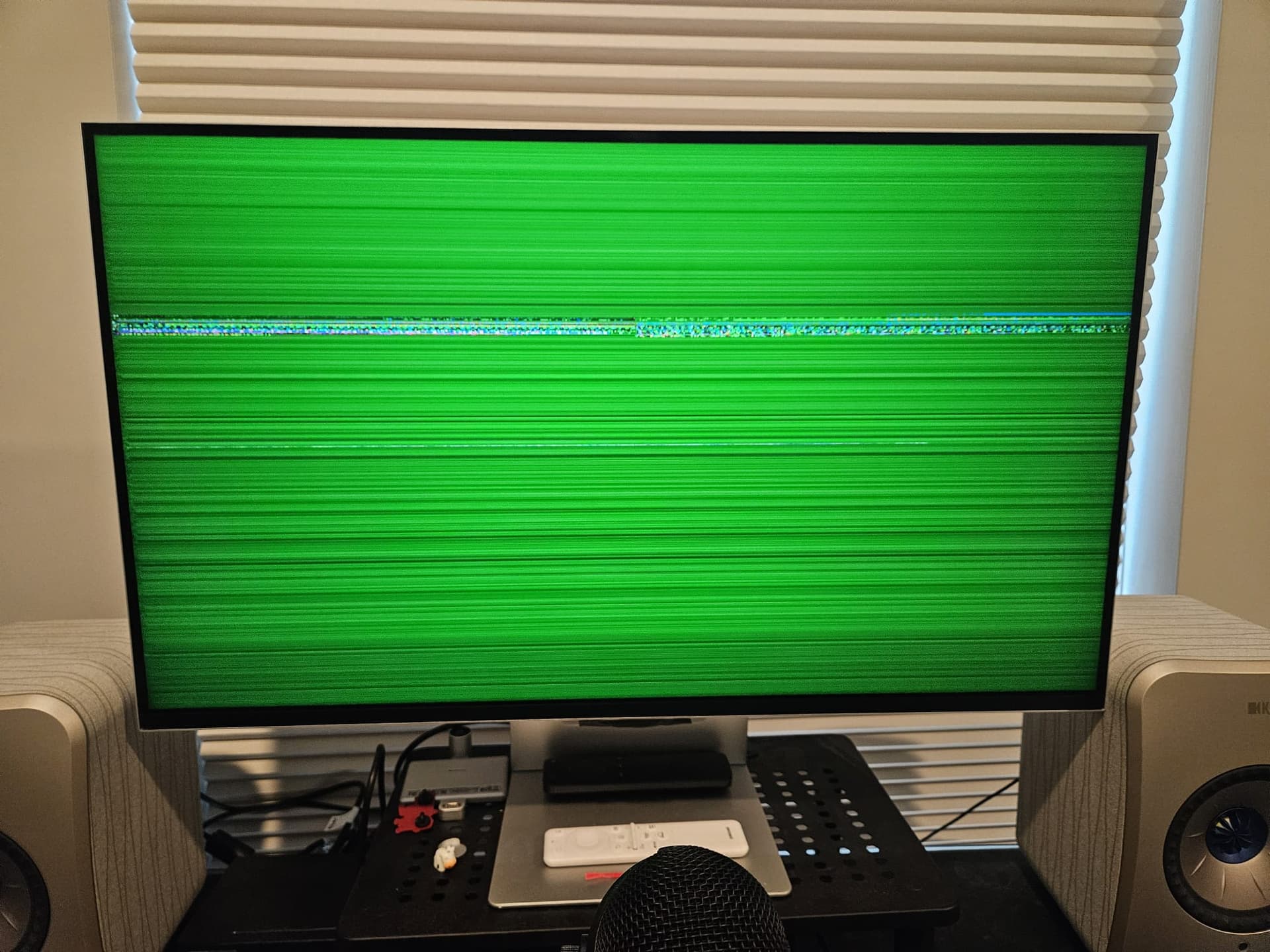
The display for, at least, the macbook air frequently craps out. I managed to snag a picture the most recent reset. What happens is that I unplug-replug the macbook, it works for ~30 seconds, and then this happens and the display shuts off:
DM amber and we will send you some cables. failing that yep we can do a mailin rma for more diagnostics. is the total length of USBC+dp cables under 10 feet?
are you also using a 3 foot club3d cable from the kvm to the monitor?
we will also send you a ferrite cable clamp to help with diagnostics.