Hello there.
I need you help in troubleshooting my laptop. I will try to be as brief but as precise as possible.
THE PATIENT: Dell XPS 15 9500
- i7 10750H
- GTX 1650Ti 4GB
- 2x16GB DDR4
- 2x1TB SSDs (one aftermarket)
- FHD IPS matte non-touch 16:10 screen
- Running Windows 10 Pro + Ubuntu 22.04 LTS in dual-boot (one on each SSD)
- Up to date drivers and firmware as provided by Dell tools in Windows
THE USE CASES
- Coding
- Computation for physics, especially gravitational waves and astrophysical population analyses
- Music production
- Photo editing
- Some gaming on the side when I have time (very rarely, then)
THE SYMPTOMS
-
Random reboots in Windows 10 while using it (briefly shows the “Restarting/Shutting down” Windows screen)
-
Shutdowns after boot in Windows 10 and sometimes RE mode is triggered at next boot
-
Some coloured stripes and artifacts on the screen (hasn’t been happening for some weeks, happened especially in Windows, in IDLE, but sometimes in Ubuntu too)
-
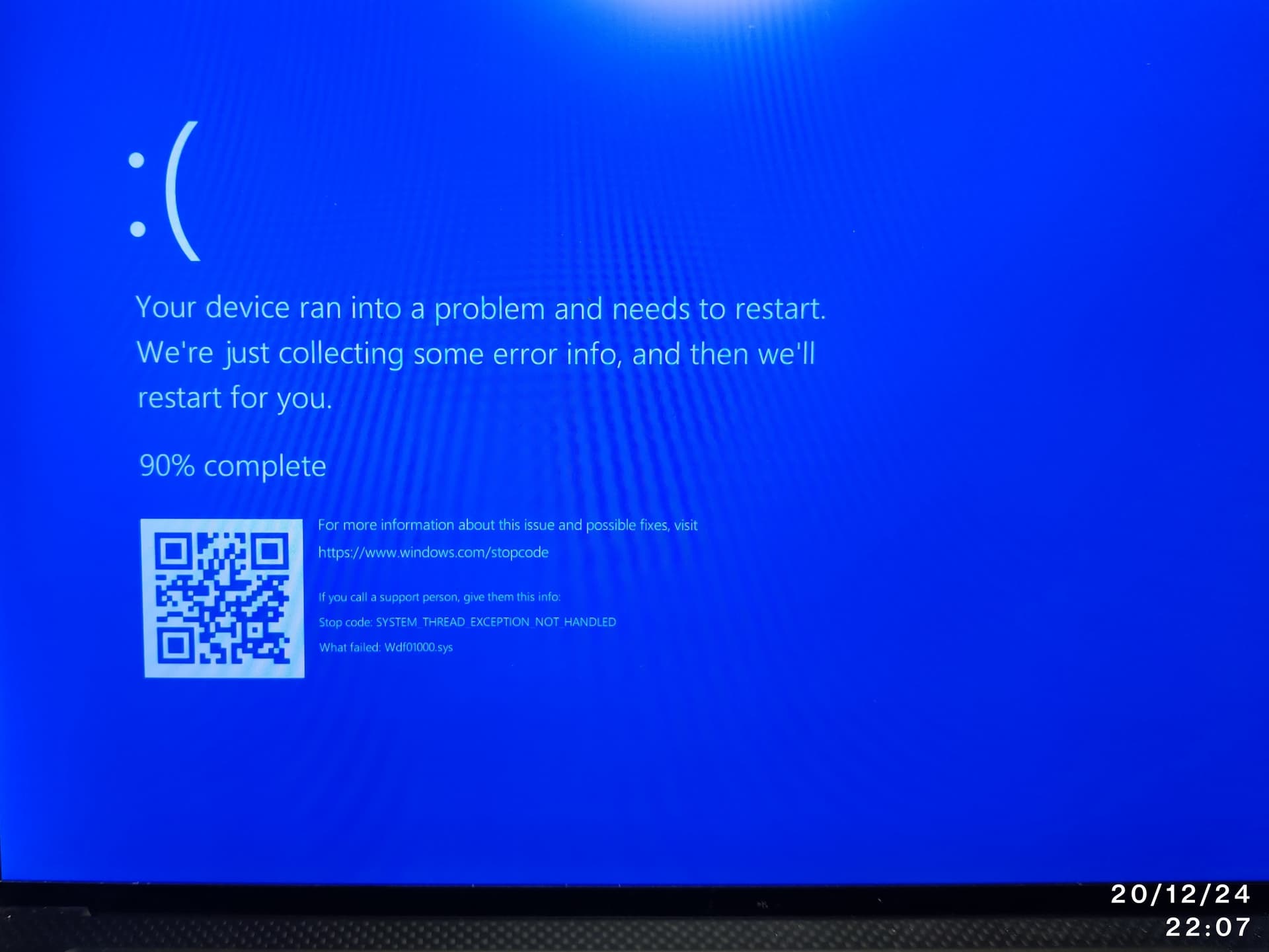
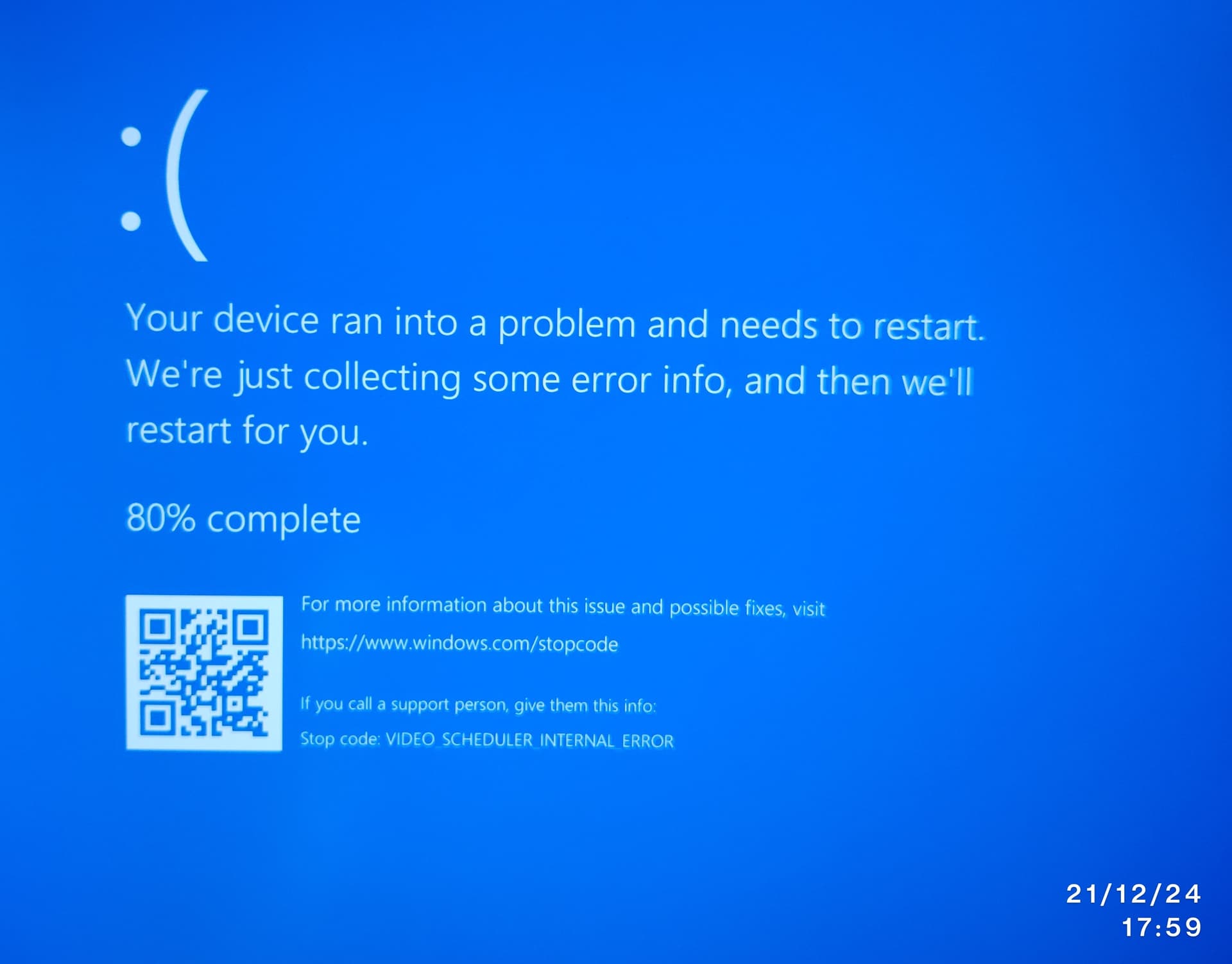
Frequent Windows Blue Screens with different error codes
-
Black screens in Ubuntu while using it, especially in IDLE or light use
-
Sometimes wi-fi or Bluetooth do not show up in Windows, like if the wireless card drivers weren’ t loaded up correctly, malfunctioned or the hardware module itself stopped working. One or two system reboots make it work again.
-
Sometimes it stops charging while in Windows. More rarely it doesn’ t charge while turned off (very rare). I only use the original USB-C 130W charger provided by Dell to charge it
-
Sometimes gets stuck in GRUB “select the OS” screen. I cannot load any OS, neither can I move the cursor when it happens. Hard reboot is needed when it happens

THE CLINICAL HYSTORY OF THE PATIENT
- Battery changed within one week from purchase due to poor battery life from the get go
- Screen changed 2/3 times due to damage to the panel, likely caused by pressure points in the backpack
- Palmrest changed 3/4 times, always when other components were already been serviced
- Motherboard changed 2 times. One time after the laptop completely stopped charging (unlike now that charging stops only sometimes and is fixed after some reboots)
Note: all the components were serviced by authorized Dell technicians under Pro Support on-site 4-year warranty. Warranty is now expired (was no longer extendable)
THE TESTS
- Run 5 h of Memtest86+ full test in loop. No memory errors at the time
- Run 3 h of Uningine Heave, and some runs of 3D Mark in Windows: no crashes or coloured lines on screen
- Run 2 h of Cinebench R24 on loop: no crashes
I wanted to change this computer only when entering a PhD program or a new job, knowing the actual needs I will have at the time and having the first salaries to spend on the device. If I were to change it now, I will have less liquidity and I will only be able to guess my future needs.
Hence, before upgrading to a new device, I wanted to extend the life of this still decent (on paper…) XPS, and I therefore want to do some troubleshooting to see if there’s any way to save this laptop or mitigate the issues.
I’m currently using this as my main device, and I have a couple of projects I’m actively work on, so I’d really prefer not to have to wipe the device.
Thank you very much for your patience and help 