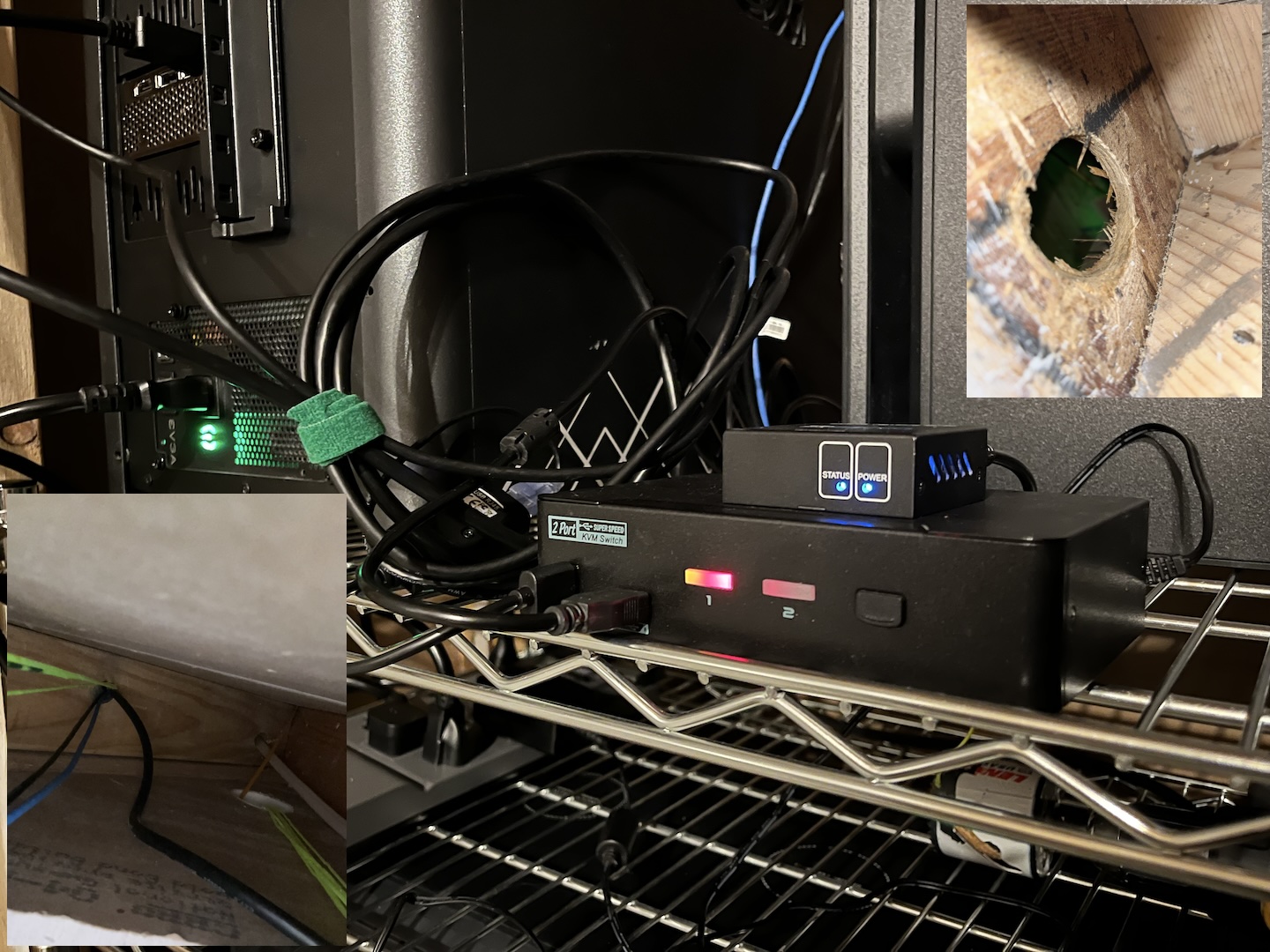
I’m starting this thread to try and document my discoveries, and pay it forward as I’ve benefited from many threads here - thank you all, and hopefully this is helpful to all you folks in the future!
I work from home, and am working to move as much workstation and other hardware out of my small bedroom office, about 50 feet away. This should help with cooling, and get them onto a different electrical circuit. I do a lot of UI/UX and am pretty sensitive to any sort of lag, and have not found any non-hardware solution that I couldn’t feel the latency (even when very small).
Here are the main pieces of the setup:
- Level1Techs Single Monitor - Two Computer DP 1.4 KVM
- Linux workstation is a Threadripper 3790X and RTX 4090
- Windows workstation is a 14900K and RTX A4500 (necessary evil, lots of users on Windows)
- UPS Battery
My initial plan, trying to balance reliability and cost:
- The computers → KVM are using the DP/USB cables that came with the KVM.
- From the KVM, I plug a DP→HDMI adapter (UGreen 8K Active Adapter), and then an AV Access 4K HDMI extender (4KEX60-H2) to the monitor.
- The HDMI cables on either end of the extender are CableMatters 3.3ft ones.
- Apart from the single USB for HID/Keyboard, I also have a Rezcoo USB2.0 HUB Extender over Cat5, for the rest of my peripherals (mouse, Wacom tablet, and mic).
- The monitor is a Dell UltraSharp 27 currently, so 1440p@60Hz; but I’d like to leave some headroom for the future, potentially with a 4k@120Hz display, or those really neat looking Dell 6K 52-inch display/thunderbolt hubs (when I win the lottery and can afford one
 )
)
After getting things in place for testing, I noticed a rather unfortunate chroma sub-sampling problem on Linux, with this AV Access extender  All the searching and LLM’s tell me, is this is an issue with many HDMI extenders on Linux with Nvidia, that they can’t handle the 4:4:4 color like Windows or TVs can. Right now it looks like a toss-up between the Fibbr and Ruipro active optical DisplayPort cables…
Stay tuned.
2 Likes
Okay I bit the bullet and went with the 50 ft FIBBR 16K Fiber Optic DisplayPort cable, even though it’s nearly 2x higher price. Although recommended here frequently, the DP80→DP40 reviews/feedback from previous buyers made me a little nervous. Not that I expect to be driving anything close to that soon; I just wasn’t sure if that meant new quality issues or just mistaken listing info on Amazon.
Anyway, I did a quick test plugging the FIBBR cable from KVM → Monitor and it worked as expected. Colors look good, seems like it always did before, thank goodness! The packaging all looked legit and not like this was a re-boxed broken-and-returned cable as well.
Now I just need to run the long cable between office and utility room. The path I used to run Cat6 cables is not wide enough for the DisplayPort plug, but I think I’ve found an alternative path that doesn’t take up too much more of the cable length.
One thing I have not tried over the Rezcoo Hub-Extender yet, is a Wacom tablet; those are important, though infrequently used. I will have to try that next. And I’m still a tad worried that my GoldTouch keyboard won’t work for switching the KVM after the strange issues the first time… but those are future-self problems 
1 Like
Managed to run the cables through without tearing or breaking them, so we’re mostly in good shape now. I had to run the DisplayPort through a different route than the Cat5/Cat7 cables. I worried about getting kinked/caught, and damaging the Fibbr cable, but luckily that whole process worked out fine.
Strangely, the GoldTouch V2 still doesn’t like the Cable Matters USB-Cat6 extenders. It hasn’t “died” like the first time I tried, and works fine through the Rezcoo hub though. Another cheap keyboards works like a charm. I have a 4-key KeyPad I’ll try using for the long-range switching, hopefully that works, but in the meantime I have another keyboard working for the switch input.
Speaking of Windows, does anyone know if Active DisplayPort repeaters help with Windows shuffling windows around when switching displays? I grabbed a Cable Matters active repeater, just in case, and am wondering if Win → Repeater → KVM might help with that window re-ordering?
Linus has done a few videos on this topic.
Long and short of it was to basically use optical cables (like that Fibrr cable you brought) along side an Icron dock.
A quick look online and it appears that your monitor has a few USB ports. Would it be an option for you to plug your mouse, keyboard etc into the monitor and then run an optical USB cable alongside your optical DP cable to your monitor?
Thanks! Yeah the built-in Hub could work, but so far the extension has been working; but thanks for the reminder!