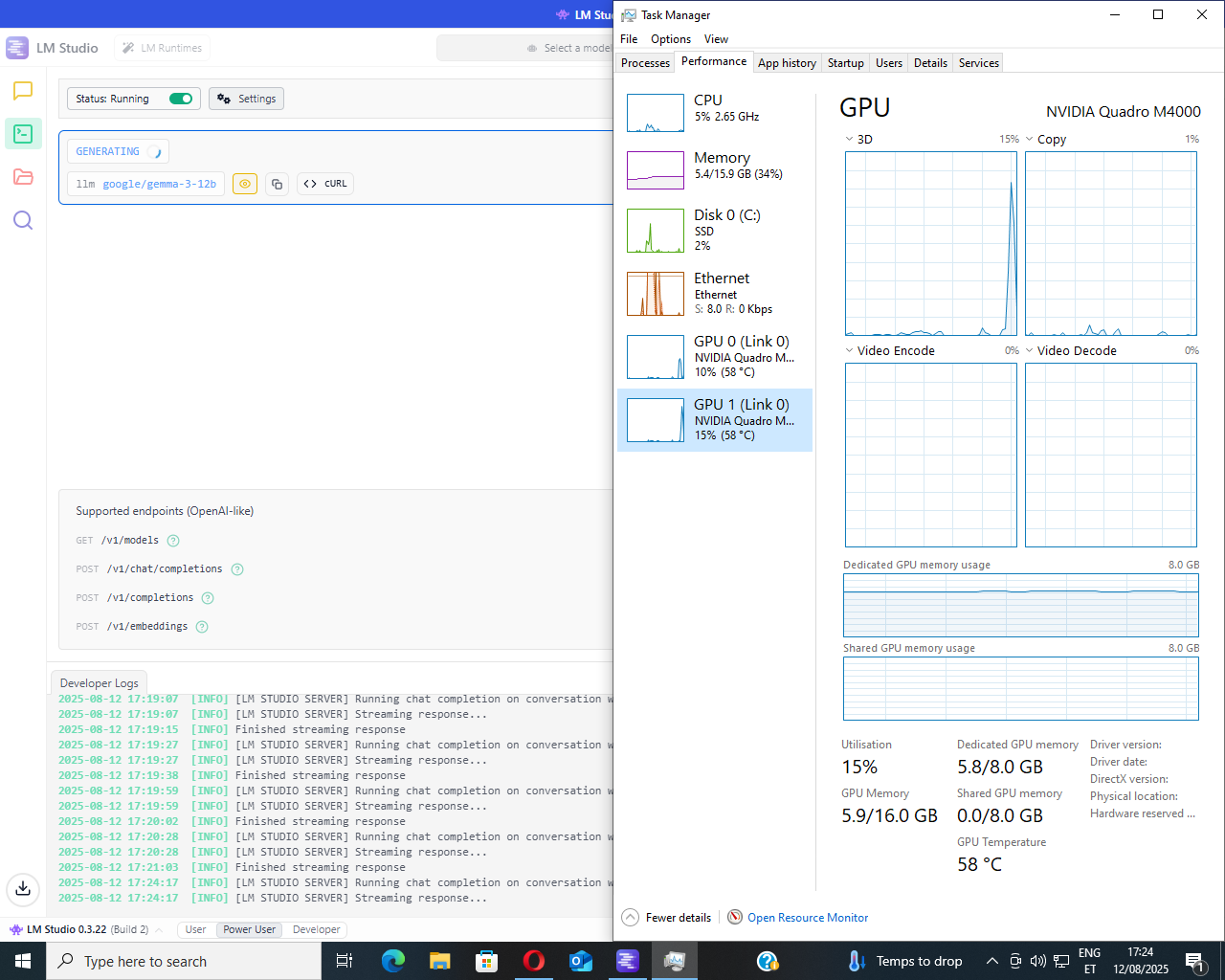
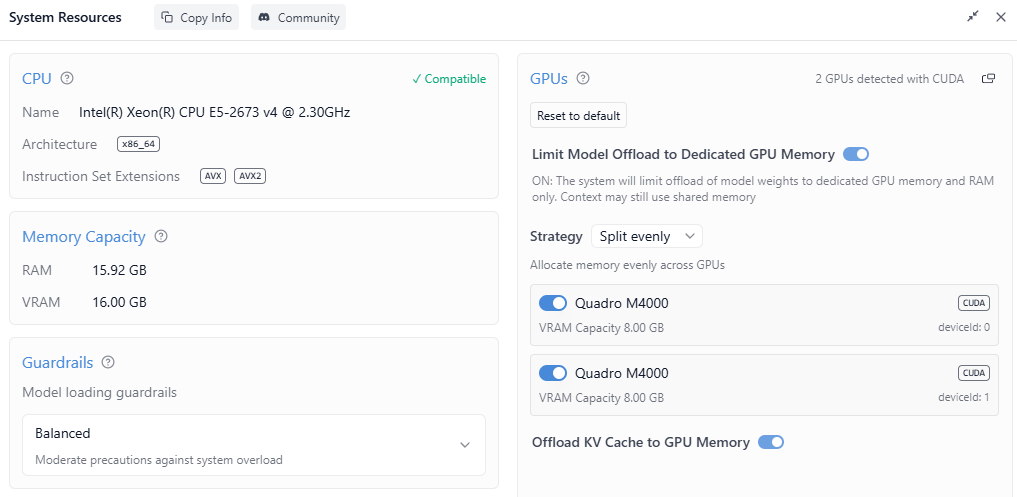
I’m repurposing my old Z440/E5-2673V4 20c/ 2x Quadro M4000 SLI workstation to host AI and let my main machine breathe. Everything seems to work fine, except the GPU usage spikes to around 90% for half a second after sending a prompt, then both GPU-s settle between 10-20% usage, when actively generating an answer. Both GPU-s are ancient Quadro M4000-s. SLI is enabled and active, because that seemed to help GPU utilization just a little. Could memory bandwidth cause such a dramatic effect? Currently only half of the channels are populated.
The task manager percentages seem plausible, as the fans don`t spin up and the temps would be near 90 degrees, if the Quadros were actually doing any work
Im thinking maybe those old Quadros might just be a bit too old :sweat_smile: The latest openai gpt 20b model just crashes immediately after prompting, but works fine on the same system with the Quadros replaced with an A4000. Gemma and Deepseek both seem to get along nicely with the SLI Quadro setup, if only it werent for the Quadros almost idling, while generating an answer
I think you need to select the cuda option on windows task manager to view GPU utilization for things like this. If you can use nvidia-smi or nvtop/nvitop.
Couldn’t it be that those GPUs are on the older side with slow memory bandwidth (less than 200GB/s each), and thus after prompt processing (which is the compute bound part), you just get heavily bottlenecked by the memory bandwidth during token generation, and thus the die usage is really low because the GPU is data starved?
Update:
Got the update to LM Studio version 0.3.23 today, which brought a huge performance uplift to the old SLI Quadros and openai gpt-oss-20b now works perfectly. GPU utilization is much better and compute very nicely switches between cards with SLI enabled.
I`m still trying to figure out the optimal models and settings for this system, but it seems the old Quadros still have some life and useful compute power inside them.