So, let me start of with Im a newbie to the PC master race. Whoot Whoot!!!! Ive drove head first into this and have built a pc largely based on suggestions made by members of theses forms, so thank you very much but i need your help. I've successfully installed Ubuntu 14 and am impressed coming from someone whom has lived in windows os (mostly XP) all of my computing life its not too different or difficult to play in, but the more advanced operations have really stumped me. I have a AMD r9 280x vaper installed but can't play games due to drivers. I have no clue how to update the drivers or how OpenGL works. If someone could shed some light on this I`d be very greatfull. thank you again for your time and advice
1 Like
The 'official' way to install drivers as posted by this guy.
https://forum.teksyndicate.com/t/few-very-important-tips-on-linux-gpu-drivers/75918
Is to open the search bar and type 'drivers'
If that doesn't work there are other ways that may or may not be posted later depending on whether that works for you
Thank you for commenting @rollymaster. I`ve mostly got the understanding for the working on the termal with sudo, apt-get so on and so on. I open software and updates and it sees the R9 GPU and even says "This device is using the recommended drivers" but if I launch a game from steam it says " Could not fine requried OpenGL entry point 'glGetError' ! Either your video card is unsupported, or you OpenGL driver needs to be updated" I very much hope its the latter. So Im at a lost on what action or actions to take next to solve the problem. I have and still am scowling the internet for a solution but really haved found much to chagrin. NEVER GIVE UP AND NEVER SURRENDER!!!!!!!
I fail to see why people bash the AMD binary drivers from the website. I have never had issues with those drivers. Tbhe only time I have had issues is when installing via the Driver manager. Whenever I have installed FGLRX (any of the versions) from the Driver Manager, i get issues at boot. Whenever I purge those and return back to OpenDrivers then install the AMD Catalyst Omega drivers from the AMD site with the install method instead of the Build package method, everything is cake. Im currently running a Radeon HD 7970 GHz on AMD Catalyst Omega drivers downloaded and installed via the AMD website and NO Problems. I also don't know why people claim that downloading the drivers and installing them from the AMD web site is not "Proper" when that is the way it was done before the Driver managers.
make sure you install the MESA packages. like the libmesa ones too.
Can you run minecraft please? Just for testing purposes I know that uses open whatever it is.
The recommended drivers are usually open source. try the proprietary ones.
1 Like
you mean to say that Minecraft uses Java right? OpenJDK.
Yes but it doesn't use java for the rendering I don't think.
I think it uses opengl or something like that.
most likely opengl yes. But you still need to install the MESA libraries. That should solve your problems.
@raisethebarr That is probably your problem . The recommended driver are the Open source. Chose the fglrx-updates and Steam should work.
Also the MESA libraries might help but aren these installed in Ubuntu by default? I thought they were, but i guess i was wrong.
What's my problem?
Lol....I was not refering to you...but the OP....I will edit...
It's probably because package managers are made to do the job of updating all the system packages rather than having you do it manually.
@LinuxMaster9 Do you know a site and or a termal comand(s) to get "MESA libraries". I found this _ http://www.mesa3d.org/opengles.html _ link but running thoses comands just give errors. Are they old and no longer working or is it my execution?

@rollymaster Tryed opeing Mine Craft sceen does a flicker and the game in the doc crashes and goes away same with War Thunder, but other games give me a error massage "Could not fine requried OpenGL entry point 'glGetError' ! Either your video card is unsupported, or your OpenGL driver needs to be updated" So I dont what to think about that. I hope that points you in the right direction and again thank you guys very much.

All the options are grayed out for changing the drivers to proprietary drivers or even to Revert or Apply?

run a system update
Hopefully that will update the opengl software.
If that doesn't work then we can install the graphics drivers from a .run file.
You'll need to download the .run driver file from amd's website if it comes to that.
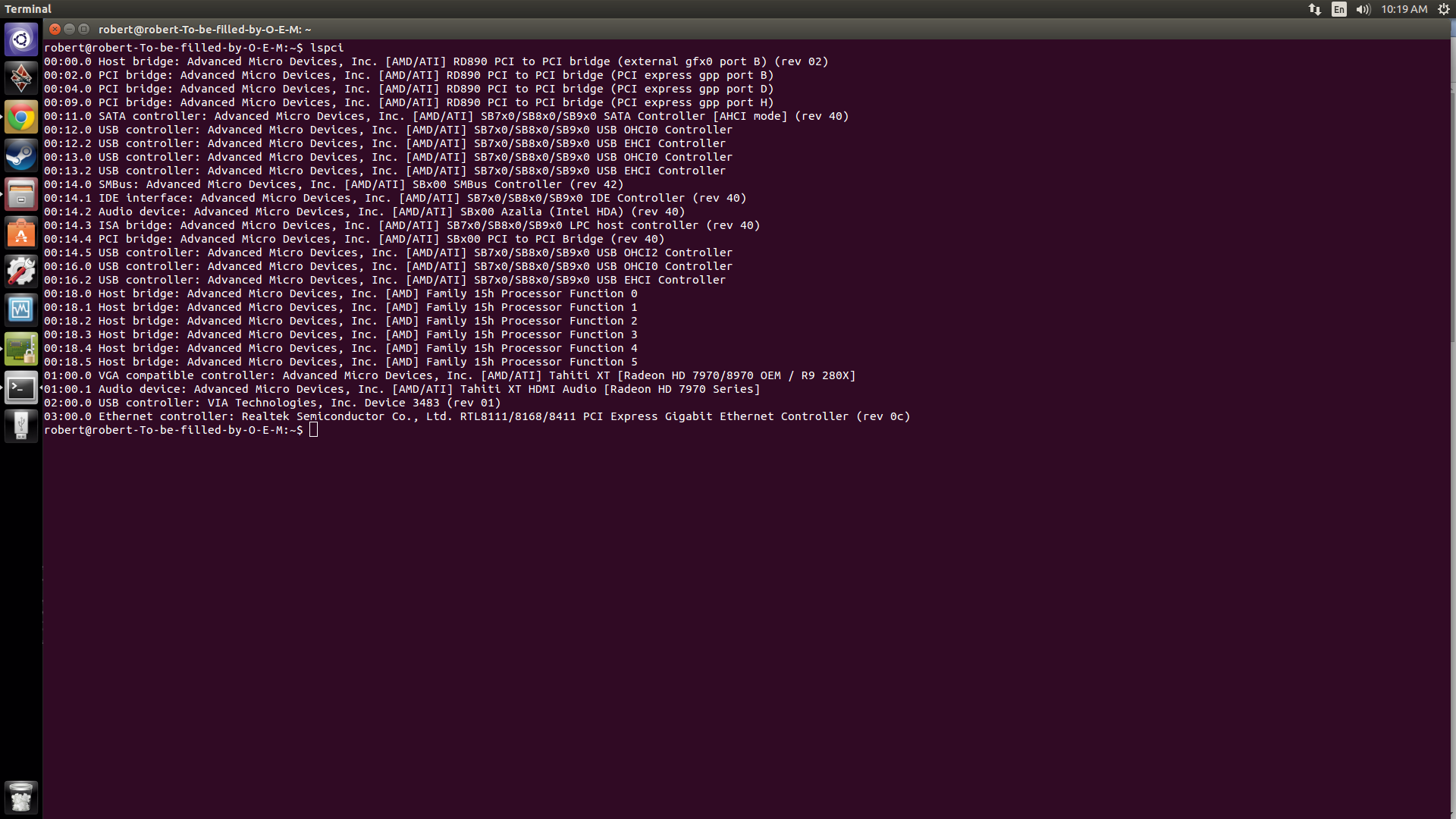
I have done the comand [ lspci ] to hopfully give some context to my specific pc. This is my hardware as known by Uduntu
@rollymaster I got the files from AMD`s site then I un zipped them then attempted to run the .run file it asks for my password then gave this error.
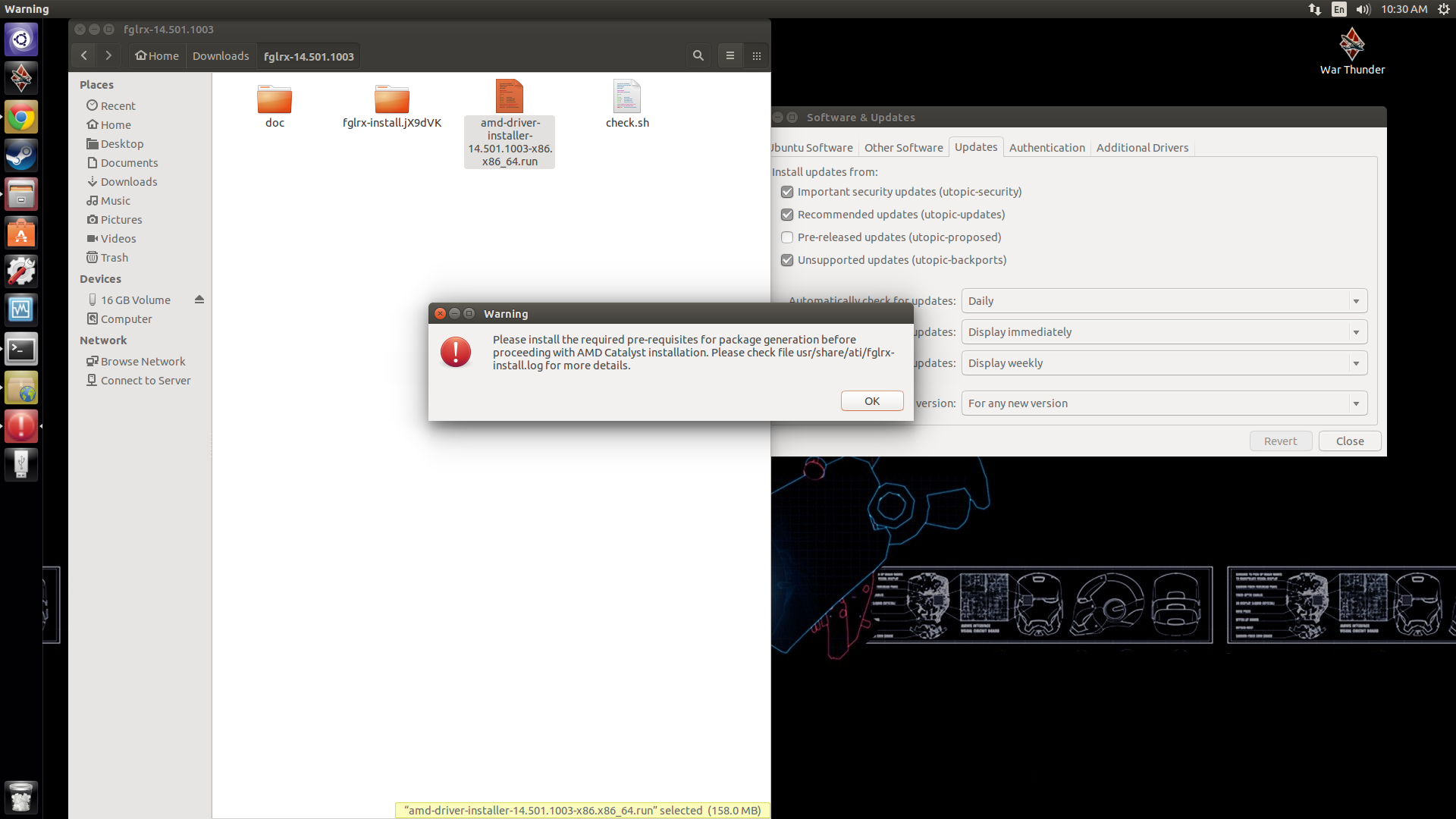
Sorry for being such a NOOB!