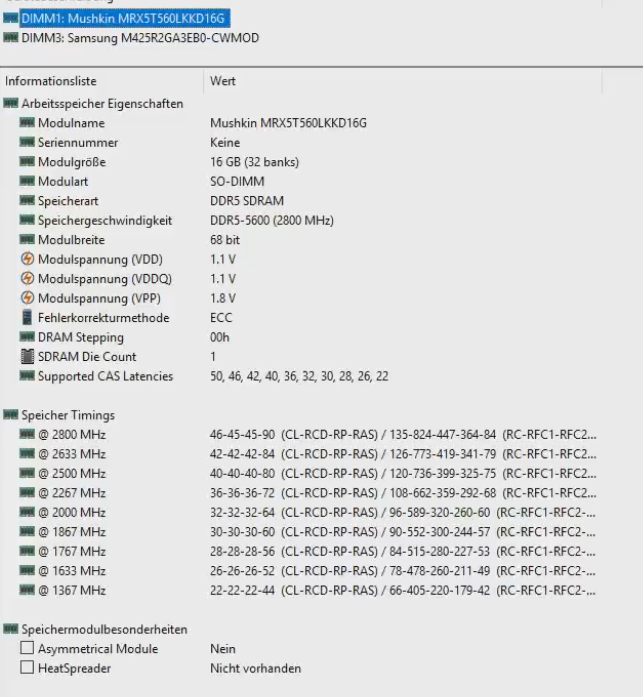
I am struggling with a brand new Lenovo M75q Gen.5 with an AMD Ryzen 7 Pro 8700GE that came with a single 16GB So-Dimm unbuffered module. Since being me I tried to upgrade to ECC-memory, purchased 2x 16GB ECC modules from mushkin.
Long story short: the system won’t boot with one or two ECC modules. That being said, I calculated the risk and lost. Up to this point everything is reasonable.
But when I mix the modules (1x ECC & 1 non-ECC) the system boots correctly and even detects both modules! Fine, ECC isn’t working but why is this setup working?
Hard to say from your description. My guess is that it has more to do with ram timings and mobo reading/expecting certain values than it has with ECC being present or not.
Did you try setting your bios to defaults before swapping to ECC memory? Any memory stick should be able to boot with JEDEC base timings.
I don’t think many consumers run memory at base timings, which may be why the ECC sticks fail to boot by themselves (mobo expects faster timings, fails with new sticks and doesn’t try training hard enough).
Hi, if there are some info missing, please let me know.
So I tried loading the defaults, unplugging the BIOS battery but nothing changed. I looked up the ECC memory and it from a timing point of view it seems perfectly normal. But, and that might be a problem, these memory modules have no serial number. At least I cannot read it with AIDA64 or HWInfo.
Just out of curiosity, have you tried the latest bios?
Apparently on the M75s, latest BIOS activates ECC support. There is also this utility which lets you access all firmware settings. But I wouldn’t have much hope for a hidden ECC setting, also you might brick your system.
I installed the BIOS but the system won’t boot if I switch to ECC-memory (alone). Funny thing, after the BIOS update it will not recognize my M2-ssd. Already switched the ports.