Context
I’ve built PCs over the years for myself and family, but this is the first time I’ve built a machine with a specific purpose in mind.
I’d wanted to do something like this for a long time but never had a clear reason — eventually I realised the reason was simply that I wanted to learn.
I have a technical background, but I don’t work in IT. My day-to-day role is in data management, so a lot of this has been new territory: hardware trade-offs, GPUs, power delivery, cooling, operating systems, and how they all fit together.
There are some seriously impressive builds here — full-blown monsters. This isn’t one of those. It’s a bit of a mixed bag — slightly jank in places — but I’m proud of it, and it’s been a great learning experience so far.
Purpose & Direction
The primary goal of this machine is local-hosted AI experimentation.
I use AI day-to-day, particularly for accessibility, and I’ve found it genuinely life-changing. That was the trigger to go deeper — not just using models, but understanding where and how they run, and what’s actually happening under the hood.
From there things escalated quickly. I started looking at running models locally, experimenting with image generation, and using AI in small automation workflows. None of this is production-critical — it’s about learning by doing.
I work best when I have a focal point, so I’ve set myself a handful of self-defined projects. They’re not especially “useful” on paper, but they give me something concrete to build towards, break, fix, and improve. The outcome matters less than what I learn along the way.
The Prequel – How This Build Started
Before this became a “proper” build, it went through a few iterations.
The starting point was modest. I picked up an ASUS TUF Gaming RTX 3060 12 GB on Facebook Marketplace and dropped it into my normal work PC. That machine had previously been running a GT 710 purely for display output — so this was a big step up and immediately opened the door to experimenting with local workloads and very small models.
That setup didn’t last long.
Tinkering on my work machine proved to be a bad idea. It impacted day-to-day work, and a few times left me up late fixing things so I could work the next day.
The next step was buying an ex-gaming PC, initially with the intention of harvesting the GPU. That machine came with a Gigabyte AORUS RTX 3090 Extreme, which I ran as-is for a while.
OS Direction – WSL to Dual Boot
Before this box existed, I’d already dipped a toe into Linux via WSL on my Windows work machine. So when I bought the ex-gaming PC, I didn’t mess around for long — I tested the existing Windows install briefly, then set it up as a dual-boot.
I went with Ubuntu 24.04 LTS (GNOME). There wasn’t a deep strategic reason behind it — it was simply the distro that kept coming up as beginner-friendly and well-supported.
In practice, once I started using Linux, I didn’t log back into Windows. The dual-boot stayed there, but Linux became the default.
The Second GPU Problem
Not long after that, I managed to source a second RTX 3090 — another AORUS Extreme.
That’s where things got awkward.
I couldn’t physically fit it into the existing case, and even if I could have, it was obvious a PSU upgrade would be required. The second card basically ended up sat on the shelf, quietly judging me.
At that point it stopped being “I’ve got a gaming PC with a GPU” and started becoming “this needs planning”.
The Awkward Middle Phase
After the second 3090 arrived and I realised it wasn’t going to fit — physically or electrically — things stalled a bit.
For a while, that card just sat there while I continued running the system as a single-GPU Linux box, experimenting with models and workflows. It worked, but I was brushing up against limitations, and adding the second GPU properly was going to require more than a quick tweak.
This turned into a middle phase of half-researching, half-experimenting, and trying to work out the least-bad next move.
The Open-Frame Detour
During that middle phase, I started looking at open-frame setups.
I found an ex-miner selling Veddha frames and fans at genuinely good prices. I went down primarily for the frames and fans, but it was a clearing-shop situation, so I ended up doing a curbside bundle deal for some additional bits as well — server PSUs, breakout boards, and cables.
The deal was:
- 2 × 6-card Veddha frames
- 1 × 8-card Veddha frame
- a stack of fans
- plus PSU / breakout board bits
When I got everything home and actually sorted through it, I realised I’d been given all the fixings for three frames — but enough aluminium extrusion for another 8-card frame as well.
So unintentionally, I ended up with four frames.
First Open-Frame Mock-Up
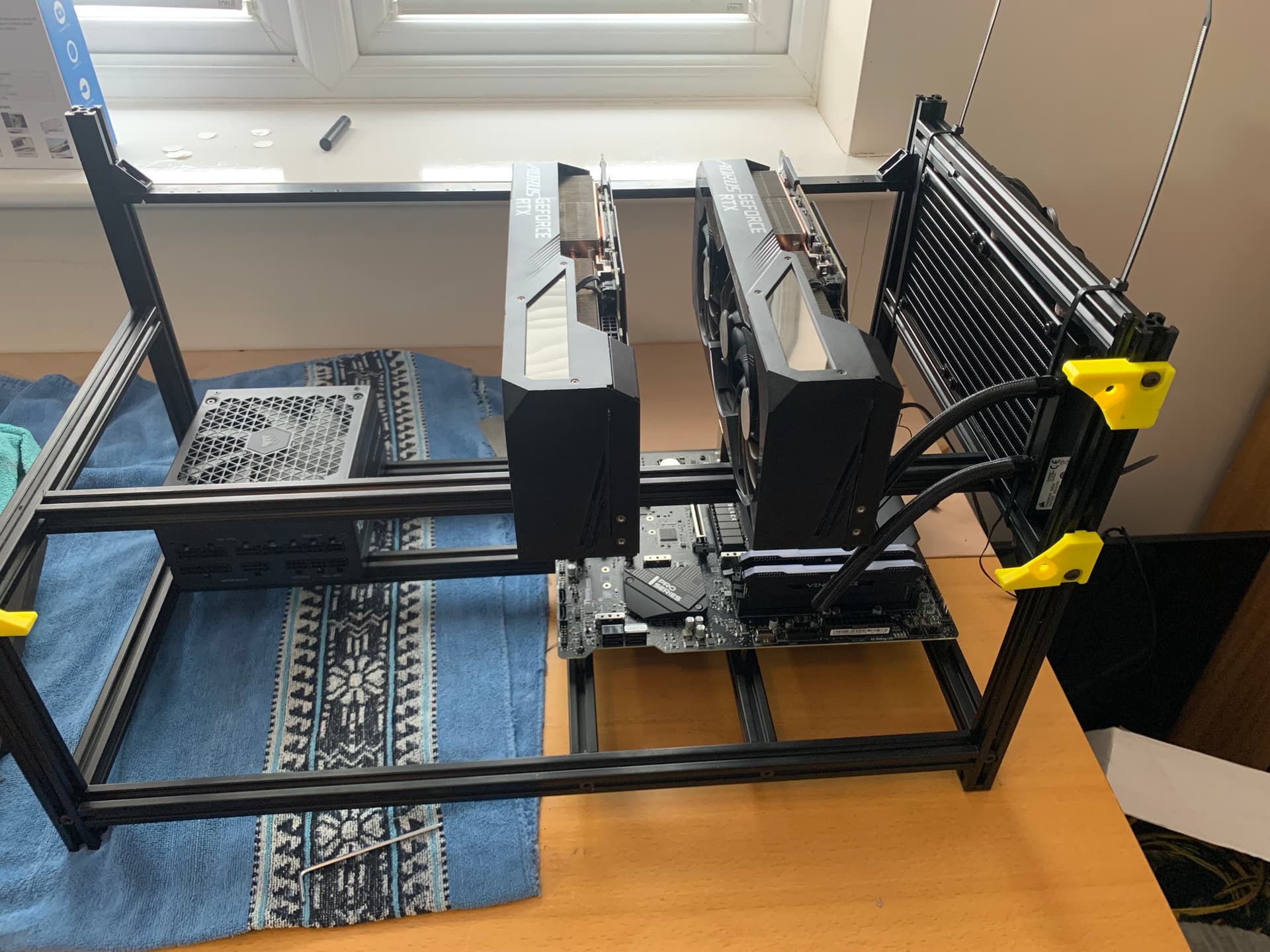
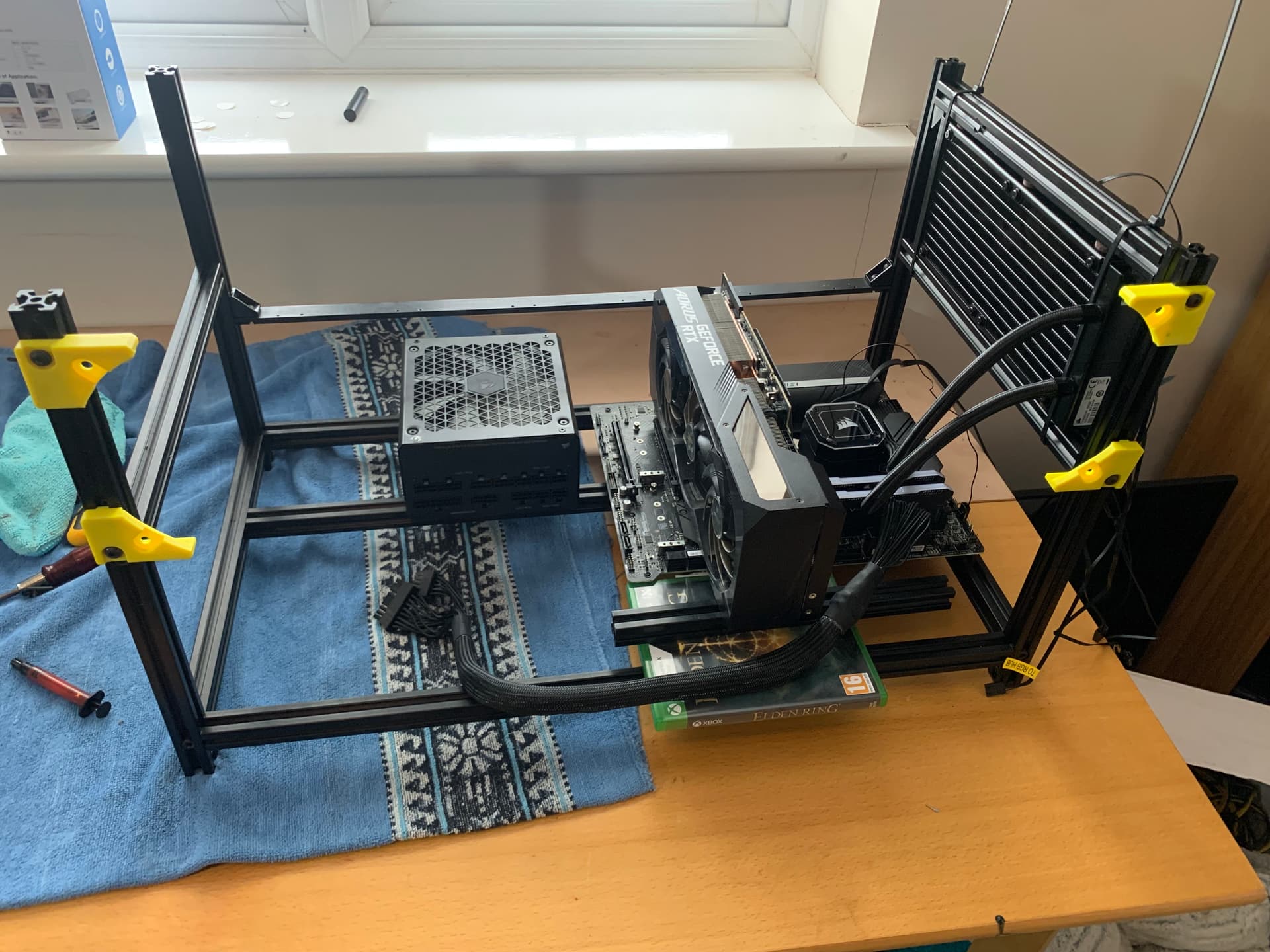
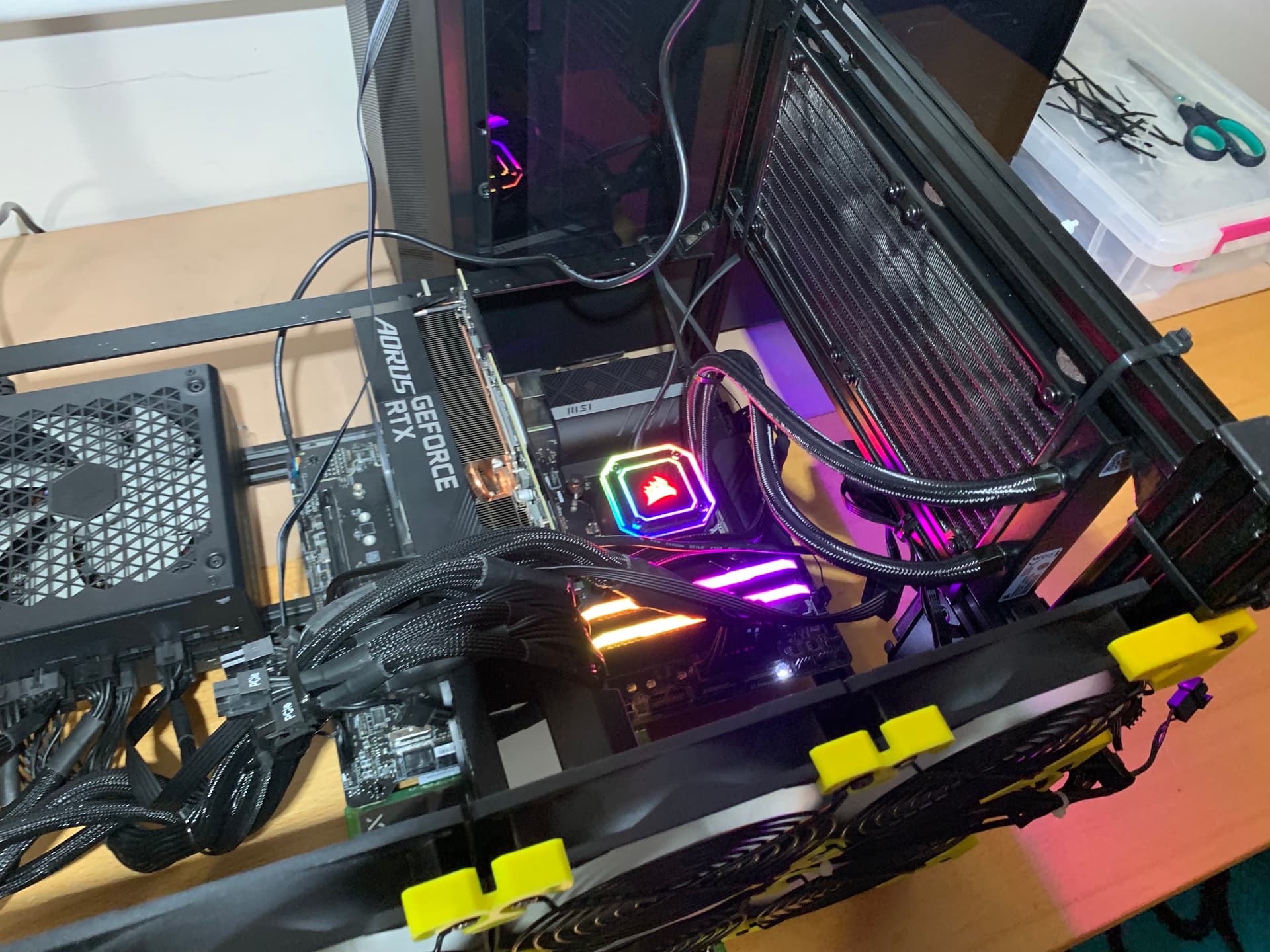
I transferred the ex-gaming PC onto one of the 6-GPU frames and mocked up both RTX 3090s.
Electrically, though, I only ran one GPU. Power delivery was the limiting factor, and while I had mining-style server PSUs available, I wasn’t comfortable using them yet. High current, expensive GPUs, unfamiliar hardware — when your gut says “don’t do it”, it’s usually worth listening.
So I kept things simple and ran a single 3090 from the known-good desktop PSU, with the GPU plugged directly into the motherboard on the frame.

Riser Reality
It was obvious quickly that if I wanted multi-GPU properly on an open frame, riser cables were non-optional.
After failing to find anything second-hand, I bought new:
- 2 × LINKUP AVA5 PCIe 5.0 riser cables
The hardware only needed PCIe 4.0 — but I decided it was worth paying extra for something that won’t become the limiting factor later. If I ever move to PCIe 5.0 platforms or newer cards, the cables will carry over.
The Decision Fork – Procrastination and Research
At this point, lanes and power were clearly dictating everything.
For a couple of months I bounced between Facebook Marketplace, eBay, and various sellers, half looking for parts and half procrastinating. I even looked at an older Threadripper system locally, but the seller wouldn’t budge on price and I walked away.
I knew the problem. I just hadn’t committed to the solution yet.
The WRX80 Moment
The turning point came via eBay.
A motherboard (Gigabyte WRX80 SU8-IPMI) I’d had sitting in my saved list suddenly came up with an offer. It was UK-based, very well-priced, and ticked all the boxes I felt needed ticking.
I asked the boss (aka my wife). Her answer: “It’s your money — do what you want.”
As soon as I dropped the hammer on it, the reality check kicked in that I needed everything else to go with it — so I hit eBay looking for bargains.
Core Components – Bargains
Over the next couple of days I found and ordered the following:
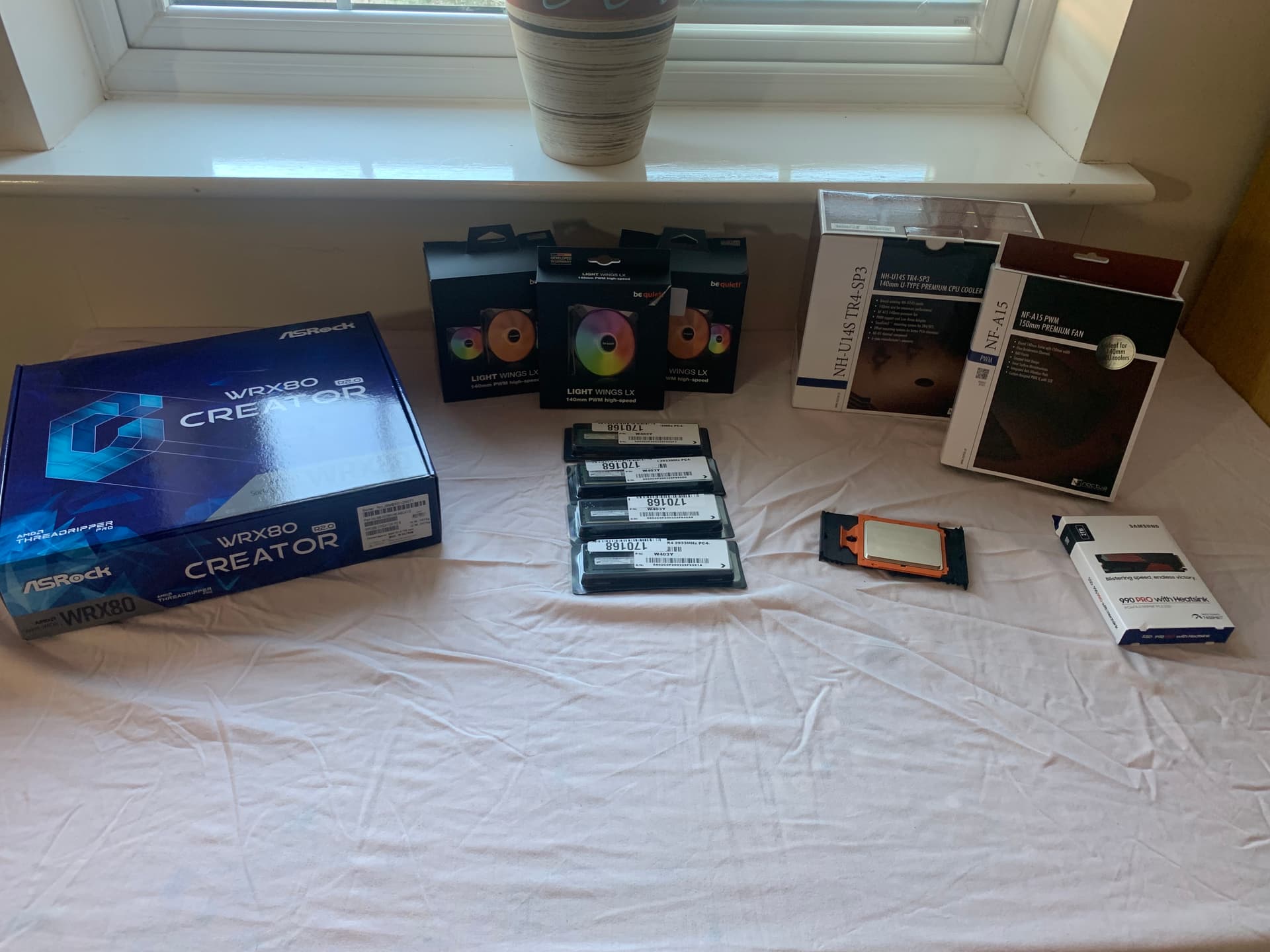
- CPU: Threadripper PRO 3945WX (OEM, new in-tray, sourced from Slovakia)
- RAM: 128 GB (4 × 32 GB) Micron MTA36ASF4G72PZ-2G9J3
- Cooler: Noctua NH-U14S TR4-SP3 (open-box)
- Second fan: Noctua NF-A15 PWM (Facebook Marketplace)
The RAM Wobble
Two days after paying for the RAM, the seller cancelled — claiming he’d miscounted stock.
Officially, that was the story. Unofficially, RAM prices had started moving, and I suspect he realised he’d underpriced it.
Either way, I was left with no memory and a lot of hardware in transit.
After exhausting second-hand options on eBay, I found a refurb business with their last four sticks available:
- 4 × Micron 64 GB DDR4-2933 ECC RDIMM
- 256 GB total
It cost far more than I’d planned, but there was no alternative as RAM prices were on the uptick.
A Note to Past Me (From the Future)
Trying to buy that RAM now, it’s more than double what I paid.
So yes — it hurt at the time, but it was the right call.
I’m currently populating 4 channels on an 8-channel platform, and I can live with that for now. Hopefully prices stabilise and future me can finish the job.
The Second Wobble – The Board Disappears
On the last delivery day for the motherboard (the reason I’d bought everything else), the original WRX80 seller pulled the board, claiming IPMI issues, with the story changing from “used once” to “selling for a friend”.
So I had:
- CPU
- RAM
- cooler
- frames
…and no motherboard.
I found an ASRock WRX80 Creator R2.0 at a decent price from a UK-based seller. I slept on it, and it sold.
Panic followed.
After that, the only boards I could find were coming from China. Maybe that would have been fine, but for this build I wasn’t comfortable taking the risk on an expensive, second-hand motherboard with a long return path and uncertain history.
Eventually, I found another one — slightly more expensive — from Germany. Brand new, with shop warranty.
I swallowed the cost for peace of mind.
Rebuild (Again)
I rebuilt everything onto a clean frame.
Around the same time I found a deal on Be Quiet! 140 mm fans — seven of them, brand new and cheap — and swapped out the mismatched 120s.
Everything powered on.
Everything POSTed.
Everything ran.
Power, Properly (Black Friday Delivered)
Black Friday finally landed a deal on a Corsair HX1500i.
Power plan:
- RM850x: board + CPU + RTX 3060
- HX1500i: both RTX 3090s
That gives headroom for a third 3090 later. If I ever go beyond that, the 850 W unit gets replaced.
For once, the plan actually survived contact with reality.
Where I Am Now – Current State
At this point the hardware side is largely settled (for now), and the focus has shifted to software and workflow.
I’m also learning Linux alongside everything else, which adds to the learning curve — but honestly, it’s been refreshing compared to Windows.
I’m now running everything through Docker, with the explicit goal of learning containerisation properly rather than just “getting things to work”. I’m using Portainer to manage stacks and services, and deliberately containerising things even when it would be quicker not to — partly for consistency, partly so I can break things safely and understand how they fit together.
GPU-wise, I’ve settled on a fairly clear separation of roles.
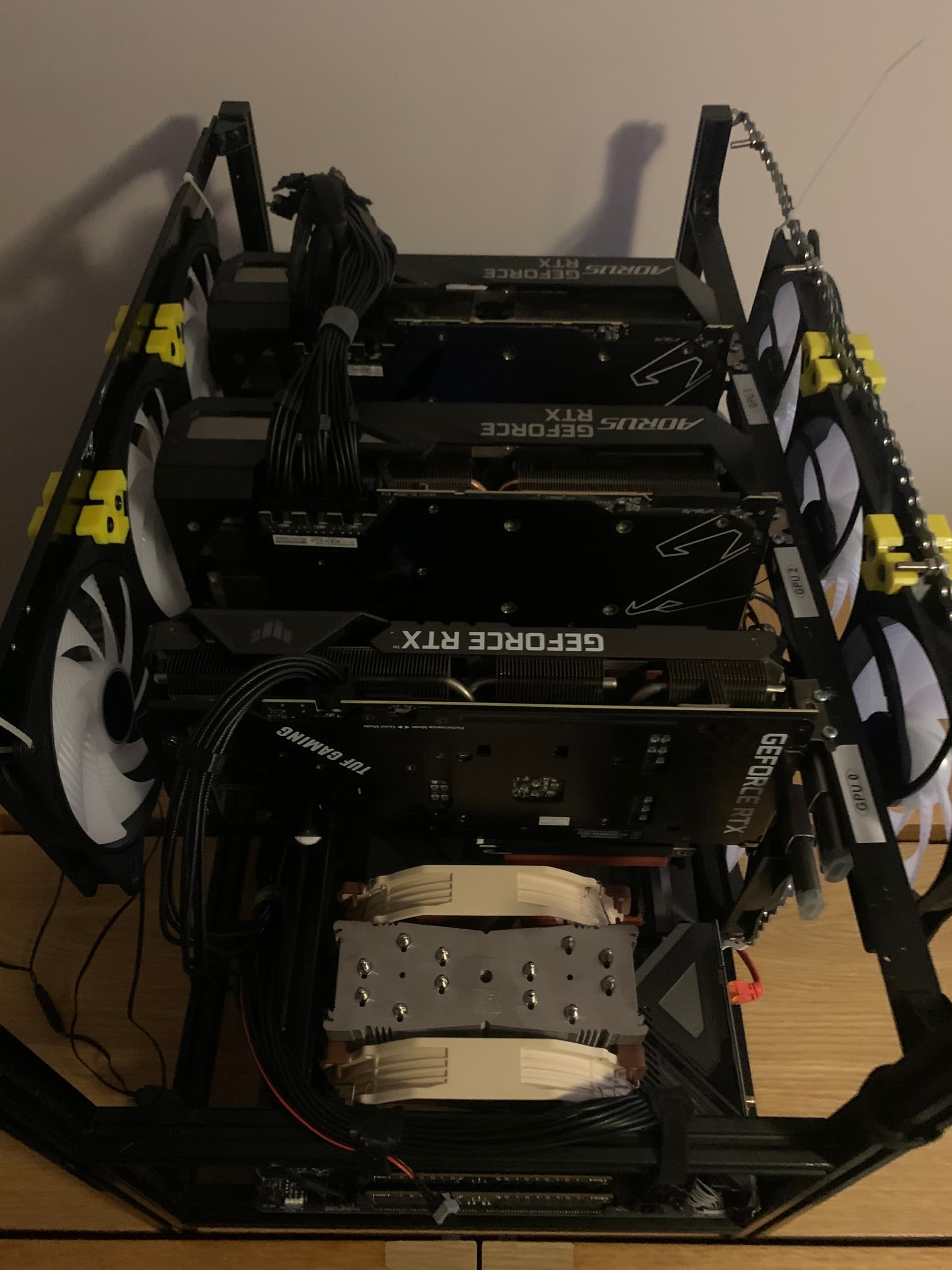
The RTX 3060 is effectively my utility card. It handles video output, and I plan to keep all speech-to-text and text-to-speech workloads pinned to it. That keeps the two RTX 3090s as clean as possible for large language models and heavier inference workloads, without display or audio tasks competing for resources.
Physically, the build is still very much in a prototype state.
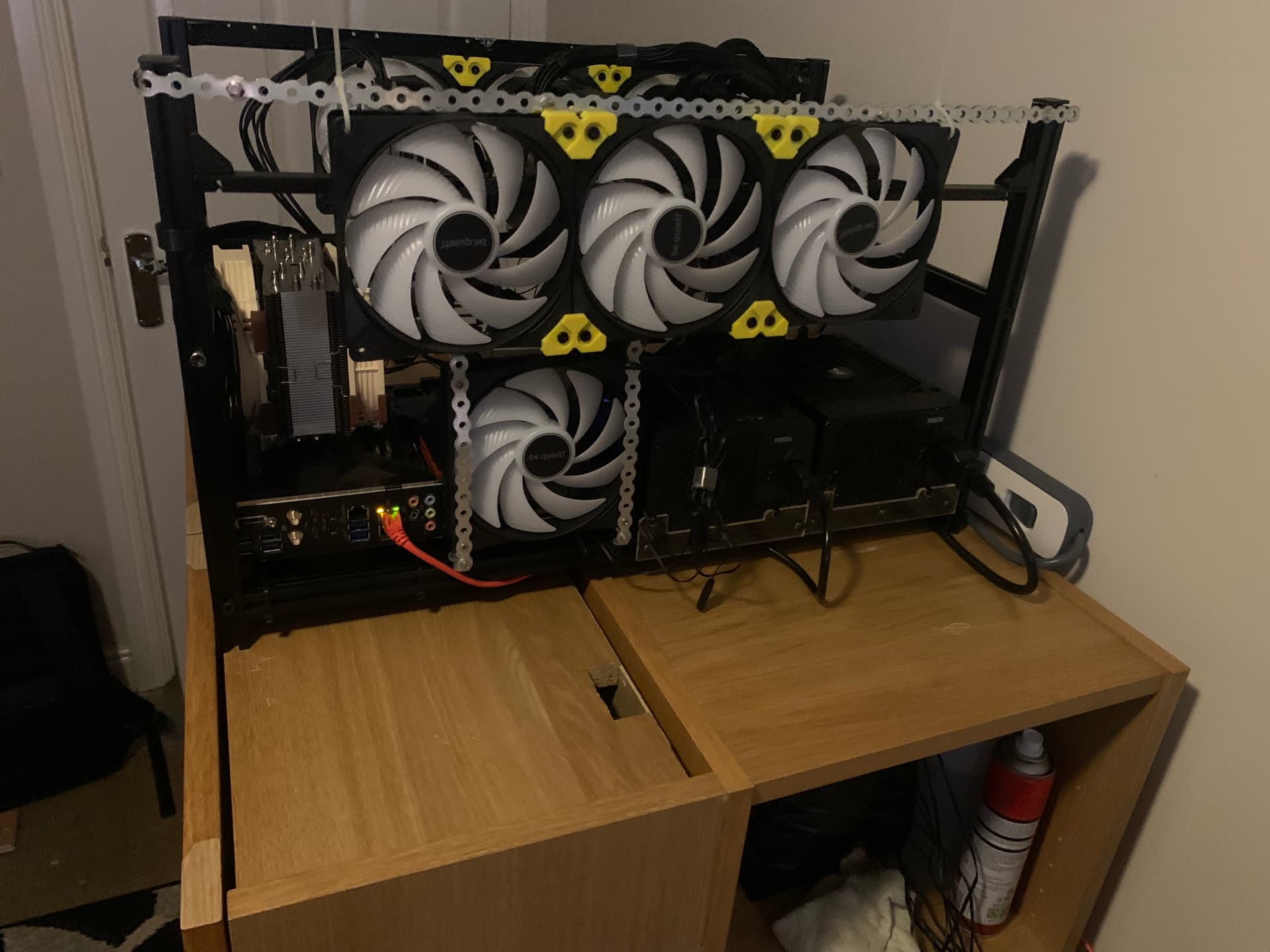
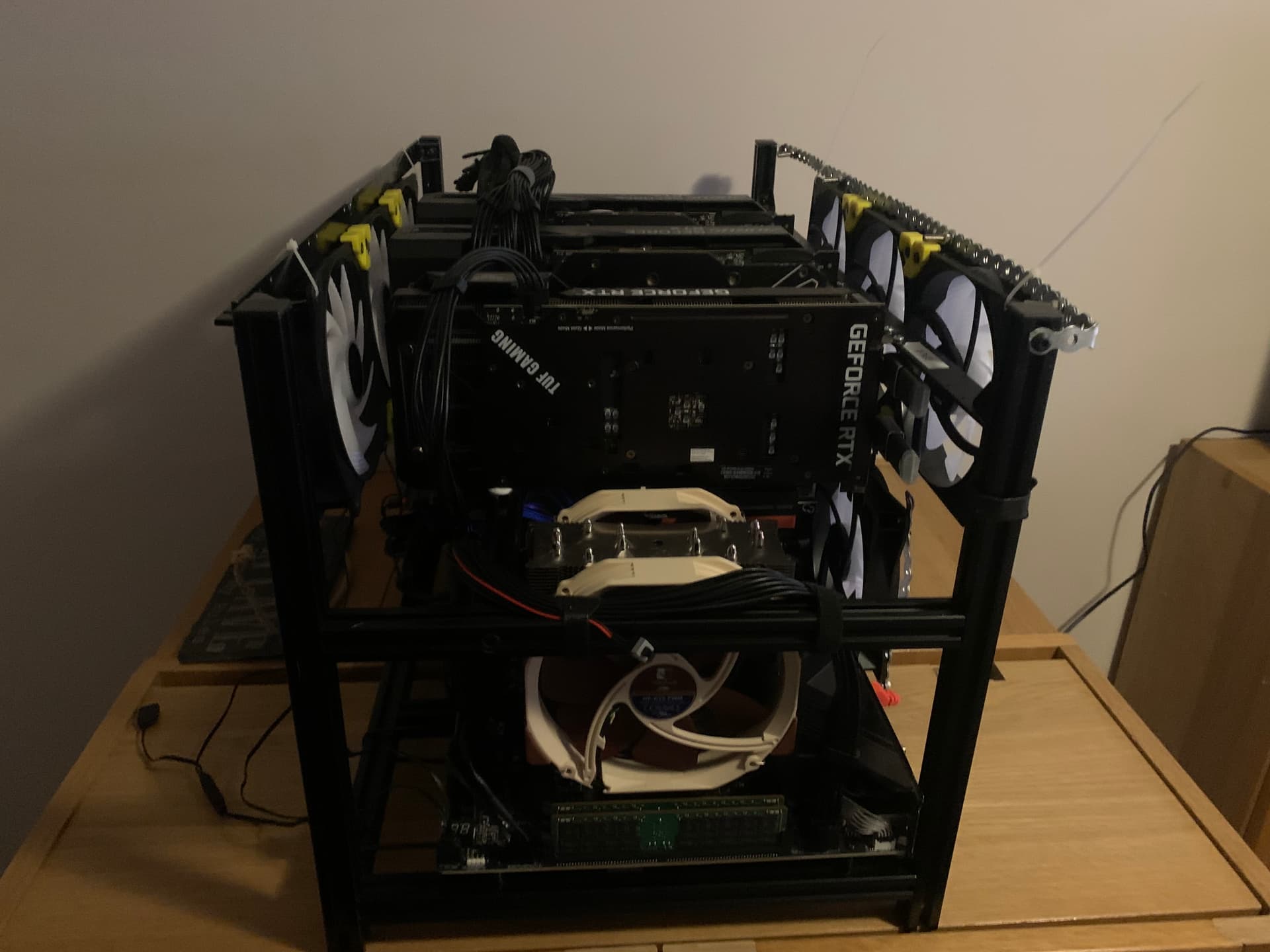
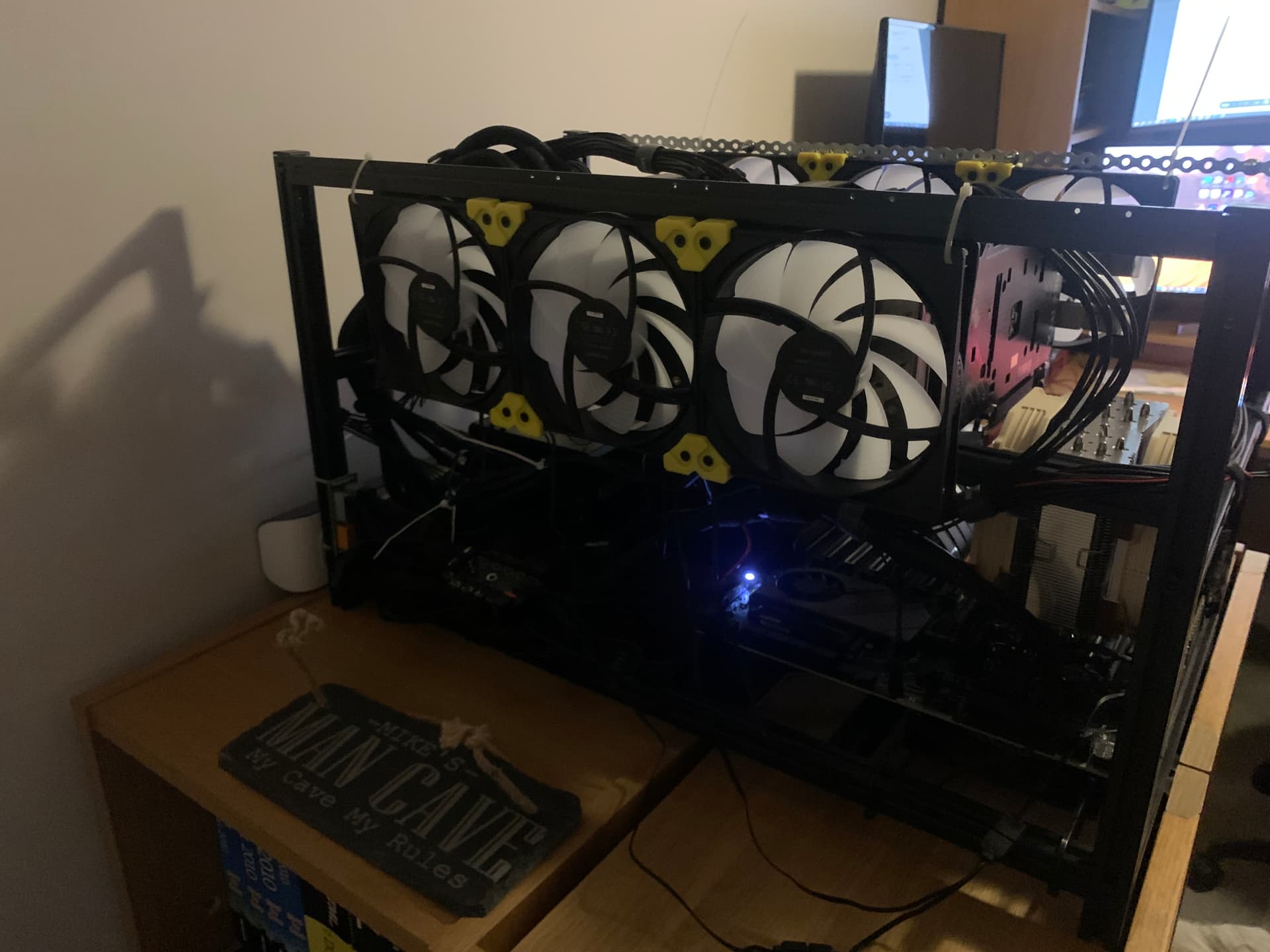
There’s a lot of temporary mock-up going on at the moment — metal strapping, zip ties, and general hobby-DIY improvisation to get fans positioned where I want them. It’s not pretty, but it’s functional, and it lets me experiment with airflow and layout before committing to anything permanent.
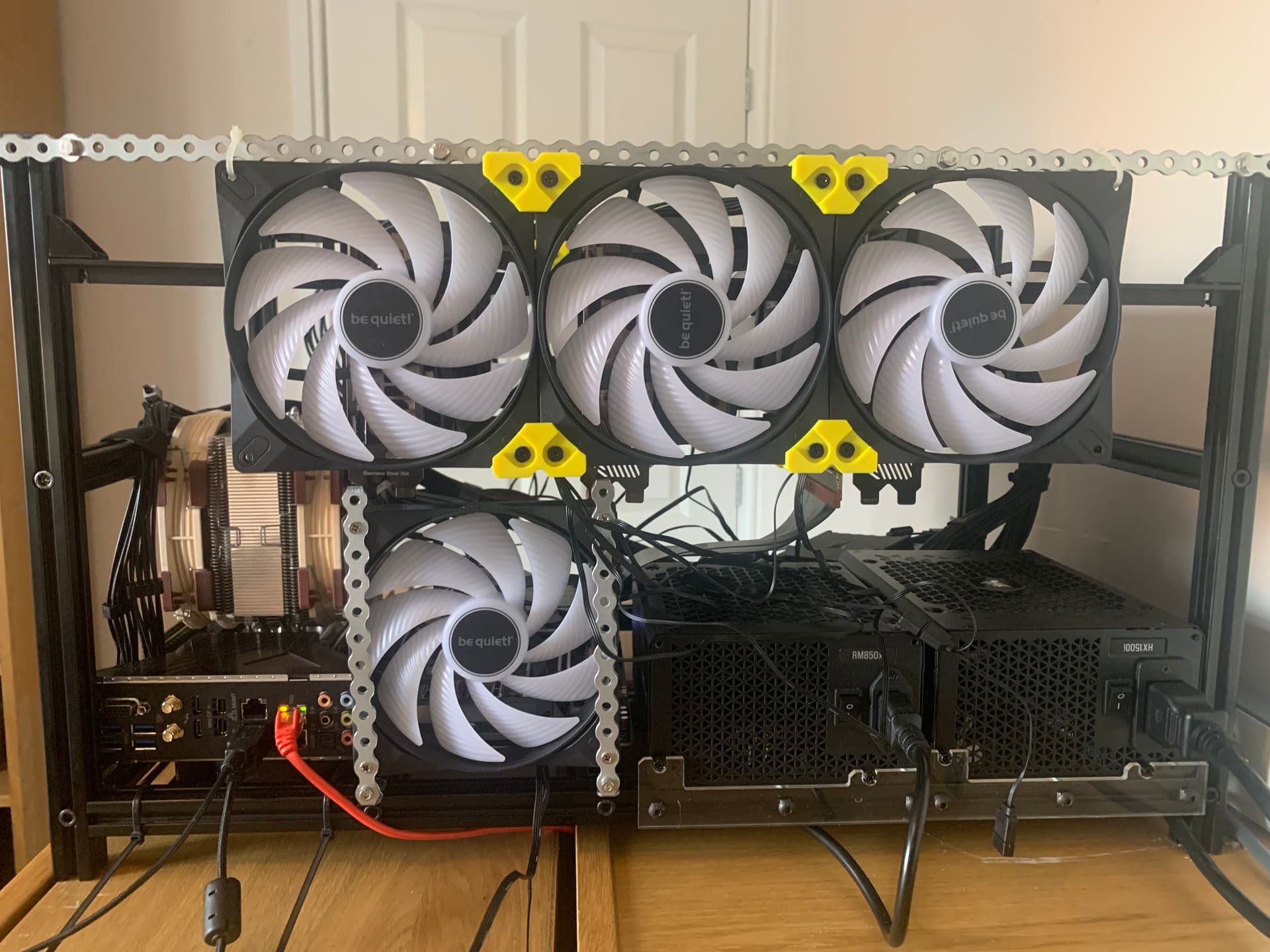
Once I’m happy with the layout, the plan is to 3D print proper brackets and mounts to replace the temporary solutions. I’m also considering some form of enclosure around the open frame — not a sealed case, but something custom-built to reduce dust ingress while still maintaining very high airflow. That’ll likely turn into a small DIY project in its own right.
On the software side, things are working — but not without friction. I’m also running Linux full-time on this machine now, which has been new territory in itself. Coming from years of Windows, it’s been surprisingly refreshing overall.
I’ve been wrestling with dummy plugs and remote desktop setups, particularly around monitor detection and resolutions. I’m getting there, but it’s been one of those areas where small changes have unintended knock-on effects, especially once multiple GPUs and headless operation get involved.
At some point I realised my Ubuntu install had accumulated enough experimental clutter that a clean reinstall was the simplest option. Because everything important lives in Docker, that was surprisingly painless: copy the stacks, reinstall, bring it all back up. For someone new to containerisation, it was refreshingly easy (relatively speaking).
Next Steps – Hardware and Software
On the hardware side, the next obvious step is a third RTX 3090.
I’m actively watching eBay and Facebook Marketplace for one that makes sense, but the fun fund has taken a bit of a hammering, so this is very much a waiting-and-watching phase rather than a buying spree. If the right deal turns up, great. If not, the system is already plenty capable for where I am now.
The more immediate job is airflow.
The WRX80 layout — particularly with the Noctua TR4/SP3 cooler — is a bit awkward. In hindsight, better research would probably have helped here. The cooler can’t be rotated, so I’m locked into one orientation, which doesn’t line up neatly with the GPU airflow. That means doing some airflow Tetris to get air moving where it needs to go without physically colliding with the heatsink.
I’m looking at building a shroud around the cooler so I can aim a 120 mm fan across the RAM area without it pushing into the side of the heatsink. In theory it’s simple; in practice it’s one of those situations where a few millimetres of clearance decide whether the whole idea is sensible or stupid.
Thermally, things are behaving reasonably well. With some power limits in place, GPU temps tend to sit in the high 60s to low 70s under load during model runs. It’s not perfect, but it’s stable and predictable.
On the software side, the priority is stability. I’m still getting my Docker setup properly dialled in and trying to build a baseline where I can reboot, update, or tweak a stack without feeling like I’m rolling dice each time.
None of this will be new to most people here, but for me almost every step feels like a frontier step. I’m sure I’ve taken a few wrong turns already, and I’ll probably take a few more — but that’s kind of the point.
Current Spec Snapshot
- Motherboard: ASRock WRX80 Creator R2.0
- CPU: Threadripper PRO 3945WX
- Memory: Micron 64 GB DDR4-2933 MT/s ECC RDIMM × 4 (256 GB total)
- CPU Cooling: Noctua NH-U14S TR4-SP3 (push–pull 140 mm fans)
- Storage:
- WD Black NVMe 1 TB – OS & Docker
- Samsung 990 Pro NVMe 2 TB – data store
- GPUs:
- Gigabyte AORUS GeForce RTX 3090 XTREME × 2
- ASUS GeForce RTX 3060 12 GB × 1
- Power Supplies:
- Corsair RM850x
- Corsair HX1500i\
Closing / For Now
This post really just captures where the build is right now. It’s not finished, and it probably never will be in any absolute sense — but it’s reached a point where it’s stable, useful, and actively teaching me things.
I’ll add updates as I go, particularly as I bring up more GPUs, refine airflow, and get deeper into Docker and Linux. For now, this felt like a good moment to pause, take stock, and share where I’ve landed so far.
Mike
 — every time I fix one thing, I seem to knock over two others — but I’m learning to take that as part of the process rather than a failure. It’s been stimulating, occasionally frustrating, but very rewarding overall.


 , so I was very relieved everything arrived working. I really wouldn’t have fancied dealing with a DOA return to another country. Still, I’m glad you won in the end and got everything up and running.